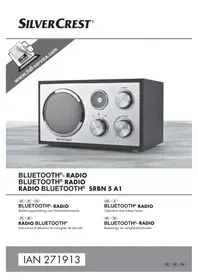
SRBN 5 A1 - Radio SILVERCREST - Free user manual and instructions
Find the device manual for free SRBN 5 A1 SILVERCREST in PDF.



| Product type | Bluetooth Radio |
| Brand | SilverCrest |
| Model | SRBN 5 A1 |
| Dimensions | 22.5 x 13 x 15.5 cm |
| Weight | 1350 g |
| Power supply | 100 - 240 V ~, 50 Hz |
| Protection class | II |
| Power consumption in operation | max. 15 W |
| Power consumption in standby | approx. 1.5 W |
| Speaker output power | 5 W RMS |
| FM radio frequency range | 87.5 - 108 MHz |
| Bluetooth version | 2.1 + EDR |
| Bluetooth profiles | A2DP |
| Bluetooth range | 10 m max. |
| Operating temperature | +15°C to +35°C |
| Storage temperature | +5°C to +40°C |
| Humidity without condensation | ≤ 75% |
| Antenna | Telescopic |
| Sockets | AUX IN (3.5 mm), Headphone (3.5 mm) |
| Functions | FM radio, Bluetooth, AUX, auto standby after 15 min |
| Cleaning | Slightly damp cloth and mild detergent |
| Warranty | 3 years |
Frequently Asked Questions - SRBN 5 A1 SILVERCREST
User questions about SRBN 5 A1 SILVERCREST
0 question about this device. Answer the ones you know or ask your own.
Ask a new question about this device
Download the instructions for your Radio in PDF format for free! Find your manual SRBN 5 A1 - SILVERCREST and take your electronic device back in hand. On this page are published all the documents necessary for the use of your device. SRBN 5 A1 by SILVERCREST.
USER MANUAL SRBN 5 A1 SILVERCREST
Operation and Safety Notes
NL BE
BLUETOOTH®- RADIO
Before reading, unfold the page containing the illustrations and familiarise yourself with all functions of the device.
FR BE
GB/IE Operation and Safety Notes Page 15
KOMPERNASS HANDELS GMBH
BURGSTRASSE 21·44867 BOCHUM·GERMANY
www.kompernass.com
Information concerning these operating instructions 16
Copyright 16
Notes on trademarks 16
Intended use 16
Warnings used 17
Safety. 17
Basic safety guidelines 17
Power saving mode 19
Descriptions of components 19
Operation 20
Check the package contents 20
Disposal of packaging materials 20
Set-up location requirements 20
Connecting the power supply 21
Handling and operation 21
Switch the device on/off 21
Select operating mode. 21
Radio mode 21
Bluetooth® mode 22
Connecting an external playback device 23
Connecting headphones 23
Troubleshooting 24
Fault causes and rectification 24
Cleaning 25
Storage when not in use 25
Disposal 26
Disposal of the device 26
Appendix 26
Technical data 26
Warranty 27
Service 27
Importer 27
EU conformity declaration 28
Introduction
Information concerning these operating instructions
Congratulations on the purchase of your new device.
You have selected a high-quality product. The operating instructions are part of this product. They contain important information on safety, usage and disposal. Before using the product, familiarise yourself with all operating and safety instructions. Use the product only as described and for the specified areas of application. Keep these operating instructions in a safe place. Please also pass on these operating instructions to any future owner.
Copyright
This documentation is protected by copyright.
Any copying or reproduction, including in the form of extracts, or any reproduction of images (even in a modified state), is permitted only with the written authorisation of the manufacturer.
Notes on trademarks
The Bluetooth® word mark and logos are registered trademarks owned by Bluetooth SIG, Inc.
All other names and products may be trademarks or registered trademarks of their respective owners.
Intended use
This consumer electronics device is used for the reception of FM radio programs and to play back audio files which can be transferred via Bluetooth® or 3.5 mm cable. The device is intended for private use only and is not suitable for commercial purposes.
The device is not intended for any other purpose, nor for use beyond the scope described. The device is not intended for use in commercial or industrial environments. The manufacturer accepts no responsibility for damage caused by failure to observe these instructions, improper use or repairs, unauthorised modifications or the use of unapproved replacement parts. The risk shall be borne solely by the user.
Warnings used
The following warning notice types are used in these operating instructions:

DANGER
A warning notice at this hazard level indicates a potentially hazardous situation.
If the hazardous situation is not avoided, it could result in death or serious physical injury.
- Follow the instructions in this warning notice to avoid the risk of death or serious injury.

CAUTION!
A warning notice at this hazard level indicates a potential for property damage.
Failure to avoid this situation could result in property damage.
Follow the instructions in this warning notice to prevent property damage.
NOTE
A note provides additional information that will assist you in using the device.
Safety
This section contains important safety instructions for using the device. This device complies with statutory safety regulations. Improper use may result in personal injury and property damage.
Basic safety guidelines
This device may be used by children aged 8 years and above and by persons with limited physical, sensory or mental capabilities, or lack of experience and knowledge, provided that they are under supervision or have been told how to use the device safely and are aware of the potential risks. Children must not use the device as a plaything. Cleaning and user maintenance tasks may not be carried out by children unless they are supervised.
Check the device for visible external damage before use. Do not operate an device that has been damaged or dropped.
If the power cable or connections are damaged, have them replaced by an authorised specialist or the Customer Service department.
Protect the power cable from hot surfaces and sharp edges.
■ Ensure that the power cable is not stretched tightly or kinked.
■ Do not leave the power cable hanging over edges (stripping hazard).
Always place the device on a stable and level surface. It can be damaged if dropped.
- Do not expose the device to direct sunlight or high temperatures. Otherwise it may overheat and be irreparably damaged.
■ Be sure to provide sufficient air circulation to avoid a heat build-up. Never cover the device! Risk of fire!
- Do not place the product near heat sources such as radiators or other heat-generating devices.
■ Never operate the device in the vicinity of naked flames (e.g. candles), and do not place burning candles on or next to the device. This will help to prevent fires.
The device is not designed for use in rooms with high temperatures or humidity (e.g. bathrooms) or where there is excessive dust.
-
Do not expose the device to water spray or dripping water, and do not place liquid-filled objects such as vases or open drink containers on or near the device.
-
Never open the housing of the device. There are no user-serviceable or replaceable components inside the device.
Do not make any unauthorised modifications or alterations to the device.
All repairs must be carried out by authorised specialist companies or by the Customer Service department. Improper repairs may put the user at risk. It will also invalidate any warranty claims.
Repairs to the device during the warranty period may only be carried out by a customer service department authorised by the manufacturer. Otherwise, no warranty claims will be held for any subsequent damages.
Defective components must always be replaced with original replacement parts. Compliance with the safety requirements can only be guaranteed by using these replacement parts.
Switch off the device immediately and pull the plug out of the power socket if you smell fumes or notice any smoke. Have the device checked by a qualified specialist before using it again.
In the case of a malfunction occurring or a thunderstorm, disconnect the plug from the mains power socket.
DANGER! Do not allow children to play with the packaging material! Keep all packaging materials away from children. Risk of suffocation!
Notice regarding power disconnection
The device consumes power in standby mode. The On/Standby switch/Volume control 4 and the main switch 5 for this device do not completely disconnect it from the power supply. To completely separate the device from the power supply, the plug must be disconnected from the mains power socket. The mains power socket must be easily accessible so that the power cable can be easily disconnected in an emergency.
Power saving mode
If there is no input signal to the 3.5mm jack (AUX IN) 7r no playback in Bluetooth® operation, the device switches automatically into power saving mode after 15 minutes.
The lighting on the frequency scale 2 goes out and any existing Bluetooth® connection will be terminated.
To exit power saving mode, use the operating mode selector switch 5 to change the operating mode or switch the device off and then on again using the On/ Standby switch/Volume control 4.
Descriptions of components
(See fold-out page for illustrations)
Speaker
Frequency scale
TUNING dial
On/Standby switch/Volume control (VOLUME)
Operating mode selector switch (FM/AUX)
6 Telescopic aerial
3.5 mm jack (AUX IN)
3.5 mm headphone socket
9 Main switch (ON/OFF)
10 Operating instructions
Operation
Check the package contents
(See fold-out page for illustrations)
The scope of delivery includes the following components:
- Bluetooth radio
These operating instructions
Remove all parts of the device from the packaging and remove all packaging materials.
NOTE
Check the package for completeness and for signs of visible damage.
If the delivery is incomplete or damage has occurred as a result of defective packaging or during transport, contact the Service hotline (see chapter entitled Service).
Disposal of packaging materials
The packaging protects the device from damage during transport. The packaging materials have been selected for their environmental friendliness and ease of disposal, and are therefore recyclable.

Returning the packaging into the material cycle conserves raw materials and reduces the amount of waste generated. Dispos of packaging materials that are no longer needed in accordance with applicable local regulations.
Set-up location requirements
For safe and trouble-free operation of the device, the set-up location must fulfil the following requirements:
Place the device on a firm, flat and level surface.
Do not operate the device in a hot, wet, extremely damp or explosive environment.
- Keep a minimum distance of 30~cm to heat-emitting devices such as heaters, ovens, etc.
Operate the device only in locations with adequate ventilation.
The surfaces of some items of furniture might contain components that can corrode and soften the rubber feet of the device. If necessary, place a mat under the device's rubber feet.
The mains power socket must be easily accessible so that the power cable can be easily disconnected in an emergency.
Connecting the power supply
Before connecting the device, compare the connection data (voltage and frequency) on the rating plate with that of your mains power supply. This data must agree so that the device is not damaged.
Insert the plug into a mains power socket.
Handling and operation
This section provides you with important information on handling and using the device.
Switch the device on/off
Move the main switch to the ON position.
Turn the On/Standby switch/Volume control clockwise past a slight resistance to turn the device on.
Turn the On/Standby switch/Volume control anticlockwise past a slight resistance into the position to switch the device off.
To switch the device off completely, move the main switch into the OFF position.
Select operating mode
Set the operating mode selector switch to the desired operating mode.
FM: Radio mode (FM)
Bluetoothmode
- AUX: Play back music from a device connected to the 3.5mm jack (AUX IN)
Radio mode
NOTE
The technical features of this device enable an adjustable reception capability that exceeds the permitted FM frequency range of 87.5-108 MHz. In some countries, different national regulations may apply to the assigned radio frequency ranges. Please note that information received outside of the assigned radio frequency ranges may not be exploited, passed on to third parties or otherwise misused.
Pull out the telescopic aerica and align it.
Move the operating mode selector switch into the FM position.
Switch on the device and set the desired volume. The frequency scale lights up orange.
Use the TUNING dial to select the desired radio station. The current frequency (MHz) can be read from the frequency scale 2.
Bluetooth® mode
To play back audio files via Bluetooth® the device must previously have been paired with a compatible Bluetooth® playback device.
Move the operating mode selector switch 5 into the 8 position.
Switch on the device and set the desired volume. The frequency scale 2 flashes blue.
Set the Bluetooth playback device so that it scans for Bluetooth® devices. A detailed description of how to do this can be found in the operating instructions for your Bluetooth® playback device.
Select SRBN 5 A1 from the list of found devices in your Bluetooth® playback device to connect the two devices. If pairing is successful, you will hear a sequence of beeps and the frequency scale lights up permanently blue.
Start playback from the Bluetooth playback device.
To terminate the Bluetooth connection, either disable the Bluetooth function on the playback device, change the operating mode using the operating mode selector switch 5, or switch off the device.
NOTE
The next time you turn on the device, it will automatically connect to the last Bluetooth® playback device connected. If your Bluetooth® playback device does not automatically reconnect to the device, you will have to re-establish the connection to your Bluetooth® playback device manually. A detailed description of how to do this can be found in the operating instructions for your Bluetooth® playback device.
If you use a smartphone as your Bluetooth playback device, the audio file will be muted when there is an incoming call. Acceptance/termination of the call is carried out via the smartphone. After finishing the call, the playback will be automatically continued.
Note that while in Bluetooth mode, you can also set the volume via the Bluetooth® playback device.
If the playback sounds distorted, reduce the volume on the Bluetooth® playback device.
Connecting an external playback device
You can connect a wide variety of playback devices to this device, for example MP3 or CD players. To connect external playback devices, you will need an audio cable (not included). One end of the cable must have a 3.5mm jack plug to connect to the AUX IN socket 7. The type of plug on the other end of the cable will depend on the audio output of the external device.
CAUTION!
- Switch off all devices before connecting them with each other and follow the operating instructions of the devices you want to connect.
Connect the line-out connector of the external playback device (e.g. headphone socket) via a 3.5 ~mm jack cable to the AUX IN socket 7 on the rear of the device.
Move the operating mode selector switch into the AUX position.
Switch on the device and set the desired volume. The frequency scale lights up green.
Switch on the connected playback device and start playback.
Turn off both devices before you disconnect them from each other.
NOTE
Note that while in AUX mode, you can also set the volume via the external playback device.
If the playback sounds distorted, reduce the volume on the external playback device.
Connecting headphones
CAUTION!

Listening to music with headphones or earphones for long periods and at high volume levels can lead to hearing damage!
Use the volume control to set the volume level to the lowest level.
Plug the jack plug of the headphones or earphones into the headphone socket (O) 8 on the device. Sound is now played back via the headphones and the speaker 1 is muted.
Set the desired volume.
Troubleshooting
This section contains important information about fault identification and rectification. Follow the instructions to avoid hazards and damage.
Fault causes and rectification
The following table will help you to identify and rectify minor malfunctions:
| Faults Possible cause Remedy | ||
| Device does not switch on. | The plug is not connected. | Insert the power plug into the socket. |
| The mains power socket is not supplying power. | Check the house mains fuse. | |
| The main switch is set to the OFF position. | Set the main switch to the ON position. | |
| No sound. | The volume on the device or the playback device is set to minimum. | Increase the volume on the device or on the playback device. |
| Playback has not been started on the playback device. | Start playback on the playback device. | |
| Interference with the radio reception. | The station is not properly tuned in. | Use the TUNING dial to tune the desired radio station. |
| The reception is weak. | Try to improve reception by realigning the telescopic aerial. | |
| The Blue-tooth® connec-tion cannot be established. | Possibly, not all of the Bluetooth® devices are compatible. | Check the settings on your Bluetooth® device. |
| Bluetooth® transmission is not activated on your playback device. | Switch on Bluetooth® transmis-sion on your playback device.Please refer to its operating instructions for more information. | |
| The playback device is not paired with the device. | Repeat the pairing process (see section Bluetooth® mode). | |
| The distance between the device and the playback device is too great. | Ensure that the device is no more than 10 metres away from the playback device. | |
| Playback sounds distorted in AUX mode. | The volume is set too high on the external playback device. | Reduce the volume on the external playback device. |
NOTE
If you cannot solve the problem with the above-mentioned solutions, please contact the Service Hotline (see chapter entitled Service).
Cleaning

DANGER
Risk of fatal injury from electrocution!
- Remove the plug from the mains power socket before starting to clean the device.

CAUTION!
Possible damage to the device.
There are no serviceable parts or parts requiring cleaning inside the device. Moisture can cause damage to the device.
- To avoid irreparable damage to the device, ensure that no moisture can penetrate the device during cleaning.
- Do not use caustic, abrasive or solvent-based cleaning materials. These can damage the surfaces of the device.
Clean the housing of the device with a lightly moistened cloth and a mild detergent only.
Storage when not in use
Store the device in a location which is clean, dry, dust-free and not in direct sunlight.
Disposal
Disposal of the device

The adjacent symbol of a crossed-out wheelie bin means that this device is subject to Directive 2012/19/EU. This directive states that this device may not be disposed of in the normal household waste at the end of its useful life, but must be handed over to specially set-up collection locations, recycling depots or disposal companies.
This disposal is free of charge for the user. Protect the environment and dispose of this device properly.
You can obtain further information from your local disposal company or the city or local authority.
Appendix
Technical data
| Operating voltage, frequency 100-240 V ~, 50 Hz | |
| Protection class | II/☐ |
| Power consumption - Operation - Standby | max. 15 W approx. 1.5 W |
| Max. loudspeaker output power 5 W RMS (with 10% THD) | |
| FM frequency range (VHF) 87.5-108 MHz | |
| Bluetooth® specifications Version 2.1 + EDR | |
| Supported Bluetooth® profiles A2DP | |
| Bluetooth® range max. 10 m | |
| Operating temperature +15°C to +35°C | |
| Permanent storage temperature +5°C to +40°C | |
| Humidity (no condensation) ≤ 75% | |
| Dimensions approx. 22.5 x 13 x 15.5 cm | |
| Weight approx. 1350 g | |
Warranty
This device is provided with a 3-year warranty valid from the date of purchase. This device has been manufactured with care and inspected meticulously prior to delivery.
Please retain your receipt as proof of purchase. In the event of a warranty claim, please contact your Customer Service unit by telephone. This is the only way to guarantee free return of your goods.
NOTE
The warranty only covers claims for material and manufacturing defects, not for transport damage, worn parts or damage to fragile components such as buttons or rechargeable batteries.
This product is intended solely for private use and not for commercial purposes. The warranty shall be deemed void in cases of misuse or improper handling, use of force and modifications/repairs which have not been carried out by one of our authorised Service centres.
Your statutory rights are not restricted by this warranty.
The warranty period is not prolonged by repairs effected under the warranty. This also applies to replaced and repaired components. Any damage and defects present at the time of purchase must be reported immediately after unpacking, but no later than two days after the date of purchase. Repairs carried out after expiry of the warranty period shall be subject to charge.
Service
GB Service Great Britain
Tel.: 0871 5000 720 (£ 0.10/Min.)
E-Mail: kompernass@lidl.co.uk
IAN 271913
IE Service Ireland
Tel.: 1890 930 034
(0,08 EUR/Min., (peak))
(0,06 EUR/Min., (off peak))
E-Mail: kompernass@lidl.ie
IAN 271913
Hotline availability: Monday to Friday 08:00 - 20:00 (CET)
Importer
KOMPERNASS HANDELS GMBH
BURGSTRASSE 21
44867 BOCHUM
GERMANY
www.kompernass.com
EU conformity declaration
We, Kompernaß Handels GmbH, Burgstraße 21, 44867 Bochum, hereby declare that the product SRBN 5 A1 Bluetooth® radio complies with the essential requirements and other relevant provisions of the Low Voltage Directive 2006/95/EC, the R&TTE Directive 1999/5/EC, the ErP Directive 2009/125/EC, the EMC Directive 2004/108/EC and the RoHS Directive 2011/65/EU.
ID number: IAN 271913
Applied harmonised standards:
EN 60065:2002 + A1:2006 + A2:2010 + A11:2008 + A12:2011
EN 300 328 V1.8.1
EN 301 489-1 V1.9.2
EN 301 489-17 V2.2.1
EN 62479:2010
EN 50581:2012
EN 50564:2011 + Regulation 1275/2008
EN 61000-3-2:2006 + A1:2009 + A2:2009
EN 61000-3-3:2013
EN 55013:2013
EN 55020:2007 + A11:2011
Bochum, 28/07/2015

Semi Uguzlu
Quality Manager
Table des matieres
Introduction 30
KOMPERNASS HANDELS GMBH
BURGSTRASSE 21
44867 BOCHUM
GERMANY
www.kompernass.com
KOMPERNASS HANDELS GMBH
BURGSTRASSE 21
44867 BOCHUM
GERMANY
www.kompernass.com
KOMPERNASS HANDELS GMBH
BURGSTRASSE 21
44867 BOCHUM
DEUTSCHLAND/GERMANY
www.kompernass.com


- BLUETOOTH®- RADIO
- FR BE
- Safety. 17
- Descriptions of components 19
- Operation 20
- Handling and operation 21
- Troubleshooting 24
- Cleaning 25
- Storage when not in use 25
- Disposal 26
- Appendix 26
- Introduction
- Information concerning these operating instructions
- Copyright
- Notes on trademarks
- Intended use
- Warnings used
- DANGER
- A warning notice at this hazard level indicates a potentially hazardous situation.
- CAUTION!
- A warning notice at this hazard level indicates a potential for property damage.
- NOTE
- Safety
- Basic safety guidelines
- Notice regarding power disconnection
- Power saving mode
- Descriptions of components
- Operation
- Check the package contents
- Disposal of packaging materials
- Set-up location requirements
- Connecting the power supply
- Handling and operation
- Switch the device on/off
- Select operating mode
- Radio mode
- Bluetooth® mode
- Connecting an external playback device
- Connecting headphones
- Listening to music with headphones or earphones for long periods and at high volume levels can lead to hearing damage!
- Troubleshooting
- Fault causes and rectification
- Cleaning
- Risk of fatal injury from electrocution!
- Possible damage to the device.
- Storage when not in use
- Disposal
- Disposal of the device
- Appendix
- Technical data
- Warranty
- Service
- Importer
- EU conformity declaration
- Applied harmonised standards:
- Table des matieres
- Introduction 30
Brand : SILVERCREST
Model : SRBN 5 A1
Category : Radio