HWAM9KE - Air Conditioning Amcor - Free user manual and instructions
Find the device manual for free HWAM9KE Amcor in PDF.


| Product type | Split air conditioner (indoor unit + outdoor unit) |
| Brand | Amcor |
| Model | HWAM9KE |
| Power supply | 220-240 V / 50 Hz, grounded plug, 16 A fuse |
| Dehumidification capacity | 17 L/24h (max) |
| Thermostat adjustment range (cooling and heating) | 18 °C – 30 °C |
| Operating modes | Cooling, heating, dehumidification, ventilation, auto, night, turbo |
| Fan speed | Low, medium, high, auto |
| Remote control | Yes, with LCD display, range 8 m, AAA batteries |
| Timer functions | Delayed start, delayed stop (programmable up to 24 h) |
| Air filter | Washable with warm water; regular cleaning recommended |
| Maintenance | Dust the indoor unit with a dry cloth; clean debris from the outdoor unit |
| Safety | Automatic shutdown in case of power failure; overload protection |
| Automatic restart | Yes, after power is restored |
| Minimum outdoor temperature for heating | Approximately 10 °C |
| Max distance between indoor and outdoor units | 4 m (pipes and cable provided) |
| Wall pass-through hole diameter | 65 mm |
| Included accessories | Mounting plate, sleeve, drain tube, rubber feet, valve keys |
Frequently Asked Questions - HWAM9KE Amcor
User questions about HWAM9KE Amcor
0 question about this device. Answer the ones you know or ask your own.
Ask a new question about this device
Download the instructions for your Air Conditioning in PDF format for free! Find your manual HWAM9KE - Amcor and take your electronic device back in hand. On this page are published all the documents necessary for the use of your device. HWAM9KE by Amcor.
USER MANUAL HWAM9KE Amcor
HWAM9KE HWAM12KE HW9KE HW12KE
NL Gebruiks- en installatiehandleiding
F Mode d'emploi et manuel d'installation
GB User manual and installation guide
FELICITATIES
natural_image
Abstract black-and-white graphic with diagonal lines and a central emblem (no text or symbols)natural_image
Simple line drawing of a container with liquid inside, crossed by two diagonal lines (no text or symbols)natural_image
Diagram showing a hand using a tool to cut a rectangular object with diagonal lines (no text or symbols)natural_image
Symbolic illustration of a campfire with crossed lines indicating fire resistance (no text or numbers present)natural_image
Abstract geometric pattern with black and gray shapes intersected by diagonal lines (no text or symbols)natural_image
Diagram of a cylindrical object with labeled sections A and directional arrows indicating movement or force (no text or symbols beyond labels)natural_image
Line drawing of a hand pressing down on a car air conditioner cover (no text or symbols)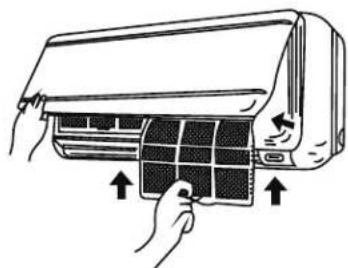
natural_image
Illustration of a hand inserting a grid into an air conditioner cover (no text or symbols)natural_image
Simple line drawing of stacked cylindrical and rectangular objects on an oval base (no text or symbols)natural_image
Two stacked white cardboard boxes on a floor, no visible text or symbols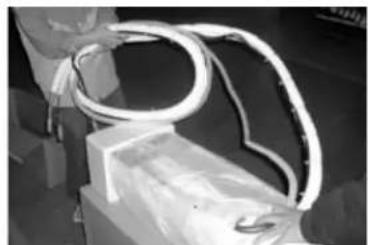
natural_image
Close-up of a white flexible electrical cable with coiled wires, mounted on a rectangular base (no visible text or symbols)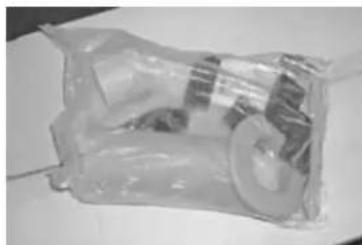
natural_image
Black-and-white photo of a plastic bag wrapped in plastic wrap, containing a small object (no visible text or symbols)natural_image
Person in lab coat handling a transparent mechanical component (no visible text or symbols)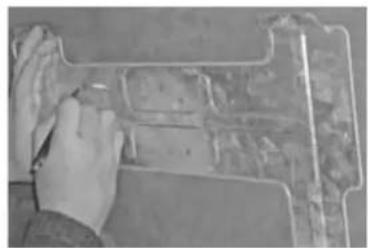
natural_image
Close-up of hands using a tool to cut or mark a rectangular object on a surface (no visible text or symbols)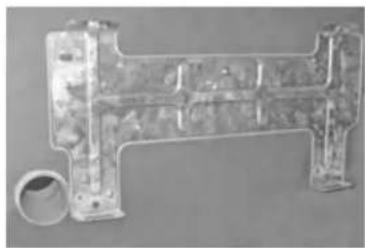
natural_image
Metal mechanical component with flanged ends and a circular inset showing a cylindrical feature (no visible text or symbols)natural_image
Diagram of a mechanical component with a black rod and two circular elements, no text or symbols present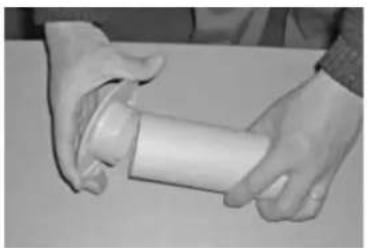
natural_image
Close-up of hands holding a white cylindrical object (no visible text or symbols)
natural_image
Close-up of a server rack with cables and connectors (no visible text or symbols)natural_image
Black plastic pipe fitting with flanged ends and a small protrusion (no text or symbols visible)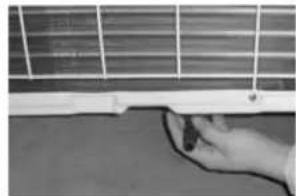
natural_image
Close-up of a hand holding a thin wire near a white panel with grid lines (no visible text or symbols)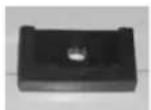
natural_image
Hand pressing a small object on a surface, next to an air conditioner unit (no visible text or symbols)Afvoerpijpje
natural_image
Close-up of a hand using a screwdriver to adjust or install a computer monitor (no visible text or symbols)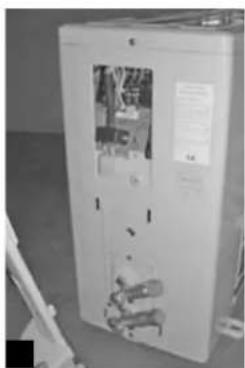
natural_image
Interior view of a white industrial electrical cabinet with visible internal components and no readable text or symbols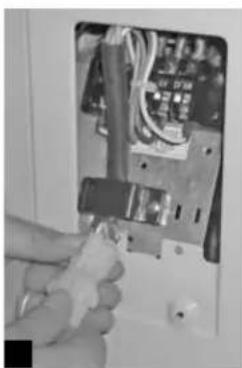
natural_image
Close-up of a hand holding a small tool inside an electrical enclosure (no visible text or symbols)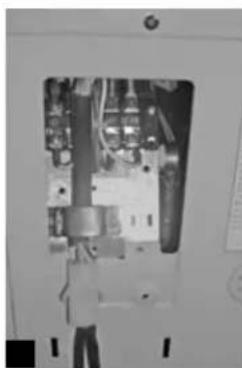
natural_image
Interior view of an electrical enclosure showing internal components and wiring (no visible text or symbols)natural_image
Close-up of a white electrical cabinet with visible wrench and screwdriver components (no text or symbols)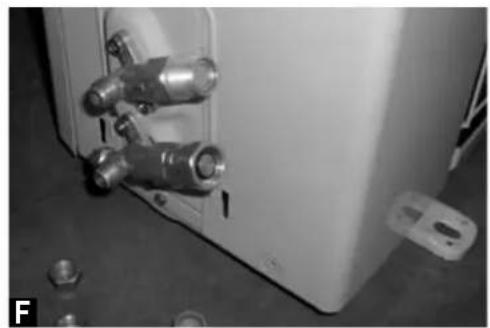
natural_image
Close-up of a mechanical device with metallic fittings and bolts, no visible text or symbolsLeidingen
natural_image
Close-up of hands installing or adjusting a wall-mounted electrical socket with tubing (no visible text or symbols)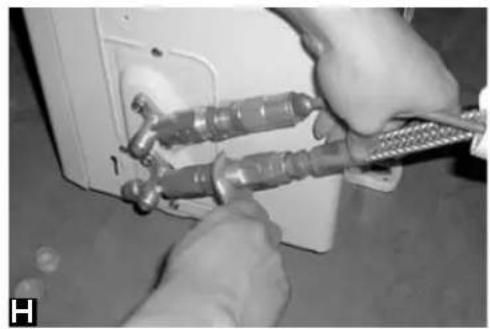
natural_image
Close-up of hands using a tool to adjust or install a component, no visible text or symbolsnatural_image
Close-up of hands connecting cables to a device panel (no visible text or symbols)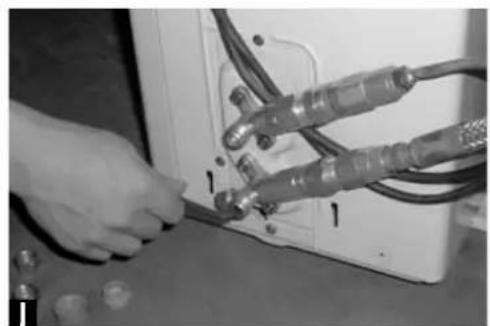
natural_image
Close-up of hands connecting cables to a device (no visible text or symbols)natural_image
Close-up of hands connecting cables to an electrical panel (no visible text or symbols)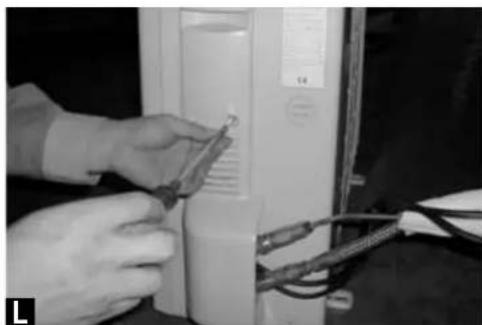
natural_image
Close-up of hands installing or adjusting a component on a computer tower (no visible text or symbols)natural_image
Close-up of hands installing or adjusting a wall-mounted device (no visible text or symbols)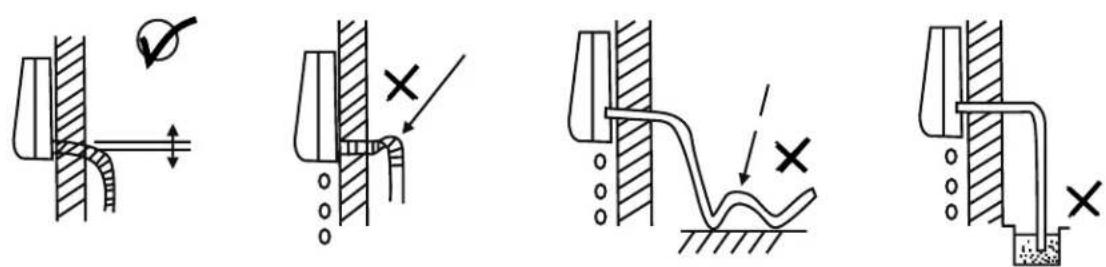
natural_image
Abstract black-and-white graphic with diagonal lines and a central emblem (no text or symbols)natural_image
Simple line drawing of a container with liquid inside a square, crossed by two diagonal lines (no text or symbols)natural_image
Diagram showing a hand using a tool to cut a rectangular object with diagonal lines (no text or symbols)natural_image
Symbolic illustration of a campfire with crossed lines indicating fire resistance (no text or numbers present)natural_image
Abstract geometric pattern with black and gray shapes intersected by diagonal lines (no text or symbols)natural_image
Diagram of a cylindrical object with labeled points A and directional arrows indicating movement or force (no text or symbols beyond labels)natural_image
Illustration of a hand pressing down on a car air conditioner cover (no text or symbols)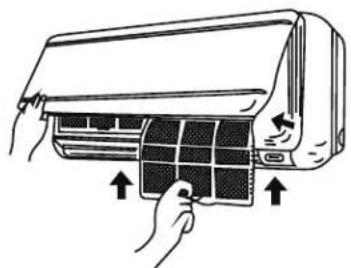
natural_image
Illustration of hands installing or adjusting a panel inside an air conditioner (no text or symbols visible)natural_image
Line drawing of battery components including a cylindrical cell, two rectangular cells, and an oval base (no text or symbols)natural_image
Two stacked white cardboard boxes on a floor, no visible text or symbols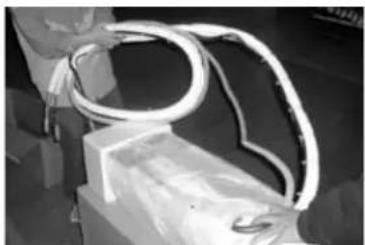
natural_image
Close-up of a white flexible tube wrapped in light bulbous material, placed on a rectangular base (no visible text or symbols)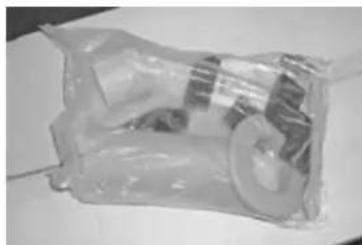
natural_image
Black-and-white photo of a plastic bag wrapped in plastic wrap, containing a small object (no visible text or symbols)natural_image
Person holding a transparent mechanical device with wires, no visible text or symbols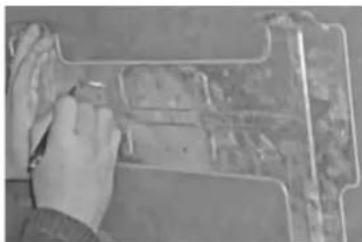
natural_image
Close-up of hands using a tool to cut or mark a metal object on a workbench (no visible text or symbols)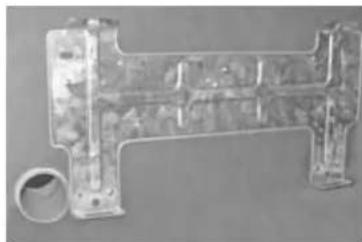
natural_image
Metallic mechanical component with cylindrical end and flange (no visible text or symbols)natural_image
Close-up of hands holding a white cylindrical object (no visible text or symbols)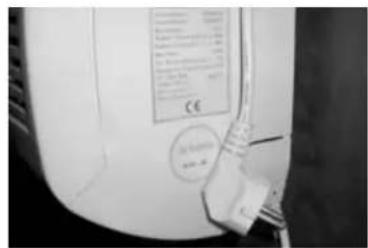
natural_image
Close-up of a mechanical or electrical component with wires and connectors (no visible text or symbols)natural_image
Close-up of a black plastic pipe fitting with flanged ends and a small protrusion (no text or symbols visible)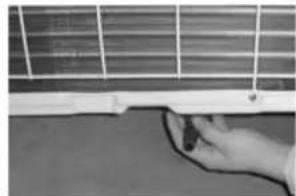
natural_image
Close-up of a hand holding a thin wire near a white panel with grid lines (no visible text or symbols)

natural_image
Hand pressing a small object on a surface, next to a white wall (no visible text or symbols)Tube d'évacuation
natural_image
Close-up of a hand using a screwdriver to adjust or install a computer monitor (no visible text or symbols)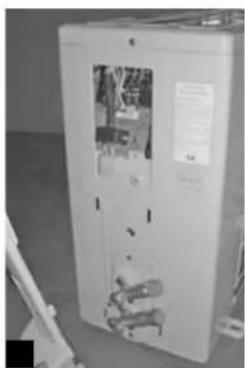
natural_image
Exterior view of a white industrial cabinet with visible internal components and no readable text or symbols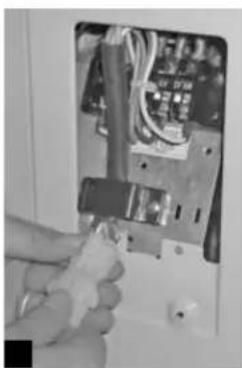
natural_image
Close-up of a hand holding a small tool inside an electrical enclosure (no visible text or symbols)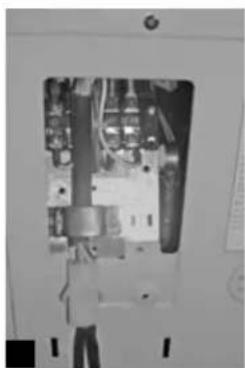
natural_image
Interior view of an electrical enclosure showing internal components and wiring (no visible text or symbols)natural_image
Close-up of a white electrical panel with three wrenches and two bulbs inserted, no visible text or symbols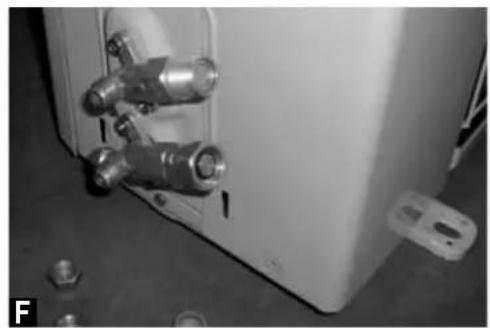
natural_image
Close-up of a white industrial container with metallic fittings and bolts, no visible text or symbolsConduites
natural_image
Close-up of hands installing or adjusting a wall-mounted pipe fitting with a tool (no visible text or symbols)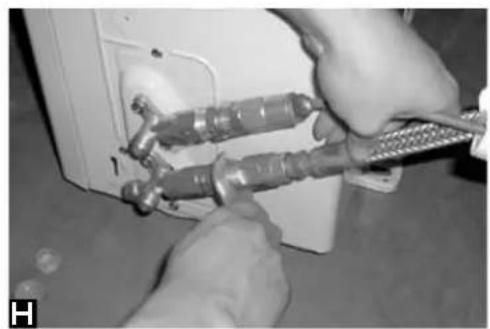
natural_image
Close-up of hands using a tool to adjust or install a wall-mounted device (no visible text or symbols)natural_image
Close-up of a hand using a tool to connect electrical cables to a device (no visible text or symbols)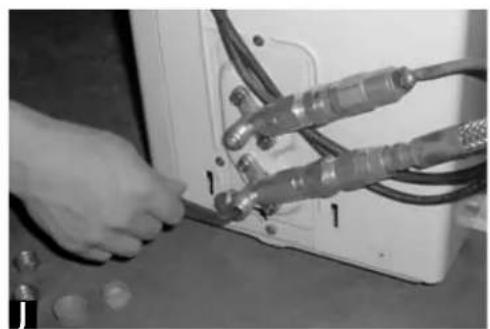
natural_image
Close-up of hands operating a device with cables and connectors (no visible text or symbols)natural_image
Close-up of hands connecting cables to an electrical panel (no visible text or symbols)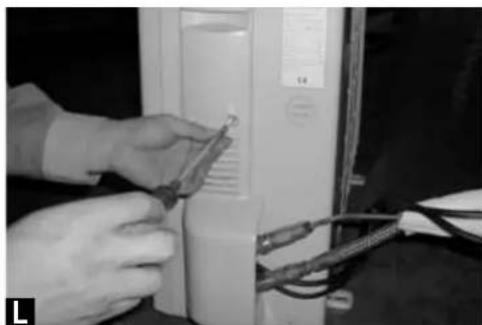
natural_image
Close-up of hands installing or adjusting a component on a computer tower (no visible text or symbols)natural_image
Close-up of hands installing a wall-mounted device with a circular button (no visible text or symbols)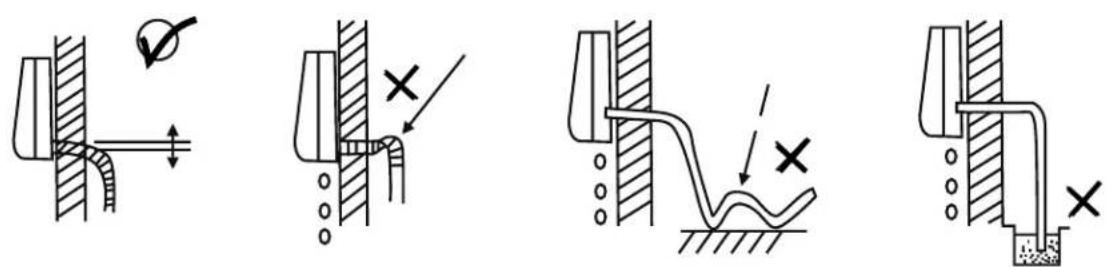
Thank you for choosing this innovative Amcor air conditioner. We suggest that you keep this manual in a safe place for future reference. It describes the many benefits and advanced features this unique product has to offer. Before you use your new air conditioner you should carefully read these instructions to maximise this product's performance.
For over 50 years Amcor has specialised in complete indoor environmental control, manufacturing and marketing; dehumidifiers, portable air conditioners, coolers, air purifiers, ionisers and aroma therapy scent diffusers. These world class products incorporate the latest technological developments.
SAFETY INSTRUCTIONS
IMPORTANT!
- The inside unit is designed for indoor operation only.
- Rating: This unit must be connected to a 220-240 V / 50 Hz earthed outlet.
- The installation must be in accordance with regulations of the country where the unit is used.
If you are in any doubt about the electrical installation, have it checked and if necessary modified by a qualified electrician.
- The air conditioner is safe. However, as with other electrical appliances, use it with care.
- Keep the remote control out of the reach of children.
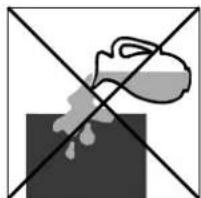
- Do not clean the air conditioner by spraying it or immersing it in water.
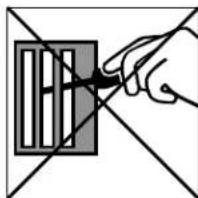
- Do not insert any object into the opening of the air conditioner.
- Disconnect it from the mains before cleaning the unit or any of its components.
- Never connect the unit to an electrical outlet using an extension cord. If an outlet is not available, one should be installed by a licensed electrician.
WARNING
- Never operate this appliance if it has a damaged cord or plug. Do not lead the cord over sharp edges.
- A damaged supply cord should be replaced by the manufacturer, its service agent or a qualified person in order to avoid a hazard.
- Any service other than regular cleaning or filter replacement should be performed by an authorized service representative. Failure to do so could result in a loss of warranty.
Do not use your air conditioner when:

natural_image
Abstract black-and-white geometric pattern with diagonal lines and a central white shape (no text or symbols)the power cord is damaged.
natural_image
Simple line drawing of a spray bottle on a dark surface with two crossed lines (no text or symbols)there is a change of liquids falling on the unit.
natural_image
Hand holding a tool interacting with a grid-like object (no text or symbols visible)ther is a risk of interference from foreign objects.

natural_image
Simple line drawing of a campfire with no text or symbolsit a close to a heat source.
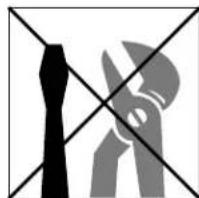
This air conditioner is not made for DIY repair.
HOW IT WORKS
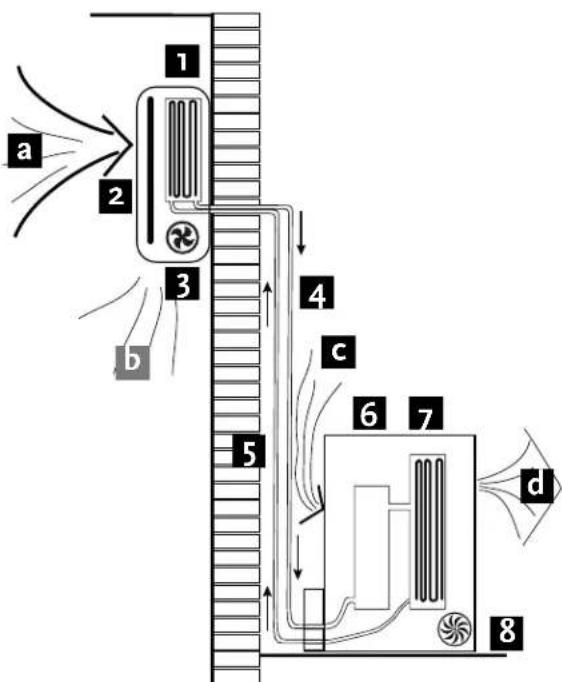
The compressor (6) in the exterior unit compresses the refrigerant into a high-temperature, high-pressure gas. When this gas flows along the cooling fins of the condenser (7), heat is exuded and the gas condenses into a liquid, which is led to the evaporator (1) in the interior unit. The liquid expands into a gas at a low temperature and low pressure is converted.
This gas absorbs the warmth of the air in the room, the cooled air is blown back into the room and the heat is led to the compressor along with the gas.
A fan (3) draws the air (a) over the filter (2) and blows the cooled air (b) back into the room.
A fan (8) draws air over the condenser and blows warm air (d) away.
flowchart
graph TD
    A["1"] --> B["2"]
    B --> C["3"]
    C --> D["4"]
    D --> E["5"]
    E --> F["6"]
    F --> G["7"]
    G --> H["8"]
    style A fill:#f9f,stroke:#333
    style B fill:#f9f,stroke:#333
    style C fill:#f9f,stroke:#333
    style D fill:#f9f,stroke:#333
    style E fill:#f9f,stroke:#333
    style F fill:#f9f,stroke:#333
    style G fill:#f9f,stroke:#333
    style H fill:#f9f,stroke:#333
- evaporator 5. liquid line
- filter 6. compressor
- fan 7. condenser
- gas line 8. fan
Heating.
The system operates in reverse: the condenser works as an evaporator, the evaporator as a condenser: warm air is blown into the room. This is ideal for cool days when the main heating is not on, or not yet on.
Dehumidifying
As with cooling, the moisture in the air condenses on the cold evaporator at room temperature
REMOTE CONTROL
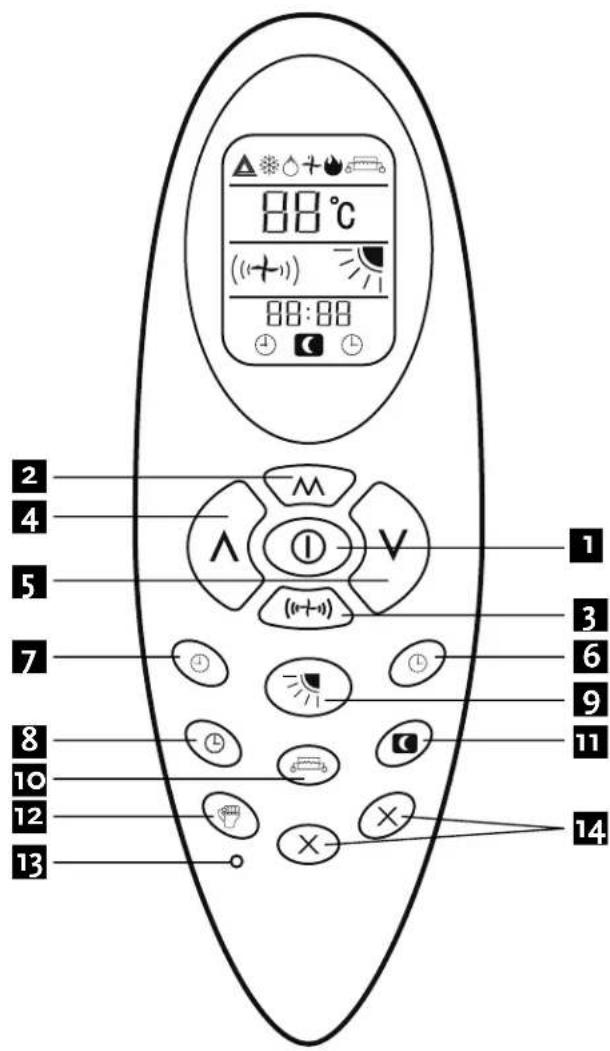
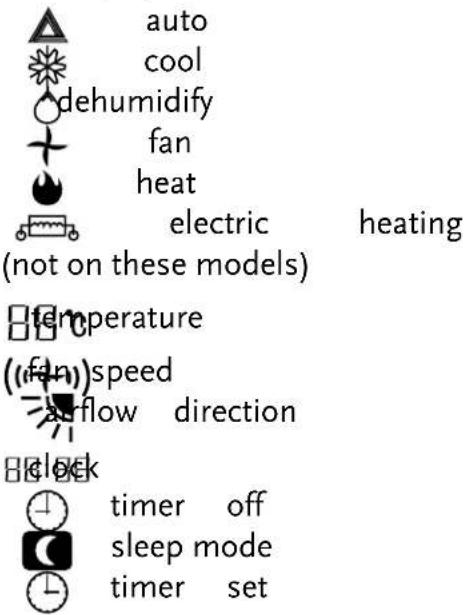
LCD display:
Buttons:
- ON/OFF
- mode (cool, heat, dehumidify)
- fan speed
- increase (temperature, time)
- decrease (temperature, time)
- timer setting
- timer cancelling
- clock
- swing (adjust the louvers)
- heater
- sleep mode
- turbo
- reset
- spare
Using of the remote control
The remote control signal has a range of up to 8 m. Point the remote control at the receiver in the interior unit.
A beep confirms that the remote control signal has been received.
See page 45 for replacing the batteries.
OPERATION
General
- Turn the appliance on with the button [1]. This activates the most recent setting.
- The on/off button ☑ turns the appliance off; the type of operation set at that time is stored in the memory.
- The desired temperature is set with the up [4] and/or down [5] button, within the limits of the thermostat: 18^ - 25^ .
- Use the fan button (to set) the fan speed at low: , medium: , high: (1-1) ((1-1)) or automatic (the symbol on the display will flash). The fan speed in the automatic setting is determined by the difference between the set temperature and the room temperature.
Setting the time
The time must be set after initial installation and at the start of a new period of use. With batteries (new, if necessary) in the remote control:
Press the clock button [8] to set the time. Use the up button for hours and the down button for minutes.
Cool
- Press the mode button ⬆ until the cool symbol appears.
- Set the desired temperature.
- Use the fan button (to set the fan speed.
Heat
- Press the mode button A until the heat symbol appears.
- Set the desired temperature.
- Use the fan button (to set the fan speed.
Dehumidify (9KE max. 17 L/24h, 12KE max. 24 L/24h)
-
Press the mode button until the dehumidify symbol appears.
-
Set the desired temperature.
-
The fan button does not work in dehumidify mode. The fan speed will always be low in this mode.
Fan mode
- Press the mode button ⬆ until the fan symbol ✦ appears.
- Set the desired temperature.
- Use the fan button (to set the fan speed.
Sleep mode
- Press the mode button ⚠ until the heat- cool- auto mode symbol appears.
- Set the desired temperature.
- Press the sleep mode button ☐ is symbol will appear on the display. Cancel the sleep mode by pressing this button again.
- The fan speed is low in sleep mode.
Auto mode
- Press the mode button ∧ until the auto mode symbol ▲ appears.
- The difference between set temperature and room temperature determines how the appliance operates: cool, heat, fan or dry. The up and down buttons will not work.
- Use the fan button (to set the fan speed.
Timer off function
- Press the mode button ⬆ until the symbol appears for the operation you want.
- Set the desired temperature.
- Use the fan button ( (1+1) ) to set the fan speed.
- Press the timer off button to set the time. Use the up button for hours and the down button for minutes. Once the time you have set has elapsed, the appliance will switch itself off. To cancel the timer off function before the set time has elapsed, press the timer off button again.
Timer on function
- The appliance is switched off.
- Press the timer on button to set the time. Use the up button for hours and the down button for minutes.
Set the desired operation, temperature, fan speed, etc. Once the set time has elapsed, the appliance will switch itself on. To turn off the timer on function before the set time has elapsed, press the timer on button again.
Turbo
- Press the mode button until the fan symbol appears.
- Set the desired temperature.
- Use the fan button (to set the fan speed.
- Press the turbo button 📋 The fan and compressor will run at maximum speed for 15 minutes, then at previously set speeds.
IMPORTANT
Auto restart
The air conditioner will automatic restart when electricity is restored after a power cut. If in doubt, check the settings.
Range of internal thermostat
The internal thermostat can be set at a desired temperature between 18 and 30 °C. Note that whether the desired value is achieved depends on conditions in the room.
Range of heat pump function
The heat function can be used when the external temperature is approximately 10 °C or higher.
Note that it may not operate properly at lower external temperatures.
Capacity
The required cooling or heating capacity depends greatly on the location and/or use of the room where the air conditioner is installed. Strong sunlight and the presence of people, lights or equipment create an additional heat load.
Normal living spaces require about 100 W per square metre of floor surface. In strong sunlight or if other sources of heat are present, this may be as much as 350 W/m^2 .
For your air conditioner's specifications, see pages 58/59.
Tip: on warm days, let the air conditioner cool the room as much as possible during the night. Cold walls and furniture will help to keep the room pleasant during use.
Avoid strong sunlight.
Emergency start
In the event of a problem, the air conditioner can be operated using the emergency button under the panel in the interior unit. Open the front panel and press the button.
The air conditioner will:
- heat if the room temperature is 20 °C or less
- cool if the room temperature is 25^ C or more
and for values in between: dehumidify in a model without a heat pump and in a model with a heat pump in fan mode.
FILTERS
Turn the appliance off and remove the plug from the outlet.
natural_image
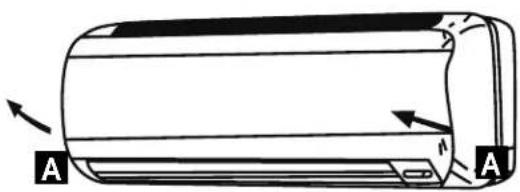
Diagram of a cylindrical object with labeled points A and directional arrows indicating movement or force (no text or symbols beyond labels)Opening: at the A recesses, pull the front part up. The front part will stay horizontal (turn up 90°).
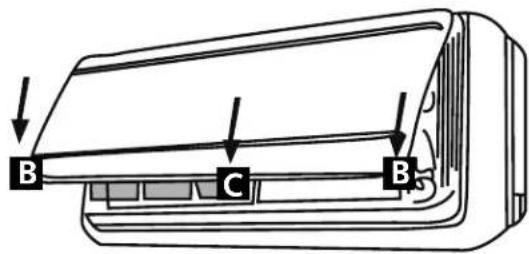
Closing: press the front part down at the sides at B and in the middle at C. Make sure it is properly closed (click).
natural_image
Line drawing of a hand pressing down on a car air conditioner cover (no text or symbols)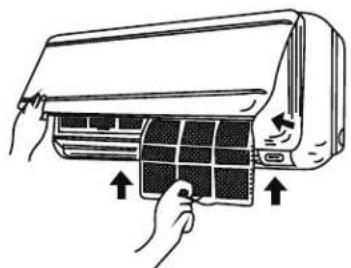
natural_image
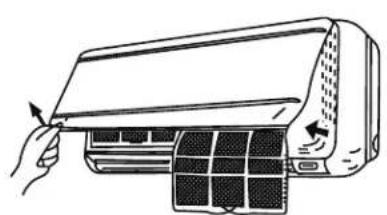
Illustration of hands installing or adjusting a grid panel inside an air conditioner (no text or symbols present)- Hold the front part open (or put it in horizontal position) and remove the filter(s).
- Tap the filter gently or use a vacuum cleaner to remove dirt. If the dust filter is very dirty, it may be washed in lukewarm water with a very small amount of neutral detergent. Rinse well and allow to dry completely (not in direct sunlight or near a source of heat).
- Keep the grid panel open and reinstall the filter(s). Press the panel shut; a click indicates it is closed properly.
- Plug the appliance back in and turn it on.
CLEANING
Turn the appliance off and remove the plug from the outlet.
Interior unit
Dust regularly with a dry cloth or slightly damp paper towel.
Never use chemicals or solvents. Never spray a liquid in or over the appliance.
Exterior unit
Remove dirt and keep the air intake and exhaust openings free of leaves, etc.
Cleaning with chemicals may cause damage.
END OF PERIOD OF USE
If the air conditioner is not going to be used for an extended period:
- set in fan mode on a slightly warm day so that the inside of the appliance dries out.
- remove the plug from the outlet and the batteries from the remote control.
- clean filters as well.
START OF PERIOD OF USE
If the air conditioner is to be used again after an extended period:
- check that the air intake and exhaust openings of the interior and exterior units are not blocked. Remove all dirt and obstacles.
- check that there is a filter.
- check that the condensation outlet drains properly.
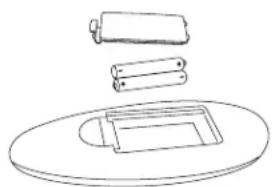
• install 2 AAA batteries in the remote control. - dust the interior unit.
- turn the appliance on, set the time and desired setting.
Note: make sure condensation is drained freely and that there is no obstacle such as algae growth, otherwise leaks may occur.
REPLACING THE BATTERIES
- remove the cover.
- replace the AAA batteries, + to + and - to -.
- install the cover.
- press the on/off button; if no symbols appear on the display, the batteries are empty or have been incorrectly installed.
natural_image
Simple line drawing of stacked cylindrical and rectangular objects on a circular base (no text or symbols)Which room is best suited for the Air Conditioner?
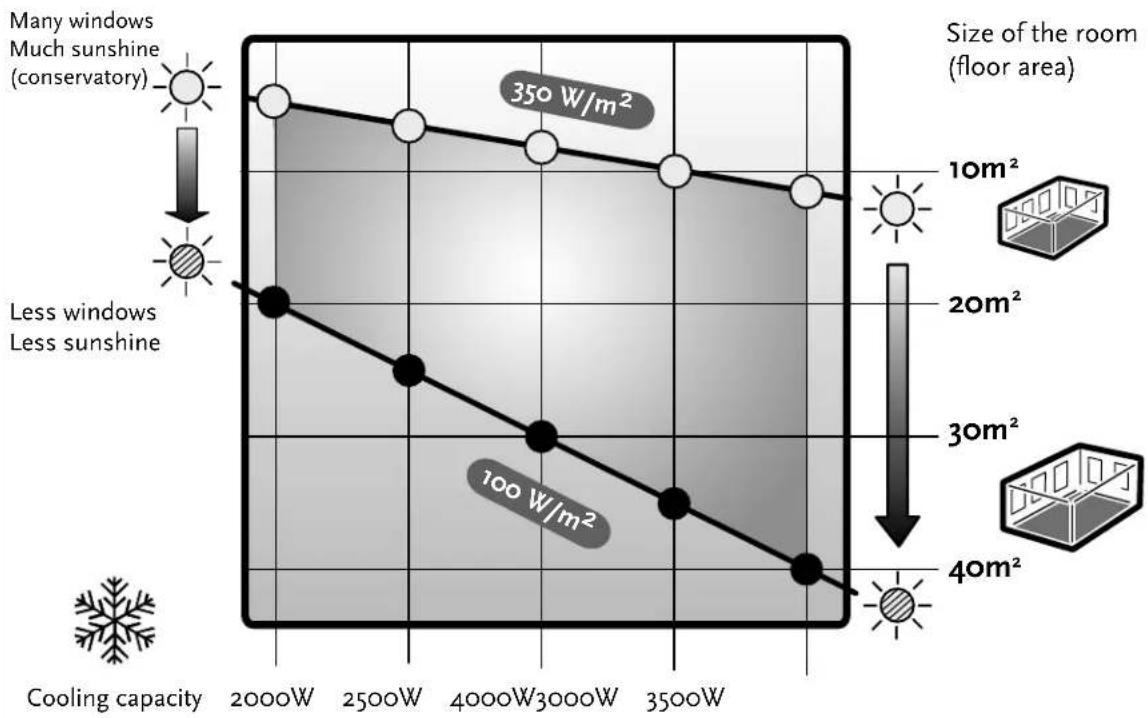
A suitable room depends on the cooling capacity, sun location, window area, presence of heat sources (lamps, appliances, number of people etc.). Take this into account! Rule of thumb, in average sunshine conditions and no presence of other heat sources: 100W per square metre (thus a cooling capacity of 3500W is best placed in a 35m² room).
SAFETY ASPECTS
Check the network voltage.
Make sure that the existing network voltage corresponds to the value specified on the type tag on the appliance.
Keep the work area tidy.
Carelessness in the work area can lead to accidents.
Use the right tools.
Do not use tools that are not sturdy enough for heavy work. Use reliable tools suitable for the purpose for which they are intended.
Wear a mask and eye and ear protection.
When doing work which may produce splinters or dust and when working over your head always wear eye protection and a well-fitting face mask. Wear ear mufflers in noisy conditions.
Extension cord when working outdoors.
Only use approved and correspondingly marked extension leads and sockets during work out of doors.
Check electrical equipment for any damage.
Never use equipment with a switch that does not work.
Be careful when working on steps, ladders and scaffolding.
Be extra careful when working on an elevated surface. Make sure that stepladders, steps, ladders and scaffolding are placed correctly and cannot slip.
Electrical cables, gas and water pipes etc.
Important safety aspect for work with drilling equipment:
Make sure that when drilling you cannot strike electrical cable, gas or water pipes.
Check the wall with a duct/cable detector before you start drilling.
Is everything clear?
Once you have familiarised yourself with the safety recommendations and have learnt from the user's manual how to use the tools, you can start working. By following the instructions and recommendations of the manufacturers you can be sure that you are working as safely as possible.
Keep these guidelines!
SAFETY
Read the section on safety aspects and these instructions before you start.
Stick to the work sequence and working method shown here.
For technical or commercial reasons, the manufacturer may make changes to the appliance or component parts, without general notification. You can consult your supplier about this.
IMPORTANT:
- This appliance must be connected to an earthed socket for 230 V/50 Hz, with a 16A fuse.
- The connection to the national grid must be carried out in agreement with the safety standards as regards the installation of electrical household appliances applicable in the country of use.
If in doubt have the electrical installation checked and if necessary modified by a qualified electrician
Ensure you have:
- a well lit and a work area clear of clutter.
• a well thought out and pre-arranged work plan.
• sound tools and reliable implements. - protection: safety goggles, ear protection, mask, hardhat, work shoes and work gloves.
The external unit must be lifted and put in place by two people.
YOUR
AIR
CONDITIONER
natural_image
Two stacked white cardboard boxes on a floor, no visible text or symbols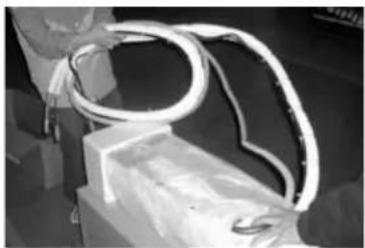
natural_image
Close-up of a coiled white cable or wire with a metallic ring, partially bound to a rectangular object (no visible text or symbols)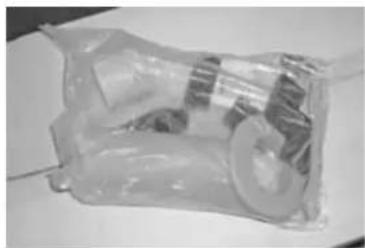
natural_image
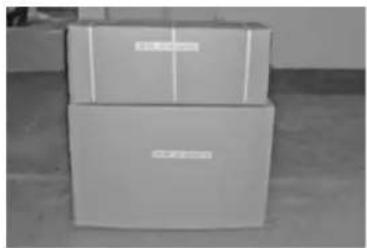
Close-up of a transparent plastic bag containing a mechanical component (no visible text or symbols)The split air conditioner comes in two boxes:
- box with internal unit with the necessary ducts
- box with external unit and tools.
Carefully take everything from the boxes. The packaging material must be kept out of reach of children
Additionally supplied parts and tools:
- screws and plugs for the attachment plate of the internal unit
- sleeve with collar for the hole through the wall
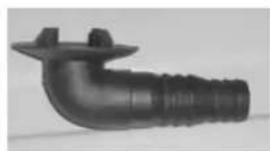
- pipette for condensation water drainage of the external unit
- 4 rubber footrests for the external unit
- 2 spanners for the valves of the external unit
- socket wrench for valves of the external unit
RECOMMENDED TOOLS AND IMPLEMENTS
- hammer drill and ordinary drill
- electrical screwdriver
- duct detector - hammer
- tape measure
- spirit level
- pencil and chalk
- stepladder
- pipe wrench
- cover to protect room floor
- duct trough and pipe brackets (if needed)
• PU foam or silicone sealant (if needed)
WHERE TO PUT THE APPLIANCE?
The maximum distance between the internal and external unit is 4 m (the length of the freezing tubes and electricity cable). The internal unit must hang at least 1 m higher than the top of the external unit.
The place for the internal unit
- on a wall in which a hole of ∅ 65 mm (size of the sleeve) can be made for the connection with the external unit. For a hole in a concrete wall special equipment is required; leave this to a specialised company. Check the selected place with a duct detector to make sure that there are no ducts.
- distance to ceiling at least 15 cm, free space left and right at least 50 cm.
- the cool air must be able to flow easily through the whole room.
- in the middle, not near a window or door is the most suitable place.
- it must be accessible to the filter for cleaning purposes.
- at least 1 m away from TV, video and similar equipment and from fluorescent lamps.
- an earthed socket must be present at a distance of no more than 1.5 m (the length of the lead to the internal unit). If necessary have a socket fitted by a registered electrician in accordance with any applicable regulations. The internal unit gets its electricity from the external unit through the cable going along the freezing tubes.
The place of the external unit
- must be strong enough to support the weight of the external unit. That can be on the ground, on a flat roof (provided you can fit a suitable base plate there to attach the external unit to; prevent leakage of your roof) or on wall supports. If necessary reinforce the place chosen; if the place is not strong enough that can lead to excessive vibration and noise.
- sufficient free-flowing air current, as little as possible exposed to rain and direct sunlight and a draining possibility for the condensation water.
- where expelled air and noise do not lead to nuisance; not where there is high atmospheric humidity, not in the vicinity of grease or oxidising gases.
- free distance to the rear at least 15 cm, to the sides and to the front at least 50 cm. Allow space for maintenance work.
INTERNAL UNIT
To reduce the risk of leakage the internal unit must be hung absolutely level. The water catcher in the internal unit with the condensation water drainage connected to it must be clean and free from any obstruction, so that the condensation water can drain off unhindered (otherwise risk of leakage).
Once the place for the internal unit has been determined, you can start fixing the internal unit. Note that fixing it is your own responsibility.
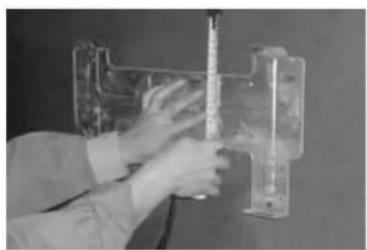
A. Attachment plate
Mount the attachment plate level on a firm base, measure well and draw holes for the screws.
TIP. Fix the plate not too firmly with a screw, put the plate in horizontal position with the help of a spirit level, and then mark the holes for the other screws. Take the screw out again, drill all holes, put plugs in and screw the plate tight.
Drill the 8 holes 6.4 mm (2.5") wide and 30 mm deep.
Use the additionally supplied plugs.
Fix the attachment plate firmly with the additionally supplied screws.
natural_image
Person adjusting a transparent mechanical component with wires (no visible text or symbols)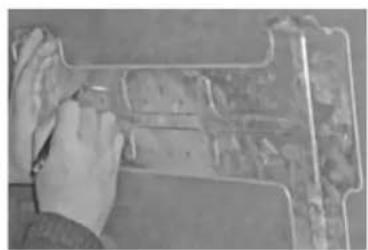
natural_image
Close-up of hands installing or adjusting a mechanical component on a workbench (no visible text or symbols)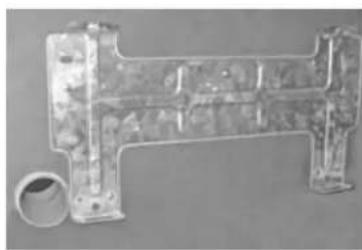
natural_image
Metal mechanical component with cylindrical end and flange (no visible text or symbols)B. Hole through the wall for the duct
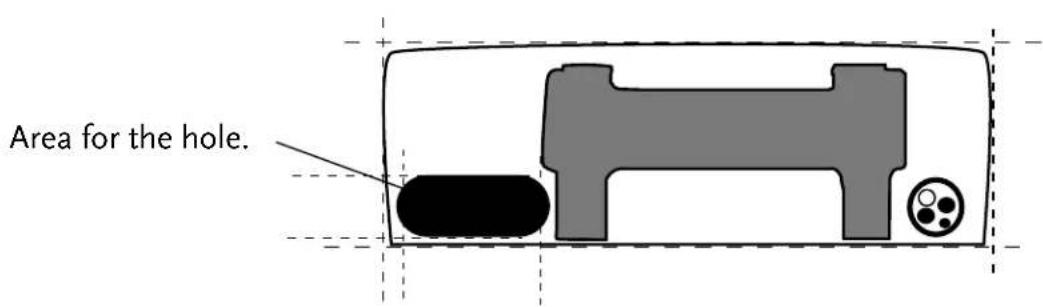
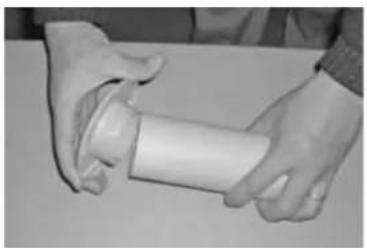
The hole with a diameter of 65 mm and slanting a bit towards the outside in a downward direction (10-15 mm) for better condensation water drainage, can be made inside the space of the hood and will thus remain out of sight. If necessary leading it through more to the left is possible. In that case cover troughs are available in specialist stores.
natural_image
Close-up of hands holding a white cylindrical object with a small protrusion (no visible text or symbols)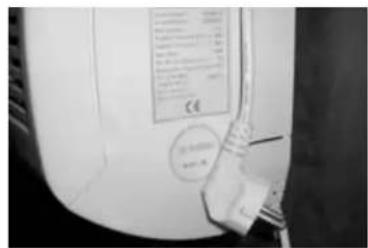
natural_image
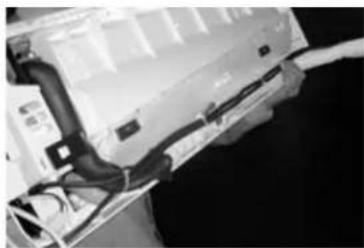
Close-up of a server rack with cables and connectors (no visible text or symbols)Put the additionally supplied sleeve in place and if necessary use the cover collar on the inside. If necessary saw the sleeve to the right length.
C. Mains lead
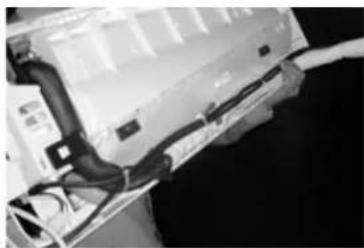
Inspect where the mains lead must come out of the internal unit, left or right. Chip off the small plate for the lead, take the lead out and fix it temporarily with tape, so that it will not be in the way when mounting the internal unit.
Get someone to help you mount the internal unit and thread the duct through.
D. Duct
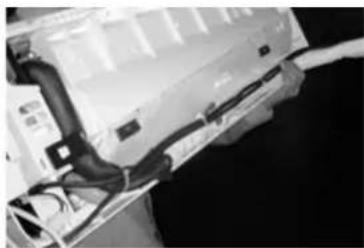
Carefully and without bending uncoil the bundle of ducts and thread the end bit through the hole with the sleeve.
E. Mounting
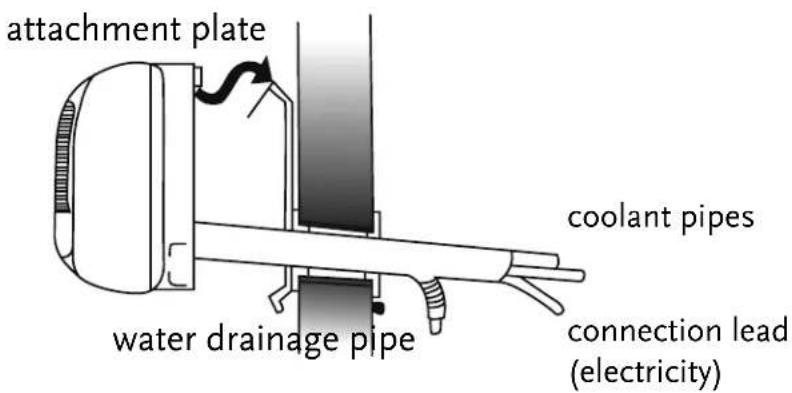
Lift the internal unit up and hang it on to the 4 lips on the attachment plate, while the ducts are being threaded through. Check whether the internal unit hangs on the 4 lips. If necessary have someone on the other side of the wall guide the ducts that are threaded through.
Pay close attention to the condensation water drainage pipe. Make sure that this duct runs easily and that it is laid with a downward slant. Make sure that the insulation has not shifted, no blank duct may be visible, because otherwise condensation may form here (risk of leakage).
Once the internal unit hangs well (level and not leaning to left or right) the external unit can be put in place.
EXTERNAL UNIT
natural_image
3D rendered image of a black plastic pipe fitting with flanged ends and a small protrusion (no text or symbols)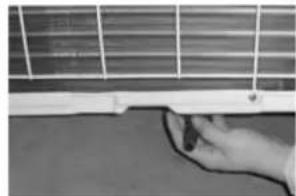
natural_image
Close-up of a hand holding a small object against a grid-patterned surface (no visible text or symbols)
natural_image
Hand pressing a small object on a surface, no visible text or symbolsDrainage pipe
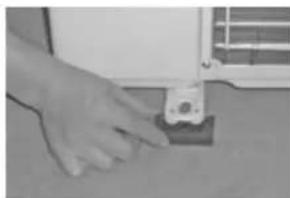
Fix the drainage pipe to the base plate. If necessary a drainage hose (not included) leading to a drain can be attached to this.
On the ground or on the roof the condensation water can usually drain off freely.
Check that this does not cause nuisance to anyone and that it can cause no damage.
Fixing the external unit
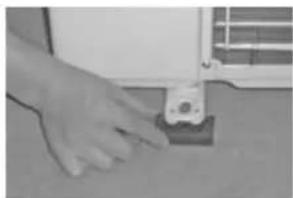
Place the rubber footrests and screw the unit thoroughly on a strong base.
Keep 50 cm of free space around the unit
The external unit can be fitted on special base plates or on a wall support. Consult your installer
natural_image
Close-up of a hand using a tool to adjust or install electronic components on a white device (no visible text or symbols)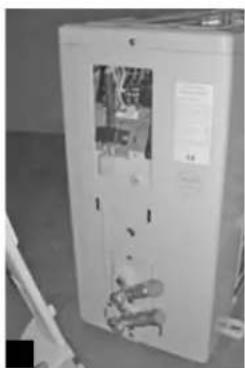
natural_image
Interior view of a white appliance cabinet with visible internal components and no text or symbols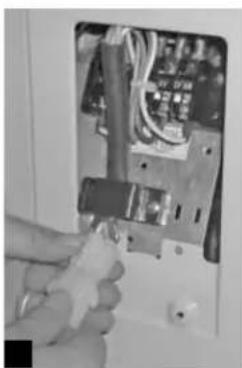
natural_image
Close-up of a hand holding a tool next to an open electrical panel with wires and components (no visible text or symbols)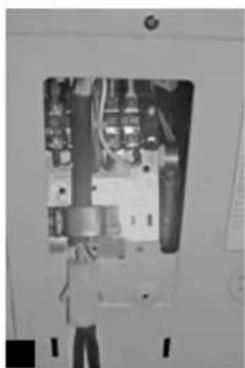
natural_image
Interior view of an electrical enclosure showing internal components and wiring (no visible text or symbols)Connecting the electricity
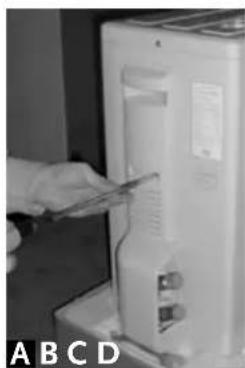
Unscrew the protective cover [A] [B].
The electricity for the external unit comes from the internal unit through the cable with a special little pin contact which clicks into the contact socket [C].
Check that this connection is properly fixed [D].
natural_image
Close-up of a white electrical cabinet with three wrenches inserted, no visible text or symbols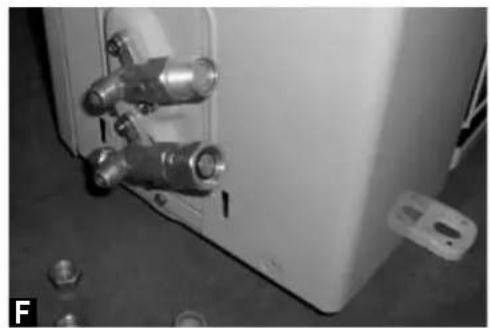
natural_image
Close-up of a white industrial container with metallic fittings and bolts, no visible text or symbolsDucts
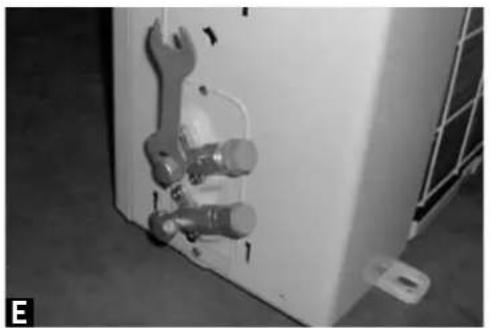
Remove the protective caps of the valves [E] and the protection caps of the duct [F].
natural_image
Close-up of hands installing or adjusting a wall-mounted electrical socket with tubing (no visible text or symbols)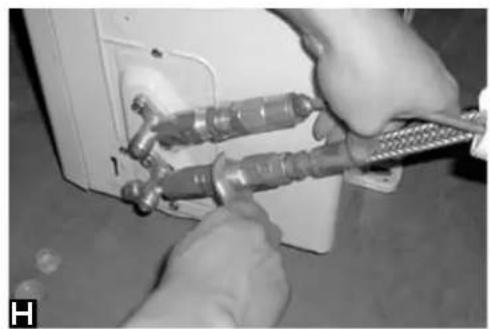
natural_image
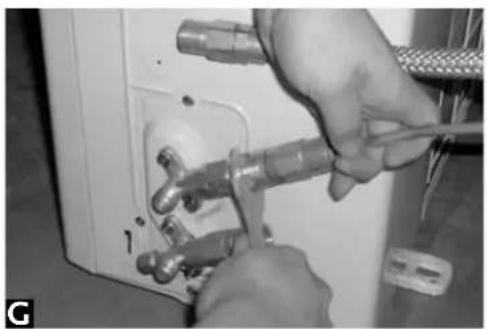
Close-up of hands using a tool to adjust or install a wall-mounted electrical socket (no visible text or symbols)First tighten the thin duct on the upper valve [G].
Then tighten the thick duct on the lowest valve [H].
natural_image
Close-up of hands connecting cables to a device panel (no visible text or symbols)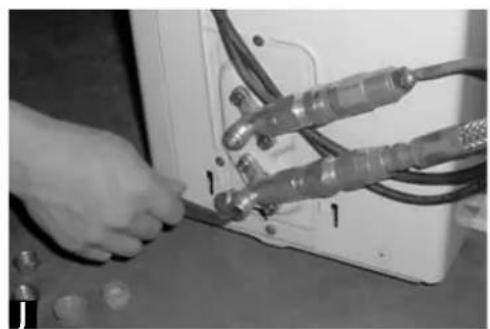
natural_image
Close-up of hands connecting cables to a device (no visible text or symbols)Check for leakage.
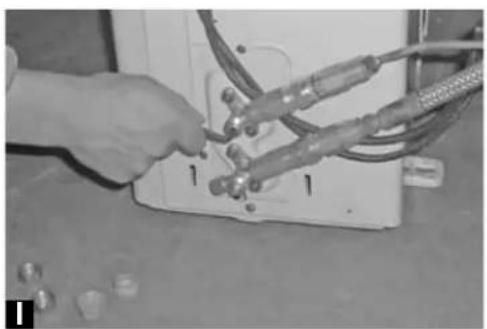
Open the upper valve with the socket wrench [I].
Check on both connections for leakage, by applying a sponge with soap-suds to the valves.
Close the valve immediately with the socket wrench in case of a leakage.
Call for assistance of your installer if, after you have checked that the ducts are well fitted, there is nevertheless a leakage. Keep the valves closed!
If there is no leakage, open the bottom valve with the socket wrench [J].
GB
natural_image
Close-up of hands connecting electrical cables to a control panel (no visible text or symbols)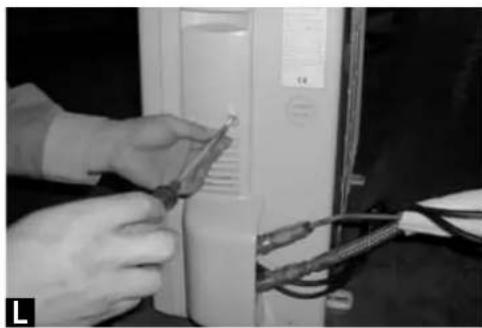
natural_image
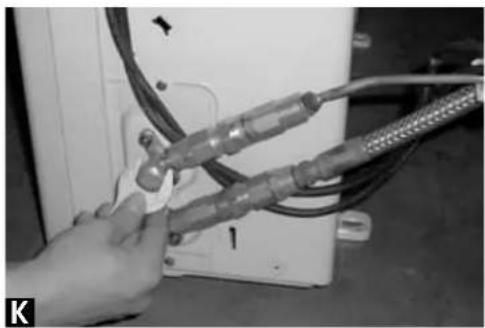
Close-up of hands installing or adjusting a component on a computer tower (no visible text or symbols)Once the freezing tubes are properly fixed and show no leakage, the protective caps can be put back again on the valves [K].
Screw the protective cover back on the external unit [L].
Fix the piping vertically on the wall with duct through and pipe brackets, available at DIY-stores.
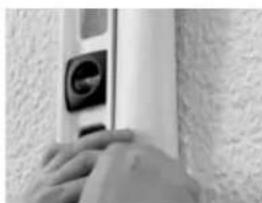
natural_image
Close-up of hands pressing a button on a wall (no visible text or symbols)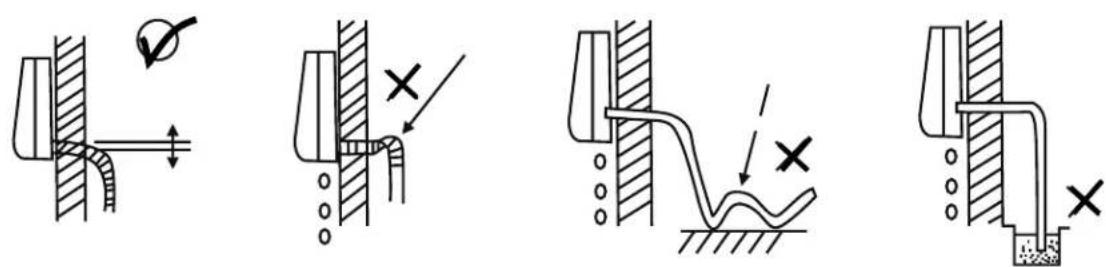
Lead the water drainage pipe to a suitable drainage point, making sure it can flow through freely.
Keep the protective caps of the links and valves and the additionally supplied tools carefully stored.
DISCONNECTING THE EXTERNAL UNIT
Notice: the quick-couplers are meant for one-off connection! The guarantee does not cover multiple installation.
Should it be necessary to disconnect, then go about it as follows:
- ask someone to help you operate the air conditioner via the remote control,
- put the desired temperature at 18^ C
- start the air conditioner, wait until you can also hear the compressor turning
- unscrew the caps from the valves and shut the upper valve (thin duct) with the socket wrench
- wait up to 1 minute: you will hear the sound of the compressor changing also shut the lowest valve (thick duct) with the socket wrench
- immediately switch the air conditioner off by taking the plug from the socket
• after both valves have been shut completely put the protective caps back on - disconnect the same way as indicated for connecting; place the protective caps on the quick-couplers
Notice: if you are in any doubt or uncertainty leave this work to the installer.
EER LABELS
Energie
Inefficiënt
 | EnergyManufacturerOutside unitInside unit |  |  |
| More efficientABCDCDEFGLess efficientAnnual energy consumption kWh in cooling mode(Actual consumption will depend on how the appliance is used and climate)Cooling output kWEnergy efficiency ratio (EER) at full load (The higher the better)Size Cooling onlyCooling/heatingAir cooledWater cooledHeat output kWHeating performanceA (more efficient) G (less efficient)NoisedB(A) re 1 pWFurther information is contained in product brochuresNorm EN 14511Air-conditionerEnergy label Directive 2002/31/EC |
Energy
TYPEPLAATJE PLAQUE SIGNALÉTIQUE RATING LABEL
 | INDO UNIT |  |  | |
 | See barco |  | 2.7 kW9000BTU/hCooling capacity |  |
 | 0 Hz |  |  | |
 | h |  | A | 9 |
 | ply |  | t |  |
 | a |  |  | |
 | ant |  | ic |  |
 |  |  | ||
 | ~3 dB(A) Noise I |  | >20 8 |  |
 |  | tection ss |  | |
 |  | AM |  | |
 | P.R.C. |  | ww.amcor |  |
 | OUT UNIT |  | 2.7 kW9000BTU/hCooling capacity |  |
 | See barco |  |  | |
 | ial number |  | KAYG | [AKYZ] |
 | 50 Hz 1 |  | 2.4 / 4 Pressure range Suction / YCZC] |  |
 | er supply |  |  | |
 |  |  | ||
 | a |  | ad |  |
 |  |  | ||
 | ~5 dB(A) Noise I |  | >24 |  |
 |  | tection ss |  | |
 |  | AM |  | |
 | P.R.C. |  | ww.amcor |  |
Suite 2007, Tower 6, The Gateway,
Harbour City, 9 Canton Road,
Tsim Sha Tsui, Kowloon,
Hong Kong
Tel: +852 2997 6865
Fax: +852 2997 6091
Email: amcorhk@amcorgroup.com
United Kingdom
Amcor Ltd
9 Ryan Drive, West Cross Centre,
Great West Road, Brentford,
Middlesex, TW8 gER,
United Kingdom
Tel: +44 20 8560 4141
Fax: +44 20 8232 88141
Email: amcoruk@amcorgroup.com
USA
Amcor Inc.
685A Gotham Parkway, Carlstadt,
New Jersey 07072,
United States of America
Tel: +1 201 460 8100
Amcor International Ltd
3 Sapir Street, Herzelia Pituach,
46733, Israel
Tel: +972 9 951 5351
Fax: +972 9 958 5650
Email: amcoril@amcorgroup.com
Singapore
Amcor Investments (Singapore) Pte Ltd
545 Orchard Road,
13-02, Far East Shopping Centre,
Singapore 238882
Tel: +65 6297 9881
Fax: +65 6297 8891
Email: amcorsg@amcorgroup.com
China
Shan Xia Industrial Development Zone,
Heng Li Town, Dongguan City,
Guangdong Province, China
Plant One - Amcor (China) Ltd
Tel: +86 769 8372 1090
Fax: +86 769 8372 1790
Email: amcorcn@amcorgroup.com
Plant Two - Amcor Appliances Ltd
Tel: +86 769 8372 1970
Fax: +86 769 8372 1790
Email: amcorappl@amcorgroup.com

natural_image
World map silhouette showing continents (no text or labels)