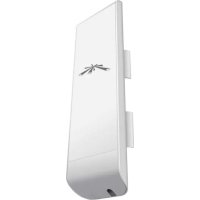
NSM2 - Access Point Ubiquiti Networks - Free user manual and instructions
Find the device manual for free NSM2 Ubiquiti Networks in PDF.


| Brand | Ubiquiti Networks |
| Model | NSM2 |
| Product Type | Outdoor Access Point (CPE) |
| Frequency Band | 2.4 GHz (2412-2462 MHz) |
| Maximum Output Power (EIRP) | 20 dBm |
| Power Supply | PoE 24V (adapter included) |
| Network Interface | 1 Ethernet 10/100 port |
| Operating System | AirOS (web interface) |
| Mounting | On pole or wall (mounting kit included) |
| Dimensions (approx.) | 21 x 20 x 14 cm |
| Weight (approx.) | 400 g |
| Operating Temperature | -30°C to +75°C |
| Protection Rating | IP55 (weatherproof) |
| Compliance | CE, Directive 2014/53/EU, WEEE |
| Maintenance | Clean with a soft dry cloth |
| Package Contents | NanoStation NSM2, PoE adapter, mounting kit, quick start guide |
Frequently Asked Questions - NSM2 Ubiquiti Networks
User questions about NSM2 Ubiquiti Networks
0 question about this device. Answer the ones you know or ask your own.
Ask a new question about this device
Download the instructions for your Access Point in PDF format for free! Find your manual NSM2 - Ubiquiti Networks and take your electronic device back in hand. On this page are published all the documents necessary for the use of your device. NSM2 by Ubiquiti Networks.
USER MANUAL NSM2 Ubiquiti Networks
NanoStationM NanoStationlocoM
High-Power 2x2 MIMO
airMAX® TDMA Station
Models: NSM2/NSM3/NSM365/
NSM5/locoM2/locoM5
MULTILINGUAL
QUICK START GUIDE
Introduction
Thank you for purchasing the Ubiquiti Networks® NanoStation®. This Quick Start Guide is designed to guide you through installation and also includes warranty terms.
Package Contents
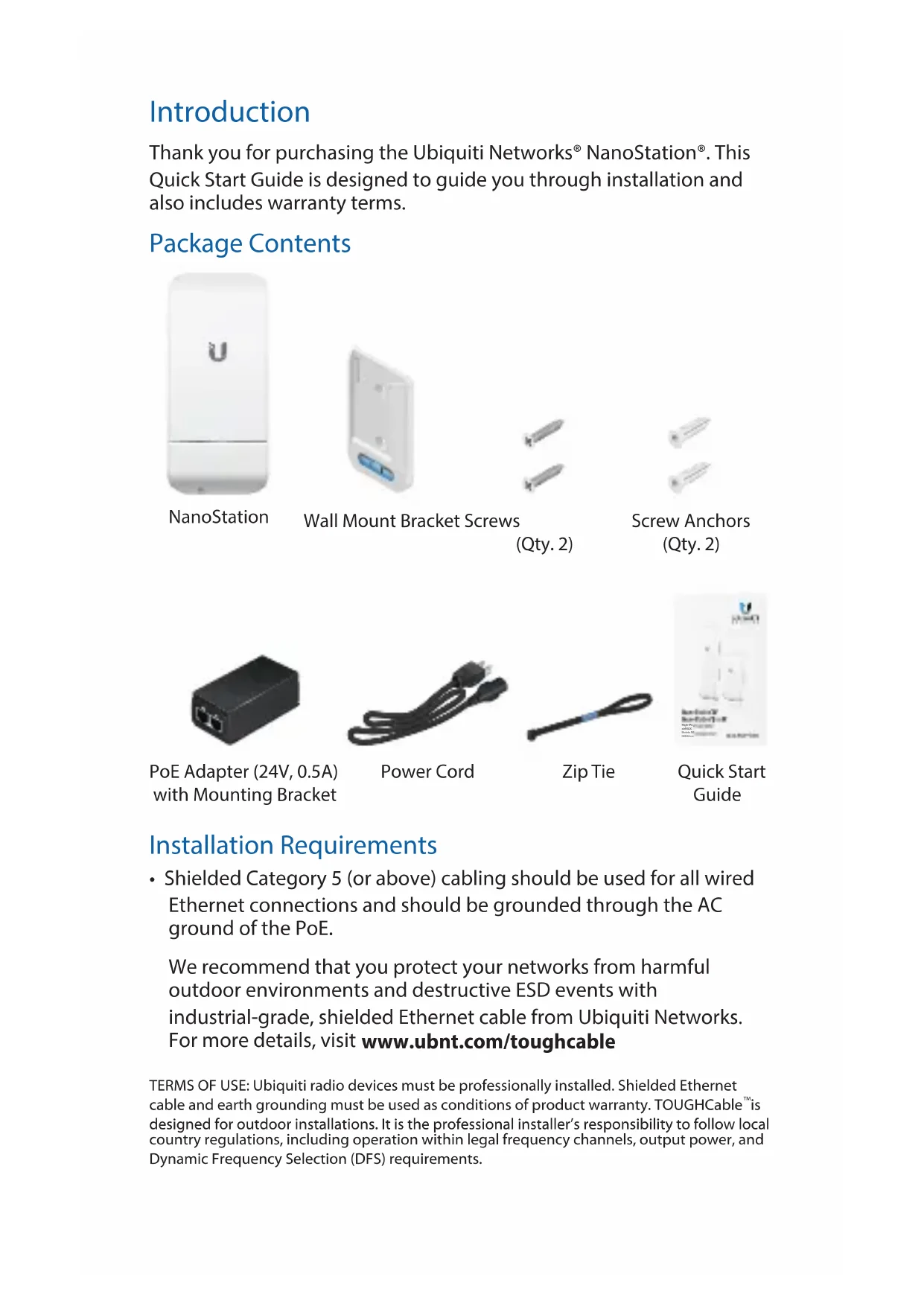
NanoStation
Wall Mount Bracket Screws
(Qty. 2)
Screw Anchors
(Qty. 2)
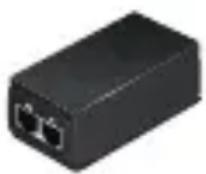
PoE Adapter (24V, 0.5A) with Mounting Bracket
Power Cord

Zip Tie
Quick Start Guide
Installation Requirements
- Shielded Category 5 (or above) cabling should be used for all wired Ethernet connections and should be grounded through the AC ground of the PoE.
We recommend that you protect your networks from harmful outdoor environments and destructive ESD events with industrial-grade, shielded Ethernet cable from Ubiquiti Networks. For more details, visit www.ubnt.com/toughcable
TERMS OF USE: Ubiquiti radio devices must be professionally installed. Shielded Ethernet cable and earth grounding must be used as conditions of product warranty. TOUGHCable™ is designed for outdoor installations. It is the professional installer's responsibility to follow local country regulations, including operation within legal frequency channels, output power, and Dynamic Frequency Selection (DFS) requirements.
English
Hardware Installation
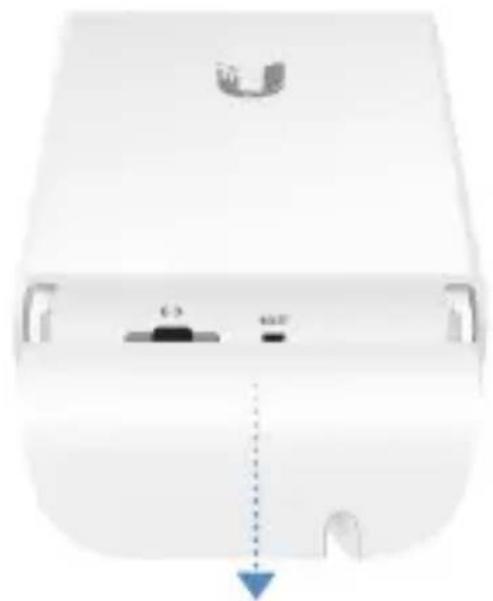
- Press the Port Cover Release Button on the back of the NanoStation and slide the cover off.
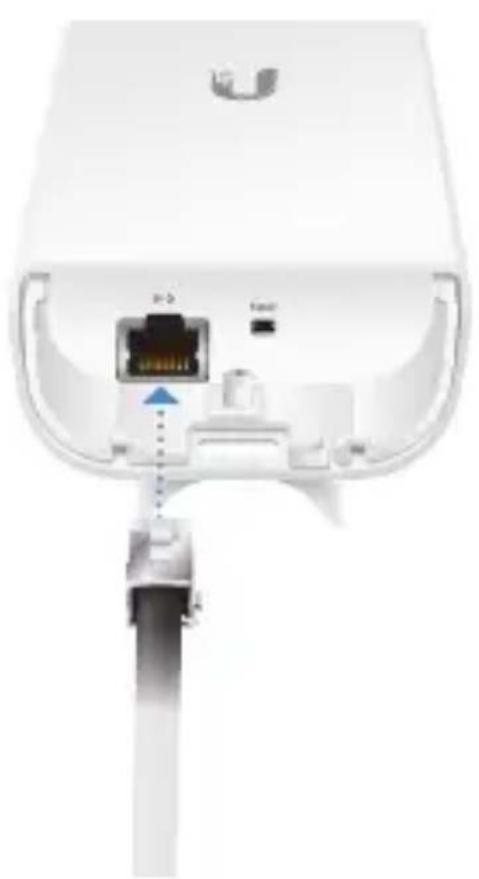
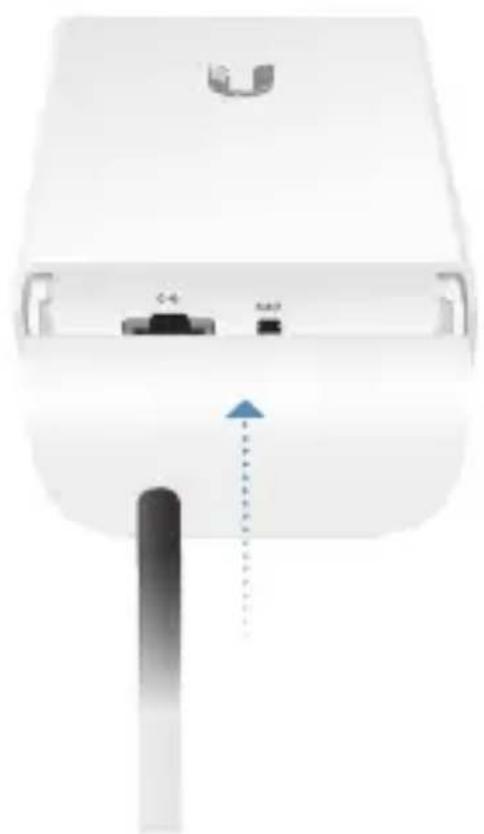
- Connect an Ethernet cable from a powered switch (24V) to the Ethernet Port of the NanoStation and replace the cover.
Pole Mount Option
Position the NanoStation against pole and secure with the Zip Tie. Adjust alignment as needed.
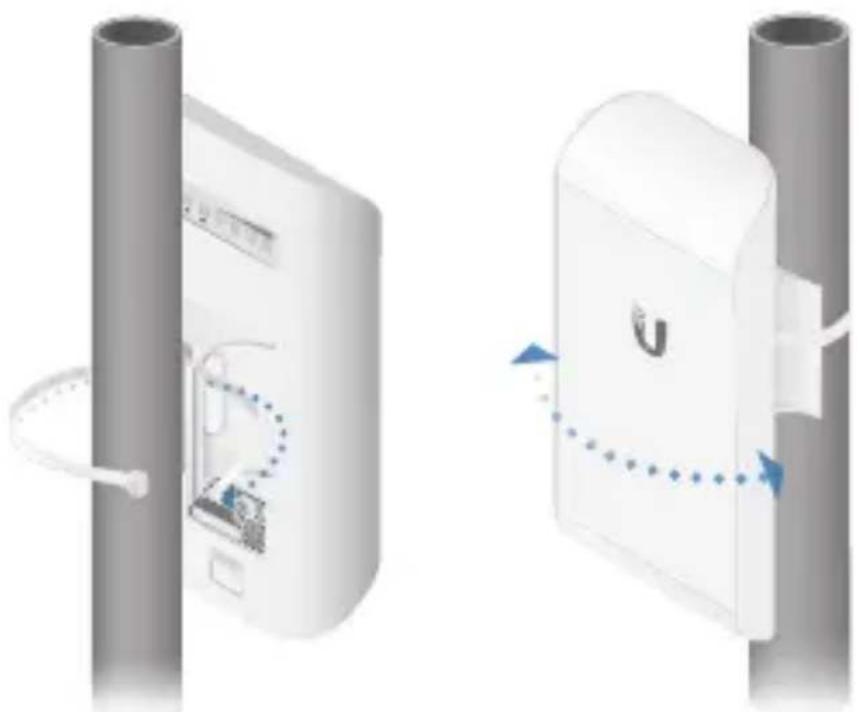
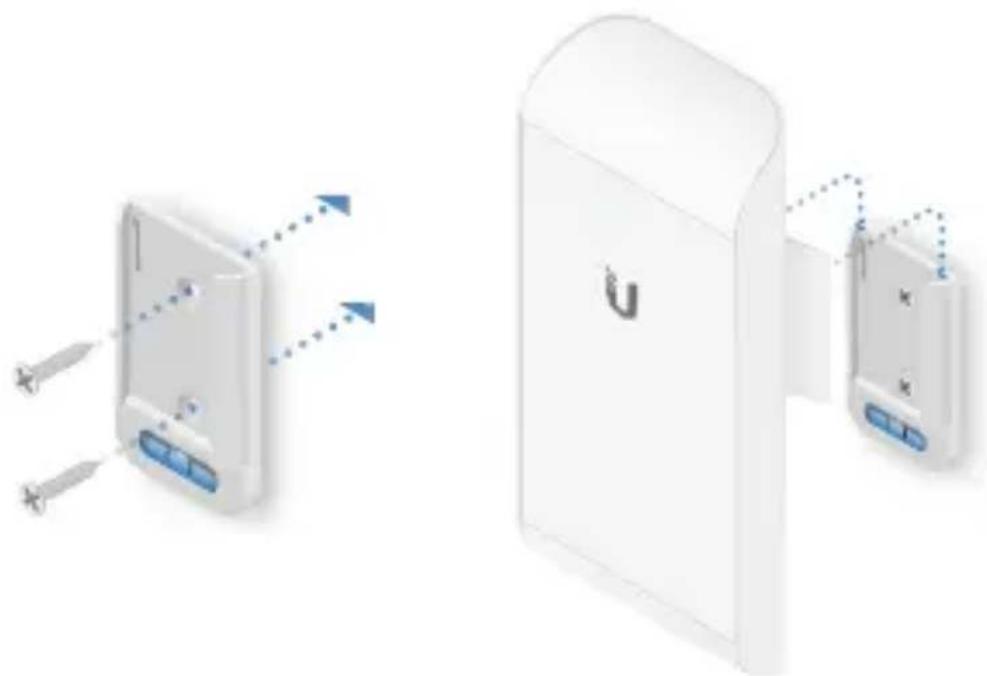
Wall Mount Option
- Secure the Wall-Mount Bracket to the wall using two screws.
- Attach the NanoStation to the Wall-Mount Bracket.
Accessing airOS
- Ensure the host system is connected via Ethernet to the NanoStation.
- Configure the host system with an IP address on the 192.168.1.x subnet.
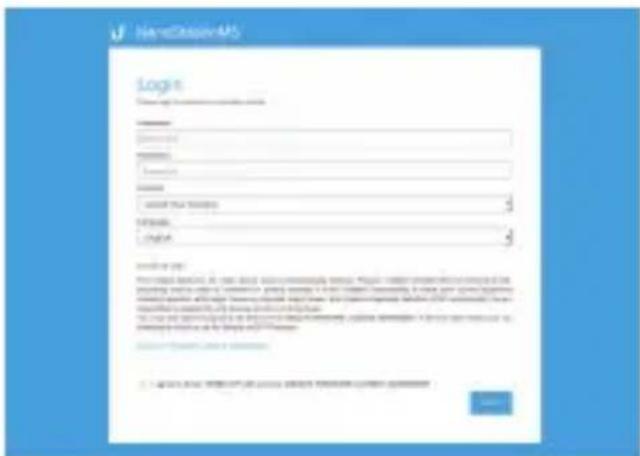
- Launch a web browser and type https://192.168.1.20 in the address field. Press enter (PC) or return (Mac).

- When the login screen appears, type ubnt for the username and password and select your country and language.
- You must agree to the Terms of Use to use the product. Click Login.
Specifications
| Frequency Range | |
| NSM2/locoM2 | 2412 – 2462 MHz |
| NSM3 | 3400 – 3700 MHz |
| M365 | 3650 – 3675 MHz |
| NSM5/locoM5 | 5150 – 5875 MHz |
| Maximum Transmitted Output Power (EIRP) | |
| NSM2/locoM2 | 20 dBm |
| NSM3/NSM365 | 23 dBm |
| NSM5/locoM5 | 36 dBm |
6bIrapckn (Bulgarian)
Инстелеганыхардуер
- Hatachete 6ytoHa 3a ocbo6xdaBaHe Ha KaNayeTo 3a npToBe B 3aHaTa CtpaHa Ha NanoStation n Pb3Hete KaNayeTo, 3a da ro N3BaIte.
- Cbpxe Ethernet Ka6en ot 3axpaHbaunn npebKIOUbaTeI (24 V) KbM Ethernet nopTa Ha NanoStation n noCTaBeTe o6paTHo KanaKa.
Onu3a MoNTnpaHe Ha CTbI6
NocTaBete NanoStation do CTbI6 n 3aKpeNeTe c Ka6eHHaTa Bpb3Ka. NoppaBHeTe, aKO e Heo6xOdmo.
Hardwareinstallation
CE marking on this product represents the product is in compliance with all directives that are applicable to it.

Country List
| AT | BE | BG | CY | CZ | DE | DK | EE | EL | ES | FI | FR | HR | HU |
| IE | IT | LV | LT | LU | MT | NL | PL | PT | RO | SE | SI | SK | UK |
BFWA (Broadband Fixed Wireless Access) members noted in blue

Note: This device meets Max. TX power limit per ETSI regulations.
The following apply to products that operate in the 5 GHz frequency range:

Note: This device is restricted to indoor use only when operating in the 5150 - 5350 MHz frequency range within all member states.

Note: All countries listed may operate at 30 dBm. BFWA member states may operate at 36 dBm.

Note: Operation in the 5.8 GHz frequency band is prohibited in BFWA member states. Other countries listed may use the 5.8 GHz frequency band.
RoHS/WEEE Compliance Statement

English
European Directive 2012/19/EU requires that the equipment bearing this symbol on the product and/or its packaging must not be disposed of with unsorted municipal waste. The symbol indicates that this product should be disposed of separately from regular household waste streams. It is your responsibility to dispose of this and other electric and electronic equipment via designated collection facilities appointed by the government or local authorities. Correct disposal and recycling will help prevent potential negative consequences to the environment and human health. For more detailed information about the disposal of your old equipment, please contact your local authorities, waste disposal service, or the shop where you purchased the product.
Deutsch
Declaration of Conformity
6bIrapckn [Bulgarian] C hactoToTO UBIQUITI NETWORKS deKnappa, ye To3n TIN paiaocbopBXeHne NSM2/NSM3/NSM365/NSM5/locoM2/locoM5 e B cbOTBeTCTBne c DnpeKTnBa 2014/53/EC. LJIIOCTHnT TeKCT Ha EC deKlapaunTa 3a cbOTBeTCTBne MoKeJa ce Hamepn Ha cnEHHN INHTepHET aDPEC: www.ubnt.com/compliance
Hrvatski [Croatian] UBIQUITI NETWORKS ovime izjavluje da je radijska opremata tipa NSM2/NSM3/NSM365/NSM5/locoM2/locoM5 u skladu s Direktivom 2014/53/EU. Cjeloviti tekst EU izjave o sukladnosti dostupan je na sljedećoj internetskoj adresi: www.ubnt.com/compliance
www.ubnt.com/compliance
English Hereby, UBIQUITI NETWORKS declares that the radio equipment type NSM2/NSM3/NSM365/NSM5/locoM2/locoM5 is in compliance with Directive 2014/53/EU. The full text of the EU declaration of conformity is available at the following internet address:
www.ubnt.com/compliance
www.ubnt.com/compliance
www.ubnt.com/compliance
www.ubnt.com/compliance

help.ubnt.com

downloads.nbnt.com

community.ubnt.com

www.ubnt.com

Ubiquiti Networks, Inc.
685 Third Avenue, 27th Floor
New York, New York 10017
USA

- NANOSTATIONM NANOSTATIONLOCOM
- INTRODUCTION
- PACKAGE CONTENTS
- INSTALLATION REQUIREMENTS
- ENGLISH
- HARDWARE INSTALLATION
- POLE MOUNT OPTION
- WALL MOUNT OPTION
- ACCESSING AIROS
- SPECIFICATIONS
- 6BIRAPCKN (BULGARIAN)
- ИНСТЕЛЕГАНЫХАРДУЕР
- ONU3A MONTNPAHE HA CTBI6
- HARDWAREINSTALLATION
- ROHS/WEEE COMPLIANCE STATEMENT
- DEUTSCH
- DECLARATION OF CONFORMITY
- WWW.UBNT.COM/COMPLIANCE
Brand : Ubiquiti Networks
Model : NSM2
Category : Access Point