BB 1320 - Cd player/recorder SIEMENS - Free user manual and instructions
Find the device manual for free BB 1320 SIEMENS in PDF.



| Product type | CD player with FM radio and USB port |
| Brand | Siemens |
| Model | BB 1320 |
| Dimensions (W x H x D) | 248 x 130 x 252 mm |
| Weight | 1.5 kg |
| Mains power supply | 230 V~ 50 Hz |
| Battery power supply | 6 batteries 1.5 V type R14/UM-2/C (not included) |
| Power consumption | 7 W |
| Standby power consumption | < 1 W |
| Supported CD formats | Audio CD, CD-R/RW, MP3, WMA |
| Radio | FM stereo/mono, 88-108 MHz, telescopic antenna |
| Auxiliary input | AUX IN socket (3.5 mm) |
| USB port | USB 2.0 for MP3/WMA playback |
| Playback functions | Repeat (track, folder, all), random playback, programming (20 tracks) |
| Loudspeakers | 2 x 0.85 W RMS, diameter 2.5 inches, 8 ohms |
| Laser safety | Class 1 laser, do not open the housing |
| Maintenance | Clean with a soft slightly damp cloth, no chemicals |
Frequently Asked Questions - BB 1320 SIEMENS
User questions about BB 1320 SIEMENS
0 question about this device. Answer the ones you know or ask your own.
Ask a new question about this device
Download the instructions for your Cd player/recorder in PDF format for free! Find your manual BB 1320 - SIEMENS and take your electronic device back in hand. On this page are published all the documents necessary for the use of your device. BB 1320 by SIEMENS.
USER MANUAL BB 1320 SIEMENS
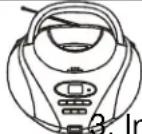
natural_image
Line drawing of a portable electronic device with front panel, buttons, and antenna (no text or symbols)Bedienungsanleitung
Safety Instructions and Important Information About Intended Use Safety Instructions and Important Information About Intended Use
Please read the following instructions and safety notes thoroughly before starting to use your product!
- Intended Use: this boombox has been designed for playing back CD discs and reception of Radio broadcast. If the product is not used according to the instructions, the user's and other persons' safety is not guaranteed and the warranty will be void.
- User manual: please read this User Manual thoroughly and keep it for any future reference in a safe place. For your own safety and in order to familiarize yourself with the different functions of the product, please follow the instructions in this manual carefully.
When passing this product to other persons, please also hand over this User Manual.
Please also read the user manuals of all devices that you are going to connect to this device.
- Connecting to the Power Supply: do not use the device if the device or its cables present visible damage. Connect the device only to the voltage indicated on the corresponding label on the product. Never connect the device to a different voltage. Connect the device to grounded power outlets that comply with the corresponding safety standards only. Do not bend or squeeze the cables.
WARNING: Inside the device there is dangerous voltage. Never open the housing of the device: there is risk of personal injury by electric shock.
In order to completely disconnect the device from the mains, the power plug must be pulled out from the wall outlet. Make sure that you can remove the power plug at any time. Always pull the power cord from the plug and never from the cable itself. Electric storms may damage any electric equipment; therefore disconnect the power plug from the wall outlet during a thunderstorm. It is also recommended to disconnect the device from the mains and to remove any batteries when you are intending not to use the device for a longer time.
- Objects inside the device: make sure that no foreign objects or liquids enter the device via the ventilation holes or other openings. There is risk of electric shock, damage to the device and short-circuit. In case of any emergency, immediately pull the power plug and contact a qualified service technician.
- Laser product: CD-products employ a laser system (Class 1 Laser). To ensure proper use of this product please read this owner's manual carefully and retain for future reference. There is laser radiation inside the device. Laser radiation can damage your eyes permanently. To prevent direct exposure to the laser beam, do not try to open the enclosure. Never attempt to repair the device. Hazardous laser radiation when open and interlock failed or defeated.
DANGER: do not expose yourself to the laser beam!
- Installation: place the device onto a flat and even surface. Never cover the ventilation holes of the device and make sure that the air can easily flow around the device (keep at least 10 cm / 4 inch space on the back and sides).
The device has anti-skid rubber feet. Over the long-term, these feet can dissolve due to chemical substances. It is recommended that you place the device on an anti-skid surface. WARNING: do not use this device outdoors!
- Condensation: when bringing this device from a cold to a warm environment (e.g. after transportation) moisture can condensate inside the device. In order to protect the device from damage and failure wait at least 2 hours prior to using the device.
- Health injury: extremely high audio volumes can damage your hearing permanently. Therefore carefully adjust the volume, especially if you enjoy sound via headphones or earphones (option).
Connect the headphones or earphones to the device (if available - option) prior to powering it on, as connecting it when already powered on can produce high sound levels causing damage to your hearing.
- Children: Do not allow children to play with electrical devices. Children may not be able to comprehend the presence of potential risks.
- Batteries: Keep batteries away from children. Always replace all the batteries at the same time (never mix old and new batteries). Do not short-circuit any batteries. Keep batteries away from any heat sources (direct sun radiation, fire etc.). There is risk of explosion when misusing the batteries.
- Do not place any objects on the device and never apply any pressure onto the housing or the display. Do not place any recipients containing liquids (beverages, vases, etc.) onto or next to the device. Do not place any fire sources (such as candles) onto the device. This could damage the product.
- Environmental effects: Keep the device away from any heat sources (heating equipment, ovens, cooking places, candlelight, etc.), direct sun radiation, dirt, dust, vibrations, strong magnetic fields, moisture and rain.
- Cleaning: Disconnect from the mains supply. Clean the device with a soft, slightly moistened cloth. Do not use any chemicals, alcohol or solvents for cleaning. The finish of the device can be damaged by using these substances. Always make sure that no moisture enters the device.
- Servicing: when using the device according to the operating instructions, no special service or maintenance is required. In case of any loss of performance or other malfunction, contact a qualified service technician.
- Repairs: never open the device! Any repairs must be performed by authorized technicians or service personnel. Any unauthorised opening or modification will void the warranty and also the safety of the product may be altered.
WARNING: Inside the device there is dangerous voltage. Never open the housing of the device: there is risk of personal injury by electric shock.
Environment
Old batteries do not belong in with the domestic waste!
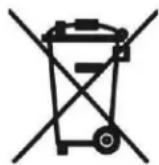
Consumers are obliged by law to return any old batteries and rechargeable batteries to the corresponding local and/or public collection centres or to return them to the retail shops. This ensures that batteries will be disposed of respecting the environment.
Make sure to return any batteries and rechargeable batteries discharged.
Disposal of old electric and electronic devices:
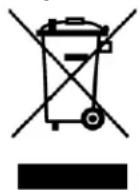
The icon of a dashed-out waste bin means that a separate disposal of electric/electronic equipment is necessary.
According to the Legislation of the European Union, any electric and electronic devices may not be disposed of with domestic trash but must be returned to a special collection center enabled for the recycling of these devices. The local waste companies should have set up specific collecting centres for this purpose, allowing private consumers to return any old devices for free. Please contact your local
authorities or the local waste company for the available disposal possibilities.
Please support us actively by protecting the environment and recycle this product accordingly by returning it to a specific collection centre. This will protect the environment, other people and yourself. Thank you very much!
Disposal of Packaging and Packaging Materials:
Packaging and any packaging materials do not belong in with the domestic waste! Your system consists of materials which can be recycled and reused if disassembled by a specialized company. Please observe the local regulations regarding the disposal of packaging materials.
TABLE OF CONTENTS
| SAFETY PRECAUTIONS......GB-1 |
| TABLE OF CONTENTS......GB-3 |
| BOX CONTENTS......GB-3 |
| MAIN FEATURES......GB-3 |
| LOCATION OF CONTROLS......GB-4 |
| POWER SUPPLY......GB-4 |
| BASIC OPERATION......GB-5 |
| RADIO OPERATION......GB-5 |
| CD / MP3 / WMA PLAYER OPERATION......GB-5 |
| USB DEVICE OPERATION......GB-6 |
| AUX IN FUNCTION......GB-7 |
| MAINTENANCE......GB-7 |
| TROUBLESHOOTING GUIDE......GB-7 |
| TECHNICAL SPECIFICATIONS......GB-8 |
| GLOSSARY......GB-8 |
| DECLARATION OF CONFORMITY......GB-8 |
BOX CONTENTS
- Main unit
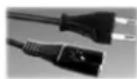
- AC power cord
MAIN FEATURES
• CD PLAYER/ USB
- Top loading CD player
- Support CD-DA/ MP3-CD/ WMA-CD/ CD-R/ CD-RW playback
- Programme memory for CD & MP3
- Repeat one/ ALL, mix
- USB port supports playback of MP3/ WMA music
• RADIO
- FM analogue tuner
- FM telescopic antenna
• OTHERS
- Aux in jack allows connection of external audio device
- Battery operated DC 9V, 6 X 1.5V, R14/ UM-2/ "C" size (not included)
- AC operated
LOCATION OF CONTROLS
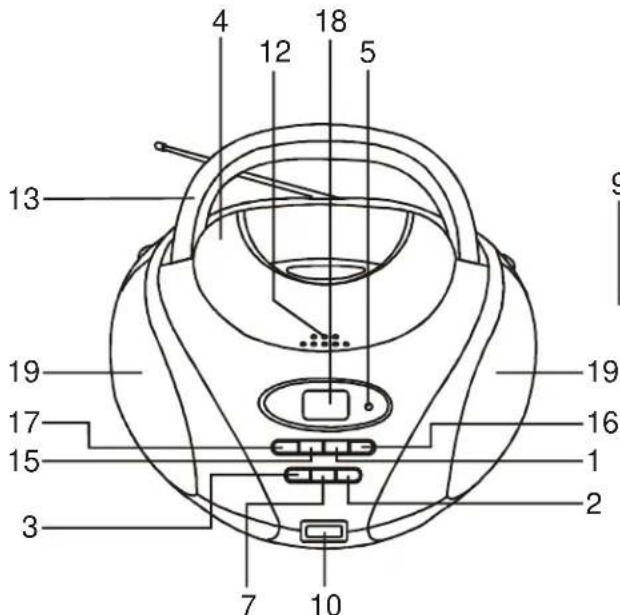
- NEXT ▶ button
- FOLDER UP button
- PROGRAM button
- CD compartment
- FM stereo LED
- FUNCTION switch
- PLAY MODE button
- MODE (FM stereo/mono) switch
- TUNING dial
- USB port
-
AUX IN jack
-
Open/Close CD
- Handle
- VOLUME dial
- ◀REVIOUS button
- PLAY/ PAUSE ▶ button
- STOP ■ CD/USB button
- LCD display
- Speaker
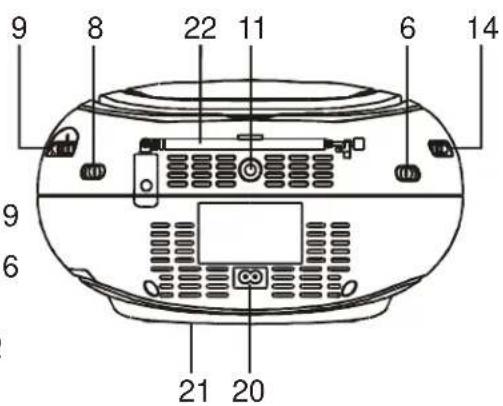
- AC \~ socket
- Battery compartment
- FM antenna
POWER SUPPLY
Using the AC power supply
Insert the AC power cord into an AC mains outlet with a 230V AC \~ 50Hz power source and insert the other end into the AC \~ socket at the back of the unit.
Using batteries
- Open the battery compartment.
- Insert 6 UM2/ "C" size batteries (not supplied) with the polarities (+/-) matching the markings in the battery compartment. Reversed batteries may damage the unit.
- Close the battery compartment.
Note: When AC power is supplied, the battery power is cut off automatically.
Precautions when using batteries
-
Use only the size and type of batteries specified.
-
Do not mix different types of batteries together (e.g. alkaline, rechargeable and standard (carbon zinc)) or old batteries with fresh ones.
- Exhausted batteries must be removed to prevent any battery leakage.
- Dispose of batteries properly according to environmental regulations.
BASIC OPERATION
Selecting the source
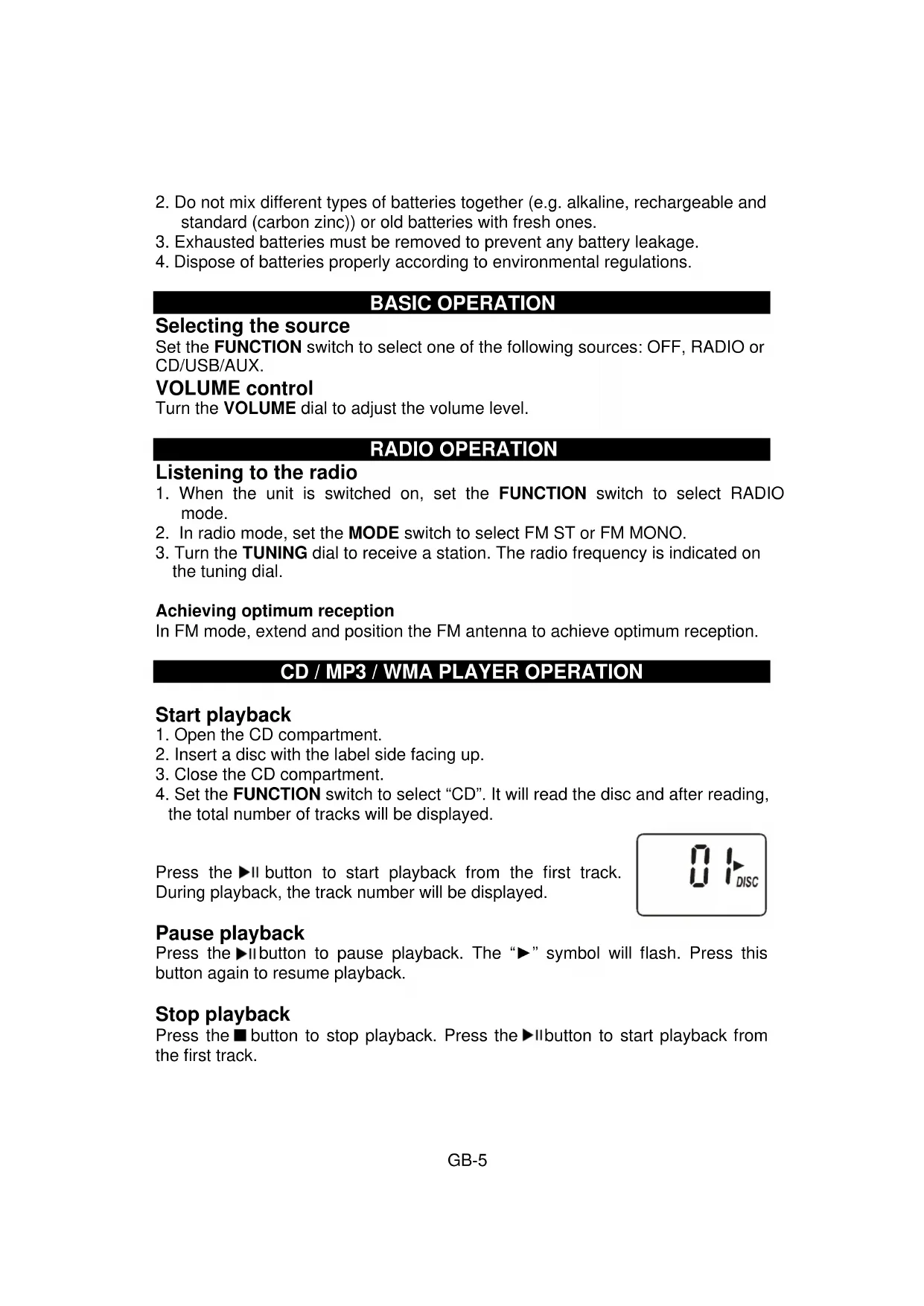
Set the FUNCTION switch to select one of the following sources: OFF, RADIO or CD/USB/AUX.
VOLUME control
Turn the VOLUME dial to adjust the volume level.
RADIO OPERATION
Listening to the radio
- When the unit is switched on, set the FUNCTION switch to select RADIO mode.
- In radio mode, set the MODE switch to select FM ST or FM MONO.
- Turn the TUNING dial to receive a station. The radio frequency is indicated on the tuning dial.
Achieving optimum reception
In FM mode, extend and position the FM antenna to achieve optimum reception.
- Open the CD compartment.
- Insert a disc with the label side facing up.
- Close the CD compartment.
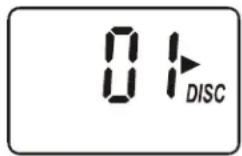
- Set the FUNCTION switch to select "CD". It will read the disc and after reading, the total number of tracks will be displayed.
Press the ▶II button to start playback from the first track. During playback, the track number will be displayed.
Pause playback
Press the ▶ button to pause playback. The “▶” symbol will flash. Press this button again to resume playback.
Stop playback
Press the ■ button to stop playback. Press the ▶ button to start playback from the first track.
Search function
Skip to the next/ previous track
- Press the ▶ button to skip to the next track.
- Press the I button once to skip to the beginning of the current track. Press it twice to skip to the previous track.
Search within a track
During playback, hold down the I button to go fast backwards or forwards and then release the button. Normal playback will resume from that point.
Skip to the next folder (for MP3/ WMA files only)
Press the FOLDER UP button to skip to the next folder.
REPEAT/RANDOM playback
During playback, press the PLAY MODE button repeatedly to select the playback mode according to the following table:
| File Playback mode | |
| CD | Repeat One (“REP” appears on the display), Repeat All (“REP ALL” lights up on the display), Random (“MIX” appears on the display). |
| MP3/WMA files | Repeat One (“REP” appears), Repeat Folder (“REP FOLDER” appears on the display), Repeat All (“REP ALL” appears on the display), Random (“MIX” appears on the display) |
Programmed playback
You can program up to 20 tracks.
- In STOP mode, press the PROGRAM button and the track number "P01" will flash.
- Press the ◀ buttons to select the track number.
- Press the PROGRAM button to confirm.
- Repeat steps 2 and 3 above to program other tracks.
- To play the program, press the ▶button.
- To clear the program, press the button twice or open/close the CD compartment or go to standby mode.
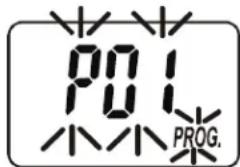
When programming a CD containing MP3/ WMA files, you can press the FOLDER UP button to select the folder in which you want to program the tracks.
Insert a USB device into the USB port. When the unit is switched on, set the FUNCTION switch to select the "CD/USB" mode. In stop mode, press the button to select "USB" mode. Refer to "CD/MP3 / WMA PLAYER OPERATION" to play MP3/ WMA files.
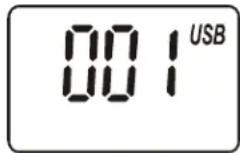
Note: Due to technical differences, some models of USB storage devices or MP3 players may take longer to be read. In some cases, they may not even be read. USB stick should be direct connected or with a cable with max. 0.5 m length.
AUX IN FUNCTION
This unit has an AUX IN jack which allows you to connect an external audio device (such as an MP3 player) using a cable.
- Set the FUNCTION switch to AUX.
- Plug an audio cable (not supplied) into the AUX IN jack.
- Operate your external audio device as usual to select and play music.
- Adjust the volume controls on both your external audio device and this unit to the desired volume level.
Note: In AUX IN mode, this unit display cannot show any music information (e.g. track number) for your external audio device.
MAINTENANCE
Cleaning CD discs
If the music skips or does not play, the disc may need cleaning. Before playback, wipe the disc from the center out with a clean cloth. After use, store the disc in its case.
TROUBLESHOOTING GUIDE
| Problems Recommendations | |
| 1. The player or display does not work properly. | 1.1 Set the FUNCTION switch to OFF mode and set it again to other mode to turn on the unit.1.2 Reset by unplugging the AC power cord for few seconds, then plug it back in. |
| 2. The disc does not play. | 2.1 Place the disc with the label side facing up.2.2 Ensure that the disc is free from scratches and fingerprints.2.3 Check that the discs/ file formats are compatible; refer to “TECHNICAL SPECIFICATIONS”.2.4 Clean the disc. |
| 3. USB device is not read. | 3.1 Check that the USB device file system is in FAT or FAT32 format.3.2 Due to different formats, some models of USB storage devices or MP3 players may not be read. |
| 4. Noise or distorted sound in radio mode. | 4.1 FM mode: extend and position the FM antenna to achieve the best reception.4.2 Set the MODE switch to FM MONO. |
TECHNICAL SPECIFICATIONS
CD/USB
Compatible discs and files CD, CD-R/RW, CD-DA, MP3 and WMA
USB port type 2.0
Radio
Tuning range FM: 88 – 108 MHz
Antennas FM: telescopic antenna
General
Output power (RMS) 2 x 0.85 W (AC power)
Power consumption 7 W
Standby power consumption < 1 W
Speakers 2.5" diameter, 8 Ohm impedance
Power source AC 230V \~ 50Hz
DC 9V: 6 x 1.5V batteries UM2/"C" size
Dimension 130 (H) x 248 (W) x 252 (D) mm
Weight 1.5 Kg
Note: Due to continuing improvements, the technical specifications are subject to change without notice.
GLOSSARY
CD: Abbreviation for Compact Disc Read Only Memory (CD-ROM), a pressed disc (produced in a factory) with data which can be read by a computer but not written to.
CD-R: A CD-R (recordable) is a blank CD which you can record on a one-off basis on a computer with a CD writer and suitable software. Up to around 650 MB of data can be stored on a CD-R.
CD-RW: A re-writable Compact Disc onto which you can record and delete several times, but not an infinite number, using a computer with a CD writer and suitable software. Up to around 650 MB of data can be stored on a CD-RW.
MP3: An audio signal compression process developed by the Moving Pictures Expert Group. However, the compression process does mean compromising on quality.
USB: The Universal Serial Bus is one of the most popular interfaces for data transfer between different devices. It can be used to connect a whole range of external devices (Memory stick, MP3 and MP4 players, etc.) to this unit in order to play the video and audio files recorded on these devices.
DECLARATION OF CONFORMITY
This product fulfils the following EU regulations:
EN60065: 2001 + A1: 2005 + A2: 2010
EN55013: 2001 + A1 + A2
EN61000-3-2: 2006 + A1 + A2
EN61000-3-3: 2008
EN55020: 2007

CONSIGNES DE SÉCURITÉ
DÉCLARATION DE CONFORMITÉ
service@schmid-electronics.de
service@schmid-electronics.de