
IFLIGHT30S - Cooker FAGOR - Free user manual and instructions
Find the device manual for free IFLIGHT30S FAGOR in PDF.
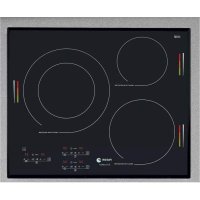

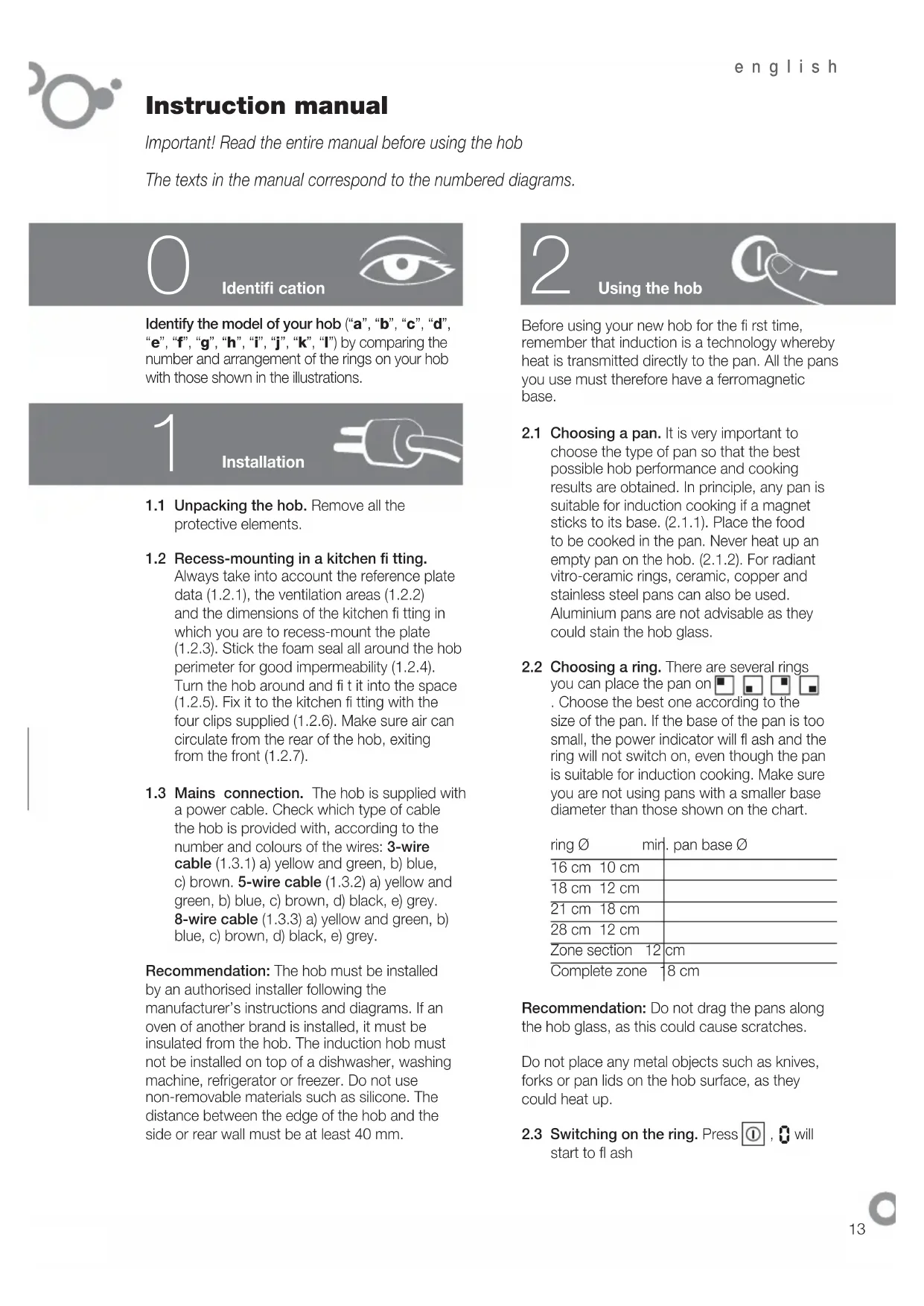


| Product type | Built-in induction hob |
| Brand | Fagor |
| Model | IFLIGHT30S |
| Number of cooking zones | 4 (including one dual zone and one flexible zone) |
| Control type | Touch |
| Power supply | 220-240 V, 50/60 Hz |
| Maximum total power | Approximately 7.2 kW (depending on configuration) |
| Special functions | Booster, delayed programming, automatic shut-off, child lock |
| Pan detection | Yes, operation only with compatible pan |
| Surface material | Ceramic glass |
| Care and cleaning | Clean with a damp cloth or specific ceramic glass cleaner; use a scraper for stubborn dirt |
| Safety | Automatic shut-off after 1 to 10 hours, overflow protection, child lock, residual heat indicator (H) |
| Pan compatibility | Induction: ferromagnetic base (magnet test). Mixed models: also ceramic, copper, stainless steel (not aluminum) |
| Cut-out dimensions (W x D) | Approximately 560 x 490 mm (depending on model) |
| Net weight | Approximately 10 kg (estimated) |
| Installation | Built-in, requires a qualified installer |
| User manual | 58 pages, available for free download |
| Estimated lifespan | 10 to 15 years |
| Repairability | Spare parts available through Fagor after-sales service |
Frequently Asked Questions - IFLIGHT30S FAGOR
User questions about IFLIGHT30S FAGOR
0 question about this device. Answer the ones you know or ask your own.
Ask a new question about this device
Download the instructions for your Cooker in PDF format for free! Find your manual IFLIGHT30S - FAGOR and take your electronic device back in hand. On this page are published all the documents necessary for the use of your device. IFLIGHT30S by FAGOR.
USER MANUAL IFLIGHT30S FAGOR

VI
1
-
-
-
1
-
-
-
-
1
(4) 2017
1
-
-
-
-
1
1
-
-
-
-
1
Important! Read the entire manual before using the hob.
The texts in the manual correspond to the numbered diagrams.
Identification

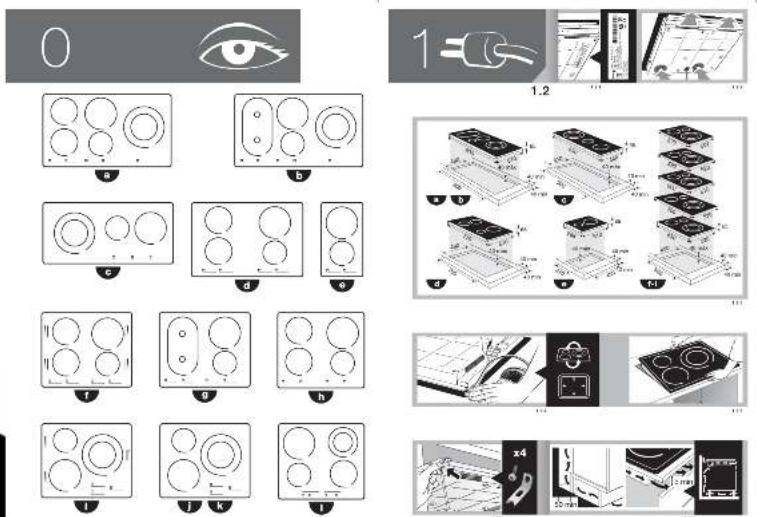
Identify the model of your hob ("a", "b", "c", "d", "e", "f", "g", "h", "i", "j", "k", "l") by comparing the number and arrangement of the rings on your hob with those shown in the illustrations.

Installation
1.1 Unpacking the hob. Remove all the protective elements. 1.2 Recess-mounting in a kitchen fitting.
Always take into account the reference plate data (1.2.1), the ventilation areas (1.2.2) and the dimensions of the kitchen fitting in which you are to recess-mount the plate (1.2.3). Stick the foam seal all around the hob perimeter for good impermeability (1.2.4). Turn the hob around and fit it into the space (1.2.5). Fix it to the kitchen fitting with the four clips supplied (1.2.6). Make sure air can circulate from the rear of the hob, exiting from the front (1.2.7).
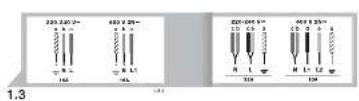
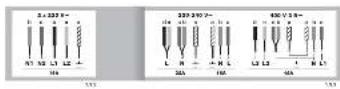
1.3 Mains connection. The hob is supplied with a power cable. Check which type of cable the hob is provided with, according to the number and colours of the wires: 3-wire cable (1.3.1) a) yellow and green, b) blue, c) brown. 5-wire cable (1.3.2) a) yellow and green, b) blue, c) brown, d) black, e) grey. 8-wire cable (1.3.3) a) yellow and green, b) blue, c) brown, d) black, e) grey.
Recommendation: The hob must be installed by an authorised installer following the manufacturer's instructions and diagrams. If an oven of another brand is installed, it must be insulated from the hob. The induction hob must not be installed on top of a dishwasher, washing machine, refrigerator or freezer. Do not use non-removable materials such as silicone. The distance between the edge of the hob and the side or rear wall must be at least 40 mm.
Using the hob
Before using your new hob for the first time, remember that induction is a technology whereby heat is transmitted directly to the pan. All the pans you use must therefore have a ferromagnetic base.
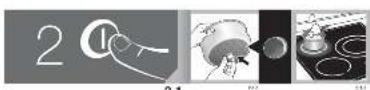
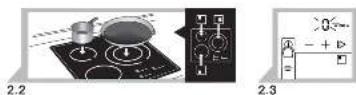
2.1 Choosing a pan. It is very important to choose the type of pan so that the best possible hob performance and cooking results are obtained. In principle, any pan is suitable for induction cooking if a magnet sticks to its base. (2.1.1). Place the food to be cooked in the pan. Never heat up an empty pan on the hob. (2.1.2). For radiant vitro-ceramic rings, ceramic, copper and stainless steel pans can also be used. Aluminium pans are not advisable as they could stain the hob glass. 2.2 Choosing a ring. There are several rings you can place the pan on ☐ ☐ ☐ ☐ ☐ . Choose the best one according to the size of the pan. If the base of the pan is too small, the power indicator will flash and the ring will not switch on, even though the pan is suitable for induction cooking. Make sure you are not using pans with a smaller base diameter than those shown on the chart.
| ring ∅ | mir. pan base ∅ |
| 16 cm 10 cm | |
| 18 cm 12 cm | |
| 21 cm 18 cm | |
| 28 cm 12 cm | |
| Zone section 12 cm | |
| Complete zone 18 cm | |
Recommendation: Do not drag the pans along the hob glass, as this could cause scratches.
Do not place any metal objects such as knives, forks or pan lids on the hob surface, as they could heat up.
2.3 Switching on the ring. Press Ⓐ, ⏻ will start to flash
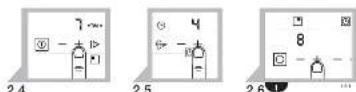
2.4 Selecting a power setting. Adjust the power setting by pressing or . — 2.5 Selecting a cooking time 📊 You can choose how long you wish the ring to function for. Choose the time by pressing + or - on the clock icon ⏻ When the selected time has elapsed, the ring will switch off automatically and a beep will sound.
SPECIAL RINGS
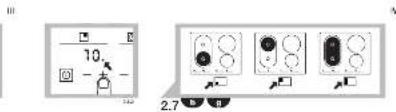
2.6 Double vitro-ceramic ring: Switch on the main zone at the maximum power setting (2.6.1). If you press + again, it will activate the double zone (2.6.2) and a beep will sound and a dot will appear on the display to confirm your instruction. You can now adjust the power setting as required + , —To switch off the double ring zone, press stop and then start Ⓑ, and adjust the power + , — 2.7 Zone Ring: This can be used independently as two separate rings □ □, or the two can be used together as a single ring □. Press the ⏻ button for the ring you wish to use and follow the steps in point (2.4) to select the power setting and point (2.5) to choose the duration.
SPECIAL FUNCTIONS
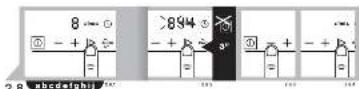
2.8 Direct access function ▶. This enables direct access to a selected power setting.
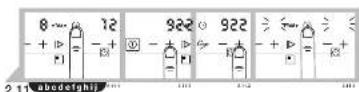
With the ring switched on Ⓐ, press ▶ to access power setting 8 which is the manufacturer's default setting (2.8.1). To change it, with the ring switched off (without pressing Ⓐ), press ▶ and hold it down for a few seconds until you hear a beep and 8 starts to flash. Choose the new desired power setting by pressing + - . Validate it by pressing ▶ again (2.8.2, 2.8.3, 2.8.4).
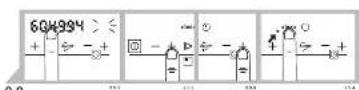
2.9 Total Function Total: This enables you to access a power setting change within a selected time. With the ring switched on and a determined power setting +, press ← (2.9.1). Choose the new power setting using the + (2.9.2) buttons and choose the time using +, - on the symbol (2.9.3). Validate by pressing the < button again, and the new power setting will appear on the display with a dot after it (2.9.4). When
the selected time has elapsed, the power setting will return to its initial position and the dot will disappear (2.9.5).
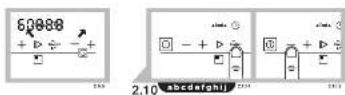
2.10 Booster Function Booster: This enables the maximum temperature to be rapidly reached, which is useful for heating up or boiling liquids quickly. With the ring switched on press Booster. will appear on the display (2.10.1). When the liquid starts to boil, choose the desired power setting by pressing — (2.10.2).
Important note: With Booster activated, the maximum power setting you can use on an adjacent ring is 6.
2.11 Delayed programming 📁: This enables the cooking end time and duration to be adjusted. Only one ring can be used at a time.
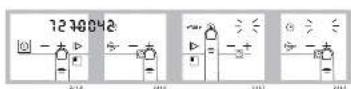
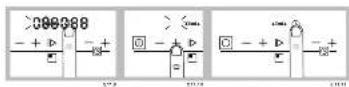
With the ring switched on ⏻, press ⏻ (2.11.1). The current time will appear on the display. If the time is not correct, adjust it using the +, - power setting buttons for the two hour digits (2.11.2) and the +, - buttons on the ⏻ symbol for the two minute digits (2.11.3). Validate the time by pressing the ⏻ button (2.11.4). Then use the same process to adjust the cooking end time (2.11.5, 2.11.6) and validate by pressing ⏻ (2.11.7). Adjust the cooking duration using the +, - buttons on the ⏻ symbol (2.11.8) and validate by pressing ⏻ (2.11.9). Select the power setting by pressing +, - (2.11.10) and validate by pressing ⏻ (2.11.11). A u → o will appear on the display, and it will then switch off and only a red dot will remain (2.11.12).
Important note: The delayed programming function cannot be used simultaneously on more than one ring. The end time, duration and power setting values must be adjusted while the digits are flashing.
OTHER FUNCTIONS
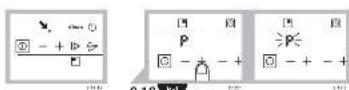
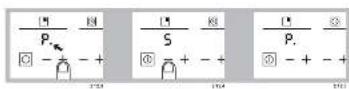
2.12 Quick heat function (P dot) P. This enables a higher power setting to be obtained for a certain time. Press until you reach P (2.12.1). Release the button and the P will flash (2.12.2). Press again and it will go to P maximum power setting (2.12.3). Press and select the desired power setting (2.12.4). P will appear on the display (2.12.5). When the set time has
elapsed it will return to the power setting selected.
Recommendations: After selecting power setting P, if no final working power setting is chosen the ring will switch off.
While P. is shown on the display, if you press any power control this will cancel the function.
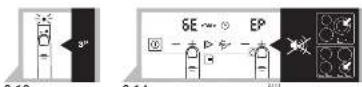
2.13 Child lock function: To prevent children from changing the settings, press the button and hold it down for 3 seconds. To unblock it again, repeat the process.
2.14 Beeper: To deactivate the beeper, the hob must be switched off. Press the power setting and time buttons of the lower right ring simultaneously until bE EP appears on the display. Hold the buttons down until the digits disappear (2.14.1). To activate it again, repeat the process.
Recommendations: You should preferably use the cooking zones on two opposite sides.
Prevent any pans from knocking against the glass.
Use suitable pans for induction cooking.
Use pans with a thick, flat base.
Warnings: If you leave any objects on the sensors, a beep will sound and the hob will switch off.
The hob switches off automatically after an estimated safety time has elapsed. This time will vary depending on the power setting selected (1 - 10 hours).
If you are boiling liquids at high power settings, you will hear a buzzing noise. This is due to the ring frequency coupling and it is normal.
On mixed models with radiant rings, do not touch these zones as it could cause burns.
3
Maintenance and cleaning

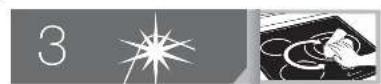
As the glass does not heat up much on induction hobs, they are easy to clean. However, you should clean up any spills or splashes as soon as possible with a damp cloth or a piece of laminated paper. For more resistant stains, use specific vitro-ceramic cleaning products. For mixed models with radiant rings, the glass reaches a very high temperature. You should clean it as quickly as possible, without letting the spills dry on the glass. To clean heated up stains, use a sponge and soapy water and a special scraper for glass.
Do not use a steam cleaner.
The use of abrasive cleaning products or hard metal scouring pads for cleaning the hob can cause surface scratches and may cause the glass to break.
Remove any sugar stains or residues immediately, as they could damage the hob surface.
4
Troubleshooting

The hob does not switch on. Check it is connected to the mains and check the differential switches.
The differential switches trip. Check the connection.
An indicator light comes on when the hob is plugged in. This is normal. The message disappears after 30 seconds.
A smell is produced when the hob is used for cooking the first few times. Heat up a pan of water on each ring for half an hour.
The hob does not switch on and a message appears. Call the technical service.
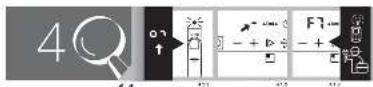
The hob does not switch on and o appears on the display. Remove the child lock (4.1.1).
The hob does not switch on, or F7 appears on the display and a beep sounds.
Clean the hob or remove any objects on the sensors (4.1.2).
- or F7 appears. The electronic circuits have overheated (4.1.3).
The pilot lights flash during functioning. An unsuitable pan is being used.
At low power settings, a clacking noise is heard during cooling. This is normal. The hob switches on and off, self-adjusting the selected power setting.
When the hob is switched off, the fan continues running. This is normal. It helps the electronic circuits to cool down.
5
Safety

- The mains circuit supplying the hob must have a single-pole cut-off switch with a contact separation of at least 3 mm.
- The installation must be dimensioned to the maximum power indicated on the rating plate, and the electrical socket must have a regulatory earth connection.
- If the cable is damaged, it must be replaced by your after-sales service or by similarly qualified staff to avoid hazard.
- The induction rings have a pan detection system. They only heat up if a pan is placed on them.
- After each use, switch off the ring at the control panel. Do not rely on the pan detector.
- If the glass surface should crack or break, unplug the appliance from the mains immediately to avoid the risk of electric shock. Do not use the hob again until the glass has been replaced.
- Keep small children away from the hob and use the child lock system to prevent them from playing with the controls.
- This appliance is not designed to be used by persons with reduced physical, sensory, or mental capabilities.
- The hob must be installed by an authorized installer following the manufacturer's instructions and diagrams.
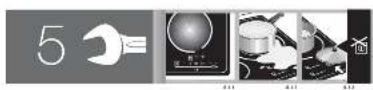
- After intensive use, the cooking zone may remain hot and the letter H will appear. Do not touch these zones (5.1.1).
- Spill-over protection: If any liquids boil over, or if any objects are placed on the sensors or cover them, a symbol will appear on the display, a beep will sound, and the hob will switch off. Clean the glass or remove the object and switch on the hob again (5.1.2, 5.1.3).
- Automatic switch-off: If you forget to switch off the ring, it will switch off automatically after a time lapse of 1–10 hours, depending on the power setting selected.
Important! Attention users with pacemakers and active implants: The hob functions in accordance with current electromagnetic disturbance regulations (2004/108/EC directive). It is designed not to interfere with the functioning of other electrical appliances if they comply with this standard. The induction hob generates magnetic fields in its surrounding environment. To prevent any interference between the hob and a pacemaker, the pacemaker must have been designed in accordance with the corresponding regulation. Consult the manufacturer or your doctor with regard to the pacemaker and its conformities.

The environment

The hob is designed with environmental preservation in mind.
Respect the environment. Use the most suitable power settings for each type of cooking. If you wish, on radiant ring models, you can put another pan in the same place as the previous one to use the accumulated heat, as this will save energy. Use a pan lid whenever you can to reduce heat loss by evaporation.
Electrical and electronic equipment waste management.
Do not dispose of these appliances together with general domestic waste.
Take your hob to a special collection centre. Recycling domestic appliances prevents negative consequences for health and the environment and enables savings on energy and resources. For further information, please contact your local authorities or the shop where you bought the hob.
Brand : FAGOR
Model : IFLIGHT30S
Category : Cooker