ManualGo.com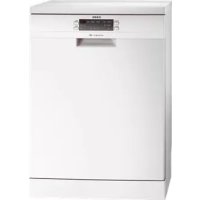
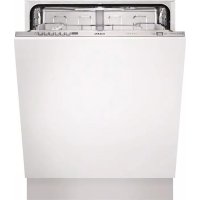
FAV50EW0P - Dishwasher AEG - Free user manual and instructions
Find the device manual for free FAV50EW0P AEG in PDF.


Download the instructions for your Dishwasher in PDF format for free! Find your manual FAV50EW0P - AEG and take your electronic device back in hand. On this page are published all the documents necessary for the use of your device. FAV50EW0P by AEG.
USER MANUAL FAV50EW0P AEG
18 PROBLEEMOPLOSSING
MONTAGE WAARSCHUWING!
apparaat in werking is
de waterontharder is on-
21MONTAGE WAARSCHUWING!
gen van de opening over-
22AANSLUITING WATERAFVOERSLANG
Koud water of warm water
39 CARE AND CLEANING
Help protect the environment and human health and to recycle waste of electrical
and electronic appliances. Do not dispose appliances marked with the symbol
with the household waste. Return the product to your local recycling facility or
contact your municipal office.
VISIT OUR WEBSITE FOR:
LEGEND Warning - Important Safety information.
General information and tips
Environmental information
Subject to change without notice
24FOR PERFECT RESULTS Thank you for choosing this AEG product. We have created it to give you
impeccable performance for many years, with innovative technologies that help
make life simpler – features you might not find on ordinary appliances. Please spend
a few minutes reading to get the very best from it.
ACCESSORIES AND CONSUMABLES In the AEG webshop, you’ll find everything you need to keep all your AEG
appliances looking spotless and working perfectly. Along with a wide range of
accessories designed and built to the high quality standards you would expect, from
specialist cookware to cutlery baskets, from bottle holders to delicate laundry bags…
Visit the webshop at:
CUSTOMER CARE AND SERVICE We recommend the use of original spare parts.
When contacting Service, ensure that you have the following data available.
The information can be found on the rating plate.
25SAFETY INFORMATION Before the installation and use of the
appliance, carefully read the supplied
instructions. The manufacturer is not re-
sponsible if an incorrect installation and
use causes injuries and damages. Al-
ways keep the instructions with the ap-
pliance for future reference.
CHILDREN AND VULNERABLE PEOPLE SAFETY WARNING!
Risk of suffocation, injury or per-
• Do not let persons, children inclu-
ded, with reduced physical sensory,
reduced mental functions or lack of
experience and knowledge use the
appliance. They must have supervi-
sion or instruction for the operation
of the appliance by a person who is
responsible for their safety. Do not
let children play with the appliance.
• Keep all packaging away from chil-
• Keep all detergents away from chil-
• Keep children and pets away from
the appliance door when it is open.
INSTALLATION WARNING!
This appliance must be installed
by a qualified or competent per-
• Remove all the packaging.
where the temperature is less than 0
• Obey the installation instruction sup-
plied with the appliance.
• Make sure not to cause damage to
• Before you connect the appliance to
new pipes or pipes not used for a
long time, let the water flow until it is
• The first time you use the appliance,
make sure that there is no leakage.
The water inlet hose has a safety
valve and a sheath with an inner
• If the water inlet hose is damaged,
immediately disconnect the mains
plug from the mains socket. Contact
Service to replace the water inlet
Electrical connection
Risk of fire and electrical shock.
• The appliance must be earthed.
• Make sure that the electrical informa-
tion on the rating plate agrees with
the power supply. If not, contact an
• Always use a correctly installed
• Do not use multi-plug adapters and
• Make sure not to cause damage to
the mains plug and to the mains ca-
ble. Contact Service or an electrician
to change a damaged mains cable.
26• Connect the mains plug to the mains
socket only at the end of the installa-
tion. Make sure that there is access
to the mains plug after the installa-
• Do not pull the mains cable to dis-
connect the appliance. Always pull
• Use this appliance in a household en-
• Do not change the specification of
• Put knives and cutlery with sharp
points in the cutlery basket with the
points down or in a horizontal posi-
• Do not keep the appliance door
open without supervision to prevent
• Do not sit or stand on the open door.
• Dishwasher detergents are danger-
ous. Obey the safety instructions on
the detergent packaging.
• Do not drink and play with the water
• Do not remove the dishes from the
appliance until the programme is
completed. There can be detergent
• Do not put flammable products or
items that are wet with flammable
products in, near or on the appliance.
• Do not use water spray and steam to
clean the appliance.
• The appliance can release hot steam
if you open the door while a pro-
Risk of injury or suffocation.
• Disconnect the appliance from the
• Cut off the mains cable and dispose
• Remove the door catch to prevent
children and pets to get closed in the
Washing phase indicator.
Rinsing phase indicator.
Drying phase indicator.
Rinse aid indicator. This indicator is off while the
Salt indicator. This indicator is off while the pro-
Door indicator. It comes on when the door is not
29PROGRAMMES Programme Type of soil
Normal or light soil
The appliance senses the type of soil and the quantity of items in the baskets. It
automatically adjusts the temperature and quantity of the water, the energy consumption
and the programme duration.
This programme includes the ExtraHygiene option.
This is the most silent washing programme. The pump works at a very low speed to
decrease the level of noise. Because of the low speed, the programme duration is long.
With this programme you can wash a load with fresh soil. It gives good washing results in a
This is the standard programme for test institutes. With this programme you have the most
efficient use of water and energy consumption for crockery and cutlery with normal soil.
Refer to the supplied leaflet for test information.
The display shows the programme duration.
The water pressure and temperature, the variations of the mains supply, the options and
the quantity of dishes can change the programme duration and the consumption values.
31OPTIONS MULTITAB FUNCTION Activate this function only when you
use the combi detergent tablets.
This function deactivates the flow of
rinse aid and salt. The related indicators
The programme duration can increase.
EXTRAHYGIENE This function gives better results for the
hygiene. During the rinsing phase, the
temperature stays at 70 °C for 10 to 14
ACTIVATING THE OPTIONS
• Activate or deactivate the options
before the start of a programme. You
cannot activate or deactivate the op-
If you stop to use the combi
detergent tablets, before you start
to use separately detergent, rinse aid
and dishwasher salt, do these steps:
1. Deactivate the multitab function.
2. Adjust the water softener to the
3. Make sure that the salt container
and the rinse aid dispenser are full.
4. Start the shortest programme with a
rinsing phase, without detergent
5. Adjust the water softener to the wa-
ter hardness in your area.
6. Adjust the released quantity of rinse
1. Make sure that the set level of the
water softener agrees with the water
hardness in your area. If not, adjust
the water softener. Contact your lo-
cal water authority to know the wa-
ter hardness in your area.
2. Fill the salt container.
3. Fill the rinse aid dispenser.
4. Open the water tap.
5. Processing residues can stay in the
appliance. Start a programme to re-
move them. Do not use detergent
and do not load the baskets.
If you use the combi detergent
tablets, activate the multitab
function. These tablets contain
detergent, rinse aid and other
added agents. Be sure that
these tablets are applicable to
the water hardness in your area.
Refer to the instructions on the
packaging of the products.
ADJUSTING THE WATER SOFTENER Hard water contains a high quantity of
minerals that can cause damage to the
appliance and bad washing results. The
water softener neutralises these miner-
The dishwasher salt keeps the water
softener clean and in good conditions.
Refer to the table to adjust the water
softener to the right level. It makes sure
that the water softener uses the correct
quantity of dishwasher salt and water.
You must adjust the water soft-
ener manually and electronical-
Do not use salt at this level.
Turn the water hardness dial to the po-
Electronic adjustment
1. Press the on/off button to activate
2. Make sure that the appliance is in
setting mode. Refer to ‘SETTING AND STARTING A PROGRAMME’.
3. Press and hold Delay and Start at
the same time until the indicators
(A), (B) and (C) flash.
• The indicators (B) and (C) go off.
• The indicator (A) continues to
• The display shows the setting of
the water softener. Example:
5. Press Program again and again to
6. Deactivate the appliance to confirm.
FILLING THE SALT CONTAINER CAUTION!
Only use dishwasher salt. Other
products can cause damage to
Water and salt can come out
from the salt container when
you fill it. Risk of corrosion. To
prevent it, after you fill the salt
container, start a programme.
1. Turn the cap counterclockwise and
open the salt container.
2. Put 1 litre of water in the salt con-
tainer (only for the first time).
3. Fill the salt container with dish-
4. Remove the salt around the open-
ing of the salt container.
5. Turn the cap clockwise to close the
Only use rinse aid for dishwash-
ers. Other products can cause
damage to the appliance.
The rinse aid, during the last
rinsing phase, helps to dry the
dishes without streaks and
1. Press the release button (D) to
2. Fill the rinse aid dispenser (A), no
more than the mark 'max'.
3. Remove the spilled rinse aid with
an absorbent cloth to prevent too
4. Close the lid. Make sure that the
release button locks into position.
You can turn the selector of the
released quantity (B) between
position 1 (lowest quantity) and
position 4 (highest quantity).
1. Open the water tap.
2. Press the on/off button to activate
the appliance. Make sure that the
appliance is in setting mode. Refer
to ’SETTING AND STARTING A PROGRAMME’.
3. Load the baskets.
4. Add the detergent.
5. Set and start the correct pro-
gramme for the type of load and
LOADING THE BASKETS Refer to the supplied leaflet with
examples of the load of the bas-
• Only use the appliance to wash items
that are dishwasher-safe.
• Do not put in the appliance items
made of wood, horn, aluminium,
• Do not put in the appliance items
that can absorb water (sponges,
• Remove remaining food from the
• Make soft the remaining burned food
• Put hollow items (cups, glasses and
pans) with the opening down.
• Make sure that cutlery and dishes do
not bond together. Mix spoons with
• Make sure that glasses do not touch
• Put small items in the cutlery basket.
• Put light items in the upper basket.
Make sure that the items do not
• Make sure that the spray arms can
move freely before you start a pro-
Use only detergents for dish-
1. Press the release button (B) to
2. Put the detergent in the compart-
3. If the programme has a prewash
phase, put a small quantity of de-
tergent on the inner part of the ap-
4. If you use detergent tablets, put
the tablet in the compartment (A).
5. Close the lid. Make sure that the
release button locks into position.
Do not use more than the cor-
rect quantity of detergent. Refer
to the instructions on the deter-
Detergent tablets do not fully
dissolve with short programmes
and detergent residues can stay
We recommend that you use
detergent tablets with long pro-
SETTING AND STARTING A PROGRAMME Setting mode
The appliance must be in setting mode
to accept some operations.
The appliance is in setting mode when,
after the activation:
• All the programme indicators come
• The display shows two horizontal sta-
If the control panel shows other condi-
tions, press and hold Delay and Start
at the same time until the appliance is
Starting a programme without
1. Open the water tap.
2. Press the on/off button to activate
3. Close the appliance door.
4. Make sure that the appliance is in
5. Press Program again and again un-
til the indicator of the programme
that you want to set comes on.
• The programme duration flashes
• The phase indicators of the set
6. If you want, you can set the options.
7. Press Start. The programme starts.
• Only the indicator of the phase in
37• The display shows the pro-
gramme duration that decreases
with steps of 1 minute.
Starting a programme with
1. Set the programme and the op-
2. Press Delay again and again until
the display shows the delay time
you want to set (from 1 to 24 hours).
• The delay time flashes in the dis-
• The delay indicator is on.
3. Press Start. The countdown starts.
• The display shows the countdown
of the delay start that decreases
with steps of 1 hour.
• The phase indicators of the set
• When the countdown is completed,
the programme starts.
– The indicator of the phase in oper-
Opening the door while the
If you open the door, the appliance
stops. When you close the door, the
appliance continues from the point of
Cancelling the delay start while
the countdown operates
Press Delay again and again until:
• The display shows the programme
• The phase indicators come on.
• The programme starts.
Cancelling the programme
Press and hold Delay and Start at the
• All the programme indicators come
• The display shows two horizontal sta-
Make sure that there is deter-
gent in the detergent dispenser
before you start a new pro-
At the end of the programme
When the programme is completed,
the end indicator is on and the display
1. Open the appliance door.
2. Press the on/off button to deacti-
3. Close the water tap.
If you do not press the on/off
button, the Auto Off device au-
tomatically deactivates the ap-
pliance after some minutes. This
helps to decrease the energy
• For better drying results, keep the
appliance door ajar for some mi-
• Let the dishes become cold before
you remove them from the appli-
ance. Hot dishes can be easily dam-
• First remove the items from the lower
basket, then from the upper basket.
There can be water on the sides
and on the door of the appli-
ance. Stainless steel becomes
cool more quickly than the
38CARE AND CLEANING WARNING!
Before maintenance, deactivate the ap-
pliance and disconnect the mains plug
from the mains socket.
Dirty filters and clogged spray
arms decrease the washing re-
Make a check regularly and, if
necessary, clean them.
CLEANING THE FILTERS A B C C A1
1. Turn the filter (A) counter-
clockwise and remove it.
2. To disassemble the filter (A),
pull apart (A1) and (A2).
3. Remove the filter (B).
4. Wash the filters with water.
5. Put the filter (B) to its initial
position. Make sure that it
assembles correctly under
6. Assemble the filter (A) and
put it into position in filter
(B). Turn it clockwise until it
An incorrect position of
the filters can cause bad
washing results and dam-
age to the appliance.
CLEANING THE SPRAY ARMS Do not remove the spray arms.
If the holes in the spray arms are clog-
ged, remove remaining parts of soil
with a thin pointed object.
EXTERNAL CLEANING Clean the appliance with a moist soft
Only use neutral detergents. Do not
use abrasive products, abrasive clean-
ing pads or solvents.
39TROUBLESHOOTING The appliance does not start or it stops
First try to find a solution to the prob-
lem (refer to the table). If not, contact
With some problems, the display
shows an alarm code:
- The appliance does not fill with
- The appliance does not drain
- The anti-flood device is on.
Deactivate the appliance before
you make the checks.
Problem Possible cause Possible solution
The mains plug is not con-
nected in the mains socket.
Connect the mains plug.
The appliance door is open. Close the appliance door.
You did not press Start. Press Start.
The fuse in the fuse box is
The delay start is set. Cancel the delay start or
wait for the end of the
not fill with water.
The water tap is closed. Open the water tap.
The water pressure is too
Contact your local water au-
The water tap is clogged or
there is limescale on it.
Clean the water tap.
The filter in the water inlet
The water inlet hose has a
Make sure that the position
of the hose is correct.
The anti-flood device is on.
There are water leakages in
Close the water tap and
not drain the water.
The sink spigot is clogged. Clean the sink spigot.
The water drain hose has a
Make sure that the position
of the hose is correct.
After the checks are completed, acti-
vate the appliance. The programme
continues from the point of interrup-
If the problem occurs again, contact
The filters are clogged. Clean the filters.
The filters are not correctly
assembled and installed.
Make sure that the filters are
correctly assembled and in-
The spray arms are clog-
Remove remaining soil with a
thin pointed object.
The programme was not
applicable for the type of
Make sure that the pro-
gramme is applicable for the
type of load and soil.
Incorrect position of the
items in the baskets. Water
could not wash all items.
Make sure that the position
of the items in the baskets is
correct and that the water
can easily wash all items.
The spray arms could not
Make sure that the position
of the items in the baskets is
correct and does not cause
the blockage of the spray
The quantity of detergent
Make sure that you add the
correct quantity of detergent
in the dispenser before you
There was no detergent in
the detergent dispenser.
Make sure that you add de-
tergent in the dispenser be-
fore you start a programme.
The salt container is empty. Make sure that there is dish-
washer salt in the salt con-
The set level of the water
softener is incorrect.
Make sure that the set level
of the water softener agrees
with the water hardness in
The cap of the salt contain-
stains or bluish lay-
The released quantity of
rinse aid is too much.
Decrease the released quan-
Make sure that you add the
correct quantity of detergent
in the dispenser before you
The released quantity of
rinse aid was not sufficient .
Increase the released quanti-
The quality of the detergent
Try a different brand of de-
The dishes are wet. • The programme had no
• The programme had a
low temperature drying
For better drying results,
keep the door ajar for some
The rinse aid dispenser is
Make sure that there is rinse
aid in the rinse aid dispenser.
The quality of the rinse aid
Try a different brand of rinse
The quality of the combi
detergent tablets can be
• Try a different brand of
combi detergent tablets.
• Activate the rinse aid dis-
penser and use the rinse
aid together with the com-
bi detergent tablets.
Activating the rinse aid
dispenser with the multitab
1. Press the on/off button to activate
2. Make sure that the appliance is in
setting mode. Refer to ‘SETTING AND STARTING A PROGRAMME’.
3. Press and hold Delay and Start at
the same time until the indicators
(A), (B) and (C) flash.
• The indicators (A) and (C) go off.
• The indicator (B) continues to
• The display shows the setting of
5. Press Option to change the setting.
6. Deactivate the appliance to confirm.
7. Adjust the released quantity of rinse
8. Fill the rinse aid dispenser.
Refer to “SAFETY INFORMA-
1. Make sure that the dimen-
sions of the recess agree
with the dimensions in the
2. Put the appliance adjacent
to a water tap and a water
3. Remove the worktop of the
4. Loosen or tighten the ad-
justable feet for a correct
level of the appliance.
With a correct level the ap-
pliance door closes and
5. Install the appliance under
the kitchen counter.
Connect the water drain hose to:
• The sink spigot. Attach the water
drain hose under the kitchen counter.
This prevents that waste water from
the sink goes back to the appliance.
• A stand pipe with vent-hole. The in-
ternal diameter must be minimum 40
Remove the sink plug when the appli-
ance drains. This prevents water to go
back to the appliance.
An extension hose for the water drain
hose must be shorter than 2 m and with
the same diameter as the water drain
A If you connect the water drain hose to a
trap spigot under the sink, remove the
plastic membrane (A). A not complete
removal of the membrane causes a
blockage in the spigot and problems
The appliance has a non-return valve
that prevents dirty water to go back to
the appliance. If there is a non-return
valve in the sink spigot, remove it to
prevent the appliance to drain incor-
TECHNICAL INFORMATION Dimensions Width / Height / Depth (mm) 596 / 850 / 610
Electrical connection Refer to the rating plate.
Cold water or hot water
max. 60 °C Capacity Place settings 12
1) Connect the water inlet hose to a water tap with a 3/4'' thread. 2) If the hot water comes from alternative sources of energy, (e.g. solar panels, aeolianenergy), use the hot water supply to decrease energy consumption. 44SOMMAIRE