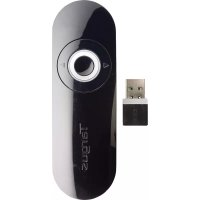
AMP18CA - Remote control TARGUS - Free user manual and instructions
Find the device manual for free AMP18CA TARGUS in PDF.


| Brand | Targus |
| Model | AMP18CA |
| Product Type | Presentation Remote Control |
| Transmission Technology | 2.4 GHz Wireless |
| Maximum Range | 15 meters |
| Power Supply | 1 AAA battery (included) + spare battery compartment |
| System Compatibility | Windows 2000/XP/Vista/7, Mac OS X 10.4 and later |
| Connectivity | Mini USB receiver (plug & play) |
| Functions | On/off, remote presentation |
| LED Indicator | Green (lit when remote is active) |
| Box Contents | Remote, USB receiver, AAA battery, user manual |
| Warranty | 1 year limited |
| Cleaning | Wipe with a soft, dry cloth |
| Certifications | FCC Part 15 Class B, IC CNR-210 |
Frequently Asked Questions - AMP18CA TARGUS
User questions about AMP18CA TARGUS
0 question about this device. Answer the ones you know or ask your own.
Ask a new question about this device
Download the instructions for your Remote control in PDF format for free! Find your manual AMP18CA - TARGUS and take your electronic device back in hand. On this page are published all the documents necessary for the use of your device. AMP18CA by TARGUS.
USER MANUAL AMP18CA TARGUS
Thank you for your purchase of the Targus Presentation Remote. This cordless remote offers true plug and play capability with no need for software drivers, while the long-range 2.4 GHz technology allows for effective presentations up to 50 feet (15 m).
Contents
• Targus Presentation Remote
- Mini USB Receiver
- 1 x AAA Battery
- User Guide
System Requirements
Hardware
- USB port
Operating System
- Microsoft Windows® 2000
- Microsoft Windows® XP
- Microsoft Windows Vista®
- Microsoft Windows® 7
• Mac OS ^® X 10.4 or later
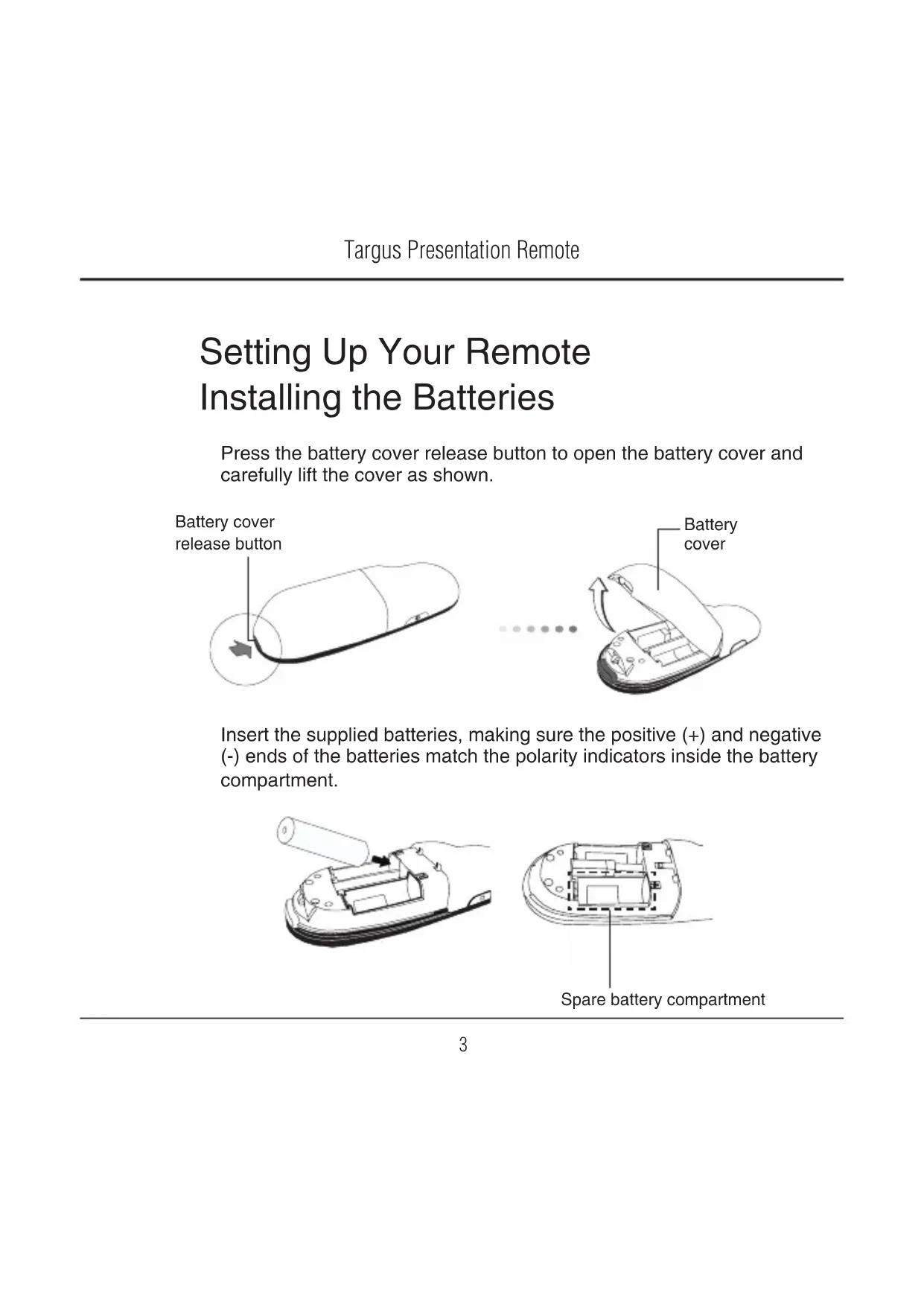
Setting Up Your Remote Installing the Batteries
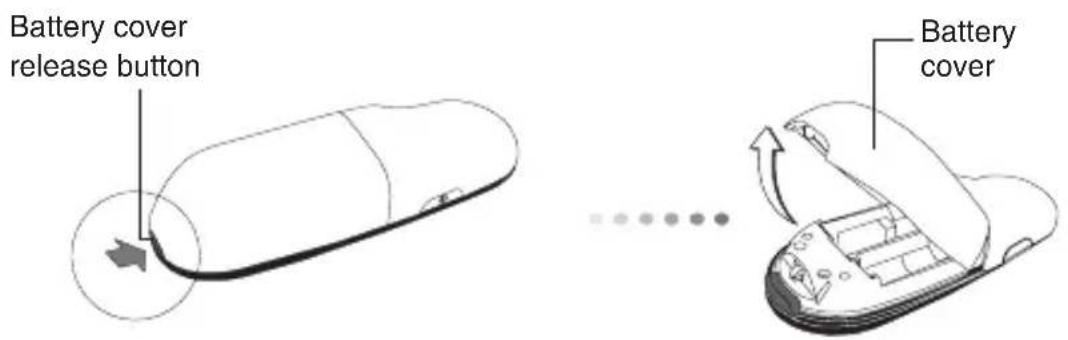
Press the battery cover release button to open the battery cover and carefully lift the cover as shown.
Insert the supplied batteries, making sure the positive (+) and negative (-) ends of the batteries match the polarity indicators inside the battery compartment.
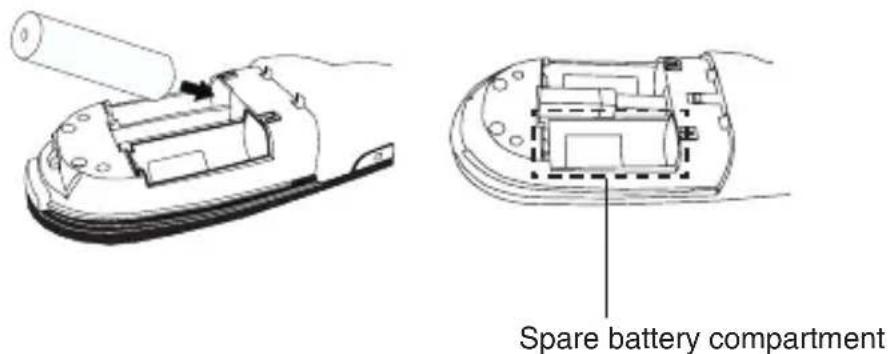

NOTE: THE SPARE BATTERY COMPARTMENT CAN BE USED TO STORE A BACKUP BATTERY (NOT INCLUDED) FOR EMERGENCY POWER.
Remove the mini USB receiver stored inside the center compartment.
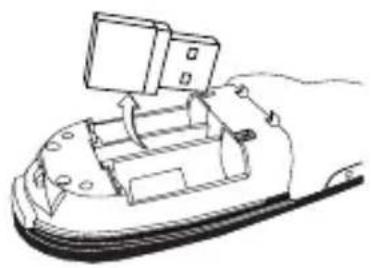
natural_image
Line drawing of a mechanical device with a handle and internal components (no text or symbols)Slide the battery cover back into position until it "clicks" firmly into place.
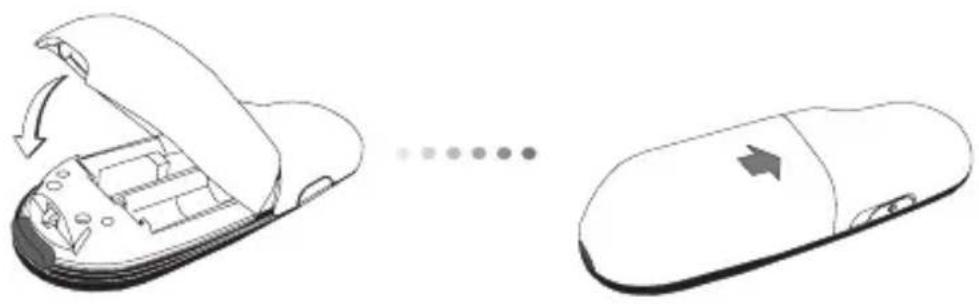
natural_image
Diagram showing a computer mouse with internal components and an open lid, illustrating the process (no text or symbols present)Synchronizing Your Remote
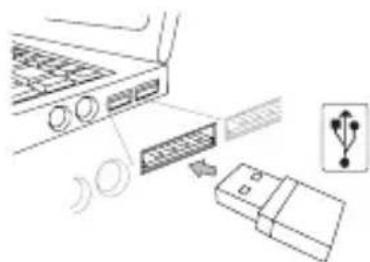
This remote is a plug and play device. It will automatically operate when the USB receiver is connected to the computer. Plug the mini USB receiver into any available USB port on your computer.
Turn on the remote by pressing and holding the On/Off power button for 3 seconds.
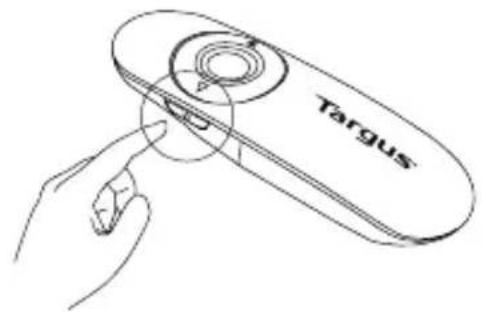
Using Your Remote
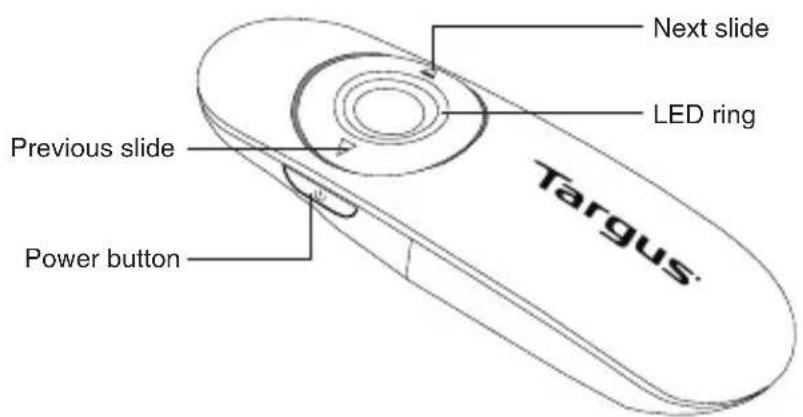
| On Press and hold for 3 seconds to turn on the remote.LED ring will turn green. |
| Off Press and hold for 3 seconds to turn off the remote.LED ring will shut off. |
Technical Support
For technical questions, please visit:
Internet: www.targus.com/support.asp
Email: info.cn@targus.com
Product Registration
Targus recommends that you register your Targus accessory shortly after purchasing it. Go to:
http://www.targus.com/registration.asp
You will need to provide your full name, email address, country of residence and product information.
Warranty
Targus warrants this product to be free from defects in materials and workmanship for one year. If your Targus accessory is found to be defective within that time, we will promptly repair or replace it. This warranty does not cover accidental damage, wear and tear, or consequential or incidental loss. Under no conditions is Targus liable for loss of, or damage to devices; nor loss of, or damage to, programs, records, or data; nor any consequential or incidental damages, even if Targus has been informed of their possibility. This warranty does not affect your statutory rights.
Regulatory Compliance
This device complies with Part 15 of the FCC Rules. Operation is subject to the following two conditions: (1) This device may not cause harmful interference, and (2) This device must accept any interference received, including interference that may cause undesired operation.
This Class B digital apparatus complies with Industrial Canada RSS-210
FCC Statement
Tested to Comply
This equipment has been tested and found to comply with the limits of a Class B digital device, pursuant to Part 15 of the FCC Rules. These limits are designed to provide reasonable protection against harmful interference in a residential installation. This equipment generates, uses, and can radiate radio frequency energy and if not installed and used in accordance with the instructions, may cause harmful interference to radio communications. However, there is no guarantee that interference will not occur in a particular installation. If this equipment does cause harmful interference to radio or television reception, which can be determined by turning the equipment off and on, the user is encouraged to try to correct the interference by one or more of the following measures:
- Reorient or relocate the receiving antenna;
- Increase the separation between the equipment and receiver;
- Connect the equipment into an outlet on a circuit different from that to which the receiver is connected;
- Consult the dealer or an experienced radio/TV technician for help.
Changes or modifications not authorized by the party responsible for compliance could void the user's authority to operate this product.
Microsoft, Windows, and Windows Vista are either registered trademarks or trademarks of Microsoft Corporation in the United States and/or other countries. All trademarks and registered trademarks are the properties of their respective owners. All rights reserved.
Introduction
natural_image
Simple line drawing of a capsule-shaped object with a circular arrow and pointer, no text or symbols present.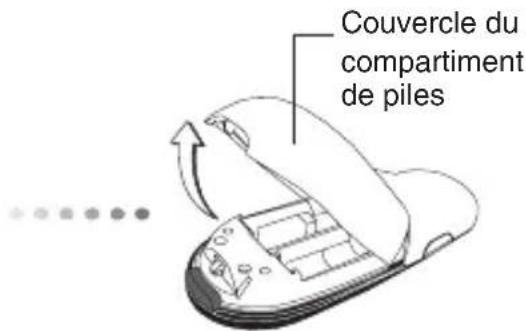
natural_image
Line drawing of a hand holding a cylindrical object with a mechanical component inside (no text or symbols)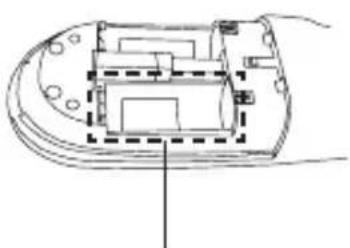
natural_image
Technical line drawing of a mechanical component with internal layout and mounting holes (no text or symbols)natural_image
Line drawing of a mechanical device with a handle and internal components (no text or symbols)natural_image
Diagram showing a computer mouse with internal components and an open lid, illustrating the process of moving or shifting (no text or symbols present)
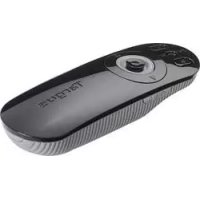

Brand : TARGUS
Model : AMP18CA
Category : Remote control