ManualGo.com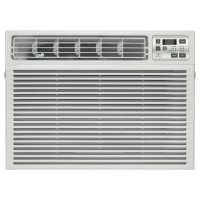
AEE18DS - Air Conditioning GE - Free user manual and instructions
Find the device manual for free AEE18DS GE in PDF.



Download the instructions for your Air Conditioning in PDF format for free! Find your manual AEE18DS - GE and take your electronic device back in hand. On this page are published all the documents necessary for the use of your device. AEE18DS by GE.
USER MANUAL AEE18DS GE
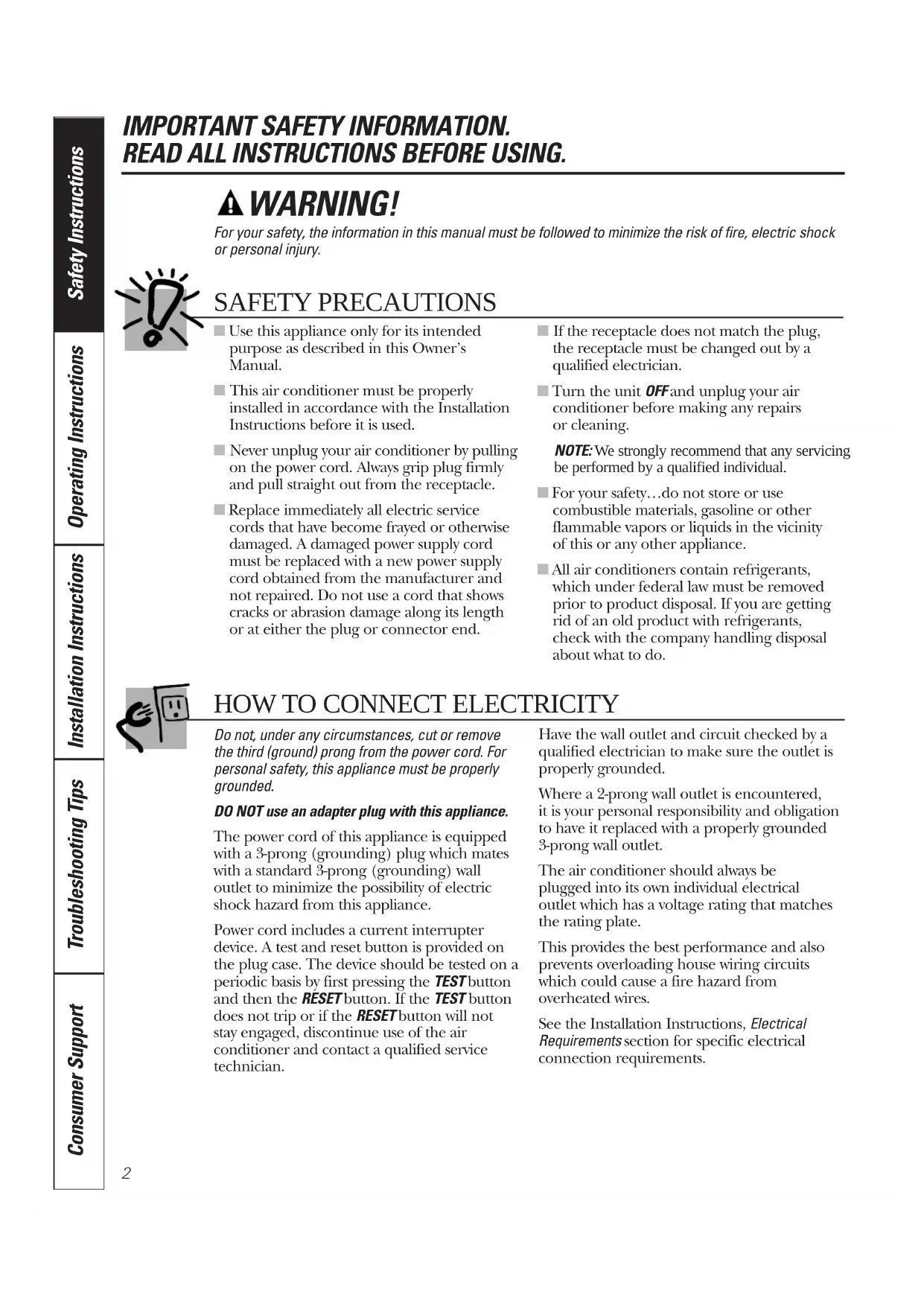
IMPORTANT SAFETY INFORMATION. READ ALL INSTRUCTIONS BEFORE USING. WARNING! For your safety, the information in this manual must be followed to minimize the risk of fire, electric shock or personal injury. ■ Use this appliance only for its intended purpose as described in this Owner’s Manual. ■ This air conditioner must be properly installed in accordance with the Installation Instructions before it is used. ■ Never unplug your air conditioner by pulling on the power cord. Always grip plug firmly and pull straight out from the receptacle. ■ Replace immediately all electric service cords that have become frayed or otherwise damaged. A damaged power supply cord must be replaced with a new power supply cord obtained from the manufacturer and not repaired. Do not use a cord that shows cracks or abrasion damage along its length or at either the plug or connector end. ■ If the receptacle does not match the plug, the receptacle must be changed out by a qualified electrician. ■ Turn the unit OFF and unplug your air conditioner before making any repairs or cleaning. NOTE: We strongly recommend that any servicing be performed by a qualified individual. ■ For your safety…do not store or use combustible materials, gasoline or other flammable vapors or liquids in the vicinity of this or any other appliance. ■ All air conditioners contain refrigerants, which under federal law must be removed prior to product disposal. If you are getting rid of an old product with refrigerants, check with the company handling disposal about what to do. SAFETY PRECAUTIONS Do not, under any circumstances, cut or remove the third (ground) prong from the power cord. For personal safety, this appliance must be properly grounded. DO NOT use an adapter plug with this appliance. The power cord of this appliance is equipped with a 3-prong (grounding) plug which mates with a standard 3-prong (grounding) wall outlet to minimize the possibility of electric shock hazard from this appliance. Power cord includes a current interrupter device. A test and reset button is provided on the plug case. The device should be tested on a periodic basis by first pressing the TEST button and then the RESET button. If the TEST button does not trip or if the RESET button will not stay engaged, discontinue use of the air conditioner and contact a qualified service technician. Have the wall outlet and circuit checked by a qualified electrician to make sure the outlet is properly grounded. Where a 2-prong wall outlet is encountered, it is your personal responsibility and obligation to have it replaced with a properly grounded 3-prong wall outlet. The air conditioner should always be plugged into its own individual electrical outlet which has a voltage rating that matches the rating plate. This provides the best performance and also prevents overloading house wiring circuits which could cause a fire hazard from overheated wires. See the Installation Instructions, Electrical Requirements section for specific electrical connection requirements.
HOW TO CONNECT ELECTRICITY3
Consumer Support Troubleshooting Tips Operating Instructions Safety Instructions Installation Instructions WARNING! Because of potential safety hazards under certainconditions, we strongly recommend against theuse of an extension cord. However, if you must use an extension cord, it is absolutely necessary that it be a UL-listed,14 gauge, 3-wire grounding type applianceextension cord having a grounding type plugand outlet and that the electrical rating of thecord be 15 amperes (minimum) and 125 volts. CAUTION: DO NOT use an extension cord with any of the230/208 volt models. EXTENSION CORDS—115-Volt models only READ AND FOLLOW THIS SAFETY INFORMATION CAREFULLY.
SAVE THESE INSTRUCTIONS
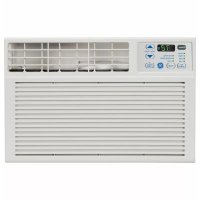
ge.com4 About the controls on the air conditioner—models with touch pads. Controls The air conditioner controls are located behind thecontrol panel door. Press to open and close the door.NOTE: The remote control will work with the controlpanel door open or closed. Power Pad Turns air conditioner on and off. Whenturned on, the display will show the roomtemperature. Display Shows the room temperature or timeremaining on the Delay timer. Shows the Settemperature while setting the temperature in Cool or Energy Saver modes. The Set light will turn on while setting.NOTE: The display will change to show theroom temperature after settings have beenmade. To recall the Set temperature, press the Temp Increase ▲ or Decrease ▼ pads. Temp Increase ▲ /Decrease ▼ Pads Use to set temperature when in Cool or Energy Saver mode. The Set light will turn on while setting. Delay Timer Increase ▲ (+) /Decrease ▼ (–) Pads Each touch of the Increase ▲ / Decrease ▼ pads on the unit or the Increase + / Decrease – pads on the remote control will set the delaytime when using the Delay 1–24hr timer ( ).The Set light will turn on while setting. Fan Speed Pads Use to set the fan speed to Low, Med, High or Auto on the unit. NOTE: On the remote control, use the fan speed Increase + / Decrease – pads to set the fan speeds to Low, Med or High. Use the Auto pad to turn Auto fan on. Mode Pad Use to set the air conditioner to Cool, EnergySaver or Fan Only mode. Delay Pads Delay ON—When the air conditioner is off, itcan be set to automatically come on in 1 to 24hours at its previous mode and fan settings. Delay OFF—When the air conditioner is on, it can be set to automatically turn off in 1 to 24 hours. How to set:Press the Delay 1–24hr pad on the unit orthe pad on the remote control. Each touch of the Increase ▲ / Decrease ▼ pads on the unit or the Increase + / Decrease – pads on the remote control will set the timer in 1-hour intervals. The Set light will turn onwhile setting.To review the remaining time on the Delay 1–24hr timer, press the Delay 1–24hr pad on the unit or the pad on the remote control. Use the Increase ▲ / Decrease ▼ pads on the unit or the Increase + / Decrease – pads on the remote control to set a new time if desired. To cancel the timer, press the Delay 1–24hr pad until the light on the Delay 1–24hr pad goes off. CIRCULAIRE Pad Turn on to provide continuous side-to-side air circulation.For fixed side-to-side air direction, turn onuntil the desired air direction is obtained, then turn it off. Lights next to the touch pads on the air conditioner control panel indicate the selected settings.
Delay Fan Remote Control Delay timer Increase Circulaire Auto Fan on/off Fan speed Increase Unit power on/off The display always shows the room temperature except when setting the Set temperature or the Delay timer. Air Conditioner Controls Light indicates the delay timer is set. Light indicates the unit is in the temperature or delay time Set mode. Light indicates Circulaire is on. Safety Instructions Operating Instructions Care and Cleaning Installation Instructions Troubleshooting TipsConsumer Support Delay 1–24hr Delay timer Decrease Mode select Fan speed Decrease Temperature set Increase and Decrease5 ■ To ensure proper operation, aim the remote control at the signal receiver on the air conditioner. ■ The remote control signal has a range of up to 20 feet. ■ Make sure nothing is between the air conditioner and the remote control that could block the signal. ■ Make sure batteries are fresh and installed correctly as indicated on the remote control. Remote Control ge.com Cool Mode Use the Cool mode at Low, Med, High or Auto Fan Speed for cooling. Use the Temperature Increase ▲ / Decrease ▼ pads to set the desired temperature between 64°F and 86°F in 1°F increments. An electronic thermostat is used to maintain the room temperature. The compressor will cycle on and off to keep the room at the set level of comfort. Set the thermostat at a lower number and the indoor air will become cooler. Set the thermostat at a higher number and the indoor air will become warmer. NOTE: If the air conditioner is off and is then turned on while set to a Cool setting or if turned from a fan setting to a Cool setting, it may take approximately 3 minutes for the compressor to start and cooling to begin. Cooling Descriptions For Normal Cooling—Select the Cool mode and High or Med fan with a middle set temperature. For Maximum Cooling—Select the Cool mode and High fan with a lower set temperature. For Quieter & Nighttime Cooling—Select the Cool mode and Low fan with a middle set temperature. Fan Only Mode Use the Fan Only Mode at Low, Med or High fan speed to provide air circulation and filtering without cooling. Since fan only settings do not provide cooling, a Set temperature cannot be entered. The room temperature will appear in the display. NOTE: Auto Fan Speed cannot be used when in the Fan Only Mode. Set to Auto fan speed for the fan speed to automatically set to the speed needed to provide optimum comfort settings with the set temperature. If the room needs more cooling, the fan speed will automatically increase. If the room needs less cooling, the fan speed will automatically decrease. NOTE: Auto Fan Speed cannot be used when in the Fan Only Mode. Energy Saver Mode Controls the fan. ON—The fan will cycle on and off with the compressor. This results in wider variations of room temperature and humidity. Normally used when the room is unoccupied. NOTE: The fan may continue to run for a short time after the compressor cycles off. OFF—The fan runs all the time, while the compressor cycles on and off. In the case of a power outage or interruption, the unit will automatically re-start in the settings last used after the power is restored. If the Delay 1–24hr feature was set, it will resume countdown. You may need to set a new time if desired. Power Outage Recovery Feature Auto Fan Speed This cool-only air conditioner was not designed for freezing outdoor conditions. It must not be used in freezing outdoor conditions. Do Not Operate in Freezing Outdoor Conditions Consumer SupportTroubleshooting Tips Installation Instructions Care and Cleaning Operating Instructions Safety Instructions6 Consumer Support Troubleshooting Tips Operating Instructions Safety InstructionsInstallation Instructions About the controls on the air conditioner. Features and appearance will vary.
MODE CONTROLTEMP CONTROL
Temp Control The temp control is used to maintain theroom temperature. The compressor willcycle on and off to keep the room at thesame level of comfort. Turn the knobclockwise to Cooler (blue) and the indoor air will become cooler. Turn the knobcounterclockwise to Warmer (red) and the indoor air will become warmer. Mode Control Hi Cool and Low Cool provide cooling withdifferent fan speeds.Hi Heat and Low Heat provide heating withdifferent fan speeds.Fan Only setting provides air circulation andfiltering without cooling or heating.NOTE: If you move the mode control from a cool setting to Off, a fan setting or a heat setting, wait at least 3 minutes before switching back to a cool setting. Cooling Descriptions For Normal Cooling—Select Hi Cool or Low Cool with the temp control at midpoint.For Maximum Cooling—Select Hi Cool with the temp control turned clockwise as far aspossible.For Quieter & Nighttime Cooling—Select Low Cool with the temp control at midpoint. Heating Descriptions For Normal Heating—Select Hi Heat or Low Heat with the temp control at midpoint.For Maximum Heating—Select Hi Heat withthe temp control turned counterclockwise asfar as possible.For Quieter & Nighttime Heating—Select Low Heat with the temp control at midpoint. Circulaire For continuousside-to-side aircirculation, setthe Circulaireswitch to On.For fixed side-to-side air direction, set theCirculaire switch to On until the desired airdirection is obtained, then move it to Off. Controls7 Consumer Support Troubleshooting Tips Operating Instructions Safety Instructions Installation Instructions Vent Control The vent control is located above the control panels. When set at CLOSE, only the air inside the room will be circulated and conditioned. When set at OPEN, some outside air is let into the room. To open the vent, push the lever to the right. To close it, push it to the left. Air Direction—Up and Down Fingertip pressure on the horizontal louvers adjusts the air direction up or down. Control Panel Door Press to open and close the door. Additional controls. ge.com Normal operating sounds. ■ You may hear a pinging noise caused by water being picked up and thrown against the condenser on rainy days or when the humidity is high. This design feature helps remove moisture and improve efficiency. ■ You may hear the thermostat click when the compressor cycles on and off. ■ Water will collect in the base pan during high humidity or on rainy days. The water may overflow and drip from the outdoor side of the unit. ■ The fan may run even when the compressor does not.Air Filter The air filter behind the front grille should be checked and cleaned at least every 30 days or more often if necessary. To remove: Open the inlet grille upward by pulling out the bottom of the inlet grille. Using the tab, pull up slightly on the filter to release it and pull it down. Clean the filter with warm, soapy water. Rinse and let the filter dry before replacing it. Do not clean the filter in a dishwasher. CAUTION:DO NOT operate the air conditioner without a filter because dirt and lint will clog it and reduce performance.
Outdoor Coils The coils on the outdoor side of the air conditioner should be checked regularly. If they are clogged with dirt or soot, they may be professionally cleaned. Grille Frame Removal (if necessary for coil cleaning) Remove the air filter. See the Air Filter section above. If present, remove the grille frame attachment screw. Grasp the lower corners of the grille frame while pressing in on the case side tabs with your finger tips. Pull out to release and lift it up. NOTE: Do not pull the bottom edge toward you more than 3″ or you may damage the tabs of the grille. Grille and Case Turn the air conditioner off and remove the plug from the wall outlet before cleaning. To clean, use water and a mild detergent. Do not use bleach or abrasives. Care and cleaning of the air conditioner.
Consumer Support Troubleshooting Tips Operating Instructions Safety InstructionsInstallation InstructionsBEFORE YOU BEGIN Read these instructions completely and carefully.
IMPORTANT — Observe all governing codes and ordinances.
- Note to Installer – Be sure to leave these instructions with the Consumer.
- Note to Consumer – Keep these instructions for future reference.
- Skill level – Installation of this appliance requires basic mechanical skills.
- Completion time – Approximately 1 hour
- We recommend that two people install this product.
- Proper installation is the responsibility of the installer.
- Product failure due to improper installation is not covered under the Warranty.
- You MUST use all supplied parts and use proper installation procedures as described in these instructions when installing this air conditioner. Installation Air Conditioner Instructions The 3-prong grounding plug minimizes the possibility of electric shock hazard. If the wall outlet you plan to use is only a 2-prong outlet, it is your responsibility to have it replaced with a properly grounded 3-prong wall outlet. Some models require 230/208-volt a.c., protected with a time delay fuse or circuit breaker. These models should be installed on their own single branch circuit for best performance and to prevent overloading house or apartment wiring circuits, which could cause a possible fire hazard from overheating wires. ELECTRICAL REQUIREMENTS CAUTION: Do not, under any circumstances, cut or remove the third (ground) prong from the power cord. Do not change the plug on the power cord of this air conditioner. Aluminum house wiring may present special problems—consult a qualified electrician.
Phillips-head screwdriverRuler or tape measurePencilLevelScissors or knifeFlat-blade screwdriver Power cord includes a current interrupter device. A test and reset button is provided on the plug case. The device should be tested on a periodic basis by first pressing the TEST button and then the RESET button. If the TEST button does not trip or if the RESET button will not stay engaged, discontinue use of the air conditioner and contact a qualified service technician. Adjustable wrench Questions? Call 800.GE.CARES (800.432.2737) or visit our Website at: ge.com In Canada, call 1.800.561.3344 or visit www.GEAppliances.caType A (6) V-support (2) Window locking bracket (2) Top mounting rail Right accordion panel Foam top window gasket Window sash seal Left accordion panel Type B (4) Type C (6) Type D (6) Type E (4) Bolt (2) & nuts (2) PARTS INCLUDED (Appearance may vary)
- These instructions are for a standard double-hung window. You will need to modify them for other types of windows.
- All supporting parts must be secured to firm wood, masonry or metal.
- The electrical outlet must be within reach of the power cord.
Remove the inlet grille. Remove the filter. Remove the painted screws from each side and the screw in the front. Save to reinstall later. Grasp the lower corners of the grille frame while pressing in on the case side tabs with your finger tips. Pull out to release and lift it up. NOTE: Do not pull the bottom edge toward you more than 3″ or you may damage the tabs of the grille.
A storm window frame will not allow the air conditioner to tilt toward the outside, and will keep it from draining properly. To adjust for this, attach a piece of wood to the stool. WOOD PIECES– WIDTH: 2″ LENGTH: Long enough to fit inside the window frame. THICKNESS: To determine the thickness, place a piece of wood on the stool to make it 1/2″ higher than the top of the storm window frame or the vinyl frame. Attach securely with nails or screws provided by the installer.
1/2″ higherthan stormwindowframeStorm windowframe Wood Stool1/2″ higherthan vinyl frame (on some windows)Vinyl frame ScrewScrewScrewPREPARE THE CASE Install the top mounting rail with 4 type B screws from the inside of the case. Press firmly to drive the screws into the gasket and through the top mounting rail. Insert the frames for the accordion panels into the top mounting rail and the bottom frame guides. Attach the accordion panels to the side of the case using 3 type A screws on each side. NOTE: When attaching the accordion panels, make sure to only screw the inner panels to the case sides.
Window Installation Instructions Top mounting rail Type A screwsTop mounting railBottom mounting rail BACK
Cut the window sash seal to the proper length. Peel off the backing and attach the seal to the underside of the window sash.
(cont.) Remove the locking screw and locking bracket from the lower frame. Save to reinstall later. Remove the ground screw and save to reinstall later. Slide the air conditioner from the case by gripping the base pan handle and pulling forward while bracing the case.
Remove the ground screwand save to reinstall later 3Window Installation Instructions
Carefully slide the case into the window andcenter the case. Lower the window behindthe top mounting rail. Pull the bottom of thecase forward so that the bottom mountingrail is tight against the back of the windowstool. Mount the case to the window sill using4 type E screws. Drill pilot holes, if necessary.Make sure the boltsand nuts are all of the way in both the leftand right V-supports.Position the V-supports on the case bottom so thatthey will be near the outsidewall. Attach a V-support toeach side of the bottom ofthe case using type Cscrews, 3 on each side.Use a wood block (obtainedlocally) between the levelingbolts and the wall if the wall is weak or if the weight of theair conditioner falls betweenthe studs in the wall.Adjust the levelingbolts and nuts againstthe outside wall sothat the case has aslight tilt to the outside.Tighten nuts with anadjustable wrench. Usea level; no more than a1/2 bubble will be the correct case slant to theoutside.
4 type E screwsStoolBolt and nutV-support
(cont.) Extend the left and right accordion panels to the vertical window sashes. Drill pilotholes and attach the top and bottom corners with 4 type D screws.
Type D screwType D screwType DscrewTop mounting railType Dscrew
Drill pilot holes andattach the supportbrackets with two typeD screws, one on eachside.Cut the foam top window gasket to thewindow width.Stuff the foambetween theglass and thewindow toprevent air andinsects fromgetting into the room.NOTE: If the gasket supplied does not fityour window, obtain appropriate materiallocally to provide a proper installation seal.
CAUTION: To prevent broken glassor damage to windows,on vinyl or othersimilarly constructedwindows, attach thesupport bracket to thewindow side jam.
Make sure the ground wire is off to the side and slide the air conditioner into the case. Do not push on the controls or the finned coils. Make sure the air conditioner is firmly seated. Reinstall the locking bracket and screw removed earlier. Reconnect the ground wire to the air conditioner using the screw removed earlier. IMPORTANT: The ground wire must be reinstalled to ensure a proper ground. Reattach the front grille frame to the case by inserting the tabs on the grille frame into the slots on the front top of the case.
(cont.) Press the grille frame in around the power cord on the right side. Secure the grille with the painted screws on each side and the screw in the front that were removed earlier. Reinstall the filter. Reinstall the inlet grille. Connect power. Caulk or weather-strip any gaps or openings to the outside to seal the installation.
Guide the lever carefullythrough the grille frame as you push it in.ScrewScrewScrew 14Through-the-Wall Installation Instructions—Optional The case may be installed through-the-wall in both existing and new construction. Read completely, then follow step-by-step. NOTE: Except for the V-support assemblies (included), obtain all materials locally for mounting the air conditioner through-the-wall. IMPORTANT Through-the-wall installation is not appropriate if any of the side or top louvers in the case will be obstructed by the wall. All side and top louvers in the case must project on the outdoor side of the wall. The room side of the case must project into the room far enough to maximize the balance of the unit. The case must be installed level from side- to-side and with a slight tilt from front to rear. Use a level; no more than a 1/2 bubble will be the correct case slant to the outside. Lintel angle is required to support bricks or blocks above opening. Flashing is required and should extend the length of the opening to ensure no inside cavity leakage occurs. Remove the air conditioner from the case. For specific instruction, refer to the Window Installation Instructions. Make certain that a wall receptacle is available close to the hole location or make arrangements to install a receptacle. Place the case in the wall opening and place wood support strips between the case bottom and the flashing on both sides of the bottom rail. They should be the same height as the bottom rail and the same length as the wall opening.
Caulk all four sides on the outdoor side of the case to prevent moisture from getting through to the interior wall. Use of flashing (drip rail) will further prevent water from dripping inside the wall and down the outside of the building. Place the air conditioner into the case. For specific instruction, refer to the Window Installation Instructions.
IMPORTANT (cont.) Secure with 14 wood screws anchored at least an inch into the wall support structure. NOTE: Drill pilot holes, if necessary, for proper installation. If the frame is oversized, use shims to prevent case distortion. Install the V-supports. See the INSTALL THE CASE IN THE WINDOW section in the Window Installation Instructions.
Lintel anglePlaster lineTrim molding(if desired)INSIDEBottom railV-supportsWood filler andcaulking (aboveand below theflashing)Air louvers(top andsides mustproject on theoutdoor sideof the wall)OUTSIDEFlashing (Drip rail)Case bottomBottom rail Flashing (Drip rail)Wood support stripsCaulking
CProblem Possible Causes What To Do Air conditioner The air conditioner • Make sure the air conditioner plug is pushed completely does not start is unplugged into the outlet. The fuse is blown/circuit • Check the house fuse/circuit breaker box and replace breaker is tripped the fuse or reset the breaker. Power failure • The unit will automatically re-start in the settings last used after the power is restored.
- There is a protective time delay (approximately 3 minutes) to prevent tripping of the compressor overload. For this reason, the unit may not start normal cooling or heating for 3 minutes after it is turned back on. The current interrupter • Press the RESET button located on the power cord plug. device is tripped
- If the RESET button will not stay engaged, discontinue use of the air conditioner and contact a qualified service technician. Air conditioner Ice blocks the air flow • Set the mode control at Fan Only or Hi Cool with the freezing up and stops the air conditioner temp control at a warmer setting. from cooling the room Air conditioner does not Airflow is restricted • Make sure there are no curtains, blinds or furniture cool as it should blocking the front of the air conditioner. The temp control may • Turn the temperature knob clockwise as far as possible. not be set correctly The air filter is dirty • Clean the filter at least every 30 days. See the Operating Instructions section. The room may have been hot • When the air conditioner is first turned on you need to allow time for the room to cool down. Cold air is escaping • Check for open furnace floor registers and cold air returns.
- Set the air conditioner’s vent to the closed position. Cooling coils have iced up • See “Air conditioner freezing up” above. Air conditioner does not Airflow is restricted • Make sure there are no curtains, blinds or furniture warm as it should blocking the front of the air conditioner. The temp control may • Turn the knob counterclockwise as far as possible. not be set low enough The lowest setting provides maximum warming. The air filter is dirty • Clean the filter at least every 30 days. See the Operating Instructions section. The room may have been cold • When the air conditioner is first turned on, you need to allow time for the room to warm up. Warm air is escaping • Check for open furnace floor registers and cold air returns. Water drips outside Excessively hot and • This is normal. humid weather Water drips indoors The air conditioner is not • For proper water disposal, make sure the air conditioner tilted to the outside slants slightly from the case front to the rear. Water collects in Moisture is removed from • This is normal for a short period in areas with base pan indoor air and drains into little humidity; normal for a longer period in very rear of a cabinet where a fan humid areas. blows it against the outdoor condenser coil Before you call for service…Review the chart below first and you may not need to call for service.
MISSISSAUGA, ONTARIO L4Y 4G1 (FOR CANADIAN CONSUMERS ONLY) Please place in envelope and mail to: Veuillez mettre dans une enveloppe et envoyez à :18GE Air Conditioner—One-Year Limited Warranty. (For customers in the U.S.A.) For The Period Of: GE Will Replace: One Year Any part of the air conditioner which fails due to a defect in materials or workmanship. From the date of the During this limited one-year warranty, GE will also provide, free of charge, all labor and related original purchase service to replace the defective part.■ Service trips to your home to teach you how to use the product.■ Improper installation, delivery or maintenance. If youhave an installation problem, or if the air conditioner is of improper cooling capacity for the intended use,contact your dealer or installer. You are responsible for providing adequate electrical connecting facilities.■ Failure of the product resulting from modifications to the product or due to unreasonable use including failureto provide reasonable and necessary maintenance.■ In commercial locations, labor necessary to move the unit to a location where it is accessible for service by an individual technician.■ Replacement of house fuses or resetting of circuitbreakers.■ Failure due to corrosion on models not corrosion-protected.■ Damage to the product caused by improper power supplyvoltage, accident, fire, floods or acts of God.■ Incidental or consequential damage caused by possibledefects with this air conditioner.■ Damage caused after delivery. What Is Not Covered: This warranty is extended to the original purchaser and any succeeding owner for products purchased for homeuse within the USA. If the product is located in an area where service by a GE Authorized Servicer is not available, you may be responsible for a trip charge or you may be required to bring the product to an Authorized GE Service location for service. In Alaska, the warranty excludes the cost of shipping or service calls to your home.Some states do not allow the exclusion or limitation of incidental or consequential damages. This warranty givesyou specific legal rights, and you may also have other rights which vary from state to state. To know what yourlegal rights are, consult your local or state consumer affairs office or your state’s Attorney General.Warrantor: General Electric Company. Louisville, KY 40225All warranty service provided by our Factory Service Centers, or an authorized Customer Care technician. To schedule service,visit us on-line at ge.com, or call 800.GE.CARES (800.432.2737).Have serial number and model number available when calling for service.Staple your receipt here. Proof of the original purchasedate is needed to obtain serviceunder the warranty.EXCLUSION OF IMPLIED WARRANTIES—Your sole and exclusive remedy is product repair as provided in thisLimited Warranty. Any implied warranties, including the implied warranties of merchantability or fitness for aparticular purpose, are limited to one year or the shortest period allowed by law. Consumer Support Troubleshooting Tips Installation Instructions Care and Cleaning Operating Instructions Safety Instructions
800.626.2002 during normal business hours.
Instructions contained in this manual cover procedures to be performed by any user. Other servicing generally should be referred to qualified service personnel. Caution must be exercised, since improper servicing may cause unsafe operation. Customers in Canada should consult the yellow pages for the nearest Mabe service center, or call 1.800.561.3344. Contact Us In the U.S.A. ge.com If you are not satisfied with the service you receive from GE, contact us on our Website with all the details including your phone number, or write to: General Manager, Customer Relations GE Appliances, Appliance Park Louisville, KY 40225 In Canada: www.GEAppliances.ca, or write to: Director, Consumer Relations, Mabe Canada Inc. Suite 310, 1 Factory Lane Moncton, N.B. E1C 9M3 Register Your Appliance In the U.S.A. ge.com Register your new appliance on-line—at your convenience! Timely product registration will allow for enhanced communication and prompt service under the terms of your warranty, should the need arise. You may also mail in the pre-printed registration card included in the packing material. In Canada: www.GEAppliances.ca Printed in China