PaintShop Pro X7 Ultimate - Audio and/or video software COREL - Free user manual and instructions
Find the device manual for free PaintShop Pro X7 Ultimate COREL in PDF.


User questions about PaintShop Pro X7 Ultimate COREL
0 question about this device. Answer the ones you know or ask your own.
Ask a new question about this device
Download the instructions for your Audio and/or video software in PDF format for free! Find your manual PaintShop Pro X7 Ultimate - COREL and take your electronic device back in hand. On this page are published all the documents necessary for the use of your device. PaintShop Pro X7 Ultimate by COREL.
USER MANUAL PaintShop Pro X7 Ultimate COREL
Avant derialcder a linstallation
Convention Description Example
Convention Description Example
Convention Description Example

CAL CALS Raster Lecture/Écriture
CGM Computer Graphics Lecture seizure Metafile
CLP Presse-papiers Windows Lecture/Écriture
CMX* Corel Clipart Lecture seul
CR2 RAW Canon Lecture seule
CRW RAW Canon Lecture seizure
CT Images PaintShop Pro Lecture/Écriture
CUR Curseur Windows Lecture seizure
CUT Dr. Halo Lecture/Écriture
DCR RAW Kodak Lecture seizure
DCX Zsoft Multipage Lecture seule Paintbrush
DIB DIB Windows Lecture/Écriture
DNG Adobe Digital Negative Lecture seizure
DRW* Micrografx Draw Lecture seul
EPS Encapsulated PostScript Lecture/Écriture
ERF RAW Epson Lecture seuIe
GEM Ventura/GEM Drawing Lecture seule
GIF Compuserve Graphics Lecture/Écriture Interchange
HDP Format HD Photo Lecture/Écriture
HPGL, HGL, HPG* HP Graphics Language Lecture seuI
IFF Amiga Lecture/Écriture
IMG GEM Paint Lecture/Écriture
J2C JPEG 2000 Lecture/Écriture
J2K JPEG 2000 Lecture/Écriture
JIF JPEG Lecture/Écriture
JP2 JPEG 2000 Lecture/Écriture
JPG JPEG - Compatible JFIF Lecture/Écriture
JPS Stereo JPEG Lecture seule
LBM Deluxe Paint Lecture/Écriture
MAC MacPaint Lecture/Écriture
MEF Format RAW Lecture seul
MOS Image Leaf RAW Lecture seuIe
MPO Multiple Picture Object Lecture/Écriture
MRW RAW Minolta Lecture seule
MSP Microsoft Paint Lecture/Écriture
NEF RAW Nikon Lecture seuIe
NRW RAW Nikon Lecture seul
ORF RAW Olympus Lecture seuIe
PBM Portable Bitmap Lecture/Écriture
PCD* Kodak Photo CD Lecture seule
PCT (PICT) Macintosh PICT Lecture/Écriture
PCX Zsoft Paintbrush Lecture/Écriture
PDF Adobe Portable Lecture seizure Document File
PEF RAW Pentax Lecture seuI
PGM Portable Graymap Lecture/Écriture
PIC (Lotus) Lotus PIC Lecture seule
PIC (PC Paint) PC Paint Lecture/Écriture
PNG Portable Network
Lecture/Écriture
Graphics
PNS Stereo PNG Lecture seule
PPM Portable Pixelmap Lecture/Écriture
PS PostScript Lecturegeist
PSD Photoshop Lecture/Écriture
Psplmage Corel PaintShop Pro Image
Lecture/Écriture
PSP
Animation Shop
Lecture
RAF
RAW Fuji
Lecture seizure
RAS Image Sun Raster
Lecture/Écriture
RAW
SciTex Continuous Tone
Lecture/Écriture
SR2
RAW Sony
Lecture seule
SRF
RAW Sony
Lecture seule
SVG, SVGZ
Scalable Vector Graphics
Lecture seule
TGA
Truevision Targa
Lecture/Écriture
TIF
Tagged Image File Format
Lecture/Écriture
UFO Ulead File Object Lecture.SEULE
WBM, WBMP Wireless Bitmap Lecture/Écriture
WDP Windows Media Lecture seizure
WEBP WebP Image Lecture/Écriture
Perspective vertical
Mosaic sans jointures
Ressources relatives aux scripts
Creation de compositions
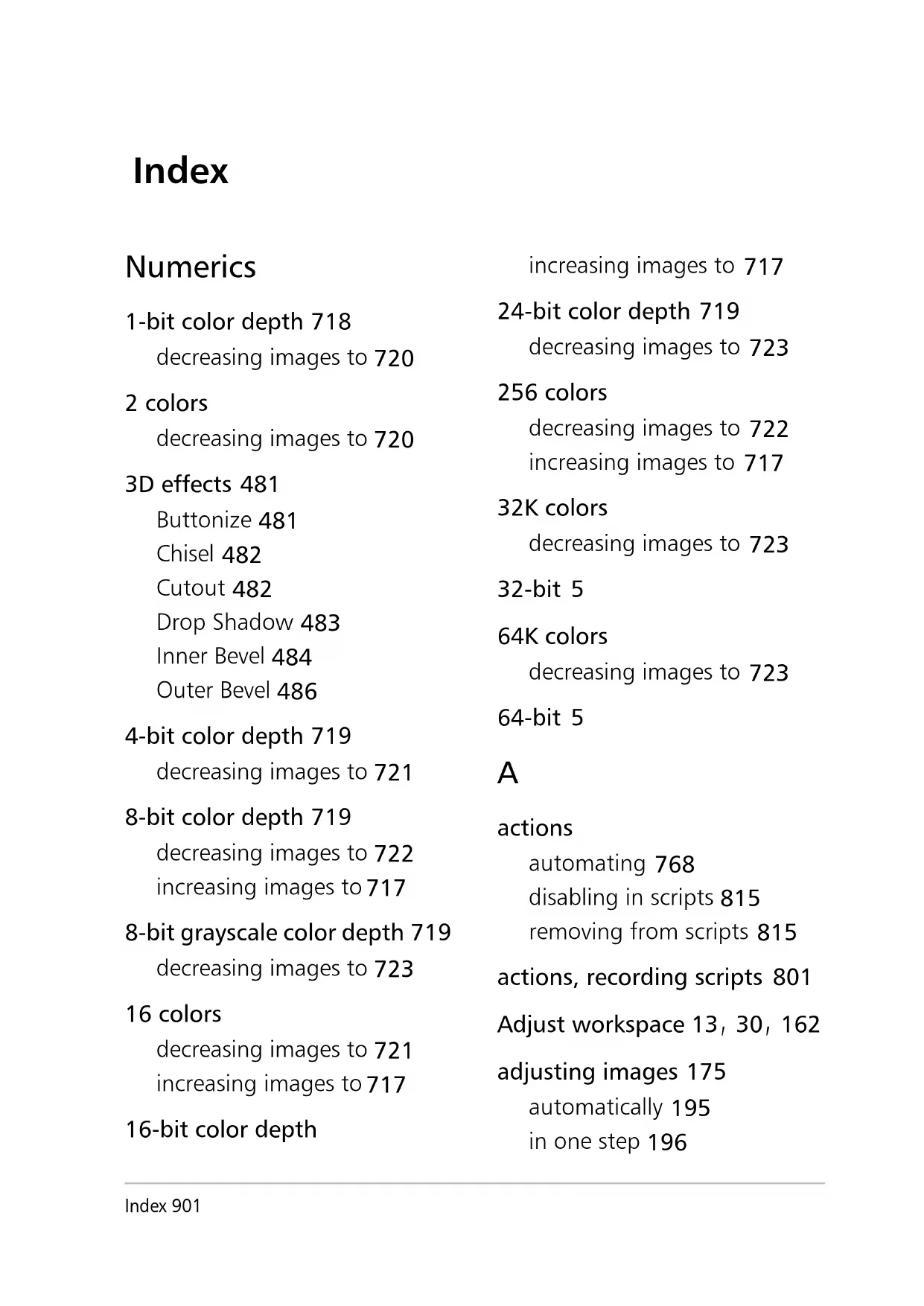
1-bit color depth 718 decreasing images to 720
2 colors decreasing images to 720
3D effects 481
Buttonize 481
Chisel 482
Cutout 482
Drop Shadow 483
Inner Bevel 484
Outer Bevel 486
4-bit color depth 719 decreasing images to 721
8-bit color depth 719 decreasing images to 722 increasing images to 717
8-bit grayscale color depth 719 decreasing images to 723
16 colors decreasing images to 721 increasing images to 717
16-bit color depth
increasing images to 717
24-bit color depth 719 decreasing images to 723
256 colors decreasing images to 722 increasing images to 717
32K colors decreasing images to 723
32-bit 5
64K colors decreasing images to 723
64-bit 5
A
actions automating 768 disabling in scripts 815 removing from scripts 815
actions, recording scripts 801
Adjust workspace 13, 30, 162
adjusting images 175 automatically 195 in one step 196
with advanced techniques 198
with Smart Photo Fix 197
adjustment layers 411
adding 412
displaying overlays 412
editing 413
hiding overlays 412
Advanced Creator Information dialog box 91
Aged Newspaper effect 493
Airbrush tool 42, 674, 677
albumen photos 555
aligning
text 610
text on paths 613
vector objects 649
vector objects to canvas 651
alpha channels
deleting 371
loading masks from 435
loading selections from 369
renaming 369
saving masks to 438
savingselectionsto368
setting PNG preferences for 780
angles, straightening 192
animating, menus 750
anti-aliasing
Bézier curves 666
edges of preset shapes 635
edges of rectangles 631
edges of squares 631
freehand curves 667
lines 661
PostScript files 781
recovering 363
selections 362
selections based on shape 363
anti-aliasing, text 612
application preferences
resetting 794
setting miscellaneous 769
Arithmetic command 587
combining images with 587
arranging
image windows 58
images in print layouts 847
vector objects 649
Arrow tool
using with image maps 887
using with image slices 881
Art Eraser tool 711
setting options for 712
Art Media effects 487
Black Pencil 488
Brush Strokes 488
Charcoal 490
Colored Chalk 490
Colored Pencil 491
Pencil 492
Art Media layers 690
creating 690
drying or wetting 690
modifying properties 691
Art Media tools 696
adjusting brush size 698
creating photo-art with 699
drawing with 689
painting with 689
types of. See name of specific tool
artifacts, removing JPEG 241
Artistic effects 493
Aged Newspaper 493
Balls and Bubbles 494
Chrome 497
Colored Edges 498
Colored Foil 499
Contours 500
Enamel 501
Glowing Edges 503
Halftone 503
Hot Wax Coating 505
Magnifying Lens 505
Neon Glow 508
Posterize 509
Solarize 510
Topography 510
artistic renderings 699
aspect ratio, maintaining
for preset shapes 636
assigning keyboard shortcuts 755
associating file formats 782
asymmetrical nodes 640
attaching
photos to e-mails 853
text to paths 615
AutoSelection tool 41,338
autochromes 556
automating
actions 768
basic photo corrections 195
Bézier segment connection 666
file format selection 761
image window magnification 759
image window
magnification, reset of 759
image window resizing 759
palette display 764
scratch removal 239
tasks 801
auto-preserving original file 774
autosaving, preferences for 793
B
background
erasing areas from 287, 289
erasing straight lines from 287
fillingcroppededgeswith 192
PostScript, setting to white 781
printing 834
promoting layers 390
restoring erased pixels to 287, 289
setting tolerance to 769
swapping with foreground 446
background color, changing 34
Background Eraser tool 45
setting preferences for 284
switching to 287, 290
backing up your database 798
Balls and Bubbles effect 494
applying environment or bump maps with 511
barrel distortion 211
correcting 212
Batch Merge, HDR 328
batches
converting files in 823
processing files in 823
renaming files in 827
running scripts on files in 825
Bézier curves
choosing line style 666
connecting segments automatically 666
drawing 665
setting line width 666
smoothing 666
Bicubic resampling method 258
Bilinear resampling method 258
Black and White Film effect 546
black and white, converting to
by adjusting threshold 230
by choosing 8-bit grayscale color depth 723
Black Pencil effect 488
blemishes, removing 271
blend modes 401 types of 402
blend ranges 401 setting 407
blending
edges 281
layers 401
pigments 697, 709, 711
setting modes for brushes 677
Blinds effect 567
blooming, sensor 207
blurring images
commands for 249
minimally 250
moderately 250
radially 251
with average 250
with Gaussian effect 250
with motion effect 251
with nearby pixel intensity 250
blurring, images 249
bold text formatting 609
borders, adding
to print layouts 847
to selections 365
borders, adding to images 305
boundaries, smoothing selection 364
box-camera photos 556
bracketing 317, 328
breaking contours 657
brightening photos
with Lighten/Darken tool 293 with White slider 199
brightening shadows 219
brightening, photos 200
brightness and contrast adjusting 216
brightness, adjusting
along with contrast and gamma 227
for color channels 220
brush presets
creating 685
Brush Strokes effect 488
brush tips
creating 683
creating from selections 684
importing 686
rotating 677
shaping 676
sharing 686
sizing 676
Brush Variance palette 35
brushes
adjusting size 698
building up paint 677
choosing 674
customizing 680
customizing settings 680
displaying cursor size and shape 761
displaying outlines 761
painting continuous color 677
painting with wet look 678
resetting to default settings 679
setting blend modes 677
setting hardness 676
setting options for 675
setting paint rate 677
setting steps 676, 681
setting stroke density 676
setting stroke thickness 676
undoing multiple strokes 680
undoing recent strokes 680
bump maps 511
applying 512
Burn blend mode 406
Burn tool 43, 291
Buttonize effect 481
buttons, toolbar 751
C
caching
group layers 762
layers 762
merged image groups 762
merged images 762
setting preferences for 760
Calendar, finding images 129
calibrating
monitors 739
printers 851
Camera RAW Lab 168
and RAW photo settings 170
changing preferences 171
cancelling script recording 805
canvas
aligning vector objects to 651
clippingselections352,370
distributing vector objects 652
moving layers 397
resizing 313
wrapping pixels around 539
captions
adding 156
deleting 156
print layout 840
capturing images 92
cascading
image windows 58
categorizing resources 790
cells
editing in print layout templates 843
slicing images into 880
centering
eye glints 269
centerpoints
changing for rotation 312
changing for text rotation 623
positioning for circles 632
positioning for ellipses 632
positioning for preset shapes 636
Chalk tool 46, 702
setting options for 702
Change to Target tool 44, 292
channels
alpha. See alpha channels
color. See color channels
Charcoal effect 490
Chisel effect 482
chroma, subsampling 871
chromatic aberrations 207
displaying affected image areas 210
reviewing fixes 210
removing 209
Chrome effect 497
Circle effect 530
Circle tool 887
circles
positioning centerpoints 632
setting radii 632
circles, drawing 631
clarity 216, 219, 220
Clipboard
creating images from 88
emptying 101
saving map area information 890
setting preferences 770
clippingselections348,370
to canvas 352
Clone tool 42, 675
cloning images 277
closing
contours 655
image windows 57
images 72
Print Layout window 838
CMYK color model 736
printing with separations 849
code, editing 815, 817
collage 374
collages, creating from photos 381
collapsing layer groups 386
color
harmonies 3, 447
Color blend mode 403
legacy version 403
ColorChanger tool 45,295
color channels 743
adjusting brightness 220
combining 744
creating masks from 430
mixing 215
splitting images into 744
splitting in masks 430
color depth 83, 714
decreasing 718
image palettes. See image palettes
increasing 716
setting palette options 726
viewing 715
viewing for images 715
viewing for monitors 716
viewing number of image colors 716
viewing number of layer colors 716
Web requirements for 862
Color dialog box
displaying color values 763
displayingcolors763
Color Harmonies 449
color management 740
setting up profiles 741
color models 734
CMYK 736
HSL 736
RGB 735
color palettes, custom 469
Color Picker 447, 449
color profiles 740
CMYK 742
ColorReplacer tool 44,675
vs. Flood Fill tool 301
color vibrancy, enhancing 235
Colored Chalk effect 490
Colored Edges effect 498
Colored Foil effect 499
Colored Pencil effect 491
Colored Pencil tool 46, 705
setting options for 705
colorizing photos 231
colors 734
adding pixels to selections 356
adding to selections 357
adjusting balance 213
adjusting cast 216
adjusting lightness 235
adjusting saturation 235
calibrating monitor 739
calibrating printer 851
changing 294
choosing 449, 452
choosing from desktop 452
choosing from dialog boxes 54
choosing from HSL values 449
choosing from HTML codes 449
choosing from images 452
choosing from Mixer palette 693
choosing from RGB values 449
choosing from swatches 469
choosing with Color Picker 447
correcting 380
correcting faded 215
defining working spaces 742
diffusing 725
displaying on monitors 738
dithering 725
filling image areas with 301
foreground, choosing 293
GIF file, choosing 870
grid,choosing766,842 848
guide,choosing 65
hiding information 761
hiding transparent 734
making transparent 733
managing with profiles 740
marker, choosing 460
mask,choosing 425
mixing 692
organizing layers by 395
painting with continuous 677
paletted image, choosing 451
PNG file, choosing 877
printing 738
printing as backgrounds 834
printing CMYK separations 849
reducing 725
removing from selections 357
replacing 298,725,730
resetting to default settings 235
setting modes 763
shifting 235
sorting in image palettes 730
swapping foreground and background 446
viewing image information 91
viewing layer information 91
viewing number of 716
viewing transparent 734
Web-safe 728
workspace,choosing 64
combining
batches of HDR photos 328
color channels 744
images 381, 587
photo content 330
photos with Exposure Merge 318
commands
accessing legacy 798
adding legacy 798
adding to toolbars 752
disabling in scripts 815
keyboard shortcuts for 61
removing from scripts 810, 815
removing from toolbars 752
repeating 108
restricting 808
community sites 26
compressing
images 75
modes for 863
connecting
Bézier curve segments 666
contours 656
freehand curves 667
line segments 661, 669
line segments in preset shapes 635
nodes 656, 661
constraining
crop areas 186
lines 661
contact sheets, printing 831, 835
context menus 61
listing all 61
continuous color
painting with 677
contours
adding 655
adding nodes to 643
breaking at nodes 657
closing 655
deleting 659
duplicating 659
editing 656
joining 656
moving 658
offsetting duplicated 659
reversing 658
selecting all nodes on 642
selecting specific nodes on 642
Contours effect 500
contracting
nodes 644
selections 355
contrast, adjusting 216
along with brightness and gamma 227
by stretching histograms 227
converting
files in batches 823
photos to black and white 230,546,723
photos to duotone 233
RAW files 171
text to curves 619
vector objects to paths 654
cookie cutter 2
Copy Special command 101
copying 97
active images 58
images 101
layers to other images 392
location information 143
merged layers 99
resources 788
saved images 79
selected image areas 350
selections or layers 99
vector objects 99, 670
Corel Auto-Preserve folder 775
Corel Knowledgebase 26
Corel products, updating 8
Corel Support Services 8, 26
corners
curling 540
rounding polygon or star 634
setting radii for 630
correcting
barrel distortion 212
color cast 216
colors 380
exposure with histograms 224
faded colors 215
fisheye distortion 212
image areas with brushes 291
images 176
images cosmetically 270
lens distortions 211
light, midtone, and dark areas 205
photographic perspective 192
pincushion distortion 213
scratches 275
tone 380
Crayon tool 46, 704
setting options for 705
creating images 81
Creator IDs 894
personalizing 897
crop marks 831
printing 836
Crop tool 41
setting preferences for 766
cropping 183
clearing 187
constraining proportions 186
defining area interactively 185
freely rotating 186
images for print 188
images to selections 189
moving rotation axis 186
moving rotation axis to the center 186
rotating area by 90 degrees 186
rotating area by a specific angle 186
setting preferences for 187
setting shading 187
straightened images 192
to create a new image 190
to opaque areas 189
vs. resizing canvas 313
crosshairs
using for all tools 761
using with sampling regions 204
cross-processed photos 557
Curlicues effect 512
curling corners 540
cursor preferences
setting for brush tools 761
using precise crosshairs 761
curves
adjusting 646
converting text to 619
drawing 665
modifying 668
straightening 646
Curves dialog box 220
cusp nodes 640
custom palette 469
customer support 8, 26
customizing
application settings 745
brush settings 680
effects 586
keyboard shortcuts 755
line styles 663
menus 750, 769
Mixer pages 694
palettes 47, 762
patterns from selections 365
rulers 765
toolbars 47, 751, 753
workspaces 747
Cutout effect 482
cutouts 2,620
shapes 636
text 620
cutting 97
layers 99
line segments 670
objects from background 289
selections 99
vector objects 99
cyanotypes 555
Cylinder-Horizontal effect 531
Cylinder-Vertical effect 531
D
daguerreotypes 555
dark areas, correcting 205
Darken blend mode 402
darkening
overexposed photos 201
photos automatically 197
photos with backlighting 201
darkening photos
with Black slider 199
with Lighten/ Darken tool 293
dashes, line 664
data, retouching layer 293
database, about 798
defining
CMYK profiles 742
color working spaces 742
defloating selections 351
deformation maps 600
loading 601
saving 600
deinterlacing
video capture images 240
deleting images 109, 149
density
brush stroke 676
depth
color. See color depth
descriptive text
adding to scripts 811
entering for print layout templates 844
deselecting nodes 642
despeckling pixels
multiple 244
single 243
detaching text from paths 615
details, adjusting Clarity 219
dialog boxes
choosing colors 54
common features of 49
deleting sample box buttons 210
displaying for scripts 810
displaying Help for 22
editing numeric values 52
randomizing settings in 55
resizing 49, 52
using color boxes 52
using preview windows 51
Difference blend mode 406
diffusing colors 725
digital photos
getting 70
raw data vs. RAW file format 777
removing noise 202
viewing information 90
digitalwatermarks894
embedding 896
personalizing Creator ID 897
reading 895
setting durability 896
digital workflow 11
Dilate effect 526
Discovery Center 25
disk
loading masks from 436
loading selections from 367
saving masks to 438
Displacement Map effect 513
using 524
displacement maps 524
adding file locations 786
applying 524
copying 788
deleting 788
deleting file locations 786
managing 787
moving 789
renaming 788
setting file locations 784
display preferences 760
Dissolve blend mode 404
distorting
images 312
text 624
vector objects 648
Distortion effects 512
Curlicues 512
Displacement Map 513
Lens Distortion 514
Pinch 515
Pixelate 516
Polar Coordinates 516
Punch 517
Ripple 518
Spiky Halo 519
Twirl 520
Warp 521
Wave 522
Wind 523
distributing
lightness across photos 226
vector objects 649
vector objects on canvas 652
ditheringcolors725
docking
palettes 47
preferences for 47
toolbars 47
documentation conventions 19
Dodge blend mode 406
Dodge tool 43, 291
downloading
picture tubes 590
drawing
Bézier curves 665
circles 631
curves 665
ellipses 631
free-form lines 662
freehand curves 667
lines 660
poygons 633
presetshapes634
rectangles 629
segments,multiple 662
segments, single 660
shapes 625
squares 629
stars 633
symmetric shapes 633
vector objects 625
with Art Media tools 689
Drop Shadow effect 483
Drop Shadow layer style 419
Dropbox
uploading Share My Trip slideshow 858
Dropper tool 41
hiding color information 761
dry pigments 697
drying Art Media layers 690
DSLRR features 17
duotone, converting to 233
duplicating
active images 58
contours 659
images 87
layers 392
durability, watermark 896
E
early color photos 556
Edge effects 525
Dilate 526
Enhance 526
Enhance More 527
Erode 527
Find All 527
Find Horizontal 528
Find Vertical 528
High Pass 529
Trace Contour 530
Edge Seeker selections 343
edges
adding borders 305
blending 281
filling with background 192
modifying for selections 364
preserving 243
sharpening 197
smoothing rectangle 631
smoothing square 631
wrapping pixels around 539
Edit workspace 32
editing
applying captured editing 152
capturing image editing 151
images. See adjusting images
print layouts 846
Python code 815, 817
saved searches 125
scripts 816
vector objects 625, 637
Effect Browser 476
setting thumbnail size 761
effects
3D 481
applying 473
applying to raster text 618
applying to text 618
applying to vector text 618
Art Media 487
Artistic 493
browsing 479
choosing from Effect Browser 479
choosing from Effects menu 477
choosing from Instant Effects palette 478
creating 380
creating user-defined 586
Edge 525
Geometric 530
Illumination 536
Image 539
modifying preset 480
modifyingselectionswith 358
Photo 542
Reflection 562
resetting values 478
reusing user-defined 586
saving settings 478
saving user-defined 586
Texture 567
types of. See name of specific effect
Effects layers 413
Ellipse tool 45
ellipses
drawing 631
positioning centerpoints 632
setting radii 632
e-mailing photos 853
embedding
digitalwatermarks896
photos in e-mail 853
Emboss effect 568
Emboss layer style 418
Emboss tool 44, 292
emptying Clipboard 101
Enamel effect 501
end caps 664
Enhanced effect 526
Enhance More effect 527
enhancing 219, 220
environment maps 511
applying 511
equalizing histograms 226
Eraser tool 45, 674
switching to 287, 290
using with image maps 887
using with image slices 881
erasing
background areas 287, 289
image areas 281, 283, 288, 306
lines from backgrounds 287
map areas 890
pigments 697
setting levels for 677
straight lines from images 286
versus undoing 283
Erode effect 527
EV settings for bracketing 318
Exclusion blend mode 406
EXIF information
editing 156
viewing 90
expanding
layer groups 386
nodes 644
exporting
brush tips 686
GIF files 866
gradients 461
JPEG files 873
PNG files 876
exposure
correcting 224
Exposure Merge 318
Express Lab
starting from the main application window 162
user interface overview 162
Express Lab mode 161
extracting, objects from
background 289
Eye Drop mode 272
eye drops
applying 272
F
face recognition 131
Facebook 855
importing friends list 135
sharing slideshows 858
syncing check-in points 137
tagging people 131
facial blemishes
removing 271
facial wrinkles
removing 273
fading
between layers with masks 423
images with gradients 453
feathering
selections 280, 360, 362
features
legacy 798
new 1
Feedback effect 562
file extensions
loading all plug-ins 791
file formats
batch-converting 823
choosing 75
choosing for print 852
excluding 773
saving images to last used 761
setting associations 782
setting preferences 776
supported 109
Web requirements for 862
file locations, resource
adding 786
deleting 786
setting 784
filenames, displaying for
summpons 773
filenames, printing 834
files
compressing 75
converting in batches 823
displaying recent 769
opening from the Manage workspace 74
opening recently viewed 73
printing images to 835
processing in batches 823
renaming batch-converted 825
renaming in batches 827
running scripts on multiple 825
running scripts on open 73
savingselectionsto367
stopping batch conversions 825
Web requirements for 862
fill flash
brightening photos with 200
darkening photos with 201
Fill Light/Clarity 219
filling
cropped edges 192
images 301
masks 433
properties for 441
text 621
film effects
applying 542, 558
Film Looks
applying 562
filter effects
applying 558
filters
applying effect 542
Creative 560
Film 562
Find All effect 527
Find Horizontal effect 528
Find Vertical effect 528
finding images 122
by location 137
by people 131
by tag 129
Smart Collections 125
using Calendar 129
Fine Leather effect 569
fisheye distortion 211
correcting 212
fitting
images to screen 60
images to windows 60
text to paths 613
windows to images 60, 97
windows to screen 60
fixing
common problems 176
images in one step 196
images with Smart Photo Fix 197
flattening
images 864
layers 864
flaws, removing 277
Flickr 855
importing friends list 135
tagging people 131
flipping
images 304
layers 304
nodes 644
selections 304
floating
palettes permanently 763
selections 351
toolbars 48
Flood Fill tool 45
vs. Color REPLacer tool 301
focus
creating with depth of field 246
sharpening for images 252
sharpening for photo edges 197
softening 255
folders
browsing for images 145
specifying uncataloged 774
viewing all cataloged 122
fonts
changing attributes 608
foreground
choosing color 293
swapping with background 446
formatting
text 608
frames
picture 584
free-form lines, drawing 662
freehand curves
choosing line style 668
connecting 667
drawing 667
setting joints for 668
setting line width 668
smoothing 667
Freehand Selection tool 41
creatingselectionswith342
Freehand selections 343
fringe, removing 201
full-screen previews 91
Full-screen viewing 13
Fur effect 570
G
gamma, adjusting
along with brightness and contrast 227
gaps, line
adding 664
deleting 664
removing all 664
Gaussian blurring 250
Gaussian noise, adding 238
General Info panel
displaying 155
Geometric effects 530
Circle 530
Cylinder-Horizontal 531
Cylinder-Vertical 531
Pentagon 532
Perspective-Horizontal 532
Perspective-Vertical 533
Skew 534
Spherize 535
GIF files 864
choosing colors from Color dialog box 870
choosing colors from images 870
interlacing 866
optimizing 866
optimizing with wizard 870
saving 866
setting preferences for 871
setting transparency for 870
glints,centering 269
Glowing Edges effect 503
Google+
importing friends list 135
tagging people 131
GPS data 137
Gradient Editor 458
gradients 453
adding file locations 786
adding markers 459
applying current 455
changing marker color 460
changing marker location 459
changing midpoint location 459
changing transparency 461
choosing 455
copying 788
creating 457
deleting 458, 788
deleting file locations 786
deleting markers 460
editing 458
exporting 461
filling masks with 433
importing 461
managing 787
moving 789
renaming 458, 788
saving as swatches 456
saving edited 457
setting file locations 784
using swatches with 469
graphics
adding to layers 380
raster. Seeraster graphics
vector. See vector graphics
grayscale color depth 719
decreasing images to 723
Grid tool 881
grids 62
changing color 842, 848
choosing color 64, 766
displaying 63
displaying in print layouts 848
setting preferences for print layout 848
setting properties 64
setting snap influence 64
sizing when setting
transparency 766
snapping print layout images
to 848
snapping to 67
spacing 848
warping image areas with 598
grouping
layers 397
vector objects 653
vector objects with Layers palette 653
guides 62
changing color 65
deleting 66
displaying 63
positioning 65
setting default properties 65
snapping to 67
H
Halftone effect 503
Hard Light blend mode 405
sharpening with 253
hardness, brush 676
HDR (high dynamic range) 316
Batch Merge 328
Exposure Merge 318
taking photos for 317
Help
training videos 19
Web-based resources 25
Help system 21
high dynamic range (HDR), about 316
High Pass effect 529
high-frequency sharpening 253
applying 253
applying with low-frequency sharpening 254
highlights, adjusting 223
Histogram palette 35
histograms 217
correcting exposure with 224
equalizing 226
increasing contrast with 227
History palette 35, 103
customizing 757
redoing actions with 106
undoing actions with 106
holes, removing selection 358
Hot Wax Coating effect 505
hotspots
creating 886
creating circular 887
creating elliptical 887
creating irregular-shaped
887
creating rectangular 887
creating square 887
deleting 887
modifying 887
moving 887
HSL color model 736
choosing colors from values 449
HTML codes
specifying colors with 450
hue 231, 736
adjusting 233
mapping 235
Hue blend mode 402
legacy version 402
Hue Up/Down tool 44, 292
1
icons
assigning scripts 819
assigning to scripts 819
removing scripts 820
unbinding scripts 820
Illumination effects 536
Lights 536
Sunburst 538
illustrations 382
Image Arithmetic dialog box 587
image brightness, preserving
during resize 772
Image effects 539
Offset 539
Page Curl 540
Seamless Tiling 541
image information 153
advanced 156
captions 156
color information 91
creation date 155
in the Edit workspace 89
in the Open dialog box 73
Info palette 153
rating 156
hiding transparency 734
loading 731
loading Web-safe 732
resetting 730
saving 730
setting transparency 733
sorting colors 730
viewing transparency 734
image resolution 83, 850
changing 261
customizing 765
effects of resizing on 257
setting default 765
image size 83
Image Slicer dialog box 880
image windows 55
arranging multiple 58
cascading 58
closing 57
fitting images to 60
fitting to images 60
fitting to screen 60
magnifying 759
minimizing or maximizing 57
moving 56
panning 59
proofing changes in 53
redrawing 771
resetting magnification 759
resizing 57, 758
resizing automatically 759
setting preferences for 758
tabbed 56
tiling 58, 59
images
saving for office programs 79
image.slice_line 881
importing
brush tips 686
friends list from sharing sites 135
gradients 461
KML files 143
legacy picture tubes 595
location information 143
vector data for WMF files 779
Info palette 28, 36, 153
information, image
See image information
Infrared Film effect 543
applying 547
Inner Bevel effect 484
Inner Glow layer style 419
installing applications 5
Instant Effects palette 36, 475
choosing effects 478
interlacing 866
inverting
masks 433
selections 359, 370
IPTC data 75
adding 91
editing 156
italic text formatting 609
J
jagged edges
preventing for selections 362
preventing in raster conversion 781
smoothing for Bezier curves 666
smoothing for freehand curves 667
smoothing for lines 661
smoothing for preset shapes 635
smoothing for rectangles 631
smoothing for squares 631
smoothing in text 612
join styles
freehand curve 668
line segment 661
presetshape635
joining
Bézier curve segments automatically 666
contours 656
freehand curves 667
line segments 661, 669
line segments in preset shapes 635
nodes 656, 661
JPEG files 75,871
optimizing 873
optimizing with wizard 874
removing artifacts from 241
saving 873
K
Kaleidoscope effect 563
kerning text 611
keyboard shortcuts 60
accessing menu commands with 61
adjusting brush sizes with 698
assigning 755
customizing 755
modifying 756
viewing all 61
viewing default 755
keyword tags
See tags
KML files 137
importing 143
L
language, switching 796
Layer effects 413
Layer Styles 413
Layer Styles Visibility toggle 421
layered images
creating images from 88
layers 374
adding text or graphics 380
adjusting 411
adjustment 379
applying mask layers to 429, 431
Art Media 379
background 376
Bevel style 417
blending 401
choosing source material from 281
clearing contents 391
collapsing groups 386
copying 99
copying merged 99
copying to other images 392
creating 387
creating from images 390
creating from selections 389
creating images from 87
cropping to opaque areas 189
cutting 99
deleting 391
displaying settings for 387
duplicating 392
expanding groups 386
flattening 864
flipping 304
grouping 397
inverting visible and hidden 395
linking 400
linking groups 401
mask 379
masking 427
merging 409, 864
mirroring 305
moving 396
moving on canvas 397
organizing by color 395
pasting as new 100
promoting background 390
promoting background layers 390
promoting from selections 351
protecting transparent areas 408
raster 377
rearranging 396
Reflection 415
removing from groups 399
renaming 393
retouching data 293
selecting 386
selecting nontransparent areas on all 342
selecting nontransparent areas on current 341
selecting pixels 347
setting blend ranges 407
setting opacity 407
setting PNG preferences for transparency 780
straightening multiple 192
straightening single 192
ungrouping 399
unlinking 400
unlinking groups 401
using Art Media layers 690
using with illustrations 382
using with photos 380
vector 378
viewing 394
viewing color information 91
viewing number of colors 716
Web requirements for 862
Layers palette 36, 383
displaying layer settings 387
displaying or hiding 386
expanding or collapsing layers 386
grouping vector objects with 653
hiding thumbnails 387
modifying 386
resizing 387
resizing thumbnails 387
selecting layers 386
selecting vector objects with 629
setting preferences 764
layouts, print
See print layouts
leading, text 612
learning 19
Learning Center palette 22, 36
displaying or hiding 23
using 24
legacy features
accessing 798
Lens Distortion effect 514
lens distortions 211, 514
correcting 211
correcting barrel 212
correcting fisheye 212
correcting pincushion 213
Levels dialog box 227
light areas, correcting 205
Lighten blend mode 402
Lighten/Darken tool 42, 291
lightening photos
See brightening photos
lightness 231, 736
adjusting 233
adjusting for print 851
changing for all colors 235
distributing across photos 226
Lights effect 536
limiting shadow changes 294
line segments 627
displaying nodes while drawing 661
line styles
choosing for Bezier curves 666
choosing for freehand curves 668
choosing for preset shapes 635
choosing for rectangles 631
choosing for squares 631
customizing 663
resetting 664
undoing changes 664
line width
choosing for Bezier curves 666
choosing for freehand curves 668
choosing for preset shapes 635
choosing for rectangles 631
choosing for squares 631
lines
adding dashes or gaps 664
adjusting segments 669
applying through text 609
constraining 661
creating end caps 664
cutting segments 670
deleting dashes or gaps 664
drawing 660
drawing curved 662
drawing free-form 662
drawing multiple segments 662
drawing one segment 660
drawing straight 662
erasing straight from backgrounds 287
erasing straight from images 286
formatting for rectangles 631
formatting for squares 631
joining segments 661, 669
joining segments in rectangles 631
joining segments in squares 631
modifying 668
removing all dashes and gaps 664
setting segment joints 661
smoothing 661
linking
layer groups 401
layers 400
listing
context menus 61
open images 59
Live effects 413
loading
deformation maps 601
image palettes 731
images 70
map settings 891
masks 434
masks from alpha channels 435
masks from disk 436
Mixer area pages 695
plug-ins 791
scripts 804
selections 366
selections from alpha channels 369
selections from disk 367
slice settings 886
Web-safe color palette 732
workspaces 749
Local Tone Mapping 220
location information 137
adding manually 142
copying and pasting 143
creating slideshow 858
deleting 144
importing 143
privacy 140
sorting photos 144
locking
transparent areas of raster layers 409
log files, saving
for batch conversions 825
for scripts 827
lossless compression 863
lossy compression 863
low-frequency sharpening
applying with high-frequency sharpening 254
luminance
adjusting 224
masking with 428
Luminance blend mode 403
legacy version 403
M
Magic Fill 2, 281
Magic Wand tool 41
creatingselectionswith344
magnifying
image areas 96
image windows 758
images by specified percentages 95
images to 100% 95
Magnifying Lens effect 505
applying bump maps with 511
Makeover tool 42
applying eye drops with 272
applying suntans with 273
applying the Thinify effect 273
removing blemishes with 271
whitening teeth with 272
Manage workspace 28, 115
choosing display mode 118
resizing panels 119
setting up 116
map areas 886
creating 888
creating rollovers for 890
erasing 890
moving 890
previewing in Web browsers 890
removing all 890
reshaping 889
resizing 889
saving 888
saving information to Clipboard 890
selecting 889
Map mode 141
mapping
hue 235
images for Web 886
settings for 891
settings for, loading 891
settings for, saving 891
Marker tool 46, 706
setting options for 707
markers
adding 459
changing color 460
changing location for gradients 459
changing transparency 461
deleting 460
marquee, selection 335
hiding or displaying 347
moving 349
mask layers
applying to underlying layers 429, 431
creating 427
mask overlays 424
changing color 425
changing opacity 425
displaying or hiding 424
hiding from image view 427
masks 423
creating 425
creating from channels 430
creating from images 428
creating from selections 429
creating with luminance 428
deleting 431
displaying on images 427, 429, 431
displaying or hiding 425
editing 432
filling 433
gradients for 433
inverting 433
loading 434
loading from alpha channels 435
loading from disk 436
patterns for 433
rearranging layers 427
sample 425
saving 437
saving to alpha channels 438
saving to disk 438
sharing 434, 437
splitting color channels 430
textures for 433
materials 441
applying current to all tools 457
applying current to tools 465
applying to tools 467
changing style 467
filling image areas with 301
replacing 298
swapping foreground and background 446
Materials palette 36, 441
displaying or hiding 446
saving settings for scripts 810
maximizing image windows 57
media, simulating
dry 702, 703, 704, 705
wet 699,706
Median Filter dialog box 243
menu bar 32
menu
accessing legacy commands 798
accessing with keyboard shortcuts 61
animating 750
assigning scripts to 819
context, using 61
customizing 750, 769
removing scripts from 820
resetting 751
merged layers, copying 99
merging
layers 409,864
nodes 644
merging photos 315
Mesh Warp tool 46
midpoints, gradient 459
midtones
adjusting 223
correcting 205
minimizing image windows 57
mirroring
images 304
layers 304
nodes 644
selections 304
Mixer areas
saving as Mixer pages 695
Mixer pages
clearing 694
customizing 694
loading 695
panning 693
saving from Mixer areas 695
Mixer palette 36, 691
using colors 693
mixing
color channels 215
colors 692
moiré patterns, removing 242
monitors
calibrating colors 739
displaying colors 738
viewing color depth 716
montages 381
Mosaic-Antique effect 571
Mosaic-Glass effect 572
motion blurring 251
Move tool 41
using with image maps 887
moving
captions 841
contour paths 658
contours 658
glints to pupil centers 269
hotspots 887
image windows 56
layers 396
layers on canvas 397
map areas 890
nodes 643
print layout templates 844
rectangles and squares 631
resources 789
selected image areas 350
selection marquee 349
selections 348
slice borders 881
slice lines or borders 883
text 616
text along paths 617
text blocks 623
toolbar buttons 751
toolbars or palettes 48
vector objects 649, 670
vector text 617
Multiply blend mode 404
N
Navigation palette 36
negatives
creating 216
printing 834
Neon Glow effect 508
new features 1
new image, create from crop 190
newsgroups 26
nodes 627, 640
adding new start or end 644
adding on contours 643
adjusting curves with 646
adjusting line segments with 669
breaking contours at 657
contracting 644
deleting 646
deselecting 642
displaying while drawing line segments 661
expanding 644
flipping 644
joining 656, 661
merging 644
mirroring 644
modifying 640
moving 643
rotating 644
selecting 642
selecting contour 642
selecting multiple 642
selecting on paths 642
selecting specific contours 642
skewing 644
straightening curves between 646
transforming 644
types of 640
noise 236
adding 236
protecting image ares from removal 206
removing 202, 236
removing distinct areas 243
removing quickly 204
removing while preserving edges 243
removing while preserving textures 245
removing with advanced options 204
non-masked areas, selecting 347
nontransparent areas, selecting
on all layers 342
on current layer 341
Normal blend mode 402
numeric values 52
editing 54
0
Object Extractor 288
Object Remover tool 42
objects 627
cutting from background 289
image,removing277,307
raster. See also raster objects
vector 626
vector. See also vector objects
vector. See vector objects
Offset effect 539
offsetting
duplicated contours 659
text fitted to paths 616
Oil Brush tool 46, 699
setting options for 700, 708
one-step fixes 176
noise 204
photos 196
purple fringe 202
opacity
adjusting 280
changing for masks 425
setting for layers 407
setting for paint 677
opaque areas 189
opening
application 6
images 72
images from the Navigation palette 74
multiple image views 58
RAW photos 74
recently viewed files 73
Script Editor 804
optimizing
GIF files 866
images for Web 861
JPEG files 873
PNG files 876
Organizer palette 36
e-mailing photos from 853
organizing images 115
organizing layers 395
orientation, page switching 781
Outer Bevel effect 486
Outer Glow layer style 416
output, script
clearing 806
displaying 805
Overlay blend mode 405 sharpening with 253
Overview palette 37
panning images with 97
P
Page Curl effect 540
page orientation switching 781
Paint Brush tool 42, 674
Paint Shop Pro 9 798
painting
built-up strokes 677
creating selections when 345
opacity for 677
wet look 678
with Art Media tools 689
with continuous color 677
with dry pigments 697
with picture tubes 592
with wet look 678
with wet pigments 696
paintings 381
Palette Knife tool 46, 709
setting options for 710
paletted images
choosing colors for 451
palettes 32
color depth. See image palettes
customizing 47
displaying 37, 746
displaying all 48
displaying automatically 764
docking 47
docking, preferences for 47
hiding 37, 746
making undockable 763
moving 48
resizing 37, 48
rolling up 49
setting preferences for 762
setting view options for 796
types of 34
using 34
Pan tool 40
using with image maps 887
panning 94
image maps 887
image previews 53
image windows 59
images 96
images while using other tools 96
images with Overview palette 97
Mixer pages 693
panoramic photos 381
paper quality
choosing for print 852
parameters 52
randomizing 55
Pastel tool 46, 703
setting options for 703
pasting 97
as new images 99
as new layers 100
asselections100
images into other applications 101
transparentselections769
paths 627
attaching text to 615
converting vector objects to 654
detaching text from 615
editing 656
fitting text to 613
moving contours in 658
moving text 617
positioning text 616
reversing 658
selecting nodes 642
Pattern effect 565
patterns 462
adding file locations 786
applying current 464
choosing 464
copying 788
creating from selections 365
deleting 788
deleting file locations 786
filling masks with 433
filling text with 621
managing 787
moving 789
renaming 788
saving as swatches 464
saving images as 465
setting file locations 784
using active images as 465
usingselectionsas465
using swatches 469
vs.textures 463
pausing script recording 804
PCD file format preferences 779
Pen tool 45
Pencil effect 492
Pentagon effect 532
people 131
personalizing Creator IDs 897
perspective
changing asymmetrically 312
changing asymmetrically for text 623
changing symmetrically 312
changing symmetrically for text 623
changing symmetrically for vector objects 647
correcting 192
correcting in image layers 194
Perspective Correction tool 42
Perspective-Horizontal effect 532
Perspective-Vertical effect 533
Photo Blend 330
Photo effects 542
Black and White Film 543
film and filter effects 542
Infrared Film 543
Selective Focus 544
Sepia Toning 544
Time Machine 542
Vignette 545
photo objects 2
photographic negatives
creating 216
printing 834
Picasa 855
Pick tool 41
correcting perspective with 194
selecting vector objects with 629
picture frames 584
Picture Tube tool 45, 589, 674
setting preferences for 591
picture tubes 589
adding file locations 786
copying 788
creating 593
deleting 788
deleting file locations 786
getting 590
importing from previous versions 595
managing 787
moving 789
painting with 592
renaming 788
setting file locations 784
pigments
blending 697, 709, 711
erasing 697
painting with dry 697
painting with wet 696
smearing 697, 709, 711
Pinch effect 515
pincushion distortion 211
correcting 213
pivot point, text rotation 623
Pixel Resizeampling
method 258
Pixelate effect 516
pixels
adding to selections 356
blurring with intensity 250
converting to black and white 230
moving vector objects by 649
restoring to background287, 289
restoring to image 286
selecting 347
wrapping around canvas 539
places 137
platinum prints 556
playback modes, script 813, 816
plug-ins
adding locations 791
enabling 791
loading all 791
opening files in 791
setting preferences for 790
PNG files 75,874
choosing colors from Color dialog box 878
choosing colors from images 878
optimizing 876
optimizing with wizard 877
saving 876
setting preferences for 780, 878
Point to Point selections 343
Polar Coordinates effect 516
Polished Stone effect 573
Polygon tool 887
polygons
drawing 633
rounding inner corners 634
rounding outer corners 634
setting radii 634
positioning
captions 841
contours 658
glints in pupil centers 269
guides 65
image windows 56
images in print layouts 839, 849
layers on canvas 397
map areas 890
nodes 643
print layout templates 844
rectangles and squares 631
selected image areas 350
selectionfeathering 361
selection marquee 349
slice lines or borders 883
text 616
text blocks 623
text on paths 616, 617
toolbar buttons 751
toolbars or palettes 48
vector objects 649, 670
vector text 617
Posterize effect 509
PostScript files
anti-aliasing 781
prompting when opening 781
setting preferences 781
switching page orientation 781
using white background 781
pre-filtering plug-in files 791
preparing images for print 850
preserve image brightness
setting 772
preserving
edges while removing noise 243
images 380
textures while removing noise 245
Preset Shape tool 45
presetshapes
drawing 634
formatting line style 635
formatting line width 635
joining line segments 635
maintaining aspect ratio 636
positioning centerpoints 636
smoothing 635
presets 820
choosing 821
creating for brushes 683
deleting 823
editing 822
restoring to default settings 821
saving settings as 822
saving shapes as 639
pressure support
for puck-type pointing devices 771
Preview images 28
preview windows 51
zooming 52
zooming to sampling regions 205
previewing
fixes to chromatic aberrations 210
image maps in Web browsers 890
images 52, 73
images for Web 878
images in the Manage workspace 145
images on full screen 91
print layout templates
creating 849
deleting 845
editing 843
editing cells in 843
entering descriptive text 844
moving 844
printing images with 835
reverting to print layouts 845
saving print layouts as 849
saving with images 845
print layouts 837, 843
adding captions 840
adding images 838
changing grid color 842
closing 838
displaying grid 848
editing 846
positioning images 839, 849
printing 838
resizing images 846
reverting templates to 845
rotating images 839, 849
saving 846
saving as templates 849
setting grid preferences 848
setting workspace options 841
snapping images to grid 848
spacing 843
undoing or redoing changes 841
using borders 847
zooming 840
Print Size group box 261
prinertresolution850
printing
active images 833
CMYK color separations 849
color backgrounds around images 834
colors 738
contact sheets 831, 835
crop marks 836
cropped images 188
filenames 834
Help topics 22
images 831
images to file 835
images with templates 835
images, preparing for 850
negatives 834
print layouts 838
professional outputs 831
registration marks 831, 836
setup options for 838
privacy when sharing photos 140
processing files in batches 823
professional output
printing for 836
profiles, color management 740
setting up 741
projects 81
starting 81
promoting
background layers 390
selections to layers 351
proofing
changes 53
protecting
image areas from noise
corrections 206
transparency of raster layers 408
puck-type pointing devices
disabling pressure support 771
Punch effect 517
purple fringe, removing 201
Push tool 43, 292
Python 802
Python programming
language
editing code 815, 817
Q
Quick Review 13
Quick Review mode
using 157
quitting 6
R
radial blurring 251
radii
setting for circles and ellipses 632
radii, setting
for corners 630
for polygons and stars 634
Rainbow tab
displaying colors in 763
random noise, adding 238
randomizing
parameters 55
values to create effects 586
raster graphics 81
vs. vector graphics 81
raster layers
creating from selections 389
promoting background layers from 390
protecting transparent areas 408
raster objects 626
raster selections
creating from vector objects 346
raster text 604
applying effects 618
rate, Airbrush tool 677
rating images 155, 156
RAW files 75, 777
setting preferences 782
RAW photos 167
adjusting settings 170
capturing edits 171
converting to another format 171
editing 171
opening 74
supported file formats 168
using the Camera RAW Lab 168
reading digital watermarks 895
rearranging
layers 396
mask layers 427
recording scripts 804, 806
recovering anti-aliasing 363
Rectangle tool 45
using with image maps 887
rectangles
choosing line style 631
choosing line width 631
drawing 629
joining segments 631
moving 631
setting corner radii 630
sizing 631
smoothing edges 631
Red Eye tool 42
red-eye, removing 266, 269
with advanced options 267
with Red Eye tool 266
redoing
actions 102
actions with History palette 106
changes to print layouts 841
color mixing 692
preferences for 757
redrawing image windows 771
reducing colors 725
Reflection effects 562
Feedback 562
Kaleidoscope 563
Pattern 565
Rotating Mirror 566
registration 7
registration marks
printing 831, 836
renaming
alpha channels 369
batch-converted files 825
files 149
files in batches 827
gradients 458
layers 393
resources 788
saved searches 126
swatches 471
renderings, artistic 699
repeating commands 108
replacing
colors 298,725,730
materials 298
selections 341
resampling images 258
reshaping
map areas 889
selections 269
resizing
canvas 313
captions 841
dialog boxes 52
grids when setting transparency 766
image windows 57, 758
images 256, 310
images in print layouts 846
Layers palette 387
map areas 889
palettes 37
pixel dimensions 263
sample boxes 210
swatch thumbnails 472
text 622
thumbnails in Layers palette 387
toolbars or palettes 48
vector objects 647
Resource Manager dialog box 788
resources
adding file locations 786
categorizing 790
copying 788
deleting 788
deleting file locations 786
learning 19
managing 787
moving 789
renaming 788
setting file locations 784
restoring
erased pixels to background 287, 289
erased pixels to images 286
images 265
restoring your database 798
restricted scripts 807
unavailable commands for 808
Retouch Brush tools 675
retouching
image areas with brushes 291
images 265
layer data 293
reusing effects 478
reversing
contours 658
foreground and background 446
images 304
layers 304
paths 658
selections 304
tool behavior 293
reverting
templates to print layouts 845
to saved images 106
RGB color model 735
choosing colors from values 449
Ripple effect 518
rolling up
palettes 49
toolbars 49
rollovers 892
creating 892
creating for map areas 890
creating for slice cells 884
rotating
brush tips 677
captions 841
image thumbnails 148
images 182, 312
images 90 degrees 183
images in print layouts 839, 849
images interactively 183
images to specified angles 183
nodes 644
selections 348
selections for animal eyes 269
text 623
vector objects 647
Rotating Mirror effect 566
Rough Leather effect 574
rounding polygons and stars
outer corners 634
rulers 62
customizing 765
displaying 63
displaying in black and white 765
displaying in color 765
setting measurement unit for 765
setting properties for 63
running multiple scripts 803
running scripts 803, 811
interactively 804
listed 812
multiple 812
on all open images 813
silently 804
unlisted 812
S
Safety palette 728
Salt and Pepper filter 244
sample boxes
removing chromatic aberrations with 209
sampling points
using with Smart Photo Fix 198
sampling regions
removing digital camera noise with 204
using crosshairs with 204
Sandstone effect 575
saturation 231, 736
adjusting 233
changing for colors 235
increasing or decreasing 197, 235
Saturation blend mode 403
legacy version 403
Saturation Up/Down tool 44, 292
saving
custom line styles 663
deformation maps 600
edited gradients 457
effect settings 478
GIF files 866
gradients as swatches 456
image copies 79
image palettes 730
images 75, 79
images as patterns 465
images as textures 468
images for office applications 79
images for Web 862
images with last file format 761
JPEG files 873
log files for batch conversion 825
log files for scripts 827
map area information to Clipboard 890
map areas 888
map settings 891
masks 437
masks to alpha channels 438
masks to disk 438
Mixer areas as pages 695
original unedited files 774
patterns as swatches 464
PNG files 876
preferences for automatic 793
print layout templates with images 845
print layouts 846
print layouts as templates 849
scripts 805, 806
selections 366
selections to alpha channels 368
selections to file 367
settings as resets 822
shapes as presets 639
slice settings 885
slice settings to Clipboard 884
user-defined effects 586
workspaces 748
scaling
images 310
options for 310
photos with Smart Carver 306
scratch disk 762
Scratch Remover tool 42
scratches, removing 275
automatically 239
screen
fitting images and windows to 60
Screen blend mode 404
screen captures 92
specifying methods for 92
specifying sources of 93
taking 93
Script Editor 804
Script Output palette 37
clearing 806
displaying 805
Script toolbar 803
displaying 805
scripts 802
accessing 805
adding descriptive
information 811
adding file locations 786
assigning icons 819
assigning to menus or
toolbars 819
canceling recording 805
choosing 803
choosing trusted 803
clearing output 806
copying 788
deleting 788
deleting file locations 786
disabling actions or
commands 815
displaying dialog boxes 810
displaying output 805
editing 814, 816
editing Python code 815, 817
loading 804
managing 787
moving 789
pausing recording 804
presets for. See presets
recording 804, 806
removing actions or commands 815
removing from menus or toolbars 820
removing undone commands from 810
renaming 788
restricted vs.trusted 807
running 803, 811
running as files open 73
running during batch conversions 825
running in Silent Mode 827
running interactively 804
running listed 812
running multiple 803, 812
running on all open images 813
running on multiple files 825
running silently 804, 827
running unlisted 812
saving 805, 806
saving log files 827
setting file locations 784
setting playback mode for 813, 816
setting text editor 817
stepping through 818
stopping 804, 814, 827
stopping at errors 827
troubleshooting 818
unbinding from icons 820
undoing 814
using with Materials palette 810
Sculpture effect 576
Seamless Tiling effect 541
searching for images 122
advanced search 123
quick search 123
selecting
contour nodes 642
layers 386
map areas 889
multiple nodes 642
multiple thumbnails 148
nodes 642
nodes on paths 642
non-masked areas 347
nontransparent areas on all layers 342
nontransparent areas on current layer 341
pixels 347
slice cells 881
specific contour nodes 642
swatches 470
vector objects 628
vector objects with Layers palette 629
vector objects with Pick tool 629
Selection tool 41
creating selections with 341
selections 335
adding borders 365
adding colors 357
adding pixels 356
adding to 354
adjusting feather amount 361
adjusting feather position 361
adjustingfeathering 361
adjustingfeatheringposition 361
applying anti-aliasing 362
clearing 359
clipping 348, 370
contracting 355
copying 99
copying and moving image areas 350
creating 336
creating brush tips from 684
creating masks from 429
creating patterns 365
creating raster from vector objects 346
creating raster layers from 389
creating with Freehand Selection tool 342
creating with Magic Wand tool 344
creating with painting tools 345
creating with Selection tool 341
creating with Text tool 346
cropping to 189
cutting 99
defloating 351
deleting 269
displaying marquee 347
erasing image areas 281
expanding 355
feathering 280, 360, 362
flipping 304
floating 351
hiding marquee 347
inverting 359, 370
loading 366
loading from alpha channels 369
loading from disk 367
mirroring 305
modifying 353
modifying edges 364
modifying with tools and effects 358
moving 348
moving image areas 350
moving marquee 349
pasting as 100
promoting to layers 351
recovering anti-aliased 363
removing colors 357
removing holes and specks 358
removing scratches automatically 239
replacing 341
reshaping 269
rotating 348
saving 366
saving to alpha channels 368
saving to file 367
sizing 341
smoothing boundaries 364
softening focus 255
subtracting from 354
unfeathering 362
using as patterns 465
Selective Focus 544, 548
sending
photos by e-mail 853
sensor blooming 207
Sepia Toning effect 544
applying 548
shading, preferences for 766
shadows
adjusting 223
limiting changes to 294
shape cutouts 636
Shape Cutter 2, 637
shape libraries 639
creating 639
deleting 639
shapes
applying anti-aliasing based on 363
drawing 625
drawing preset 634
drawing symmetric 633
editing 625
editing with Tool Options
palette 638
filling with images 636
saving as presets 639
shaping
brush tips 676
vector objects 647
Share My Trip 858
sharing
brush tips 686
masks 434, 437
photos 853
sharing sites
uploading photos 855
Sharpen tool 44, 292
sharpening
edges 197
images 252
images minimally 254
images moderately 254
images with high frequency 253
images with low and high frequency 254
video capture images 240
shearing
images 312
text 624
vector objects 647
shifting colors 235
shortcut keys
See keyboard shortcuts
simulating media
dry 702, 703, 704, 705
wet 699, 706
sizing
brush tips 676
images 83
rectangles 631
selections 341
squares 631
transparency grids 766
vector objects 647
Skew effect 534
skewing nodes 644
Skin Smoothing feature
smoothing skin tone with 274
slice borders
deleting 884
moving 883
slice cells 880
creating 882
creating rollovers for 884
omitting 884
sizing evenly 883
spacing evenly 883
slice lines
deleting 884
moving 883
Slice tool 881
slicing
cells evenly 883
images 880
images into cells 882
settings for 885
settings for, loading 886
settings for, saving 885
settings for, saving to Clipboard 884
slideshow 858
Smart Carver 306
Smart Collections searches 125
deleting 126
editing 125
renaming 126
running 125
Smart Edge 3, 294, 678
Smart Edge selections 343
Smart Photo Fix 176
fine-tuning basic corrections with 197
setting advanced options for 198
SmartSelectionBrush41,339
Smart Size resampling method 258
Smear tool 46, 711
setting options for 711
smearing pigments 697, 709, 711
smooth nodes 640
smoothing
Bézier curves 666
curved polylines in WMF files 779
edges of rectangles and squares 631
freehand curves 667
lines 661
presetshapes635
selection boundaries 364
skin tone 274
text 612
Smudge tool 43, 291
snapping 63
to grids 67
to grids, setting influence for 64
to guides 67
to print layout grid 848
Soft Light blend mode 406
sharpening with 253
Soft Plastic effect 578
Soften tool 43, 292
softening
focus 255
images 255
images minimally 256
images moderately 256
Solarize effect 510
sorting image thumbnails 146
sorting photos
by location 144
by people 132
sorting swatches 472
source materials
applying tonal ranges to 281
choosing from layers 281
spacing
grids 848
print layouts 843
text characters 612
text horizontally 611
text vertically 612
special effects
See effects
specks, removing
fromselections358
multipixel 244
single-pixel 243
Spherize effect 535
Spiky Halo effect 519
splashcreen,hiding771
splitting images
into color channels 744
spotlights, applying 536
spraying images 589
squares
choosing line style 631
choosing line width 631
drawing 629
joining segments 631
moving 631
setting corner radii 630
sizing 631
smoothing edges 631
stars
drawing 633
rounding inner corners 634
rounding outer corners 634
setting radii 634
starting
Script Editor 804
starting the application 6
status bar 32
steps
customizing for undo and redo 757
running scripts through individual 818
setting for brushes 676, 681
stitching photos 381
stopping
batch conversions 825
scripts 804, 814, 827
scripts at errors 827
straight lines
erasing 287
straight lines, erasing
from images 286
Straighten tool 41
straightening
angles 192
cropping images after 192
curves between nodes 646
images 190
multiple layers 192
single layers 192
Straw Wall effect 579
stretching histograms 227
strikethrough text formatting 609
strokes
applying multiple 677
building up paint 677
setting brush density 676
setting brush thickness 676
setting paint steps 676, 681
setting properties 444
undoing multiple 680
undoing recent 680
width of. Seeline width
styles 441
join. See join styles
line. See line styles
subsampling
chroma 871
Sunburst effect 538
suntan, applying 273
support, customer 8, 26
supported file formats 109
suppressing warnings
all 768
specific 767
surface textures, applying 567
swap disk 762
swapping foreground and
background 446
swatches 469
choosing colors 449
creating 470
deleting 471
displaying 472
editing 471
renaming 471
resizing thumbnails 472
saving gradients as 456
saving patterns as 464
selecting 470
sorting 472
Switch application language
796
Symmetric Shape tool 45
symmetric shapes, drawing
633
symmetrical nodes 640
T
tabbed image windows 55
enabling or disabling 56
tablet settings 681
tags 127
assigning to images 128
creating 127
deleting from catalog 127
find nontagged images 129
find tagged images 129
removing from images 128
tagging locations 137
tagging people 131
tanning effect 273
tasks, automating 801
Technical Support 26
teeth, whitening 272
templates
print layout. See print layout templates
text 603
adding to layers 380
aligning 610
anti-aliasing 612
applying effects 618
attaching to paths 615
changing center of rotation 623
changingleading612
changing perspective asymmetrically 623
changing perspective symmetrically 623
converting to curves 619
creating 605
deleting 607
detaching from paths 615
distorting 624
entering for print layout templates 844
filled with image 620
filling 620
filling with patterns 621
fitting to paths 613
formatting 608
kerning 611
moving 616
moving along paths 617
moving blocks 623
offsetting from paths 616
positioning on paths 616
raster. Seeraster text
resizing 622
rotating 623
setting direction 610
shearing 624
smoothing 612
spacing characters 612
spacing horizontally 611
spacing vertically 612
tracking 612
transforming 622
vector 603
vector. See vector text
warping 616
text boxes 840
text captions
creating for print layouts 840
TextCutter2,621
text editors, script 816
changing 817
using 815, 817
textselections338,605
creating 346
Text tool 45
creatingselections346
Texture effect 580
Texture effects 567
Blinds 567
Emboss 568
Fine Leather 569
Fur 570
Mosaic-Antique 571
Mosaic-Glass 572
Polished Stone 573
Rough Leather 574
Sandstone 575
Sculpture 576
Soft Plastic 578
Straw Wall 579
Texture 580
Tiles 581
Weave 583
textures 466
applying current 466
applying with effects 567
choosing 466
filling masks with 433
preserving while removing
noise 245
saving images as 468
using swatches 469
vs. patterns 463
thickness, brush stroke 676
Thinify effect 273
threshold
converting photos with 230
summpons 145
browsing for folders 121
displaying filenames for 773
displaying in preview area 73
hiding in Layers palette 387
rotating 148
setting size in Effects Browser 761
setting size in Layers palette 387
sorting 146
viewing for folders 121
zooming in and out 146
Tiles effect 581
tiling
image windows 58, 59
images 541
tilt-shift 544, 548
Time Machine effect 542
choosing settings for 557
creating vintage style photos 554
tolerance
automatic vs. manual 286
setting to background color 769
tones
adjusting balance 214
applying ranges to source materials 281
correcting 380
smoothing skin 274
Tool Options palette 37, 676
editing shapes with 638
toolbars 38
adding commands to 752
assigning scripts to 819
customizing 47, 751, 753
deleting custom 754
displaying 746
displaying all 48
docking 47
floating 48
hiding 746
moving 48
moving buttons on 751
removing commands from 752
removing scripts from 820
resetting 752
resizing 48
rolling up 49
setting docking preferences for 47
setting view options for 796
tools
accessing legacy 798
adding legacy 798
Airbrush 674
applying current materials to 457
applying materials to 465, 467
Background Eraser 675
modifying selections with 358
panning images while using 96
reversing behavior of 293
types of 39
using precise cursor for 761
Tools toolbar
using tools 39
ToolTips
displaying color values 763
displaying color values, 16-bit 763
tooltips
for toolbars 38
for tools 39
Topography effect 510
Trace Contour effect 530
tracking, text 612
transforming
images 310
nodes 644
options for 310
text 622
transparency
changing for gradient markers 461
hiding from image view 427
protecting in raster layers 408
setting for GIF files 870
setting for image palettes 733
setting PNG preferences for 780
setting preferences for 766
setting tolerance when pasting 769
viewing or hiding color 734
trays 158
adding 159, 160
removing 159
removing photos from 160
renaming 159
saving tray content to a folder 160
tripod, for bracketing 318
troubleshooting
Color REPLacer tool 298
common problems 176
pasted images 98
scripts 818
trusted scripts 807
choosing 803
tutorials 19
Twirl effect 520
U
unbinding scripts 820
underlining text 609
undoing
actions 102
actions with History palette 106
brush strokes 680
changes to print layouts 841
color mixing 692
line style changes 664
preferences for 107, 757
scripts 814
vs. erasing 283
ungrouping
layers 399
vector objects 653
uniform noise, adding 238
uninstalling applications 5
units, setting 765
unlinking
layer groups 401
layers 400
unlocking
transparent areas of raster layers 409
updating Corel products 8, 26
uploading photos to sharing sites 855
User guide 22
V
vector graphics 81
vs. raster graphics 81
vector layers
collapsing 386
creating from vector objects 389
expanding 386
vector objects
adding contours to 655
aligning 649
aligning to canvas 651
arranging 649
changing perspective symmetrically 647
converting to paths 654
copying 99, 670
creating layers from 389
creating raster selections from 346
cutting 99
distorting 648
distributing 649
distributing on canvas 652
drawing 625
editing 625, 637
editing contours and paths 656
grouping and ungrouping 653
grouping with Layers palette 653
modifying properties for 638
moving 649, 670
moving by pixels 649
removing from groups 654
saving as presets 639
selecting 628
selecting with Pick tool 629
shearing 647
sizing, shaping, and rotating 647
vector text
applying effects to 618
identifying 609
moving 617
Vibrancy 164
vibrancy of color,enhancing 235
video capture images
sharpening 240
video tutorials 25
viewing
color depth information 715
image areas 59
image information 89
images 55,89
images as they will print or display 427
layers 394
location information 138
preferences for 758, 796
Python code 815
Vignette 545, 550
W
warnings
setting preferences for 767
suppressing 767
Warp Brush tool 46, 595, 674
Warp effect 521
warping
image areas 596
image areas with grids 598
images 524, 595
images with deformation maps 600
text 616
Watercolor Brush tool 46, 707
watermarks
adding visible 898
watermarks, digital
Seedigital watermarks
Wave effect 522
Weave effect 583
Web
creating 3D images for 481
creating image rollovers for 892
creating images for 861
downloading picture tubes from 590
flattening images for 864
mapping images for 886
optimizingGIFfilesfor864
optimizing images for 861
optimizing JPEG files for 871
optimizing PNG files for 874
reviewing images for 878
saving images for 862
slicing images for 880
tiling images for 541
Web browsers 878
adding 792
changing 792
deleting 793
reviewing image maps 890
reviewing images in 878
selecting 792
setting preferences for 792
Web-based resources
accessing 26
Web-safe color palette 728
loading 732
Weighted Average resampling method 258
wet pigments 696
wetting Art Media layers 690
width, line
Seeline width
Wind effect 523
windows
arranging 58
cascading 58
fitting images to 97
image. See image windows
overview. See preview windows
WMF files
importing vector data 779
setting preferences 779
smoothing curved polylines 779
workflow 11
workspaces 27, 28
adding file locations 786
Adjust 30
copying 788
customizing 747
deleting 750, 788
deleting current images 109
deleting file locations 786
Edit 32
loading 749
Manage 28
managing 787
moving 789
renaming 788
saving 748
setting file locations 784
setting print layout options 841
switching between 34
X
X colors
decreasing images to 724
XMP files 4, 172
Z
Zoom tool 40
determining rescaling quality for 761
zooming 94
image previews 52
image slices 881
image thumbnails 146
image windows 758
images 95
print layouts 840
sampling regions 205