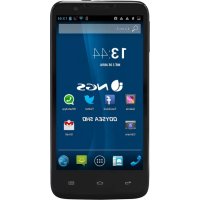
Odysea 5 HD - Smartphone NGS - Free user manual and instructions
Find the device manual for free Odysea 5 HD NGS in PDF.



| Product Type | Smartphone |
| Brand | NGS |
| Model | Odysea 5 HD |
| Dimensions (L x W x H) | 143 x 72 x 9 mm |
| Weight | 156 g (with battery) |
| Color | Black |
| Screen | 5 inches, resolution 1280x720 |
| Battery | Lithium-ion 2000 mAh, removable |
| Full charge | Approximately 3.5 hours |
| RAM Memory | 1 GB DDR2 |
| Internal storage | 4 GB eMMC, expandable via microSD up to 32 GB |
| Network | 3G/2G, GSM 850/900/1800/1900, UMTS 900/2100, HSPA+ |
| Connectivity | Wi-Fi b/g/n, Bluetooth 4.0, GPS, Radio FM |
| Rear camera | 8 MP with flash |
| Front camera | 2 MP |
| Connectors | microUSB 2.0, 3.5 mm audio jack, microSD slot |
| SIM | Dual SIM (3G and 2G) |
| Sensors | Proximity, light, GPS |
| Box contents | Smartphone, battery, wall charger, USB cable, headset, screen protector, quick start guide |
| Power supply | 5V mains charger (included) |
| Care and cleaning | Use a soft, dry cloth. Do not use chemicals. |
| Safety | Compliant with CE, RoHS, WEEE directives. Do not dispose with household waste. |
| Spare parts and repairability | Removable, replaceable battery. For other parts, contact after-sales service. |
| General information | Manual available for free in PDF at notice-facile.com |
Frequently Asked Questions - Odysea 5 HD NGS
User questions about Odysea 5 HD NGS
0 question about this device. Answer the ones you know or ask your own.
Ask a new question about this device
Download the instructions for your Smartphone in PDF format for free! Find your manual Odysea 5 HD - NGS and take your electronic device back in hand. On this page are published all the documents necessary for the use of your device. Odysea 5 HD by NGS.
USER MANUAL Odysea 5 HD NGS
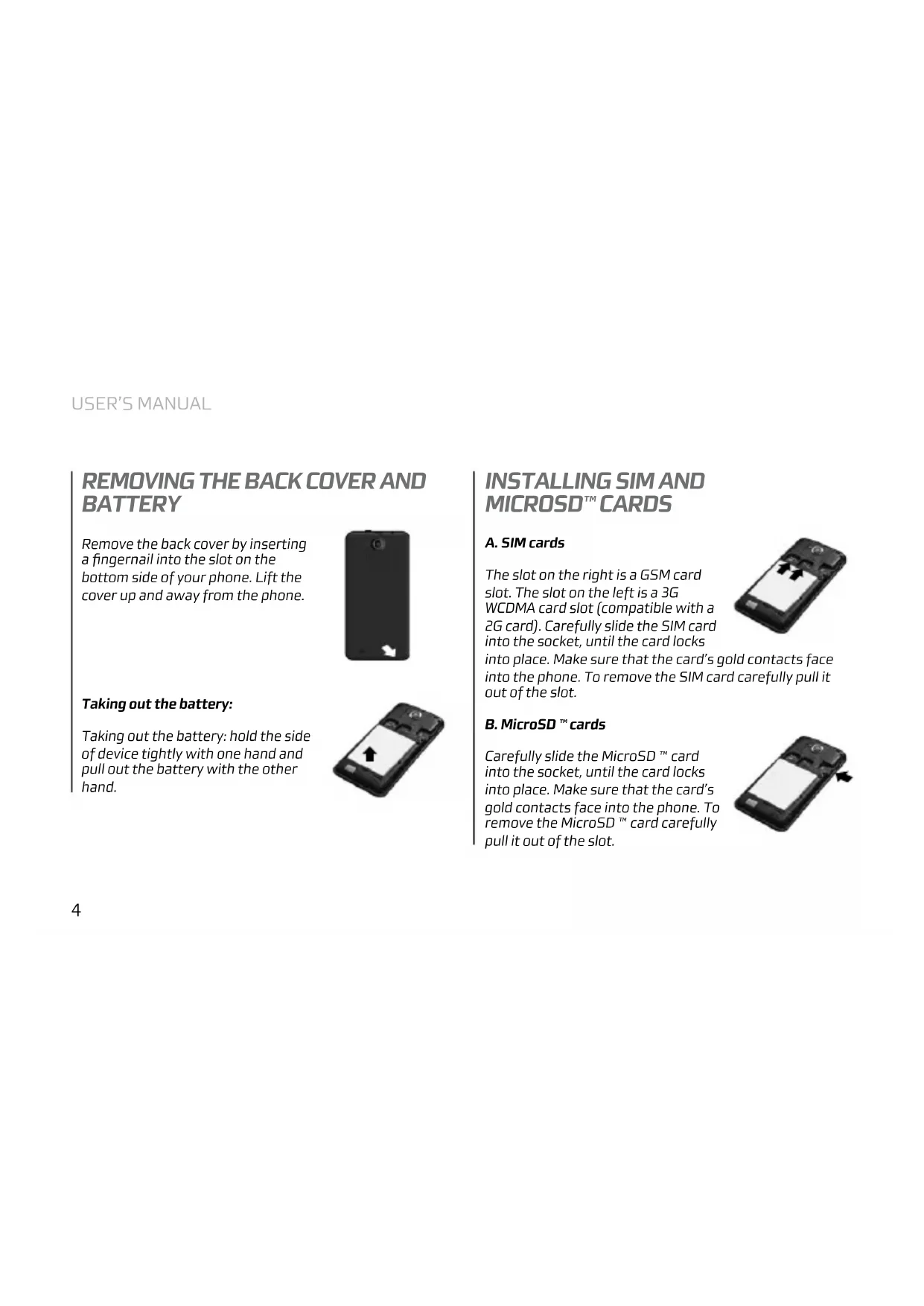
- Power key: power Your phone on and off. Suspend and activate it
- Headset and microphone jack: plug in headphones or a microphone
- Volume keys: adjust the volume of the device
- Micro USB port: connect optional accessories and a charger
- Microphone: allows other callers to hear when You are speaking to them
- Back key: step backwards when navigating a menu or a web page
- Menu key: access submenus with additional options
- Front facing camera: take pictures and shoot videos with the front camera
- Rear facing camera: take pictures and shoot videos with the rear camera
- External speaker: allows You to hear the caller
- Settings
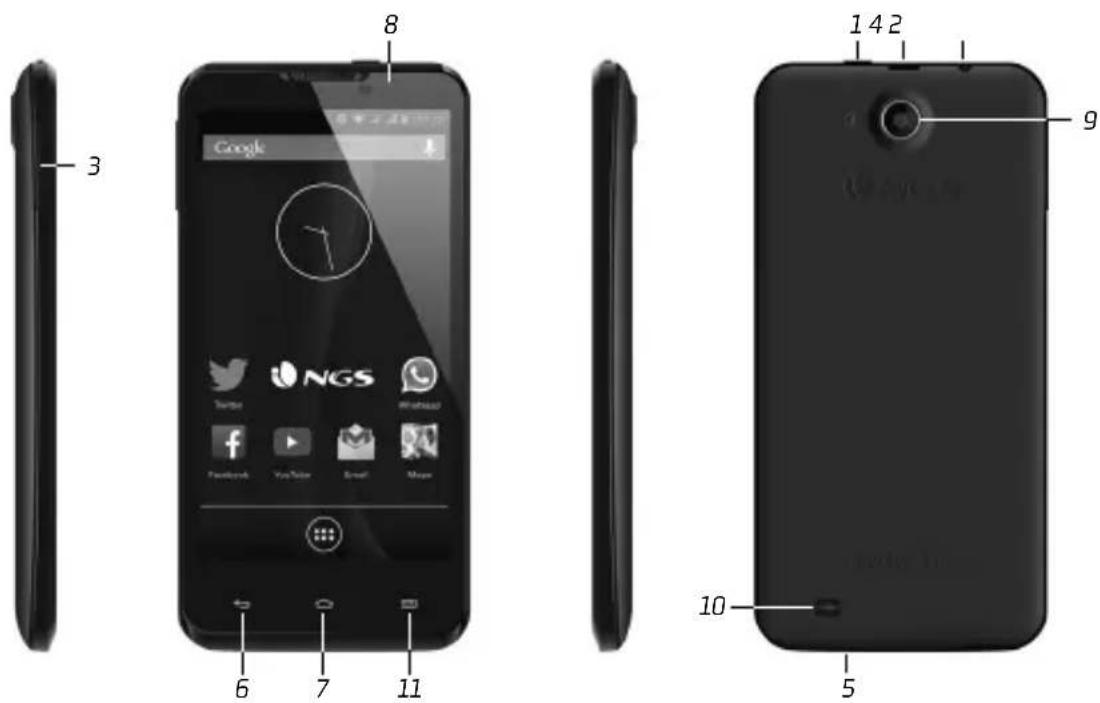
REMOVING THE BACK COVER AND BATTERY
Remove the back cover by inserting a fingernail into the slot on the bottom side of your phone. Lift the cover up and away from the phone.
Taking out the battery:
Taking out the battery: hold the side of device tightly with one hand and pull out the battery with the other hand.
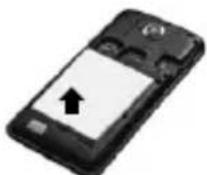
INSTALLING SIM AND MICROSD™ CARDS
A. SIM cards
The slot on the right is a GSM card slot. The slot on the left is a 3G WCDMA card slot (compatible with a 2G card). Carefully slide the SIM card into the socket, until the card locks into place. Make sure that the card's gold contacts face into the phone. To remove the SIM card carefully pull it out of the slot.
B. MicroSD TM cards
Carefully slide the MicroSD ™ card into the socket, until the card locks into place. Make sure that the card's gold contacts face into the phone. To remove the MicroSD ™ card carefully pull it out of the slot.
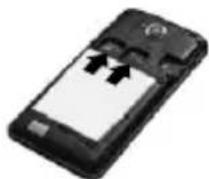
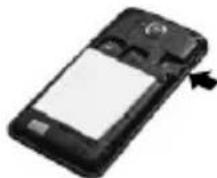
CHARGING
Plug one end of the micro USB cable into the micro USB port on the device and the power adapter into a standard AC power socket. A discharged battery recharges fully in approximately 3.5 hours. Operating the device while charging may extend the charging time.
Notice: If You don't use Your phone for a long time, it will gradually discharge. Please charge the device at least once every 3 months even if You don't use it.
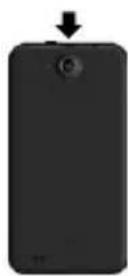
Press and hold the Power Button for a few seconds to power on the device. It will automatically enter the Home screen after start-up. While the device is on, press the Power Button once to enter sleep mode and press it again to activate the device. While the device is on, press and hold the Power Button, and then select the Power off/Standby option from the menu to power off the device or to enter sleep mode.
sPeciFications
DisPlay
SIZE 5"
RESOLUTION 1280x720
TECHNOLOGY IPS LCD multi-touch
Processor
CPU MediaTek MT6582 1.2GHz
(Cortex A7)
TYPE OF CHIPSET QuadCore
GPU Power VR SGX 544
system
MARKET Market with apps
memory
RAM 1GB DDR2
FLASH 4GB eMMC
network
WI-FI WiFi b/g/n
3G Built-in 3G and 2G
FREQUENCY BAND GSM 850/900/1800/1900MHz
UMTS 900/2100MHz
HSPA+
BLUETOOTH
Bluetooth 4.0
connectors
SD CARD READER microSD up to 32GB
SIM CARD SLOT Dual Sim (3G and 2G)
USB microUSB 2.0 (charging and data
transfer)
AUDIO OUT 3.5mm audio and mic jack
camera
FRONT 2.0 MPix
BACK 8.0 MPix with a flash light
aDDitional FUnctions
SENSORS Light sensor, G sensor,
Proximity sensor
GPS Built-in GPS receiver
FM RADIO Built-in FM radio
battery
CAPACITY 2000 mAh
Physical sPec
DIMENSIONS 143x72x9 mm
(with 2000mAh battery)
WEIGHT 156 g (with 2000mAh battery)
COLOUR Black
in the box
ACCESSORIES Wall charger, USB cable, earphones,
screen protector
certiFicate of conFormity
CE
Lurbe Grup S.A. hereby declares under our sole responsibility that the product ODYSEA 4 is in conformity with the essential requirements of the following Directives is declared:
EMC DIRECTIVE 2004/108/EC LVD DIRECTIVE 2006/95/EC R&TTE DIRECTIVE 1999/5/EC

This product has been certified as RoHS Compliant
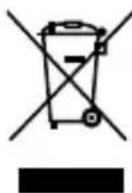
If at any time in the future you should need to dispose of this product please note that:
Waste electrical products should not be disposed of with household waste. Please recycle where facilities exist.
Check with your Local Authority or retailer for recycling advice.
(Waste Electrical and Electronic Equipment Directive)

ODYSEA 5 HD
contenU De l'emballage
natural_image
Black mobile phone with a blank screen and an arrow pointing to it (no visible text or symbols)CHARGEMENT
TECHNOLOGIE IPS LCD multi-touch
ProcesseUr
CPU MediaTek MT6582 1,2GHz
(Cortex A7)
TYPE DE CHIPSET QuadCore
GPU Power VR SGX 544
systÈme
SYSTÈME D'EXPLOITATION Android 4.2
CPU MediaTek MT6582 1,2GHz
(Cortex A7)
TIPO DE CHIPSET QuadCore
GPU Power VR SGX 544
sistema
SISTEMA OPERATIVO Android 4.2
natural_image
Black mobile phone with a blank screen and an arrow pointing to the right side (no visible text or symbols)LADUNG
CPU MediaTek MT6582 1,2GHz
(Cortex A7)
CHIPSET ART QuadCore
GPU Power VR SGX 544
system
BETRIEBSSYSTEM Android 4.2
CPU MediaTek MT6582 1.2 GHz
(Cortex A7)
TIPO DI CHIPSET QuadCore
GPU Power VR SGX 544
sistema
SISTEMA OPERATIVO Android 4.2
APPLICAZIONI Application Store in Internet
memoria
RAM DDR21GB
FLASH eMMC 4 GB
rete
WI-FI WiFi b/g/n
3G 3G e 2G incorporati
BANDA DI FREQUENZA GSM 850M/900/1800/1900MHz
UMTS 900/2100MHz
HSPA+
BLUETOOTH Bluetooth 4.0
scheDe eD esPansioni
LETTORE DI MEMEORIA SD micro SD fino a 32 GB
VANO DELLA SCHEDA SIM DualSim (3G e 2G)
USB micro USB 2.0
natural_image
Black mobile phone with a blank screen and an arrow pointing to it (no visible text or symbols)CARREGAMENTO
CPU MediaTek MT6582 1,2GHz (Cortex A7)
TIPO DE CHIPSET QuadCore
GPU Power VR SGX 544
sistema
SISTEMA OPERATIVO Android 4.2
natural_image
Black mobile phone with a blank screen and an arrow pointing to the right side (no visible text or symbols)ŁADOWANIE
CPU MediaTek MT6582 1,2GHz
(Cortex A7)
RODZAJ CHIPSETU QuadCore
GPU Power VR SGX 544
system
SYSTEM OPERACYJNY Android 4.2
CPU MediaTek MT6582 1,2GHz (Cortex A7)
TYΠΟΣ CHIPSET QuadCore
GPU Power VR SGX 544
ΣΥΣΤΗΜΑ
- REMOVING THE BACK COVER AND BATTERY
- Taking out the battery:
- INSTALLING SIM AND MICROSD™ CARDS
- SIM cards
- MicroSD TM cards
- CHARGING
- sPeciFications
- DisPlay
- Processor
- system
- memory
- network
- connectors
- camera
- aDDitional FUnctions
- battery
- Physical sPec
- in the box
- certiFicate of conFormity
- CE
- ODYSEA 5 HD
- contenU De l'emballage
- CHARGEMENT
- ProcesseUr
- systÈme
- sistema
- LADUNG
- memoria
- rete
- scheDe eD esPansioni
- CARREGAMENTO
- ŁADOWANIE
- ΣΥΣΤΗΜΑ
Brand : NGS
Model : Odysea 5 HD
Category : Smartphone