 ManualGo.com
 KSB1575 - Blender KITCHENAID - Free user manual and instructions
Find the device manual for free KSB1575 KITCHENAID in PDF.


Download the instructions for your Blender in PDF format for free! Find your manual KSB1575 - KITCHENAID and take your electronic device back in hand. On this page are published all the documents necessary for the use of your device. KSB1575 by KITCHENAID.
USER MANUAL KSB1575 KITCHENAID
WELCOME TO THE WORLD OF KITCHENAID.
We’re committed to helping you
create a lifetime of delicious meals for
family and friends. To help ensure the
longevity and performance of your
appliance, keep this guide handy. It will
empower you with the best way to
use and care for your product. Your
satisfaction is our #1 goal. Remember
to register your product online at
www.kitchenaid.com or by
mail using the enclosed
Product Registration Card.
Join us in the kitchen at www.kitchenaid.com.
Store Name ___________________________________________________________________
Always keep a copy of the itemized sales receipt showing the date of purchase of your
Blender. Proof of purchase will assure you of in-warranty service. Before you use your
Blender, please ll out and mail your product registration card packed with the unit, or
register on-line at www.kitchenaid.com. This card will enable us to contact you in the
unlikely event of a product safety notication and assist us in complying with the provisions
of the Consumer Product Safety Act. This card does not verify your warranty. Please
complete the following for your personal records:
BLENDER SAFETY Important safeguards 4
Electrical requirements 5
PARTS AND FEATURES Parts and accessories 6
Using the Blender pitcher ingredient cup, and Soft Start blending feature 11
TIPS FOR GREAT RESULTS Quick tips 12
CARE AND CLEANING 13
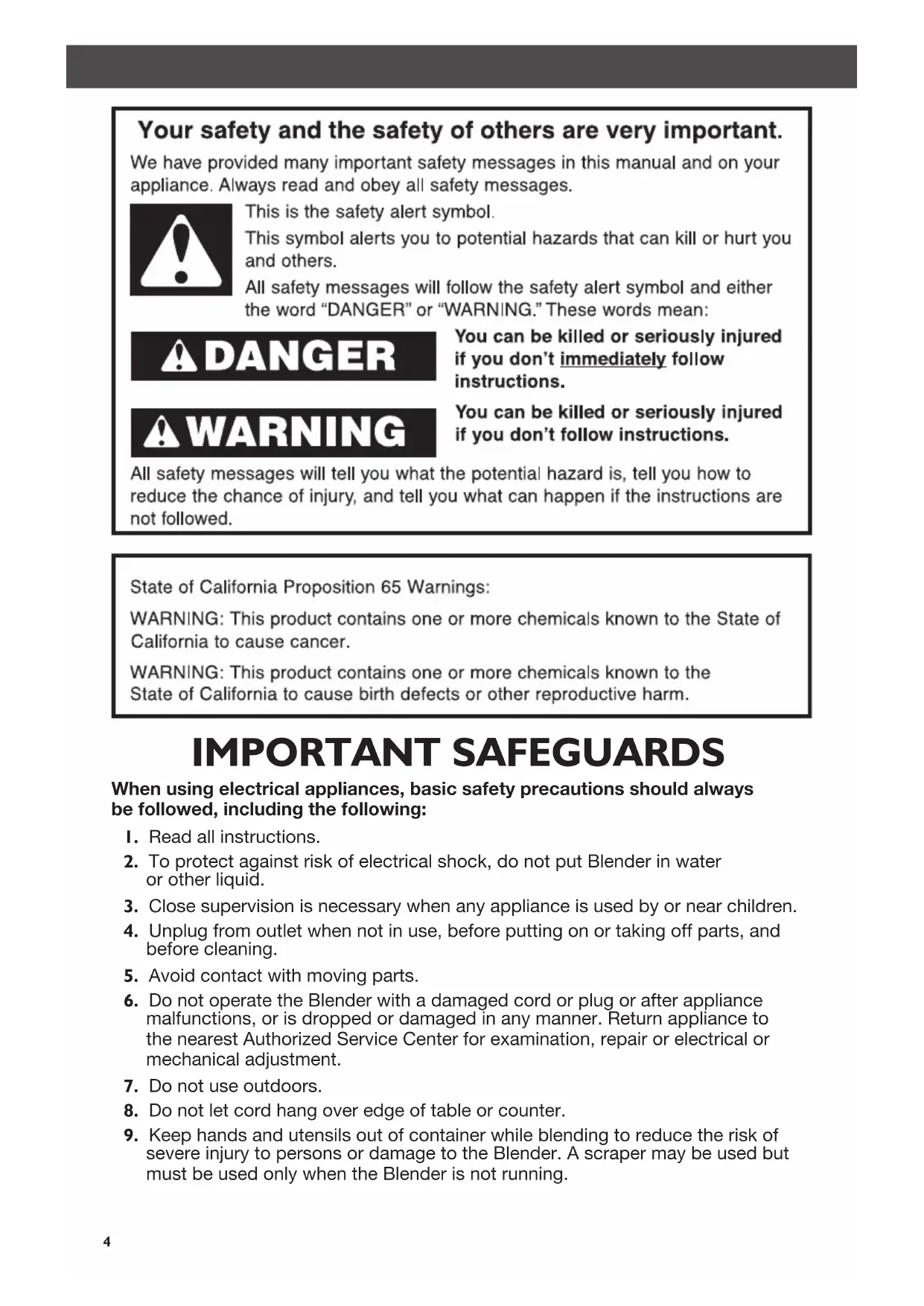
BLENDER SAFETYBLENDER SAFETY IMPORTANT SAFEGUARDS When using electrical appliances, basic safety precautions should always
be followed, including the following:
1. Read all instructions.
2. To protect against risk of electrical shock, do not put Blender in water
3. Close supervision is necessary when any appliance is used by or near children.
4. Unplug from outlet when not in use, before putting on or taking off parts, and
5. Avoid contact with moving parts.
6. Do not operate the Blender with a damaged cord or plug or after appliance
malfunctions, or is dropped or damaged in any manner. Return appliance to
the nearest Authorized Service Center for examination, repair or electrical or
mechanical adjustment.
7. Do not use outdoors.
8. Do not let cord hang over edge of table or counter.
9. Keep hands and utensils out of container while blending to reduce the risk of
severe injury to persons or damage to the Blender. A scraper may be used but
must be used only when the Blender is not running.
W10770345B_ENv02.indd 4 4/7/15 8:51 AM5
BLENDER SAFETYBLENDER SAFETY Electrical requirements 10. Blades are sharp. Handle carefully.11. Always operate Blender with cover in place.12. The use of attachments, including canning jars, not recommended by KitchenAid may cause a risk of injury to persons.13. When blending hot liquids, remove center piece of two-piece cover.14. Flashing light indicates ready to operate - avoid any contact with blades or moveable parts. SAVE THESE INSTRUCTIONS Voltage: 120 Volts A.C. onlyFrequency: 60 HzNOTE: If the plug does not fit in the outlet, contact a qualified electrician. Do not modify the plug in any way. Do not use an adapter.Do not use an extension cord. If the power supply cord is too short, have a qualified electrician or serviceman install an outlet near the appliance. This product is designed for household use only. Motor horsepower for the Blender motor was measured using a dynamometer, a machine that laboratories routinely use to measure the mechanical power of motors. Our 0.9 peak horsepower (HP) motor reference reects the horsepower output of the motor itself and not the Blender’s horsepower output in the Blender pitcher. As with any blender, the power output in the pitcher is not the same as the horsepower of the motor itself. This motor delivers 0.75 peak HP in the pitcher enabling your Blender to deliver robust power for all your recipes. Motor horsepower W10770345B_ENv02.indd 5 4/7/15 8:51 AM6
ASSEMBLING THE BLENDERPARTS AND FEATURES Parts and accessories
Preparing the Blender for use
Align the pitcher tabs with the slots on
the base. The pitcher handle may be on
the right or left side of the blender base.
Before using your Blender for the first time,
wipe Blender base with a warm damp cloth,
then wipe clean with a damp cloth. Dry with
a soft cloth. Wash pitcher, lid, and ingredient
cup in warm, sudsy water (see “Care and
Cleaning” section). Rinse parts and wipe dry.
Rotate pitcher clockwise, approximately
1/8 turn until pitcher clicks into place.
Adjust the length of the Blender power
NOTE: When properly positioned, pitcher
will rest completely on Blender base. If not,
repeat steps 1 and 2.
Before removing the pitcher from the
base, always press POWER to stop the
flashing lights and unplug the power
Before using the Blender, plug into a
grounded 3-prong outlet, and press
POWER. The Power indicator light will
light will flash when ready. Then press
desired speed button for continuous
operation at that speed. The white
indicator light by the selected speed will
stay lit. You may change settings without
stopping by pressing a new speed
Put ingredients in pitcher and firmly
off. Unplug Blender before removing the
While the Blender Power indicator light or
the PULSE mode indicator light is blinking:
- Do not interfere with blade movement.
- Do not remove pitcher lid.
Before operating the Blender, make sure
the pitcher is properly locked onto the
NOTE: The Blender will operate only
when pressing the POWER button
(Power LED will flash) before selecting
IMPORTANT: If blending hot foods or liquids, do not fill to the top of the pitcher, and
operate only on STIR speed. Remove center cap and place towel over lid.
The Blender has five speeds: STIR, CHOP,
MIX, PUREE, and LIQUIFY. It also
features CRUSH ICE and PULSE modes. W10770345B_ENv02.indd 8 4/7/15 8:51 AM9
When the timed function is finished,
Blender will stop. Press POWER to turn
off. Unplug Blender before removing the
The indicator light will stay lit.
Before operating the Blender, make sure
the pitcher is properly positioned on
Put ingredients into the pitcher and
Use up to 1/2 tray of
Your Blender offers a CRUSH ICE feature. When selected, the Blender will automatically
pulse for 30 seconds at staggered intervals at the optimal speed for crushing ice or other
TIP: Process up to 1/2 standard ice cube tray or 6 to 7 standard ice cubes at a time.
Occasional stirring with a spatula will be helpful only when Blender is off. The CRUSH ICE
feature has been optimized to crush and chop ice without adding any liquid ingredients. W10770345B_ENv02.indd 9 4/7/15 8:51 AM10
OPERATING THE BLENDER OPERATING THE BLENDER
The indicator lights above the Pulse
button and all five speeds will blink
to indicate that all five speeds are in
Press and hold a speed button for the
desired length of time. Both the speed
button and PULSE mode indicators will
stay lit when pulsing. Blending will stop
when Pulse button is released and the
Pulse indicator will resume blinking. To
pulse again at another speed, just press
and hold the desired speed button.
When finished, press POWER to turn
off. Unplug Blender before removing
Before operating the Blender, make sure
the pitcher is properly positioned on
NOTE: PULSE mode will not work with
the CRUSH ICE feature.
Your Blender offers a PULSE mode, which allows a “Pulse-at-any-speed” feature.
Put ingredients into the pitcher and
• The Blender pitcher ingredient cup can
be used to measure and add ingredients.
Remove cup and add ingredients at STIR,
CHOP, or MIX speeds. When operating at
higher speeds with a full pitcher or with
hot contents, stop the Blender and then
• The Soft Start blending feature automatically
starts the Blender at a lower speed to draw
ingredients into the blades, then quickly
increases to the selected speed for optimal
performance. The Soft Start blending feature
only works when a speed is selected and
does not work with the PULSE mode or
IMPORTANT: If blending hot foods or
liquids, remove the center ingredient cup,
and place a towel over the lid. Operate
only on STIR speed. Do not use PULSE
with the CRUSH ICE feature, or for
Blended ice drink Crush Ice, 5 Liquify
Crushed/chopped ice Crush Ice
Finely chopped fresh fruits Crush Ice
fresh vegetables. . . . . . . . . . . . . .Crush Ice
Fluffy gelatin for pie/desserts 5 Liquify
Frozen chopped fruit
(defrost slightly until it
can be probed with a
knife tip) Crush Ice
Frozen yogurt-based drink 5 Liquify
frozen concentrate 1 Stir, 3 Mix
Fruit-based drink (thin) ..Crush Ice, 5 Liquify
Fruit-based drink (thick) ....Crush Ice, 1 Stir
Fruit-based sauce 1 Stir
Grated hard cheese. . . . . . . . . . . . . .5 Liquify
Ice milk-based drink .... Crush Ice, 5 Liquify
Pureed fruit/Baby food 4 Puree
Pureed meat/Baby food meat 4 Puree
Pureed vegetables/Baby food
Salad dressing 3 Mix
Sherbet-based drink 1 Stir, 5 Liquify
Vegetable-based main dish sauce 1 Stir
• If you’re making beverages using ice,
start with CRUSH ICE, then finish with
Speed 5 LIQUIFY in order to produce a
• Ice directly from the freezer will crush
better than partially melted ice for snow.
• Smaller ice cubes can be chopped or
crushed faster than large ones.
• For many ingredient mixtures, start
the blending process at STIR to thoroughly
combine the ingredients. Then increase
to a higher speed, as desired.
• If desired, remove center ingredient cup
of pitcher lid to add liquids or ice cubes
while the Blender is operating at STIR,
CHOP, or MIX speeds.
• Stop the Blender before using utensils
in the pitcher. Use a rubber spatula to mix
ingredients only when the Blender is off.
Never use any utensil, including spatulas,
in the pitcher while the motor is running.
• Cool hot foods, if possible, before
blending. Begin blending warm foods
at STIR. Increase to higher speeds, one at
a time, if necessary.
• When blending hot foods or liquids, do not
fill the blender pitcher to the top. Secure
the lid, remove the center ingredient cup,
and place a towel over the lid. Operate
only on STIR speed. Do not place bare
hand on pitcher lid when processing hot
Dissolve flavored gelatin: Pour boiling
water into the pitcher; add gelatin. Remove
center ingredient cup, and place a towel
over the lid. Blend at STIR until gelatin is
dissolved, about 10 to 30 seconds. Add other
Make cookie, cracker, or bread crumbs:
Break cookies, crackers, or bread into pieces
about 4 cm in diameter. Place in pitcher. In
PULSE mode, cover and blend at CHOP,
pulsing a few times, about 3 seconds each
time, until reaching desired consistency.
Make finer crumbs for pie and dessert
crusts: Break cookies, crackers, or bread
into pieces about 4 cm in diameter and place
in the pitcher. In PULSE mode, cover and
blend at LIQUIFY, pulsing a few times until
reaching desired consistency, about
Chop fruits and vegetables: Put 2 cups
(475 mL) of fruit or vegetable chunks in
pitcher. In PULSE mode, cover and blend
at STIR, pulsing a few times, about 2 to 3
seconds each time, until reaching desired
Puree fruits: Place 2 cups (475 mL) canned
or cooked fruit in pitcher. Add 2 to 4
tablespoons (30 to 60 mL) fruit juice or
water per cup (240 mL) of fruit. Cover and
blend at PUREE about 5 to 10 seconds.
Puree vegetables: Place 2 cups (475 mL)
canned or cooked vegetables in pitcher. Add
2 to 4 tablespoons (30 to 60 ml) broth,
water, or milk per cup (240 mL) of
vegetables. Cover and blend at PUREE
about 10 to 20 seconds.
Puree meats: Place cooked, cubed, tender
meat in pitcher. Add 3 to 4 tablespoons
(45 to 60 mL) broth, water, or milk per cup
(240 mL) of meat. Cover and blend on STIR
10 seconds. Stop the Blender and scrape
sides of pitcher. Cover and blend on PUREE
10 to 20 seconds longer.
Take lumps out of gravy: If sauce or
gravy becomes lumpy, place in the pitcher.
Cover and blend at MIX until smooth,
about 5 to 10 seconds.
Combine flour and liquid for thickening:
Place flour and liquid in pitcher. Cover and
blend at STIR until smooth, about 5 to 10
Prepare white sauce: Place milk, flour, and
salt, if desired, in pitcher. Cover, and blend
at STIR until well-mixed, about 5 to 10
seconds. Pour into saucepan and cook
Make smoothies: Place liquids and frozen
ingredients in pitcher first, then add other
ingredients on top. Cover and blend on
CRUSH ICE for 10 to 15 seconds, then
LIQUIFY for 10 to 15 seconds, as desired.
TIPS FOR GREAT RESULTS CARE AND CLEANING W10770345B_ENv02.indd 12 4/7/15 8:51 AM13
TIPS FOR GREAT RESULTS TIPS FOR GREAT RESULTS Cleaning the Blender
The Blender pitcher can be easily cleaned while still attached to the base, or individually.
• Clean the Blender thoroughly after every use.
• Do not immerse the Blender base or cord in water.
• Do not use abrasive cleansers or scouring pads.
To clean the Blender base, Clean
Touch pad, cord, lids, and ingredient
cup: Wipe with a warm, damp cloth;
wipe clean with a damp cloth, and dry
To clean the pitcher while attached
to the base: Keep the pitcher on the
Blender base, fill half full with warm
(not hot) water, and add 1 or 2 drops
of dishwashing liquid. Put the lid on
the pitcher, press the STIR speed
setting, and run the Blender for 5 to
10 seconds. Remove the pitcher and
rinse with warm water.
To clean pitcher individually: Wash
pitcher in dishwasher on the top or
bottom rack, flipped upside down. Or
handwash with soapy water, rinse, and
CARE AND CLEANING Prepare pancake or waffle batter from
mix: Place mix and other ingredients in
pitcher. Cover and blend at MIX until
well-mixed, 10 to 20 seconds. Stop the
Blender and scrape sides of the pitcher
Grate cheese: Cut very cold cheese into
1.5 cm cubes. Place up to 1/2 cup (120 mL)
cheese in the pitcher. Cover, and blend at
LIQUIFY about 5 to 10 seconds. For hard
cheeses, such as Parmesan, bring to room
temperature then blend at LIQUIFY for
IMPORTANT: Hand wash the lid and
ingredient cup for best results. W10770345B_ENv02.indd 13 4/7/15 8:51 AM14
TROUBLESHOOTING Blender does not operate when a setting is selected
All indicator lights are flashing alternately.
The Blender may be jammed. If it is
jammed, the Blender will stop running to
avoid damage to the motor. Press POWER
to reset the Blender and unplug the power
cord. Remove the pitcher assembly from
the base and, with a scraper, free the blades
by breaking-up or removing the contents at
the bottom of the pitcher.
No indicator lights are lit.
Check to see if the Blender is plugged into
a grounded 3-prong outlet. If it is, press
POWER; then unplug the Blender. Plug
it back in to the same outlet, and Press
POWER. If the Blender still does not work,
check the fuse or circuit breaker on the
electrical circuit the Blender is connected
to and make sure the circuit is closed.
All indicator lights are flashing
The Blender may be overloaded. If the
Blender becomes overloaded when blending
heavy ingredients, it will automatically shut
off to avoid damage to the motor. Press
POWER to reset the Blender and unplug the
power cord. Remove the pitcher assembly
from the base and divide contents into
smaller batches. Adding liquid to the pitcher
may also reduce the load on the Blender.
If the problem cannot be fixed with the steps provided in this section, contact an authorized
service center (see “Service and warranty” section).
Blender stops while blending
WARRANTY AND SERVICE One indicator light is flashing alternately.
If the Blender is plugged in, but will not start
and one light is flashing alternately from all
the other indicator lights, the Blender may
have a stuck key. Press POWER to turn off
the Blender; then unplug the Blender. Plug
the Blender back in and press POWER to
turn back on to reset the stuck key.
All indicator lights are flashing at the
If Blender is plugged in, but nothing happens
when POWER is pressed, and all indicator
lights are flashing, the motor rotor may
be locked. Press POWER; then unplug the
Blender. Plug it back in; then press POWER
and select the desired speed.
IMPORTANT: The Blender will not operate at any speed unless the POWER button is
W10770345B_ENv02.indd 14 4/7/15 8:51 AM15
TROUBLESHOOTING WARRANTY AND SERVICE KitchenAid
Blender Warranty for the 50 United States,
the District of Columbia, Puerto Rico, and Canada
This warranty extends to the purchaser and any succeeding owner for Blenders operated in
the 50 United States, the District of Columbia, Puerto Rico, and Canada.
Length of Warranty: Five Years Full Warranty from date of purchase.
KitchenAid Will Pay Hassle-Free Replacement of your Blender.
for Your Choice of: See the next page for details on how to arrange for service,
or call the Customer eXperience Center toll-free at
OR The replacement parts and repair labor costs to correct
defects in materials and workmanship. Service must be
provided by an Authorized KitchenAid Service Center.
KitchenAid Will A. Repairs when Blender is used in other than
Not Pay for: normal single family home use.
B. Damage resulting from accident, alteration, misuse
C. Any shipping or handling costs to deliver your Blender
to an Authorized Service Center.
D. Replacement parts or repair labor costs for Blender
operated outside the 50 United States, District of
Columbia, Puerto Rico, and Canada.
DISCLAIMER OF IMPLIED WARRANTIES; LIMITATION OF REMEDIES IMPLIED WARRANTIES, INCLUDING TO THE EXTENT APPLICABLE WARRANTIES OF MERCHANTABILITY OR FITNESS FOR A PARTICULAR PURPOSE, ARE EXCLUDED TO THE EXTENT LEGALLY PERMISSIBLE. ANY IMPLIED WARRANTIES THAT MAY BE IMPOSED BY LAW ARE LIMITED TO FIVE YEAR, OR THE SHORTEST PERIOD ALLOWED BY LAW. SOME STATES AND PROVINCES DO NOT ALLOW LIMITATIONS OR EXCLUSIONS ON HOW LONG AN IMPLIED WARRANTY OF MERCHANTABILITY OR FITNESS LASTS, SO THE ABOVE LIMITATIONS OR EXCLUSIONS MAY NOT APPLY TO YOU.
IF THIS PRODUCT FAILS TO WORK AS WARRANTED, CUSTOMER’S SOLE AND EXCLUSIVE REMEDY SHALL BE REPAIR OR REPLACEMENT ACCORDING TO THE TERMS OF THIS LIMITED WARRANTY. KITCHENAID AND KITCHENAID CANADA DO NOT ASSUME ANY RESPONSIBILITY FOR INCIDENTAL OR CONSEQUENTIAL DAMAGES. This warranty gives you specic legal rights and you may also have other
rights which vary from state to state or province to province. W10770345B_ENv02.indd 15 4/7/15 8:51 AM16
WARRANTY AND SERVICE Arranging for Service after the Warranty Expires, or
Ordering Accessories and Replacement Parts
In the United States and Puerto Rico:
For service information, or to order
accessories or replacement parts, call
toll-free at 1-800-541-6390 or write to:
Customer eXperience Center,
KitchenAid Small Appliances,
P.O. Box 218, St. Joseph, MI 49085-0218
Outside the United States and
Consult your local KitchenAid dealer or the
store where you purchased the Blender for
information on how to obtain service.
For service information in Canada:
Call toll-free 1-800-807-6777.
For service information in Mexico:
Call toll-free 01-800-0022-767.
Hassle-Free Replacement Warranty –
50 United States, District of Columbia, and Puerto Rico
We’re so condent the quality of our
products meets the exacting standards of
KitchenAid that, if your Blender should fail
within the rst ve years of ownership,
KitchenAid will arrange to deliver an
identical or comparable replacement to
your door free of charge and arrange to
have your original Blender returned to us.
Your replacement unit will also be covered
by our ve year limited warranty.
If your Blender should fail within the rst
ve years of ownership, simply call our
toll-free Customer eXperience Center at
1-800-541-6390 Monday through Friday.
Please have your original sales receipt
available when you call. Proof of purchase
will be required to initiate the claim. Give
the consultant your complete shipping
address. (No P.O. Box numbers, please.)
When you receive your replacement
Blender, use the carton, packing materials,
and prepaid shipping label to pack up
your original Blender and send it back to
Hassle-Free Replacement Warranty – Canada
We’re so condent the quality of our
products meets the exacting standards
Blender should fail within the rst ve
years of ownership, we will replace your
Blender with an identical or comparable
replacement. Your replacement unit
will also be covered by our ve year
If your Blender should fail within the rst
ve years of ownership, simply call our
toll-free Customer eXperience Centre
at 1-800-807-6777 to organize your
hassle-free replacement. Proof of purchase
is required to receive this quality service.
W10770345B_ENv02.indd 16 4/7/15 8:51 AM17
1-800-541-6390 ou écrire à :
Customer eXperience Center,
KitchenAid Small Appliances,
P.O. Box 218, St. Joseph, MI 49085-0218
KitchenAid Small Appliances,
®/™ © 2015 KitchenAid. All rights reserved. Used under license in Canada.