
PHILIPS 8FF3FPB - Digital photo frame

8FF3FPB - Digital photo frame PHILIPS - Free user manual and instructions

Find the device manual for free 8FF3FPB PHILIPS in PDF.

📄 39 pages English EN Download 💬 AI Question
Notice PHILIPS 8FF3FPB - page 34
View the manual : Français FR English EN
Pick your language and provide your email: we'll send you a specifically translated version.

User questions about 8FF3FPB PHILIPS

0 question about this device. Answer the ones you know or ask your own.

Ask a new question about this device

The email remains private: it is only used to notify you if someone responds to your question.

No questions yet. Be the first to ask one.

Download the instructions for your Digital photo frame in PDF format for free! Find your manual 8FF3FPB - PHILIPS and take your electronic device back in hand. On this page are published all the documents necessary for the use of your device. 8FF3FPB by PHILIPS.

USER MANUAL 8FF3FPB PHILIPS

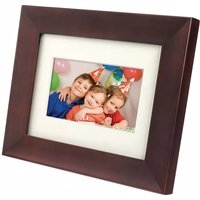
natural_image White digital display frame showing a smiling child holding an orange leaf against a golden autumn background (no text or symbols visible)

8FF3FP Series

7FF3FP Series

6FF3FP Series

natural_image Simple line drawing of a handheld electrical plug with wires (no text or symbols)

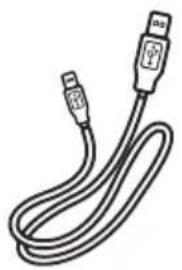
Câble USB vers PC

PHILIPS 8FF3FPB - 1

natural_image Line drawing of a USB cable with two connectors (no text or symbols)

PHILIPS 8FF3FPB - 2

text_image Studler And Tharms Quick start guide [1] G. M. K. [2] A. M. L. [3] R. M. Y. PHILIPS

PHILIPS 8FF3FPB - 3

text_image PHILIPS PhotoFrame v2 Digital User Manual Microsoft Teams Manager
text_image Helpful Hints for Control Keys Toggle to Slideshow, Thumbnail, or Main menu Play/OK: Play photos in Slideshow, Browse, or Clock Mode: Toggle to Slideshow, Thumbnail, or Main menu Menu: Quick access to the menu options Key pads to move Up, Down, Up Right or Left Press any key to close this page Mode ≈6 Play/OK ∞ Menu ∩ Power (∅) PHILIPS
text_image Setup Menu Frequency Auto Tilt Sequence Transition • Frequency > Collage Background Status 4 Hours 12 Hours 1 Day 5 Seconds 10 Seconds 30 Seconds 1 Minute Choose the slideshow transition time. PHILIPS
text_image Photo display (underside) B A

A. CF Schede

B. SD/ MMC /MS / xD Card

text_image PhotoFrame PC
text_image Diagram showing three steps of a cable installation: power outlet, plug-in connector, and cable outlet with cable routing.

Remarque:

text_image Every picture tells your stories PHILIPS

3.4 Configuration initiale

text_image Clock Menu Time and Date Time and Day Alarm Clock Clock is Delicate Time Day 12/24 to Format Set the Time and Date. PHILIPS

3 Heure :

text_image Clock Menu | Time and Date Day Time - Date - 12/24 for Format Clock in slideshow Date 18/07/11 Set the Date: date/month/year PHILIPS
text_image Clock Menu Time and Date - Time and Day - Alarm Clock 12/24 to Format Clock in slideshow Time Day Set the Time and Date. PHILIPS
text_image Clock Menu | Time and Date 12/24 hr Format 12/24 hr Format • Close in sidesthow Time Day No clock In sidesthow PHILIPS
text_image Photos Source Memory Stick x5 Card PhotoFrame SD/MMC Card CF Card Choose the Photo source. PHILIPS
text_image Photo | Source PhotoFrame 1600 x 1200 2007/12/01 Total Files: 9 Pics PHILIPS
text_image Photo Menu Zoom and Crop Slide the sequence Frequency Copy to Before Effect Frames Choose your storage media to copy your photos to. PHILIPS
Table of contents Click a title to access it
Manual assistant
Powered by Anthropic
Waiting for your message
Product information

Brand : PHILIPS

Model : 8FF3FPB

Category : Digital photo frame