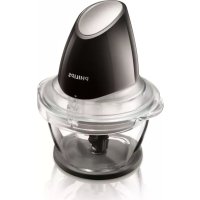
Viva Collection HR1399 - Blender PHILIPS - Free user manual and instructions
Find the device manual for free Viva Collection HR1399 PHILIPS in PDF.



| Product type | Electric chopper |
| Brand | Philips |
| Model | Viva Collection HR1399 |
| Usage | Household |
| Bowl capacity | 400 ml |
| Power | 300 W |
| Power supply | 220-240 V / 50-60 Hz |
| Number of speeds | 1 (pulse) |
| Functions | Chopping, pulse |
| Blade material | Stainless steel |
| Bowl material | Plastic |
| Dimensions (L x W x H) | 15 x 15 x 20 cm |
| Weight | 1 kg |
| Cord length | 0.8 m |
| Dishwasher safe | Yes (except motor unit) |
| Safety | Operation by pressing on the motor unit |
| Washable parts | Bowl, lid, blade set, gasket, non-slip ring |
| Warranty | 2 years |
| Reference | HR1399/00 |
Frequently Asked Questions - Viva Collection HR1399 PHILIPS
User questions about Viva Collection HR1399 PHILIPS
0 question about this device. Answer the ones you know or ask your own.
Ask a new question about this device
Download the instructions for your Blender in PDF format for free! Find your manual Viva Collection HR1399 - PHILIPS and take your electronic device back in hand. On this page are published all the documents necessary for the use of your device. Viva Collection HR1399 by PHILIPS.
USER MANUAL Viva Collection HR1399 PHILIPS
Register your product and get support at
www.philips.com/welcome
HR1399
natural_image
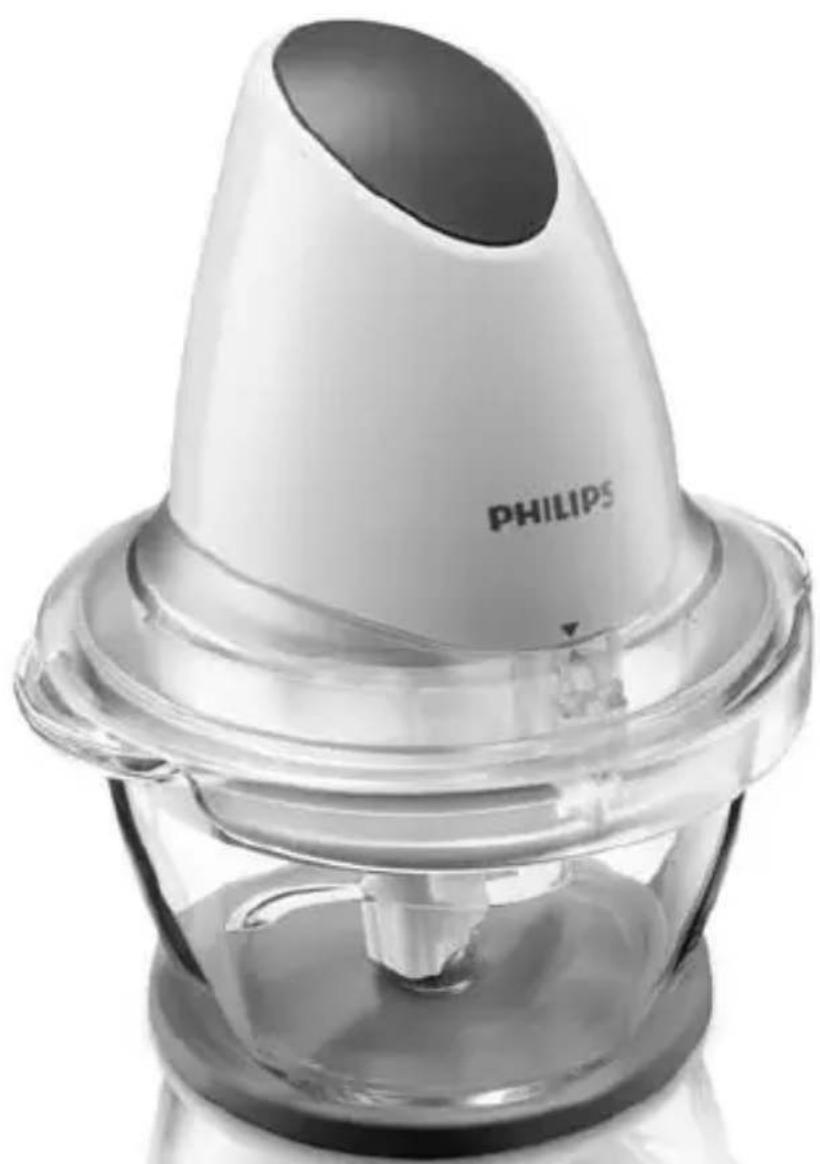
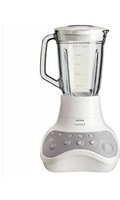
Close-up of a Philips blender with a conical top and plastic base (no visible text or symbols beyond brand name)
natural_image
Diagram of a folded paper or document with two panels, each showing an open page and a black arrow indicating direction (no text or symbols present)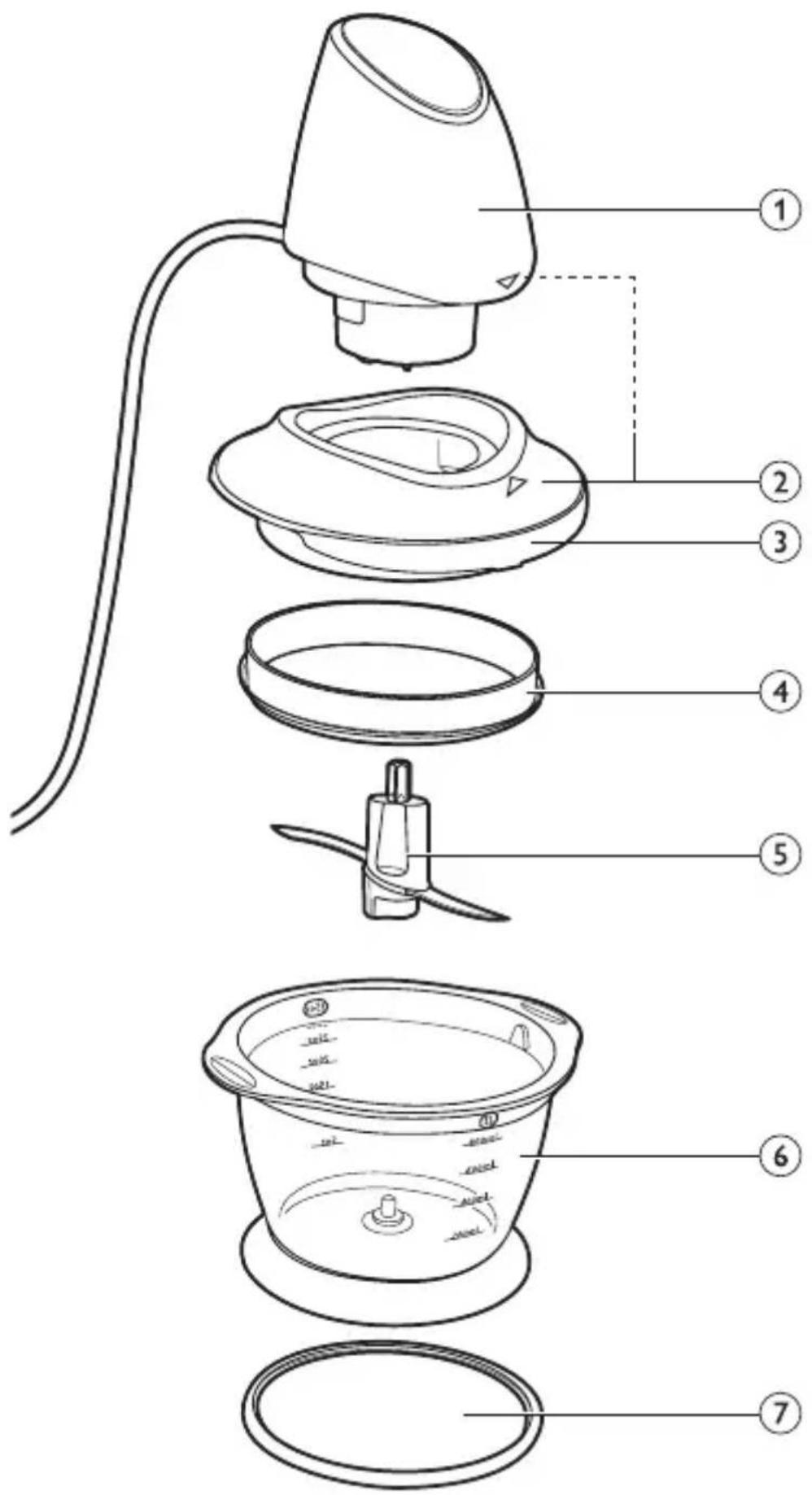
ENGLISH 6
DANSK 11
DEUTSCH 16
ΕΛΛΗΝΙΚΑ 22
ESPAÑOL 28
SUOMI 33
FRANÇAIS 38
ITALIANO 43
한국어 48
NEDERLANDS 53
NORSK 59
PORTUGUÊS 64
SVENSKA 69
TÜRKÇE 74
83 فارسی
العربية 87
Introduction
Congratulations on your purchase and welcome to Philips! To fully benefit from the support that Philips offers, register your product at www.philips.com/welcome.
General description (Fig. 1)
1 Motor unit
2 Positioning arrows
3 Lid
4 Sealing ring
5 Blade unit
6 Bowl
7 Non-slip ring
Important
Read this user manual carefully before you use the appliance and save it for future reference.
Danger
- Never immerse the motor unit in water or any other liquid, nor rinse it under the tap. Use only a moist cloth to clean the motor unit.
Warning
- Be very careful when you handle the blades. Be especially careful when you remove them from the bowl, when you empty the bowl and when you clean them. Their cutting edges are very sharp.
- Check if the voltage indicated on the appliance corresponds to the local mains voltage before you connect the appliance.
- Do not use the appliance if the mains cord, the plug or other parts are damaged.
- If the mains cord is damaged, you must have it replaced by Philips, a service centre authorised by Philips or similarly qualified persons in order to avoid a hazard.
- This appliance is not intended for use by persons (including children) with reduced physical, sensory or mental capabilities, or lack of experience and knowledge, unless they have been given supervision
or instruction concerning use of the appliance by a person responsible for their safety.
- Children should be supervised to ensure that they do not play with the appliance.
- Do not allow children to use the chopper without supervision.
Caution
- Do not exceed the quantities and processing times indicated in the table.
- Cut large ingredients into pieces of approximately 2cm before you process them.
- Never fill the bowl with ingredients that are hotter than 80irc C/175°F.
- If the ingredients stick to the wall of the bowl, remove the motor unit, open the lid and loosen them with a spatula or add some liquid.
- Never use any accessories or parts from other manufacturers or that Philips does not specifically recommend. If you use such accessories or parts, your guarantee becomes invalid.
- This appliance is intended for household use only.
Electromagnetic fields (EMF)
This Philips appliance complies with all standards regarding electromagnetic fields (EMF). If handled properly and according to the instructions in this user manual, the appliance is safe to use based on scientific evidence available today.
Before first use
- Thoroughly clean the parts that come into contact with food before you use the appliance for the first time (see chapter ‘Cleaning’).
Using the appliance
1 Place the blade unit onto the pin in the centre of the bowl (Fig. 2).
2 Put the ingredients in the bowl (Fig. 3).
See the table below for the recommended quantities and processing times. You will achieve the best results if you stick to the quantities and processing times in the table.
Maximum quantities and processing times
Ingredients Max. quantities Time
Onions/garlic (cut in 8) 150-200g 5-10 pulses
Parsley 40-50g 10 pulses
Lean beef (high quality) 100-150g 10 pulses
Dried apricots 100g 5 seconds
Cheese 100-150g 5-10 pulses
Nuts 100-200g 5-10 pulses
Fruits 250-300g 5-10 pulses
Baby food 250-300g 5-10 pulses
3 Put the lid on the bowl (Fig. 4).
4 Place the motor unit on the lid (Fig. 5).
Make sure that the positioning arrows on the lid and on the motor unit are directly opposite each other.
5 Push down the motor unit to start the chopping process.
The appliance works as long as you keep the motor unit pushed down.
- When you chop soft ingredients (e.g. onions, parsley or lean beef), we advise you to press the motor unit briefly several times in a row ('pulsing'). For 1 pulse, press the pulse button for one second and then release the pulse button for 1 second.
Cleaning
Never use scouring pads, abrasive cleaning agents or aggressive liquids such as alcohol, petrol or acetone to clean the appliance.
Never immerse the motor unit in water and never clean it in the dishwasher.
1 Unplug the appliance and disassemble it.
For extra thorough cleaning, you can also remove the sealing ring and non-slip ring.
2 Clean the bowl, the lid, the blade unit, the sealing ring and the non-slip ring in the dishwasher or in warm water with some washing-up liquid.
3 Clean the motor unit with a moist cloth.
Environment
- Do not throw away the appliance with the normal household waste at the end of its life, but hand it in at an official collection point for recycling. By doing this you help to preserve the environment (Fig. 6).
Guarantee and service
If you need service or information or if you have a problem, please visit the Philips website at www.philips.com or contact the Philips Consumer Care Centre in your country. You find its phone number in the worldwide guarantee leaflet. If there is no Consumer Care Centre in your country, go to your local Philips dealer.
Frequently asked questions
This chapter lists the questions most frequently asked about the appliance. If you cannot find the answer to your question, contact the Consumer Care Centre in your country.
Question Answer
Can I clean all parts in Yes, except the motor unit. the dishwasher?
Can I pour boiling liquids in the bowl? No, let hot liquids cool down to 80irc C/ 175irc F.
| Question Answer | |
| Why does the motor produce an unpleasant smell during processing? | It is very common for the appliance to give off an unpleasant smell or emit some smoke the first few times it is used. This phenomenon will stop after you have used the appliance a number of times. The appliance may also give off an unpleasant smell or emit some smoke if it has been used too long. In this case you have to stop operating the appliance and let it cool down for 60 minutes. |
| The appliance stopped running because the blade unit is blocked. What should I do? | Remove the motor unit and the lid from the appliance. Use a spatula to dislodge the ingredients that block the blade unit. You may also need to process a smaller quantity. |
| The chopper does not work when I push on the motor unit. What should I do? | Check if the motor unit is placed correctly on the lid. The positioning arrows on the lid and the motor unit should be directly opposite each other. |
Introduktion
The image is too blurry to recognize any text content.
natural_image
Illustration of a hand holding a small object inside a container with liquid, showing a downward arrow (no text or symbols)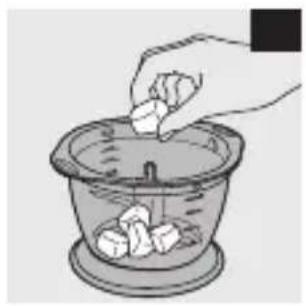
natural_image
Illustration of a hand pouring food into a glass bowl with food items (no text or symbols)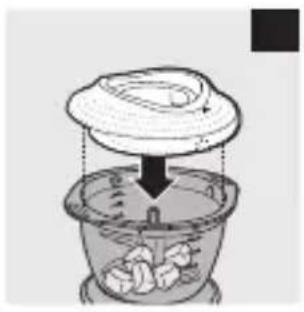
natural_image
Illustration of a cooking step showing a lid being inserted into a steamer with steam rising (no text or symbols)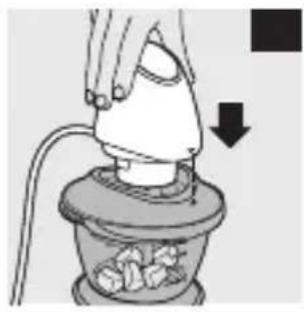
natural_image
Illustration of a hand using a power tool to press or install a component, with a downward arrow indicating compression (no text or symbols present)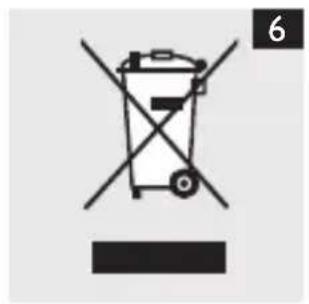
natural_image
Diagram of a folded paper or document with two panels, each showing an open page and a black arrow indicating direction (no text or symbols present)
- Introduction
- General description (Fig. 1)
- Important
- Danger
- Warning
- Caution
- Electromagnetic fields (EMF)
- Before first use
- Using the appliance
- Maximum quantities and processing times
- Ingredients Max. quantities Time
- Cleaning
- Environment
- Guarantee and service
- Frequently asked questions
- Question Answer
- Introduktion
- The image is too blurry to recognize any text content.
Brand : PHILIPS
Model : Viva Collection HR1399
Category : Blender