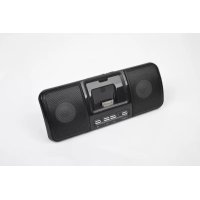
SPK321i - Loudspeaker Gembird - Free user manual and instructions
Find the device manual for free SPK321i Gembird in PDF.


| Product Type | Portable Bluetooth Speaker |
| Brand | Gembird |
| Model | SPK321i |
| Dimensions (approx.) | 100 x 100 x 50 mm |
| Weight (approx.) | 200 g |
| Power Supply | Rechargeable lithium-ion battery via USB port |
| Battery Life (approx.) | Up to 8 hours |
| Connectivity | Bluetooth, 3.5mm audio input, microSD card reader, FM radio |
| Sound Output | 3 W RMS |
| Main Functions | Hands-free, wireless music playback, volume control, track change |
| Care and Cleaning | Clean with a soft dry cloth. Do not use chemical products |
| Safety | Do not expose to water or moisture. Use only the supplied charger |
| Spare Parts and Repairability | Battery not user-replaceable. Repair by authorized service only |
| General Information | 36-month warranty. Keep the receipt |
Frequently Asked Questions - SPK321i Gembird
User questions about SPK321i Gembird
0 question about this device. Answer the ones you know or ask your own.
Ask a new question about this device
Download the instructions for your Loudspeaker in PDF format for free! Find your manual SPK321i - Gembird and take your electronic device back in hand. On this page are published all the documents necessary for the use of your device. SPK321i by Gembird.
USER MANUAL SPK321i Gembird
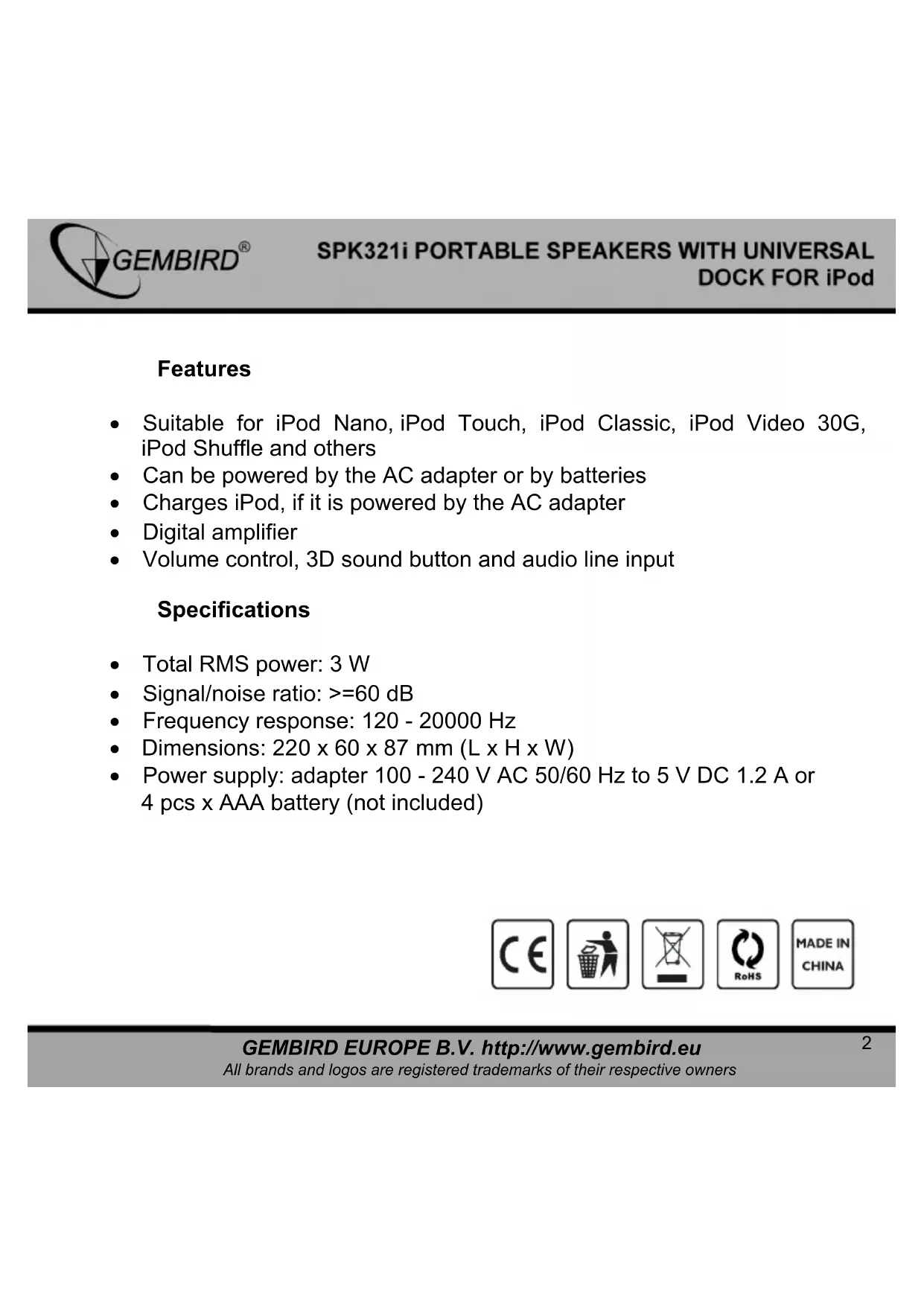
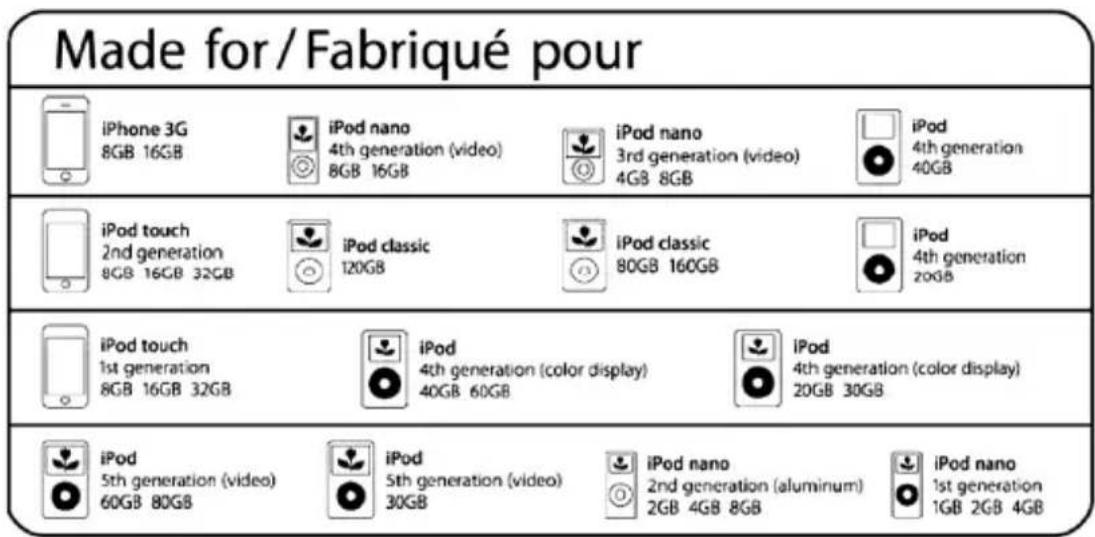
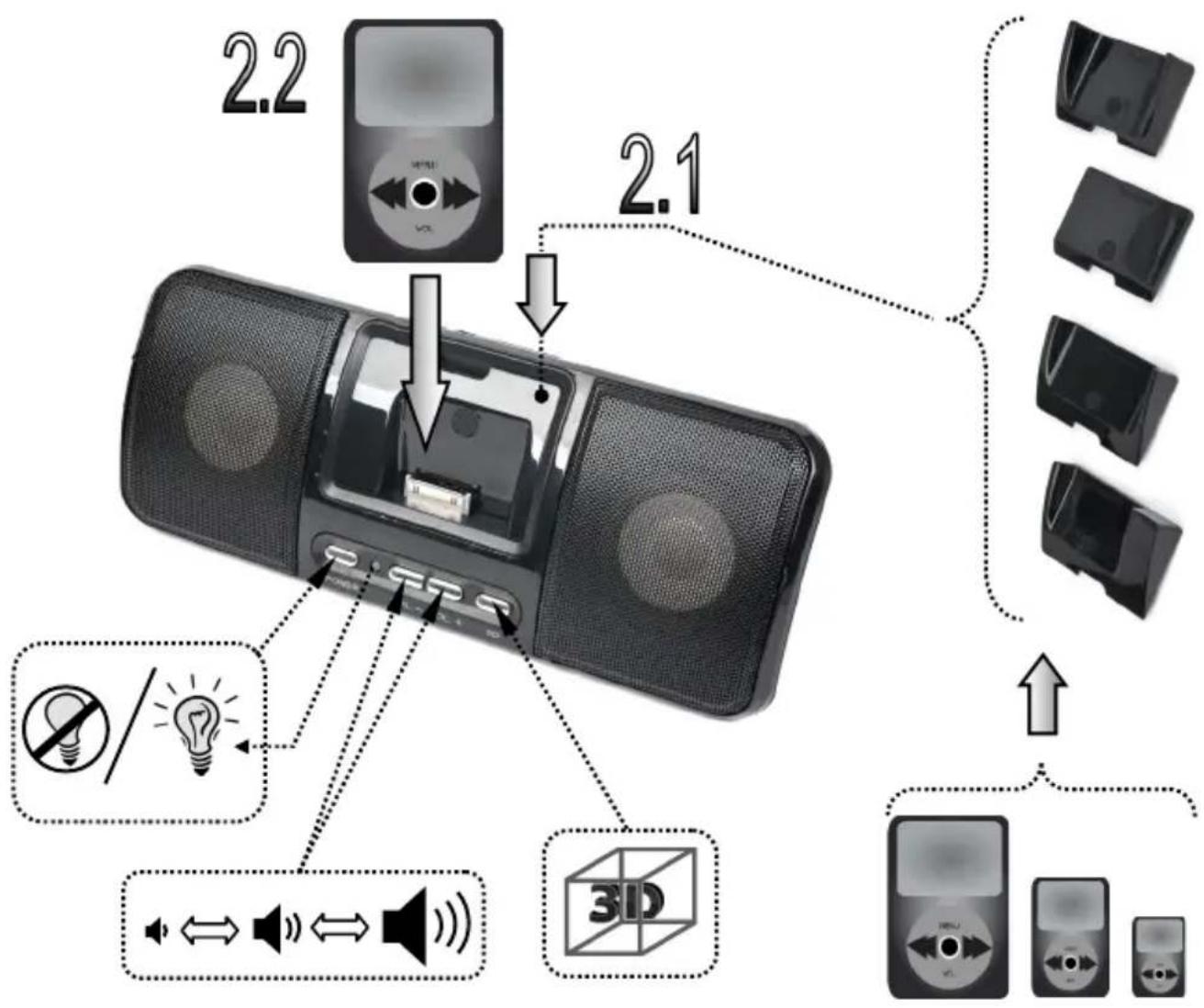
- Suitable for iPod Nano, iPod Touch, iPod Classic, iPod Video 30G, iPod Shuffle and others
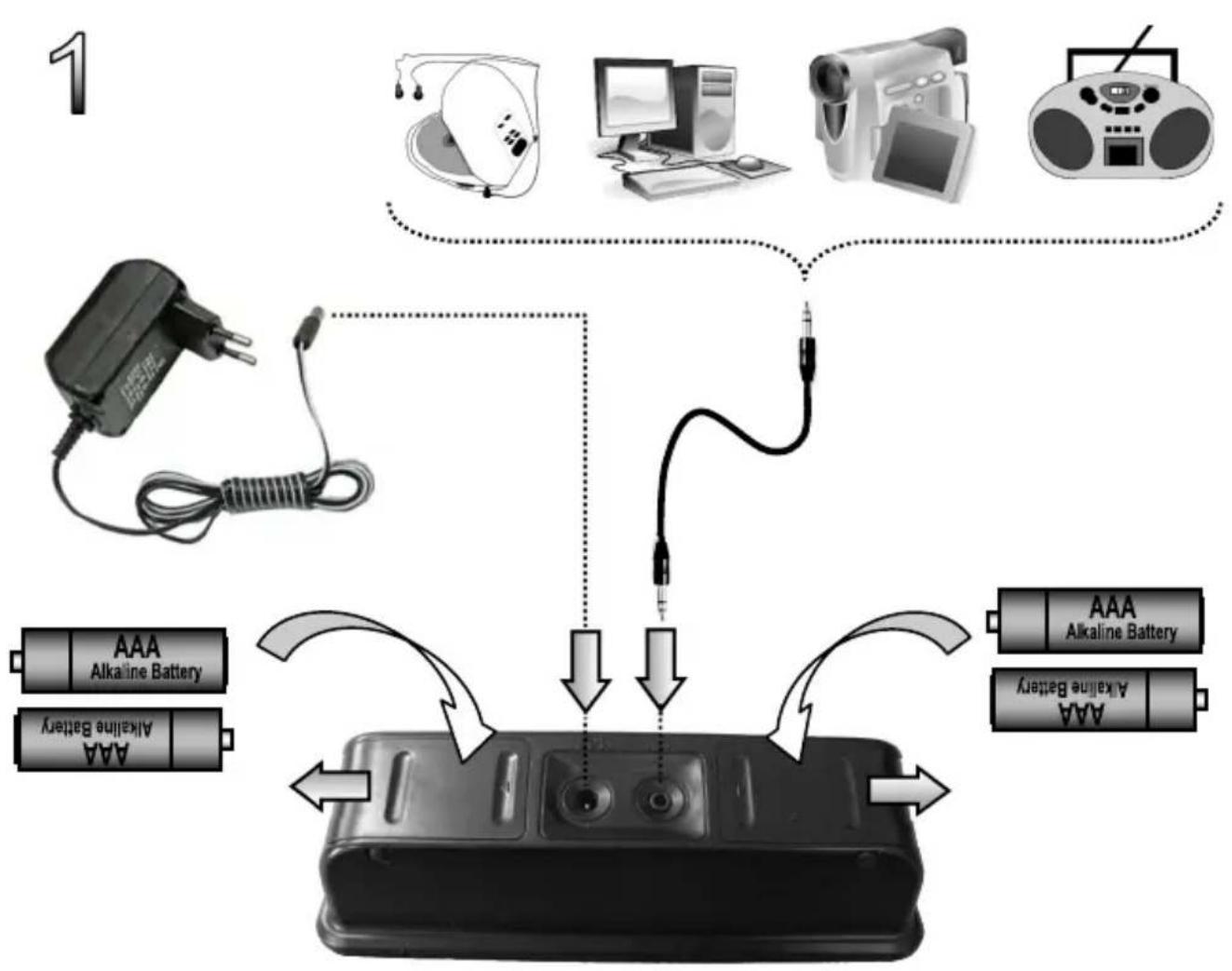
- Can be powered by the AC adapter or by batteries
- Charges iPod, if it is powered by the AC adapter
Digital amplifier
Volume control, 3D sound button and audio line input
Specifications
Total RMS power: 3 W
- Signal/noise ratio: > = 60 dB
Frequency response: 120 - 20000 Hz
- Dimensions: 220 × 60 × 87 mm( L × H × W)
- Power supply: adapter 100 - 240 V AC 50/60 Hz to 5 V DC 1.2 A or 4 pcs x AAA battery (not included)

Legal Notice
iPod is a trademark of Apple Inc., registered in the U.S. and other countries.
"Made for iPod" means that the electronic accessory has been designed to connect specifically to iPod and has been certified by the developer to meet Apple performance standards.
Apple is not responsible for the operation of this device or its compliance with safety and regulatory standards.
Please note that the use of this accessory with iPod, iPhone, or iPad may affect wireless performance.





EC Declaration of Conformity
We hereby certify that the following product complies with all the relevant
Safety Requirements of § 4 EMVG and of the Directives 2006/95/EC; 93/68/EEC and 2004/108/EC.
Applicant :
Gembird Europe BV
Wittevrouwen 56
1358CD, Almere, The Netherlands
Equipment :
Computer parts
Model Nos. :
SPK321i
Product description :
SPK321i Portable speakers with universal dock for iPod
European standards:
EN55022:2006; EN55024:1998+A1:2001+A2:2003; EN61000-3-2:2000+
A2:2005; EN61000-3-3:1995+A1:2001+A2:2005;
The following manufacturer/WITHIN Europe is responsible for this declaration:
Gembird Europe BV
Wittevrouwen 56, 1358CD, Almere, The Netherlands
Tel: +31-(0)36-5211588. Fax: +31-(0)36-5347835
Director
The Netherlands / May. 4, 2010
Place and Date

Authorized signature
Waste disposal:

Do not deposit this equipment with the household waste. Improper disposal can harm both the environment and human health. For Information about waste collection facilities for used electrical and electronic devices, please contact your city council or an authorized company for the disposal of electrical and electronic equipment.
CONDITIONS DE GARANTIE

1358CD Almere, The Netherlands
www.gembird.nl/support
support@gmb.nl
+33(0)251404849
YMOBNI TAPAHINTINHOO OBCNYTOBYBAHH

-
rapaHTiHe 06cnyroByaHHaHaAcTbca npToTROM TepMHy rapaTt, npn HaraBHOCTI rapaTtiHoro TaHOy, 3anOBHeHOro HAeKHM uHOM, Ta BnPObBy NOBHI KOMNJIeKTaII.
-
rapantIHe 6cnyroByBaHH He niTpmyeTbC B pa3i npuyenHn npaBn eknnyatau, 36epiraHn afo nepeBe3eHn Bnpo6y, 0o 3a3naehi B iNCTpykui no ekcnnyatauBnpo6y.
3.「apaHTiHHe 06cIyROByBaHHcKacOByeTbcryBUNaKaX:
-HaBHOCTI MExaHUYHX NOLKODKeHb aBO CIIIDIB CTOPOHbOBOBTPyHaHH;
-
N0UKOJKeHHB NKNIKahi CTNXHUM NIXOM a6o HeuacHM BnIaKOM, BKJIQUaOHy 6NcKaBky, NOtpanJaHHy M y Bnpi6 CTOpOHHX INpeMeTIB, pIDH, KOMAX, TOIO;
-
nouKoJxHnB uKnIkaHi 3acToCyBaHHaM a6o niKIOUeHHaM HeCTaHapTHnx a6o HecnpabHnx nepnpepiHH npncTpoIB, akcecyapiB;
-
RapaTia He Noiupocbca Ha BntpaTHi MaTepiAn Ta DoaTkObi akcecyapn;
3 rapaHTiHIMn yMOBaMn 3roJeH.
Пдпс поуц:
TAPAHITINHIN TALOH No
ToBaP/MoJeIb
CepiHnH NHomep
TepmiH rapaHii
Data npodaxy
PpOdaBeuBa (Ha3Ba, TeNeΦoH)
Teyata Ta nipnnc npodabua
3 rapaHTiHnX nIaHb 3BepTaITeCb Do cepBichx ueHtpB Gembird. Ipo aIpeCn Ta KOtAeTn Bn MoKeTe DiHaTncb Ha caTi www.gembird.ua a6o no TeNefoHy 044-4510213.


Brand : Gembird
Model : SPK321i
Category : Loudspeaker