
WCS-6006 - Speaker Gembird - Free user manual and instructions
Find the device manual for free WCS-6006 Gembird in PDF.


| Product Type | Wooden 5.1 speaker system |
| Speaker Configuration | 5.1 channels (subwoofer, front left/right, rear left/right, center) |
| Subwoofer Driver | 3.5" |
| Subwoofer Power | 5 W |
| Satellite Speaker Driver | 3" (front and rear) |
| Satellite Speaker Power | 2 W x 4 (total 8 W) |
| Center Channel Driver | 3" |
| Center Channel Power | 2 W |
| Total System Power | 15 W |
| Frequency Response | 60 Hz - 18 kHz |
| Signal-to-Noise Ratio | > 50 dB |
| Channel Separation | > 55 dB |
| Input Sensitivity | 300 mV |
| Input Impedance | > 12 kΩ |
| Controls | Power ON/OFF, Master Volume, Bass control |
| Enclosure Material | Wooden cabinet |
| Power Source | AC power cord (100-240 V, 50/60 Hz) |
| Installation | Place on flat solid surface; keep ventilation and away from heat |
| Safety | Do not open housing, avoid water or foreign objects |
Frequently Asked Questions - WCS-6006 Gembird
User questions about WCS-6006 Gembird
0 question about this device. Answer the ones you know or ask your own.
Ask a new question about this device
Download the instructions for your Speaker in PDF format for free! Find your manual WCS-6006 - Gembird and take your electronic device back in hand. On this page are published all the documents necessary for the use of your device. WCS-6006 by Gembird.
USER MANUAL WCS-6006 Gembird
Wooden 5.1 speaker system
natural_image
Black and white photo of a multi-tiered audio amplifier with five speakers (no text or symbols visible)
Wooden 5.1 speaker system
Disclaimer
• We spared no efforts to make sure that the information in this manual is correct and complete. However no liability is accepted for any errors or omissions. Gembird Electronics reserves the right to change the specifications of the hardware and software described in this manual without prior notice.
- No part of this manual may be reproduced, transmitted or translated in any language in any form, by any means, without the prior written permission of Gembird Electronics Ltd.
- Gembird Electronics makes no warranties for damages resulting from corrupted or lost data due to a mistaken operation or malfunction of the product, the software, personal computers or peripheral devices.
Gembird® is a registered trademark of GMB Tech (Holland) bv.
Other names or products not mentioned above may be registered trademarks or trademarks of their respective owners.
Copyright © 2007 Gembird Electronics Ltd. All rights reserved.

Wooden 5.1 speaker system
Introduction
Thank you for buying WCS-6006 wooden cabinet 5.1 system! This manual will help you install and use it properly.
Features and specifications
• Power ON/OFF and Master Volume controls
- Subwoofer: 3.5", 5W
- Front: 3", 2W*2
- Rear: 3", 2W*2
- Center: 3", 2W
• Frequency Response: 60Hz-18KHz
• S/N Ratio: >50dB
- Separation: >55dB
• Input Sensitivity: 300mV
• Input Impedance: >12 Kohm

Wooden 5.1 speaker system
Speakers installation diagram
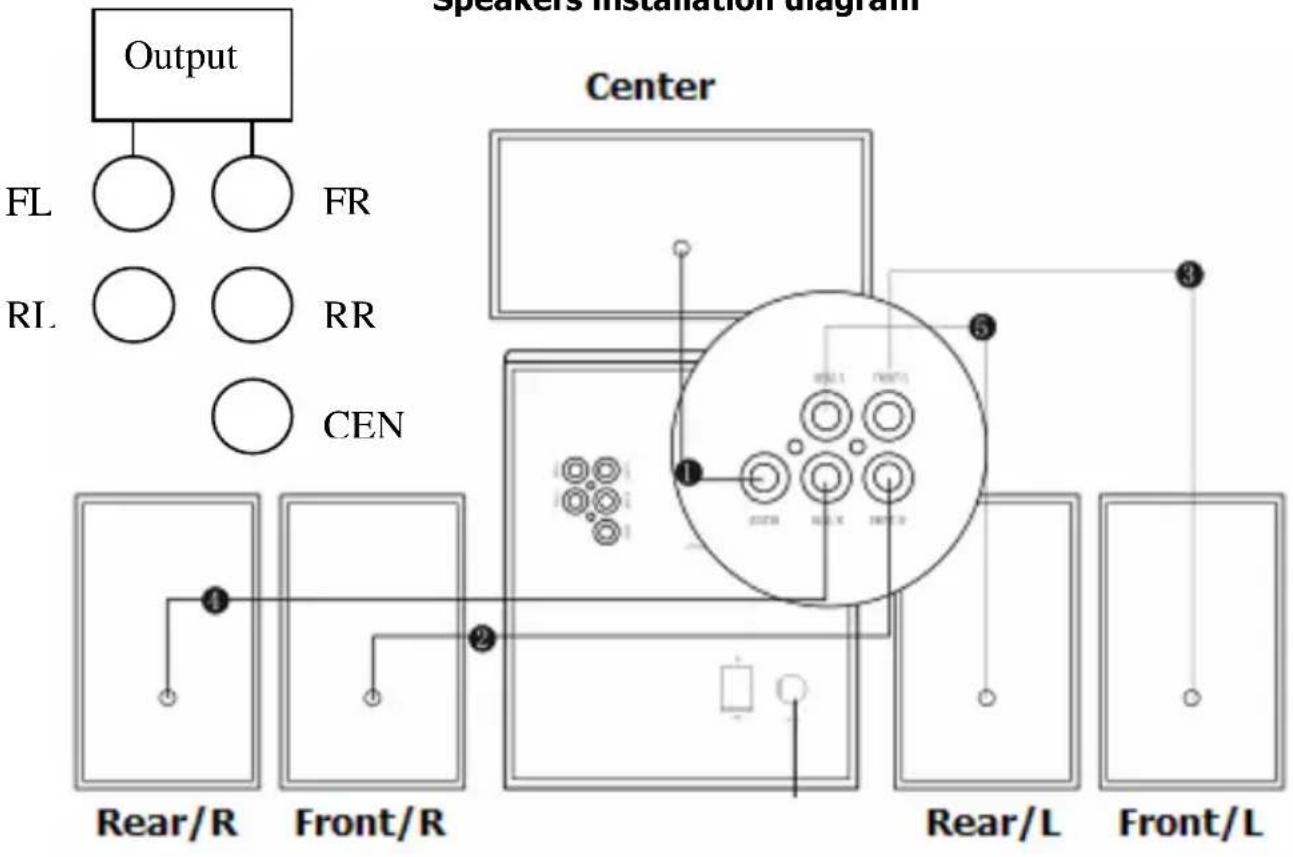
flowchart
graph TD
    A["Output"] --> B["FL"]
    A --> C["RL"]
    A --> D["FR"]
    A --> E["RR"]
    A --> F["CEN"]
    G["Center"] --> H["Rear/R"]
    G --> I["Front/R"]
    G --> J["Rear/L"]
    G --> K["Front/L"]
    H --> L["1"]
    I --> M["2"]
    J --> N["3"]
    K --> O["4"]
    L --> P["5"]
    M --> Q["6"]
    N --> R["7"]
    O --> S["8"]
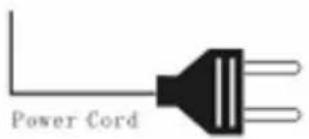

Wooden 5.1 speaker system
Output installation
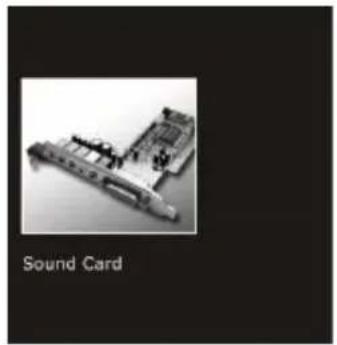
natural_image
Black-and-white photo of a sound card with electronic components and a connector (no text or symbols on the device itself)1
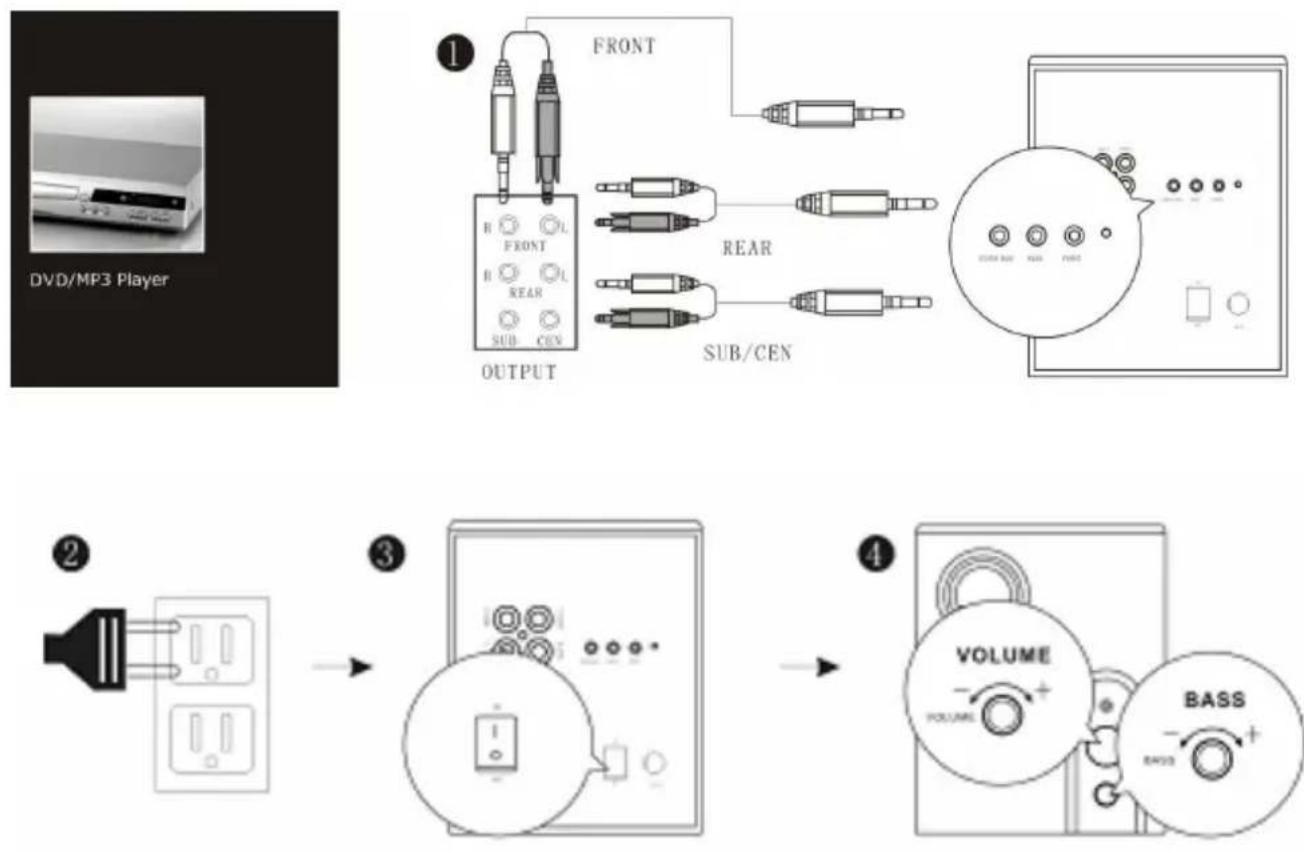
INPUT
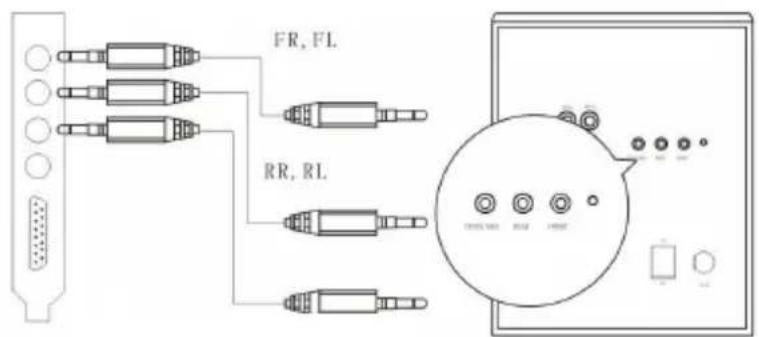
5.1 input
FRONT

REAR
SUB\CENT
(2.1 input)
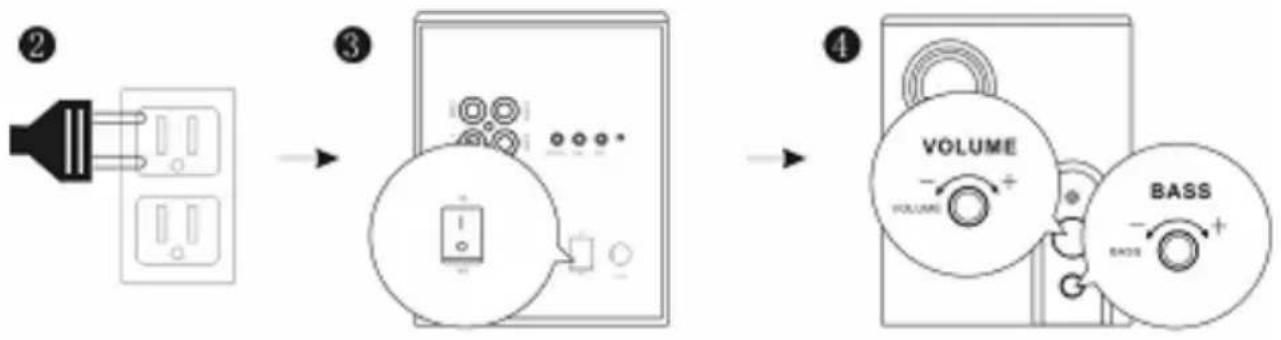
flowchart
graph LR
    A["② Power Input"] --> B["③ Switch"]
    B --> C["④ Volume/Bass Control"]

Wooden 5.1 speaker system

Wooden 5.1 speaker system
Instructions
• The loudspeakers should be placed on a flat and solid surface
• Press the keys gently and turn the knob evenly
• Do not touch the metallic portion of the power supply connector
• Do not pull the electric cord to unplug the connectors without holding the sockets
• Do not open the housing to avoid electric shock or other accidents
- Turn the volume knob to the minimum position before turning the power on. Turn the volume to your comfortable range after power is on
- Keep good ventilation, far from heat source, and avoid direct sunlight
• unplug, the loudspeakers are not in use for a long time
- Be careful and do not spill water any other liquid, or put miscellaneous items inside the housing of the system
- Pay special attention to turn the volume of the sound source to mid-low level to avoid product damages caused by large signal input
• Do not allow the loudspeaker to operate for long hours under maximum volume
- When the master volume knob is adjusted to the two-third position of the of the scale, the best sound effect will be heard.


Brand : Gembird
Model : WCS-6006
Category : Speaker