HandleEasy 321rc - Remote control DORO - Free user manual and instructions
Find the device manual for free HandleEasy 321rc DORO in PDF.



User questions about HandleEasy 321rc DORO
0 question about this device. Answer the ones you know or ask your own.
Ask a new question about this device
Download the instructions for your Remote control in PDF format for free! Find your manual HandleEasy 321rc - DORO and take your electronic device back in hand. On this page are published all the documents necessary for the use of your device. HandleEasy 321rc by DORO.
USER MANUAL HandleEasy 321rc DORO
natural_image
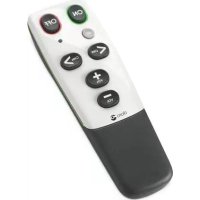
Black remote control with black and white buttons (no text or symbols visible)HandleEasy 321rc
| English | Czech |
| Swedish | Slovakian |
| Norwegian | Greek |
| Danish | Hungarian |
| Finnish | Polish |
| French | Portuguese |
| Spanish | |
| Italian | Version 1.0 |
| German | |
| Dutch |
Svenska
Declaration of conformity
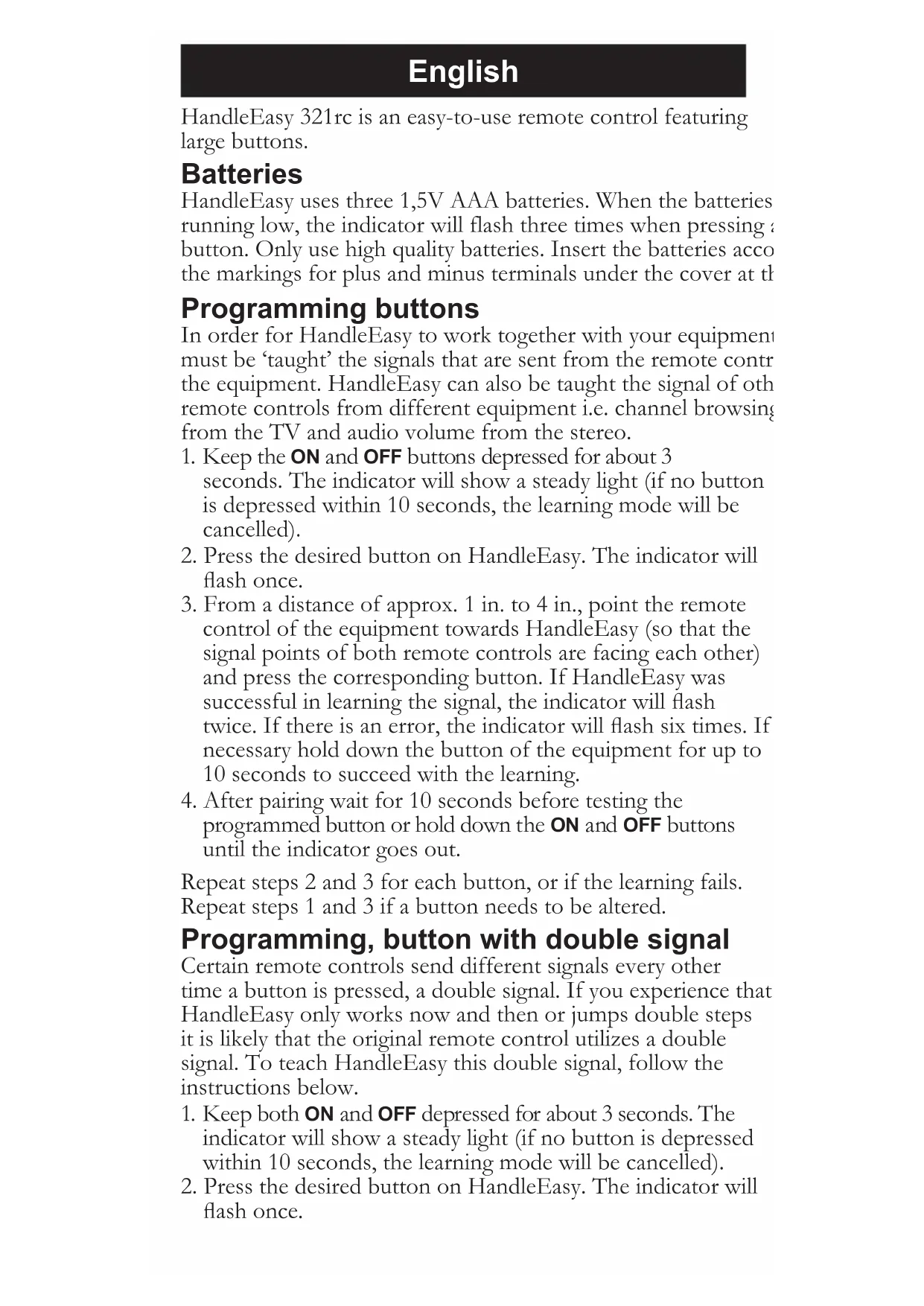
HandleEasy 321rc is an easy-to-use remote control featuring large buttons.
Batteries
HandleEasy uses three 1,5V AAA batteries. When the batteries running low, the indicator will flash three times when pressing a button. Only use high quality batteries. Insert the batteries acco the markings for plus and minus terminals under the cover at the
Programming buttons
In order for HandleEasy to work together with your equipment must be ‘taught’ the signals that are sent from the remote control the equipment. HandleEasy can also be taught the signal of other remote controls from different equipment i.e. channel browsing from the TV and audio volume from the stereo.
- Keep the ON and OFF buttons depressed for about 3 seconds. The indicator will show a steady light (if no button is depressed within 10 seconds, the learning mode will be cancelled).
- Press the desired button on HandleEasy. The indicator will flash once.
- From a distance of approx. 1 in. to 4 in., point the remote control of the equipment towards HandleEasy (so that the signal points of both remote controls are facing each other) and press the corresponding button. If HandleEasy was successful in learning the signal, the indicator will flash twice. If there is an error, the indicator will flash six times. If necessary hold down the button of the equipment for up to 10 seconds to succeed with the learning.
- After pairing wait for 10 seconds before testing the programmed button or hold down the ON and OFF buttons until the indicator goes out.
Repeat steps 2 and 3 for each button, or if the learning fails. Repeat steps 1 and 3 if a button needs to be altered.
Programming, button with double signal
Certain remote controls send different signals every other time a button is pressed, a double signal. If you experience that HandleEasy only works now and then or jumps double steps it is likely that the original remote control utilizes a double signal. To teach HandleEasy this double signal, follow the instructions below.
- Keep both ON and OFF depressed for about 3 seconds. The indicator will show a steady light (if no button is depressed within 10 seconds, the learning mode will be cancelled).
-
Press the desired button on HandleEasy. The indicator will flash once.
-
From a distance of approx. 1 in. to 4 in., point the remote control of the equipment towards HandleEasy and press the corresponding button. If HandleEasy was successful in learning the signal, the indicator will flash twice. If there is an error, the indicator will flash six times. If necessary hold down the button of the equipment for up to 10 seconds to succeed with the learning.
- Press the same button on HandleEasy once again. The indicator will flash once.
- Press the corresponding button on the remote control of the equipment once again. If HandleEasy was successful in learning the signal, the indicator will flash twice. HandleEasy has now learned the double signal.
Repeat steps 2 to 5 for each button utilizing a double signal, or if the learning fails. HandleEasy is now ready for operation. Keep both ON and OFF depressed or wait 10 seconds to exit learning mode.
Troubleshooting
If HandleEasy only works now and then or jumps double steps, you must program it to utilize a double signal.
Two consecutive learnings per button must be successful, when programming a double signal.
If learning fails even after repeated attempts:
- Try longer or shorter (1-10 seconds) press of the button on the remote control of your equipment.
- Try different distances or angles between the remote controls.
- Try replacing the batteries in the remote control of the equipment.
If you cannot resolve the fault using the faultfinder section, technical support is available by email on tech@doro-uk.com or via a premium rate telephone number: 0905 895 0854, calls cost 50 pence per minute (prices correct at the time of publication). Further contact details are available on our website: www.doro-uk.com
Alternatively you can write to: Customer Services, Doro UK Ltd, 1 High Street, Chalfont St Peter, Buckinghamshire SL9 9QE
Declaration of conformity
Doro hereby declares that the Doro HandleEasy 321rc product conforms to the essential requirements and other regulations contained in the directives 1999/5/EC (R&TTE), 2002/95/EC (ROHS). A copy of the manufacturer's declaration is available at www.doro.com/dofc
Guarantee
This product is guaranteed for a period of 12 months from the date of purchase. If you experience any problems please contact the place of purchase. Proof of purchase is required for any service or support needed during the guarantee period. This guarantee shall not apply to batteries or any fault caused by an accident or a similar incident or damage, liquid ingress, negligence, abnormal usage or any other circumstances on the purchaser's part.
Norsk
Declaration of Conformity
English (GB): Disposal of Waste Equipment by Users in Private Households in the European Union. This symbol on the product or on its packaging indicates that this product must not be disposed of with your other household waste. Instead, it is your responsibility to dispose of your waste equipment by handing it over to a designated collection point for the recycling of waste electrical and electronic equipment. The separate collection and recycling of your waste equipment at the time of disposal will help to conserve natural resources and ensure that it is recycled in a manner that protects human health and the environment. For more information about where you can drop off your waste equipment for recycling, please contact your local city office, your household waste disposal service or the shop where you purchased the product.