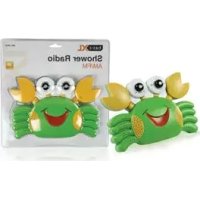
BASICXL BXLSR10 - Radio

BXLSR10 - Radio BASICXL - Free user manual and instructions

Find the device manual for free BXLSR10 BASICXL in PDF.

English EN Download 💬 AI Question 10 questions ⚙️ Specs
📄

Document temporarily unavailable

The manual is currently being transferred to our new server. It will be accessible again in a few hours. Thank you for your patience.

Pick your language and provide your email: we'll send you a specifically translated version.
Product type Waterproof shower radio
Brand basicXL
Model BXLSR10
Power supply 3 AA batteries (not included)
Frequency bands FM / AM (band selector)
Station search Manual via button
Volume control Rotary knob
Speaker Built-in
Wall mounting Suction cups (2) and hook
Suspension Nylon cord through a hole
Support base Built-in for flat surface placement
Water resistance Splash-resistant (do not immerse)
Maintenance Dry cloth only
Safety Do not open, do not immerse, disconnect in case of problem
Repairs By a qualified technician only
Warranty Void if modified or used incorrectly
Battery compatibility 3 x AA, observe polarity
Dimensions (estimated) Approximately 15 x 8 x 6 cm (not provided)
Weight (estimated) Approximately 250 g (with batteries)
Included accessories Nylon cord, suction cups

Frequently Asked Questions - BXLSR10 BASICXL

How to turn on the basicXL BXLSR10 radio?
Turn the volume knob (1) clockwise. The radio turns on and sound appears.
How to change the batteries?
Unscrew the battery compartment cover (8) by turning the screw in the indicated direction. Insert 3 AA batteries observing polarity, then close the cover.
What to do if the radio does not turn on?
First check the battery condition. If they are worn or incorrectly inserted, replace them observing polarity. If the problem persists, contact a qualified technician.
Can I use the radio in the bathtub or shower?
No, never immerse the radio in water. It is designed to withstand splashes in a bathroom, but it must not be submerged.
How to hang the radio in the shower?
Use the suction cups (6) on a smooth, clean surface like tile. You can also use the hook (5) or pass the nylon cord through the hole and attach it to a support.
How to clean the radio?
Clean the device only with a dry cloth. Do not use solvents, abrasive products, or water, as this could damage the circuits.
How to adjust radio reception?
Use the band selector (4) to choose FM or AM, then turn the tuning knob (2) to find a station. Adjust the volume with the knob (1).
Can the radio be placed on a table?
Yes, unfold the stand (7) to place the radio on a flat surface. Make sure it is stable.
The radio emits static or no station?
Check the selected band and readjust the tuning. Move the radio away from sources of interference. If the problem persists, the batteries may be low.
How to dispose of the radio at end of life?
Do not dispose of the device with household waste. Take it to a collection point for electronic waste (crossed-out wheelie bin symbol).

User questions about BXLSR10 BASICXL

0 question about this device. Answer the ones you know or ask your own.

Ask a new question about this device

The email remains private: it is only used to notify you if someone responds to your question.

No questions yet. Be the first to ask one.

Download the instructions for your Radio in PDF format for free! Find your manual BXLSR10 - BASICXL and take your electronic device back in hand. On this page are published all the documents necessary for the use of your device. BXLSR10 by BASICXL.

USER MANUAL BXLSR10 BASICXL

Manual assistant
Powered by Anthropic
Waiting for your message
Product information

Brand : BASICXL

Model : BXLSR10

Category : Radio