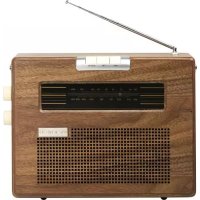
PR390 - Radio Ricatech - Free user manual and instructions
Find the device manual for free PR390 Ricatech in PDF.



| Brand | Ricatech |
| Model | PR390 |
| Product type | Analog AM/FM radio |
| MW frequency range | 530 - 1600 kHz |
| FM frequency range | 88 - 108 MHz |
| Auxiliary input (AUX) | Yes (3.5 mm jack) |
| Speaker | Built-in |
| MW antenna | Internal ferrite |
| FM antenna | External wire (extendable) |
| Mains power supply | 230 V, 50 Hz |
| Battery power supply | 6 x LR14 (C) |
| Power | 9 W |
| Volume control | Knob |
| Band selection | MW / FM buttons |
| Frequency tuning | Knob |
| Battery switch | ON / OFF |
| Power switch | I / 0 |
| Feet | Non-slip rubber |
| Maintenance | Clean with a soft cloth, unplug before |
| Safety | Do not open the housing, do not expose to moisture |
| Repairability | No user-serviceable parts |
| Customer service | support@ricatech.com / +32 3 3265694 |
Frequently Asked Questions - PR390 Ricatech
User questions about PR390 Ricatech
0 question about this device. Answer the ones you know or ask your own.
Ask a new question about this device
Download the instructions for your Radio in PDF format for free! Find your manual PR390 - Ricatech and take your electronic device back in hand. On this page are published all the documents necessary for the use of your device. PR390 by Ricatech.
USER MANUAL PR390 Ricatech
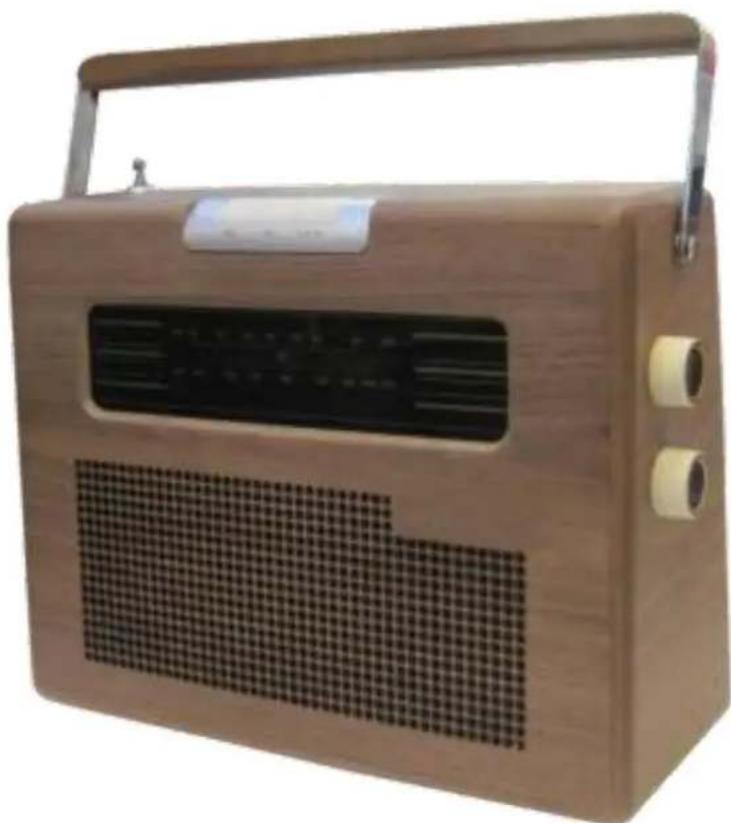
PR390 Portable Radio
USER MANUAL
GEBRUIKERSHANDLEIDING
MODE D'EMPLOI
BEDIENUNGSANLEITUNG
MANUAL DE USUARIO
English
SAFETY INSTRUCTIONS
Read the User Guide carefully before use!
Save these instructions for future reference.
- Follow all warnings on the product and in the User Guide.
- Unplug the power cord before cleaning. Do not use liquid detergents or aerosols.
Use a soft cloth to clean.
- Only use accessories and optional equipment recommended by the manufacturer in order to avoid unnecessary risks.
- Do not use the product near water, such as a bath, washbasin, washbowl, kitchen sink, in a wet basement or near a swimming pool.
- Do not place the product on an unstable surface. It may fall, causing serious personal injury or damage to property. Only use with the carriage, stand, bracket or table supplied, or as recommended by the manufacturer.
The manufacturer's instructions must be followed during all assembly and only assembly accessories recommended by the manufacturer may be used.
- Ventilation openings in the cabinet are provided for the product to work correctly and not overheat.

The openings must not be blocked or covered. Do not place the product on a bed, sofa, carpet or the like so that the openings can be blocked. Adequate ventilation must be provided if the product is built into e.g. a bookshelf or stand and the manufacturer's instructions must be followed.
- Check that the mains voltage corresponds to the rated voltage on the type plate. For products designed for use with a battery or other power source there is more information in the User Guide.
- Place the power cord so that it cannot be stood on or clenched.
- The product is equipped with a fuse protected plug with overload protection. This is a safety device. The User Guide contains information regarding the replacement and resetting of the safety device.
If the plug must be changed, the service technician must use a replacement plug recommended by the manufacturer with the same overload protection as the original plug.
- Unplug the power cord, wire antenna and any other cables during thunderstorms or storage - risk of damage to property.
- The antenna system outdoors must not be positioned close to power lines or other electrical lights or power circuits. The antenna can fall down on or come into contact with such power lines or circuits, which are associated with fatal injury.
- Do not overload wall outlets, extension cords, or built-in power outlets - risk of fire or electric shock. Do not expose the product to water or any other liquid.
- Do not try to open the casing - risk of electric shock. Service must only be carried out by qualified personnel.
- Once the service or repair of the product has been completed, the service technician must perform safety checks to determine that the product is working properly.
- The product must not be placed near heat sources such as radiators, heaters, fireplaces, stoves and other products (including amplifiers) that produce heat.
- If the appliance is turned off by unplugging the power cord the plug must be easily accessible.
WARNING!
Do not expose the appliance to rain or damp conditions - risk of electric shock. Do not remove the casing. The status lamps are soldered. No components can be repaired by the user. Service work should be carried out by qualified service personnel only.
ENGLISH
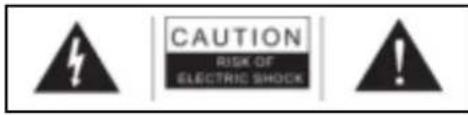
The flash of lightning symbol inside a triangle warns the user of uninsulated dangerous voltage inside the product casing, which can cause an electric shock.
IMPORTANT:
Do not remove the product's casing - risk of electric shock. None of the components in this product can be repaired by the user. Service work should be carried out only by qualified service personnel.
The exclamation mark inside a triangle indicates important instructions for use and maintenance in the written information supplied with the product.
TECHNICAL DATA
Frequency
:MW530-1,600KHz
: FM 88-108 MHz
Power supply
:230VAC,50Hz
Batteries
:6xLR14(C)
Power supply
:9W
Antennas
: Built in ferrite rod antenna for MW
: External antenna for FM
DESCRIPTION
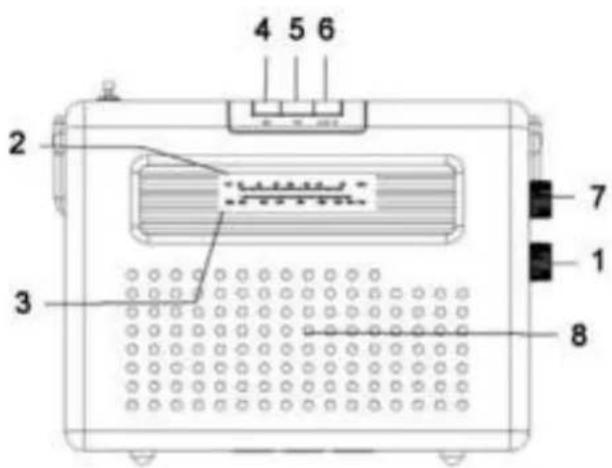
Front panel
- Volume control
- FM scale
- MW scale
- MW function button
- FM function button
- AUX IN button
- Adjustment knob
- Speaker
Rear panel
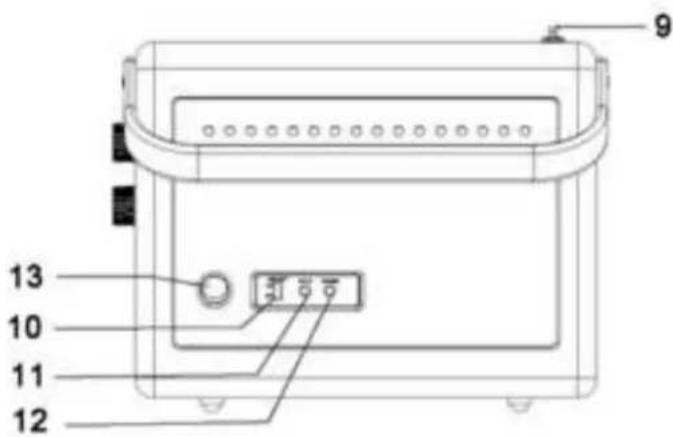
- FM wire antenna (rear of the case)
- Battery button (ON/OFF)
- AUX input
- Speaker input
- Power switch
Electrical data
The radio can be powered by the mains supply or four LR14 batteries.
Mains supply:
- Remove the battery cover.
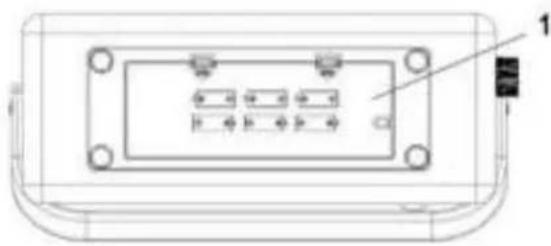
-
Battery cover
-
Remove the built-in power cord and close the compartment.
- Plug the power cord into the mains supply.
NOTE! The batteries in the battery compartment are not used when mains supply is on. You do not need to remove the batteries.
Battery:
- Remove the battery cover.
- Insert four LR14 batteries in the battery compartment. Insert the batteries with the correct polarity inside the battery compartment.
- Close the compartment.
- Turn on the radio: Move the battery knob to the On position.
- Turn off the radio: Move the battery knob to the Off position.
NOTE! Only applies to batteries.
-
When the batteries start to run low the volume is automatically lowered and the radio can even be turned off. Insert new batteries.
Always unplug the power cord before replacing the batteries. -
Do not mix old and new batteries.
- Battery life is affected by the volume. The lower the volume, the longer the life of the batteries.
- Power consumption is very low when the radio is turned off. Let the batteries remain in the compartment so that the station stays tuned.
INSTALLATION
Unpacking and installation
- Carefully remove the unit from the box and remove the packaging material.
- Unwind the power cord and extend it fully.
- Unwind the FM wire antenna and extend it fully.
- Place the unit on a flat, stable surface close to a power outlet so that it is not exposed to direct sunlight or sources of extreme heat, dust, moisture or strong magnetic fields.
- Plug the power cord into the mains supply.
Power supply
The system is only designed for use with 230 VAC, 50Hz . If the product is used with another power source it can be damaged - damage of this kind is not covered by the warranty.
NOTE!
The product is equipped with a polarised plug. If the plug does not fit into your existing power outlet, you probably have an old unearthed power outlet. Allow an authorised electrician to change this to an earthed socket.
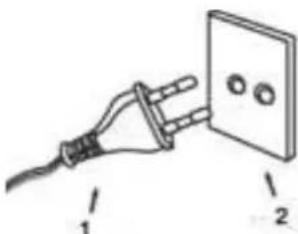
- Plug
- Socket
USE
NOTE!
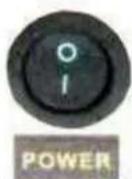
- Turn on the radio: Move the power switch to the I position
- Turn off the radio: Move the power switch (on the left-hand side) to the 0 position
Radio
- Turn on the appliance by pressing the power switch and set a low volume.
- Press the MW /FM buttons to the desired band, MW or FM.
- Set the required station using the tuning dial.
- Turn the volume control to the required level.
- Turn off using the power switch when you've finished listening.
Antenna information
MW - The MW rod antenna is located inside the casing. If MW reception is poor, you can move the radio until the internal antenna is receiving the best possible signal.
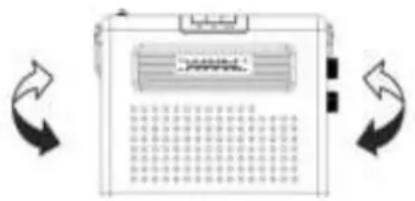
FM - The FM antenna cable is located at the rear of the case. Adjust the placement and direction of the antenna until you find a location with good reception.
Furniture protection
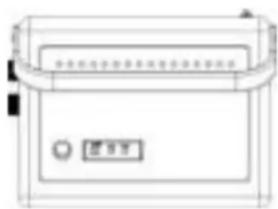
The product has rubber feet that prevent it from moving when the controls are used. The rubber feet are made of special rubber that will not leave marks or stains on the furniture. Some types of oil-based furniture polish, wood preservatives and cleaning spray can soften the rubber feet causing them to leave marks or rubber residue on the furniture. In order to prevent damage to furniture, we recommend that you purchase small self-adhesive felt pads in a hardware store or DIY store and put them under the rubber feet before placing the product on fine wooden furniture.
CUSTOMER SUPPORT
You can contact the Ricatech customer service when you have a question or a problem with your Ricatech product. You can contact us by telephone and email.
For customer support by email, please sent a email to support@ricatech.com. Please make sure that you mention the model number and serial number of the product, mention your name & address and describe your question or problem clearly.
Telephone
For customer support by telephone, please dial +32 3 3265694. One of our service staff will be ready to serve you.
For full procedure please visit the website of Ricatech at: www.ricatech.com
Nederlands
VEILIGHEIDSINSTRUCTIES

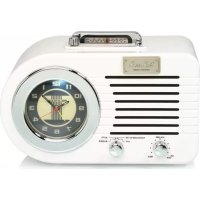

- PR390 PORTABLE RADIO
- ENGLISH
- SAFETY INSTRUCTIONS
- READ THE USER GUIDE CAREFULLY BEFORE USE
- SAVE THESE INSTRUCTIONS FOR FUTURE REFERENCE
- WARNING
- IMPORTANT
- TECHNICAL DATA
- DESCRIPTION
- FRONT PANEL
- REAR PANEL
- ELECTRICAL DATA
- MAINS SUPPLY
- BATTERY
- INSTALLATION
- UNPACKING AND INSTALLATION
- POWER SUPPLY
- NOTE
- USE
- RADIO
- ANTENNA INFORMATION
- FURNITURE PROTECTION
- CUSTOMER SUPPORT
- TELEPHONE
- NEDERLANDS
- VEILIGHEIDSINSTRUCTIES
Brand : Ricatech
Model : PR390
Category : Radio