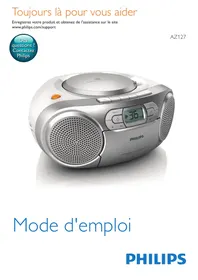


If the disc is spinning but no sound is coming from the Philips AZ127, here are the solutions:
1. Check the volume
Increase the volume by pressing the VOL+ button on the front panel. The volume may be at minimum or muted. Gradually raise it until you hear sound.
2. Check the source selector
The AZ127 has a 4-position source selector. Make sure it is set to CD or AUDIO-IN/CD, even if the disc is spinning. The other positions (FM, TAPE, AUDIO-IN) will not activate CD playback.
3. Check the disc insertion
Ensure that the disc is inserted correctly with the playback side facing down. A disc inserted upside down will produce no sound.
4. Compatible disc types
The CD player of the Philips AZ127 accepts CD-DA, CD-R, and CD-RW formats. Check that your disc is one of these formats (standard audio CD, burned CD, or rewritable CD).
If after these checks there is still no sound, the audio source of the disc itself may be defective, or the CD player may require service.