 EasyManual
 L5S - Printer HPRT - Free user manual and instructions
Find the device manual for free L5S HPRT in PDF.


User questions about L5S HPRT
0 question about this device. Answer the ones you know or ask your own.
Ask a new question about this device
Download the instructions for your Printer in PDF format for free! Find your manual L5S - HPRT and take your electronic device back in hand. On this page are published all the documents necessary for the use of your device. L5S by HPRT.
USER MANUAL L5S HPRT
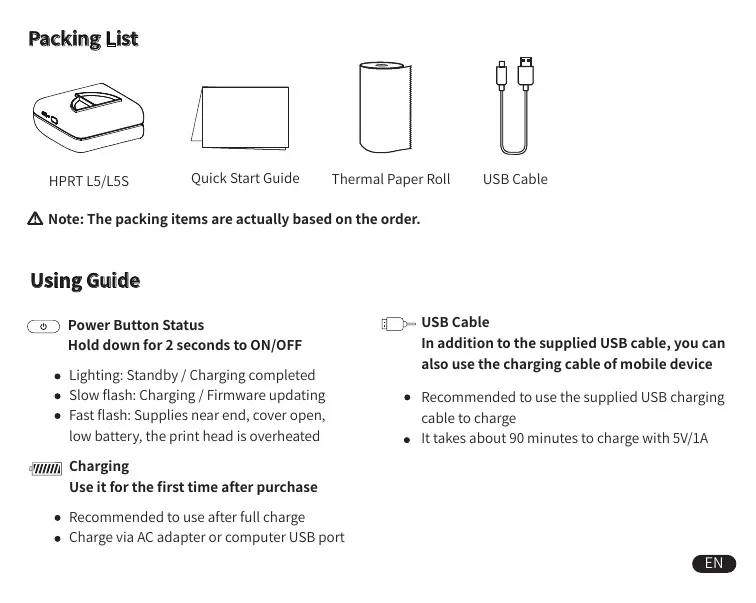
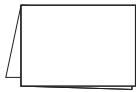
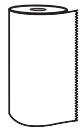
Note: The packing items are actually based on the order.
Using Guide

Power Button Status
Hold down for 2 seconds to ON/OFF
- Lighting: Standby / Charging completed
- Slow flash: Charging / Firmware updating
- Fast flash: Supplies near end, cover open, low battery, the print head is overheated

Charging
Use it for the first time after purchase
- Recommended to use after full charge
- Charge via AC adapter or computer USB port

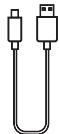
USB Cable
In addition to the supplied USB cable, you can also use the charging cable of mobile device
- Recommended to use the supplied USB charging cable to charge
It takes about 90 minutes to charge with 5V/1A
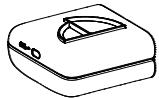
Appearance and Components
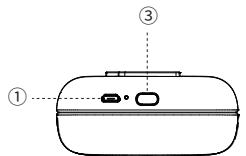
① USB Interface
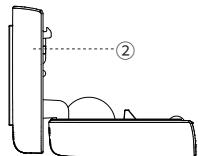
② Upper Cover
③ Power Button
Replace Supplies
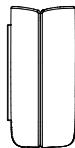
Figure 1
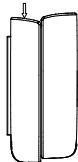
Figure 2
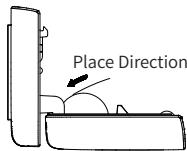
Figure 3
- Place printer as shown in figure 1, pay attention to the arrow marked on the printer.
- With reference to figure 2, push down the upper cover.
- When replacing supplies, place the supplies in reference to the direction shown in figure 3.
- If the supplies are properly placed, close the upper cover to the lower cover and push the upper cover back to its original shape.

When changing supplies, do not touch the print head in case of injury caused by overheating.
APP Setting

Simple Operation APP Setting
- You can view information such as remaining power, firmware version in device management.
Connection
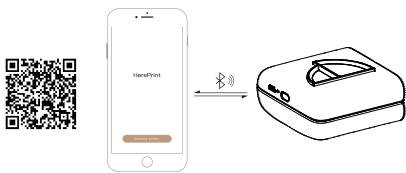
Scan the QR code below and install the App.
Open the App, click "Connect Printer" and select the corresponding printer to connect from the list found via Bluetooth.
Safety Precautions

Battery Overheating
Battery Management and Precautions
- When charging is completed, please unplug the USB cable.
- To avoid fire, do not charge at high temperature (e.g. sweating rooms, bonfire nearby, etc.).

Burn Hazard
Print Head Overheating
- After printing, do not touch the print head directly in case of injury caused by overheating.

Charger Attention
Print Head Management and Precautions
- There may be damage to the print head due to improper charging.
We recommend not to use printer in high humidity or dusty areas.

Charging Port Damage
Charging Precautions
- Please gently insert or unplug the USB cable to prevent excessive damage to the charging port.
付属品
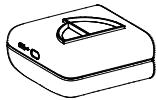
HPRT L5/L5S
取付
印刷用紙
USBケーハル
- 1
Wannanwunwnwnwnwnwnwnwnwnwnwnwnwnwnwnwnwnwnwnwnwnwnwnwnwnwnwnwnwnwnwnwnwnwnwnwnwnwnwnwnwnwnwnwnwnwnwnwnwnwnwnwnwnwnwnwnwnwnwnwnwnwnwnwnwnwnwnwnwn

Wn
- mnnnnaaennnnnnnnnnnnnnnnnnnnnnnnnnnnnnnnnnnnnnnnnnnnnnnnnnnnnnnnnnnnnnnnnnnnnnnnnnnnnnnnnnnnnnnnnnnnnnnnnnnnnnnnnnnnnnnnnnnnnn

yannnnnnae nnnnne
WwWwWwWwWwWwWwWwWwWwWwWwWwWwWwWwWwWwWwWwWwWwWwWwWwWwWwWwWwWwWwWwWwWwWwWwWwWwWwWwWwWwWwWwWwWwWwWwWwWwW
- 157uunwuiWjWqDtuWvuaaunauuWvuaaun

y
·WJUHUNNHNNNNNNNNN
Listedecolisage
HPRT L5/L5S