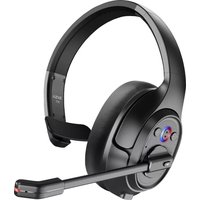
H5 - Headphones EKSA - Free user manual and instructions
Find the device manual for free H5 EKSA in PDF.



| Product Type | Wireless Headset with Microphone |
| Brand | EKSA |
| Model | H5 |
| Bluetooth Version (Headset) | V5.0 |
| Bluetooth Version (Adapter) | V5.2 |
| Wireless Range | 10 m / 32 ft |
| Music Playback Time | ≈ 45 hours (at 70% volume) |
| Talk Time | ≈ 25 hours (at 70% volume) |
| Charging Time | ≈ 1.5 hours |
| Speaker Diameter | 30 mm |
| Speaker Impedance | 32 Ω ±15% |
| Speaker Sensitivity | 125 dB ±3 dB |
| Frequency Response | 20 Hz - 20 kHz |
| Microphone Type | ENC Microphone with AI Noise Cancellation |
| Microphone Sensitivity | -25 dB ±1 dB |
| Microphone Frequency Response | 100 Hz - 10 kHz |
| Microphone Impedance | 2.2 kΩ |
| Polar Pattern | Omnidirectional |
| Main Functions | Play/Pause, Volume +/-, Next/Previous Track, Mic Mute/Unmute, Three-way Call, Dual Connection |
| Power Source | Rechargeable battery, charging via USB-C (5V max) |
| Included Accessories | PC Adapter, USB-C Charging Cable, Charging Stand, Carrying Pouch, User Manual |
| Care and Cleaning | Clean with a soft dry cloth. Recharge at least once every 2 months if not in use. |
| Safety | Adhere to charging voltage (5V). Do not expose to moisture or extreme temperatures. |
Frequently Asked Questions - H5 EKSA
User questions about H5 EKSA
0 question about this device. Answer the ones you know or ask your own.
Ask a new question about this device
Download the instructions for your Headphones in PDF format for free! Find your manual H5 - EKSA and take your electronic device back in hand. On this page are published all the documents necessary for the use of your device. H5 by EKSA.
USER MANUAL H5 EKSA
Headset Bluetooth Version: V5.0
Adapter Bluetooth Version: V5.2
Effective Wireless Range: 10m/32ft
Music Time: ≈ 45 hours (70% volume)
Talk Time: ≈25 hours (70% volume)
Charging Time: ≈ 1.5 hours
Speaker Diameter: 30mm
Impedance: 32 ± 15%
Sensitivity: 125dB±3dB
Frequency Response: 20Hz 20kHz
Size: 2.7mm * 1.85mm
Sensitivity: -25dB±1dB
Frequency Response: 100Hz 10kHz
Impedance: 2.2k
Polar Pattern: Omnidirectional
Mic: Al-Powered Environmental Noise Cancellation

Product Overview
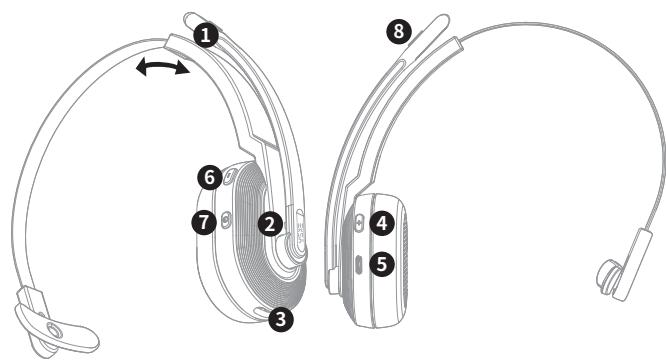
AI-Powered ENC Microphone
Bluetooth & Charging Indicator
Charging Contacts
Volume ^+ /next track
Type-C Charging Port
Volume-/previous track
Multi-Function Button (MFB)
6 Mic Mute Button
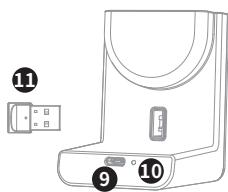
Type-C Charging Port
10 - Charging Indicator
EKSAPCAdapter
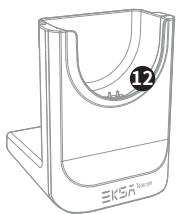
Charging Contacts

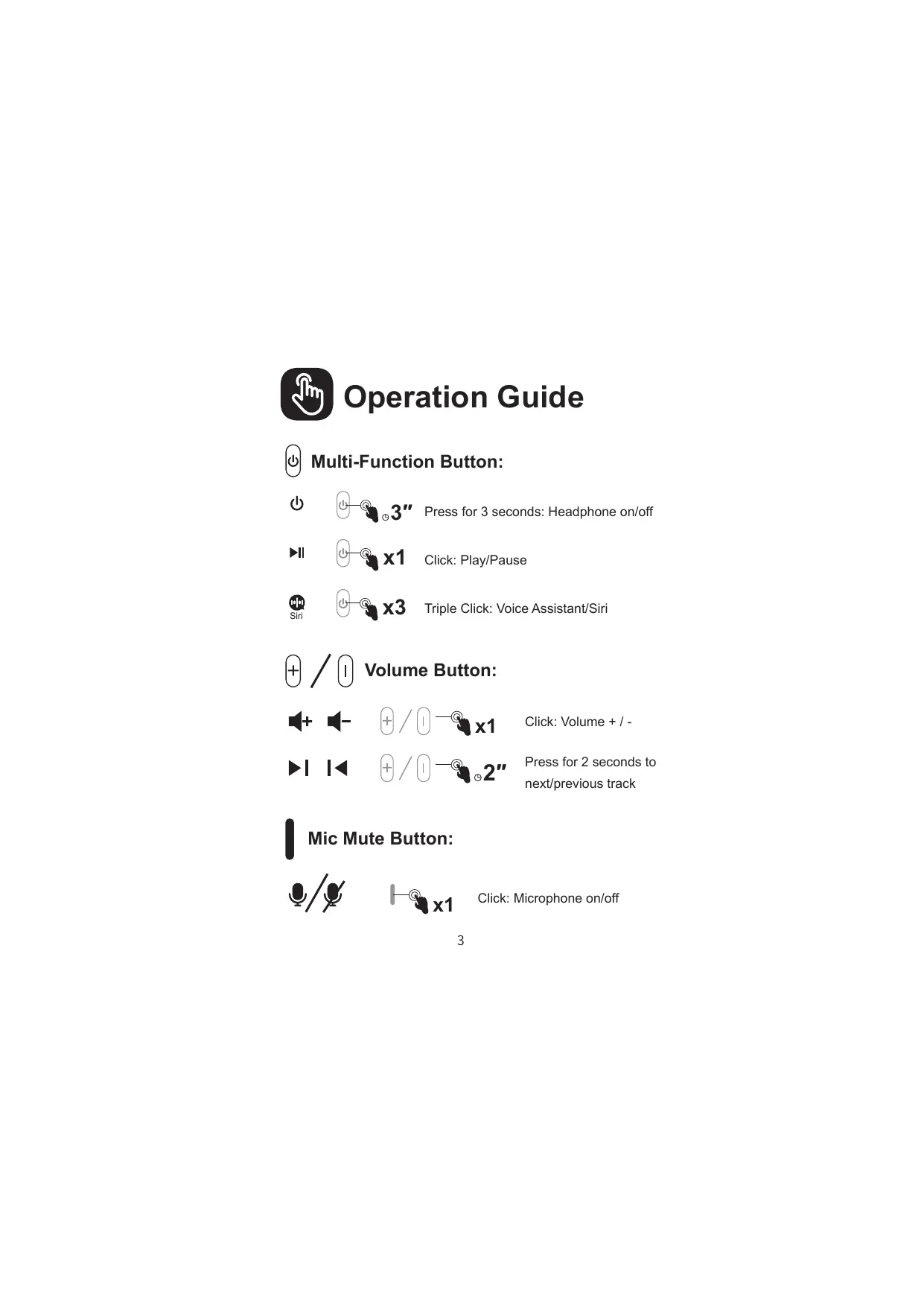
Operation Guide

Multi-Function Button:

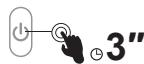
Press for 3 seconds: Headphone on/off

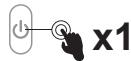
Click:Play/Pause

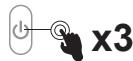
Triple Click: Voice Assistant/Siri


Volume Button:



Click: Volume + / -



Press for 2 seconds to next/previous track

Mic Mute Button:


Click: Microphone on/off

Call Functions
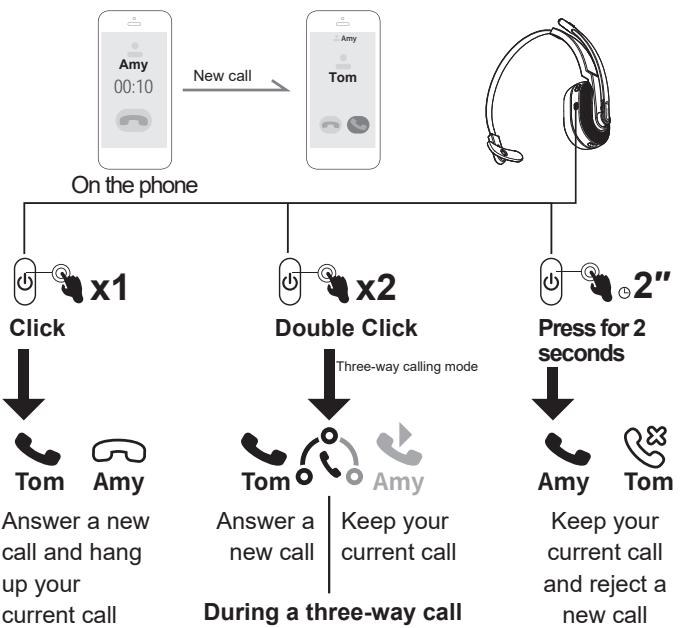
Call Handling:
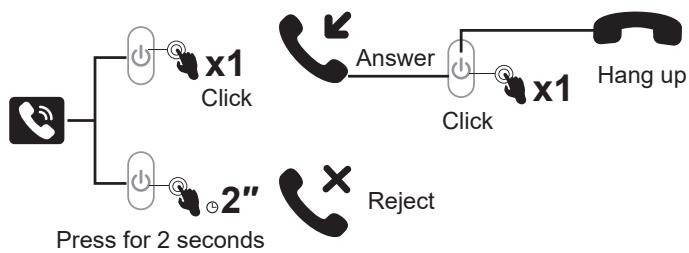
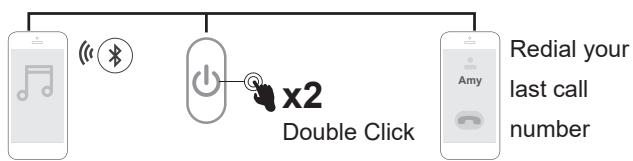
Redial:
Audio Switching:
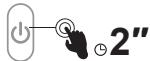
Press for 2 seconds:
During a call, you can switch your audio device.

Call Functions

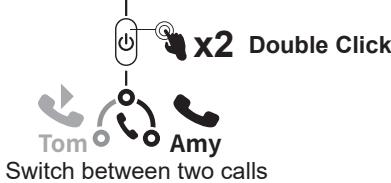
Three-Way Calling:
Bluetooth Pairing
Mobile Phone:
-
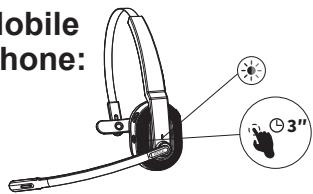
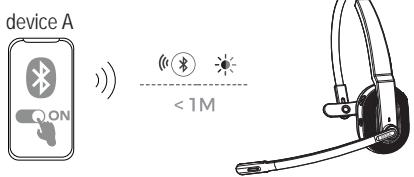
Turn on EKSAtelecom H5, until its Bluetooth indicator flashes alternately between red and blue, indicating that the headset is in pairing mode.
-
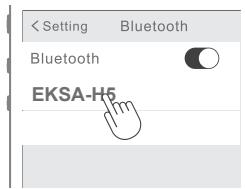
Turn on the Bluetooth of your device, activate the search feature, and select "EKSA-H5". After pairing, the Bluetooth indicator flashes slowly in blue light with a voice prompt "your headset is connected", confirming a successful connection.
Note:
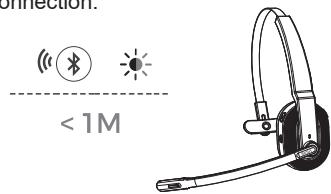

- Ensure that the distance between the EKSATElecom H5 and the device you want
to pair should be kept within 1 meter. - If necessary, the pin code to complete pairing is "0000".
- While in pairing state, if a connection cannot be established within 10 minutes,
the headset will automatically turn off. -
When the headset is turned on again, it will connect to the last connected device
automatically. -
To connect to a new device, turn off the Bluetooth of the currently paired device and follow the above steps to connect successfully
to a new device.
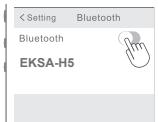
device A
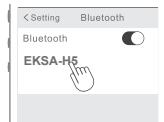
device B

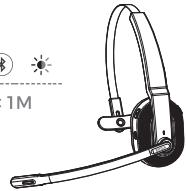

Bluetooth Pairing
PC:
If you want to connect the headset to a PC, you can use the EKSA PC adapter provided in the package. Then, you can enjoy the call function and compatibility of the third-party software of the PC. Follow the steps below to get it done.
- Plug the EKSA PC adapter into your PC's USB port. The adapter will turn on automatically with a name of "EKSA PC Adapter" displaying on your computer.
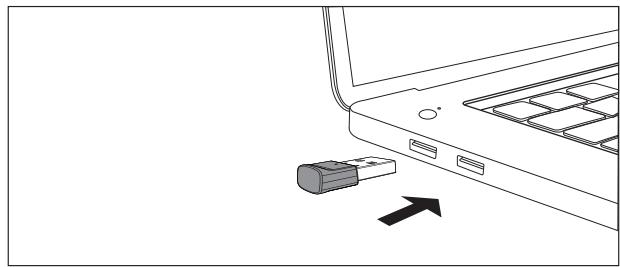
USB-A interface
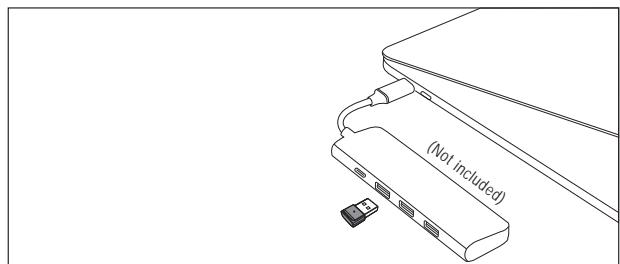
Type-C interface

Bluetooth Pairing
- When enabled, the indicator on the EKSA PC adapter will flash a blue light, which indicates that it is in pairing mode. Then, put the headset on pairing mode and place it as close to the EKSA PC adapter as possible (within 8 inches). The headset will automatically connect to the EKSA PC adapter.
Note: It takes about 20 seconds to establish a connection between the headset and a PC for the first time. Suppose the connection is unsuccessful, please unplug the adapter and plug it back into the PC. Then restart the headset's pairing mode and reconnect to your computer.
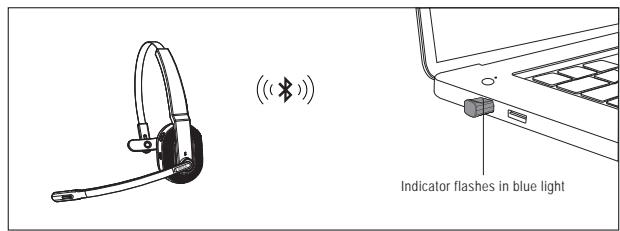
USB-A interface
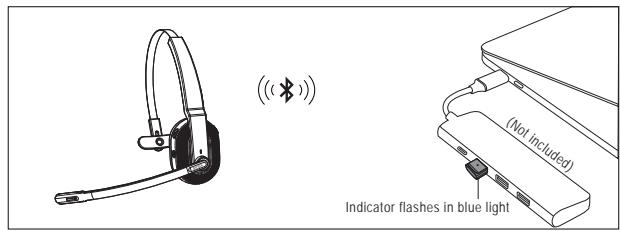
Type-C interface
- After the headset is successfully connected, the Bluetooth indicator on the headset will slowly flash a blue light while the EKSA PC adapter's indicator will always be blue.
Note: When the EKSA PC adapter is not in use, please insert the adapter into the storage hole of the charging stand to avoid misplacing it.

Dual Pairing
- After successfully connecting the EKSATElecom H5 to device A, turn off the Bluetooth of device A. The headset's Bluetooth indicator flashes in red and blue alternately to signify pairing mode.
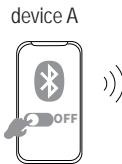
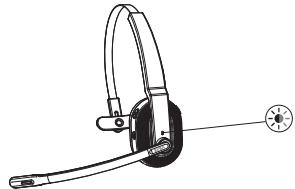
- Turn on the Bluetooth of device B, activate search mode, and connect to EKSATElecom H5.
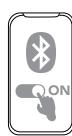
device B
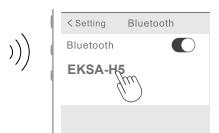
device B
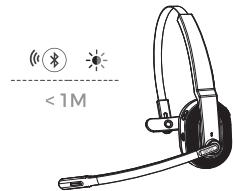
- Turn on the Bluetooth of device A to connect with EKSATElecom H5. This puts both devices A and B in a simultaneous connection with EKSATElecom H5.

Reset
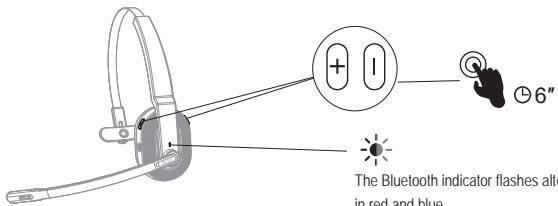
When EKSAtelecom H5 is in connected/pairing mode, press and hold the "volume + " and "volume - " buttons simultaneously for 6 seconds until the LED lights up in red and blue, indicating the pairing information is cleared.

Charging
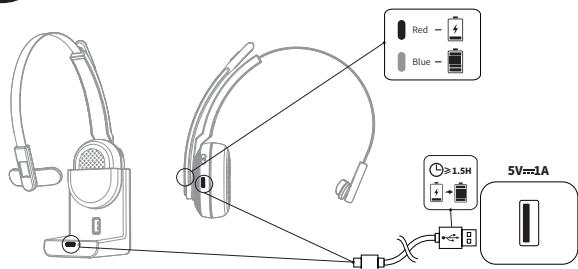
- When the battery is less than 10% , the headset will give a voice prompt "battery low" every 3 minutes. Please charge it as soon as possible.
- When EKSATElecom H5 is not in use, please charge it at least once every 2 months.
- Please use the original charging cable for charging. Charging voltage can't exceed 5V.
JP

八味牛不格里士
Triple clc : Assistant vocal/Siri


Bouton Volume :



Clic : Volume + / -



Headset Bluetooth Version: V5.0
Adapter Bluetooth Version: V5.2
Our friendly customer service team is ready and waiting to help. Feel free to contact us:
GLOBAL: +852 6940 4955 (Mon to Fri 9:00 am-6:30 pm, UTC +8 HKT)
INDIA: +91-8929-369-620 (Mon to Fri IST 9:30 am-5:30 pm)
GLOBAL: info@eksatelecom.com
INDIA: support@eksatelecom.co.in
www.eksatelecom.com/pages/warranty

214-116997

R 214-117078