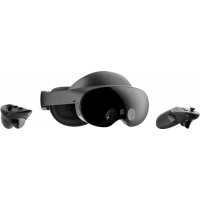
Meta Quest 3 - Headphones META - Free user manual and instructions
Find the device manual for free Meta Quest 3 META in PDF.


User questions about Meta Quest 3 META
0 question about this device. Answer the ones you know or ask your own.
Ask a new question about this device
Download the instructions for your Headphones in PDF format for free! Find your manual Meta Quest 3 - META and take your electronic device back in hand. On this page are published all the documents necessary for the use of your device. Meta Quest 3 by META.
USER MANUAL Meta Quest 3 META
| Meta Prepared by XYZ | Artwork | Manufacturing | Links | ||||||
| Filename: | 20230524_Eureka_SWG_US_TW_CA_R2 | Substrate & Coating: | See Dileline | linkReplacementIcon.ai | Intense.ai | ||||
| Assembly #: | XXX-XXXXXX-XX | hearing icon.a | donotTrash.ai | ||||||
| Project: | Eureka | Dileline #: | 808-01560-01 | overheat icon.ai | Unrated.ai | ||||
| Item: | Eureka US TW CA SWG | Artwork #: | XXX-XXXXXX-XX | IPD ICON.ai | IconPLAYSpace_Set-up.ai | ||||
| Modified: | 06052023 | PKG PP/Printer Guidelines #: | 802-02752-01 | icon-LASER.ai | Icon_Content_Selection.ai | ||||
| Software: | InDesign CC 2023 | Colors | icon-BOKAI | Icon_No_Dangerous_Availability.ai | |||||
| Artist: | Kristine | Output Intent: K + AQ Matte Varnish | icon-INFO.ai | Icon_Hazards_overhead.ai | |||||
| Notes: | Dimensions | Actual | File | Black | Matte AQ Varnish | Dieline | Icon_Guardian_System.ai | Icon_Pass-Through_Camera_dont.ai | |
| Trim: | 114mm x 48.5mm | 114mm x 48.5mm | Icon_Damaged_Device.ai | Icon.Take_A_Break.ai | |||||
| Bleed: | 5mm | 5mm | Icon_Child_Poor_Fit_v3.ai | S_Korea_SAR_SGrade_;01_OL.ai | |||||
| Live: | Comfortable.ai | Icon_HEAD_ADJUSTMENT.ai | |||||||
| Safety: | POCs | Moderate.ai | Compliance-May2019.ai | ||||||
| Finished: | Saddle Stitch | 52+Covers | Legal | Andrew Crowley | PP | Grace Kim | Saddle_Stitch.ai | ||
| Visible: | D | Mark Kuerschner/Aaron Carretti | TPM | Lai Phan/Marcus McDuffie | MetaQuest3_Bootstrap_1-line_MonoBlack_CMYK.ai | ||||
| Scale: | 1:1 | 100% | EP | Lisa Huber | CPM | Mae Hung | |||
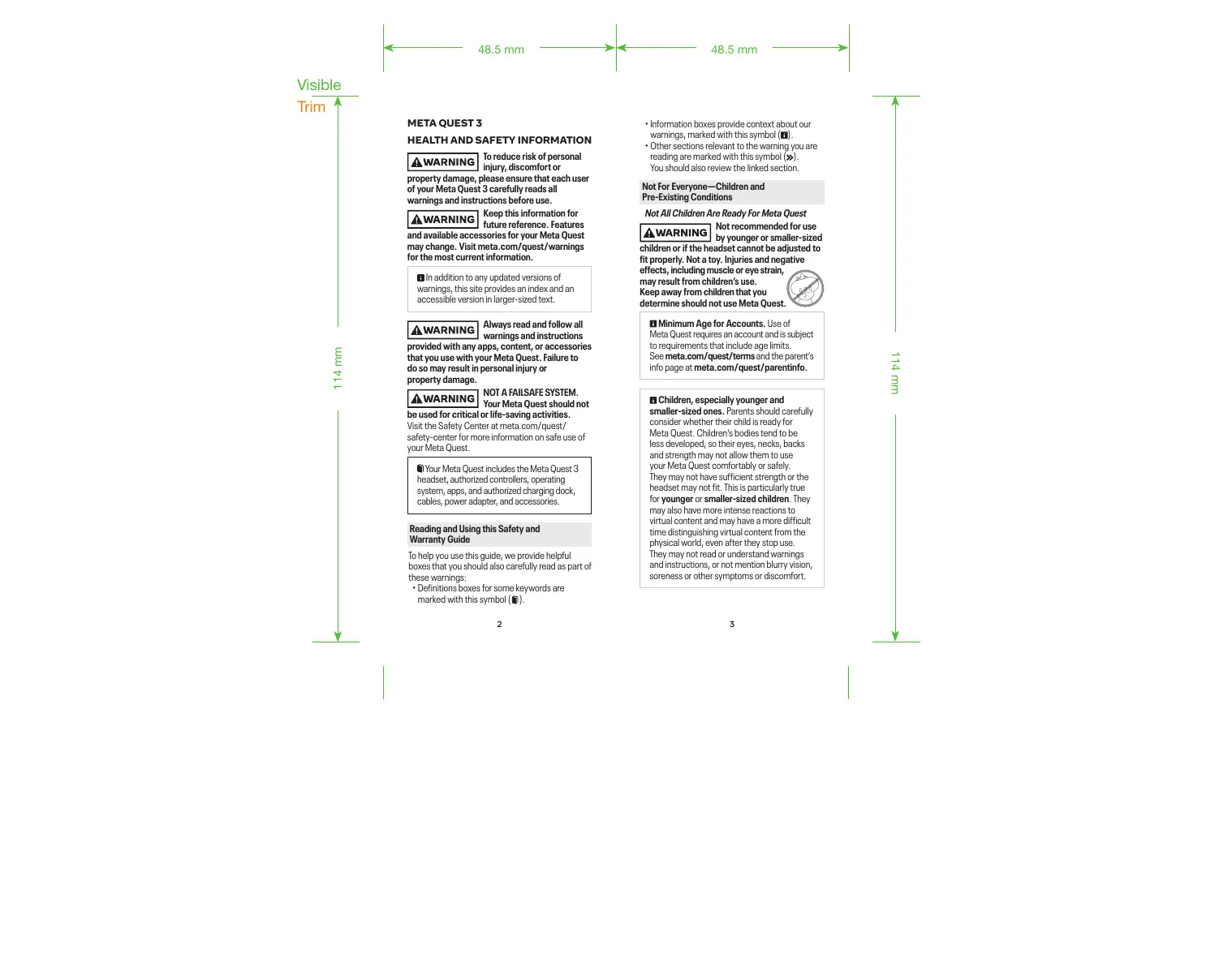
Visible Trim
META QUEST 3
HEALTH AND SAFETY INFORMATION
WARNING
To reduce risk of personal injury, discomfort or
property damage, please ensure that each user of your Meta Quest 3 carefully reads all warnings and instructions before use.
WARNING
Keep this information for future reference. Features
and available accessories for your Meta Quest may change. Visit meta.com/quest/warnings for the most current information.
In addition to any updated versions of warnings, this site provides an index and an accessible version in larger-sized text.
WARNING
Always read and follow all warnings and instructions
provided with any apps, content, or accessories that you use with your Meta Quest. Failure to do so may result in personal injury or property damage.
WARNING
be used for critical or life-saving activities.
Visit the Safety Center at meta.com/quest/safety-center for more information on safe use of your Meta Quest.
Your Meta Quest includes the Meta Quest 3 headset, authorized controllers, operating system, apps, and authorized charging dock, cables, power adapter, and accessories.
Reading and Using this Safety and Warranty Guide
To help you use this guide, we provide helpful boxes that you should also carefully read as part of these warnings:
- Definitions boxes for some keywords are marked with this symbol ( )
Information boxes provide context about our warnings, marked with this symbol (III).
- Other sections relevant to the warning you are reading are marked with this symbol () . You should also review the linked section.
Not For Everyone—Children and Pre-Existing Conditions
Not All Children Are Ready For Me
WARNING
Not recommended for use by younger or smaller-sized
children or if the headset cannot be adjusted fit properly. Not a toy. Injuries and negative
effects, including muscle or eye strain, may result from children's use.
Keep away from children that you determine should not use Meta Quest

Minimum Age for Accounts. Use of Meta Quest requires an account and is subject to requirements that include age limits. See meta.com/question/terms and the parent's info page at meta.com/question/parentinfo.
Children, especially younger and smaller-sized ones. Parents should carefully consider whether their child is ready for Meta Quest. Children's bodies tend to be less developed, so their eyes, necks, backs and strength may not allow them to use your Meta Quest comfortably or safely. They may not have sufficient strength or the headset may not fit. This is particularly true for younger or smaller-sized children. They may also have more intense reactions to virtual content and may have a more difficult time distinguishing virtual content from the physical world, even after they stop use. They may not read or understand warnings and instructions, or not mention blurry vision, soreness or other symptoms or discomfort.
Visible
Trim
114 mm
WARNING
Children's use of Meta Quest should always be supervised
by an adult to reduce likelihood of injury or property damage.
Adults should always help children:
-
Read, understand and follow warnings and instructions,
-
Ensure proper fit and visual clarity, (gg)Getting the Right Fit),
-
Select appropriate activity spaces for use (>> Choosing and Setting Up Your Safe Activity Space),
-
Set up virtual boundaries ( Choosing and Setting Up Your Safe Activity Space),
-
Select appropriate content ( App and Content Selection).
-
Take appropriate breaks and set time limits for use (>> Session Length and Breaks).
Adults should monitor children during and after use for any of the symptoms described in these warnings (» Discomfort and Other
Physical Symptoms)
The section Guidance and Limitations on Children's Use has more important guidance
Pre-Existing Medical Conditions
WARNING
Consult a doctor before using your Meta Quest if you are
pregnant, elderly, have pre-existing binocular vision abnormalities or psychiatric disorders, or have a heart condition or other serious medical condition.
AWARNING
Seizure Risk. Virtual content may include flashes of light or
patterns that may trigger seizures or other symptoms. Immediately stop use and consult a doctor if you experience severe dizziness, seizures, eye or muscle twitching, or black out while using your Meta Quest. Consult a doctor before use if you previously have had a seizure, loss of awareness or other symptoms linked to an epileptic condition.
Seizures. Some people (about 1 in 4,000)
may experience severe dizziness, seizures, eye or muscle twitching, or blackouts triggered by light flashes or patterns. These symptoms may occur while watching TV, playing video games,
or experiencing virtual content, even if they have never had a seizure or blackout before or have no history of seizures or epilepsy. These symptoms are more common in children and young people.
Interference with Medical Devices and Restrictions in Certain Places
AWARNING
Magnetic components.
WARNING Your Meta Quest contains magnets and components that emit magnetic/ electromagnetic fields which could affect the operation of nearby electronics and medical devices, including cardiac pacemakers, hearing aids and defibrillators. If you have a pacemaker, hearing aid or other implanted medical device:
- Maintain a safe distance between the medical device and your Meta Quest headset and controllers.
Consult a doctor or the manufacturer of your medical device before using your Meta Quest.
- Stop using your Meta Quest if you observe interference with your medical device.
- Follow restrictions and instructions provided in certain places to limit or avoid use of radio-electronic devices (for example, in hospitals, on airplanes, or at gas stations).
Prohibited Use
WARNING
Do not use in hazardous
situations. Never use in
hazardous physical world situations, where a task requires focused attention and high coordination or precision of movement, like running or driving. Do not use while handling dangerous objects or materials, like using a knife to chop food.
WARNING
DO NOT USE WHEN IMPAIRED.
WARNING Do not use the headset when you are impaired as it may increase your susceptibility to adverse symptoms and negatively affect your motion and balance. Impairments you should avoid when deciding to use the headset include:
- Influence of alcohol or drugs;
Hangover or upset stomach;
Fatigue, exhaustion or sleeplessness;
Visible
Trim
- Emotional stress or anxiety or
- Infectious disease, headache, migraine, or earache.
Getting The Right Fit
Headset Adjustment
To reduce risk of discomfort—including pressure, redness, irritation, chafing, nausea, strain or other symptoms—the headset should be appropriately fitted to each user.
- Adjustable headstraps to ensure headset placement
- Adjust distance between lenses by turning the wheel at the bottom of the headset, moving the lenses to the position that provides the clearest image.
- When properly adjusted, the headset should fit comfortably, and you should see a single, clear image. Re-check fit before resuming use to reduce risk of discomfort from any unintended changes to the headstraps or lens positions.
Discomfort and Other Physical Symptoms


Controller Adjustment
WARNING Oinstall and use wrist straps or other authorized restraints with controllers and accessories to secure them to your wrist during use so they do not become loose projectiles (unless using an app where a stylus is appropriate and fast movement is unlikely).
Meta Quest Care and Handling
App and Content Selection
WARNING Choose your app and content carefully because virtual content can seem very realistic. Users may react to frightening, violent, disorienting, or anxiety-provoking content as if it were happening in the physical world.
- If you are new to virtual content or have experienced discomfort when trying it before, start with Content and Comfort ratings generally appropriate for all users to see if an experience is right for you. For example, try content that's rated Comfortable before trying content rated Moderate, Intense, or Unrated.
Content and Comfort Ratings
Content and Comfort Ratings
Content ratings may be provided by international or regional rating agencies and displayed in the Meta Quest Store. These ratings provide age recommendations and content descriptors.
Comfort ratings may be displayed in the Meta Quest Store. These can help you understand how comfortable an app is to use, and how likely it may be to cause motion sickness, depending on your needs and level of experience with virtual content.

Comfortable experiences generally avoid camera movement, player motion or disorienting content and effects.

Moderate experiences might incorporate some camera movement, player motion or occasionally disorienting content and effects.

Intense experiences incorporate significant camera movement, player motion or disorienting content and effects.

Unrated experiences are not rated, but may contain intense content. If you experience motion sickness, dizziness or other negative effects, stop the experience and try another experience rated for your comfort level.
To reduce risk of discomfort, go to meta.com/ help/question/articles/accounts/purchasing-apps/ oculus-store-comfort-rating/ to learn more about Comfort ratings and choosing appropriate content.
Physical Activity
WARNING
Vigorous physical activity can lead to injuries or death, even
in apparently healthy people. Before beginning a new exercise program, consult a doctor. This is particularly important if you have been inactive, have a heart condition or have or suspect any other condition that might be worsened by exercise.
- Consider taking more frequent breaks during strenuous activity. Session Length and Breaks
Visible
Trim
- Choose active content carefully. Activities where you move into non-seated or non-upright positions (for example, facing the ground in a push-up) or where you use other exercise equipment (for example, weights) can increase risk of injury or property damage.
- Wipe your Meta Quest dry from any sweat following use, following instructions in
Meta Quest Care and Handling
Your Surroundings, Activity Space and Virtual Content
Limited Perception
WARNING
Limited vision and hearing.
The headset produces an
experience that is engaging and can block your perception of your physical surroundings (sight and sound), which may expose you to hazards. Failure to use your Meta Quest's safety features increases risk of discomfort, injury or property damage.
- During use, do not hold or handle things that are dangerous, may injure you or others or may be damaged.
- Your headset limits your field of view. Use care in moving as you may not perceive something at your side.
- Remove your headset for unobstructed vision in any physical-world situation that requires attention or coordination.
Choosing and Setting Up Your Safe Activity Space
The activity space is the area you choose to use your Meta Quest.
WARNING
Always be aware of your physical
surroundings and potential hazards. Serious injury and property damage may occur if you hit objects, walls (or other structural elements), people or pets or if you trip or fall. Use caution to avoid injury. Stop using your Meta Quest or check your surroundings using Passthrough if you are unsure whether your surroundings are safe.
Navigation safety features help you orient yourself in the physical world while using your Meta Quest. These features and your Meta Quest work best in a well-lit space with walls and surroundings that create different patterns for your Meta Quest's sensors to track your movement.
- Passthrough is a feature on your Meta Quest that uses a sensor to display your surroundings on your Meta Quest screen. The Passthrough feature helps you stay inside your activity space, maintain your virtual boundaries, and helps you navigate your physical activity space if you don't have virtual boundaries set up or if you go outside them.
- Virtual boundaries help you stay in your activity space to avoid collisions with objects in the physical world while you are in your virtual environment.
- Object identification is a feature to help you stay aware, in virtual content, of physical objects you have marked in your surroundings.
Interacting with the Physical World
- Choose an appropriate activity space for the content you plan to use, setting it up so that you can maintain your safety. Avoid hazards (including people, pets or objects overhead) or move them out of the way. Hazards to Avoid.
- Use navigation safety features to help orient you to your surroundings during use.
- Your Meta Quest may not be able to track your movement, and safety features may not work properly, in areas with undecorated plain walls, highly reflective glass or mirror walls or in areas that are poorly lit. Hazards to Avoid.
- Fast or abrupt movement may cause a collision or loss of balance.
- Be aware of people or pets that could enter your activity space without you or your Meta Quest detecting their presence. Take appropriate steps before using your Meta Quest to prevent them from entering your space, especially those who may not understand that your perception is limited (for example, children).
Visible
Trim
- Consider having another person act as a spotter while you move around in virtual content.
- Use with glasses may increase risk of facial injury if you fall or hit your face.
- Use in a moving vehicle such as a car, bus, plane or train may increase your susceptibility to adverse symptoms due to variations in speed or sudden movements (» Discomfort and Other Physical
Symptoms). It may also increase the likelihood of injury or property damage.
Hazards to Avoid. Some hazards that you should identify and avoid when setting up your activity space or using your Meta Quest include:
- Walls, doors, windows, stairs, balconies, ramps and doorways
- Furniture (like coffe table), lamps, loose rugs and uneven flooring
- People (especially young children) and pets
Glass or mirrored tabletops and furniture Liquids, open flames and sources of heat
like candles, fireplaces or heating/cooking devices)
- Ceiling fans, light fixtures and
- Televisions, monitors and other electronic devices


WARNING
Not recommended for use
outdoors. Using your Meta Quest
outdoors may allow additional and uncontrolled hazards to arise (for example, uneven/slippery surfaces, weather conditions and unexpected objects/ vehicles/people/animals). Water and other outdoor elements may damage your Meta Quest or impair its operation. You may not be able to create a consistently safe environment. Your Meta Quest may not work properly outdoors and may not be able to track your position. Lighting conditions that are too bright or dim may prevent your Meta Quest's sensors and navigation safety features from working optimally, and may lead to tracking loss. Navigation Safety Features
Interacting with the Physical World
Virtual boundaries.
Follow on-screen instructions to define your activity space. Virtual boundaries de

not physically stop you or others (people, pets, objects) from entering or leaving your activity space. A virtual boundary may not alert you fast enough if you are moving quickly. Set your boundaries so that you will be safe based on the content and movement you plan to use.
- The virtual boundary system does not have an overhead boundary, so choose activity spaces without overhead hazards.
- AWARNING Set Buffers. If you set your virtual boundaries right next to a hazard, you could strike or touch the hazard. Keep a buffer of space of about 1 to 2 feet (30 to 60~cm ) beyond the virtual boundary based on your activity, your available space and the length of your arms.
- If you are using your hands instead of controllers, virtual boundaries and other alerts may not work if your hands are not in the limited view of your Passthrough sensors.
Mixed reality. Viewing and interacting with external, physical objects or surfaces (such as a couch, wall, table, keyboard or desk) while you are using your Meta Quest is called "mixed reality." Meta Quest allows you to see a live video feed of your physical surroundings through the sensors on your headset. With mixed reality, you can see virtual objects overlayed on top of your view of your physical surroundings. For example, an app can allow you to see a virtual chessboard on top of your coffee table. In other cases, physical objects can be covered and imitated by virtual objects. For example, an app can allow you to put a virtual desk on top of your real desk, so that you can see and use your desk while in a fully immersive app.
Marking objects and object identification.
When you mark where physical objects are, your Meta Quest can identify those physical objects and enable mixed reality experiences when you transition into virtual content. Your Meta Quest cannot show physical objects that are dynamic, unmarked, or have moved since being marked.
Visible
Trim
- Mark all physical objects in your activity space and remove physical objects that you don't mark. For example, mark coffee tables end-to-end in your activity space but remove toys that you don't intend to use.
- When marking physical objects within your activity space, try to be as accurate as possible.
From one session to another, check the accuracy of the physical world to what was marked in the previous session.
Passthrough. Passthrough sensors are not as clear or wide as your natural vision. Passthrough may lag behind what is occurring in the physical world and may not accurately depict distance/depth or colors. Be careful when using Passthrough to view your surroundings.
Take care when grasping and manipulating physical objects, whether in Passthrough or mixed reality.

Local multiplayer is a setting available in some apps that allows users to share the same virtual environment, while sharing a single activity space or physically close activity spaces.
WARNING
Coming into contact with fellow local users could cause
injury, collision, or property damage. Select you shared spaces carefully and follow all in-app instructions and warnings in setting up and using your activity space(s).
Each local user should check to make sure activity space(s) are set up to allow safe interactions without coming into contact with each other.
- Avoid crowding a shared activity space.
- Having more local users and furniture increases risk of injury.
- Use caution leaving the same shared boundaries as another user because you may not see the physical person (or their avatar) when they leave the app.
WARNING
Misunderstanding that a virtual object is physical or vice versa
can lead to injury (for example, attempting to lean on a virtual table with no physical table to support or attempting to walk through a virtual couch
overlaying a physical couch). Use Passthrough, stop use of your Meta Quest or remove your headset if you cannot tell which objects are virtual and which are physical.
Discomfort and Other Physical Symptoms
WARNING
Stop using your Meta Quest if you feel discomfort or other
physical symptoms during or after use. Don't resume until you have fully recovered from discomfort or other symptoms. If you experience ongoing symptoms while or after using your Meta Quest, avoid visually or physically demanding activities, or other activities that require unimpaired balance and hand-eye coordination until you have fully recovered. If discomfort, physical symptoms, or other after-effects continue for a prolonged period or are serious after you stop use, consult a doctor and don't resume using your Meta Quest until they say it's okay.
Examples of discomfort or other physical symptoms that may prompt you to stop use include:
- Discomfort or pain, particularly in the head, eyes, shoulders, neck, back or chest
- Seizures, loss of awareness, involuntary movements
- Motion sickness ( Motion Sickness),
dizziness, disorientation, impaired balance or impaired hand-eye coordination; unusual sweating; increased salivation; nausea; feeling faint or lightheaded
Eye strain, eye or muscle twitching, altered, blurred, or double vision or other visual abnormalities - Shortness of breath or heart palpitations
Feeling tired
Pressure or chafing, itching or irritation, lasting changes in skin appearance, swelling or unusual hair loss, or other skin discomfort
Motion Sickness (visually induced motion sickness, or VIMS) may arise in connection with using your Meta Quest. When it happens, it should
Visible
Trim
be temporary. Content selection and breaks and session length can help you reduce VMS.
App and Content Selection;
Session Length and Breaks
Session Length and Breaks
WARNING
Extended use without adequate breaks may increase
risk of injury, discomfort, adverse effects,
or property damage. Remove your heads and stop use if you feel discomfort and don't use again until discomfort is gone.
- Ensure that your use does not interfere with activities of daily life.
Time and Breaks. Take regular breaks when using your Meta Quest. Start with short use sessions and long breaks when you are using a new headset or new content. For example, when you begin using your Meta Quest start with a maximum use period of 30 minutes plus a break of 15 minutes. Increase the amount of time using your Meta Quest gradually as you grow accustomed to the experience. Different people may need different session and break durations.
Guidance and Limitations on Children's Use
Parents should read and explain this section to their children, along with Not All Children are Ready for Meta Quest.
Children's Development and Virtual Content. Children using virtual content and systems face some risks, particularly children who are younger in age or smaller-sized. Ensuring proper fit Getting the Right Fit) can reduce some of these risks. Minimum Age for Accounts.
- Body size, strength and movement patterns. Children typically have smaller head sizes and reduced neck strength compared to adults. The smaller or younger a child is, the heavier the headset may feel. This means that movement, particularly neck movement,
requires more effort for these children compared with adults. Additionally, children tend to use their whole bodies while in virtual content, which could result in neck, back and leg strain, especially after intense or prolonged use.
- Eyes. The distance between a child's pupils (called interpupillary distance, or IPD) may be smaller than the distance between the parts of your headset's lenses that help focus (called interaxial distance, or IAD). If the lenses cannot be adjusted to fit your child
(»Getting the Right Fit), there is a greater risk of symptoms such as eye strain, blurry vision, headaches or nausea. Younger children's visual systems are still developing and may be negatively impacted by using virtual content.
Seizures. Underlying seizure conditions may be discovered with children's use of virtual content. Seizure Risk and Seizures - Understanding reality. Younger children may have difficulty understanding that virtual experiences are not happening in the physical world. They may respond both physically and psychologically based on what they experience in the virtual world.
Monitor and Ensure Appropriate Use
- Prolonged use by children should be avoided, as this could negatively impact hand-eye coordination, balance or multi-tasking ability, or create other risks of injury/negative effects.
- Limit time children spend using your Meta Quest overall. Consider setting daily and weekly limits.
- Ensure that children take breaks during use. Younger children should take more frequent, longer breaks. Session Length and Breaks
- Ensure that children's use is appropriate in terms of content selection and session length, and does not interfere with activities of daily life.
Children may not draw virtual boundaries correctly and may not stay within virtual boundaries when using virtual content. Parents should help their children draw virtual boundaries (helping move furniture if needed) and ensure they stay in them.
Visible
Trim
Screen time features are available at the Meta Family Center, where you can monitor and choose children's content selections and their length of use.
Select Appropriate Content
Adults should be closely involved in app and content selection for children.
- Avoid exposing them to inappropriate content.
Children and content. Virtual content is immersive, and some apps can be intense, scary, violent, or anxiety-provoking. Mixed reality can also cause intense reactions. Younger children may confuse virtual and physical worlds when using virtual content. Some apps or content may be inappropriate for children.
>> App and Content Selection
- Content that requires a lot of head/neck and body movement can be challenging for children. For smaller-sized children, choose seated or standing content that requires few rapid head/neck/body movements. Use information available at the Meta Quest Store to choose content appropriate to their physical abilities and gaming experience level.
- Monitor children for signs of neck or body strain or injuries, such as soreness or stiffness. If they occur, consider choosing less challenging content, shortening session duration, and taking a day or more break from use. If discomfort continues, consult a doctor.
WARNING Negative vision effects are more likely to occur in children who are younger, in earlier stages of their development, or smaller-sized, as a result of poor fit and lens adjustment or from long-session, repeated use. These include difficulty focusing, eye strain, headaches or fatigue.
Children's Development and Virtual Content
- Ensure that your Meta Quest fits your child properly, with the best vision adjustment possible and that your child takes frequent breaks.
Getting the Right Fit
Younger children may be more susceptible to hearing damage associated with using your Meta Quest at loud levels.

Your Meta Quest
WARNING
Unauthorized Hardware and Software or Accessories:
Your Meta Quest is not designed for use with any unauthorized device, accessory, software or apps. Use with any of these or modifying or hacking your Meta Quest, software or apps may result in injury to you or others, discomfort, property damage, performance issues or damage to your Meta Quest that your warranty may not cover.
Accessories and replacement parts.
The Meta Quest Store offers branded accessories/ replacement parts and also authorizes accessories/replacement parts for your Meta Quest.
- To find out how to identify whether an accessory/replacement part is authorized for use with your Meta Quest, visit meta.com/help/question/authorizedparts.
- Branded and authorized accessories can help you tailor your Meta Quest to fit your preferences.
Meta Quest Care and Handling
WARNING
Do not use your Meta Quest if any part of it is broken
or damaged. Contact Meta Quest Support for assistance at meta.com/help/quest
- Do not disassemble, crush, bend, deform, puncture, shred, or put a high degree of pressure on the headset or controllers. This can cause leakage or an internal short-circuit in the batteries, resulting in overheating.
- Avoid dropping your Meta Quest. Drops can cause damage to the headset, controllers, and batteries. Inspect your Meta Quest for visual damage before each use.
- Do not place your Meta Quest in areas that may get very hot, such as in a car in high temperatures, on or near a cooking surface, cooking appliance,
Visible
Trim
iron, radiator or in direct sunlight. Excessive heating can damage your Meta Quest and could cause the batteries to explode. Do not dry a wet or damp Meta Quest with an appliance or heat source such as a microwave oven, hair dryer, iron or radiator.
Do not place any part of your Meta Quest under a pillow, blanket, clothing, or part of your body. Always ensure that the headset, power adapter, and controllers have adequate ventilation and airflow while in use or charging. Covering the headset or controllers with materials that significantly affect air flow may affect performance or lead to injury or property damage
Do not let your Meta Quest get wet or come in contact with liquids. Even though your Meta Quest may dry and appear to operate normally, battery contacts or circuitry could slowly corrode and pose a safety hazard.
Rough handling or improper storage could lead to fractures in the lenses or the glass panels on the front of your Meta Quest, which could pose a risk of causing cuts.
Periodically inspect your Meta Quest for damage—including the following parts—and do not use if you see or suspect damage to:
The headset (including lenses)
- Electrical components (including charging contacts and ports)
- Controllers
- Other accessories, whether originally included with your Meta Quest or otherwise
Do not attempt to repair any part of your Meta Quest yourself. Contact Meta Quest Support for assistance.
To avoid damage to your Meta Quest, do not expose it to moisture, high humidity, high concentrations of dust or airborne materials, temperatures outside the operating range of 32 to 95^ (0 to 35^ ) or direct sunlight.
1 Direct sunlight. Direct sunlight on lenses may damage or degrade your Meta Quest, including the optics and display.
-
To avoid damage, keep your Meta Quest away from pets.
-
Keep all parts of your Meta Quest clean, cleaning regularly following instructions available from Meta Quest Support.
-
Improper cleaning can damage your Meta Quest and may impair its operation, increasing the risk of injury or property damage.
System Alerts
WARNING
Take immediate action if prompted by the following system alerts:
Overheating Alert. Audible and visual ale may indicate the headset is overheating. Immediately remove your headset and let it cool down before continuing use.
Sound Volume Alert. A visual alert may appear if the volume level is too high. Lower the sound volume to reduce the risk of hearing loss
Tracking Error Alert. A visual alert may indicate that your headset's tracking system or virtual boundaries are not operating properly or may be disabled. Remove the headset and move to a safe space. Then follow the instructions provided in your headset to address this issue.
Batteries, Charging and Temperature
Batteries and Charging
WARNING
Your headset and controllers contain rechargeable
Lithium-ion batteries. Charge only in accordance with these warnings and other instructions. Use of a damaged Meta Quest or improper use of the batteries or power adapter may cause a fire, explosion, battery leakage, overheating or other hazard and result in serious injury or property damage. Do not charge or use your headset if you know or suspect that it is damaged.
If battery fluid is leaking, do not allow the liquid to contact your skin or eyes. If contact occurs, wash the affected area with large amounts of water and seek medical assistance.
- Do not attempt to charge or use the headset or controllers if they are damaged, do not turn on after attempted charging, if they get abnormally warm when used or charged, or if the battery compartments are swollen, leaking liquid or smoking.
Visible
Trim
- The rechargeable Lithium-lon battery in your headset and controllers is not user replaceable or serviceable. Do not attempt to access these batteries, or to open, repair or replace the batteries. Contact Meta Quest Support if you need battery or power management support for your Meta Quest. Meta Quest Care and Handling
Do not use external battery packs or power sources other than those authorized by Meta Quest. Unauthorized Hardware and Software or Accessories
- Do not dispose of your Meta Quest in a fire or incinerator, as the batteries may explode when overheated. Do not store with or dispose in general waste.
Mishandling to avoid. The following could induce battery or other electrical care in your Meta Quest × Meta Quest Care and Handling):
- Disassembling, crushing, bending, deforming, puncturing;
- Exposing to high heat or sources of heat;
- Exposing to liquids;
- Dropping; or
-
Charging or using if the device does not turn on after attempted charging.
-
If you have any special medical or physical conditions that impair the ability to detect heat against your skin, take special care when using the device or charging with the power adapter. Follow any thermal warning or advisory that may appear on your headset's screen.
>> System Alerts
Keep the Charging Points and Cable Clean
WARNING
To avoid overheating, keep the following electrical charging
points clean, dry and free of debris:
- Headset charging port and contacts;
- Headphone jack and
- Authorized power adapter, dock and charging cables.
Periodically check these charging points to ensure that they do not show signs of corrosion or damage. Stop use and contact Meta Quest Support if corrosion/damage is visible or suspected.
Electric Shock
WARNING
- Do not modify or open any of your Meta Quest components.
- Do not charge your Meta Quest if any part of the provided or authorized cables or power adapter is torn, any wires are exposed, debris is present, or the battery compartments are damaged.
- Do not insert any metal, conductive, or any foreign objects into the charging ports, charging contacts, or charging dock.
- Do not expose your Meta Quest to water or fluid.
- Only use authorized charging docks, cables, and power adapters with your Meta Quest.
Repetitive Stress Injury
WARNING
Using your Meta Quest may
WARNING make your muscles, joints, neck, hand(s) or skin hurt. If any part of your body becomes tired or sore while using your Meta Quest, or if you feel symptoms such as tingling, numbness, burning or stiffness, stop and rest at least until the symptoms go away. If you continue to have symptoms during or after use, stop use. If the symptoms persist, consult a doctor.
Temperature
WARNING Check the temperature of your headset and controllers periodically to prevent burns or discomfort.
1 Your headset, controllers, charging dock, and power adapter comply with applicable limits for industry surface temperature standards. Some contact points—including front surfaces—may feel warm. This is normal while in use or while charging.
- Prolonged skin contact with a hot surface on your headset, controllers, or (when plugged in) power adapter may produce skin discomfort, redness or low-temperature burns. If your headset, controllers or power adapter feel hot to the touch or are uncomfortably warm, stop using or charging and allow to cool down.
Visible
Trim
Hearing Loss

NING Do not use high volume levels for prolonged periods to
prevent possible permanent hearing damage System Alerts

Contagious Conditions

TION To avoid transferring contagious conditions, persons with
contagious conditions should not share a Meta Quest, especially conditions like infections or diseases, particularly of the eyes (like pink eye), skin or scalp.
Laser

NING Your headset is a Class I laser product. Do not attempt to
disassemble your headset. Attempting modifications to your headset or lasers may result in hazardous radiation exposure.
Compliance and Regulatory Information
Not a Medical Device

Your Meta Quest is not a medica device, and is not intended to do
treat, mitigate, cure or prevent any disease.
COMPLIANCE AND REGULATORY INFORMATION
PRODUCT SPECIFICATIONS
Headset
Model Number: S3A
Controllers
Model Number: V6P (Left), S2Y (Right)
Regulatory compliance marks are located on the strap arms of the headset.
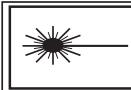
Class 1 Laser Information
This device is classified as Class I Laser product per IEC 60825-1 Ed.3 (2014).
Caution - Use of controls or adjustments or performance of procedures other than those specified herein may result in hazardous radiation exposure.

Compplies with 21 CFR 1040, 10 and 1040, 11 except for conformance with IEC 60825-1 Ed.3 as described in Laser Notice No. 56. dated May 8, 2019
This device should be serviced by Meta Platforms Technologies LLC or an authorized service provider.
LASER
1
IEC 1007/14
REGULATORY INFORMATION - US
FCC Compliance Statement: This device and its related accessories comply with part 15 of the FCC rules. Operation is subject to the following two conditions:
(1) This device may not cause harmful interference, and (2) this device must accept any interference received, including interference that may cause undesired operation.
NOTE: This equipment has been tested and found to comply with the limits for a Class B digital device, pursuant to part 15 of the FCC Rules. These limits are designed to provide reasonable protection against harmful interference in a residential installation. This equipment generates, uses and can radiate radio frequency energy and, if not installed and used in accordance with the instructions, may cause harmful interference to radio communications. However, there is no guarantee that interference will not occur in a particular installation. If this equipment does cause harmful interference to radio or television reception, which can be determined by turning the equipment off and on, the user is encouraged to try to correct the interference by one or more of the following measures:
- Reorient or relocate the receiving antenna.
- Increase the separation between the equipment and receiver.
- Connect the equipment into an outlet on a circuit different from that to which the receiver is connected.
Visible
Trim
- Consult the dealer or an experienced radio/TV technician for help.
FCC Caution: Changes or modifications to a device by the user that are not expressly approved by the party responsible for compliance could make the device no longer comply with the FCC Rules and void the user's authority to operate the equipment.
FCC Radiation Exposure Statement
This product complies with FCC RF radiation exposure limits set forth for an uncontrolled environment.
REGULATORY INFORMATION - CANADA
This device contains license-exempt transmitter(s)/ receiver(s) that comply with Innovation, Science and Economic Development Canada's license-exempt RSS(s). Operation is subject to the following two conditions: (1) this device may not cause interference; and (2) this device must accept any interference, including interference that may cause undesired operation of the device.
CANICES-003(B)/NMB-003(B)
This device is restricted to indoor use. Operation in the band 5150-5250 MHz is only for indoor use to reduce the potential for harmful interference to co-channel mobile satellite systems. Devices shall not be used for control of or communications with unmanned aircraft systems.
LIMITED WARRANTY INFORMATION
Limited warranty found at meta.com/legal/limited-warranty or by request at address below.
META QUEST 3
INFORMATIONS DE SANTÉ ET DE SECURITÉ
AVERAGEMENT
Risque de convulsions.
Seizures. Underlying seizure conditions may be discovered with children's use of virtual content.
Meta Platforms Technologies, LLC
1 Hacker Way, Menlo Park, CA 94025, USA
Meta Platforms Technologies Ireland Ltd.
Merrion Road, Dublin 4, D04 X2K5, Ireland
Meta Platforms Technologies UK Ltd.
10 Brock Street, Regent's Place, London NW1 3FG,
United Kingdom
53
114 mm