FSCC60PW2 - Contrôleur de charge solaire Furrion - Free user manual and instructions
Find the device manual for free FSCC60PW2 Furrion in PDF.
Download the instructions for your Contrôleur de charge solaire in PDF format for free! Find your manual FSCC60PW2 - Furrion and take your electronic device back in hand. On this page are published all the documents necessary for the use of your device. FSCC60PW2 by Furrion.
USER MANUAL FSCC60PW2 Furrion
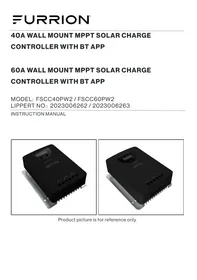
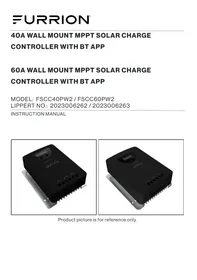
INSTRUCTION MANUAL Product picture is for reference only.
Thank you and congratulations for purchasing the Furrion* MPPT solar charge controller. Before operating your new product, please read these instructions carefully. This instruction manual contains information for safe use, installation and maintenance of the product.
Please keep this instruction manual in a safe place for future reference. This will ensure safe use and reduce the risk of injury.
The manufacturer does not accept responsibility for any damages due to not observing these instructions.
Supplier's Declaration of Conformity
47 CFRS 2.1077 Compliance Information
Unique Identifier Trade Name: Furrion Model No.: FSCC40PW2, FSCC60PW2
Responsible Party - U.S. Contact Information Furrion Innovation Center & Institute of Technology
22244 Innovation Drive, Elkhart, IN 46514-5514, USA Toll free:1-800-789-3341; Email: support@furrion.com
FCC Compliance Statement Any Changes or modifications not expressly approved by the party responsible for compliance could void the user authority to operate the equipment. Note: This equipment has been tested and found to comply with the limits for a Class B digital device, pursuant to part 15 ofthe FCC Rules. These limits are designed to provide reasonable protection against harmful interference in a residential installation This equipment generates uses and can radiate radio frequency energy and, ifnot installed and used in accordance with the instructions, may cause harmful interference to radio communications. However, there is no guarantee that interference will not oceur in a particular installation. this equipment does cause harmful interference to radio or television reception, which can be determined by turning the equipment off and on, the user is encouraged to try to correct the interference by one or more of the following measures:
- Reorient or relocate the receiving antenna
- Increase the separation between the equipment and receiver.
- Connect the equipment into an outlet on a circuit different from that to which the
receiver is connected.
- Consult the dealer or an experienced radio/TV technician for help. This equipment complies with FCC radiation exposure limits set forth for an uncontrolled environment. This equipment should be installed and operated with minimum distance 20cm between the radiator & your body. This device complies with Part 15 ofthe FC Rules. Operation is subject to the following two conditions: (1) This device may not cause harmful interference, and (2) this device must accept any interference received, including interference that may cause undesired operation.
Declaration for Canada
This device contains licence-exempt transmitter(s)/receiver(s) that comply with Innovation, Science and Economic Development Canadaf licence-exempt RSS(s). Operation is subject to the following two conditions:
(1) This device may not cause interference.
(2) This device must accept any interference, including interference that may cause undesired operation ofthe device.
The device meets the exemption from the routine evaluation limits in section 2.5 of RSS 102 and compliance with RSS-102 RF exposure, users can obtain Canadian information on RF exposure and compliance.
This transmitter must not be co-located or operating in conjunction with any other antenna or transmitter. This equipment should be installed and operated with à minimum distance of 20 centimeters between the radiator and your body.
CCD-0007727 Rev: 06-01-23 -1- FURRION Contents
Welcome. Contents. Important Safety Instructions General Safety Precaution: Charge Controller Safety Battery Safety. About Your Product. General Information Key Features . Product Overview Dimensions Structure Accessory - Temperature Sensor. Bluetooth Communication … MPPT Charging Technology and Stages Four Stage Charging Process... Installation … Read before installation Mounting Location Requirements. PV Array Recommendations. Wire Size and Fuse Recommendation: Solar Charge Controller Connections and Steps Grounding Operation... LED Indications. Button Functions . LCD Screen Indication Advanced Modes & Parameter Settings Protections, Troubleshooting, and Maintenanc Protection Features Fault Indication & Troubleshooting, Care and Maintenance.
FURRION -2- CCD-0007727 Rev: 06-01-23
Important Safety Instructions
IMPORTANT: SAVE THESE INSTRUCTIONS- This manual contains important instructions for Models FSCC40PW2 and FSCC60PW2 that shall be followed during installation and operation of the charge controller. The following symbols are used throughout the manual to indicate potentially dangerous conditions or important safety information.
À WARNING Indicates a potentially dangerous condition. Use extreme caution when performing this task.
À CAUTION Indicates a critical procedure for safe and proper operation of the controller.
NOTE: Indicates a procedure or function that is important to the safe and proper operation of the controller.
General Safety Precautions
Read all instructions and warnings in the manual before installation.
«There are no user serviceable components inside oftthe controller. DO NOT disassemble or attempt to repair the controller.
Mount the controller indoors. Prevent exposure to the elements and do not allow water to enter the controller.
Install the controller in a well ventilated area as the unit may become hot during normal operation.
Install appropriate external fuses or circuit breakers.
Disconnect all connections with the solar panels and the fuses or circuit breakers prior to controller installation or adjustment. Ensure connections remain tight to avoid excessive heat.
CCD-0007727 Rev: 06-01-23
Charge Controller Safety
«NEVER connect the solar panel array to the controller without connecting a battery to the controller first.
e_ Ensure input PV voltage does not exceed 95 VDC (25°C) for FSCC40PW2, FSCC60PW2 to prevent permanent damage. Use the Open Circuit Voltage (Voc) parameter of the solar panels to make sure the voltage does not exceed this value when connecting panels together.
+ Foruse with sealed lead acid, GEL, AGM (absorbent glass mat), and LiFePO4 batteries.
Explosive battery gases may be released while charging certain batteries. Be certain there is enough ventilation to release the gases.
e_ Be careful when working with lead acid batteries. Wear eye protection and have fresh water available in case there is contact with the battery acid.
e_ Carefully read battery manuals before operation.
+ Do NOT let the positive (+) and negative (-) terminals of the battery touch each other.
+ Properly dispose of battery when replaced.
-3- FURRION About Your Product
The Furrion Maximum Power Point Tracker (MPPT) series controller can increase charging efficiency by up to 30% compared to conventional Pulse Width Modulation (PWM) controllers. Furrion's sophisticated four stage charge control system can be configured to optimize charge parameters to precise battery charging requirements.
The device is fully protected against voltage spikes, over temperature, reverse polarity
of battery and solar connections. Battery temperature sensors are also available to further protect and improve battery performance using automatic temperature compensation algorithm feature.
The device has an onboard LCD screen to display various solar and battery parameters for quick monitoring and a button interface to customize settings with ease. It also features Bluethooth wireless communication via a mobile application for users to conveniently monitor and customize parameters and track performance and usage over time.
FURRION Compatible with 12V or 24V battery system.
+ _Innovative Maximum Power Point Tracking {MPPT) technology to maximize tracking efficiency >99.9%.
Full digital technology, high charge conversion efficiency up to 98%.
+ Onboard LEDs and an LCD screen to display operational data and device working conditions easily.
e_ Real-time energy statistics function.
«Flexible System battery type selection: Liquid, Gel, AGM, and Lithium
«Four stages battery charging process: MPPT, boost, equalization, float stages.
e__Extends battery life through accurate remote temperature sensor for auto temperature compensation and corrective charging.
Dual automatic protection to avoid exceeding the rated charging power and current.
Full protection against solar panel short circuit & reverse polarity, battery over voltage & reverse polarity and Electrostatic Discharge (ESD).
Multiple load control modes: Always on, Dusk to Dawn, Evening and Manual mode.
°_Built in Bluetooth communication capability.
+ Dedicated and intuitive smart phone APP for easy monitoring and customization.
Monthly charging data can be calculated and displayed by grouping and graphs.
+ Advanced EMC & thermal design.
Buttons (SET, BROWSE) Temperature sensor port Non-functional
Auxiliary Load + /-connections Battery + /- connections
.… Solar panel + /- connections 0. M6 Grounding lug
Accessory - Temperature Sensor
An external temperature sensor (not included) is used to collect battery temperature to perform auto
temperature compensation function. The temperature sensor is connected to the controller indicated by the item 5 shown in the figure 3.
Bluetooth Communication
Download the dedicated Bluetooth app -‘Furrion Solar' for Android/iOS mobile phones from the App store. Refer to the Help/Support section on the app for detailed instructions.
FURRION -6- CCD-0007727 Rev: 06-01-23
MPPT Charging Technology and Stages
Maximum Power Point Tracking (MPPT) is an advanced tracking algorithm that keeps track of input power coming from the solar panels in real time to maximize the charger's performance and improve the system's total efficiency.
The amount of solar energy available during a day varies based on conditions like geographical location, time of the day, inclination angle of the solar panels, relative humidity and impurities in the air, surface cleanliness of the solar panels etc. With all these conditions at play, effecting the amount of energy reaching the panels, it is important that every bit of converted electrical energy is used to charge batteries as efficiently as possible. The MPPT charging technology is designed to track this variable amount of energy coming from the panels and adjust the voltage and current parameters to maximize the battery charging efficiency. The MPPT charging algorithm comprises of four stages that provide rapid, efficient, and safe battery charging.
Four Stage Charging Process
The charge controller's 4-stage charging process is illustrated in the figure below.
ucv) À Equalize Charge
Charge Charge Charge
ll ! ! Nighe mppr D goost l (l
TIME MPPT Charge Stage
In this stage, the battery voltage has not yet reached boost voltage and 100% of available solar power is used to recharge the battery.
In this stage, when the battery voltage reaches the Boost voltage setpoint value, the charger uses a constant voltage to charge the battery to prevent excess heating.
CCD-0007727 Rev: 06-01-23 27- FURRION MPPT Charging Technology and Stages
The controller reduces the voltage to the floating stage, charging with a smaller voltage and current. It will reduce the temperature of battery and prevent the gassing, also charging the battery slightly
at the same time. The purpose of Float stage is to offset the power consumption caused by self- consumption and small loads in the whole system, while maintaining full battery storage capacity.
In Float stage, loads can continue to draw power from the battery. Ifthe system load(s) exceed the solar charge current, the controller will no longer be able to maintain the battery at the Float setpoint. Should the battery voltage remains below the boost reconnect charging voltage, the controller will exit Float stage and return to Bulk charging.
Equalize Charge Stage.
Certain types of batteries benefit from periodic equalizing charge, which can stir the electrolyte, balance battery voltage and complete chemical reaction. Equalizing charge increases the battery voltage, higher than the nominal battery voltage, which gasifies the battery electrolyte. fit detects that the battery is being over discharged, the solar controller will automatically turn the battery to equalization charging stage, and the equalization charging will be 120mins. Equalizing charge and boost charge are not carried out constantly in a full charge process to avoid too much gas precipitation or overheating of battery.
WARNING: Risk of explosion! Equalizing flooded battery can produce explosive gases, so well ventilation of battery box is necessary.
FURRION -8- CCD-0007727 Rev: 06-01-23
Read before installation
à CAUTION: Please read all instructions and precautions in the manual before
proceeding with the installatio
+ This charge controller must only be used in Photo-Voltaic (PV) systems in accordance with requirements given in this user manual and the specifications of other system components provided by their manufacturers. No energy source other than a solar panel or array may be connected to the PV charge controller referred herein.
+ PV-modules must always be disconnected prior to the installation and adjustments of the charge controller; Make sure the circuit breaker, fuse or disconnect switches of battery terminals are breaking the circuit path.
e _ Verify the battery voltage parameter meets the voltage range of the charge controller.
«Batteries store a large amount of energy, never short circuit a battery under any circumstances. We strongly recommend connecting a protection fuse directly to the battery terminal for protection in case of short circuiting the battery.
Certain types of batteries can produce flammable gases. Avoid provoking any sparks, using fire or any exposed flame close to any batteries. Make sure that the battery enclosure is well ventilated to disperse any gases.
°__Onlyuse insulated tools and avoid placing (any) metal objects near/close to batteries.
Be extremely cautious when working with batteries. Wear eye protection. Have fresh water available to immediately wash and clean any contact with battery acid. Get immediately medical aid in case of any hazard that may occur.
Be aware that voltages on given system components, terminals or wires can be a multiple of battery voltage and keep your hands always dry and protected by proper (approved) electrician gloves when working on PV-Systems.
e_ Prevent any water from entering the controller, outdoor installation must avoid any direct sunlight and penetration of any water (e.g, rain) and humidity.
e_ After installation make sure that all connections are properly secured without any loose connections to eliminate the possibility of any hot electrical connection spots.
e__ Do not touch the wire terminal screws with bare hands or with uninsulated metal objects or tools.
e The DC (PV) input is not isolated from the battery circuit. Therefore the PV, battery and control circuit are considered hazardous and should not be user accessible.
«The battery and PV connections must be guarded against inadvertent contact. Install the solar charger in an enclosure.
CCD-0007727 Rev: 06-01-23 -9- FURRION Installation
Mounting Location Requirements
+ Do not subject the solar charge controller to direct sunlight or any other heat sources. Protect the charge controller from any dust, dirt, and moisture.
+ Mount it flat to a vertical wall. lfthere is a backing material installed on the wall, make sure that it is non-flammable material. Ensure the electrical terminals face downwards.
e Maintain a minimum clearance of 6 inches (or 15 cm) above and below and around the controller to ensure unhindered air circulation. Mount the charge controller as close to the batteries as possible (for accurate voltage sensing).
+ Markthe position of the charge controller mounting holes on the wall drill 4 holes and insert dowels and affñix the charge controller to the wall using appropriate screws and the cable terminal openings facing downwards.
PV Array Recommendations
«The solar panels can be interconnected in either series or parallel configuration in a Photo-Voltaic (PV) array. It is recommended to use only one type of panels (with identical parameters) in an array.
For example: © Connecting two or more 165W (FSFP16MW2-BL) panels in series or parallel © Connecting two or more 180W (FSFP18MW-BL) panels in series or parallel / © Connecting two or more 370W (FSFP37MW2-BL) panels in series or parallel e__ Mismatching solar panels in series or parallel is not recommended as it will lower the overall output and efficiency of the PV array. For example: © Connecting one 165W panel with a 180W or a 370W panel in a series or parallel X
ein Series configuration, the negative terminal of the first solar panel is connected to the positive terminal ofthe second panel and 50 on in a daisy chain fashion (see figure below), This will result in addition of the output voltage and wattage of the panels in the array and the output current of the total array will remain the same as output current of one solar panel. For example:
© Consider a PV array of two Furrion 165W solar panels (PN: FSFP16MW2-BL) connected in series configuration.
To Solar Charge Controller
SOLAR PANEL 1 SOLAR PANEL 2
PA: FSFP16MW2-BL PALFSFP16MW/2-BL CCD-0007727 Rev: 06-01-23 -11- FURRION Installation
For a single Furrion 165W solar panel (PN: FSFP16MW2-BL) the voltage at max. power is 17.9V, current at max. power is 9.7A and the max. power is 165W.
After connecting two panels in series configuration,
The resultant array voltage at max. power will be 35.8V, current at max. power is 9.7A and total max. power ofthe array is 330W.
The Furrion MPPT technology based solar charge controller can function efficiently and convert almost 98% of its input solar power into charging power with the help of the added voltage resulting from a series connection of solar panels. The wire gauge of the array can remain the same, as series configuration will keep the output current same as a single panel. Hence, it is recommended to connect solar panels in series configuration in an array when using the MPPT solar charge controller. When connecting solar panels in an array, care must be taken so that the resultant array voltage and power parameters do not exceed the charger specifications shown below.
Model Parameter 40A charger (FSCC40PW2) 60A charger (FSCC60PW2) Maximum input PV power 520W 750W Maximum PV Open Circut Ov sv Voltage (Voc)
Wire Size and Fuse Recommendations
e_ Wiring and installation methods must comply with national and local electrical code/ specifications.
«The wiring specifications of the PV and battery system must be selected according to the rated currents specified.
«Since the PV outputs can vary due to the array connection method, the minimum wire size must be in accordance with the maximum array short-circuit current.
+ Please use PV Photovoltaic wire for connection of the array to the charge controller.
+ _Itisrecommended to install a fuse between the charger and the battery on the positive wire. Location of the fuse should be closer to the battery. The fuse rating must be 1.2 - 1.5 times more than the maximum rated charge current of the solar charge controller.
Please check the following table for wiring specifications:
Model Rated charge | PVWire Gauge | BatteryWire | Rated Discharge | Load terminal current (AWG) Gauge (AWG) current wire Gauge (Load terminals) (AWG) 40A charger (FSCCA40PW2) s0A 10 8 30A 10 0A charger (FSCC40PW2) son 8 $ 30A 10
FURRION -12- CCD-0007727 Rev: 06-01-23
Solar Charge Controller Connections and Steps
40A charger model connection schematic
60A charger model connection schematic
CCD-0007727 Rev: 06-01-23 -13- FURRION Installation
1. Connect the accessories such as the temperature sensor. The 2-pin connector of the temperature sensor cable connects to the temperature sensor port on the charger. Connect the other end with an eyelet terminal to the battery negative terminal to measure the battery temperature.
2. Remove terminal cover before installing wires.
3. Connect the load cables (if applicable) to the charger matching the polarity as indicated by the symbols on the charger. To avoid tension in the cables, connect the cables to the load first and then connect them to the charge controller.
4. Connect the battery cables to the charger matching the polarity as indicated by the symbols on the charger. Make sure a properly rated fuse is installed in line on the cable for the positive lead ofthe battery.
5. Connect the PV array cables to the charger matching the polarity as indicated by the symbols on the charger.
Note: Solar panels produce voltage and current whenever they are exposed to light. When connected in a circuit, the amount of current produced by the solar panels is directly proportional to the light intensity. Be careful when connecting the PV array cables to the charger terminals. The connection of a properly rated fuse is optional but they add additional system safety. À disconnect switch can be very convenient if need arises to disconnect the solar array to the charger for maintenance and troubleshooting.
Add back terminal cover. Ensure wires or terminals are not exposed after installation.
Connect an 8AWG cable with a crimped eyelet terminal to the ground lug on the charge controller and connect the other end to the chassis grounding point.
8. Make sure all the cables are securely attached to the charger terminal. I a disconnect switch is present in line between the solar array and the charger, turn it on to supply power to the charge controller.
9. Observe the operational indications like the LEDs, icons on LCD screen or the parameters on the Bluetooth app for further information.
The 40A and the 60 charge controllers are equipped with an M6 size ground lug on the side of the heat sink. It is recommended to use an 8AWG conductor with an eyelet terminal for grounding the controller to the vehicle chassis in case grounding is required.
CAUTION: For common-negative system, such as motorhome, it is recommended to use a common negative-type controller.
FURRION -14- CCD-0007727 Rev: 06-01-23
SolarLED @ @ @ coa1e0
Battery LED © | © © communication LED LED Status Function Green On Solar panel is connected, not charging. PV Panel (PV Panel) Fast flash (0.1/0.1s) MPPT charging Flash (0.5/0.5s) Equal or Boost Charging Slow flash (0.5/2s) Float Charging Yellow On Battery is normal (Battery) off Over voltage protection active Fast flash (0.1/0.1s) Low voltage protection active Slow flash (0.5/2s) Battery voltage is low Red on Load is on. (Load) of Load is off. Fast flash (0.1/0.1s) Short circuit or over current protection active Slow flash (0.5/0.5s) Over temperature protection active Blue Off No communication (Communication) Fast flash (0.1/0.1s) Normal communication Button Functions SET BROWSE
Press the SET and BROWSE keys at the same time for 15, the LCD screen will lock the interface
Press the SET and BROWSE keys again for 15, the LCD interface will unlock and start scrolling
Press the SET key for 15 to enter the setting mode when the icon © appears on the display interface, and exit automatically after 305 or press the SET.
When the controller is working in street lamp mode, press the SET key for 35 to turn on the load, press the SET key again or 1min later the load will be turned off.
CCD-0007727 Rev: 06-01-23
-15- FURRION Operation
LCD Screen Indications
*PV array charge ampere hours and load ampere hours are off after power failure.
Advanced Modes & Parameter Settings
When the icon © appears in the display interface, it means that the parameters can be set. Press the SET key for 15, then icon © flashes, press BROWSE to change the parameter; when the setting is finished, you can wait 30 seconds to exit the setting mode automatically, or you can press the SET key to exit the setting mode.
Battery Type Selection Cr
When the LCD displays as above, press the SET key for 15, the icon © flashes, now you can select the battery type.
Display Icon Battery Type GEL GEL RG - AGM L'{ Lithium nt Liquid (Defau Lt iquid (Default)
Charging Voltage Parameters (Liquid, GEL, AGM)
When choosing Liquid, GEL or AGM type battery, the parameters of boost, and float charge voltage can be set by Bluetooth App. The range of parameters is as follows. The following voltage parameters are for a 25°C/12V system. For a 24Vsystem, the displayed values need to be doubled.
Charging Stage Boost Equalization Float
Charging Voltage Range 14.0-14.8V 140-15.0V 13.0-145V Default Charging Voltage 145V 148V 132V Charging Voltage Parameters (Lithium)
When choosing a lithium battery type, the overcharge protection and overcharge recovery voltage of lithium battery can be set by the Bluetooth APP.
The charge controller is equipped with an auxiliary load terminal in case a user needs to connect a light load device (For e.g, a 12V LED lamp) directly to the solar charge controller instead of the battery.
The terminals are protected by a rubber plugs to avoid improper usage and provide user safety. When the LCD shows the above icon, press the SET key for 15, the icon © flashes, now you can set the load mode.
Display lcon Load Mode Description n Always ON Mode: e] The load output is always switched ON nl Dusk to Dawn Mode: The load output is switched ON t between sunset and sunrise. 667 Evening Mode: The load output will be switched ON for 23456189 | 2-9hour aftersunset LOGE Manual Mode: The load output can be switched ON and u OFF manually by pressing the SET shortiy.
1. Always on Mode: When the controller is set to always ON mode, no matter the charging or discharging state, the load is always powered ON (except in when in protection state.
2. ‘Street-Lamp’ Function: When the load is set to Dusk to Dawn or Evening mode, the voltage and the Day/Night delay time can be set via the Bluetooth APP and the load can be turned on or off by the test function during the day charging process.
2.1 Day/Night threshold voltage: The controller recognizes day and night based on the solar array open circuit voltage. The day/night threshold voltage parameter can be modified according to local light conditions and the solar array used. Day/Night threshold setting range: 3.0-10.0V/6.0--20.0V (Default: 8/16V for 12/24V systems) 2.2 Day/Night delay time: In the evening, when the solar array open circuit voltage reaches the setting day/night detect voltage, user can adjust the day/night delay time to make the load turn on a little bit later. Day/Night delay time setting range: 0-30min (Default: Omin) 2.3 Test Function: When the controller is working in Dusk to Dawn or Evening mode, press the SET key for 35 to turn on the load. Press the SET key again or the load turns off automatically after 1 minute. If the controller is operating in always on mode, the test function does not work.
3. User-defined Mode: If the load mode is selected "USE", then you can switch on and off the load output manually by pressing SET shortly.
The default switching state of the load in manual mode can be changed by Bluetooth APP. At the
same time, the output to the load can be turned on or off.
e_Ifthe controller turns off the load due to low voltage protection, overcurrent Protection, short-circuit protection or over temperature protection, the load will turn on automatically when the controller recovers from protection state.
+ Please note: Pushing the SET button can still activate the function of the key, even during of the above four kinds of protection states.
CCD-0007727 Rev: 06-01-23 -19- FURRION Operation
Low Voltage Protection and Recovery Setting
When the LCD displays as above, press the SET key for 15, the @ icon flashes, now you can set the controller’ low voltage protection. 1. Lithium Battery
Low voltage protection setting range: 12/24V: 9.0-30.0V (default: 10.6V). 2. Liquid, Gel and AGM Battery
Low voltage protection setting range: 10.8 - 11.8V/21.6 - 23.6 (default: 11.2/22.4).. The controller automatically calculates the low voltage recovery setting according to the low voltage protection setting. It is approximately 1.11 times the low voltage protection setting. The default low voltage recovery setting is 0.8/1.6V higher than the low voltage protection setting. To reduce the recovery voltage, the protection voltage setting needs to be reduced first.
Clear Bluetooth Device Password
When the LCD displays as above, press the SET key for 15,the © icon flashes, you can press OK to clear the Bluetooth device password set by the mobile app.
FURRION -20- CCD-0007727 Rev: 06-01-23
Protections, Troubleshooting, and Maintenance
The controller will limit charging power to the rated level. Over-sized PV array will not be able to operate at maximum power point efficiency.
When PV short circuit occurs, the controller will not start charging. Correct it to resume normal operation.
Warning: Do not short circuit the PV array terminals when the controller
is in active charging mode. This could result in permanent damage to the controller.
Fully protected against PV reverse polarity, no damage to the controller. Correct the connection to resume normal operation.
Battery Reverse Polarity
Fully protected against battery reverse polarity, no damage to the controller. Correct the connection to resume normal operation
Battery Over voltage
Should there be other energy sources to charge the battery, when the battery voltage exceeds 15.8 / 31.3 (Overcharge protection voltage of
lithium battery equals target voltage plus 0.2V), the controller will stop charging to protect the battery from overcharging damage.
Battery Over discharge
When battery voltage drops to the low voltage disconnect setting, the controller will stop discharging to protect the battery from over discharging damage.
Ifthe load current exceeds the maximum load current rating 1.25 times, the
Protection controller will disconnect the load.
Load Short Circuit Once the load short circuit happens, the load short circuit protection will Protection trigger automatically
Over Temperature The controller detects the internal temperature through internal sensor, Protection when the temperature exceeds the setting value, the charging current will
decrease, and consequently, the controller's temperature; Should controllers temperature rise and approach over temperature protection threshold, the controller will stop its operation and resume after temperature lowers/returns to an acceptable level.
Damaged Remote Temperature Sensor
Should the temperature sensor be short-circuited or damaged, the controller will be charging or discharging at the internal temperature automatically to prevent the battery damaged from overcharging or over discharged.
CCD-0007727 Rev: 06-01-23
Switch off all loads, remove short circuit, load will
Short circuit art circu be reconnected after 1 minute automatically.
Reduce the load, the controller will resume normal
Over Current operation after 1 minute automatically.
Load will be reconnected when battery is
Battery Low voltage | harged to the appropriate voltage level.
Check if other sources are overcharging the Battery Over voltage … | battery or ifthe battery type parameter is set correctiy. If not, controller is damaged.
After the temperature decreases, the controller
Over temperature will work normally.
Charge or discharge the battery separately so that the battery voltage is within the normal operating range.
Abnormal Battery voltage detected
Care and Maintenance
For best system performance, the following inspections and maintenance tasks are recommended to be carried out at least two times a year.
Make sure the controller is firmly installed in a clean and dry location. Make sure there is specified clearance area around the controller for proper air flow.
e Check all the terminal wires to make sure insulation is not damaged. Repair or replace some wires ifnecessary.
+ Tighten all terminal screws to the suggested torque: Inspect for loose, broken, or burnt cable/wire connections.
+ Check and confirm that LCD parameters are consistent with the operation. Pay attention to any fault conditions that may occur. Take corrective action immediately if necessary.
Make sure that all ground connections are tight and secure.
+ Check all terminals for any corrosion signs, damaged insulation, increased temperature, damage, or discoloration signs.
+ Check for any dirt, nesting insects. Implement corrective actions as early as possible.
FURRION -22- CCD-0007727 Rev: 06-01-23
Nominal system voltage
Max. MPPT Charging Current
60A MPPT Tracking Efficiency 99% 99% Max. charge conversion Efficiency 98% 28%
3.0-10.0 (Default: 8V)
6.0-20.0V (Default: 16V)
Charging Mode (four stage charging)
MPPT charge, Boost Charge, Float Charge, Equalize Charge
Compatible Battery types
Gel, AGM, Liquid (default), Lithium
Gel, AGM, Liquid (default), Lithium)
Max. Voltage on Battery terminal
VES {4.17mV/K per cell (Boost, Equal), -3.33mV/K per cell (Float)}
Battery Over Charging Protection
YES YES PV Reverse Protection YES (MOSFET Type) YES (MOSFET Type) Battery Reverse Protection YES (MOSFET Type) YES (MOSFET Type)
Over Temperature Protection VES VES Auxiliary Load terminals
YES - Rated for 30A YES - Rated for 30A Auxiliary Load modes (Default: Always OFF)
Always on, Street lamp, User- defined Mode
6AWG Operating Temperature Range
Net Weight (Ibs /kg)
©2007-2022 Furrion Ltd. Furrion® and the Furrion logo are trademarks licensed for use by Furrion Ltd. and registered in the U.S. and other countries.
For Patent Info: www.Lippert.com/patents Pour des informations sur les brevets : www.Lippert.com/patents
FURRION.COM For Patent Info: www.Lippert.com/patents Pour des informations sur les brevets : www.Lippert.com/patents
NLiPPERT The contents of this manual are proprietary and copyright protected by Lippert. Lippert prohibits the copying or dissemination of portions of this manual unless prior written consent from an authorized Lippert representative has been provided. Any unauthorized use shall void any applicable warranty. The information contained in this manual is subject to change without notice and at the sole discretion of Lippert. Revised editions are available for free download from lippert.com,
Please recycle all obsolete materials.
Les renseignements contenus dans le présent manuel peuvent seulement être distribués sous forme de document complet, à moins de recevoir l'approbation explicite de Lippert Components pour distribuer desparties individuelles. Tous les renseignements contenus dans le présent manuel peuvent être modifiés sans préavis. Les éditions révisées pourront être téléchargées gratuitement sur le site lci.com. Ces rensei- gnements sont considérés comme étant factuels jusqu'à ce qu'une version révisée les rende désuets.
0 1 1 0 1 1 I | Û Nu L Charge | Chargede | Charge Nuit [l MPPT renforcement | flottante | ( 1 1 H >
ManualGo.com