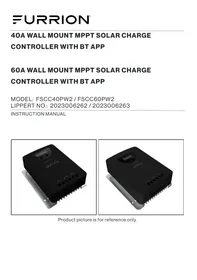
Furrion FSCC40PW2 - Solar charge controller

FSCC40PW2 - Solar charge controller Furrion - Free user manual and instructions

Find the device manual for free FSCC40PW2 Furrion in PDF.

English EN Download 💬 AI Question 10 questions ⚙️ Specs
📄

Document temporarily unavailable

The manual is currently being transferred to our new server. It will be accessible again in a few hours. Thank you for your patience.

View the manual : Français FR English EN
Pick your language and provide your email: we'll send you a specifically translated version.
Product Type MPPT Solar Charge Controller
Model FSCC40PW2
Brand Furrion
Nominal System Voltage 12 V / 24 V (auto-detection)
Maximum MPPT Charging Current 40 A
Maximum PV Power 520 W (12 V) / 1040 W (24 V)
Max PV Voltage (Voc) 95 V at 25°C
Compatible Battery Types Open Lead (Liquid), GEL, AGM, Lithium (LiFePO4)
Charging Process 4 stages: MPPT, boost, equalization, float
MPPT Tracking Efficiency 99%
Maximum Conversion Efficiency 98%
Wireless Communication Built-in Bluetooth (Furrion Solar App)
Display and Controls LCD screen, SET and NAVIGATE buttons, status LED
Auxiliary Load Terminals Yes, 30 A max, modes: always on, dusk to dawn, evening, manual
Protections PV overcurrent, PV short circuit, PV/battery reverse polarity, battery overvoltage, excessive discharge, charging overcurrent, load short circuit, overheat
Automatic Temperature Compensation Yes (optional external sensor)
Grounding Negative common, M6 terminal
Dimensions (L x H x D) 165 x 197 x 67 mm
Net Weight 1.3 kg
Operating Temperature Range -20 to 55 °C
Protection Rating (IP) IP32
Certifications UL 1741, CSA 22.2 No.107.1, FCC Part 15

Frequently Asked Questions - FSCC40PW2 Furrion

What is the maximum PV voltage supported by the FSCC40PW2?
The maximum open-circuit voltage (Voc) is 95 V at 25°C and 100 V at -40°C. Never exceed this value.
Can I use this controller with lithium batteries?
Yes, the FSCC40PW2 supports LiFePO4 batteries. You must select the battery type 'LI' in the settings and adjust the voltages via the Bluetooth app.
How to install the external temperature sensor?
The temperature sensor (not included) plugs into the dedicated port (item 5 on the structure). The other end connects to the negative battery terminal to measure temperature and activate automatic compensation.
What to do in case of E1 error (short circuit) on the screen?
Error E1 indicates a short circuit on the auxiliary load. Turn off all loads, clear the short circuit. The controller will automatically reconnect after 1 minute.
How to set the auxiliary load mode (e.g., lamp)?
Navigate to the load icon. Press SET for 1 second, then use NAVIGATE to choose the mode: 0 (always on), 1 (dusk to dawn), or 2 to 9 (evening X hours). Confirm with SET.
What is the power consumption of the controller in standby?
Consumption in ECO mode is less than or equal to 14 mA.
Can I connect solar panels of different powers?
It is not recommended to mix panels of different powers as this reduces efficiency. Use identical panels (same model).
How to reset the Bluetooth password?
From the LCD screen, navigate to the 'bt' (Bluetooth) icon. Press SET for 1 second, then confirm to clear the password set in the app.
What does the fast blinking of the blue LED (communication) mean?
Fast blinking (0.1/0.1 s) indicates normal Bluetooth communication. If off, no communication is established.
What cable gauge to use for the battery?
For the FSCC40PW2 model, use a 8 AWG cable for the battery and 10 AWG for the solar panel and load. Install a fuse of 1.2 to 1.5 times the rated current (40 A) on the battery positive.

User questions about FSCC40PW2 Furrion

0 question about this device. Answer the ones you know or ask your own.

Ask a new question about this device

The email remains private: it is only used to notify you if someone responds to your question.

No questions yet. Be the first to ask one.

Download the instructions for your Solar charge controller in PDF format for free! Find your manual FSCC40PW2 - Furrion and take your electronic device back in hand. On this page are published all the documents necessary for the use of your device. FSCC40PW2 by Furrion.
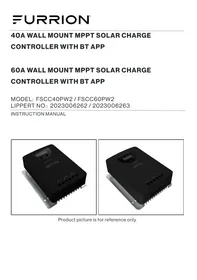
USER MANUAL FSCC40PW2 Furrion

Manual assistant
Powered by Anthropic
Waiting for your message
Product information

Brand : Furrion

Model : FSCC40PW2

Category : Solar charge controller