
G305 - Mouse LOGITECH - Free user manual and instructions
Find the device manual for free G305 LOGITECH in PDF.
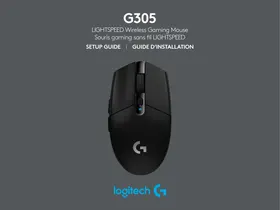



| Product type | Wireless gaming mouse |
| Brand | Logitech |
| Model | G305 |
| Power supply | 1 AA battery (Lithium recommended for lighter weight) |
| Programmable buttons | 6 buttons (Left, Right, Scroll, Forward, Back, Resolution cycle) |
| Resolution (DPI) | 5 levels: 400, 800 (default), 1600, 3200, 6400 (via software) |
| Report rate | 1 ms |
| Connectivity | 2.4 GHz Wireless |
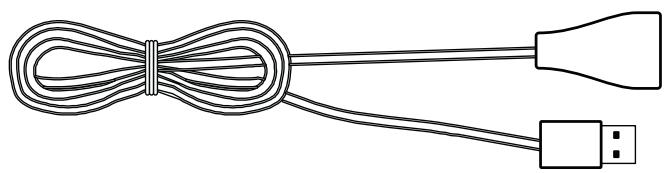
| Receiver | USB Nano with extender |
| Wireless range | Up to 10 meters |
| Operating modes | Performance (default) and Endurance (via software) |
| Configuration software | Logitech G HUB |
| Indicator light | Battery level and resolution indicator (multiple colors) |
| Compatibility | Windows, macOS, Chrome OS (USB port) |
| Maintenance | Clean with a soft, dry cloth |
| Weight | Approximately 99 g (with battery) |
| Dimensions (L x W x H) | 116.6 x 62.15 x 38.2 mm |
Frequently Asked Questions - G305 LOGITECH
User questions about G305 LOGITECH
0 question about this device. Answer the ones you know or ask your own.
Ask a new question about this device
Download the instructions for your Mouse in PDF format for free! Find your manual G305 - LOGITECH and take your electronic device back in hand. On this page are published all the documents necessary for the use of your device. G305 by LOGITECH.
USER MANUAL G305 LOGITECH
SETUP GUIDE GUIDE D'INSTALLATION

logitech
Important Safety, Compliance and Warranty Information
Informations importantes
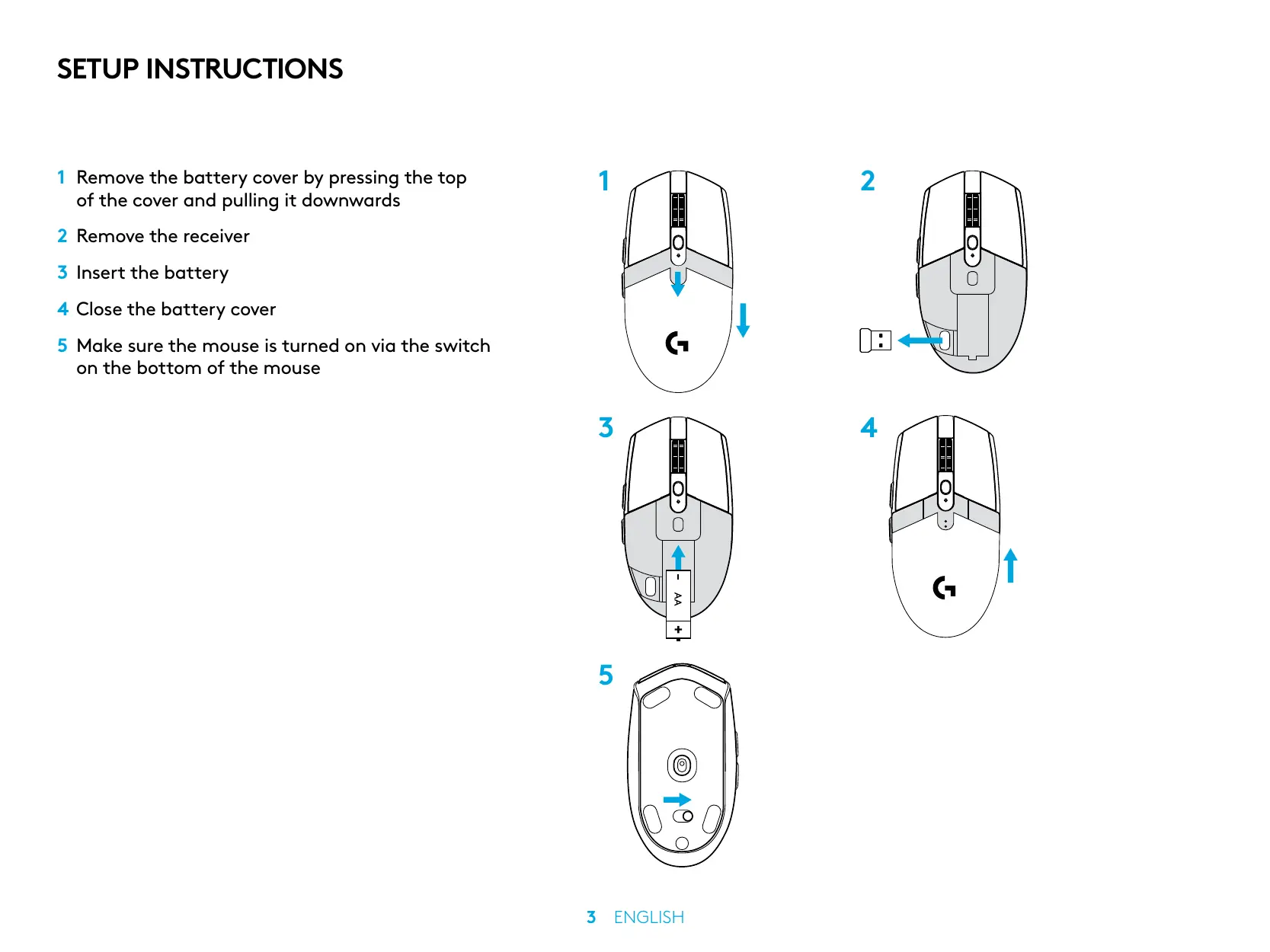
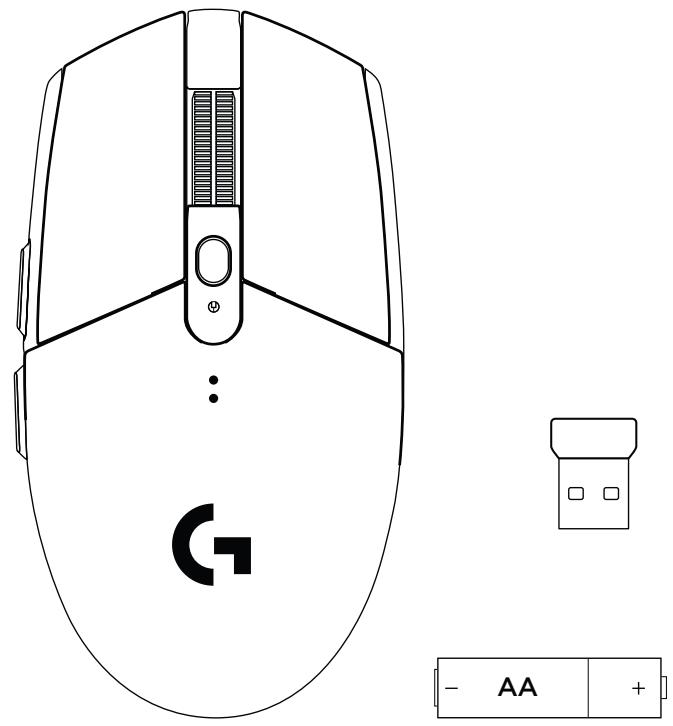
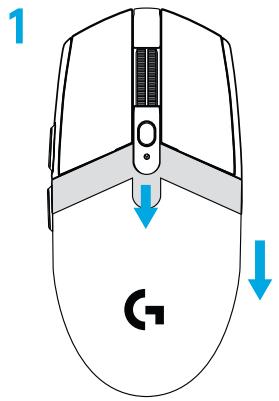
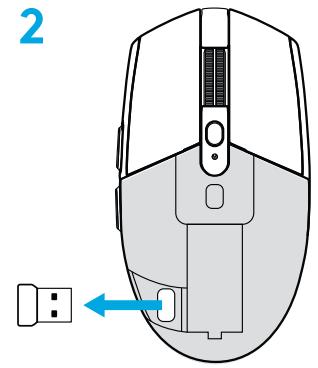
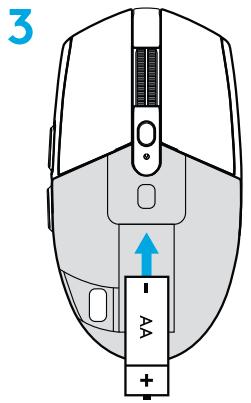
1 Remove the battery cover by pressing the top of the cover and pulling it downwards 2 Remove the receiver 3 Insert the battery 4 Close the battery cover 5 Make sure the mouse is turned on via the switch on the bottom of the mouse
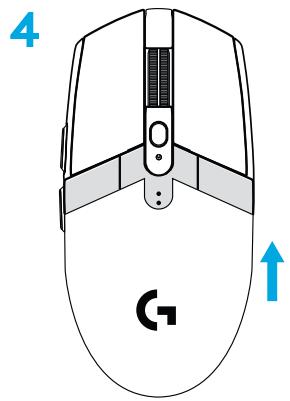
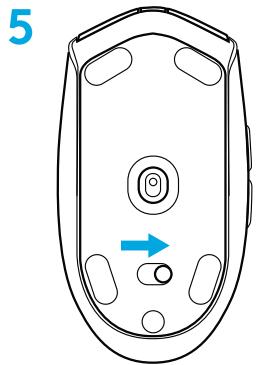
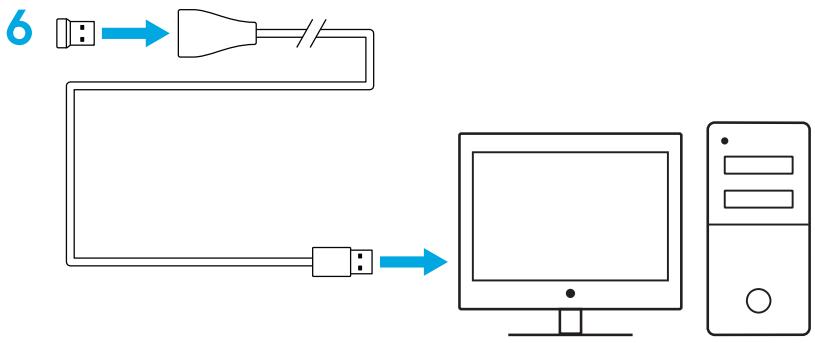
6 Recommended: Insert receiver into the receiver extension cable. Insert extension cable into your USB port. Alternatively, insert receiver directly into your USB port 7 Download the G HUB software
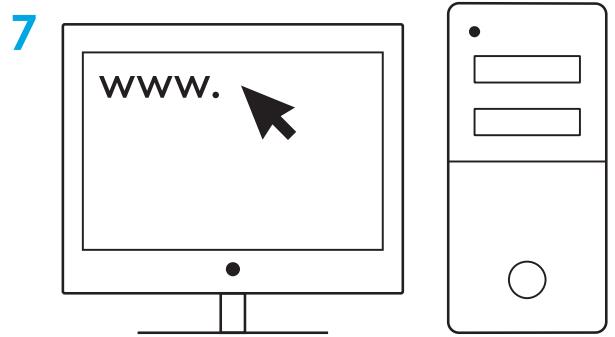
logitechG.com/GHUB
logitechG.com/support
Tips:
- To make your mouse lighter, a lithium AA battery (not included) can be used.
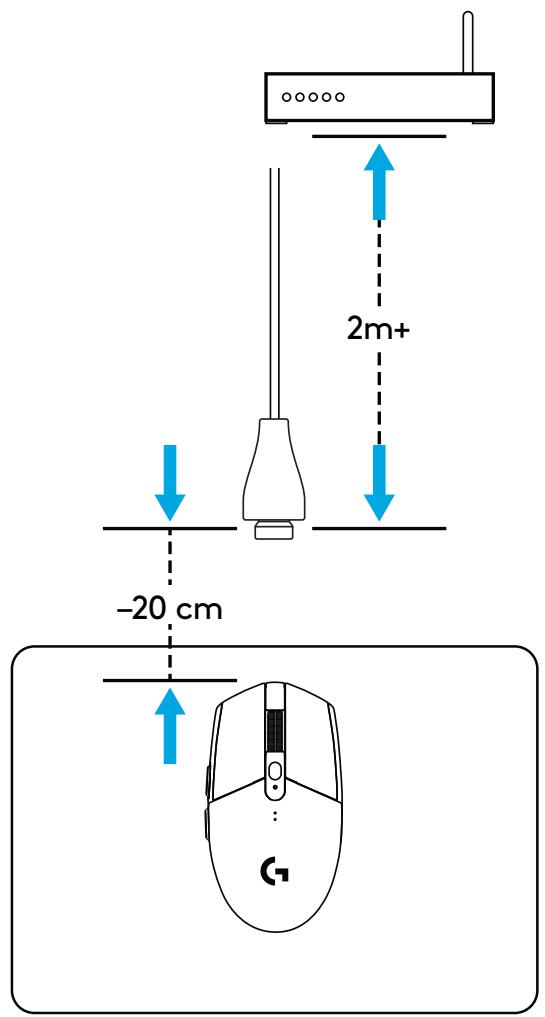
- Keep the mouse and receiver 2m+ away from wireless routers or other 2.4GHz wireless devices to minimize environmental noise.
- G304 / G305 has a wireless range of up to 10 meters. To ensure optimal performance in noisy wireless environments, it is recommended to keep the receiver within 20 cm of the mouse.
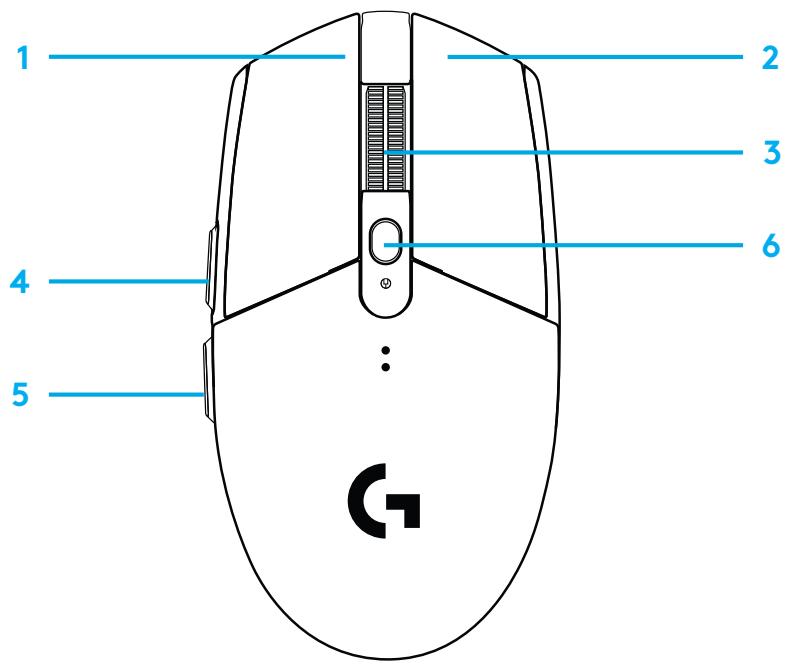
6 FULLY PROGRAMMABLE BUTTONS
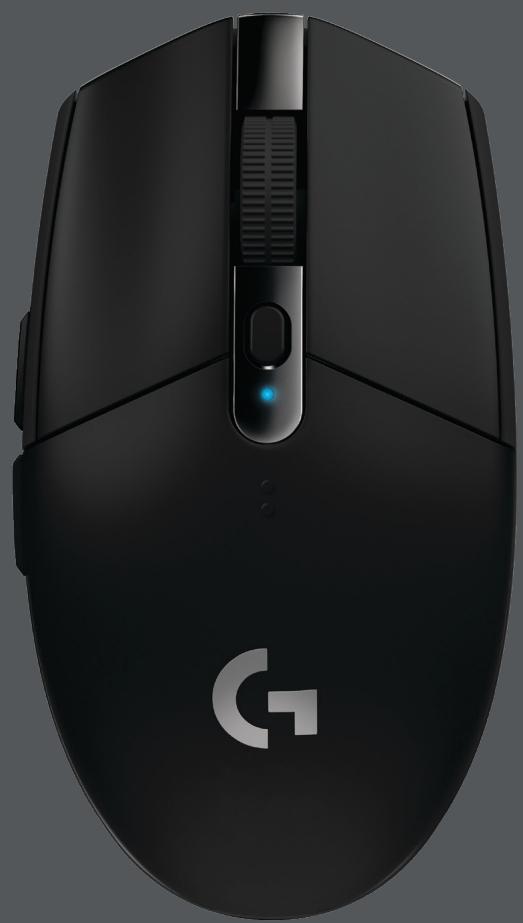
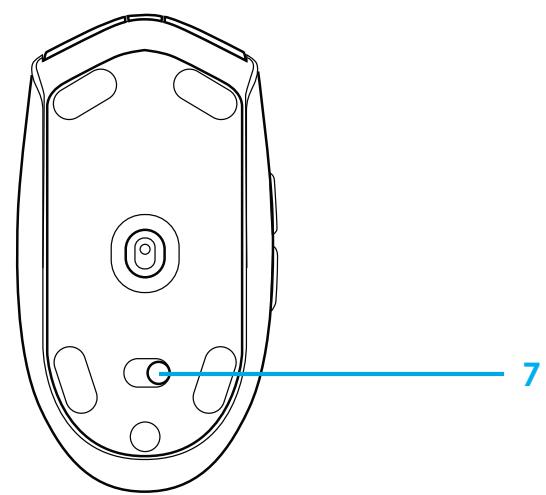
1 Left (Button 1) 2 Right (Button 2) 3 Wheel click (Button 3) 4 Forward (Button 4) 5 Back (Button 5) 6 DPI cycle (Button 6) 7 On/Off switch (bottom of mouse, not programmable)
LED INDICATOR
Battery life
Flashing red: battery <15%
DPI
Yellow: step 1 - 400 DPI
White: step 2 - 800 DPI (default)
Orange: step 3 - 1600 DPI
Magenta: step 4 - 3200 DPI
Blue: step 5 - 6400 DPI (Step 5 can be activated via software only)
Mode
Cyan: performance mode (default)
Green: endurance mode (can be activated via software only).
Tips:
- Activating endurance mode will degrade tracking performance but improve battery life.
G HUB SOFTWARE
You can customize the onboard profile settings using the G HUB. These settings include button programming, report rate, performance/endurance modes and tracking behavior. G304 / G305 allows up to 5 DPI settings.
By default, G304 / G305 has the following settings:
- DPI: 400/800/1600/3200. Report rate: 1ms. Performance mode.
©2020 Logitech. Logitech, Logitech G, Logi and their respective logos are trademarks or registered trademarks of Logitech Europe S.A. and/or its affiliates in the U.S. and other countries. All other trademarks are the property of their respective owners. Logitech assumes no responsibility for any errors that may appear in this manual. Information contained herein is subject to change without notice.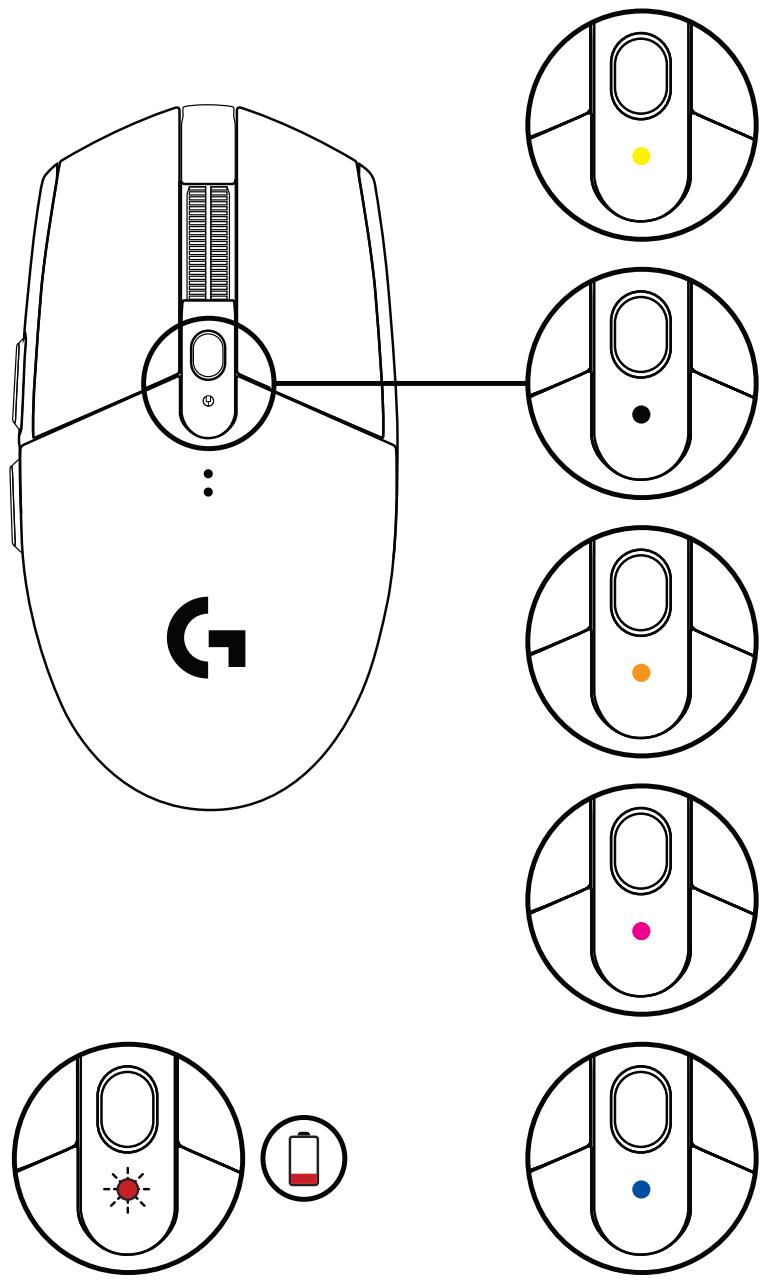
INSTALLATION INSTRUCTIONS


Brand : LOGITECH
Model : G305
Category : Mouse