 ManualGo.com
 BAR30300LATTEBLANC - Machine à café PHILIPS - Free user manual and instructions
Find the device manual for free BAR30300LATTEBLANC PHILIPS in PDF.


Download the instructions for your Machine à café in PDF format for free! Find your manual BAR30300LATTEBLANC - PHILIPS and take your electronic device back in hand. On this page are published all the documents necessary for the use of your device. BAR30300LATTEBLANC by PHILIPS.
USER MANUAL BAR30300LATTEBLANC PHILIPS
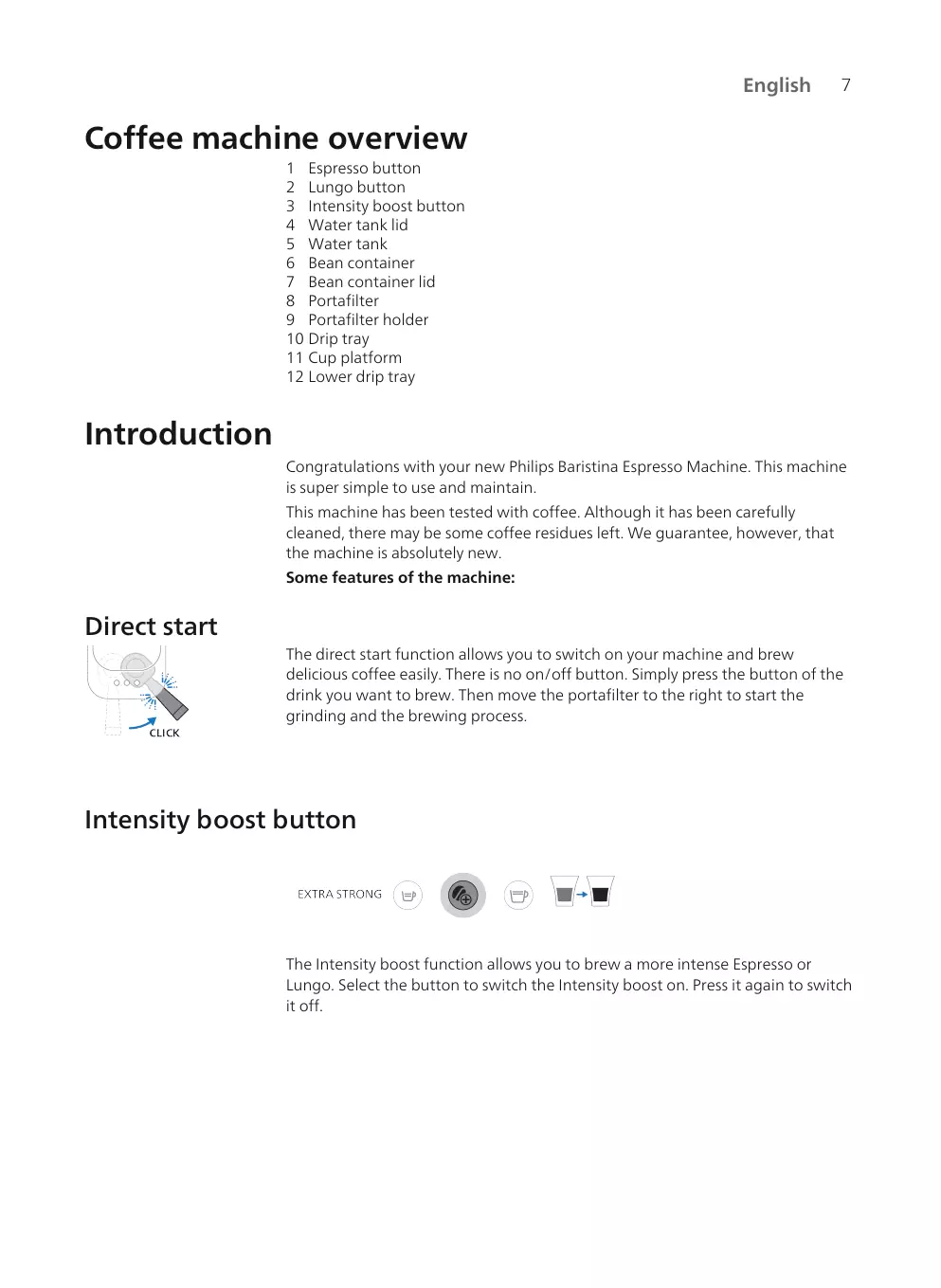
Coffee machine overview 1 Espresso button 2 Lungo button 3 Intensity boost button 4 Water tank lid 5 Water tank 6 Bean container 7 Bean container lid 8 Portafilter 9 Portafilter holder 10 Drip tray 11 Cup platform 12 Lower drip tray
Introduction Congratulations with your new Philips Baristina Espresso Machine. This machine is super simple to use and maintain. This machine has been tested with coffee. Although it has been carefully cleaned, there may be some coffee residues left. We guarantee, however, that the machine is absolutely new. Some features of the machine:
Direct start The direct start function allows you to switch on your machine and brew delicious coffee easily. There is no on/off button. Simply press the button of the drink you want to brew. Then move the portafilter to the right to start the grinding and the brewing process.
Intensity boost button
The Intensity boost function allows you to brew a more intense Espresso or Lungo. Select the button to switch the Intensity boost on. Press it again to switch it off.
Ejection button on the portafilter With this ejection button it is very easy to remove the coffee puck after each coffee brew. Remove the coffee puck by holding the portafilter upside down and pressing the ejection button.
You can remove the drip tray to create extra space to place taller cups or glasses. If the drip tray is removed you can place a cup with a height of up to 135mm.
Preparing for use Before first use, remove all packaging materials from the machine. When you use the machine for the first time or if you have not used it for 1 week or longer, perform the following steps: 1 Insert the portafilter into the machine until it clicks into position.
2 Remove the water tank from the machine.
3 Rinse the water tank. Fill the water tank with fresh water and place it back in the machine.
4 Place a large cup or coffee mug with a volume of at least 150 ml under the coffee spout.
5 Press and hold the Intensity boost button for 5 seconds until the button starts blinking slowly.
6 The machine heats up and starts rinsing water from the coffee spout into the cup. The Intensity boost button will continue to blink slowly during this process.
7 When the Intensity boost light stops blinking, the machine is done rinsing. Remove the portafilter and rinse it under the tap with fresh, lukewarm water. Rinse the portafilter thoroughly from both sides while pressing the puck removal button several times. 8 The machine is now ready for use.
Brewing Espresso or Lungo Standard drink volumes This coffee machine offers two standard drink recipes:
Intensity boost function
This machine comes with an Intensity boost function. This allows you to brew a more intense Espresso or Lungo by grinding more coffee. To use the Intensity boost function, first select an Espresso or Lungo by pressing the drink button, then press the Intensity boost button to switch this function on. As long as the Intensity boost function is enabled, the led in the Intensity boost button is on continuously. When you press it again, the Intensity boost function will be disabled.
Preparing coffee 1 Remove the lid of the bean container and fill it with coffee beans.
Warning: Do not use caramelized or flavored coffee beans.
2 Insert the empty and clean portafilter into the machine until it clicks into place. Note: Make sure the portafilter is empty.
3 Remove the water tank from the machine.
4 Fill the water tank with fresh water and place it back in the machine.
5 Place a cup under the coffee spout that can hold the amount of coffee you prefer (see 'Standard drink volumes'). Note: Make sure the cup is correctly placed under the spout of the portafilter.
You can place a cup with a height of up to 95mm when the drip tray is placed. You can remove the drip tray to create extra space to place taller cups or glasses. If the drip tray is removed you can place a cup with a height of up to 135mm. 6 Press the Espresso or Lungo button to select the drink you want to brew. The selected led will start blinking slowly. Note: You do not have to wait for the machine to heat up. You can continue to the next step to brew the coffee while the button is blinking slowly.
7 To brew a more intense Espresso or Lungo, select the Intensity boost button after selecting your drink. The led of the Intensity boost button will light up. To disable the Intensity boost function, press the button again (see 'Intensity boost function'). Note: The Intensity boost button can only be used if a drink button is selected first. 8 Move the handle to the right until you hear a “click”. The machine will start to grind the coffee beans. While grinding the selected drink, the led keeps blinking slowly.
9 When the machine is done grinding the coffee beans, the portafilter automatically moves back into starting position and the machine starts to brew the selected beverage. The led will keep blinking slowly.
English 10 When the led stops blinking, your coffee is ready. Enjoy your Espresso or Lungo brewed from freshly ground coffee beans.
11 When all leds are off, the portafilter can be removed. Remove the portafilter from the machine to empty it. Invert the portafilter over a bin and press the ejection button to remove the coffee puck from the portafilter. Note: Empty the portafilter after every coffee brew.
Brewing decaf coffee The machine provides also an option to brew decaf coffee using pre-ground coffee powder. 1 Add decaffeinated ground coffee (max. 10g or one full tablespoon) to the portafilter. 2 Insert the portafilter into the machine. 3 Make sure the water container is filled with water. 4 Place a cup under the coffee spout. 5 Press and hold the Intensity boost button for 5 seconds until the button starts blinking slowly. 6 The machine heats up and starts dispensing water through the portafilter to brew your decaffeinated coffee. The led is blinking slowly. 7 Press the Intensity boost button again when you have reached the volume of coffee you want. Your decaf coffee is now ready.
Programming drink volumes Each coffee button is programmed to brew coffee at its ideal setting. Nevertheless, you can adapt the volume of the drink buttons to your wishes and save your preference in the machine. The machine then brews your preferred amount of coffee every time. Note: Only the volume of the drink buttons can be programmed. The Intensity boost button cannot be programmed and/or selected during programming mode.
To program the coffee volume: 1 Fill the water container with fresh water.
2 Place a cup on the drip tray.
3 Insert the portafilter into the machine until it clicks into place.
4 Press and hold the button of the recipe you want to change for 5 seconds, until the button starts blinking intermittently.
5 Move the handle firmly to the right until you hear a “click”. The machine will start to grind the coffee beans for the selected beverage into the portafilter.
6 The portafilter automatically moves back into position and the machine starts to brew the selected beverage.
7 When the cup contains the desired quantity of coffee, press the blinking button (the button you are programming) again. The selected button will blink in a short burst to confirm that the new volume has been programmed.
English 8 The machine is ready when the led stops blinking. Remove the cup and enjoy your coffee with the adjusted volume.
9 When all leds are off, the portafilter can be removed. Remove the portafilter from the machine to empty it. Invert the portafilter over a bin and press the ejection button to remove the coffee puck from the portafilter.
Resetting the drink volumes to factory settings To reset the drink volumes to their factory settings: 1 Press and hold the Espresso, Lungo and Intensity boost buttons simultaneously for 5 seconds until all buttons start to flash fast to show that the machine has been reset to factory settings.
Cleaning and maintenance Rinsing the machine Before first use, make sure to rinse the machine. Also rinse the machine when it has not been used for one week or longer. To rinse the machine, the portafilter needs to be empty and inserted into the machine. To start rinsing, press and hold the Intensity boost button for 3 seconds until the Intensity boost button starts blinking intermittently. 1 Insert the portafilter into the machine until it clicks into place.
2 Remove the water tank from the machine.
3 Rinse the water tank. Fill the water tank with fresh water and place it back in the machine.
4 Place a large cup or coffee mug with a volume of at least 150 ml under the coffee spout.
5 Press and hold the Intensity boost button for 3 seconds until the button starts blinking slowly.
6 The machine heats up and starts rinsing water from the coffee spout into the cup. The Intensity boost button will continue to blink slowly during this process.
7 When the Intensity boost light stops blinking, the machine is done rinsing. Remove the portafilter and rinse it under the tap with fresh, lukewarm water. Rinse the portafilter thoroughly from both sides while pressing the puck removal button several times. 8 The machine is now ready for use.
Cleaning the portafilter Clean the portafilter at the end of the day or in between drinks if preferred by rinsing it. You can also clean the portafilter more thoroughly. Note: The portafilter cannot be cleaned in the dishwasher as this will cause decoloring and damage to the materials. Cleaning the portafilter by rinsing:
English 1 Empty the portafilter.
2 Rinse the portafilter with hot water under the tap. You can use some mild odorless detergent.
Warning: Do not use any sharp objects to empty or clean the portafilter, as this may damage the sealing surfaces.
3 While rinsing, turn the portafilter to rinse it from all sides, and press the ejection button several times.
4 Dry the portafilter with a clean and dry cloth. To thoroughly clean the portafilter head, soak it in warm water and some mild washing-up liquid for approximately 10 minutes. Then rinse it under the tap according to the instructions above. Note: If you have a portafilter with a wooden handle, make sure not to soak the handle in the water.
Cleaning detachable parts You can clean all detachable parts with hot water and some mild, odorless washing-up liquid. Dry the parts with a clean and dry cloth.
Only the drip tray and drip tray lid are dishwasher-safe.
Cleaning the bean container and outside of the machine Clean the inside of the bean container and the outside of the machine with a damp cloth. Dry the bean container and the outside of the machine with a dry cloth.
Do not pour water into the bean container and prevent excessive drops of water from falling into the bean container.
Descaling Descaling procedure When the Espresso and Lungo buttons blink simultaneously a few times after brewing a drink, your machine needs to be descaled. Use Philips CA6700 descaler.
1 Remove the drip tray from the platform and put a container with a capacity of at least 1.2 liters under the coffee spout.
2 Pour half a bottle (125ml) of Philips CA6700 liquid descaler into the water tank.
3 Fill up the water tank with fresh tap water.
English 4 Insert the portafilter. Make sure that there is no coffee puck in the portafilter. Note: The portafilter needs to be inserted to be able to start the descaling process.
5 Press and hold the the Espresso and Lungo buttons together for 5 seconds until the Espresso button starts to blink slowly and the Lungo button is on continuously.
6 The machine dispenses the entire descaling solution at regular intervals. This takes up to 30 minutes.
7 Wait until the Lungo button starts to blink fast and the Espresso button is on continuously. The first phase of the descaling cycle has finished.
8 Remove and empty the container.
9 Place the container back under the coffee spout.
10 Remove the water tank and rinse it under the tap. Fill the water tank with cold tap water and place it back in the machine.
11 Press the blinking Lungo button to start the flushing cycle.
12 While the machine is flushing, the Lungo button starts to blink slowly and the Espresso button is on continuously. Note: The water tank will be emptied without interruption. 13 When the flushing cycle is finished, the lights in the buttons will switch off. The descaling procedure is finished.
14 Remove the portafilter and rinse it under the tap with fresh water. While rinsing, turn the portafilter to rinse it from all sides, and press the ejection button several times. Then dry the portafilter with a clean, dry cloth.
What to do if the descaling procedure is interrupted In case the descaling procedure is interrupted during the phase with descaler and water mixture: unplug the machine, plug it back in and restart the descaling procedure from step one. In case the descaling procedure is interrupted during the flushing cycle: remove the water container, rinse it with water, refill the water container, place it back and rinse the machine a few times (see 'Rinsing the machine').
Meaning of light signals Signal
Espresso or Lungo button
Drink is selected. The portafilter handle can be moved to the right to start grinding coffee. The selected drink button will blink slowly as soon as the drink button is selected and direct start is activated.
Espresso or Lungo button
Blinking fast while brewing coffee
The water container is empty while brewing a coffee. Refill the water container and place it back into the machine. Make sure you push the water container into the housing of the machine until it clicks into place. Then press the blinking fast button to continue the brewing.
20 English Espresso or Lungo button
Blinking fast after refilling The water container is not in place or or placing back the water not placed back correctly. Make sure container you push the water container into the housing of the machine until it clicks into place. Then press the blinking fast drink button to start or continue the brewing process. In case you filled the water container without removing the water container from the machine, press the blinking fast drink button to continue brewing coffee.
Espresso or Lungo button
Blinking fast after the portafilter is automatically moved back
The portafilter is not in place. Push the portafilter into the machine into place. The led will start blinking slowly and the machine will start to brew coffee.
Espresso or Lungo button
Blinking fast during or after grinding Handle is still in the grind position.
The water container is removed from the machine during grinding or not well placed onto the machine. Make sure you place back the water container and push the water container into the housing of the machine until it clicks into place. The machine continues automatically the process.
Espresso or Lungo button
Blinking intermittently.
The programming mode is active (see 'Programming drink volumes').
Espresso and Lungo buttons
Both blinking after brewing a coffee
You need to descale the machine (see 'Descaling').
Espresso and Lungo buttons
The Espresso button is blinking slowly and the Lungo button is on continuously.
The machine is in the first rinsing phase of the descaling procedure (see 'Descaling procedure').
Espresso and Lungo buttons
The Espresso button is on The machine is in the rinsing phase of continuously and the the descaling procedure (see Lungo button is blinking 'Descaling procedure'). slowly.
English Espresso and Lungo buttons
The Espresso button is blinking fast and the Lungo button is on continuously.
The portafilter is not inserted after the descaling process has started. Insert the portafilter and the machine starts the descaling procedure (see 'Descaling procedure'). The water container is not inserted, or not placed correctly, while the descaling process has started. Place the water container and press the Espresso button that is blinking fast to start the descaling procedure (see 'Descaling procedure').
Espresso and Lungo buttons
The Espresso button is on continuously and the Lungo button is blinking fast.
The water container is empty during the descaling procedure. Remove the water container, rinse it with water, place it back, and press the Lungo button that is blinking fast to continue the descaling procedure (see 'Descaling procedure').
Intensity boost button
On continuously and The Intensity boost function is selected. Espresso or Lungo button The Intensity boost button can only be is blinking slowly. selected if one of the drink buttons has been activated first (see 'Intensity boost function').
Intensity boost button
Rinsing the machine is started and performed by the machine.
Intensity boost button
The rinsing or brewing decaf with preground coffee is started without the portafilter inserted. Insert the portafilter and the machine will start the process.
English The water container is empty during rinsing or the water container is missing or not placed correctly. Fill the water container, make sure it is placed back into the machine and press the Intensity boost button that is blinking fast to start the rinsing. All buttons
The machine is going back to starting position. During this period you cannot remove the portafilter. Once the leds have stopped blinking, you can remove the portafilter.
The portafilter cannot be moved to the right to start grinding coffee.
The machine safety is activated to not brew a new coffee when there is still an old coffee puck inside the portafilter.
Remove the portafilter and empty it, rinse it if needed and place it back into the machine. Always make sure the portafilter is empty before starting a new brew.
The portafilter is stuck in the grinding position on the right.
The plug was removed from the machine while the portafilter was in the grinding position.
Move the portafilter back to the starting position manually.
The Espresso or Lungo button keeps As soon as a drink button is selected, blinking slowly and the machine the button will start to blink slowly to does not heat up. indicate the direct start function is activated. The machine is heating up and the next step can already be made.
You do not have to wait. Move the portafilter handle to the right to start the grinding and brewing process.
The machine does not start grinding the beans. The Espresso or Lungo button keeps blinking slowly after the portafilter is moved to the right to start grinding.
Give the portafilter handle a little push to connect it well into the machine. The machine will start to grind the beans. Always make sure you insert the portafilter into the machine fully, until you hear a click.
The portafilter was not inserted completely while moving it to the right, or the portafilter got out of place while moving the portafilter to the right.
The machine does not start brewing The portafilter is out of place after it is coffee. The Espresso or Lungo automatically moved back to the button keeps blinking fast after brewing position. grinding.
Give the portafilter handle a little push to connect it well into the machine. The machine will start to brew coffee.
The portafilter cannot be removed or pulled from the machine.
The water container is removed from the machine during grinding or not well placed onto the machine.
Make sure you place back the water container and push it into the housing of the machine until it clicks into place.
The machine is still brewing coffee.
As long as the brewing process is ongoing and the selected drink led is blinking slowly, the portafilter cannot be removed from the machine.
The coffee brewing, rinsing, programming or descaling process has been interrupted.
If a process is interrupted, the machine needs some time to return to starting position. During this process, the portafilter cannot be removed until all leds are off.
The portafilter cannot be removed The machine is trying to return to a or pulled from the machine and all 3 neutral position but is not able to do leds keep blinking slowly for a so. longer time.
Unplug the machine, wait 15 seconds and plug the machine back in. When plugged back in, the machine will try to solve the problem. If this does not resolve the issue, try to unplug the machine, wait 15 seconds, and plug the machine back in one more time. If this does not work, the machine needs service. Contact the Consumer Care Center in your country.
The coffee is not strong enough or too weak.
The Intensity boost button is not selected.
After a drink recipe is selected, you can press the Intensity boost button to switch this function on. With the Intensity boost button selected the drink will be stronger (see 'Intensity boost function').
The coffee bean type or roast is not strong enough.
Try a different bean type or roast.
You are using the machine for the first time or after switching to a different bean type or roast. The dosing system needs to adjust.
Brew one or two more cups of coffee to optimize the dosing system.
The machine is not brewing coffee and leaks around the portafilter.
The portafilter is not emptied before a new brew was started.
Always empty the portafilter before you start a new brew. Make sure there is no ground coffee remaining in the portafilter before you start the grinding and brewing process.
There is some ground coffee falling out of the machine and onto the drip tray.
The brew was not started with an empty portafilter. There was some ground coffee left inside before starting the grinding and brewing process.
Remove the portafilter from the machine. Empty and rinse it under the tap. Always make sure you start a new brew with an empty portafilter. If the portafilter is stuck, move it back to the left and then remove and empty it. Remove the coffee grounds that fall out with a dry cloth and try to brew a new coffee.
There is some clear water under the machine.
The water container was overfilled when placed back into the machine, spilling water.
When placing a full water container, make sure no water is spilled.
The portafilter is leaking some drops Some coffee or water stayed behind of coffee or water. in the portafilter after emptying or cleaning it.
Some coffee dripping might appear. After rinsing, make sure the shake off excess water.
Milk frother (BAR303, BAR311) Instructions for use 1 Insert the plug into a wall socket.
2 Remove the milk frother lid from the milk frother.
English 25 3 Fill the milk frother with milk to the desired level.
4 Close the milk frother lid and make sure the shaft of the whisk holder fits the lid as indicated.
5 Press the button for 1 second for heating and frothing milk. Press the button for 3 seconds for frothing cold milk.
6 Remove the whisk for cleaning after frothing.
Cleaning and maintenance 1 Rinse the inside of the milk frother under hot running water.
2 Remove the lid and then remove the whisk holder from the milk frother.
English 3 Remove the whisk from the whisk holder and rinse the parts under hot running water.
4 Place the whisk onto the whisk holder. Place the whisk holder with whisk into milk frother.
5 Remove the plug from the wall socket. Clean the outside of the milk frother with a moist cloth.
Troubleshooting This chapter summarizes the most common problems you could encounter with the milk frother.
The light in the button blinks but the appliance does not operate.
You just prepared hot frothed milk or hot milk and pressed the button for milk or hot frothed milk again without letting the appliance cool down.
If you want to prepare hot frothed milk or hot milk again, the milk jug needs to cool down for a few minutes before you can use it again. As long as the milk jug is still hot, the temperature limiter makes sure that the appliance cannot be operated. You can rinse the inside of the milk jug with cold water to let it cool down faster.
The temperature of the milk is too high.
Replace the warm milk with cold milk or let the appliance cool down.
You have not placed the lid properly on the appliance.
Place the lid properly.
The appliance does not froth.
You did not attach the frothing coil to Attach the frothing coil to the the coil holder. coil holder.
You used a type of milk that is not suitable for frothing.
Many factors can influence the quality of the milk froth (like protein content). If the milk does not froth as you would like, try a different type or brand of milk. Use semiskimmed cow's milk at refrigerator temperature for the best frothing result.
The inside of the milk jug is polluted with milk residues, which prevents the coil holder from rotating.
Clean the coil holder and the inside of the milk jug.
Milk escapes from under the lid.
You put too much milk in the milk jug.
Do not fill the milk jug beyond the MAX indication.
The milk is not very hot.
The milk is heated up to approx 74°C to ensure the best froth and taste. Milk proteins start to break down and burn if the milk is overheated.
Not all milk has been frothed.
The appliance does not froth all the milk. The appliance created the optimal milkfroth ratio. The milk easily mixes with coffee or other beverages and the milk froth stays on top for a delicious head.