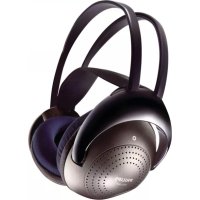
ARCEAU3/00 - Headphones PHILIPS - Free user manual and instructions
Find the device manual for free ARCEAU3/00 PHILIPS in PDF.


User questions about ARCEAU3/00 PHILIPS
0 question about this device. Answer the ones you know or ask your own.
Ask a new question about this device
Download the instructions for your Headphones in PDF format for free! Find your manual ARCEAU3/00 - PHILIPS and take your electronic device back in hand. On this page are published all the documents necessary for the use of your device. ARCEAU3/00 by PHILIPS.
USER MANUAL ARCEAU3/00 PHILIPS
Notice of compliance
The device complies with the FCC rules, Part 15. Operation is subject to the following two
1. This device may not cause harmful interference, and
2. This device must accept any interference received, including
interference that may cause undesired operation.
FCC rules
This equipment has been tested and found to comply with the limits for a Class B digital device, pursuant to part 15 of the FCC Rules. These limits are designed to provide reasonable protection against harmful interference in a residential installation. This equipment generates, uses and can radiate radio frequency energy and, if not installed and used in accordance with the instruction manual, may cause harmful interference to radio communications.
However, there is no guarantee that interference will not occur in a particular installation. If this equipment does cause harmful interference to radio or television reception, which can be determined by turning the equipment off and on, the user is encouraged to try to correct the interference by one or more of the following measures:
Reorient or relocate the receiving antenna.
Increase the separation between equipment and receiver. Connect the equipment into an outlet on a circuit different
Connect the equipment into an outlet on a circuit different from that to which the receiver is connected.
Consult the dealer or an experienced radio/TV technician for help.
FCC Radiation Exposure Statement:
This equipment complies with FCC radiation exposure limits set forth for an uncontrolled environment.
This transmitter must not be co-located or operating in conjunction with any other antenna or transmitter.
Caution: The user is cautioned that changes or modifications not expressly approved by the party responsible for compliance could void the user's authority to operate the equipment.
Canada:
This device contains licence-exempt transmitter(s)/receiver(s) that comply with Innovation, Science and Economic Development Canada's licence - exempt RSS(s). Operation is subject to the following two conditions: (1) this device may not cause harmful interference, and (2) This device must accept any interference received, including interference that may cause undesired operation of the device.
CANICES-3(B)/NMB-3(B)
IC Radiation Exposure Statement:
This transmitter must not be co-located or operating in conjunction with any other antenna or transmitter. This equipment should be installed and operated with a minimum distance of 0mm between the radiator and your body.
French
Avis de conformité
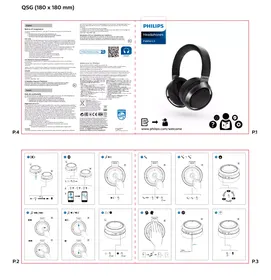
Philips Headphones App

Welcome to Philips!
Philips and the Philips Shield Emblem are registered trademarks of Koninklijke Philips N.V. and are used under license. This product has been manufactured by and is sold under the responsibility of MMD Hong Kong Holding Limited or one of its affiliates, and MMD Hong Kong Holding Limited is the warrantor in relation to this product.
Estequipmentoperormecaratersecundario,Isto e,nao temdiretoa protecione contra intereferencia prejudicial.
mesimo de estados o dosmeso tipo, e não可能导致協ieferencia a systemLEA GUIDADOSAMENTE ESTE DE INSTRUMENTO ANTESE DE USAR SLAPARATO
警告:充電已認可赦令之輸入事業者等若明記之電浦文電器DCV500之光为使以下之。 免责者標章之本關在人之製品中,於社及保障文本无重大失過 保证規定:保單期間中正常及使用狀況之不放障的場合、本記載内容中必基于善管理措施之大者,一万故障大而保單之大者,且有之)封店版本又日小FSSS-10T-七子之本机之大者。次之,予次之大者及分店保单,保障期間内对毛修理措施之大者予以免责者。
1.自車點、自動車、才卜一八不等之運軌中日有、人店示不使用。」1.「子及藥者名、购入年月日:购入店铺购入製品記載之
(This warranty is 10 dB)
www.philips.com/support

FCC ID: 2AR2SL3
IC:24589-L3
DOI: http://dx.doi.org/10.1016/j.cancer
Produco e Conteudo: Trole de ouvidos
PHILIPS
Headphones
Fidelio L3

www.philips.com/welcome

Headphones
Fidelio L3
User manual
Register your product and get support at
www.philips.com/support
Contents
1 Important safety instructions 2 Hearing Safety 2 General information 2
2 Your Bluetooth headphones 3
What's in the box 3
Other devices 3
Overview of your Bluetooth wireless headphones 4
3 Get started 5 Charge the battery 5 Pair the headphones with your mobile phone 5
4 Use your headphones 6
Connect the headphones to a Bluetooth device 6
Manage your calls and music 6
5 Technical data 8
6 Notice 9
Declaration of conformity 9
Disposal of your old product and battery 9
Remove the integrated battery 9
Compliance with EMF 9
Environmental information 10
Notice of compliance 10
7 Trademarks 11
8 Frequently asked questions 12
1 Important safety instructions
Hearing Safety

Danger
- To avoid hearing damage, limit the time you use headphones at high volume and set the volume to a safe level. The louder the volume, the shorter the safe listening time is.
Be sure to observe the following guidelines when using your headphones.
- Listen at reasonable volumes for reasonable periods of time.
- Be careful not to adjust the volume continuously upwards as your hearing adapts.
Do not turn up the volume so high that you can't hear what's around you. - You should use caution or temporarily discontinue use in potentially hazardous situations.
- Excessive sound pressure from earphones and headphones can cause hearing loss.
Using headphones with both ears covered while driving is not recommended and may be illegal in some areas while driving. - For your safety, avoid distractions from music or phone calls while in traffic or other potentially dangerous environments.
General information
To avoid damage or malfunction:

Caution
- Do not expose headphones to excessive heat.
- Do not drop your headphones.
- Headphones shall not be exposed to dripping or splashing.
- Do not allow your headphones to be submerged in water.
- Do not use any cleaning agents containing alcohol, ammonia, benzene, or abrasives.
- If cleaning is required use a soft doth, if necessary dampened with a minimum amount of water or diluted mild soap, to clean the product.
- The integrated battery shall not be exposed to excessive heat such as sunshine, fire or the like.
- Replacement of a battery with an incorrect type that can defeat a safeguard.
- Disposal of a battery into fire or a hot oven, or mechanically crushing or cutting of a battery, that can result in an explosion.
- Leaving a battery in an extremely high temperature surrounding environment that can result in an explosion or the leakage of flammable liquid or gas.
- A battery subjected to extremely low air pressure that may result in an explosion or the leakage of flammable liquid or gas.
- Never use your headphones when you are operating a motor vehicle, riding a bicycle, running or walking in traffic areas. It is dangerous and illegal in many places.
About operating and storage temperatures and humidity
- Operating temperature: 0^ C (32^ F) to 40^ C (104^ F)
Storage temperature: -10^ (14°F) to 45^ (113°F)
Operating humidity: 8% - 90% RH (No condensation)
Storage humidity: 5% - 90% RH (No condensation)
Maximum operating altitude: 3000m
Battery life may be shorter in high or low temperature conditions.
2 Your Bluetooth headphones
Congratulations on your purchase, and welcome to Philips! To fully benefit from the support that Philips offers, register your product at www.philips.com/welcome.
With this Philips over-ear headphones, you can:
- enjoy convenient wireless handsfree calls;
- enjoy and control wireless music;
switch between calls and music; - enjoy noise cancelation.
What's in the box
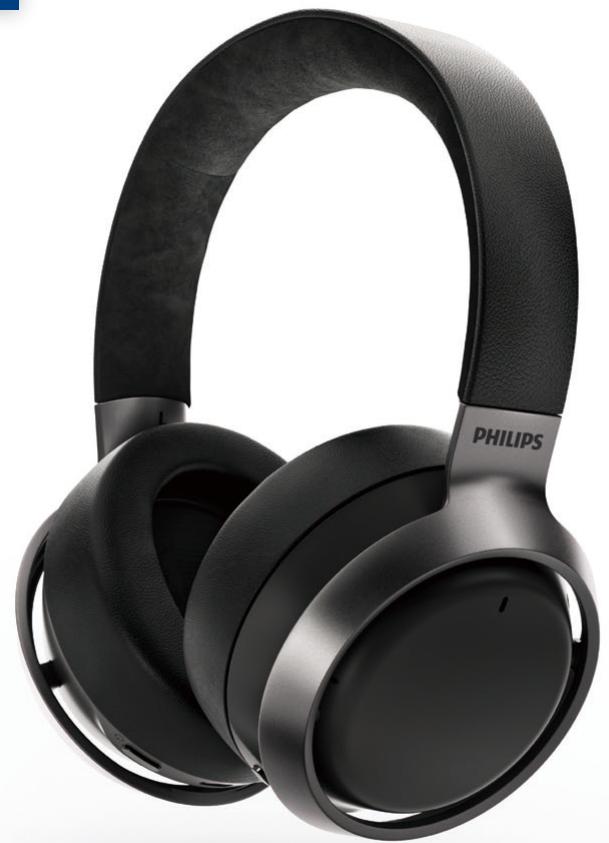
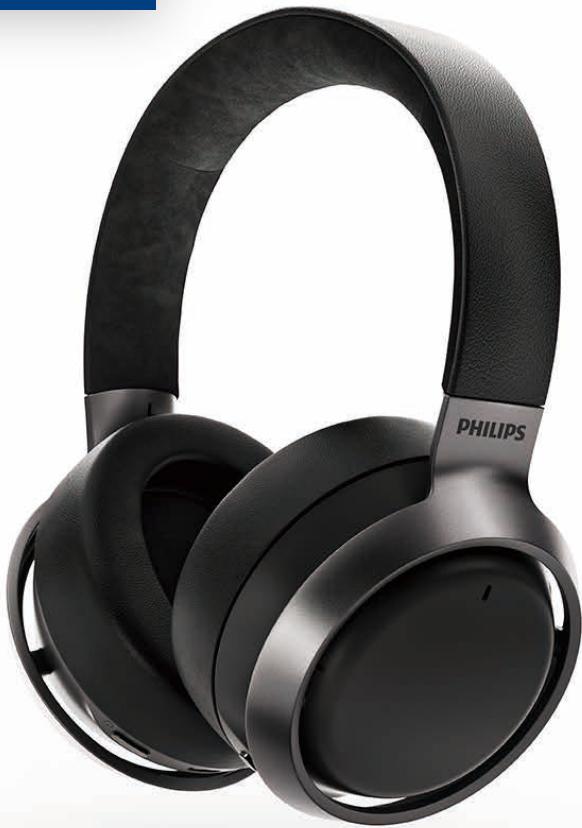
Philips Bluetooth over-ear headphones Philips Fidelio L3

USB charging cable (for charging only)

Audio cable
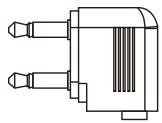
Plane Adaptor
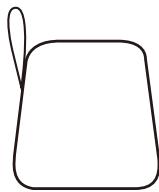
Carrying case
Quick start guide
Global Warranty
Safety leaflet
Other devices
A mobile phone or device (e.g. notebook, tablet, Bluetooth adapters, MP3 players etc) which supports Bluetooth and is compatible to the headphones (see 'Technical data' on page 8).
Overview of your Bluetooth wireless headphones
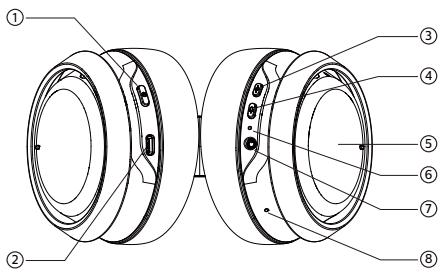
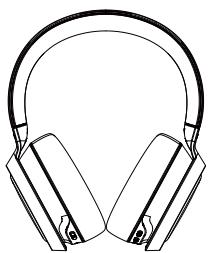
(1) (Power button)
② USB Type C charger slot
③ ANC/Awareness mode button
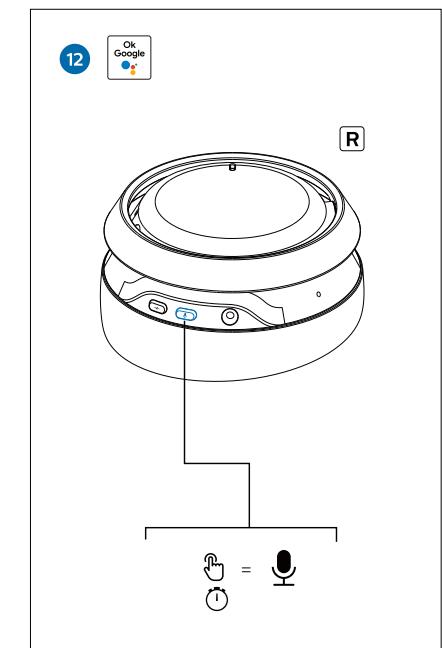
④ Voice Assistant
⑤ Touch Control Panel
⑥ LED indicator
⑦ Audio jack
⑧ Microphone
3 Get started
Charge the battery

Note
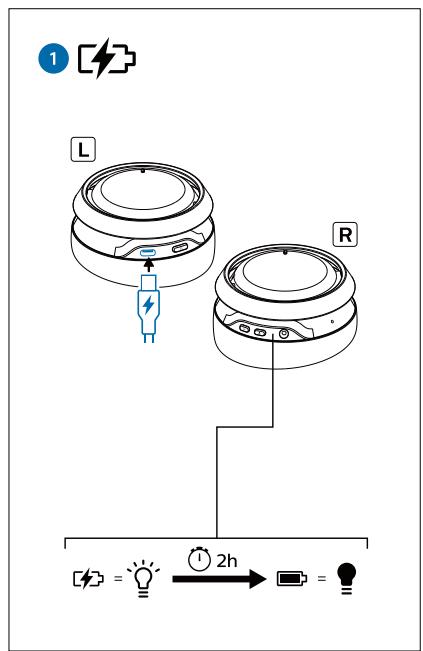
- Before you use your headphones for the first time, charge the battery for 2 hours for optimum battery capacity and lifetime.
- Use only the original USB charging cable to avoid any damage.
- Finish your call before charging the headphones, as connecting the headphones for charging will power the headphones off.
Connect the supplied USB charging cable to:
- The USB type C charging slot on the headphones and;
- The charger/USB port of a computer.
LED turns white during charging and turns off when the headphones are fully charged.

Tip
- Normally, a full charge takes 2 hours.
Pair the headphones with your mobile phone
Before you use the headphones with your mobile phone for the first time, pair it with a mobile phone. A successful pairing establishes a unique encrypted link between the headphones and mobile phone. The headphones store the last 8 devices in the memory. If you try to pair more than 8 devices, the earliest paired device is replaced by the new one.
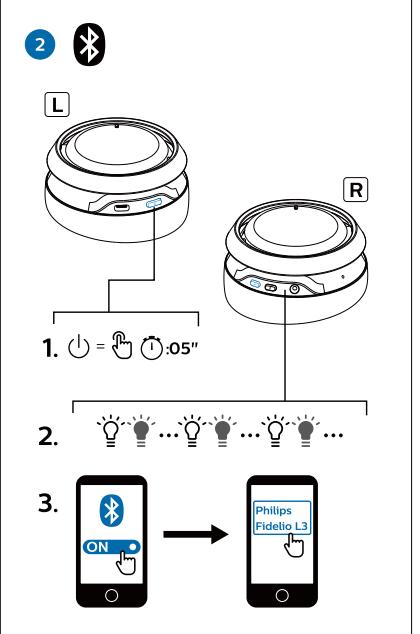
1 Make sure that the headphones are fully charged and turned off.
2 Press and hold for 5 seconds until the blue and white LED flashes alternately.
The headphone remain in pairing mode for 3 minutes.
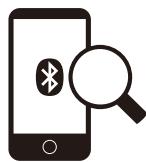
3 Make sure that the mobile phone is turned on and its Bluetooth feature is activated.
4 Pair the headphones with the mobile phone. For detailed information, refer to the user manual of your mobile phone.
The following example shows you how to pair the headphones with your mobile phone.
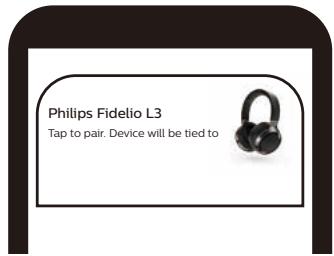
Activate the Bluetooth feature of your mobile phone, select Philips Fidelio L3
Philips Fidelio L3
4 Use your headphones
Connect the headphones to your Bluetooth device
1 Turn on your mobile phone/ Bluetooth device.
2 Press and hold the on/off button to turn the headphones on.
The blue LED will turn on 2s.
The headphones are reconnected to the last connected mobile phone/ Bluetooth device automatically.

Tip
- If you turn on the mobile phone/Bluetooth device or activate the Bluetooth feature after turning on the headphones, you have to reconnect the headphones and mobile phone/Bluetooth device manually.

Note
- If the headphones fail to connect to last connected Bluetooth device within range in 3 minutes, it will change to pairing mode, then will switch off automatically if it's still not connected to any Bluetooth device 3 minutes later.
Wired Connection
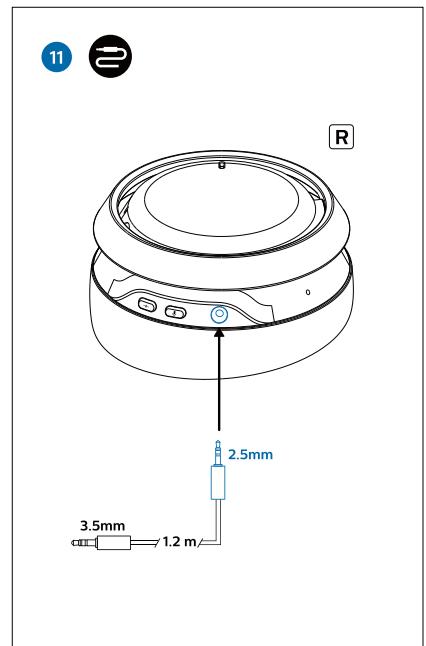
You can also use the headphones with the audio cable provided. Connect the supplied audio cable to the headphones and external audio device.

Tip
- The function keys will be disabled when using line-in mode.
Google Fast Pairing
The headphone supports Google Fast Pairing
- Enter pairing mode of the headphone.
- The Bluetooth of Android smartphone should also turn on.
The headphone will be automatically detected by the Android smartphone.
Multi-point connection
Pairing
- Pairing the headphones to 2 devices, e.g. mobile phone and notebook.
Switch between device
- At anytime, you can only listen to music from 1 device. Another device will be for phone call.
- Pause the audio from 1 device and then start play audio from the another device.

Note
- When streaming audio from Device 1, receiving a call from Device 2 will automatically pause Device 1 playback. And the call will be routed automatically to headphones.
- Ending the call will automatically resume playback from device 1.
Manage your calls and music
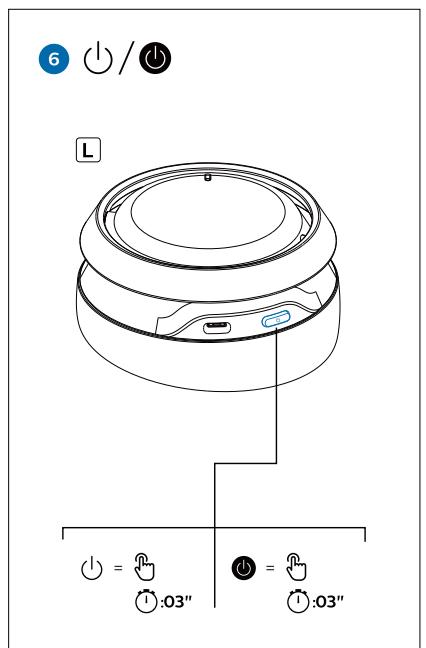
On/off
| Task | Button | Operation |
| Turn the headphones on | Power button | Press and hold for 2 seconds |
| Turn the headphones off | Power button | Press and hold for 2 seconds → The blue LED is on and fades out |
Music control
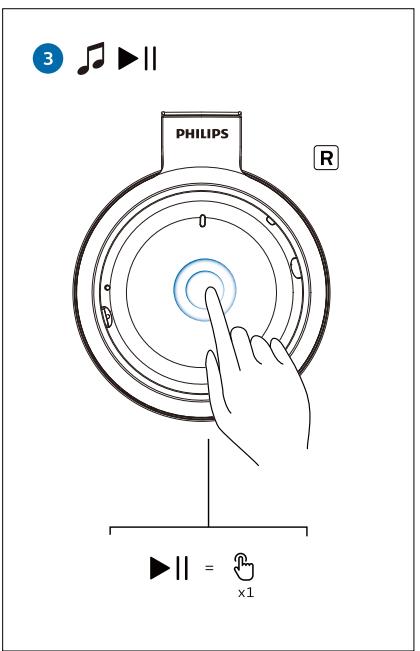
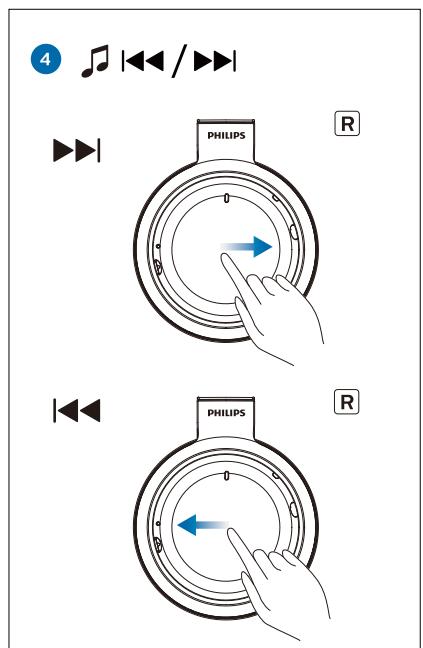
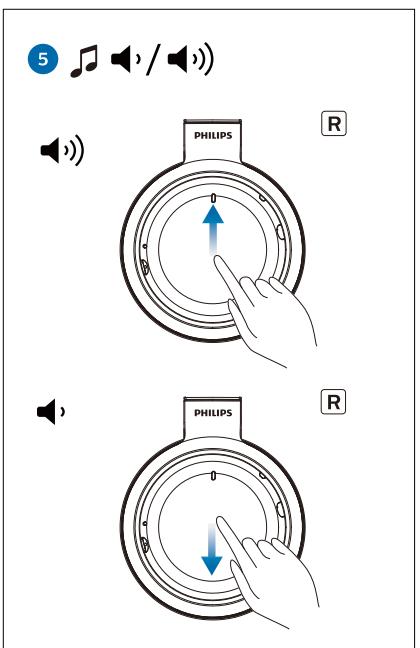
| Task | Button | Operation |
| Play or pause music | Touch Control Panel | Tap 1 time |
| Adjust volume | Touch Control Panel | Swipe up/ Swipe down |
| Next track | Touch Control Panel | Swipe front |
| Previous track | Touch Control Panel | Swipe back |
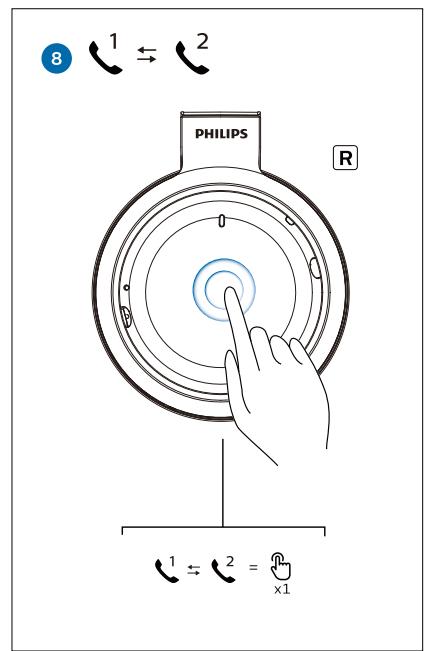
Call control
| Task | Button | Operation |
| Pick up/hang up a call | Touch Control Panel | Tap 1 time |
| Reject call | Touch Control Panel | Touch 1 sec |
| Answer new call during a call | Touch Control Panel | Tap 1 time |
| Reject new call during a call | Touch Control Panel | Touch 1 sec |
| Switch call when answered two calls | Touch Control Panel | Tap 1 time |
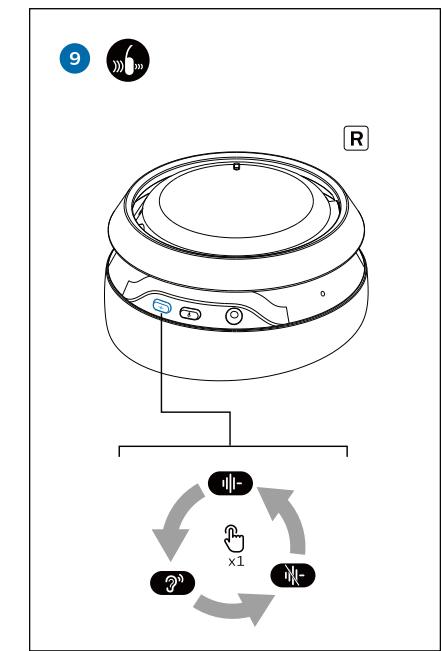
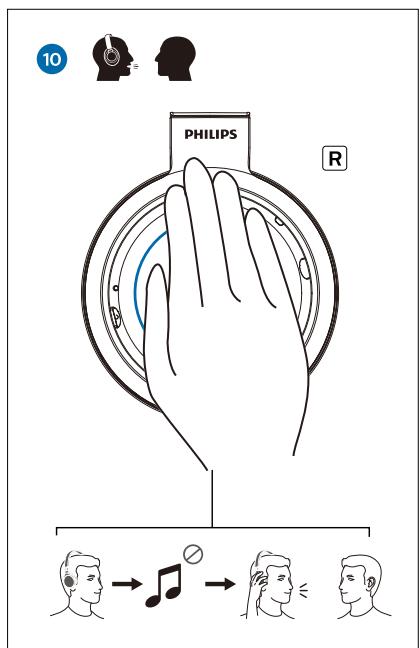
ANC/Awareness control
| Task | Button | Operation |
| ANC ON/Awareness mode/ANC OFF | ANC / Awareness Mode button | Press once |
| Quick conversation | Palm over the Right ear cup |
Smartphone voice assist function
(e.g. Google app, Siri)
| Task | Button | Operation |
| Wake up smartphone voice assist function | Voice Assistant button | Press and hold 2 seconds |

Note
- Please refer to the operating instructions of the smartphone.
Other headphones indicator status
| Headphones status | Indicator |
| The headphones are connected to a Bluetooth device, while the headphones in standby mode or while you are listening to music | The blue LED blinks slowly |
| The headphones are ready for pairing | The LED flashes blue and white alternately |
| The headphones are on but not connected to a Bluetooth device | The white LED flashes slowly. If no connection can be made, the headphones will turn itself off within 3 minutes |
| Low battery level | The white LED blinks slowly until it is out of power |
| Battery is fully charged | White LED is off |
Wearing Detection
- The music playback will be paused when take off the headphones from wearing.
- Then, the music playback will be resumed when you put on the headphones.

Note
- If you do not wear the headphones for more than 5 minutes, the headphones will be powered off.
APP download
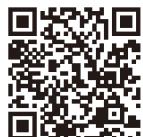
Scan the QR code/press 'Download' button or search 'Philips Headphones' in Apple App Store or Google Play to download App.

5 Technical data
Headphone
Music time: 38 hours (ANC off) | 32 hours (ANC on)
-
Talk time: 38 hours (ANC off) | 32 hours (ANC on)
-
Charging time: 2 hours
-
Rechargeable lithium polymer battery (800 mAh)
Bluetooth version: 5.1
Compatible Bluetooth profiles: HFP (Hands-Free Profile)
A2DP (Advanced Audio Distribution Profile)
AVRCP (Audio Video Remote Control Profile)
Frequency range: 2.402-2.480 GHz
Transmitter power: < 10 dBm
- Operating range: Up to 10 meters (33 feet)
Digital echo & noise reduction
- Auto power off
Type -C-USB port for charging
Supports AAC, Aptx, Aptx HD

Note
- Specifications are subject to change without notice.
6 Notice
Declaration of conformity
Hereby, MMD Hong Kong Holding Limited declares that the product is in compliance with the essential requirements and other relevant provisions of RED Directive 2014/53/EU and UK Radio Equipment Regulations SI 2017 No 1206. You can find the Declaration of Conformity on www.philips.com/support.
Disposal of your old product and battery

Your product is designed and manufactured with high quality materials and components, which can be recycled and reused.

This symbol on a product means that the product is covered by European Directive 2012/19/EU.

This symbol means that the product contains a built-in rechargeable battery covered by European Directive 2013/56/EU which cannot be disposed of with normal household waste. We strongly advise you to take your product to an official collection point or a Philips service centre to have a professional remove the rechargeable battery. Inform yourself about the local separate collection system for electrical and electronic products and rechargeable batteries. Follow local rules and never dispose of the product and rechargeable batteries with normal household waste.
Correct disposal of old products and rechargeable batteries helps prevent negative consequences for the environment and human health.
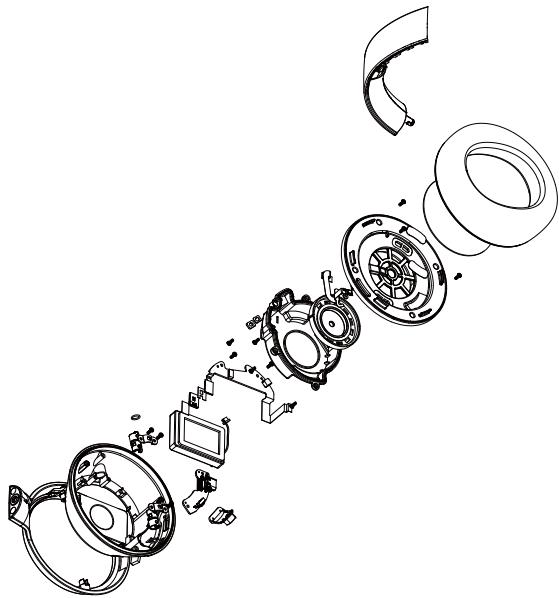
Remove the integrated battery
If there is no collection/recycling system for electronic products in your country, you can protect the environment by removing and recycling the battery before disposing the headphones.
- Make sure the headphones is disconnected from the charging case before removing the battery.
Compliance with EMF
This product complies with all applicable standards and regulations regarding exposure to electromagnetic fields.
Environmental information
All unnecessary packaging has been omitted. We have tried to make the packaging easy to separate into three materials: cardboard (box), polystyrene foam (buffer) and polyethylene (bags, protective foam sheet.)
Your system consists of materials which can be recycled and reused if disassembled by a specialized company. Please observe the local regulations regarding the disposal of packaging materials, exhausted batteries and old equipment.
Notice of compliance
The device complies with the FCC rules, Part 15. Operation is subject to the following two conditions:
- This device may not cause harmful interference, and
- This device must accept any interference received, including interference that may cause undesired operation.
FCC rules
This equipment has been tested and found to comply with the limits for a Class B digital device, pursuant to part 15 of the FCC Rules. These limits are designed to provide reasonable protection against harmful interference in a residential installation. This equipment generates, uses and can radiate radio frequency energy and, if not installed and used in accordance with the instruction manual, may cause harmful interference to radio communications. However, there is no guarantee that interference will not occur in a particular installation. If this equipment does cause harmful interference to radio or
television reception, which can be determined by turning the equipment off and on, the user is encouraged to try to correct the interference by one or more of the following measures:
- Reorient or relocate the receiving antenna.
- Increase the separation between equipment and receiver
- Connect the equipment into an outlet on a circuit different from that to which the receiver is connected.
- Consult the dealer or an experienced radio/TV technician for help.
FCC Radiation Exposure Statement:
This equipment complies with FCC radiation exposure limits set forth for an uncontrolled environment.
This transmitter must not be co-located or operating in conjunction with any other antenna or transmitter.
Caution: The user is cautioned that changes or modifications not expressly approved by the party responsible for compliance could void the user's authority to operate the equipment.
Canada:
This device contains licence-exempt transmitter(s)/receiver(s) that comply with Innovation, Science and Economic Development Canada's licence- exempt RSS(s). Operation is subject to the following two conditions: (1) this device may not cause harmful interference, and (2) This device must accept any interference received, including interference that may cause undesired operation of the device.
CANICES-3(B)/NMB-3(B)
IC Radiation Exposure Statement:
This equipment complies with Canada radiation exposure limits set forth for uncontrolled environments.
This transmitter must not be co-located or operating in conjunction with any other antenna or transmitter.
7 Trademarks
Bluetooth
The Bluetooth® word mark and logos are registered trademarks owned by Bluetooth SIG, Inc. and any use of such marks by Top Victory Investment Limited is under license. Other trademarks and trade names are those of their respective owners.
Siri
Siri is a trademark of Apple Inc., registered in the U.S. and other countries.
Google is a trademark of Google LLC. The Google Assistant is not available in certain languages and countries.
8 Frequently asked questions
My Bluetooth headphones do not turn on.
The battery level is low. Charge the headphones.
I cannot pair my Bluetooth headphones with my Bluetooth device.
The Bluetooth is disabled. Enable the Bluetooth feature on your Bluetooth device and turn on the Bluetooth device before you turn on the headphones.
How to reset pairing.
Press/hold both Power button + ANC for 3s with USB power removed.
I hear but cannot control music on my Bluetooth device (e.g. play/pause/skip forward/backward).
Make sure the Bluetooth audio source supports AVRCP (see 'Technical data' on page 8).
The volume level of the headphones is too low.
Some Bluetooth devices cannot link the volume level with the headphones through volume sync. In this case, you have to adjust the volume on your Bluetooth device independently to achieve an appropriate volume level.
Cannot change with other USB cable.
The product does not support USB type C to USB type C charging cable.
Please always use the supplied USB charging cable (USB type A to USB type C).
The Bluetooth device cannot find the headphones.
- The headphones may be connected to a previously paired device. Turn off the connected device or move it out of range.
- Pairing may have been reset or the headphones have been previously paired with another device. Pair the headphones with the Bluetooth device again as described in the user manual. (see ‘Connect the headphones to your Bluetooth device’ on page 6).
My Bluetooth headphones are connected to a Bluetooth stereo enabled mobile phone, but music only plays on the mobile phone speaker.
Refer to the user manual of your mobile phone. Select to listen to music through the headphones.
The audio quality is poor and crackling noise can be heard.
- The Bluetooth device is out of range. Reduce the distance between your headphones and Bluetooth device, or remove obstacles between them.
Charge your headphones.

Philips and the Philips Shield Emblem are registered trademarks of Koninklijke Philips NV. and are used under license. This product has been manufactured by and is sold under the responsibility of MMD Hong Kong Holding Limited or one of its affiliates, and MMD Hong Kong Holding Limited is the warrantor in relation to this product.