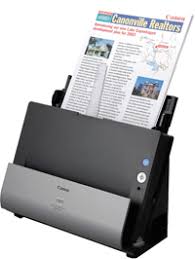


Double paper feeding on the Canon DR-C125 is generally caused by a buildup of dust on the rollers, incorrect guide settings, or an overloaded tray. This scanner features ultrasonic double feed detection that automatically stops scanning when detected, but you can optimize performance by following these steps:
First, check your software settings:
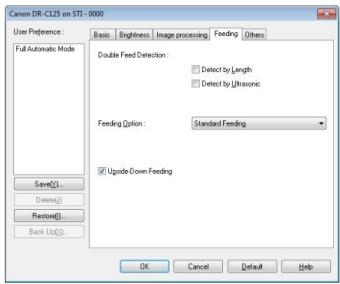
- Ensure that the Double Feed Detection checkbox is enabled in the Feed tab of the scanning software.
- This feature uses ultrasonic sensors to detect multiple sheets and automatically stop the scan.
- Important note: for small-sized documents, ultrasonic detection may be less reliable.
Properly prepare your paper:
- Use paper that meets specifications (80 g/m² standard recommended).
- Carefully separate sheets before loading and ensure they are not stuck together or damp.
- Load a maximum of 30 sheets of plain text per batch to reduce risks.
- Remove staples and clips before scanning.
Adjust the document guides: The guides in the feed tray should be adjusted exactly to the width of your paper. Incorrect guide settings are a common cause of double feeding, as sheets can deviate and be picked up together.
Regularly clean the rollers: This is the main cause of feeding issues. The feed roller and retard roller become dirty with dust and paper residue. Wipe them with a soft cloth dampened with water and then dry them. If cleaning is not sufficient and you have scanned many pages, the rollers may be worn and require replacement (roller kit available from Canon, product code 54848001).
By applying these measures, you will resolve most double feeding issues on your Canon DR-C125. If errors persist after cleaning and adjusting the guides, the rollers are likely worn out.