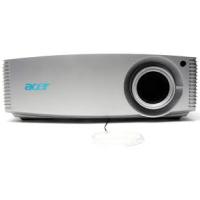
ACER H9500BD - Projector

H9500BD - Projector ACER - Free user manual and instructions

Find the device manual for free H9500BD ACER in PDF.

📄 63 pages English EN Download 💬 AI Question 11 questions ⚙️ Specs
Notice ACER H9500BD - page 61
View the manual : Français FR English EN
Pick your language and provide your email: we'll send you a specifically translated version.
Product type DLP Full HD projector
Brand ACER
Model H9500BD
Native resolution 1920 x 1080 (1080p)
Maximum resolution UXGA (1600 x 1200), WSXGA+ (1680 x 1050)
Throw ratio 1,49 - 2,28:1 (60" @ 2 m)
Screen size (diagonal) 20" (50 cm) to 300" (762 cm)
Projection distance 1.0 m to 10.0 m
Keystone correction ±15° (vertical, digital)
Lens F/2.45 - 2.9, f = 22.18 - 33.27 mm, manual zoom 1.5x
Lamp type 280 W, user-replaceable
Power supply 100 - 240 V AC, 50 - 60 Hz, 445 W max
Dimensions (W x D x H) 398 mm x 310 mm x 140 mm
Weight 7.1 kg
Input connectors 2x VGA, 2x HDMI, 1x DVI-D (HDCP), 1x composite, 1x S-Video, 1x component (3 RCA), RS232, USB
Output connectors 1x VGA, 1x 12V DC
3D functions DLP Link, Blu-ray 3D, Nvidia 3DTV Play, 2D→3D conversion
Special functions AcuMotion, ColorBoost, ColorSafe II, EcoProjection, ECO mode, high altitude
Maintenance Clean dust filter every 1000 hours
Spare parts and repairability User-replaceable lamp and dust filter
Security Kensington lock, user and administrator password

Frequently Asked Questions - H9500BD ACER

How to clean the projector dust filter?
Turn off the projector and unplug the power cord. Remove the dust filter located on the side. Clean it with a small vacuum or with water. Put it back and activate the High Altitude mode in the Management menu for optimal ventilation.
How to replace the projector lamp?
Turn off the projector, unplug it and let it cool for 30 minutes. Open the lamp cover, unscrew the fixing screws, remove the old lamp and insert the new one. Screw back, close the cover and reset the lamp counter in the Management menu.
What to do if the projected image is blurry?
Check that the lens cap is removed. Use the focus ring on the lens to sharpen the image. Make sure the projection distance is between 1 m and 10 m. If necessary, adjust the zoom.
How to activate the 3D function?
Turn on the projector and make sure you have 3D content (Blu-ray, NVIDIA 3DTV Play). In the OSD menu, go to 2D to 3D or 3D L and select On. Wear compatible DLP 3D glasses. You can adjust the 3D format and invert the sync if necessary.
Why does the projector turn off automatically?
This may be due to overheating, a fan failure or the end of lamp life. Check the LED indicators: if the temperature LED is red, the projector has overheated. Let it cool down and make sure the filters are not clogged. If the lamp LED flashes, the lamp may be at the end of its life.
How to adjust keystone correction?
Press the Keystone (KEYSTONE) button on the control panel or remote control. Use the arrow keys to correct the image distortion up to ±15 degrees. You can also access this setting in the OSD menu > Image > Keystone.
How to connect multiple sources simultaneously?
Plug each source (computer, Blu-ray player, console) into the appropriate inputs (VGA, HDMI, DVI, etc.). Use the SOURCE button on the projector or remote control to switch between sources. The projector automatically detects available signals.
What do the LED indicators on the projector mean?
The blue power LED indicates the projector is on; solid red in standby. The red LAMP LED indicates a lamp problem. The red TEMP LED indicates overheating. A fast flashing TEMP indicates a fan failure. Refer to the 'LED indicators definition table' section of the manual.
How to reset the lamp counter after replacement?
After changing the lamp, turn on the projector and access the OSD menu. Go to Management > Lamp Reset, select Yes and confirm. The hour counter will be reset.
How to activate ECO mode to save energy?
Press the Empowering (e) button on the control panel or remote control, then select Acer ePower Management. Choose Eco Mode On. You can also activate ECO mode from the OSD menu > Management > ECO Mode. This reduces brightness, noise and extends lamp life.

User questions about H9500BD ACER

1 question about this device. Answer the ones you know or ask your own.

Ask a new question about this device

The email remains private: it is only used to notify you if someone responds to your question.

My ACER H9500BD projector is tripping the circuit breaker, how can I resolve this issue?
Frequently Asked Questions - 16 d
Response Notice-Facile

A tripped circuit breaker generally indicates an overload or an electrical fault. The ACER H9500BD consumes a maximum of 445 W. Here are the checks to perform:

Electrical Circuit Overload

Is your wall outlet on a dedicated circuit or shared with other high-power devices (air conditioner, heater, another projector)? Try plugging the projector alone into another outlet to eliminate an overload.

Check the Power Cord

Inspect the power cable (plug side): look for signs of wear, scratches, wet spots, or damaged insulation. A faulty cable can cause a short circuit. If the cable is damaged, it must be replaced.

Clean the Dust Filter

A clogged filter blocks ventilation and forces the projector to overheat. The thermal protection activates and may trigger an abnormal power cut. According to the manual, the filter should be cleaned every 1000 hours. After cleaning, activate the High Altitude mode to optimize ventilation.

Check the Temperature Indicator

Observe the LED (indicator) Temperature of the device: if it blinks rapidly, this indicates a fan failure. A ventilation failure causes overheating and risks a power cut. The fan should be inspected or replaced.

If the Problem Persists

If the circuit breaker trips upon startup or after a few seconds, this suggests a serious internal fault (damaged capacitor, failing insulation inside the device). The projector will require professional repair. We recommend contacting an authorized ACER technician.


Respond (be the first)

Download the instructions for your Projector in PDF format for free! Find your manual H9500BD - ACER and take your electronic device back in hand. On this page are published all the documents necessary for the use of your device. H9500BD by ACER.

USER MANUAL H9500BD ACER

Acer Empowering Technology 21

22

Couleur 23

Image 25

Gestion 28

Réglages 29

Minuteur 31

Langue 32

Annexes 33

Acer Empowering Technology

  • Stereoscopic Player (essay): http://www.3dtv.at/Downloads/Index_en.aspx
  • DDD TriDef Media Player (essay):

http://www.tridef.com/download/TriDef-3-D-Experience-4.0.2.html

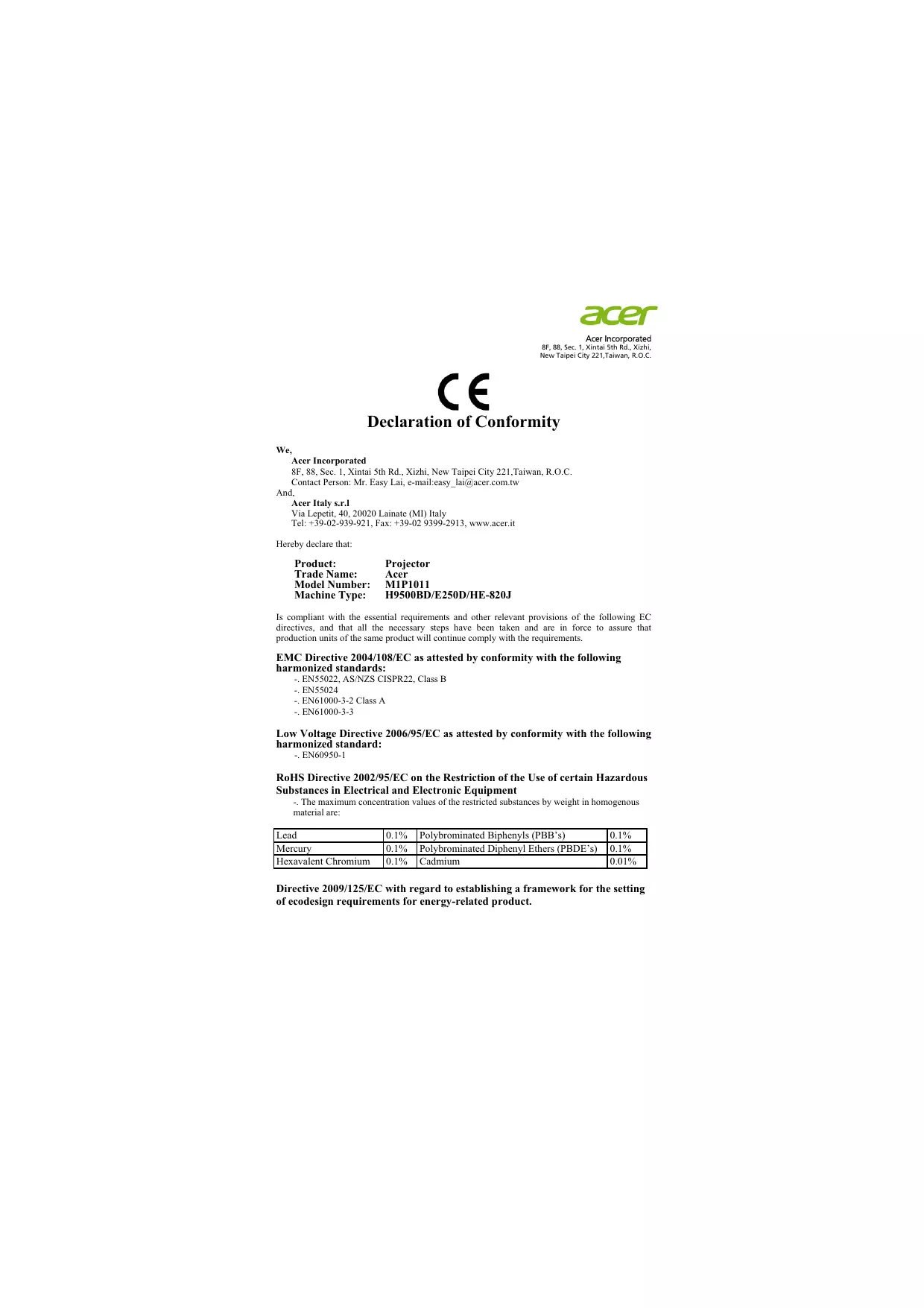
Declaration of Conformity

We,

Acer Incorporated

8F, 88, Sec. 1, Xintai 5th Rd., Xizhi, New Taipei City 221, Taiwan, R.O.C.

Contact Person: Mr. Easy Lai, e-mail: easy_lai@acer.com.tw

And,

Acer Italy s.r.l

Via Lepetit, 40, 20020 Lainate (MI) Italy

Tel: +39-02-939-921, Fax: +39-02 9399-2913, www.acer.it

Hereby declare that:

Product:

Projector

Trade Name:

Acer

Model Number:

M1P1011

Machine Type:

H9500BD/E250D/HE-820J

Is compliant with the essential requirements and other relevant provisions of the following EC directives, and that all the necessary steps have been taken and are in force to assure that production units of the same product will continue comply with the requirements.

EMC Directive 2004/108/EC as attested by conformity with the following harmonized standards:

  • EN55022, AS/NZS CISPR22, Class B
  • EN55024
  • EN61000-3-2 Class A
    -EN61000-3-3

Low Voltage Directive 2006/95/EC as attested by conformity with the following harmonized standard:

-EN60950-1

RoHS Directive 2002/95/EC on the Restriction of the Use of certain Hazardous Substances in Electrical and Electronic Equipment

  • The maximum concentration values of the restricted substances by weight in homogenous material are:
Lead0.1%Polybrominated Biphenyls (PBB's)0.1%
Mercury0.1%Polybrominated Diphenyl Ethers (PBDE's)0.1%
Hexavalent Chromium0.1%Cadmium0.01%

Directive 2009/125/EC with regard to establishing a framework for the setting of ecodesign requirements for energy-related product.

The standards listed below are applied to the product if built with WLAN module or wireless keyboard and mouse.

ACER H9500BD - RoHS Directive 2002/95/EC on the Restriction of the Use of certain Hazardous Substances in Electrical and Electronic Equipment - 1

R&TTE Directive 1999/5/EC as attested by conformity with the following harmonized standard:

Article 3.1(a) Health and Safety

EN60950-1
-EN62311

Article 3.1(b) EMC

  • EN301 489-1
    -EN301489-17

Article 3.2 Spectrum Usages

-EN300328
- EN301 893 (Applicable to 5GHz high performance RLAN).

Year to begin affixing CE marking 2011.

Easy

Easy Lai Manager

Regulation Center, Acer Inc.

Jul. 25, 2011

Date

333 West San Carlos St., San Jose

CA 95110, U. S. A.

Tel:254-298-4000

Fax:254-298-4147

www.acer.com

ACER H9500BD - RoHS Directive 2002/95/EC on the Restriction of the Use of certain Hazardous Substances in Electrical and Electronic Equipment - 2

Federal Communications Commission Declaration of Conformity

This device complies with Part 15 of the FCC Rules. Operation is subject to the following two conditions: (1) this device may not cause harmful interference, and (2) this device must accept any interference received, including interference that may cause undesired operation.

The following local Manufacturer / Importer is responsible for this declaration:

Product: DLP Projector

Model Number: M1P1011

Machine Type: H9500BD/E250D/HE-820J

Name of Responsible Party: Acer America Corporation

Address of Responsible Party: 333 West San Carlos St.

San Jose, CA 95110

U.S.A.

Contact Person: Acer Representative

Phone No.: 254-298-4000

Fax No.: 254-298-4147

Manual assistant
Powered by Anthropic
Waiting for your message
Product information

Brand : ACER

Model : H9500BD

Category : Projector
