Tune 700BT - Headphones JBL - Free user manual and instructions
Find the device manual for free Tune 700BT JBL in PDF.


| Product type | Bluetooth over-ear headset |
| Brand | JBL |
| Model | Tune 700BT |
| Weight | 220 g |
| Bluetooth version | 4.2 |
| Supported Bluetooth profiles | A2DP 1.2, AVRCP 1.5, HFP 1.6, HSP 1.2 |
| Bluetooth range | Up to 10 m (30 ft) |
| Battery type | Lithium-ion polymer battery 610 mAh / 3.7 V |
| Music playback time (Bluetooth active) | Up to 27 hours |
| Charging time | Less than 2 hours (when empty) |
| Power supply | USB-C: 5 V — 1 A |
| Speaker | 40 mm dynamic |
| Frequency response | 20 Hz – 20 kHz |
| Transducer impedance | 32 ohms |
| Sensitivity (passive) | 95 dB SPL / 1 mW |
| Sensitivity (active) | 102 dB SPL / 1 mW |
| Main features | Multipoint connection (2 devices), integrated controls, voice assistant compatibility (Siri, Google Assistant), audio cable listening |
| Care and cleaning | Clean with a soft, dry cloth. Do not use chemical or abrasive products. |
| Safety | Do not expose to water or excessive humidity. Listen at moderate volume to protect your hearing. |
| Spare parts and reparability | Replaceable ear cushions and audio cable (contact JBL customer service). |
| General information | Wireless headset with foldable design, ideal for daily use. |
Frequently Asked Questions - Tune 700BT JBL
User questions about Tune 700BT JBL
0 question about this device. Answer the ones you know or ask your own.
Ask a new question about this device
Download the instructions for your Headphones in PDF format for free! Find your manual Tune 700BT - JBL and take your electronic device back in hand. On this page are published all the documents necessary for the use of your device. Tune 700BT by JBL.
USER MANUAL Tune 700BT JBL
natural_image
Back view of a person walking on a paved road wearing a black T-shirt and cap (no visible text or symbols)TUNE700BT
WHAT'S IN THE BOX
natural_image
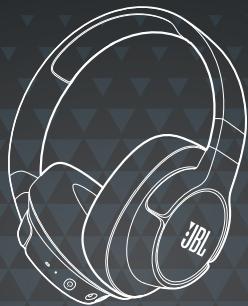
Line drawing of a JBL brand headband with black outline and triangular background (no text or symbols)

natural_image
Two white medical or laboratory probe tubes against a dark background (no text or symbols)
natural_image
Abstract icon of two overlapping document sheets with horizontal lines, no text or symbols present
natural_image
Pure electrical circuit lines without any symbolsPOWER ON & CONNECT
natural_image
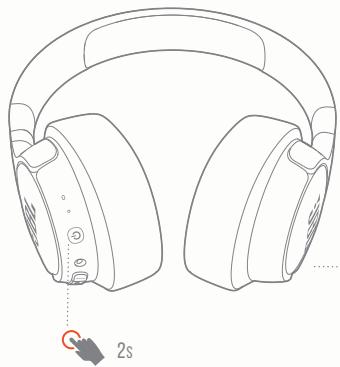
Line drawing of a pair of headphones with a 2-second indicator finger pointing to the front wheel (no text or symbols on the headphones themselves)POWER ON AND AUTOMATICALLY ENTER PAIRING MODE
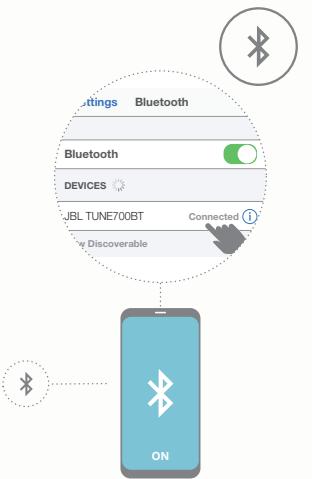
flowchart
graph TD
    A["Bluetooth"] --> B["Bluetooth"]
    B --> C["DEVICES"]
    C --> D["ON"]
    D --> E["Connected"]
    style A fill:#f9f,stroke:#333
    style B fill:#ccf,stroke:#333
    style C fill:#cfc,stroke:#333
    style D fill:#fcc,stroke:#333
    style E fill:#ffc,stroke:#333
CHOOSE "JBL TUNE700BT" TO CONNECT
MANUAL PAIRING

POWER OFF
natural_image
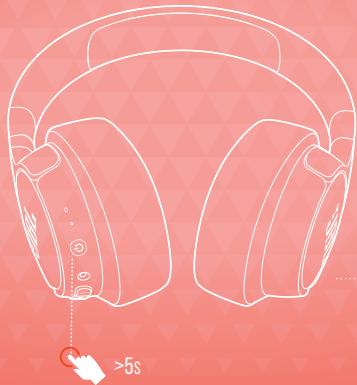
Line drawing of a pair of headphones on a pink background, no text or symbols presentMANUAL PAIRING MODE

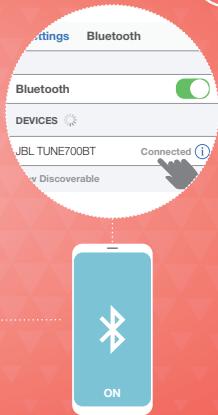
CHOOSE "JBL TUNE700BT" TO CONNECT


ON
BUTTON COMMAND

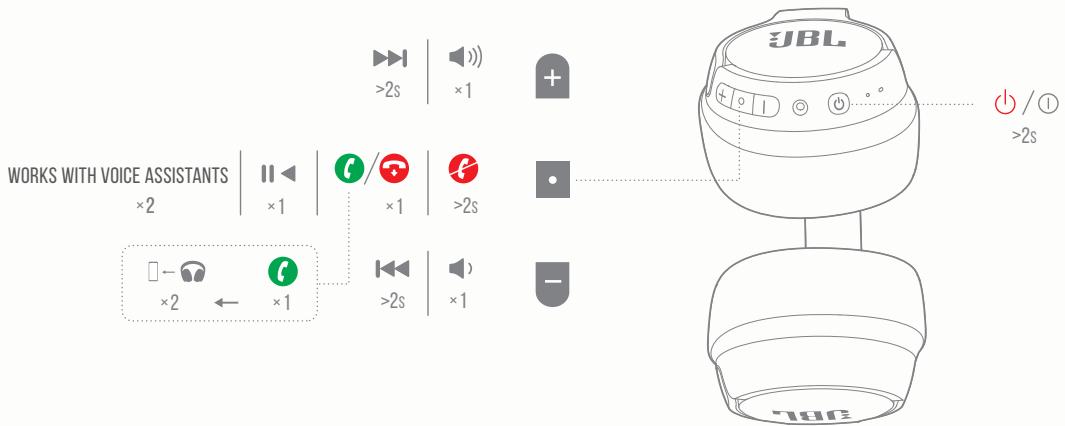
WIRED
LISTENING

natural_image
Technical line drawing of a cylindrical mechanical component with no visible text or symbols

natural_image
Illustration of a tablet device with a musical note icon on a blue background (no text or symbols)
natural_image
Illustration of a laptop with a musical note icon on the screen (no text or symbols)
MULTI-POINT CONNECTION
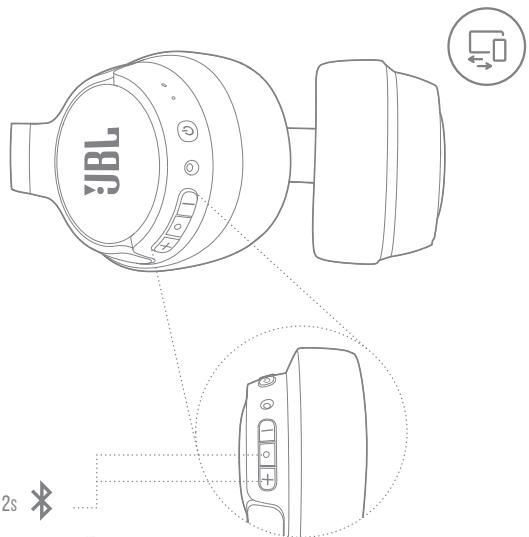

2s

1 TO SWITCH MUSIC SOURCE, PAUSE THE MUSIC ON THE CURRENT DEVICE AND SELECT PLAY ON THE 2 ^ND DEVICE.
2 PHONE CALL WILL ALWAYS TAKE PRIORITY.
3 IF ONE DEVICE GOES OUT OF BLUETOOTH RANGE OR POWERS OFF, YOU MAY NEED TO MANUALLY RECONNECT THE REMAINING DEVICE.
4 SELECT "FORGET THIS DEVICE" ON YOUR BLUETOOTH DEVICES TO DISCONNECT MULTI-POINT.

natural_image
Smartphone icon with Bluetooth symbol and 'ON' button (no text or numbers beyond the icon)1 ^ST BLUETOOTH DEVICE
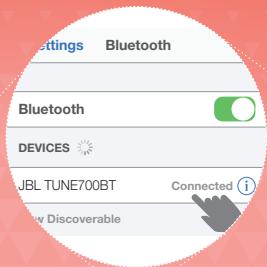
CHOOSE "JBL TUNE700BT" TO CONNECT
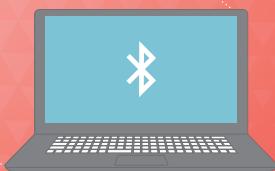
natural_image
Illustration of a laptop with a Bluetooth symbol on the screen (no text or labels)2 ^ND BLUETOOTH DEVICE

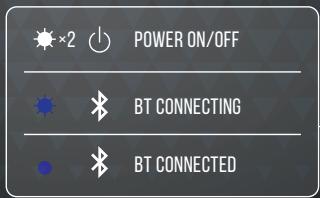
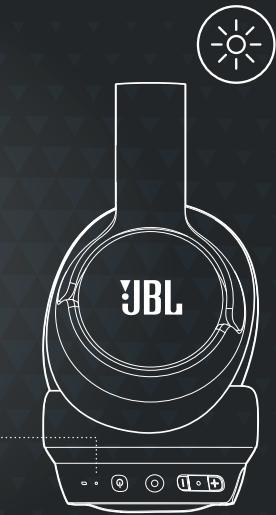
CHARGING

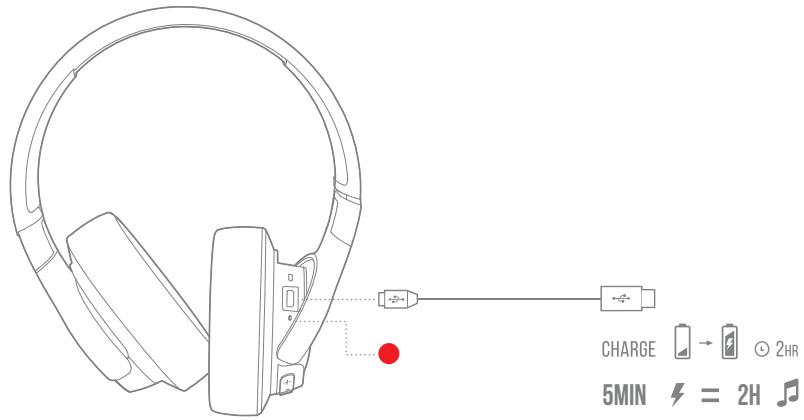
LED
BEHAVIORS
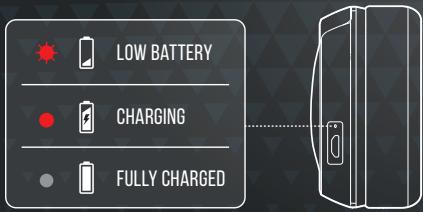
TECH SPEC

Driver size:
Frequency range:
Sensitivity passive mode:
Sensitivity active mode:
Transducer impedance:
Max input power:
Transmit sensitivity:
Bluetooth transmitted power:
Bluetooth transmitted modulation:
Bluetooth frequency:
Bluetooth profile version:
Bluetooth version:
Headset battery type:
Power supply:
Charging time:
Music play time with BT on:
Weight:
40 mm Dynamic driver
20 Hz - 20 kHz
95 dB SPL/1 mW
102 dB SPL/1 mW
32 ohm
40mW
-15 dBV/Pa
<5 dBm
MANUAALINEN LAITEPARIN
MUODOSTAMINEN
VIRRAN KATKAISU / MANUAALINEN
LAITEPARIN MUODOSTAMINEN / VALITSE "JBL TUNE700BT" MUODOSTAAKSESI YHTEYS
PAINIKEKOMENTO
TOIMII ÄÄNIAVUSTAJAN KANSSA
LANGALLINEN KUUNTELU
MONIPISTEYHTEYS
ENINTÄÄN 2 LAITETTA / SIIRRY TOISESSA
LAITTEESSA LAITEPARIN MUODOSTUSTILAAN /
- VAIHTAAKSESI MUSIKKILÄHDETÄ TAUOTA MUSIKKI NKYVISESSÄ LAITTEESSA, JA VATISTE TOISTO TOISESTA LAITTEESTA. / 2. PUHELU ON AINA ETUSIJALLA. / 3. JOS YKSI LAITE POISTUU BLUETOOTH-KANTAMAN ALUEELTA TAI SAMMIU, SINUN ON EHKÄ YHDISTETTÄVA TOINEN LAITE MANUALISESTI. / 4. VATISTE "UNOHDA TÄMA LAITE" BLUETOOTH-LAITTEESTASI KATKAISTAKSESI MONPISTEYHTEYS. / ENSIMMÄINEN BLUETOOTH-LAITE / VATISTE "JBL TUNE700BT" MUODOSTAAKSESI YHTEYS / TOINEN BLUETOOTH-LAITE
LATAUTUU
LED-MERKKIVALON TOIMINNOT
AKUN VARAUS VÄHISSÄ / LATAUTUU / TÄYTEEN LADATTU / VIRTA PÄÄLLE/POIS PÄÄLTÄ / BT YHDISTÄÄ / BT YHDISTETTY
TEKNISET TIEDOT
- POUR COMMUTER LA SOURCE MUSICALE,
SPÉC. TECHNIQUES
VAGY KIKAPCSOL, MANUÁLISAN KELL
ÚJRACSATLAKOZTATNI A FENNMARADÓ
ESZKÖZT. / 4 A MULTIPONTRÓL VALÓ
LECSATLAKOZÁSHOZ VÁLASSZA AZ
„ESZKÖZ ELFELEJTÉSE“ LEHETŐSÉGET A
BLUETOOTH ESZKÖZÖKÖN. / 1. BLUETOOTH
ESZKÖZ / A CSATLAKOZÁSHOZ VÁLASSZA
A «JBL TUNE700BT" LEHETŐSÉGET / 2.
BLUETOOTH ESZKÖZ
TÖLTÉS
LED TULAJDONSÁGAI
ALACSONY AZ AKKUMULÁTOR TÖLTÖTTSÉGI
SZINTJE / TÖLTÉS / TÖLTÉS KÉSZ / BE-/
KIKAPCSOLÁS / BT CSATLAKOZÁS /
BT CSATLAKOZTATVA
MÜSZ. SPEC.
Meghajtó mérete:
The Bluetooth® word mark and logos are registered trademarks owned by the Bluetooth SIG, Inc. and any use of such marks by HARMAN International Industries, Incorporated is under license. Other trademarks and trade names are those of their respective owners.