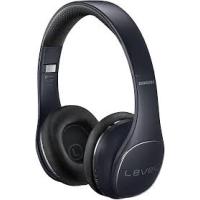
LEVEL ON WIRELESS HEADPHONES - Headphones SAMSUNG - Free user manual and instructions
Find the device manual for free LEVEL ON WIRELESS HEADPHONES SAMSUNG in PDF.
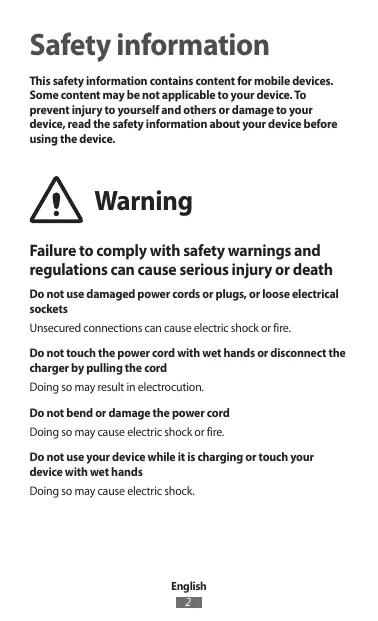
View the manual :
 FR
FR
 AR
AR
 BG
BG
 CS
CS
 DA
DA
 DE
DE
 EL
EL
 EN
EN
 ES
ES
 ET
ET
 FA
FA
 FI
FI
 HU
HU
 ID
ID
 IT
IT
 KK
KK
 KO
KO
 LT
LT
 LV
LV
 MK
MK
 NL
NL
 NO
NO
 PL
PL
 PT
PT
 RO
RO
 RU
RU
 SK
SK
 SL
SL
 SQ
SQ
 SV
SV
 TH
TH
 TR
TR
 UK
UK
 UR
UR
 VI
VI
 ZH
ZH
FR
AR
BG
CS
DA
DE
EL
EN
ES
ET
FA
FI
HU
ID
IT
KK
KO
LT
LV
MK
NL
NO
PL
PT
RO
RU
SK
SL
SQ
SV
TH
TR
UK
UR
VI
ZH
Pick your language and provide your email: we'll send you a specifically translated version.
| Product Type | Wireless over-ear headphone |
| Brand | Samsung |
| Model | Level On Wireless (EO-PN900) |
| Dimensions (W x D x H) | Approx. 200 x 180 x 80 mm (folded) |
| Weight | Approx. 280 g |
| Power supply | Built-in rechargeable lithium-ion battery, 3.7 V, 450 mAh |
| Battery life | Approx. 15 hours (music playback with ANC on) |
| Charging time | Approx. 3 hours via micro-USB cable |
| Connectivity | Bluetooth 4.0, range up to 10 meters |
| Active noise cancellation | Yes, with ambient mode |
| Speaker | 40 mm diameter, 32 ohms impedance |
| Microphone | Built-in, compatible with S Voice |
| Main functions | Voice control, play/pause, track skip, volume, hands-free calling, NFC (easy pairing) |
| Frequency range | 20 Hz - 20,000 Hz |
| Maintenance and cleaning | Wipe with a soft dry or slightly damp cloth. Do not use abrasive products or solvents. |
| Safety | Do not expose to water or humidity. Use only the supplied charger. Avoid extreme temperatures. |
| Spare parts and repairability | Ear cushions, USB cable, battery (professional replacement recommended). Repairability index not provided. |
| General information | Foldable headphone, on-ear design, touch controls on right earcup. |
Frequently Asked Questions - LEVEL ON WIRELESS HEADPHONES SAMSUNG
How to turn the Samsung Level On Wireless headphone on and off?
Press and hold the Power button (located on the right earcup) for about 3 seconds until you hear a tone. To turn off, press and hold again.
How to pair the headphone with a smartphone?
Enable Bluetooth on your phone. Put the headphone in pairing mode by holding the Power button until the LED blinks blue and red. Select 'Level On Wireless' from the list of devices.
How to use NFC for quick pairing?
If your phone supports NFC, enable NFC on the phone and touch the NFC area of the headphone (marked on the right earcup) against the phone's NFC area. Follow the on-screen instructions.
How to activate active noise cancellation (ANC)?
Press the ANC button on the left earcup to switch between modes: ANC on, ambient mode (let outside sounds in), and ANC off.
What is the battery life and how to charge it?
Battery life is approximately 15 hours with ANC on. Charge via the provided micro-USB cable connected to a power adapter (5V/1A). The red LED turns green when charging is complete (about 3 hours).
How to use the microphone for calls or voice commands?
The built-in microphone is automatically used during a call. Press the Call button to answer/end a call. To use S Voice (on Samsung), hold the Call button for 2 seconds.
What to do if the headphone does not connect or disconnects frequently?
Try resetting the headphone: turn it off, then press and hold the Volume + and Volume - buttons simultaneously for 5 seconds until the LED blinks rapidly. Remove the pairing from the phone's Bluetooth settings and re-pair.
How to clean the ear cushions and headband?
Use a soft cloth slightly damp (not wet) to wipe surfaces. For faux leather cushions, avoid chemicals. Let air dry.
Can I use the headphone in wired mode if the battery is empty?
Yes, you can use the provided 3.5 mm audio cable (connect to the jack on the right earcup). In this mode, active noise cancellation does not work.
How to adjust the equalizer (sound settings)?
The headphone does not have a built-in equalizer. You can adjust the sound via the Samsung Level app (available on Google Play) which offers presets and the ability to customize sound.
User questions about LEVEL ON WIRELESS HEADPHONES SAMSUNG
0 question about this device. Answer the ones you know or ask your own.
Ask a new question about this device
No questions yet. Be the first to ask one.
Download the instructions for your Headphones in PDF format for free! Find your manual LEVEL ON WIRELESS HEADPHONES - SAMSUNG and take your electronic device back in hand. On this page are published all the documents necessary for the use of your device. LEVEL ON WIRELESS HEADPHONES by SAMSUNG.
USER MANUAL LEVEL ON WIRELESS HEADPHONES SAMSUNG


Manual assistant
Powered by Anthropic
Waiting for your message
Product information
Brand : SAMSUNG
Model : LEVEL ON WIRELESS HEADPHONES
Category : Headphones