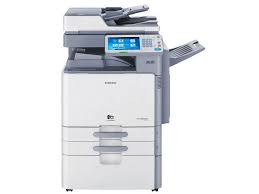
CLX-9350ND - Laser MFP SAMSUNG - Free user manual and instructions
Find the device manual for free CLX-9350ND SAMSUNG in PDF.


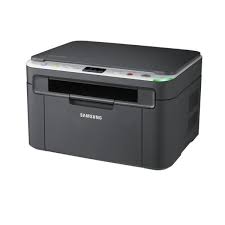
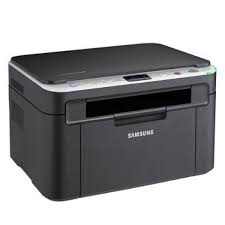
| Product type | Color laser multifunction printer |
| Functions | Print, copy, scan, fax (optional) |
| Print speed (A4) | Up to 35 pages per minute |
| Print speed (A3) | Up to 17 pages per minute |
| Print resolution | Up to 9,600 x 600 dpi (effective) |
| Standard paper capacity | 1,040 sheets (tray 1 and tray 2) |
| Maximum paper capacity | Up to 5,120 sheets (with options) |
| Multifunction tray | 100 sheets |
| Automatic document feeder | Duplex (DADF), capacity 100 sheets |
| Duplex printing | Automatic |
| Scanning | To email, server (SMB/FTP/WebDAV), USB, PC |
| Supported paper sizes | A3, A4, A5, B4, B5, Letter, Legal, Tabloid, etc. |
| Memory | Expandable via DIMM module (1 GB optional) |
| Hard disk | Integrated |
| Network interface | Ethernet 10/100 Base TX |
| USB ports | 2 USB host ports (front) + 1 device port (rear) |
| Dimensions (W x D x H) | Approx. 585 x 678 x 660 mm (without options) |
| Weight | Approx. 72 kg (without consumables) |
| Power consumption | Max. 1,200 W, standby and energy saving mode |
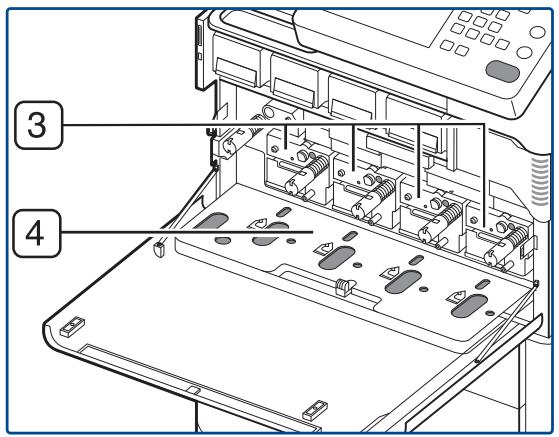
| Maintenance | Toner redistribution, charger cleaning, cartridge and imaging unit replacement |
| Security | Emergency stop, scanner lock, counterfeit bill warning |
| Spare parts and repairability | Toner cartridges, imaging units, waste toner collector, optional finishers and feeders |
| System compatibility | Windows, Macintosh, Linux, UNIX |
| Warranty and support | Detailed user manual, Samsung online service, hotline |
Frequently Asked Questions - CLX-9350ND SAMSUNG
User questions about CLX-9350ND SAMSUNG
0 question about this device. Answer the ones you know or ask your own.
Ask a new question about this device
Download the instructions for your Laser MFP in PDF format for free! Find your manual CLX-9350ND - SAMSUNG and take your electronic device back in hand. On this page are published all the documents necessary for the use of your device. CLX-9350ND by SAMSUNG.
USER MANUAL CLX-9350ND SAMSUNG
TÉLÉCOPIE (EN OPTION)
134

Support

natural_image
Line drawing of a printer with attached cable and a close-up of its cable being inserted into a wall socket (no text or symbols present)natural_image
Line drawing of a printer with attached cable and plug, no text or symbols presentnatural_image
Line drawing of a printer with a close-up inset showing a hand holding a small object (no text or symbols present)
natural_image
Line drawing of a printer's front panel with a digital display and control buttons, showing no text or symbols.natural_image
Line drawing of a printer or printer with an open lid and cable, showing internal components and a magnified inset of the device (no text or symbols present)natural_image
Illustration of two hands holding a closed book and a curved book, with blue arrows indicating direction (no text or symbols)natural_image
Line drawing of an open office printer with a hand inserting a small object to its side panel (no text or symbols present)natural_image
Line drawing of a printer with an open lid and internal mechanism, showing no text or symbols.natural_image
Line drawing of a desktop computer with an attached cable and keyboard, showing internal components and connection (no text or symbols)natural_image
Line drawing of a printer with open lid and scroll tray, showing internal mechanism (no text or symbols)natural_image
Line drawing of an open office printer with a close-up view showing internal components (no text or symbols)natural_image
Three-step illustration showing a foldable object being folded, with arrows indicating rotation and movement (no text or symbols)natural_image
Line drawing of a printer with a digital display and paper clip (no text or symbols)natural_image
Line drawing of a printer with open lid and control panel, showing internal components and a close-up inset of the printer's handle (no text or symbols present)
natural_image
Diagram of a printer's internal structure showing part assembly and disassembly (no text or labels)natural_image
Technical line drawing of a printer internal structure with no visible text or symbolsnatural_image
Technical line drawing of a printer assembly with internal components and a numbered label (1), showing no readable text or symbols.natural_image
Three-step illustration showing a foldable object being folded, then placed on a flat surface with directional arrows indicating movement (no text or symbols)natural_image
Line drawing of a printer's internal structure showing paper feeding into a stacker machine (no text or symbols)natural_image
Technical line drawing of a printer internal structure showing internal components and assembly (no text or symbols)natural_image
Line drawing of a printer with internal components and a hand inserting a component (no text or symbols visible)
natural_image
Simple line drawing of a washing machine with a circular button above it (no text or symbols)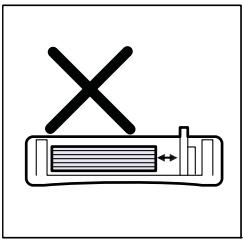
natural_image
Simple line drawing of a device with a cross mark above it, no text or symbols present.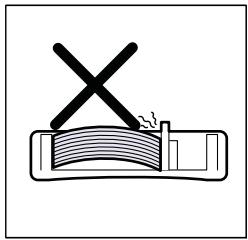
natural_image
Simple line drawing of a cross mark on a document with a pencil, no text or symbols present
natural_image
Technical line drawing of a printer or scanner assembly with internal components and a zoomed-in view showing internal structure (no text or symbols)natural_image
Technical illustration of a printer assembly with a close-up view of internal components (no text or symbols)natural_image
Illustration of a printer's internal structure showing the printer's base, cladding, and paper roll (no text or symbols present)natural_image
Three-step illustration showing a foldable object being folded, then being placed on a flat surface with directional arrows indicating movement (no text or symbols)natural_image
Technical line drawing of a printer or scanner with internal components and a hand inserting a component (no text or symbols visible)
natural_image
Line drawing of a printer or scanner with internal components and a hand inserting a device (no text or symbols visible)
natural_image
Line drawing of an open printer with internal components and a close-up view showing a mechanical component (no text or symbols)natural_image
Line drawing of an open industrial machine with internal components and a blue plastic box (no text or symbols)natural_image
Illustration of a printer with a close-up view showing internal components and a magnified inset of the printer's cover (no text or symbols present)natural_image
Three-step illustration showing a foldable device being handled, with no text or symbols present.natural_image
Line drawing of an open office printer with a digital display and paper tray (no text or symbols)natural_image
Line drawing of an open digital printer with a close-up inset showing a person lying on a shelf (no text or symbols present)natural_image
Diagram showing a device interior with a close-up of its internal structure and airflow direction (no text or symbols)natural_image
Diagram showing a door handle opening into a rack with an inset view of a hand using a tool to lift a sheet (no text or symbols present)natural_image
Illustration of a garment washing machine with a hand holding a cloth, showing internal components and fabric texture (no text or symbols)natural_image
Illustration of a door handle assembly with a magnified view showing a hand holding a small object (no text or symbols present)natural_image
Technical line drawing showing a printer's open lid and internal mechanism, with no visible text or symbols.natural_image
Illustration of a printer being scanned into a stack of documents, showing the top panel and bottom view with no text or symbols.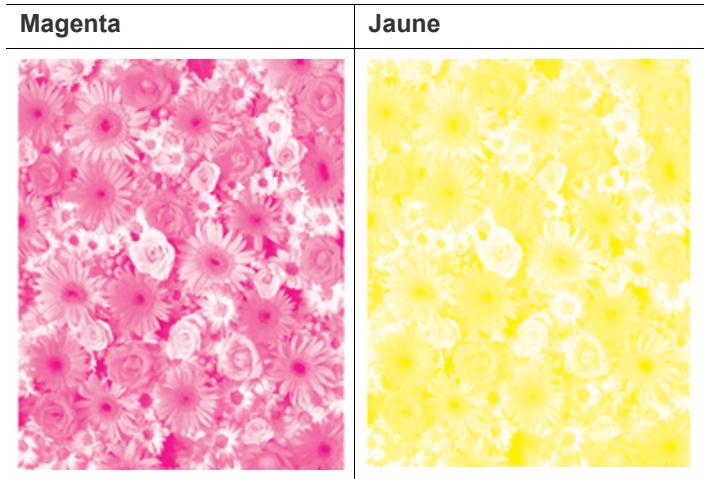
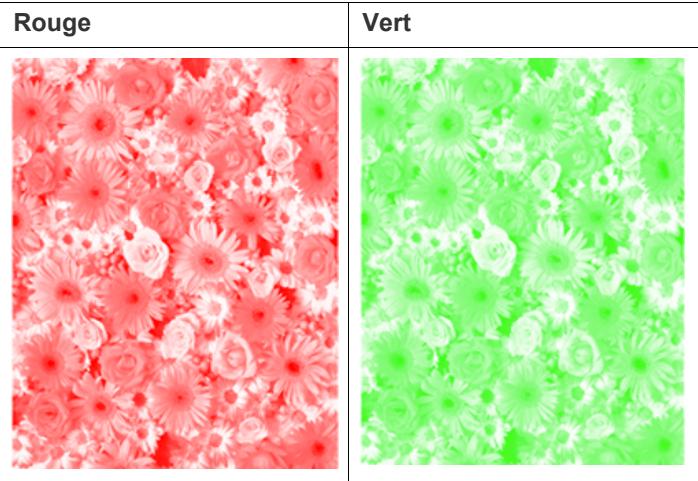

natural_image
Blue-tinted floral pattern with daisy-like flowers and white roses (no text or symbols)natural_image
Blue floral pattern with no text or symbols, featuring a cluster of white and blue daisies (no text or symbols)bar
| Season | Western | Eastern | Northern | | ------ | ------- | ------- | -------- | | Spring | 20 | 30 | 45 | | Summer | 35 | 30 | 45 | | Fall | 80 | 45 | 50 | | Winter | 20 | 30 | 45 |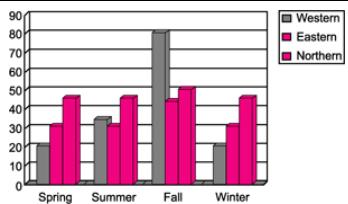
bar
| Season | Western | Eastern | Northern | |---|---|---|---| | Spring | 22 | 31 | 47 | | Summer | 35 | 30 | 48 | | Fall | 81 | 45 | 52 | | Winter | 21 | 31 | 48 |natural_image
Pixelated icon of multiple documents or files with no visible text or symbolsnatural_image
Stack of blank paper documents with a yellow bookmark (no text or symbols visible)flowchart
graph TD
    A["Grid Icon"] --> B["Down Arrow"]
    B --> C["ID Card Icon"]
flowchart
graph TD
    A["Top View"] --> B["Down Arrow"]
    B --> C["Bottom Image Output"]

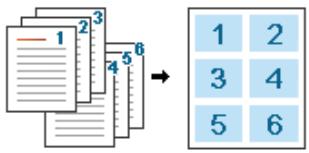
Répétition d'image
flowchart
graph LR
    A["ABC"] --> B["ABC ABC"]
    A --> C["ABC ABC"]
    A --> D["ABC ABC"]
    A --> E["ABC ABC"]
natural_image
Pure diagram of a document with arrows indicating direction, no text or symbols presentnatural_image
Pure diagram of a rectangular frame with horizontal lines and arrows, no text or symbols presentnatural_image
Illustration of a stack of paper sheets with a color palette and 'SANSUS' label, no readable text or symbols beyond the graphic elements.natural_image
Illustration of an open book with visible page lines and a vertical blue line (no text or symbols)natural_image
Illustration of an open book with visible page lines (no text or symbols)flowchart
graph LR
    L[" L "] --> R[" R "]
    style L fill:#cce5ff,stroke:#333
    style R fill:#cce5ff,stroke:#333
    note1["1"] --> arrow
    note2["2"] --> arrow
flowchart
graph TD
    L[" L "] --> R[" R "]
    L -->|2| R
    R -->|1| R
natural_image
Illustration of a blue apple with cartoon eyes inside a square frame, transforming into a simplified version (no text or symbols)Western Eastern Northern
natural_image
Technical line drawing showing a printer's internal structure and assembly process (no text or symbols)flowchart
graph LR
    L[" L "] --> R[" R "]
    style L fill:#cce5ff,stroke:#333
    style R fill:#cce5ff,stroke:#333
    note1["1"] --> arrow
    note2["2"] --> arrow
(Exemple, http://123.123.123.123)
Options du papier
natural_image
Stack of blank paper documents with a yellow bookmark (no text or symbols visible)Impression Macintosh
Onglet Printer-Specific Settings
natural_image
Line drawing of a printer with an open lid and control panel, showing internal components and a close-up of the lid (no text or symbols present)
(Exemple, http://123.123.123.123)
natural_image
Three printer icons in a row: two with a red bookmark and one with a white printer (no text or symbols)
1 Printers Configuration
2 Scanners Configuration
3 Ports Configuration


Passe en mode Printers configuration.
2
1
Scanners configuration
1
Passe en mode Scanners configuration.
2
natural_image
Line drawing of a multi-tiered printer with a scroll wheel, showing internal components and a blue circular arrow indicating rotation (no text or symbols present)natural_image
Technical line drawing of a printer with internal components and a blue arrow indicating a loading or assembly (no text or symbols present)natural_image
Line drawing of an open industrial machine with a blue arrow indicating motion, showing internal components and no text or symbols.natural_image
Line drawing of an open office printer with a blue arrow indicating the open door (no text or symbols present)
natural_image
Line drawing of an open office printer with a scroll wheel and control panel (no text or symbols)natural_image
Technical line drawing of a printer with internal components and a blue arrow indicating a loading or assembly (no text or symbols present)natural_image
Line drawing of a computer monitor with a paper airplane, showing no text or symbolsnatural_image
Line drawing of a mechanical component with a hand holding a tool, showing a close-up of the handle (no text or symbols present)natural_image
Line drawing of an open industrial machine with a blue arrow indicating a component or operation (no text or symbols present)natural_image
Line drawing of an open office printer with internal components and a blue arrow indicating a scroll (no text or symbols present)
natural_image
Line drawing of an open office printer with multiple screens and a scroll, showing internal components and a scroll wheel (no text or symbols)natural_image
Technical line drawing of an open printer with internal components and a hand inserting a component (no text or symbols)natural_image
Technical line drawing of an open printer with internal components and a close-up view showing a hand inserting a cable into a slot (no text or symbols present)natural_image
Illustration of a hand using a tool to trim a metal strip with an arrow indicating upward motion (no text or symbols)natural_image
Technical line drawing of an open printer with internal components and a close-up view showing a hand inserting a cable into a device (no text or symbols present)natural_image
Line drawing of an open office printer with internal components and a blue arrow indicating flow or movement (no text or symbols present)natural_image
Technical illustration of a printer's internal structure showing the open base and internal components, with no visible text or symbols.natural_image
Technical illustration of a printer's internal structure with a hand inserting a tool (no text or symbols present)natural_image
Diagram of a printer's internal structure showing paper feeding and printmaking (no text or symbols present)natural_image
Line drawing of an open office printer with multiple screens and a scroll, showing internal components and a blue arrow indicating a scroll (no text or symbols present)natural_image
Line drawing of an open office printer with multiple screens and a scroll, showing internal components and a blue arrow indicating a scroll (no text or symbols present)natural_image
Diagram of an open printer with internal components and a hand inserting a device into the cover (no text or symbols present)natural_image
Line drawing of a mechanical component with a blue arrow pointing to it, no text or symbols present
natural_image
Illustration of two hands installing or adjusting a device panel, with a magnified inset showing a person using a tool (no text or symbols present)natural_image
Technical illustration of a mechanical assembly with a magnified inset showing a hand using a tool to adjust or install a component (no text or symbols present)natural_image
Illustration of a hand using a tool to adjust or install a rectangular electronic component, with a circular icon showing a person in a trash bin (no text or symbols present)
natural_image
Technical line drawing of an open printer with internal components and a blue arrow indicating motion (no text or symbols present)natural_image
Line drawing of an open industrial machine with a hand inserting a cable into the opening (no text or symbols visible)natural_image
Technical illustration of a printer assembly with an inset showing a hand inserting a screwdriver into a rack (no text or symbols present)natural_image
Diagram of a printer with internal components and a close-up view of the printer's internal structure (no text or symbols present)natural_image
Line drawing of an open office printer with multiple screens and scrollbars (no text or symbols)
natural_image
Line drawing of an open office printer with internal compartments and a scroll wheel (no text or symbols)natural_image
Diagram of a printer with internal components and a close-up view of the lid (no text or symbols visible)natural_image
Line drawing of an open office printer with a blue scroll wheel indicating a scroll (no text or symbols present)
natural_image
Line drawing of a printer with open lid and scrollbars, showing internal components (no text or symbols)natural_image
Line drawing of a printer with open lid and paper tray, showing internal components (no text or symbols)natural_image
Line drawing of a printer with open lid and scrollbars, showing internal structure and no text or symbolsnatural_image
Line drawing of a printer with scrollbars and control panel, showing internal components without any text or symbolsnatural_image
Line drawing of a printer with hands operating the lid and paper inside, showing internal components (no text or symbols)natural_image
Line drawing of a multi-layered printer with open lid and scroll panels, showing internal structure (no text or symbols)natural_image
Line drawing of an open office machine with a hand adjusting the lid, showing internal components and a close-up inset (no text or symbols)natural_image
Line drawing of a printer with open lid and control panel, showing internal components (no text or symbols)natural_image
Line drawing of a printer with multiple stacks and a control panel, showing no text or symbols.natural_image
Line drawing of an open office printer with internal compartments and a scroll wheel (no text or symbols)natural_image
Line drawing of a printer with open lid and hands inserting a component (no text or symbols)natural_image
Line drawing of a printer with multiple spools and a control panel, showing internal structure without any text or symbols.natural_image
Line drawing of a printer with an open lid and paper feed being inserted, showing internal structure (no text or symbols)natural_image
Line drawing of a printer with hands installing or adjusting the cover (no text or symbols present)natural_image
Line drawing of a multi-layered printer with open lid and scrollbars, showing internal mechanism (no text or symbols)natural_image
Line drawing of a printer with open lid and control panel, showing internal components (no text or symbols)natural_image
Line drawing of a printer with open lid and internal circuit board, showing internal components (no text or symbols)natural_image
Line drawing of a printer with multiple spools and a control panel, showing internal structure without any text or symbols.natural_image
Line drawing of an open office printer with internal compartments and a scroll panel (no text or symbols)natural_image
Line drawing of a printer with open lid and hands installing or adjusting the cover (no text or symbols)natural_image
Line drawing of a multi-layered printer with open lid and scroll handle (no text or symbols)natural_image
Line drawing of a printer with open lid and control panel, showing internal components (no text or symbols)natural_image
Line drawing of a printer with open lid and hand inserting a blue arrow (no text or symbols)natural_image
Line drawing of a multi-tiered printer with a scroll wheel and control panel, showing no text or symbols.natural_image
Line drawing of an open industrial machine with internal components and a blue arrow indicating rotation (no text or symbols)natural_image
Line drawing of a printer with open lid and hand inserting a blue plastic component (no text or symbols)natural_image
Line drawing of a printer with open lid and scroll stack, showing internal mechanism (no text or symbols)natural_image
Line drawing of a printer with open lid and control panel, showing internal mechanism (no text or symbols)natural_image
Line drawing of a printer with open lid and hand inserting a blue object into the cover (no text or symbols)natural_image
Line drawing of an open office printer with internal compartments and a scroll wheel (no text or symbols)natural_image
Line drawing of a printer with open lid and hand inserting a blue arrow (no text or symbols)natural_image
Line drawing of an open printer with a hand inserting a cable into the cover (no text or symbols present)natural_image
Line drawing of an open printer with a close-up inset showing hand inserting a cable into the cover (no text or symbols present)natural_image
Illustration of a printer with a close-up view showing the printer's handle and scroll (no text or symbols present)natural_image
Illustration of a printer's internal structure with a hand inserting a card into the base (no text or symbols visible)natural_image
Line drawing of a multi-tiered printer with scrollbars and control panel, showing internal structure and a blue circular arrow indicating rotation (no text or symbols)natural_image
Line drawing of a printer with hands inserting a card into the base (no text or symbols)natural_image
Illustration of a printer with a close-up view showing the printer's handle and scroll (no text or symbols present)natural_image
Line drawing of a printer with a hand inserting a card into the base (no text or symbols visible)natural_image
Line drawing of a multi-layered printer with scrollbars and control panel, showing internal structure and a blue arrow indicating rotation (no text or symbols)natural_image
Line drawing of a printer with hands inserting a card into the base (no text or symbols)natural_image
Illustration of a printer with a close-up view showing the printer's handle and blade (no text or symbols present)natural_image
Line drawing of a printer with a hand inserting a card into the base (no text or symbols visible)natural_image
Line drawing of a multi-layered printer with a scroll wheel and control panel, showing internal structure and a blue arrow indicating rotation (no text or symbols present)natural_image
Line drawing of a printer with a hand inserting a card into the output (no text or symbols present)natural_image
Illustration of a printer with a close-up view showing the printer's internal structure and a hand inserting a cable (no text or symbols present)natural_image
Line drawing of a printer with a hand inserting a card into the base (no text or symbols visible)natural_image
Line drawing of a multi-tiered printer with open lid and scroll handle, showing internal structure and external mechanism (no text or symbols)natural_image
Line drawing of a printer with hands inserting a card into the base (no text or symbols)natural_image
Technical line drawing of a printer with an open lid and internal components, showing part assembly and disassembly (no text or symbols)natural_image
Line drawing of a printer with a hand inserting a card into the base (no text or symbols visible)natural_image
Line drawing of a printer with a close-up inset showing internal components (no text or symbols)natural_image
Illustration of a printer's internal structure with a hand inserting a clip into a panel (no text or symbols present)natural_image
Line drawing of an open printer with a close-up view showing the internal structure and hand inserting a device (no text or symbols present)natural_image
Line drawing of a printer with scrollbars and control panel, showing internal components and a blue arrow indicating rotation (no text or symbols)natural_image
Line drawing of a printer with hands inserting or opening the internal structure (no text or symbols)natural_image
Line drawing of a printer with multiple spools and a scroll, showing internal components and a blue arrow indicating rotation (no text or symbols present)natural_image
Line drawing of a printer with hands inserting a card into the base (no text or symbols)natural_image
Line drawing of a multi-layered printer with scrollbars and control panel (no text or symbols)natural_image
Line drawing of a printer with hands inserting a card into the output (no text or symbols)natural_image
Line drawing of an open printer with internal circuitry and a hand inserting a cable (no text or symbols)natural_image
Illustration of a printer with internal components and a close-up view of the printer's internal structure (no text or symbols present)natural_image
Illustration of a printer's internal structure showing internal components and a close-up of the printer's handle (no text or symbols present)natural_image
Technical line drawing of an open office printer with internal components and a close-up view of the printer's internal structure (no text or symbols present)natural_image
Line drawing of an open printer with internal components and a hand inserting a cable (no text or symbols)natural_image
Illustration of a printer with internal components and a close-up view of the printer's handle (no text or symbols present)natural_image
Line drawing of an open printer with internal circuitry and a hand inserting a cable (no text or symbols)natural_image
Illustration of an open printer with internal components and a close-up view of the printer's internal structure (no text or symbols present)natural_image
Line drawing of an open printer with internal circuitry and a hand inserting a cable (no text or symbols)natural_image
Technical line drawing of an open industrial machine with internal components and a blue arrow indicating rotation (no text or symbols present)natural_image
Line drawing of an open printer with a hand inserting a cable into the cover (no text or symbols present)natural_image
Technical line drawing of a mechanical assembly inside a server room, showing internal components and a blue arrow indicating a motion or force (no text or symbols present)natural_image
Line drawing of a printer with an open lid and control panel, showing internal components and a close-up inset of the printer's handle (no text or symbols present)natural_image
Technical line drawing of an open printer with internal components and a close-up inset showing hand positioning (no text or symbols)natural_image
Line drawing of a printer with a hand inserting a card into the cover (no text or symbols present)natural_image
Technical line drawing of an open industrial machine with internal components and a blue arrow indicating rotation (no text or symbols present)natural_image
Technical line drawing of an electronic device internal structure with a magnified inset showing a close-up of its internal components (no text or symbols present)natural_image
Technical line drawing of an open industrial machine with internal components and a blue rotation arrow (no text or symbols)natural_image
Technical line drawing of an open printer internal structure with hands operating it (no text or symbols present)natural_image
Technical line drawing of an open industrial machine with internal components and a blue arrow indicating rotation (no text or symbols present)natural_image
Technical line drawing of an open printer with internal components and a magnified inset showing hand positioning (no text or symbols)natural_image
Technical line drawing of an open industrial machine with internal components and a blue rotation arrow (no text or symbols)natural_image
Technical line drawing of a printer internal structure with no visible text or symbolsnatural_image
Technical line drawing of an open industrial machine with internal components and a fan blade (no text or symbols)natural_image
Line drawing of a printer with hands inserting a card into the cover (no text or symbols)natural_image
Technical line drawing of an open industrial machine with internal components and a blue arrow indicating flow direction (no text or symbols)natural_image
Line drawing of an open office printer with internal components and a blue scroll arrow indicating rotation (no text or symbols)natural_image
Line drawing of an open office printer with internal components and a hand inserting a paper into the cover (no text or symbols present)natural_image
Line drawing of a printer with an open lid and internal mechanism, showing no text or symbols.natural_image
Line drawing of an open office printer with a blue scroll wheel and control panel (no text or symbols)natural_image
Line drawing of a printer with an open door and hand inserting a paper into the drawer (no text or symbols present)natural_image
Line drawing of an open office printer with a hand inserting a tray into the window (no text or symbols present)natural_image
Line drawing of a multi-layered printer with control panel and paperclip (no text or symbols)
natural_image
Illustration of a printer being inserted into a machine, showing internal components and a close-up view of the device (no text or symbols present)
natural_image
Technical line drawing of an open industrial machine with internal components and a blue rotation arrow (no text or symbols)natural_image
Technical line drawing of an open printer with internal components and a close-up inset showing hand positioning (no text or symbols)natural_image
Line drawing of an open office printer with scrollbars and control panel (no text or symbols)natural_image
Line drawing of an open office printer with a hand inserting a paper into the window (no text or symbols present)natural_image
Line drawing of an open office printer with a hand inserting a paper into the door (no text or symbols visible)natural_image
Illustration of a printer being inserted into a scanner, showing internal components and a close-up of the scanner's internal structure (no text or symbols present)
natural_image
Illustration of a printer's internal structure and assembly process, showing steps from receipt to print (no text or symbols present)natural_image
Line drawing of an open office printer with scrollbars and control panel (no text or symbols)natural_image
Technical line drawing of an open printer with internal components and a hand inserting a device (no text or symbols visible)natural_image
Technical line drawing of an open office printer with internal components and a blue arrow indicating motion (no text or symbols present)natural_image
Technical line drawing of an open printer with internal components and a hand inserting a blue plastic clip (no text or symbols visible)natural_image
Technical line drawing of an open printer with internal components and a hand inserting a device (no text or symbols visible)natural_image
Line drawing of an open office printer with scrollbars and control panel (no text or symbols)natural_image
Technical line drawing of an open printer with internal components and a hand inserting a component (no text or symbols visible)natural_image
Technical line drawing of a mechanical device interior showing internal components and motion indicators (no text or symbols)natural_image
Technical line drawing of an open office printer with internal compartments and control panel (no text or labels)natural_image
Line drawing of an open office printer with a hand inserting a blue card into the cover (no text or symbols visible)natural_image
Technical line drawing of a mechanical device interior with no visible text or symbolsnatural_image
Diagram of a hand inserting a device into a machine compartment, showing internal components and a blue lightning bolt (no text or symbols)natural_image
Technical line drawing of an open printer with internal components and a hand inserting a device (no text or symbols visible)natural_image
Line drawing of an open office printer with a scroll wheel and control panel (no text or symbols)natural_image
Technical line drawing of an open industrial machine with internal components and a highlighted blue section (no text or symbols)natural_image
Technical line drawing of a mechanical device interior showing internal components and directional arrows (no text or symbols)natural_image
Technical line drawing of a mechanical device interior with no visible text or symbolsnatural_image
Technical line drawing of a door panel assembly with a hand inserting a component (no text or symbols)natural_image
Technical line drawing of an open printer with internal components and a hand inserting a component (no text or symbols visible)If you have any comments or questions regarding Samsung products, contact the Samsung customer care center.
| Country/Region | Customer Care Center | Web Site |
| ALBANIA | 42 27 5755 | |
| ARGENTINE | 0800-333-3733 | www.samsung.com |
| ARMENIA | 0-800-05-555 | |
| AUSTRALIA | 1300 362 603 | www.samsung.com |
| AUSTRIA | 0810-SAMSUNG(7267864, € 0.07/min) | www.samsung.com |
| AZERBAIJAN | 088-55-55-555 | |
| BAHRAIN | 8000-4726 | www.samsung.com |
| BELARUS | 810-800-500-55-500 | |
| BELGIUM | 02-201-24-18 | www.samsung.com/be (Dutch)www.samsung.com/be_fr (French) |
| BOSNIA | 05 133 1999 | |
| BRAZIL | 0800-124-4214004-0000 | www.samsung.com |
| BULGARIA | 07001 33 11 | www.samsung.com |
| CANADA | 1-800-SAMSUNG(726-7864) | www.samsung.com |
| CHILE | 800-SAMSUNG(726-7864) | www.samsung.com |
| CHINA | 400-810-5858010-6475 1880 | www.samsung.com |
| COLOMBIA | 01-8000112112 | www.samsung.com |
| COSTA RICA | 0-800-507-7267 | www.samsung.com |
| CROATIA | 062 SAMSUNG (062 7267864) | www.samsung.com |
| CZECH REPUBLIC | 800-SAMSUNG(800-726786) | www.samsung.com |
| Samsung Zrt., česká organizační složka, Oasis Florenc, Sokolovská394/17, 180 00, Praha 8 | ||
| DENMARK | 70 70 19 70 | www.samsung.com |
| DOMINICA | 1-800-751-2676 | www.samsung.com |
| ECUADOR | 1-800-10-7267 | www.samsung.com |
| EGYPT | 0800-726786 | www.samsung.com |
| EIRE | 0818 717100 | www.samsung.com |
| EL SALVADOR | 800-6225 | www.samsung.com |
| ESTONIA | 800-7267 | www.samsung.com |
| Country/Region | Customer Care Center | Web Site |
| FINLAND | 030-6227 515 | www.samsung.com |
| FRANCE | 01 48 63 00 00 | www.samsung.com |
| GERMANY | 01805 - SAMSUNG (726-7864 € 0,14/min) | www.samsung.com |
| GEORGIA | 8-800-555-555 | |
| GREECE | 8011-SAMSUNG (80111 7267864) from land line, local charge/ | www.samsung.com |
| GUATEMALA | 1-800-299-0013 | www.samsung.com |
| HONDURAS | 800-7919267 | www.samsung.com |
| HONG KONG | (852) 3698-4698 | www.samsung.com /hkwww.samsung.com /hk_en/ |
| HUNGARY | 06-80-SAMSUNG (726-7864) | www.samsung.com |
| INDIA | 3030 82821800 1100111800 3000 82821800 266 8282 | www.samsung.com |
| INDONESIA | 0800-112-8888021-5699-7777 | www.samsung.com |
| ITALY | 800-SAMSUNG (726-7864) | www.samsung.com |
| JAMAICA | 1-800-234-7267 | www.samsung.com |
| JAPAN | 0120-327-527 | www.samsung.com |
| JORDAN | 800-22273 | www.samsung.com |
| KAZAKHSTAN | 8-10-800-500-55-500 (GSM:7799) | www.samsung.com |
| KOSOVO | +381 0113216899 | |
| KYRGYZSTAN | 00-800-500-55-500 | www.samsung.com |
| LATVIA | 8000-7267 | www.samsung.com |
| LITHUANIA | 8-800-77777 | www.samsung.com |
| LUXEMBURG | 261 03 710 | www.samsung.com |
| MALAYSIA | 1800-88-9999 | www.samsung.com |
| MACEDONIA | 023 207 777 | |
| MEXICO | 01-800-SAMSUNG (726-7864) | www.samsung.com |
| MOLDOVA | 00-800-500-55-500 | |
| MONTENEGRO | 020 405 888 | |
| MOROCCO | 080 100 2255 | www.samsung.com |
| NIGERIA | 080-SAMSUNG(726-786 4) | www.samsung.com |
| NETHERLANDS | 0900-SAMSUNG (0900-7267864) (€ 0,10/ min) | www.samsung.com |
| NEW ZEALAND | 0800 SAMSUNG (0800 726 786) | www.samsung.com |
| NICARAGUA | 00-1800-5077267 | www.samsung.com |
| NORWAY | 815-56 480 | www.samsung.com |
| OMAN | 800-SAMSUNG (726-7864) | www.samsung.com |
| PANAMA | 800-7267 | www.samsung.com |
| PERU | 0-800-777-08 | www.samsung.com |
| PHILIPPINES | 1800-10-SAMSUNG (726-7864)1-800-3-SAMSUNG (726-7864)1-800-8-SAMSUNG (726-7864)02-5805777 | www.samsung.com |
| POLAND | 0 801 1SAMSUNG (172678)022-607-93-33 | www.samsung.com |
| PORTUGAL | 80820-SAMSUNG (726-7864) | www.samsung.com |
| PUERTO RICO | 1-800-682-3180 | www.samsung.com |
| RUMANIA | 08010 SAMSUNG (08010 726 7864) only from landline, local network Romtelecom - local tariff /021 206 01 10 for landline and mobile, normal tariff. | www.samsung.com |
| RUSSIA | 8-800-555-55-55 | www.samsung.com |
| SAUDI ARABIA | 9200-21230 | www.samsung.com |
| SERBIA | 0700 SAMSUNG (0700 726 7864) | www.samsung.com |
| SINGAPORE | 1800-SAMSUNG (726-7864) | www.samsung.com |
| SLOVAKIA | 0800-SAMSUNG (726-7864) | www.samsung.com |
| SOUTH AFRICA | 0860 SAMSUNG (726-7864) | www.samsung.com |
| SPAIN | 902-1-SAMSUNG(902 172 678) | www.samsung.com |
| Country/Region | Customer Care Center | Web Site |
| SWEDEN | 0771 726 7864(SAMSUNG) | www.samsung.com |
| SWITZERLAND | 0848-SAMSUNG(7267864, CHF 0.08/min) | www.samsung.com/chwww.samsung.com/ch_fr/ |
| TADJIKISTAN | 8-10-800-500-55-500 | www.samsung.com |
| TAIWAN | 0800-329-999 | www.samsung.com |
| THAILAND | 1800-29-323202-689-3232 | www.samsung.com |
| TRINIDAD &TOBAGO | 1-800-SAMSUNG(726-7864) | www.samsung.com |
| TURKEY | 444 77 11 | www.samsung.com |
| U.A.E | 800-SAMSUNG(726-7864) | www.samsung.com |
| U.K | 0330 SAMSUNG(726-7864) | www.samsung.com |
| U.S.A | 1-800-SAMSUNG(726-7864) | www.samsung.com |
| UKRAINE | 0-800-502-000 | www.samsung.uawww.samsung.com/ua_ru |
| UZBEKISTAN | 8-10-800-500-55-500 | www.samsung.com |
| VENEZUELA | 0-800-100-5303 | www.samsung.com |
| VIETNAM | 1 800 588 889 | www.samsung.com |

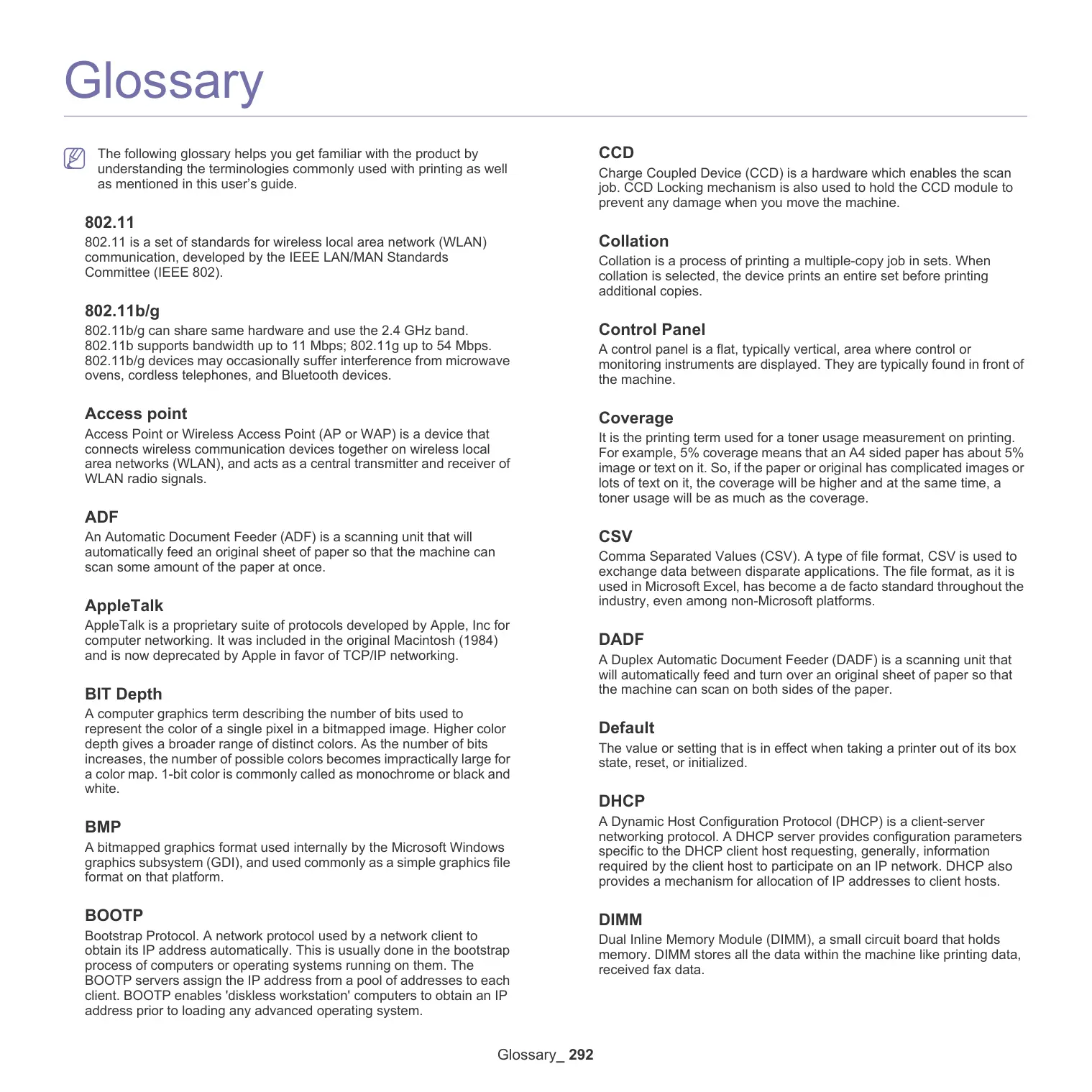
The following glossary helps you get familiar with the product by understanding the terminologies commonly used with printing as well as mentioned in this user's guide.
802.11
802.11 is a set of standards for wireless local area network (WLAN) communication, developed by the IEEE LAN/MAN Standards Committee (IEEE 802).
802.11b/g
802.11b/g can share same hardware and use the 2.4 GHz band. 802.11b supports bandwidth up to 11 Mbps; 802.11g up to 54 Mbps. 802.11b/g devices may occasionally suffer interference from microwave ovens, cordless telephones, and Bluetooth devices.
Access point
Access Point or Wireless Access Point (AP or WAP) is a device that connects wireless communication devices together on wireless local area networks (WLAN), and acts as a central transmitter and receiver of WLAN radio signals.
ADF
An Automatic Document Feeder (ADF) is a scanning unit that will automatically feed an original sheet of paper so that the machine can scan some amount of the paper at once.
AppleTalk
AppleTalk is a proprietary suite of protocols developed by Apple, Inc for computer networking. It was included in the original Macintosh (1984) and is now deprecated by Apple in favor of TCP/IP networking.
BIT Depth
A computer graphics term describing the number of bits used to represent the color of a single pixel in a bitmapped image. Higher color depth gives a broader range of distinct colors. As the number of bits increases, the number of possible colors becomes impractically large for a color map. 1-bit color is commonly called as monochrome or black and white.
BMP
A bitmapped graphics format used internally by the Microsoft Windows graphics subsystem (GDI), and used commonly as a simple graphics file format on that platform.
BOOTP
Bootstrap Protocol. A network protocol used by a network client to obtain its IP address automatically. This is usually done in the bootstrap process of computers or operating systems running on them. The BOOTP servers assign the IP address from a pool of addresses to each client. BOOTP enables 'diskless workstation' computers to obtain an IP address prior to loading any advanced operating system.
CCD
Charge Coupled Device (CCD) is a hardware which enables the scan job. CCD Locking mechanism is also used to hold the CCD module to prevent any damage when you move the machine.
Collation
Collation is a process of printing a multiple-copy job in sets. When collation is selected, the device prints an entire set before printing additional copies.
Control Panel
A control panel is a flat, typically vertical, area where control or monitoring instruments are displayed. They are typically found in front of the machine.
Coverage
It is the printing term used for a toner usage measurement on printing. For example, 5% coverage means that an A4 sided paper has about 5% image or text on it. So, if the paper or original has complicated images or lots of text on it, the coverage will be higher and at the same time, a toner usage will be as much as the coverage.
CSV
Comma Separated Values (CSV). A type of file format, CSV is used to exchange data between disparate applications. The file format, as it is used in Microsoft Excel, has become a de facto standard throughout the industry, even among non-Microsoft platforms.
DADF
A Duplex Automatic Document Feeder (DADF) is a scanning unit that will automatically feed and turn over an original sheet of paper so that the machine can scan on both sides of the paper.
Default
The value or setting that is in effect when taking a printer out of its box state, reset, or initialized.
DHCP
A Dynamic Host Configuration Protocol (DHCP) is a client-server networking protocol. A DHCP server provides configuration parameters specific to the DHCP client host requesting, generally, information required by the client host to participate on an IP network. DHCP also provides a mechanism for allocation of IP addresses to client hosts.
DIMM
Dual Inline Memory Module (DIMM), a small circuit board that holds memory. DIMM stores all the data within the machine like printing data, received fax data.
DLNA
The Digital Living Network Alliance (DLNA) is a standard that allows devices on a home network to share information with each other across the network.
DNS
The Domain Name Server (DNS) is a system that stores information associated with domain names in a distributed database on networks, such as the Internet.
Dot Matrix Printer
A dot matrix printer refers to a type of computer printer with a print head that runs back and forth on the page and prints by impact, striking an ink-soaked cloth ribbon against the paper, much like a typewriter.
DPI
Dots Per Inch (DPI) is a measurement of resolution that is used for scanning and printing. Generally, higher DPI results in a higher resolution, more visible detail in the image, and a larger file size.
DRPD
Distinctive Ring Pattern Detection. Distinctive Ring is a telephone company service which enables a user to use a single telephone line to answer several different telephone numbers.
Duplex
A mechanism that will automatically turn over a sheet of paper so that the machine can print (or scan) on both sides of the paper. A printer equipped with a Duplex Unit can print on both sides of paper during one print cycle.
Duty Cycle
Duty cycle is the page quantity which does not affect printer performance for a month. Generally the printer has the lifespan limitation such as pages per year. The lifespan means the average capacity of print-outs, usually within the warranty period. For example, if the duty cycle is 48,000 pages per month assuming 20 working days, a printer limits 2,400 pages a day.
ECM
Error Correction Mode (ECM) is an optional transmission mode built into Class 1 fax machines or fax modems. It automatically detects and corrects errors in the fax transmission process that are sometimes caused by telephone line noise.
Emulation
Emulation is a technique of one machine obtaining the same results as another.
An emulator duplicates the functions of one system with a different system, so that the second system behaves like the first system. Emulation focuses on exact reproduction of external behavior, which is in contrast to simulation, which concerns an abstract model of the system being simulated, often considering its internal state.
Ethernet
Ethernet is a frame-based computer networking technology for local area networks (LANs). It defines wiring and signaling for the physical layer, and frame formats and protocols for the media access control (MAC)/data link layer of the OSI model. Ethernet is mostly standardized as IEEE 802.3. It has become the most widespread LAN technology in use during the 1990s to the present.
EtherTalk
A suite of protocols developed by Apple Computer for computer networking. It was included in the original Macintosh (1984) and is now deprecated by Apple in favor of TCP/IP networking.
FDI
Foreign Device Interface (FDI) is a card installed inside the machine to allow a third party device such as a coin operated device or a card reader. Those devices allow the pay-for-print service on your machine.
FTP
A File Transfer Protocol (FTP) is a commonly used protocol for exchanging files over any network that supports the TCP/IP protocol (such as the Internet or an intranet).
Fuser Unit
The part of a laser printer that fuses the toner onto the print media. It consists of a heat roller and a pressure roller. After toner is transferred onto the paper, the fuser unit applies heat and pressure to ensure that the toner stays on the paper permanently, which is why paper is warm when it comes out of a laser printer.
Gateway
A connection between computer networks, or between a computer network and a telephone line. It is very popular, as it is a computer or a network that allows access to another computer or network.
Grayscale
A shades of gray that represent light and dark portions of an image when color images are converted to grayscale; colors are represented by various shades of gray.
Halftone
An image type that simulates grayscale by varying the number of dots. Highly colored areas consist of a large number of dots, while lighter areas consist of a smaller number of dots.
HDD
Hard Disk Drive (HDD), commonly referred to as a hard drive or hard disk, is a non-volatile storage device which stores digitally-encoded data on rapidly rotating platters with magnetic surfaces.
IEEE
The Institute of Electrical and Electronics Engineers (IEEE) is an international non-profit, professional organization for the advancement of technology related to electricity.
IEEE 1284
The 1284 parallel port standard was developed by the Institute of Electrical and Electronics Engineers (IEEE). The term "1284-B" refers to a specific connector type on the end of the parallel cable that attaches to the peripheral (for example, a printer).
Intranet
A private network that uses Internet Protocols, network connectivity, and possibly the public telecommunication system to securely share part of an organization's information or operations with its employees.
Sometimes the term refers only to the most visible service, the internal website.
IP address
An Internet Protocol (IP) address is a unique number that devices use in order to identify and communicate with each other on a network utilizing the Internet Protocol standard.
IPM
The Images Per Minute (IPM) is a way of measuring the speed of a printer. An IPM rate indicates the number of single-sided sheets a printer can complete within one minute.
IPP
The Internet Printing Protocol (IPP) defines a standard protocol for printing as well as managing print jobs, media size, resolution, and so forth. IPP can be used locally or over the Internet to hundreds of printers, and also supports access control, authentication, and encryption, making it a much more capable and secure printing solution than older ones.
IPX/SPX
IPX/SPX stands for Internet Packet Exchange/Sequenced Packet Exchange. It is a networking protocol used by the Novell NetWare operating systems. IPX and SPX both provide connection services similar to TCP/IP, with the IPX protocol having similarities to IP, and SPX having similarities to TCP. IPX/SPX was primarily designed for local area networks (LANs), and is a very efficient protocol for this purpose (typically its performance exceeds that of TCP/IP on a LAN).
ISO
The International Organization for Standardization (ISO) is an international standard-setting body composed of representatives from national standards bodies. It produces world-wide industrial and commercial standards.
ITU-T
The International Telecommunication Union is an international organization established to standardize and regulate international radio and telecommunications. Its main tasks include standardization, allocation of the radio spectrum, and organizing interconnection arrangements between different countries to allow international phone calls. A -T out of ITU-T indicates telecommunication.
ITU-T No. 1 chart
Standardized test chart published by ITU-T for document facsimile transmissions.
JBIG
Joint Bi-level Image Experts Group (JBIG) is an image compression standard with no loss of accuracy or quality, which was designed for compression of binary images, particularly for faxes, but can also be used on other images.
JPEG
Joint Photographic Experts Group (JPEG) is a most commonly used standard method of lossy compression for photographic images. It is the format used for storing and transmitting photographs on the World Wide Web.
LDAP
The Lightweight Directory Access Protocol (LDAP) is a networking protocol for querying and modifying directory services running over TCP/IP.
LED
A Light-Emitting Diode (LED) is a semiconductor device that indicates the status of a machine.
MAC address
Media Access Control (MAC) address is a unique identifier associated with a network adapter. MAC address is a unique 48-bit identifier usually written as 12 hexadecimal characters grouped in pairs (e.g., 00-00-0c-34-11-4e). This address is usually hard-coded into a Network Interface Card (NIC) by its manufacturer, and used as an aid for routers trying to locate machines on large networks.
MFP
Multi Function Peripheral (MFP) is an office machine that includes the following functionality in one physical body, so as to have a printer, a copier, a fax, a scanner and etc.
MH
Modified Huffman (MH) is a compression method for decreasing the amount of data that needs to be transmitted between the fax machines to transfer the image recommended by ITU-T T.4. MH is a codebook-based run-length encoding scheme optimized to efficiently compress white space. As most faxes consist mostly of white space, this minimizes the transmission time of most faxes.
MMR
Modified Modified READ (MMR) is a compression method recommended by ITU-T T.6.
Modem
A device that modulates a carrier signal to encode digital information, and also demodulates such a carrier signal to decode transmitted information.
MR
Modified Read (MR) is a compression method recommended by ITU-T T.4. MR encodes the first scanned line using MH. The next line is compared to the first, the differences determined, and then the differences are encoded and transmitted.
NetWare
A network operating system developed by Novell, Inc. It initially used cooperative multitasking to run various services on a PC, and the network protocols were based on the archetypal Xerox XNS stack. Today NetWare supports TCP/IP as well as IPX/SPX.
OPC
Organic Photo Conductor (OPC) is a mechanism that makes a virtual image for print using a laser beam emitted from a laser printer, and it is usually green or rust colored and has a cylinder shape.
An imaging unit containing a drum slowly wears the drum surface by its usage in the printer, and it should be replaced appropriately since it gets worn from contact with the cartridge development brush, cleaning mechanism, and paper.
Originals
The first example of something, such as a document, photograph or text, etc, which is copied, reproduced or translated to produce others, but which is not itself copied or derived from something else.
OSI
Open Systems Interconnection (OSI) is a model developed by the International Organization for Standardization (ISO) for communications. OSI offers a standard, modular approach to network design that divides the required set of complex functions into manageable, self-contained, functional layers. The layers are, from top to bottom, Application, Presentation, Session, Transport, Network, Data Link and Physical.
PABX
A private automatic branch exchange (PABX) is an automatic telephone switching system within a private enterprise.
PCL
Printer Command Language (PCL) is a Page Description Language (PDL) developed by HP as a printer protocol and has become an industry standard. Originally developed for early inkjet printers, PCL has been released in varying levels for thermal, dot matrix printer, and laser printers.
Portable Document Format (PDF) is a proprietary file format developed by Adobe Systems for representing two dimensional documents in a device independent and resolution independent format.
PostScript
PostScript (PS) is a page description language and programming language used primarily in the electronic and desktop publishing areas. - that is run in an interpreter to generate an image.
Printer Driver
A program used to send commands and transfer data from the computer to the printer.
Print Media
The media like paper, envelopes, labels, and transparencies which can be used in a printer, a scanner, a fax or, a copier.
PPM
Pages Per Minute (PPM) is a method of measurement for determining how fast a printer works, meaning the number of pages a printer can produce in one minute.
PRN file
An interface for a device driver, this allows software to interact with the device driver using standard input/output system calls, which simplifies many tasks.
Protocol
A convention or standard that controls or enables the connection, communication, and data transfer between two computing endpoints.
PS
See PostScript.
PSTN
The Public-Switched Telephone Network (PSTN) is the network of the world's public circuit-switched telephone networks which, on industrial premises, is usually routed through the switchboard.
RADIUS
Remote Authentication Dial In User Service (RADIUS) is a protocol for remote user authentication and accounting. RADIUS enables centralized management of authentication data such as usernames and passwords using an AAA (authentication, authorization, and accounting) concept to manage network access.
Resolution
The sharpness of an image, measured in Dots Per Inch (DPI). The higher the dpi, the greater the resolution.
SMB
Server Message Block (SMB) is a network protocol mainly applied to share files, printers, serial ports, and miscellaneous communications between nodes on a network. It also provides an authenticated Inter-process communication mechanism.
SMTP
Simple Mail Transfer Protocol (SMTP) is the standard for e-mail transmissions across the Internet. SMTP is a relatively simple, text-based protocol, where one or more recipients of a message are specified, and then the message text is transferred. It is a client-server protocol, where the client transmits an email message to the server.
SSID
Service Set Identifier (SSID) is a name of a wireless local area network (WLAN). All wireless devices in a WLAN use the same SSID in order to communicate with each other. The SSIDs are case-sensitive and have a maximum length of 32 characters.
Subnet Mask
The subnet mask is used in conjunction with the network address to determine which part of the address is the network address and which part is the host address.
TCP/IP
The Transmission Control Protocol (TCP) and the Internet Protocol (IP); the set of communications protocols that implement the protocol stack on which the Internet and most commercial networks run.
TCR
Transmission Confirmation Report (TCR) provides details of each transmission such as job status, transmission result and number of pages sent. This report can be set to print after each job or only after failed transmissions.
TIFF
Tagged Image File Format (TIFF) is a variable-resolution bitmapped image format. TIFF describes image data that typically come from scanners. TIFF images make use of tags, keywords defining the characteristics of the image that is included in the file. This flexible and platform-independent format can be used for pictures that have been made by various image processing applications.
Toner Cartridge
A kind of bottle or container used in a machine like a printer which contains toner. Toner is a powder used in laser printers and photocopiers, which forms the text and images on the printed paper. Toner can be fused by a combination of heat/pressure from the fuser, causing it to bind to the fibers in the paper.
TWAIN
An industry standard for scanners and software. By using a TWAIN-compliant scanner with a TWAIN-compliant program, a scan can be initiated from within the program. It is an image capture API for Microsoft Windows and Apple Macintosh operating systems.
UNC Path
Uniform Naming Convention (UNC) is a standard way to access network shares in Window NT and other Microsoft products. The format of a UNC path is: \
URL
Uniform Resource Locator (URL) is the global address of documents and resources on the Internet. The first part of the address indicates what protocol to use, the second part specifies the IP address or the domain name where the resource is located.
USB
Universal Serial Bus (USB) is a standard that was developed by the USB Implementers Forum, Inc., to connect computers and peripherals. Unlike the parallel port, USB is designed to concurrently connect a single computer USB port to multiple peripherals.
Watermark
A watermark is a recognizable image or pattern in paper that appears lighter when viewed by transmitted light. Watermarks were first introduced in Bologna, Italy in 1282; they have been used by papermakers to identify their product, and also on postage stamps, currency, and other government documents to discourage counterfeiting.
WEP
Wired Equivalent Privacy (WEP) is a security protocol specified in IEEE 802.11 to provide the same level of security as that of a wired LAN. WEP provides security by encrypting data over radio so that it is protected as it is transmitted from one end point to another.
WIA
Windows Imaging Architecture (WIA) is an imaging architecture that is originally introduced in Windows Me and Windows XP. A scan can be initiated from within these operating systems by using a WIA-compliant scanner.
WPA
Wi-Fi Protected Access (WPA) is a class of systems to secure wireless (Wi-Fi) computer networks, which was created to improve upon the security features of WEP.
WPA-PSK
WPA-PSK (WPA Pre-Shared Key) is special mode of WPA for small business or home users. A shared key, or password, is configured in the wireless access point (WAP) and any wireless laptop or desktop devices. WPA-PSK generates a unique key for each session between a wireless client and the associated WAP for more advanced security.
WPS
The Wi-Fi Protected Setup (WPS) is a standard for establishing a wireless home network. If your wireless access point supports WPS, you can configure the wireless network connection easily without a computer.
XPS
XML Paper Specification (XPS) is a specification for a Page Description Language (PDL) and a new document format, which has benefits for portable document and electronic document, developed by Microsoft. It is an XML-based specification, based on a new print path and a vector-based device-independent document format.
A
adresse du serveur
support dimpression 287
carnet dadresses
SyncThru Web Service 161
chargement
collation 66 copying on both sides of originals 58
création de dossier
numérisation 125
D
USB scanning memory device 111, 124, 125, 158, 162
L
Linux
TÉLÉCOPIE (EN OPTION) 134
Onglet Printer-Specific Settings 193
UTILISATION D'UN PÉRIPHÉRIQUE À MÉMOIRE FLASH USB 194
ITU-T No. 1 chart 294
JBIG 294
JPEG 294
LDAP 294
LED 294
MAC address 294
MFP 294
MH 294
MMR 294
Modem 294
MR 295
NetWare 295
OPC 295
Originals 295
OSI 295
PABX 295
PCL 295
PDF 295
PostScript 295
Printer Driver 295
Print Media 295
PPM 295
PRN file 295
Protocol 295
PS 295
PSTN 295
RADIUS 295
Resolution 295
SMB 295
SMTP 295
SSID 296
Subnet Mask 296
TCP/IP 296
TCR 296
TIFF 296
Toner Cartridge 296
TWAIN 296
UNC Path 296
URL 296
USB 296
Watermark 296
WEP 296
WIA 296
WPA 296
WPA-PSK 296
WPS 296
XPS 296


- Répétition d'image
- Options du papier
- Impression Macintosh
- Onglet Printer-Specific Settings
- Scanners configuration
- 802.11
- 802.11b/g
- Access point
- ADF
- AppleTalk
- BIT Depth
- BMP
- BOOTP
- CCD
- Collation
- Control Panel
- Coverage
- CSV
- DADF
- Default
- DHCP
- DIMM
- DLNA
- DNS
- Dot Matrix Printer
- DPI
- DRPD
- Duplex
- Duty Cycle
- ECM
- Emulation
- Ethernet
- EtherTalk
- FDI
- FTP
- Fuser Unit
- Gateway
- Grayscale
- Halftone
- HDD
- IEEE
- IEEE 1284
- Intranet
- IP address
- IPM
- IPP
- IPX/SPX
- ISO
- ITU-T
- ITU-T No. 1 chart
- JBIG
- JPEG
- LDAP
- LED
- MAC address
- MFP
- MH
- MMR
- Modem
- MR
- NetWare
- OPC
- Originals
- OSI
- PABX
- PCL
- PostScript
- Printer Driver
- Print Media
- PPM
- PRN file
- Protocol
- PS
- PSTN
- RADIUS
- Resolution
- SMB
- SMTP
- SSID
- Subnet Mask
- TCP/IP
- TCR
- TIFF
- Toner Cartridge
- TWAIN
- UNC Path
- URL
- USB
- Watermark
- WEP
- WIA
- WPA
- WPA-PSK
- WPS
- XPS
- A
- D
- L
- UTILISATION D'UN PÉRIPHÉRIQUE À MÉMOIRE FLASH USB 194
Brand : SAMSUNG
Model : CLX-9350ND
Category : Laser MFP