SAMSUNG VP-D905 - Camcorder

VP-D905 - Camcorder SAMSUNG - Free user manual and instructions

Find the device manual for free VP-D905 SAMSUNG in PDF.

📄 115 pages English EN Download 💬 AI Question 10 questions ⚙️ Specs
Notice SAMSUNG VP-D905 - page 2
View the manual : Français FR English EN
Pick your language and provide your email: we'll send you a specifically translated version.
Product Type Digital Camcorder
Brand Samsung
Model VP-D905
Dimensions (W x H x D) 118 x 98 x 55 mm
Weight (without battery or cassette) 445 g
Power Supply 7.4V lithium-ion battery pack or 100-240V AC adapter
Sensor 1.0 Megapixel CCD
Lens 12x optical zoom, digital up to 900x
Aperture F1.8
Recording Media Mini DV (tape) and Memory Stick (still images/MJPEG)
LCD Screen 2.5-inch color TFT, 123k pixels
Viewfinder 0.24-inch color screen
Photo Resolution Up to 1.0 Megapixel (1152x864)
Built-in Flash Yes, with red-eye reduction
Image Stabilizer Electronic (EIS)
Connectors A/V output, S-Video, DV (i.LINK) and USB
Video Standard PAL
Power Consumption 5.6 W (LCD), 4.4 W (viewfinder)
Maintenance and Cleaning Clean heads with dry cleaning cassette; avoid condensation
Safety Auto power off in standby; erase protection
Spare Parts and Repairability Use genuine parts; repair by qualified personnel
General Information 1-year parts and labor warranty (France)

Frequently Asked Questions - VP-D905 SAMSUNG

How to charge the battery of the Samsung VP-D905?
Attach the battery pack to the camcorder, plug in the AC adapter, and connect the DC cable. Turn off the device (OFF position): the charging indicator blinks. Charging is complete when the indicator stays on solid. Charging time is about 1 hour 40 minutes for the SB-LS110 battery.
What type of cassette to use with the VP-D905?
Use only Mini DV cassettes. Insert it with the transparent side facing out and the protection tab facing up. To protect a cassette, slide the tab to the SAVE position.
How to use the 900x digital zoom?
In CAMERA mode, press MENU, select CAMERA, then D.ZOOM. Choose the zoom level (100x, 200x, 400x, or 900x). Note: the higher the zoom, the more image quality may degrade. Enable the EIS stabilizer to reduce shaking.
Why does the blue screen appear during playback?
A blue screen usually indicates dirty video heads. Clean them with a dry cleaning cassette: insert it, press PLAY for 10 seconds, then STOP. If the problem persists, repeat the process or contact an authorized service center.
How to avoid condensation in the camcorder?
Avoid sudden temperature changes. If the DEW symbol appears, eject the cassette, remove the battery, and leave the device in a dry place at room temperature for at least 2 hours with the cassette compartment open.
Can I use a Memory Stick card with the VP-D905?
Yes, insert a Memory Stick card into the slot. It allows recording still photos, MJPEG videos, and transferring files to a PC via USB. Use the mode selector to switch between TAPE and MEMORY STICK.
How to set the date and time?
Press MENU, select INITIAL, then CLOCK SET. Use the MENU SELECTOR to change year, month, day, hours, and minutes. Confirm each step by pressing the MENU SELECTOR. The clock is backed up by a CR2025 lithium battery.
What to do if the battery discharges quickly?
Check that the battery is fully charged. If it is old, it may have lost capacity. Avoid extreme temperatures. In CAMERA mode, use the viewfinder instead of the LCD screen to save power. The battery may also be defective and require replacement.
How to transfer videos to a computer?
You can use the USB port or the DV (i.LINK) output. For USB, install the included DVC Media 6.1 software, connect the USB cable to the camcorder and the PC. For DV, use an IEEE 1394 cable for high-quality digital transfer.
What to do if the autofocus does not work?
Make sure EASY mode is not activated (disable it if necessary). Check that the AF/MF function is set to AF (automatic). If the problem persists, clean the lens or use manual focus by turning the focus ring.

User questions about VP-D905 SAMSUNG

0 question about this device. Answer the ones you know or ask your own.

Ask a new question about this device

The email remains private: it is only used to notify you if someone responds to your question.

No questions yet. Be the first to ask one.

Download the instructions for your Camcorder in PDF format for free! Find your manual VP-D905 - SAMSUNG and take your electronic device back in hand. On this page are published all the documents necessary for the use of your device. VP-D905 by SAMSUNG.

USER MANUAL VP-D905 SAMSUNG

Charge Coupled Device

LCD

Liquid Crystal Display

Mode d'emploi

89/336 CEE, 73/23 CEE, 93/68 CEE.

FRANÇAIS

Sommaire

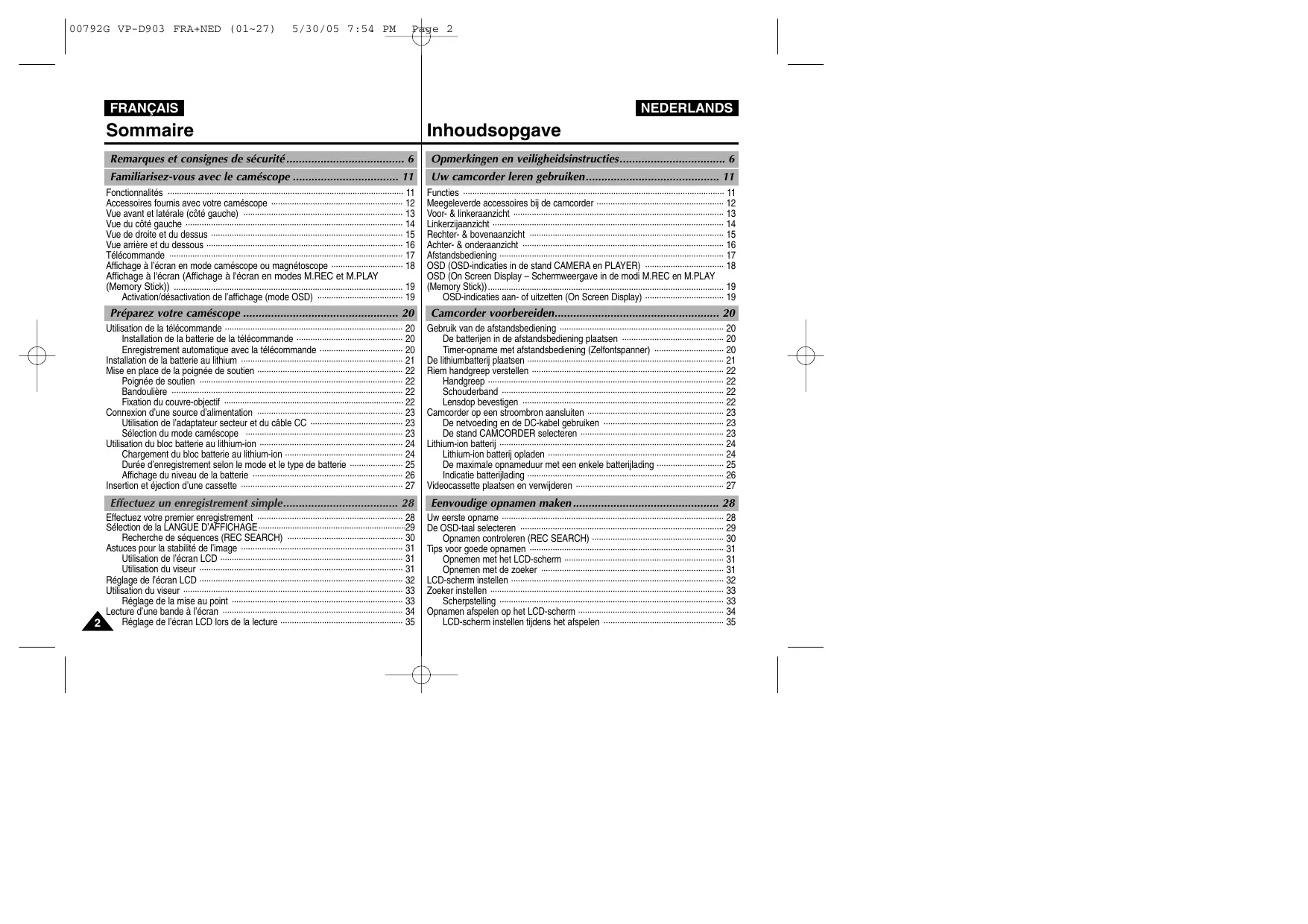
Activation/desactivation de I'affichage (mode OSD) 19

Specifications techniques 107

INDEX 108
SAMSUNG VP-D905 - Specifications techniques 107 - 1
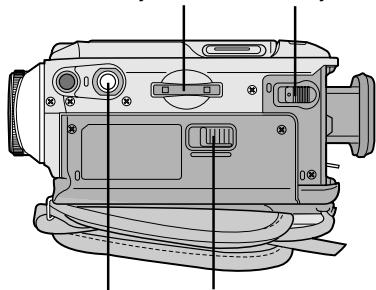
3. Memory Stick slot 4. Battery Release
5. Tripod receptacle
6. TAPE EJECT

High S. SPEED(High Shutter Speed) (3)

WHT. BALANCE (witbalans)

C. LUMI (toets Camera luminance)

M.OVERLAP (toets Memory overlap)

REC MODE (O pneumoniastand)

- Affichage (TV DISPLAY)

MULTI SCENE
SPL
SPLIT

Selecteer de stand CONTINUOUS SHOT

Exposition (EXPOSURE) 61

Exposition automatique (PROGRAM AE) 43

-F-

Flash 53

Prise continue (CONTINUOUS SHOT) ....88

Protection 98

Protection des bandes 27

-Q-

CONDITIONS DE GARANTIE

CONDITIONS DE GARANTIE

Manual assistant
Powered by Anthropic
Waiting for your message
Product information

Brand : SAMSUNG

Model : VP-D905

Category : Camcorder