
Procedure to eject a jammed tape from the Samsung VP-D20:
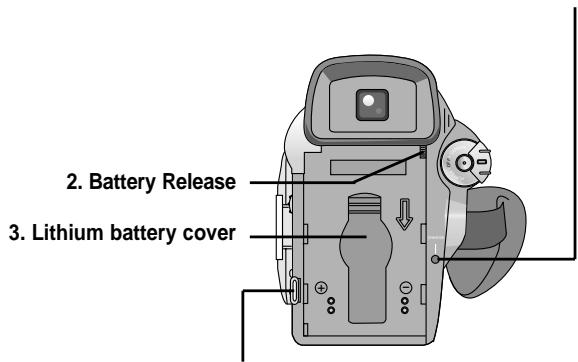
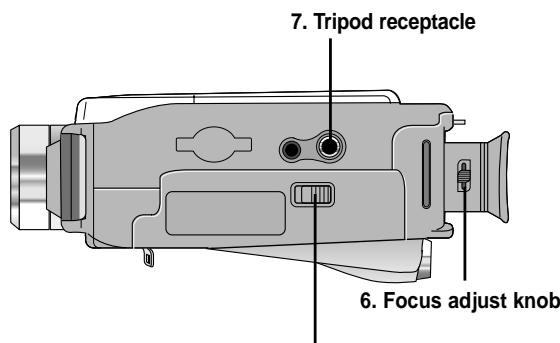
If your Samsung VP-D20 camcorder does not eject the tape, start by pressing the TAPE OPEN/EJECT button (located on the side of the device) by sliding it in the direction indicated by the arrow. The compartment should open automatically and the tape should be ejected. Never force it, as this could cause a malfunction of the internal mechanism.
If the tape does not eject despite pressing the button:
- Check the power supply: make sure the camcorder is powered (charged lithium-ion battery or connected power adapter). Without sufficient power, the eject mechanism will not function.
- Check for condensation: if the camcorder has been quickly moved from a cool place to a warm place, internal condensation (DEW) may form and block the mechanism. In this case, leave the device turned off for 2 hours in a dry place at room temperature, with the tape compartment open and without the battery.
- Check the type of tape: only Mini DV tapes are compatible with the VP-D20. A tape of another format will not fit properly and cannot be ejected normally.
If after checking these points the tape remains stuck, reset the camcorder by removing the battery for about 5 minutes, then replace it. This may reset the electronic circuits and allow the mechanism to eject.
Important: never force the OPEN/EJECT button or the tape compartment. Force could damage the internal components of the camcorder. If none of these steps resolve the issue, contact an authorized Samsung service center, which has the specialized tools to extract the tape without damage.