
VLUU IT100 - Camera SAMSUNG - Free user manual and instructions
Find the device manual for free VLUU IT100 SAMSUNG in PDF.



| Product type | Digital camera |
| Brand | Samsung |
| Model | VLUU IT100 |
| Sensor | CCD 1/2.33", 12.2 effective megapixels |
| Lens | Samsung, focal length 5-25 mm (35 mm equivalent: 28-140 mm), aperture F3.4 (W) - F5.8 (T) |
| Optical zoom | 5x |
| Screen | LCD TFT 3.0" (7.62 cm), 230,000 pixels |
| Focus | TTL auto (multi-zone, center) |
| Shutter speed | Auto: 1/8 - 1/2000 sec; Program: 1 - 1/2000 sec; Night: 8 - 1/2000 sec |
| Internal memory | Approx. 76 MB |
| External memory | SD card (up to 4 GB), SDHC (up to 8 GB), MMC Plus (up to 2 GB) |
| Power source | Rechargeable lithium-ion battery SLB-10A, 1050 mAh |
| Dimensions (W x H x D) | 94.5 x 58.9 x 22.5 mm |
| Weight | 155 g (without battery and memory card) |
| Connectivity | USB 2.0, Audio/Video (output), DC power input |
| Operating temperature | 0 - 40 °C |
| Operating humidity | 5 - 85 % |
| Care and cleaning | Clean the lens and screen with a soft, dry cloth. Avoid moisture and dust. |
| Safety | Do not use near flammable gases or liquids. Keep out of reach of children. Avoid flash near eyes. |
Frequently Asked Questions - VLUU IT100 SAMSUNG
User questions about VLUU IT100 SAMSUNG
0 question about this device. Answer the ones you know or ask your own.
Ask a new question about this device
Download the instructions for your Camera in PDF format for free! Find your manual VLUU IT100 - SAMSUNG and take your electronic device back in hand. On this page are published all the documents necessary for the use of your device. VLUU IT100 by SAMSUNG.
USER MANUAL VLUU IT100 SAMSUNG
Please refer to the warranty that came with your product or visit our website http://www.samsungcamera.com/ for after-sales service or inquiries.


AD68-03877A (1.1)
SAMSUNG
Quick Start Manual IT100

For more information, refer to the User Manual included on the supplied CD-ROM.
This Quick Start Manual has been specially designed to guide you through the basic functions and features of your device. Please read the Quick Start Manual and User Manual carefully to ensure safe and correct use.
ENG / FRE / TUR / T.CHI / IND / ARA / THA / PER
Contents

Health and safety
information...... 2
Camera layout 4
Setting up your camera ..... 5
Unpacking 5
Inserting the battery and memory card 6
Charging the battery 6
Turning on your camera....7
Selecting options 7
Capturing photos or videos 8
Playing files 9
Transferring files to a PC
(Windows) 10
Specifications 11
1
12
11
16
25
51
65
36
Health and safety information

Warnings
Do not use your camera near flammable or explosive gases and liquids
Do not use your camera near fuels, combustibles, or flammable chemicals. Do not store or carry flammable liquids, gases, or explosive materials in the same compartment as the camera or its accessories.
Keep your camera away from small children and pets
Keep your camera and all accessories out of the reach of small children and animals. Small parts may cause choking or serious injury if swallowed. Moving parts and accessories may present physical dangers as well.
Prevent damage to subjects' eyesight
Do not use the flash in close proximity (closer than 1m/3 ft) to people or animals. Using the flash too close to your subject's eyes can cause temporary or permanent damage.
Handle and dispose of batteries and chargers with care
- Use only Samsung-approved batteries and chargers. Incompatible batteries and chargers can cause serious injuries or damage to your camera.
- Never place batteries or cameras on or in heating devices, such as microwave ovens, stoves, or radiators. Batteries may explode when overheated.

Cautions
Handle and store your camera carefully and sensibly
- Do not allow your camera to get wet—liquids can cause serious damage. Do not handle your camera with wet hands. Water damage to your camera can void your manufacturer's warranty.
-
Avoid using or storing your camera in dusty, dirty, humid, or poorly-ventilated areas to prevent damage to moving parts and internal components.
-
Exercise caution when connecting cables or adapters and installing batteries and memory cards. Forcing the connectors, improperly connecting cables, or improperly installing batteries and memory cards can damage ports, connectors, and accessories.
- Do not insert foreign objects into any of your camera's compartments, slots, or access points. This type of damage may not be covered by your warranty.
Protect batteries, chargers, and memory cards from damage
- Avoid exposing batteries or memory cards to very cold or very hot temperatures (below 0^ C/ 32^ F or above 40^ C/ 104^ F). Extreme temperatures can reduce the charging capacity of your batteries and can cause memory cards to malfunction.
- Prevent memory cards from making contact with liquids, dirt, or foreign substances. If dirty, wipe the memory card clean with a soft cloth before inserting in your camera.


natural_image
Gradient color bar transitioning from black to white (no text or symbols)

natural_image
Color palette bar with 12 solid color blocks (yellow, magenta, cyan, blue, green, red, black, yellow, pink, cyan, gray) arranged horizontally.Camera layout
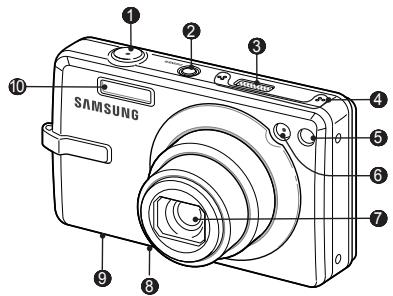
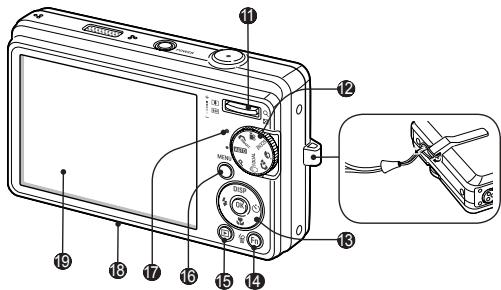
① Shutter button
② POWER button
③ Speaker
4 Microphone
5 Remote control sensor
6 AF-assist light/timer lamp
7 Lens
8 USB and A/V port
⑨ Battery chamber cover
10 Flash
11 Zoom button
12 Mode dial
13 Navigation button/OK button
14 Function button
15 | Playback button
16 MENU button
17 Status lamp
18 Tripod mount
19 : Display
4
Setting up your camera
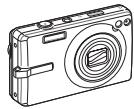
Unpacking
natural_image
Line drawing of a digital camera with no text or symbolsCamera
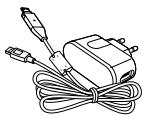
natural_image
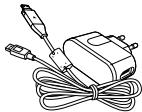
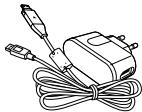
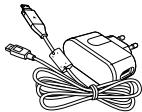
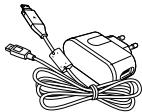
Line drawing of a handheld electronic device with coiled cable and connector (no text or symbols)AC adapter/ USB cable
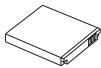
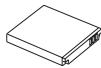
Rechargeable battery
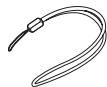
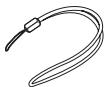
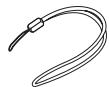
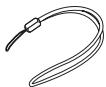
Strap
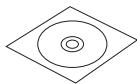
Software CD-ROM
(User manual included)

Quick Start Manual
Optional accessories

Camera case
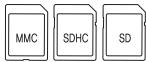
Memory cards
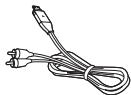
A/V cable
Sold as a set

HDMI cradle manual

Remote control
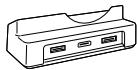
Cradle
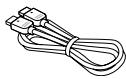
HDMI cable
Setting up your camera
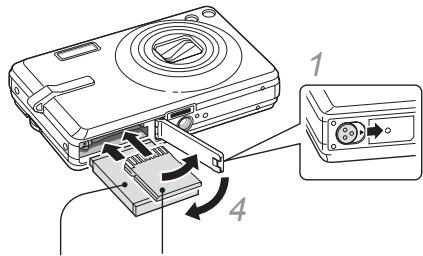
Inserting the battery and memory card

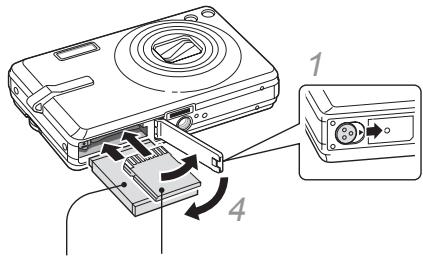
2 With the Samsung logo facing down
3 With the gold-coloured contacts facing up
▼ Removing the battery
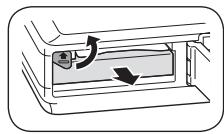
natural_image
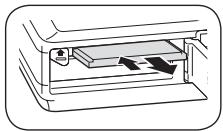
Diagram of a mechanical component with directional arrows indicating motion (no text or symbols)▼ Removing the memroy card
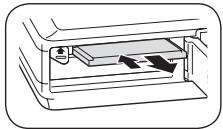
natural_image
Diagram of a printer's internal structure showing paper feeding into a tray (no text or symbols)Push gently until the card disengages from the camera and then pull it out of the slot.
6
Charging the battery

Before using the camera for the first time, you must charge the battery.
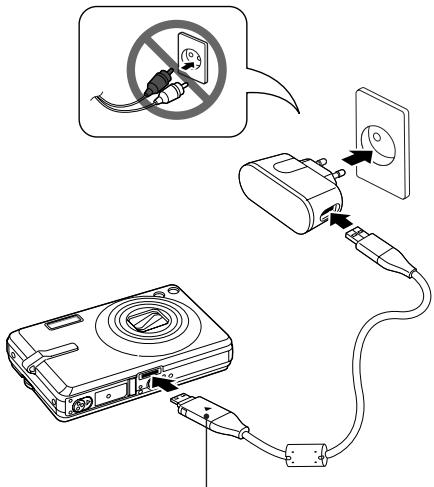
Indicator light
- Red: Charging
- Green: Fully charged
Turning on your camera
1 Press [POWER].
- The initial setup screen appears.
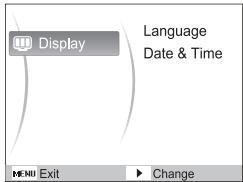
2 Press [💡] to select Language and press [💡].
3 Press [DISP] or [💡] to select a language and press [OK].
4 Press [DISP] or [💡] to select Date & Time and press [💡].
5 Press [⚡] or [💡] to select an item.
6 Press [DISP] or [💡] to change the number or select another date format and press [OK].
Selecting options
1 In Shooting mode, press [MENU].
2 Use the navigation buttons to scroll to an option or menu.
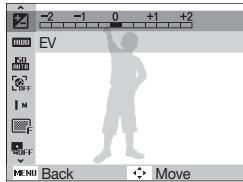
- To move left or right, press [⚡] or [💡].
- To move up or down, press [DISP] or [✿].
3 Press [OK] to confirm the highlighted option or menu.
- Press [MENU] again to go back to the previous menu.
Capturing photos or videos
Taking a photo
1 Rotate the mode dial to AUTO.
2 Align your subject in the frame.
3 Press [Shutter] halfway down to focus automatically.
- A green frame means the subject in focus.
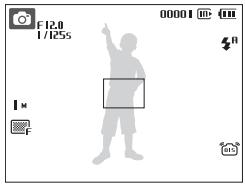
4 Press [Shutter] all the way down to take the photo.
8
Recording a video
1 Rotate the mode dial to 🎨.
2 Align your subject in the frame.
3 Press [Shutter].
- Press [OK] to pause or resume.
4 Press [Shutter] again to stop the recording.

Note
Number of photos by resolution (for 1 GB SD)
| Resolution | Super fine | Fine | Normal | |
| 12^M | 4000 x 3000 | 142 | 274 | 389 |
| 10^M | 3984 x 2656 | 162 | 302 | 426 |
| 3^M | 3968 x 2232 | 195 | 355 | 509 |
| 8^M | 3264 x 2448 | 204 | 361 | 518 |
| 5^M | 2592 x 1944 | 327 | 547 | 764 |
| 3^M | 2048 x 1536 | 514 | 774 | 1,028 |
| 2^M | 1920 x 1080 | 840 | 1,104 | 1,387 |
| 1^M | 1024 x 768 | 1,420 | 1,612 | 1,807 |
These figures are measured under Samsung's standard conditions and may vary depending on shooting conditions and camera settings.


natural_image
Gradient color bar transitioning from black to white (no text or symbols)

natural_image
Color palette bar with 12 distinct color swatches (yellow, magenta, cyan, blue, green, red, black, yellow, pink, cyan, gray) arranged horizontally.Playing files
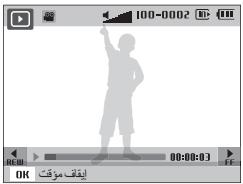
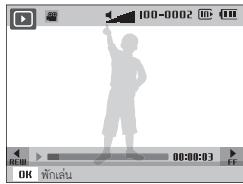
Viewing photos
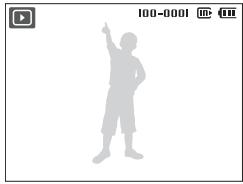
1 Press [▶].
2 Press [⚡] or [💡] to scroll through files.
- Press and hold to view files quickly.
natural_image
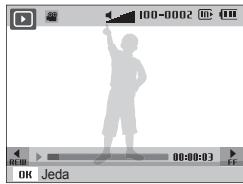
Silhouette of a person pointing upward, no text or symbols presentViewing videos
1 Press [▶].
2 Press [OK].
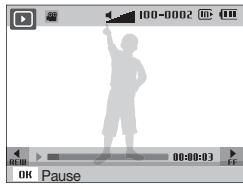
3 Use the following buttons to control playback.
| [⚡] | Scan backward |
| [OK] | Pause or resume playback |
| [💡] | Scan forward |
| [Zoom] up or down | Adjust the volume level |
Transferring files to a PC (Windows)
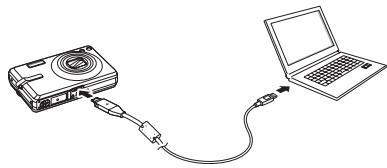
1 Insert the installation CD in a CD-ROM drive and follow the onscreen instructions.
2 Connect the camera to the PC with the USB cable.
natural_image
Line drawing of a digital camera connected to a laptop via cable (no text or symbols)Disconnecting safely (for Windows XP)
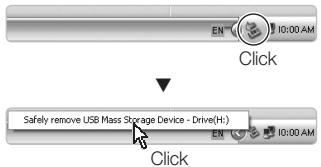
3 Turn on the camera.
4 On your PC, select My Computer → Removable Disk → DCIM → 100SSCAM.
5 Select the files you want and drag or save them to the PC.
10
Specifications
| Image sensor | Type: 1/2.33" (approx. 1.09 cm) CCDEffective pixels: approx. 12.2 mega-pixelsTotal pixels: approx. 12.4 mega-pixels |
| Lens | Focal length: Samsung lens f = 5 - 25 mm (35 mm film equivalent: 28 - 140 mm)F-stop range: F3.4 (W) - F5.8 (T) |
| Display | 3.0" (7.62 cm) 230 K, TFT LCD |
| Focusing | TTL auto focus (Multi AF, Center AF) |
| Shutter speed | Auto: 1/8 - 1/2,000 sec.Program: 1 - 1/2,000 sec. (AEB, Continuous: 1/4 - 1/2,000 sec.)Night: 8 - 1/2,000 sec.Firework: 4 sec. |
| Storage | Internal memory: approx. 76 MBExternal memory (Optional): SD card (up to 4 GB guaranteed),SDHC card (up to 8 GB guaranteed), MMC Plus (up to 2 GB guaranteed, 4 bit 20 MHz)Internal memory capacity may not match these specifications. |
| DC power input connector | 34 pin |
| Rechargeable battery | Lithium-ion battery (SLB-10A, 1,050 mAh) |
| Dimensions (W x H x D) | 94.5 x 58.9 x 22.5 mm |
| Weight | 155 g (without battery and memory card) |
| Operating temperature | 0 - 40°C |
| Operating humidity | 5 - 85 % |
Sommaire

natural_image
Line drawing of a digital camera with no text or symbolsAppareil photo
natural_image
Line drawing of a handheld electronic device with coiled cable and connector (no text or symbols)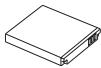
Batterie rechargeable
Dragonne
natural_image
Diagram of a device interior with directional arrows indicating movement or flow (no text or symbols)FR-6
natural_image
Diagram of a printer's internal structure showing paper feeding into a tray (no text or symbols)Voyant lumineux
natural_image
Gradient color bar transitioning from black to white (no text or symbols)

natural_image
Color palette bar with 12 distinct color swatches (yellow, magenta, cyan, blue, green, red, black, yellow, pink, cyan, gray) arranged horizontally.Lecture de fichiers
natural_image
Silhouette of a person raising one finger, wearing casual clothing (no text or symbols)natural_image
Line drawing of a digital camera connected to a laptop via cable (no text or symbols)natural_image
Line drawing of a digital camera with lens and buttons (no text or symbols)Kamera
natural_image
Line drawing of a handheld electronic device with coiled cable and connector (no text or symbols)natural_image
Diagram of a device interior with directional arrows indicating movement or flow (no text or symbols)TR-6
natural_image
Diagram of a printer's internal structure showing paper feeding into a tray (no text or symbols)Gösterge ışığı
natural_image
Gradient color bar transitioning from black to white (no text or symbols)

natural_image
Color palette bar with 12 solid color blocks (yellow, magenta, cyan, blue, green, red, black, yellow, pink, cyan, gray) arranged horizontally.Dosyaları oynatma
natural_image
Silhouette of a person pointing upward, no text or symbols presentnatural_image
Line drawing of a digital camera connected to a laptop via cable (no text or symbols)natural_image
Color palette bar with 12 distinct color swatches (yellow, magenta, cyan, blue, green, red, black, yellow, pink, cyan, gray) arranged horizontally.健康與安全資訊

警告
natural_image
Line drawing of a digital camera with no text or symbols相機
natural_image
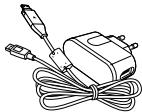
Line drawing of a handheld electronic device with coiled cable and connector (no text or symbols)交流電轉接器/USB 纜線
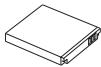
充電電池
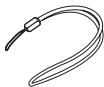
吊帶
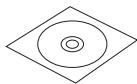
軟體光碟
(含使用手冊)

快速入門手冊
選購配件

相機套
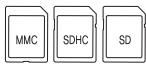
記憶卡
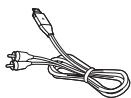
A/V 纜線
成套銷售

HDMI 座手冊

遥控器
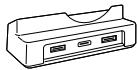
座
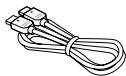
HDMI 纜線
T.ZH-5
安裝相機
插入電池和記憶卡
natural_image
Diagram of a device interior with directional arrows indicating movement or flow (no text or symbols)T.ZH-6
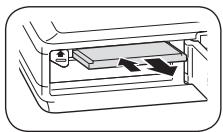
▼ 取出記憶卡
natural_image
Diagram of a printer's internal structure showing paper feeding into a tray with arrows indicating flow (no text or symbols)指示燈亮起
- 紅色:充電
- 綠色:電池已充滿電
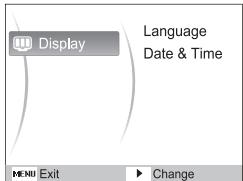
開啟相機
1 按下 [POWER]。
- 初始安裝螢幕即會顯示。
natural_image
Gradient color bar transitioning from black to white (no text or symbols)

natural_image
Color palette bar with 12 solid color blocks (yellow, magenta, cyan, blue, green, red, black, yellow, pink, cyan, gray) arranged horizontally.播放檔案
檢視相片
natural_image
Silhouette of a person holding a pointer, no text or symbols present檢視影片
natural_image
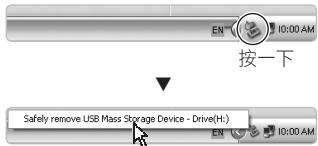
Line drawing of a device connected to a laptop via cable (no text or symbols)安全斷開連接 (Windows XP)
按一下
Mentransfer file ke PC
(Windows) 10 65
Spesifikasi 11 86
ID-2
11 Tombol zoom
12 Pilihan mode
⑬ Tombol Navigasi/Tombol OK
14 Tombol Fungsi
⑮ Tombol putar
16 Tombol menu
17 Lampu status
18 Dudukan tripod
19 Tampilan

Mengatur kamera
natural_image
Line drawing of a digital camera with no text or symbolsKamera
natural_image
Line drawing of a handheld electronic device with coiled cable and connector (no text or symbols)Adaptor AC/Kabel USB
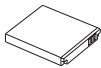
Baterai isi ulang
Pengikat
2 Dengan logo Samsung menghadap bawah
natural_image
Diagram of a door handle with directional arrows indicating movement or force (no text or symbols)ID-6
▼ Mengeluarkan kartu memori
natural_image
Diagram of a mechanical device with internal components and directional arrows indicating movement (no text or symbols)Lampu indikator
- Merah: Mengisi
natural_image
Gradient color bar transitioning from black to white (no text or symbols)

natural_image
Color palette bar with 12 distinct color swatches (yellow, magenta, cyan, blue, green, red, black, yellow, pink, cyan, gray) arranged horizontally.Memutar file
Melihat foto
1 Tekan [▶].
natural_image
Silhouette of a person holding a pointer, no text or symbols presentMelihat video
1 Tekan [▶].
2 Tekan [OK].
natural_image
Line drawing of a digital camera connected to a laptop via cable (no text or symbols)natural_image
Line drawing of a handheld electronic device with coiled cable and connector (no text or symbols)natural_image
Line drawing of a digital camera with lens and buttons (no text or symbols)الكاميرا
hzام
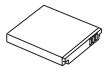
بطارية يعاد شحنها

دليل التشفيل السريع
. [ noun ] [ noun ] [ noun ] [ noun ] [ noun ] [ noun ] [ noun ] [ noun ] [ noun ] [ noun ] [ noun ] [ noun ] [ noun ] [ noun ] [ noun ] [ noun ] [ noun ] [ noun ] [ noun ] [ noun ] [ noun ] [ noun ] [ noun ] [ noun ] [ noun ] [ noun ] [ noun ] [ noun ] [ noun ] [ noun ] [ noun ] [ noun ] [ noun ] [ noun ]
[OK] [Laختيار لغة واضغط أو [DISP] ا+\$غط
وا+\غط Date & Time [✿] للاختيار [DISP] ا+\غط
.[@]
٥ اضغط [◀] أو [◦] ل bakingب.
٦ ا Forgط [DISP] [أو [ل'Eم] ل'Eم] ل'Eم [دIP]
.[OK] أخرى واضغط
AR-7
إعداد الكاميرا
اشحن البطارية
natural_image
Diagram of a printer's internal structure showing paper feeding into a slot (no text or symbols)natural_image
Diagram of a door or vent with directional arrows indicating flow or movement (no text or symbols)AR-6

natural_image
Gradient bar transitioning from black to white with no text or symbols

natural_image
Color palette bar with 12 distinct color swatches (yellow, magenta, cyan, blue, green, red, black, yellow, pink, cyan, gray) arranged horizontally.تشغيل الملفقات
عرض الفيديو
.[▶] اضغط 1
.[OK] اضغط
natural_image
Silhouette of a person pointing upward, no text or symbols presentAR-9

الثقاط صور أو فيديو
تسجيل فيديو
natural_image
Line drawing of a digital camera connected to a laptop via cable (no text or symbols)My Computer → Removable Disk → DCIM →
.100SSCAM
natural_image
Line drawing of a digital camera with no text or symbolsกล้อง
natural_image
Line drawing of a handheld electronic device with coiled cable and connector (no text or symbols)natural_image
Diagram of a mechanical device with arrows indicating motion or force direction (no text or symbols)ไฟแสดงสถานะ
natural_image
Gradient color bar transitioning from black to white (no text or symbols)

natural_image
Color palette bar with 12 distinct color swatches (yellow, magenta, cyan, blue, green, red, black, yellow, pink, cyan, gray) arranged horizontally.การเล่นไฟล์
การตูรปถ่าย
1 กด (▶)
natural_image
Silhouette of a person raising one finger, wearing casual clothing (no text or symbols)การดูวิตีโอ
1 กด (▶)
2 กต (OK)
natural_image
Line drawing of a digital camera connected to a laptop via cable (no text or symbols)natural_image
Line drawing of a handheld electronic device with coiled cable and connector (no text or symbols)آدایتور برق متناوب/
USB كابل
natural_image
Line drawing of a digital camera with lens and buttons (no text or symbols)دوربين
بند
باتری قابل شارژ

دفترچه راهنماي آغاز
به کار سريع
natural_image
Diagram of a printer's internal structure showing paper feeding into a tray with arrows indicating flow (no text or symbols)natural_image
Diagram of a device interior with directional arrows indicating movement or flow (no text or symbols)
FA-6
يخش قابل ها
مشاهده قيلم ها
natural_image
Silhouette of a person pointing upward, no text or symbols presentFA-9
natural_image
Line drawing of a digital camera connected to a laptop via cable (no text or symbols)natural_image
A gradient bar with grayscale color swatches from black to white, no text or symbols present.

natural_image
Color palette bar with 12 distinct color swatches (yellow, magenta, cyan, blue, green, red, black, yellow, pink, cyan, gray) arranged horizontally.MEMO
- Quick Start Manual IT100
- Contents
- Health and safety information
- Warnings
- Handle and dispose of batteries and chargers with care
- Cautions
- Handle and store your camera carefully and sensibly
- Protect batteries, chargers, and memory cards from damage
- Setting up your camera
- Unpacking
- Optional accessories
- Sold as a set
- Inserting the battery and memory card
- Charging the battery
- Indicator light
- Turning on your camera
- Selecting options
- Capturing photos or videos
- Taking a photo
- Recording a video
- Note
- Playing files
- Viewing photos
- Viewing videos
- Transferring files to a PC (Windows)
- Sommaire
- Lecture de fichiers
- Gösterge ışığı
- Dosyaları oynatma
- 健康與安全資訊
- 警告
- 選購配件
- 成套銷售
- 安裝相機
- 插入電池和記憶卡
- 指示燈亮起
- 開啟相機
- 播放檔案
- 檢視相片
- 檢視影片
- Mengatur kamera
- Memutar file
- Melihat foto
- Melihat video
- اشحن البطارية
- الثقاط صور أو فيديو
- تسجيل فيديو
- ไฟแสดงสถานะ
- การเล่นไฟล์
- การตูรปถ่าย
- การดูวิตีโอ
- يخش قابل ها
- مشاهده قيلم ها
- MEMO
Brand : SAMSUNG
Model : VLUU IT100
Category : Camera