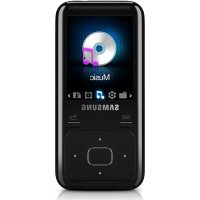
YP-R2CB - Mp3 player SAMSUNG - Free user manual and instructions
Find the device manual for free YP-R2CB SAMSUNG in PDF.


User questions about YP-R2CB SAMSUNG
0 question about this device. Answer the ones you know or ask your own.
Ask a new question about this device
Download the instructions for your Mp3 player in PDF format for free! Find your manual YP-R2CB - SAMSUNG and take your electronic device back in hand. On this page are published all the documents necessary for the use of your device. YP-R2CB by SAMSUNG.
USER MANUAL YP-R2CB SAMSUNG
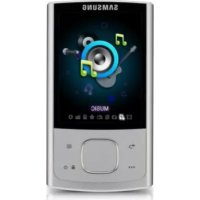
Digital Media Player
SAMSUNG

- The user manual and the installation program are stored in your player. Refer to page 4.
- Fully charge the battery before using your player for the first time.
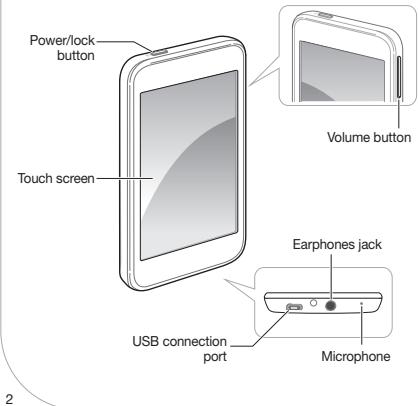
Your Player
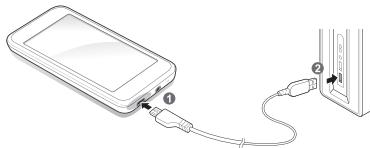
Connect to a PC and charge the battery
Connect the smaller end of the USB cable to the USB connection port at the bottom of your player.
Connect the larger end of the USB cable to the USB port of a PC.
ENG

Install the PC program and view user manual
You can view the user manual and install the PC program (Kies) on your PC.

Connect your player to a PC using the USB cable.

On your PC, double click < My Computer < R2 >

Click
\* Note
- When the installation is completely done, you can remove the
folder in your player to increase the free space for further use.
We regularly upgrade Kies for peak performance. Some features of Kies may change without prior notice.
Download files
Connect your player to a PC using the USB cable.
On your PC, open
Select a folder you want.
4 Select a media file in your PC and copy it to player.
\* Note
Before you disconnect your player from a PC, you must perform the USB "safely remove hardware" procedure. The procedure may vary depending on your PC's operating system.
Lock or unlock the touch screen
When your player is on and you perform no actions for a while, the touch screen locks automatically. You can also manually lock the touch screen to prevent unwanted operations.
Lock the touch screen
To lock the touch screen, press ①
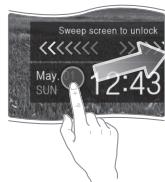
Unlock the touch screen
Press ⑥ ,and then drag your finger across the touch screen.

Play video files
In the home screen, tap
Tap a video file from the list.
During playback, use the following controls:
| To | Do this |
| Skip to the previous file or the next file | Tap ↕ ↕ |
| Search backward or forward in a file | Tap and hold ↕ ↕ |
| Pause or resume playback | Tap ↕ ↕ |

YP-R2
Digital Media Player
SAMSUNG