USER MANUAL GAIN D30 ORBEA
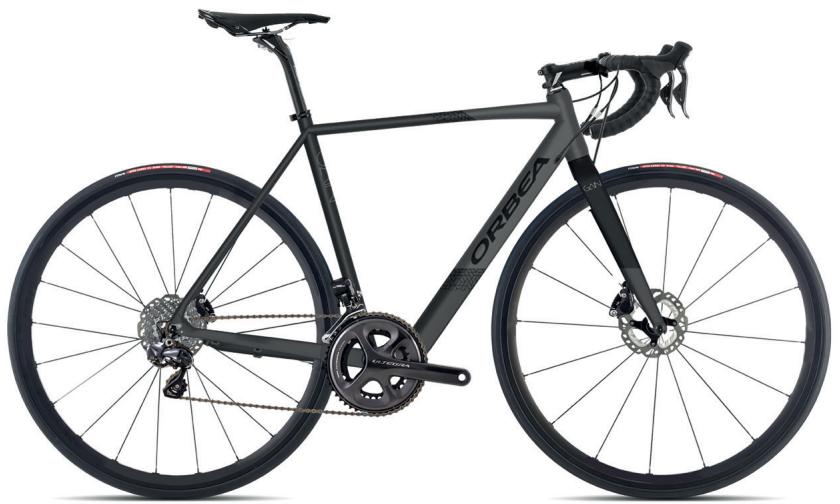
Photo for reference purposes only. Individual components may not correspond with the final assembly
| SIZE | CRANK | STEM | HANDLEBAR |
| XS | 170 | 90 | 400 |
| S | 170 | 100 | 420 |
| M | 170 | 100 | 420 |
| L | 172 | 110 | 440 |
| XL | 175 | 120 | 440 |
- The handlebar size is centre-centre.
| HEIGHT (cm) | HEIGHT (in) | SIZE |
| <160 | | XS |
| 160-170 | | S |
| 170-180 | | M |
| 180-190 | | L |
| >190 | | XL |
CHARACTERISTICS
| DIRECTION | 1" 1/8 SEMI-INTEGRATED |
| BB | BB68 THREADED |
| FRONT DERAILLEUR | C/CLAMP Ø31,8 |
| FRONT DERAILLEUR TP/DP | DP |
| FD ANGLE | 63°- 66° |
| SEAT POST DIAMETER | DIAM 27, 2 MM |
| SEAT CLAMP | INTERNAL DIAM 31,8 MM |
| DROPOUT | ALL ROAD E-BIKE |
| CHAINSTAY PROTECTOR | 11160033 |
| OTHER PROTECTORS | NO |
| CABLE TYPE | ESTANDAR/EBIKEMOTION |
| REAR HUB LENGTH | 135 MM. |
OPTIONS
| BRAKE | V-BRAKE | NO |
| DISC BRAKE | YES |
| REAR BRAKE IS/PM+DIAMETER DISC | FLAT MOUNT 140/160 DEL/TRAS (POST MOUNT C/ADAPTADOR) |
| CALIPER BRAKE | NO |
| LUGGAGE | BAG OPTION IN TOP TUBE | NO |
| BOTTLE CAGE | DT AND ST (ALL SIZES) |
| OPTION AERO AND STANDARD BOTTLE | NO |
| REAR LUGGAGE OPTION | YES |
| MUDGUARD OPTION | YES |
| KICKSTAND | NO |
| GEARS | 11 SPEED | YES |
| DOUBLE CRANK | SI (MAXIMUN BIG CHAINRING 53, MAXIMUM SMALL RING 46) |
| COMPACT CRANK (34X50T) (ROAD) | YES |
| TRIPLE CRANK | NO |
| WHEELS | MAXIMUM SIZE | 700 |
| TYRES | MAXIMUM SIZE | 700X40C |
| CABLE ROUTING | MECHANICAL SYSTEM (W/INTERNAL CABLE ROUTING) | CABLEADO INTERNO EN TI |
| ELECTRONIC DI2 SYSTEM (W/INTERNAL CABLE ROUTING) | NO |
| EXTERNAL SHIMANO BATTERY (IN LEFT CHAINSTAY) | NO |
| CAMPAGNOLO EPS | NO |
| POWER METERS | SRAM QUARK | NO |
| OTHERS | UCI | NO |
OPTIONS
Groupsets
| ROAD |
| SHIMANO |
| SHIMANO DI2 | NO |
| SHIMANO DI2 DISC | NO |
| SRAM |
| SRAM DISC | YES (WITH DROPOUTS MODIFIED IN 57°) |
PARTS & HARDWARE
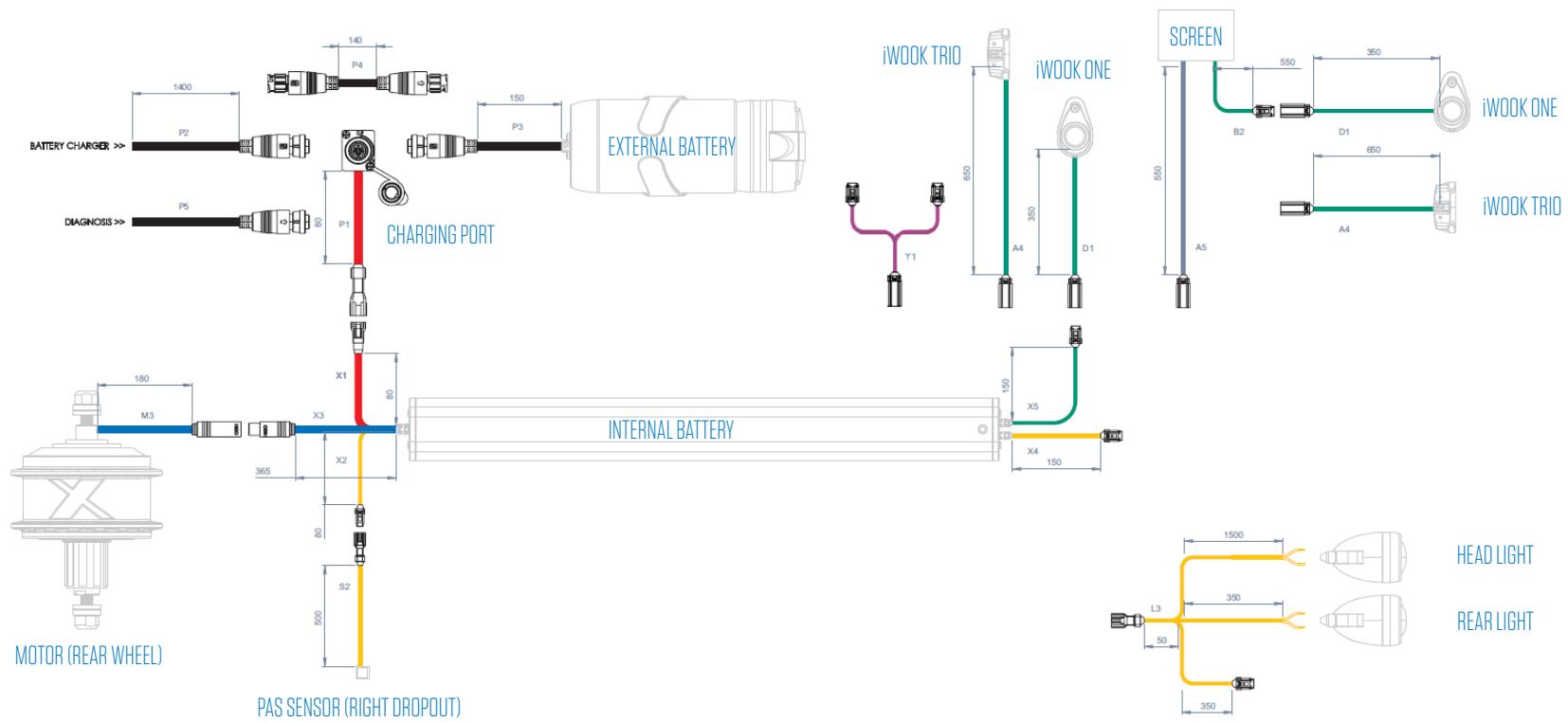
X35 of eBIKEMOTION
PART NUMBER
| X35 BATTERY |
| ● P1 | CHARGING PORT AND CONNECTION |
| ● X1 | CHARGING PORT TO BATTERY CONNECTION |
| ● P2 | BATTERY CHARGING CABLE |
| ● P5 | DIAGNOSIS CABLE |
| ● P4 | X35 EX WIRE |
PART NUMBER
ORBEA DESCRIPTION
| ● P3 | EXTERNAL BATTERY |
| ● X3 | BATTERY TO MOTOR CONNECTION |
| ● M3 | BATTERY CONNECTION CABLE AND MOTOR |
| ● X2 | BATTERY CONNECTION CABLE TO SENSOR |
| ● S2 | SPEED SENSOR CONNECTION |
PART NUMBER
| ● D1 | IWOK ONE START BUTTON AND CABLE |
| ● X5 | IWOK ONE START BUTTON TO BATTERY CABLE |
| ● A4 | IWOK TRIO START BUTTON AND CABLE |
| ● A5 | SCREEN CABLE |
| ● Y1 | “Y” CONNECTION FOR IWOK TRIO AND IWOK ONE |
PARTS & HARDWARE
VARIOUS & CAPS
PARTS & HARDWARE
VARIOUS & CAPS
1
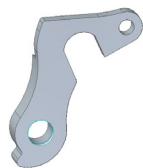
2
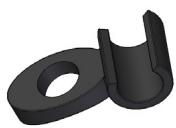
3
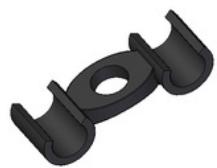
4
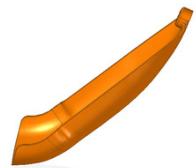
5
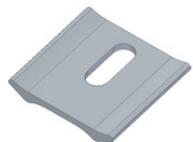
6
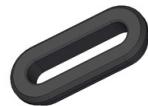
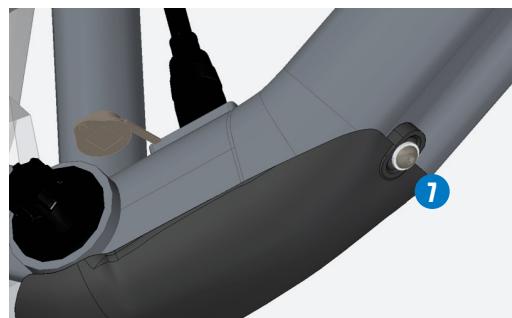
7
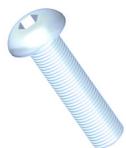
8
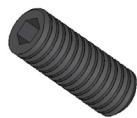
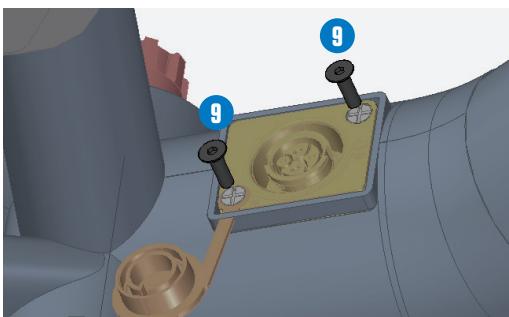
9

10
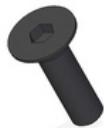
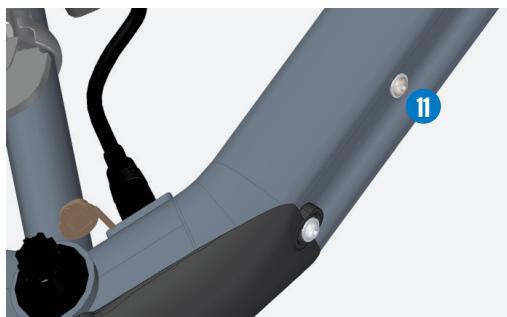
11
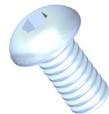
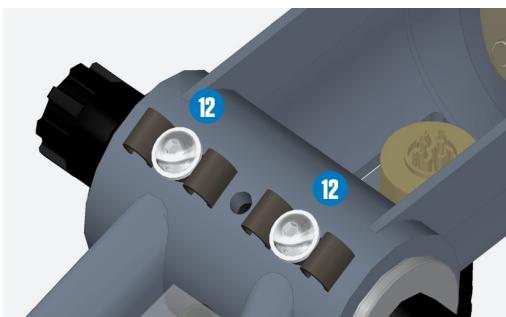
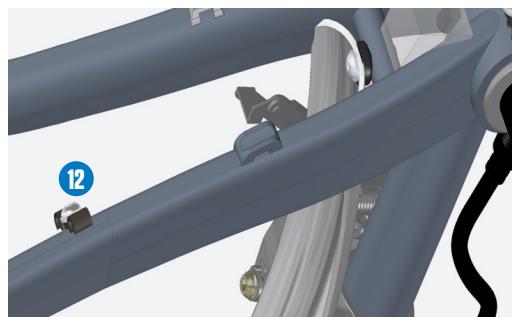
12

| PART NUMBER | REFERENCE | ORBEA DESCRIPTION |
| 1 | 15430168 | DROPOUT GAIN 2018 |
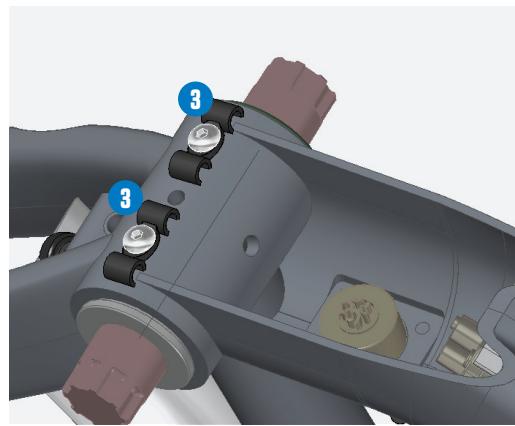
| 2 | 11001181 | CABLE CLIP 5,5 FOR 1 CABLE |
| 3 | 11001182 | CABLE CLIP 5,5 FOR 2 CABLES |
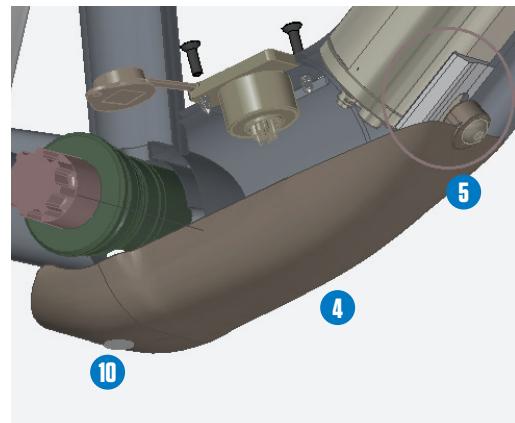
| 4 | 11000405 | BOTTOM COVER GAIN |
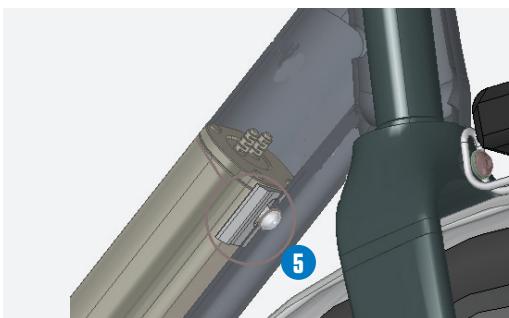
| 5 | 11200460 | GUIDE FOR BATTERY GAIN |
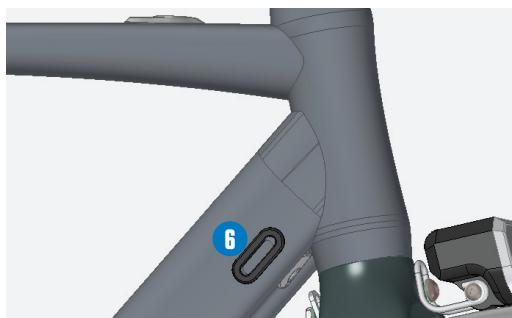
| 6 | 11001161 | RUBBER CAP 3 MM KEYHOLE 30X10 |
| 7 | 12300019 | SCREW M5X20 ISO 7380 INOX |
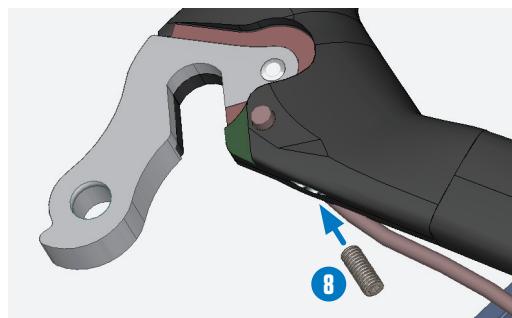
| 8 | 12301058 | SETSCREW M4X10 DIN 916 INOX |
| 9 | 12309075 | SCREW INOX M3X12 DIN 7911 BLACK |
| 10 | 12300018 | COUNTERSINK SCREW M5X25 DIN 7991 INOX |
| 11 | 12306022 | SCREW M5X10 ISO 7380 INOX |
| 12 | 12301078 | SCREW M5X8 ISO 7380 INOX |
| 13 | 12301087 | SCREW M5X6 TORX |
| 14 | 12321020 | WASER M5 DIN 125 INOX |
CABLE ROUTING
MECHANICAL
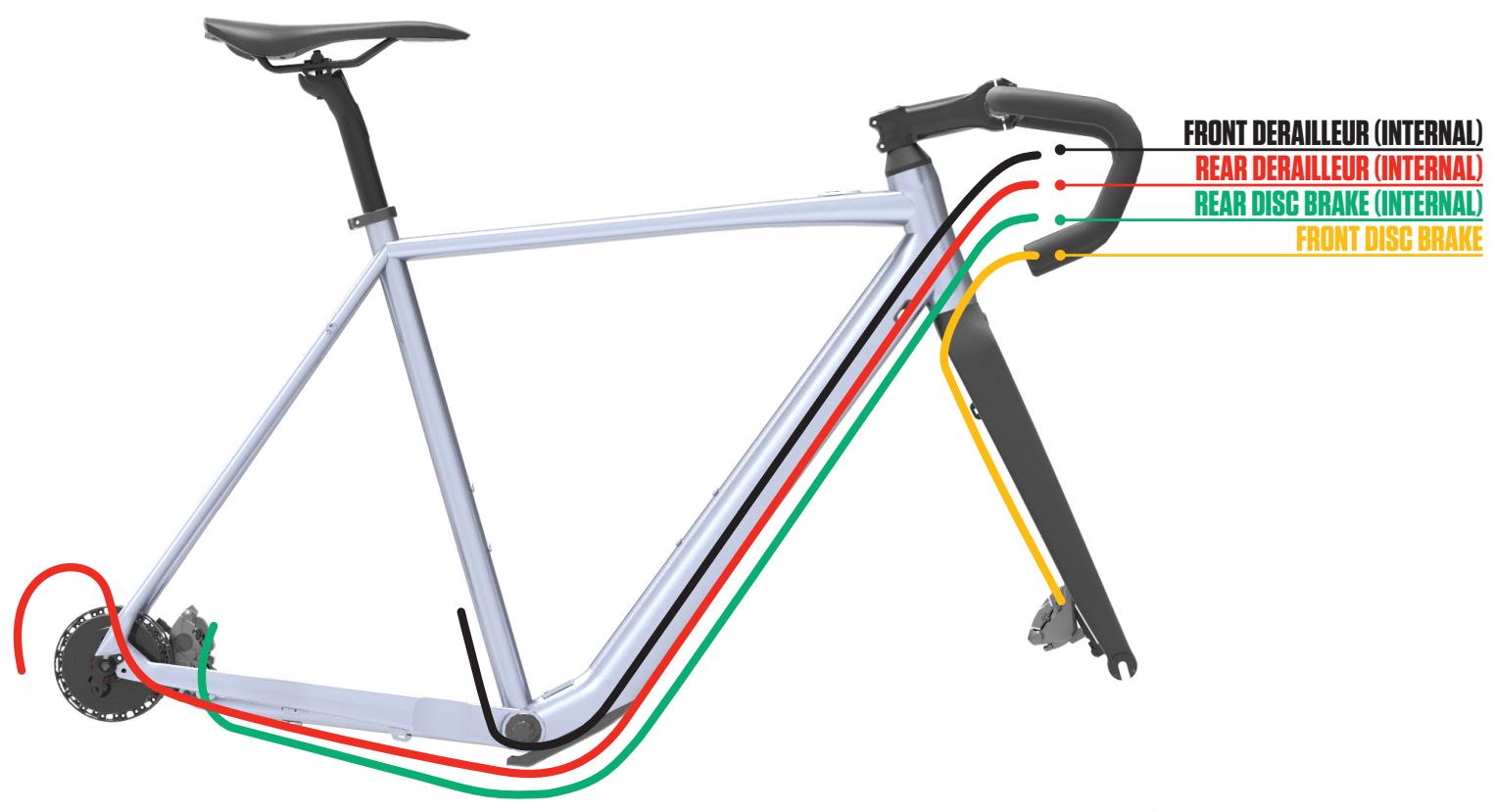
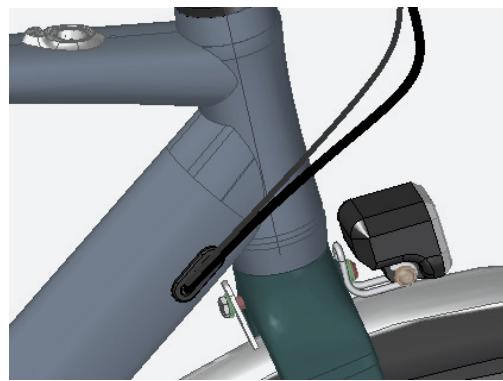
1/ Insertion of the front and rear deraillur.
CABLE ROUTING
X35 SYSTEM
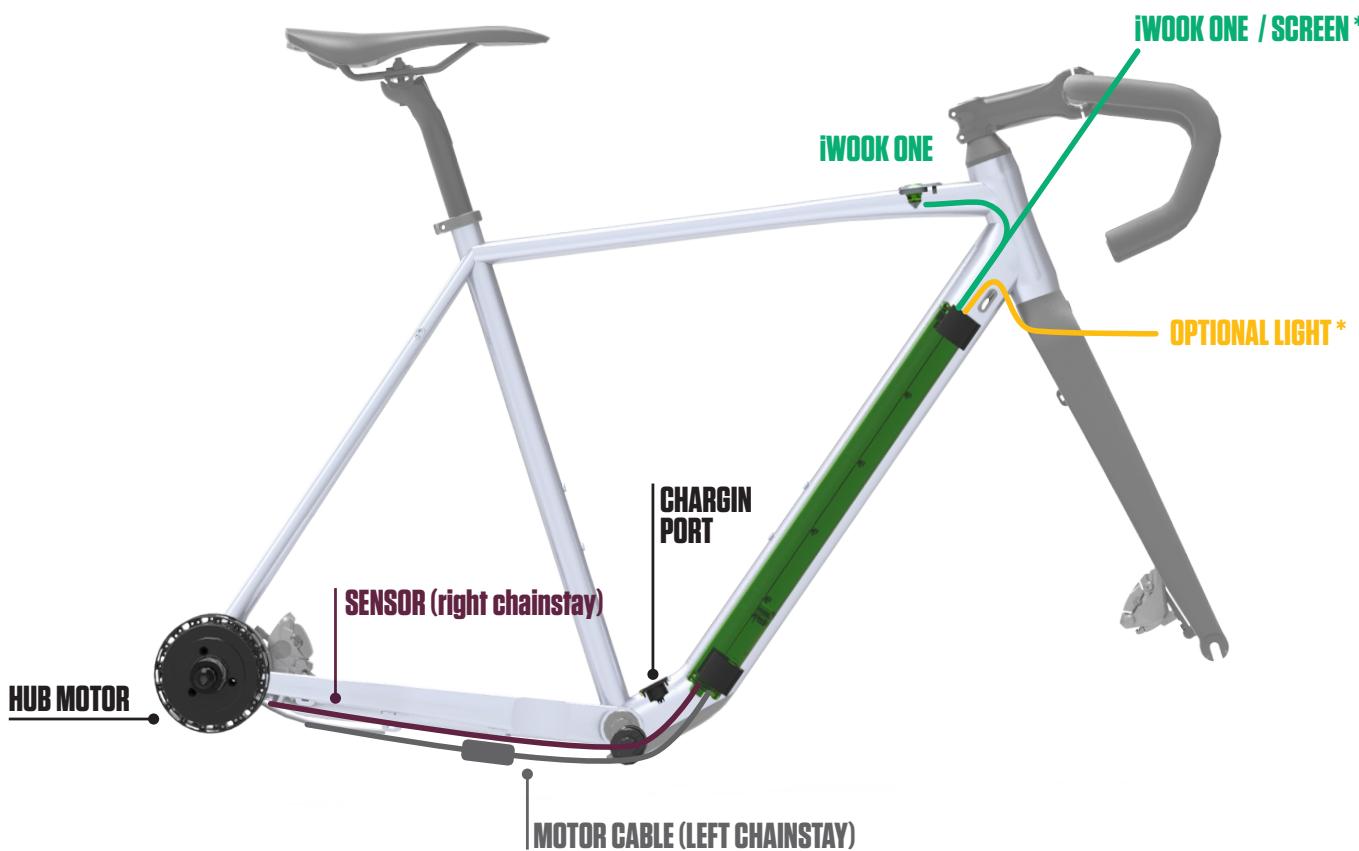

CABLE ROUTING
X35 BATTERY
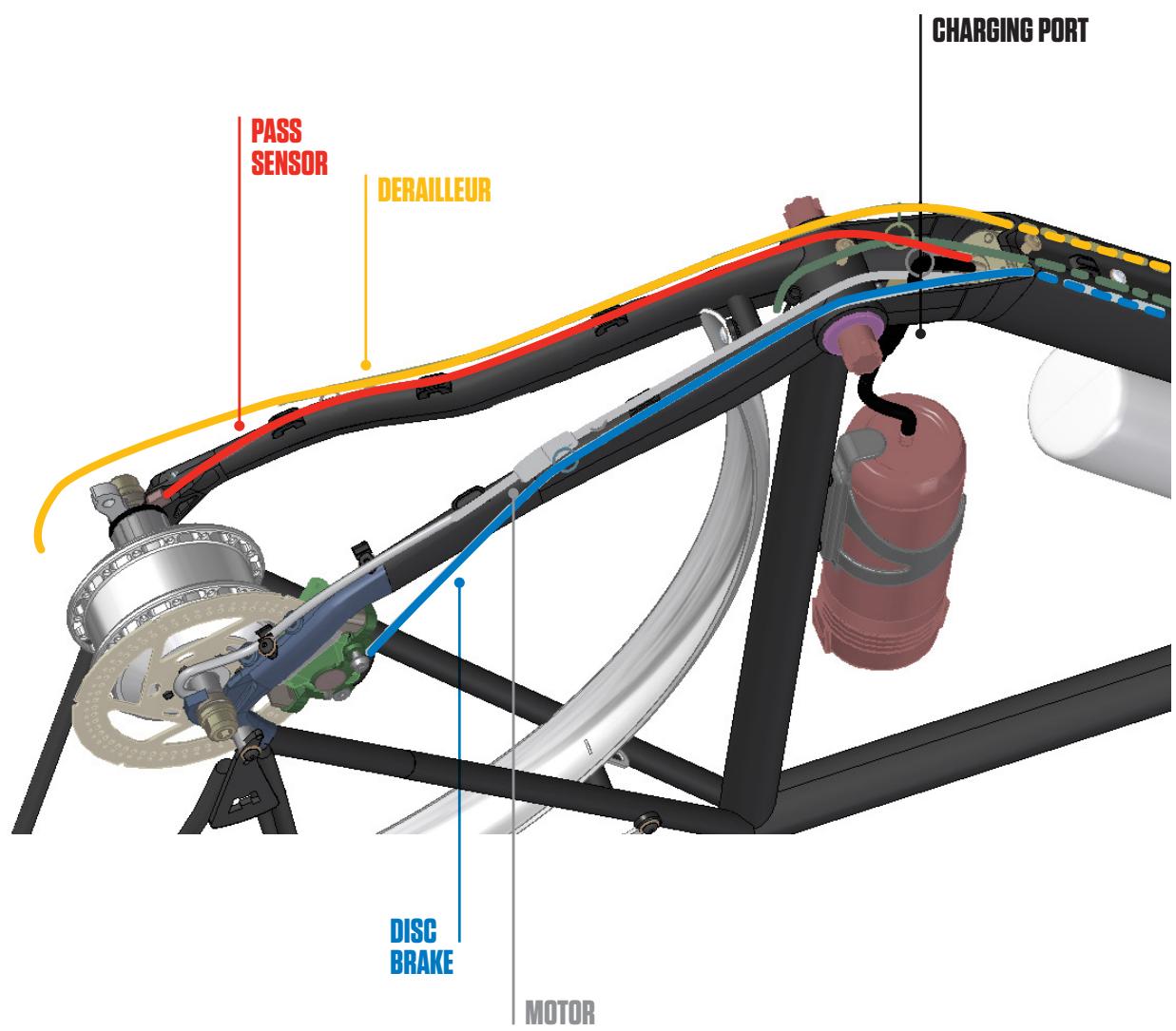

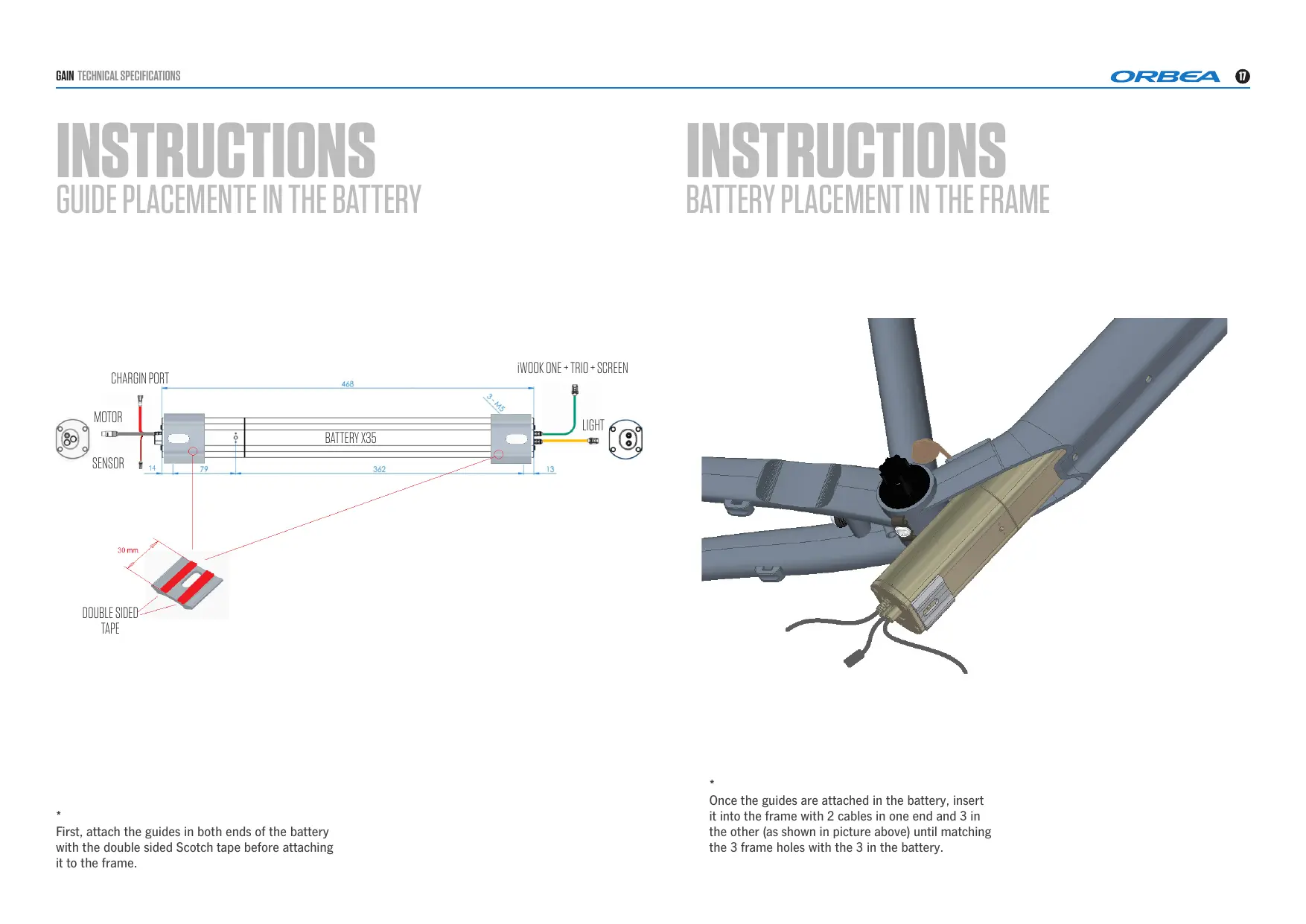
The X35 battery has 2 cables in one end (that will stay in the top part of the frame) and 3 in the opposed end.
CABLE ROUTING
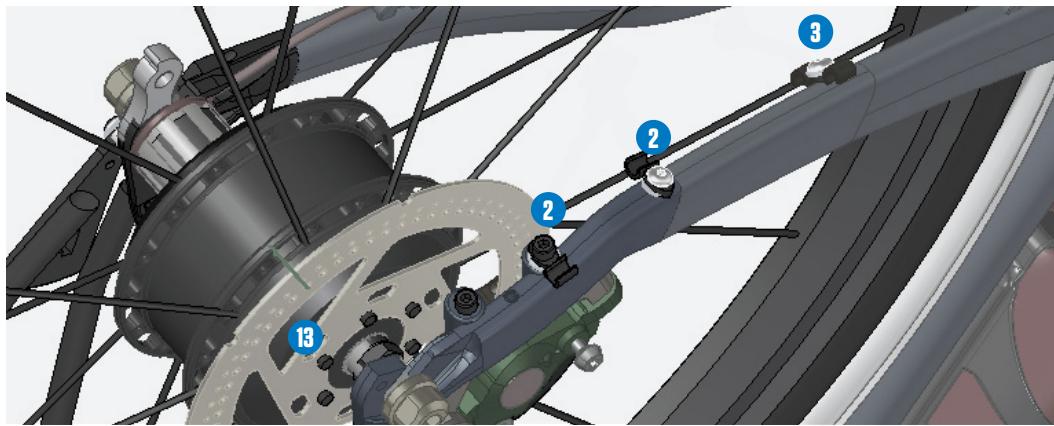
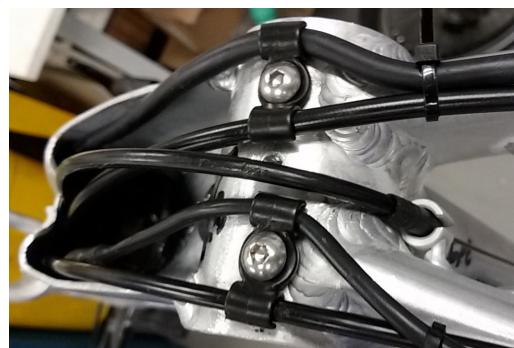
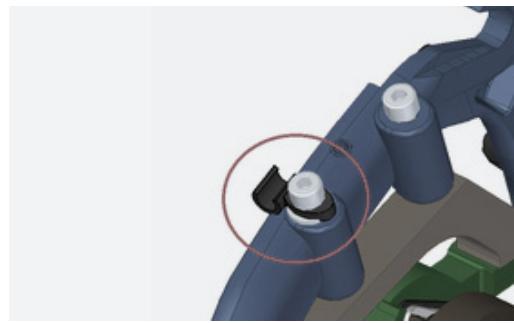
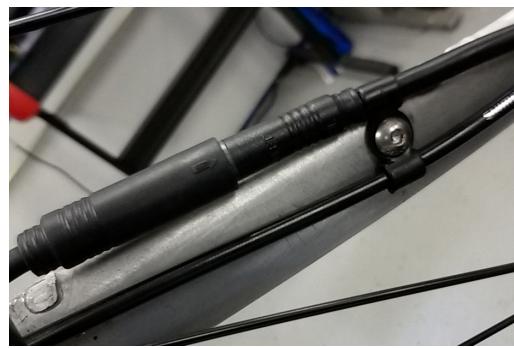
CABLE ROUTING ON THE BASE
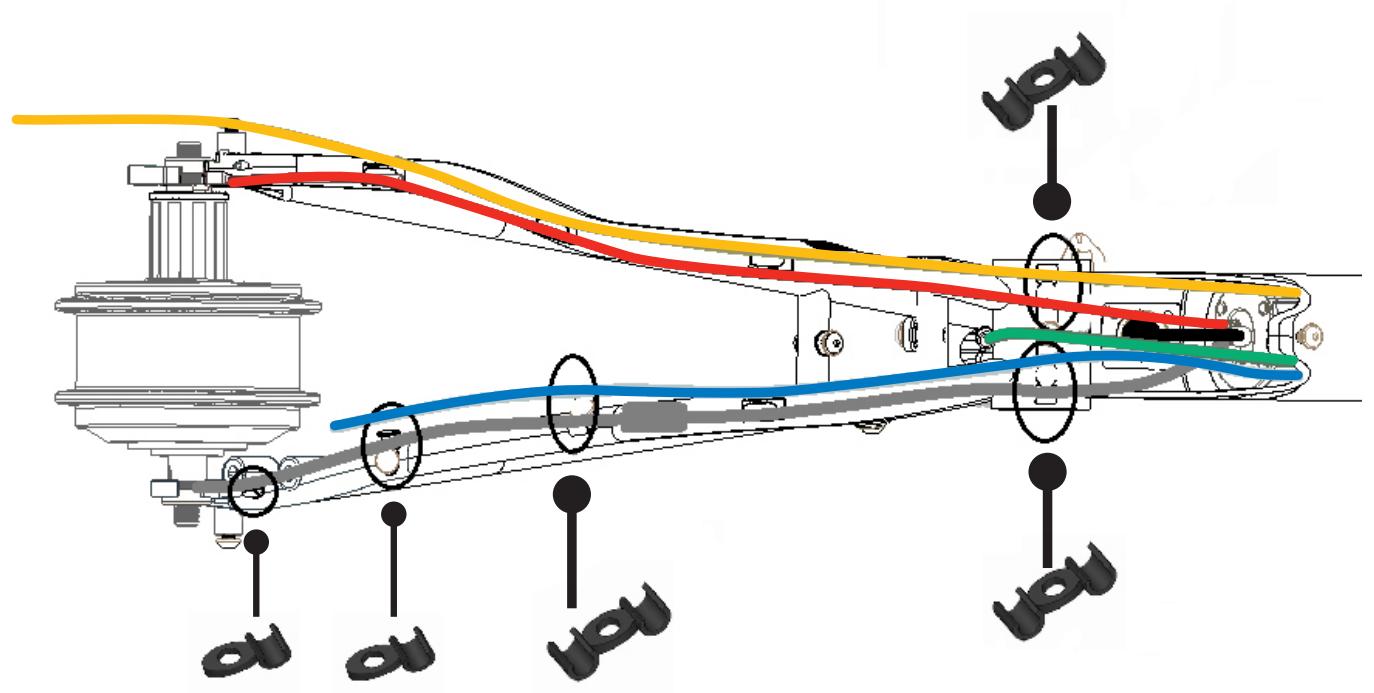
1/ cable clip 5,5 for 2 cables
2-3/ cable clip 5,5 for 1 cable
CABLE ROUTING
P.A.S SENSOR PLACEMENT
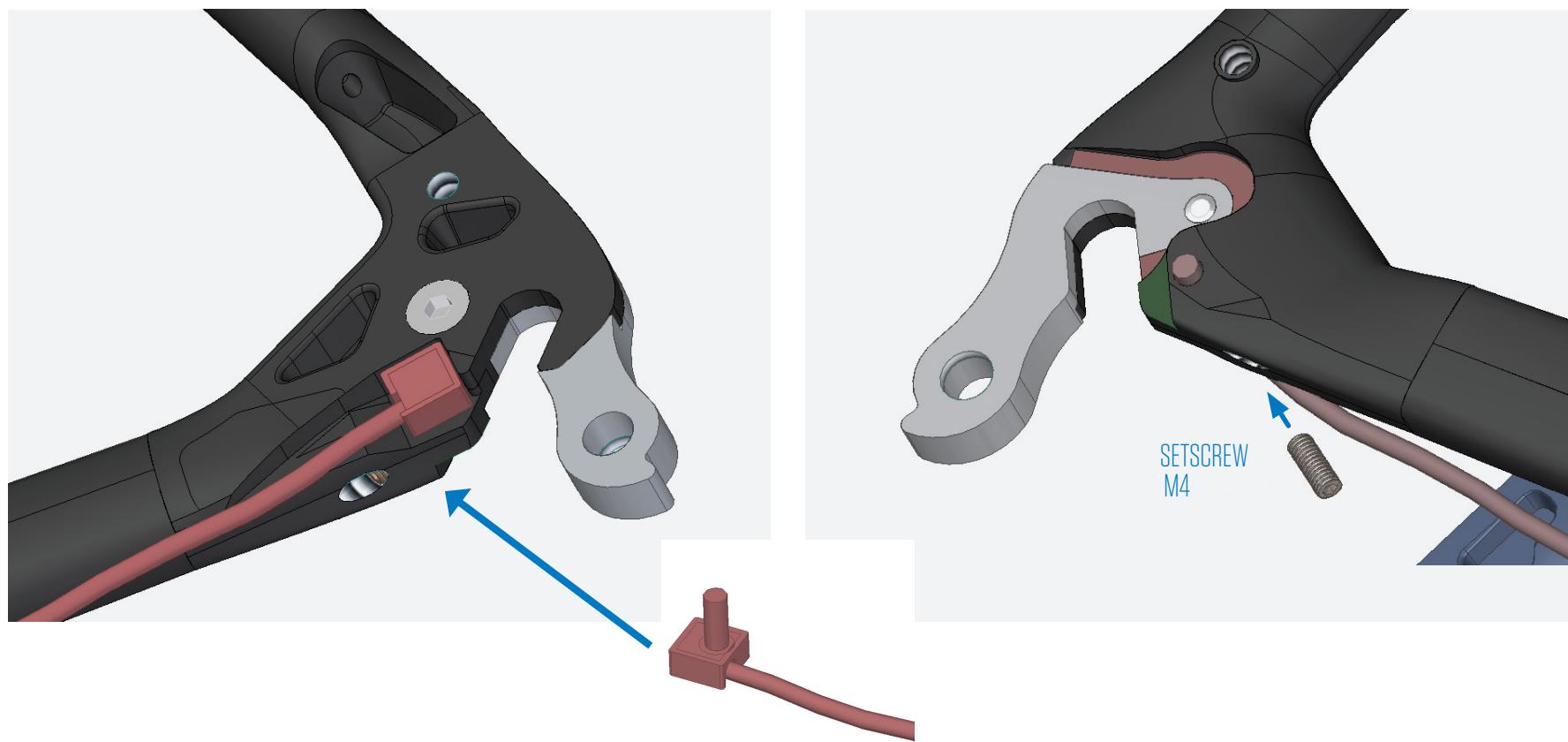
1- Place de sensor in the specific whole in the inner side of the drop-out, inserting the pivot it's housing.
2- Then, fix it with the setscrew (M4x10)
CABLE ROUTING
IWOC ONE CABLE ROUTING
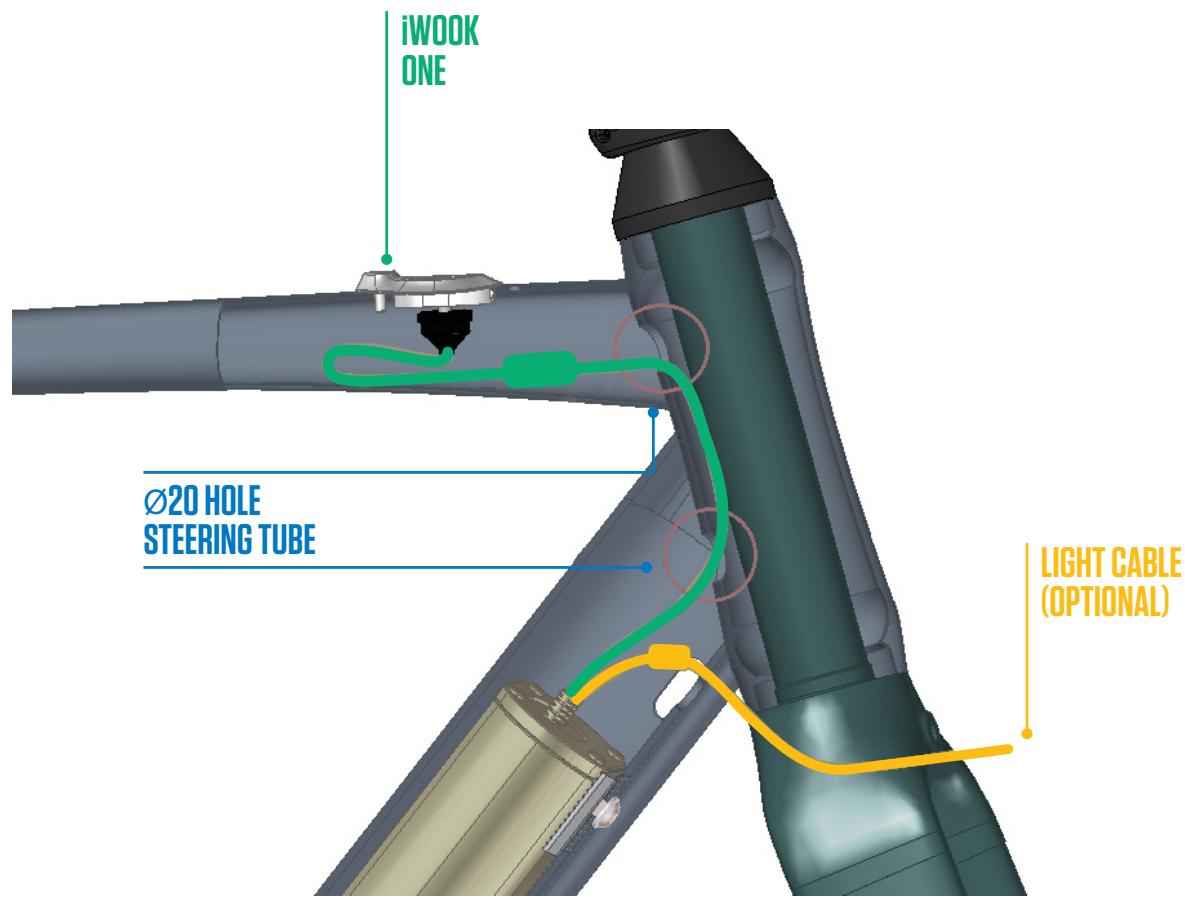
INSTRUCTIONS
GUIDE PLACEMENT IN THE BATTERY
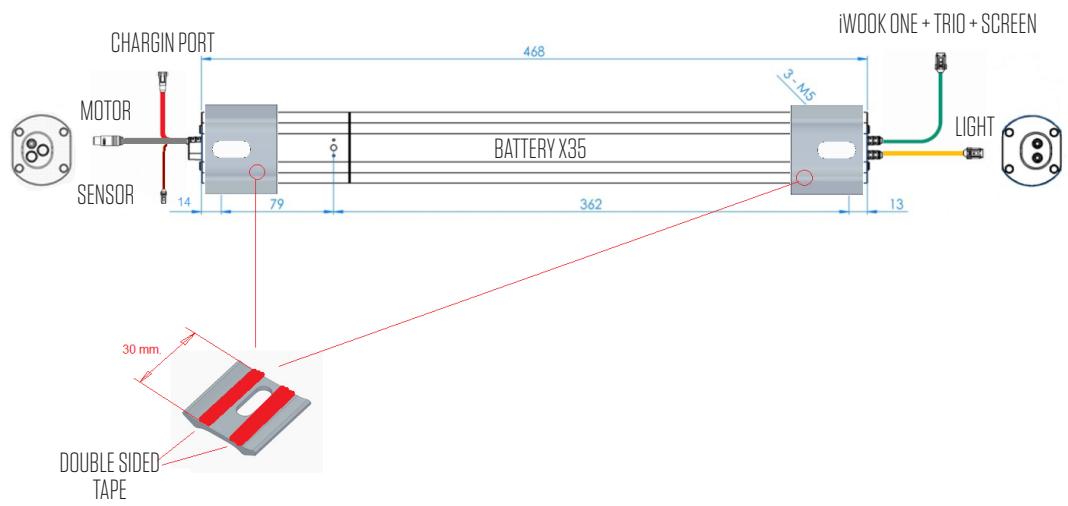

First, attach the guides in both ends of the battery with the double sided Scotch tape before attaching it to the frame.
INSTRUCTIONS
BATTERY PLACEMENT IN THE FRAME
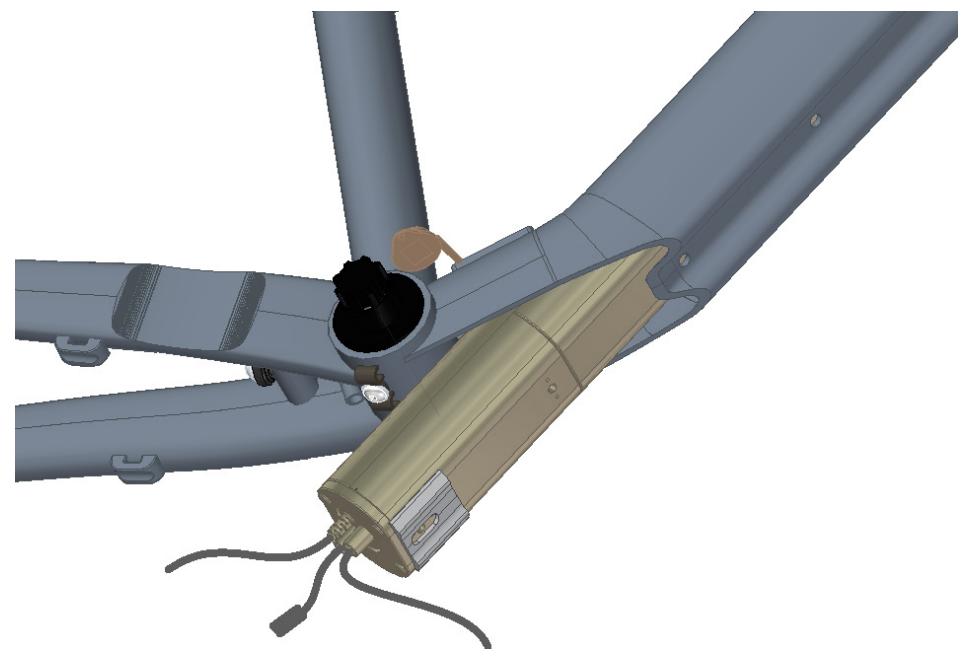
Once the guides are attached in the battery, insert it into the frame with 2 cables in one end and 3 in the other (as shown in picture above) until matching the 3 frame holes with the 3 in the battery.
INSTRUCTIONS
BATTERY PLACEMENT AND COVER
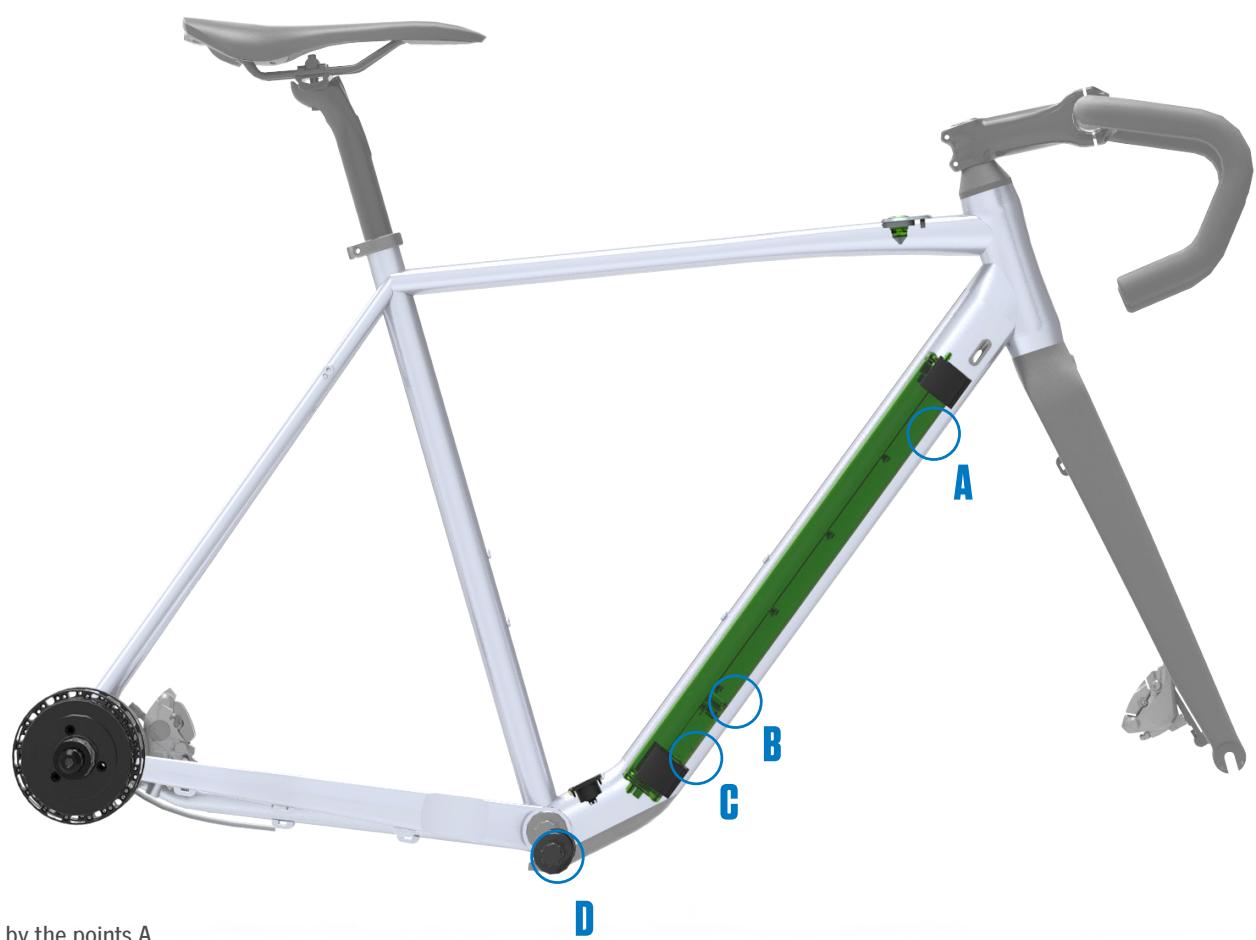
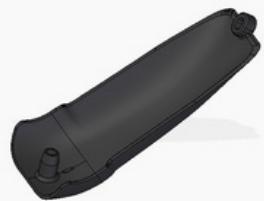
bottom cover
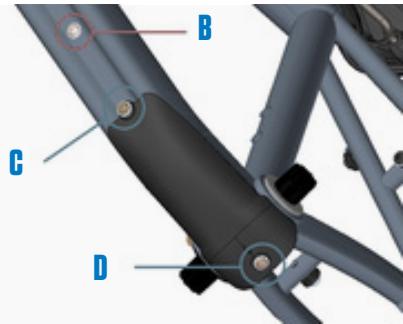
INSTRUCTIONS
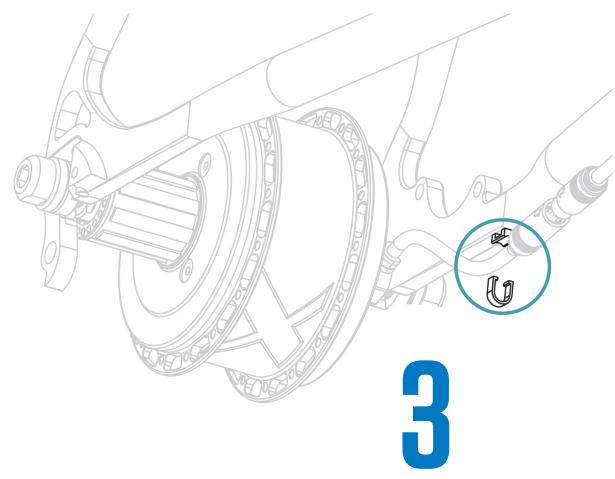
REAR WHEEL ASSEMBLY / DISMANTLING
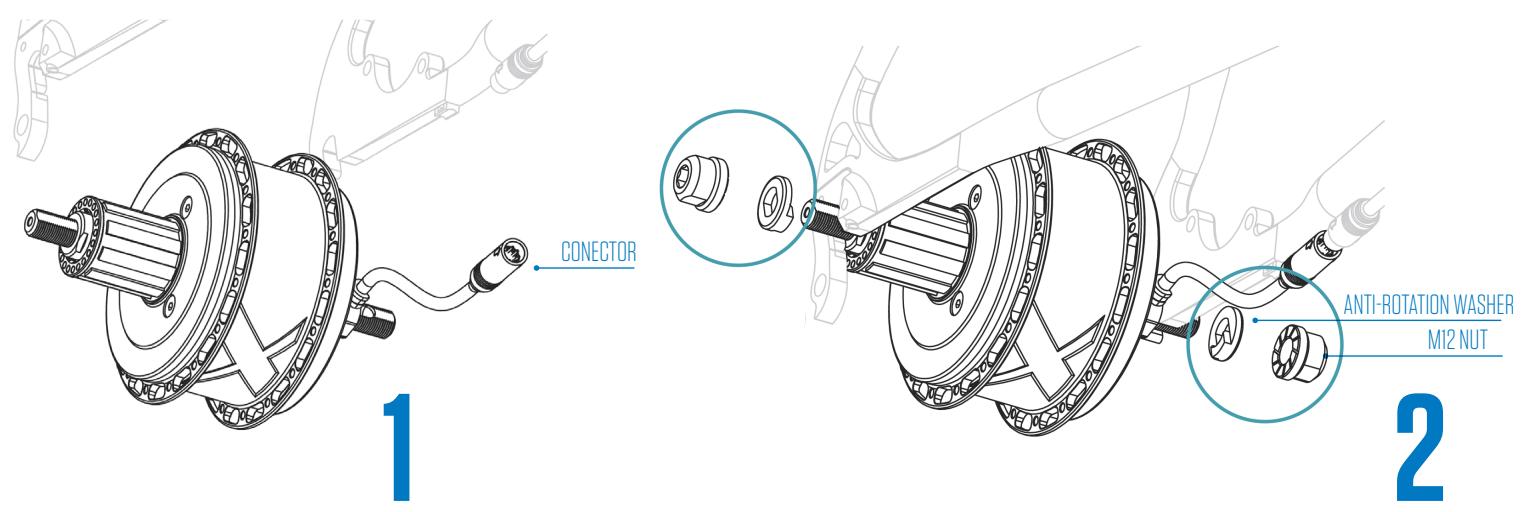
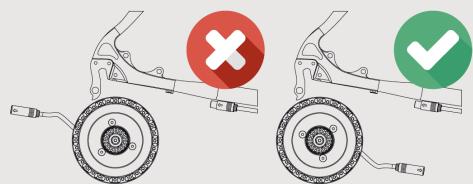
· THE MOTOR CABLE MUST FACE FORWARD
·EL CABLE DEL MOTOR DEBE ESTAR ORIENTADO HACIA ADELANTE
DAS MOTORKABEL MUSS NACH VORNE ZEIGEN
- LE CABLE DU MOTEUR DOIT ETRE ORIENTÉ VERS L'AVANT
- IL CAVO DEL MOTORE DEVE ESSERE ORIENTATO VERSO LA PARTE ANTERIORE
O CABO DO MOTOR DEVE ESTAR ORIENTADO PARA A FREnte
INSTRUCTIONS
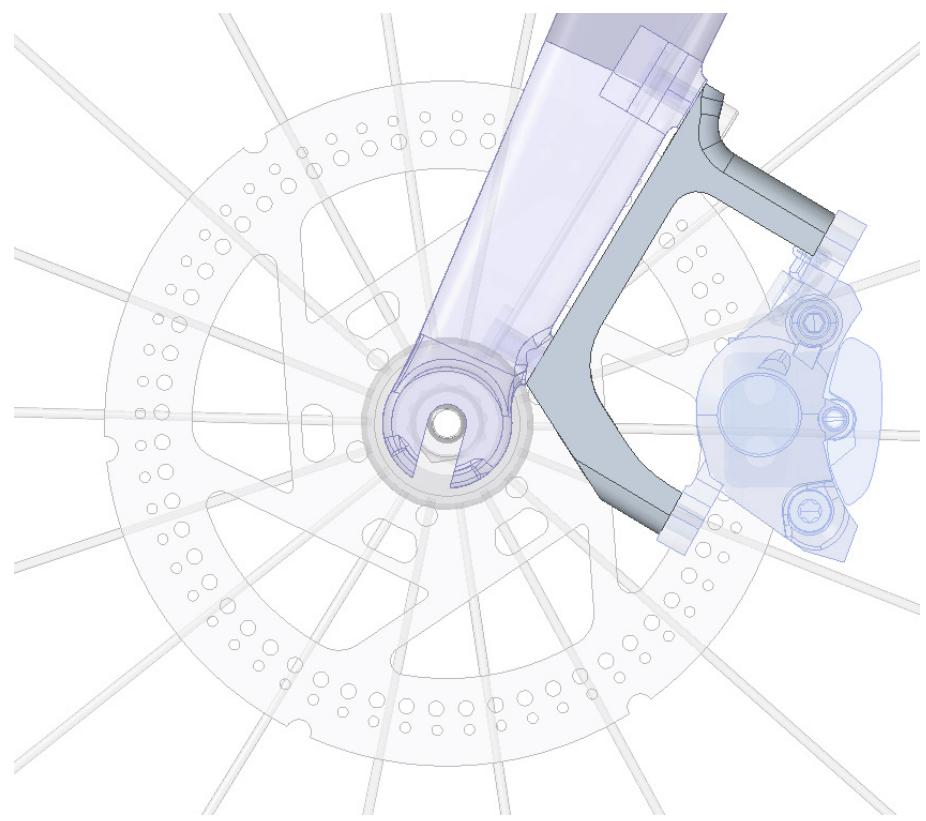
FLAT MOUNT-POST MOUNT / REAR DISC INSTALLATION
FRONT
REAR
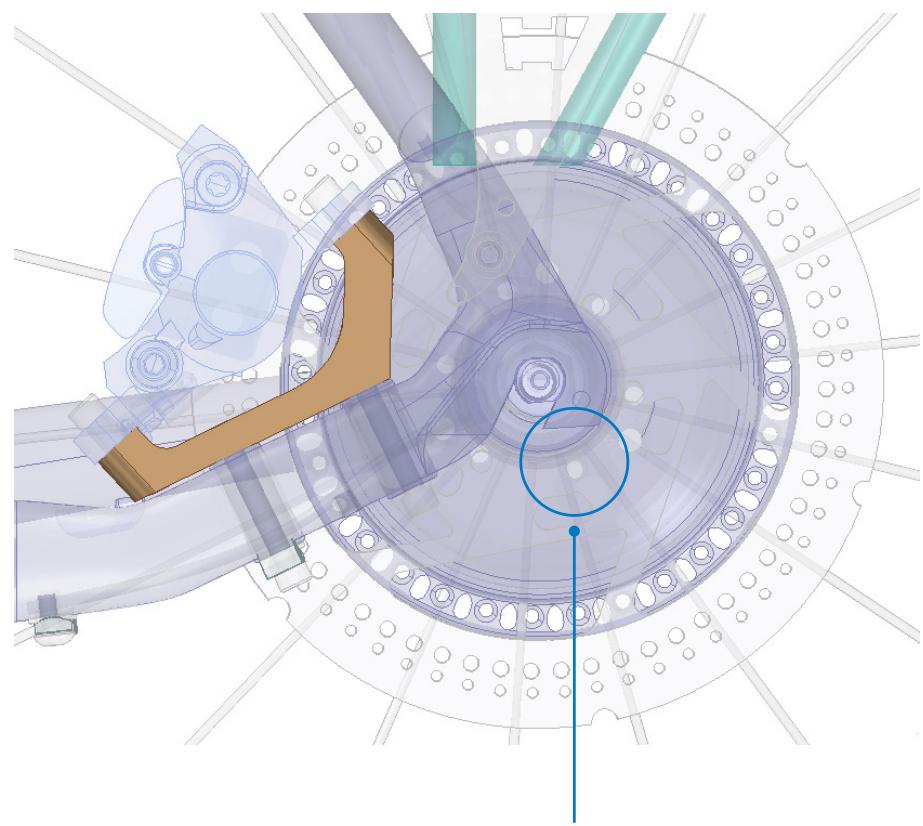
1/ The rear disc brake must be installed with specific M5x6 TORX screws. (ref. 12301087)
OPERATING INSTRUCTIONS
1 TURING ON AND OFF THE BICYCLE'S ELECTRICAL SYSTEM

Short Button Press

Turns on the system

Long Button Press

Turns off the system
2 CHANGING THE LEVEL OF ASSISTANCE
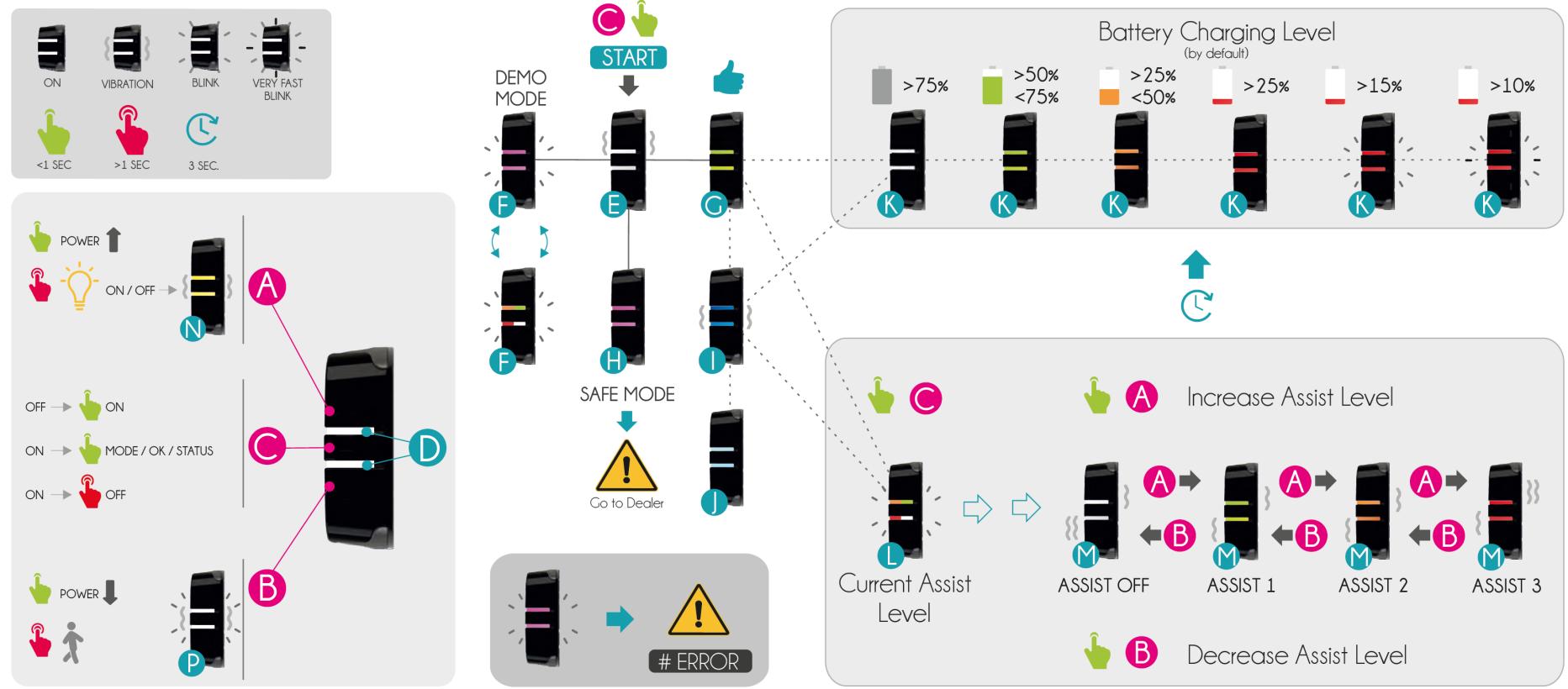
Short press the button and the RGB LED will blink, indicating the current assistance mode. If you short press it again while the LED is blinking, you will change the assistance level cyclically.

3 TURNING ON/OFF THE LIGHTS
Short press the button and while the LED is blinking, long press the button. The LED will light up in YELLOW to confirm you want to turn on/off the lights.

Current level of assistance


Long Button Press

Lights ON / OFF
4 BLUETOOTH PAIRING AND NOTIFICATIONS

When the bicycle is turned on, the system automatically connects to the closest telephone with an activated Bluetooth® connection. The connection or disconnection is confirmed when the LED lights up briefly in BLUE.

If you receive a notification (call, etc.) on your telephone while connected via Bluetooth®, the RBG LED will light up in LIGHT BLUE for a few moments.
5 SYSTEM ERROR AND SPECIAL MODES

If the RGB LED remains lit in PINK the bike is in SAFE MODE. Take it to your nearest store to diagnose the problem.

If the RBG LED blinks constantly in RED, there is an error in the system. Connect your mobile terminal by Bluetooth® to see a detailed description or visit an authorized store for more information on the error. If the problem is serious, the system may stop providing assistance.
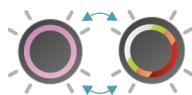
The bicycle is in DEMO MODE and can only be ridden for 50 KM. This mode can only be deactivated by an authorized store. The second blinking in this mode indicates the current battery level.
GENERAL LIGHT SCHEME AND MEANING
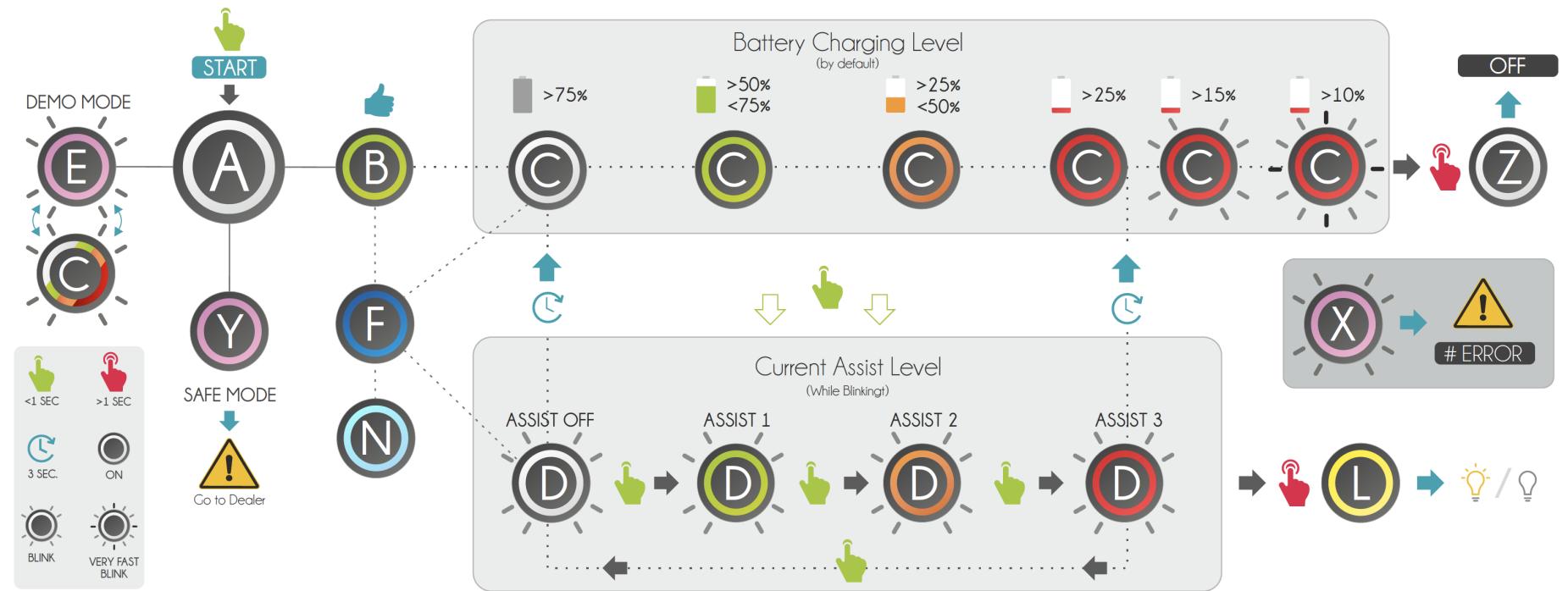

A System 1
E Demo Mode
Safe Mode
A Inicio
ema
Modo Demo
Moda
1,2,3 1,3,4 2,3,4 3,4,5 4,5,6 5,6 6,7
A Syst
emstart
Demomodus
Y Sich
erheits
Dema
rrage E
Model
demo
Mode sur
B System OK
F Bluetooth
System Error
B Siste
OK
Operación
X Error S
stema
B Sys
em OK
Bluetooth
Systemfeh
B Sx
steme Q
F
Fonctio PI, 1
nment
Erreur c
U
B S
A D
marriage
E
Mode
demo
Mode sur
1
A D
marriage
E
demo
Mode sur
1
Battery
N. Notification
Sy
1
Nivel Co.
rga
N Noti
cación
do
C Ak
uladestand
Benachric
7
Systemab
C
Nivec
m = 311
m = 311
P
12/14


LIGTH SCHEME WHEN CHARGING
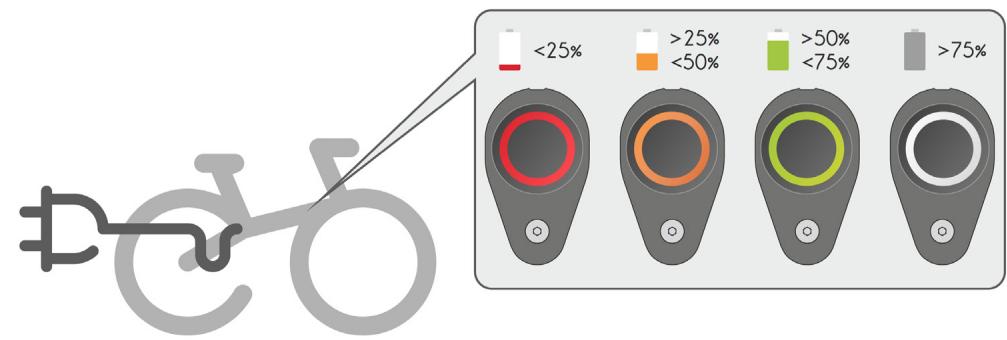
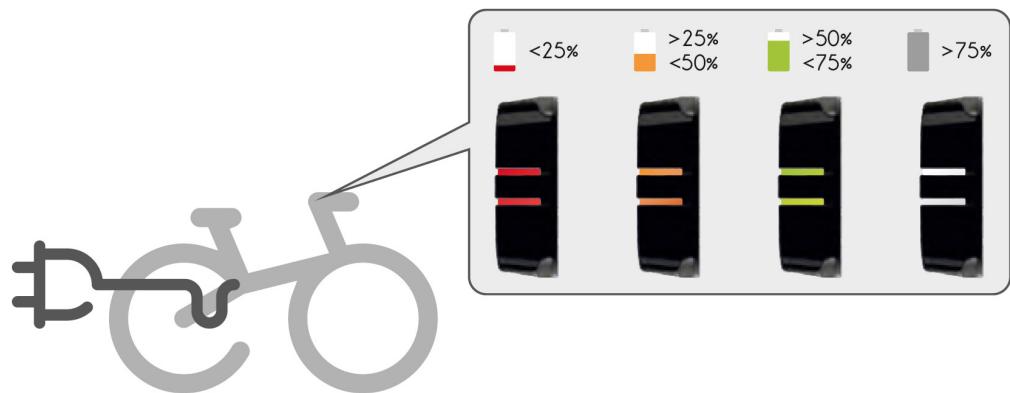
Connect the charger first to a power outlet and then to the charging port on the bicycle. The light on the iWoc ONE will turn on automatically. While charging, the intensity of the LED will vary cyclically, indicating by color the current level of battery charge. The battery will be charged (>98%) when the LED remains lit in white.
OPERATING INSTRUCTIONS
1 TURNING ON AND OFF THE BICYCLE'S ELECTRICAL SYSTEM

CHANGING THE LEVEL OF ASSISTANCE
Short press the button and the RGB LED will blink, indicating the current assistance mode. If you short press it again while the LED is blinking, you will change the assistance level cyclically.

3 TURNING ON/OFF THE LIGHTS
Short press the button and while the LED is blinking, long press the button. The LED will light up in YELLOW to confirm you want to turn on/off the lights.

4 WALK MODE
By pressing and holding down the B button, the LED will flash WHITE, and the bicycle will advance at a constant speed of 5km/h , as long as the button remains depressed.

5 BLUETOOTH PAIRING AND NOTIFICATIONS
When the bicycle is turned on, the system automatically connects to the closest telephone with an activated Bluetooth connection. The connection or disconnection is confirmed when the LED lights up briefly in BLUE.
If you receive a notification (call, etc.) on your telephone while connected via Bluetooth® the RBG LED will light up in LIGHT BLUE for a few moments.
SYSTEM ERROR AND SPECIAL MODES
If the RGB LED remains lit in PINK the bike is in SAFE MODE. Take it to your nearest store to diagnose the problem.
If the RBG LED blinks constantly in RED, there is an error in the system. Connect your mobile terminal by Bluetooth to see a detailed description or visit an authorized store for more information on the error. If the problem is serious, the system may stop providing assistance.
The bicycle is in DEMO MODE and can only be ridden for 50 km. This mode can only be deactivated by an authorized store. The second blinking in this mode indicates the current battery level.
GENERAL LIGHT SCHEME AND MEANING

A Top Button
B
Middle button
D
E System Start
E
System OK
Safe Mode
Operation
Battery Charge
K
M
1

A Boton Superior
B Botón Inferior
Boto Control
D Led RGB
E Inicio Sistema
F Modo Demo
G Sistema OK
H Modo Secur
Operación
J Notificacion
Nivel Cargo
Nivel Asistencia
M Niveles de
Encender/
Apagar Luces
P Mode Walk

A Schalter offen
B Schalter unten
Schalter mitting
D Led RGB
E Systemstart
F Demomodus
System OK
H Sicherheits-modus
Bluetooth
Bengachtrichtung
A
Connect the charger first to a power outlet and then to the charging port on the bicycle. The light on the iWoc® TRIO will turn on automatically. While charging, the intensity of the LED will vary cyclically, indicating by color the current level of battery charge. The battery will be charged (>98%) when the LED remains lit in white.
PROTOCOL
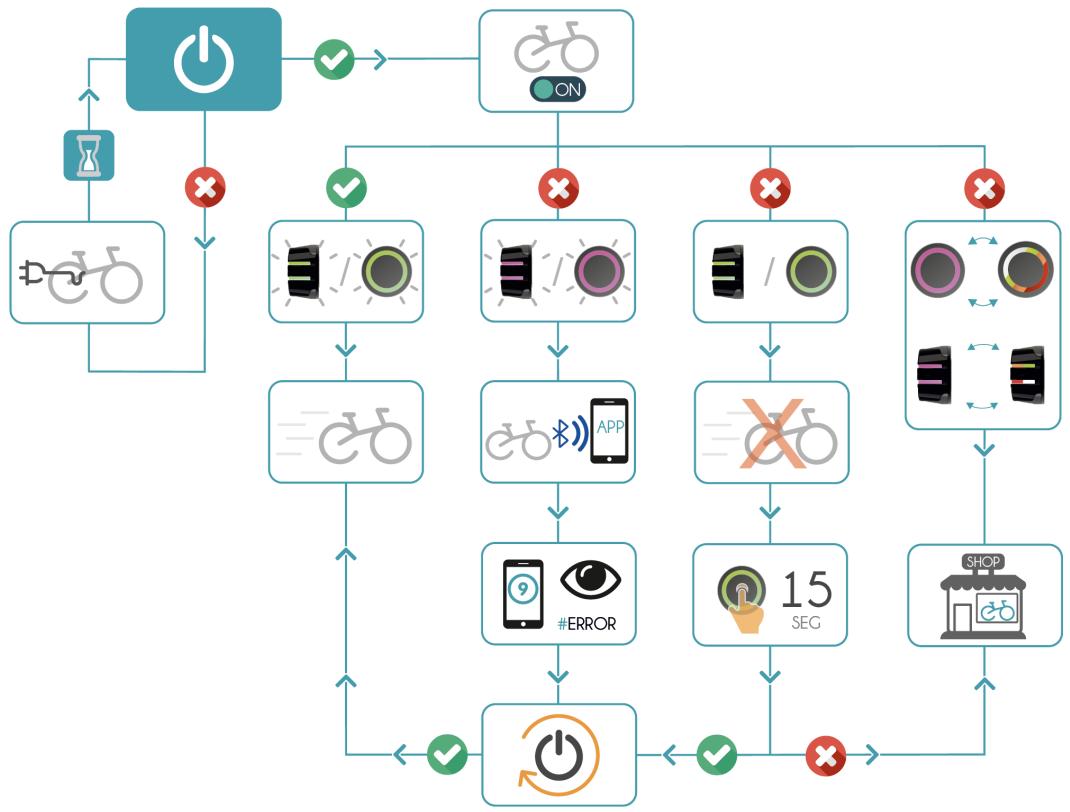
1/ START PROTOCOL
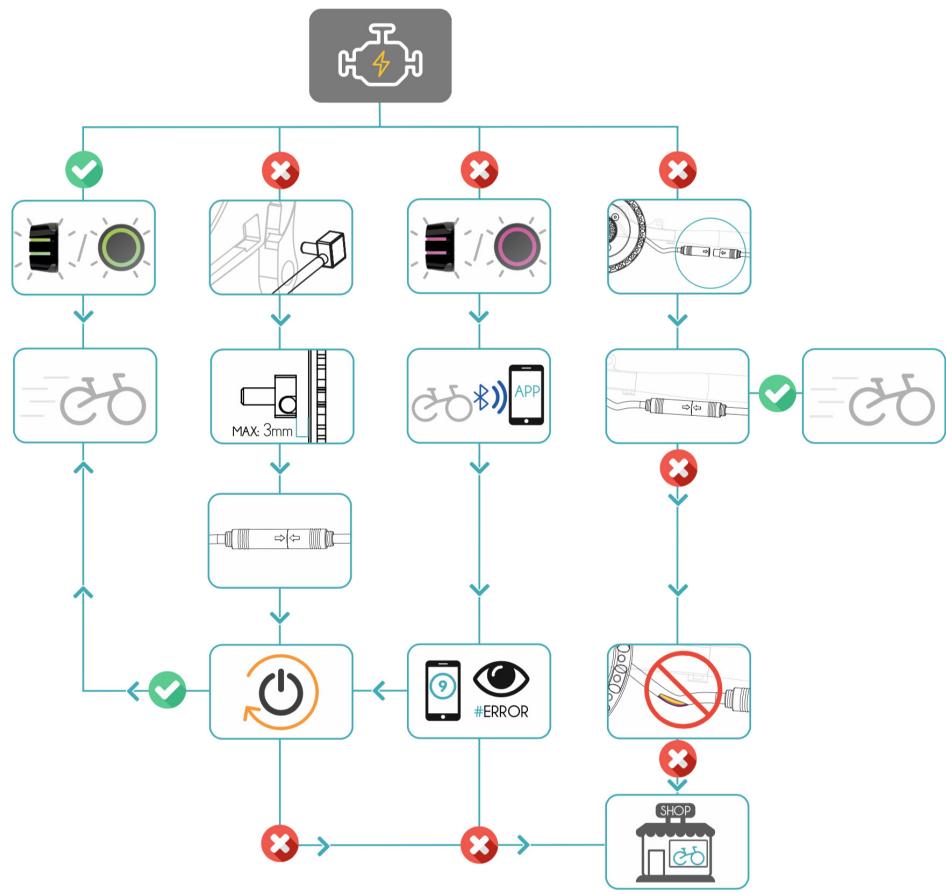
2/MOTOR PROTOCOL
PROTOCOL
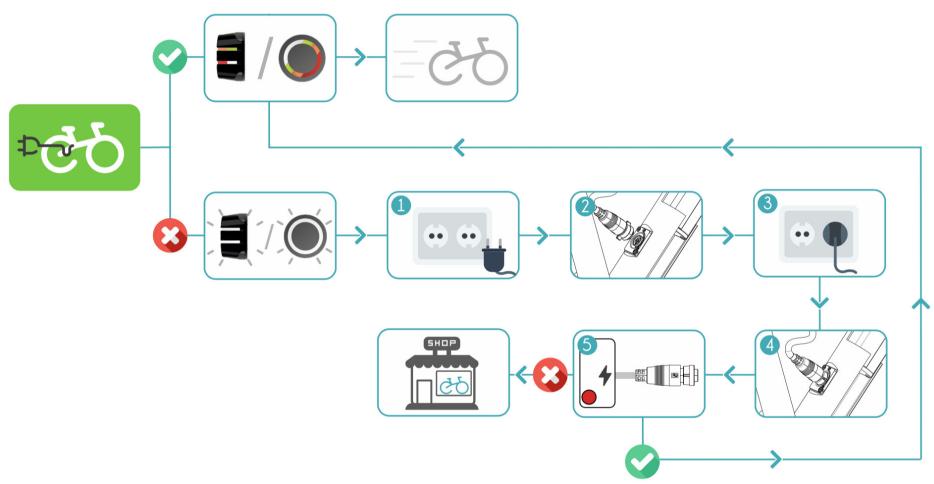
1/ CHARGING PROTOCOL
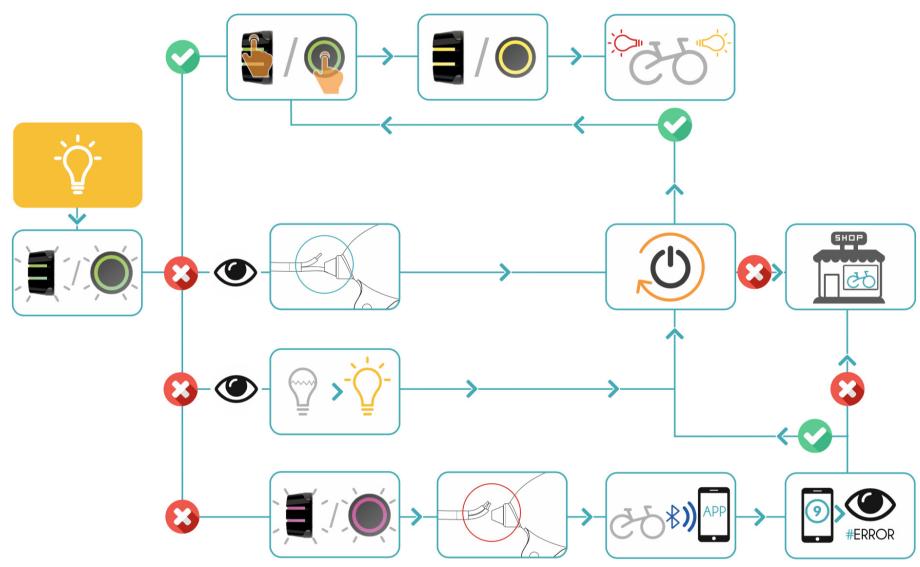
2/ LIGHTS PROTOCOL
SOFTWARE
APP FOR YOUR GAIN (find the manuals in www.ebikemotion.com)
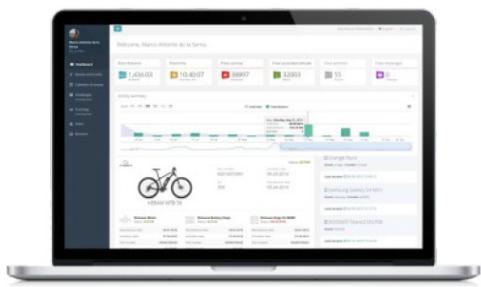
ebikemotion® User Web Dashboard
Login to www.ebikemotion.com to view information on your activities and your bike. You must use the same account created on the ebikemotion® APP on your smartphone. You can see the status of your e-bike, activities, reports, location, report a theft, change owners and consult online manuals.
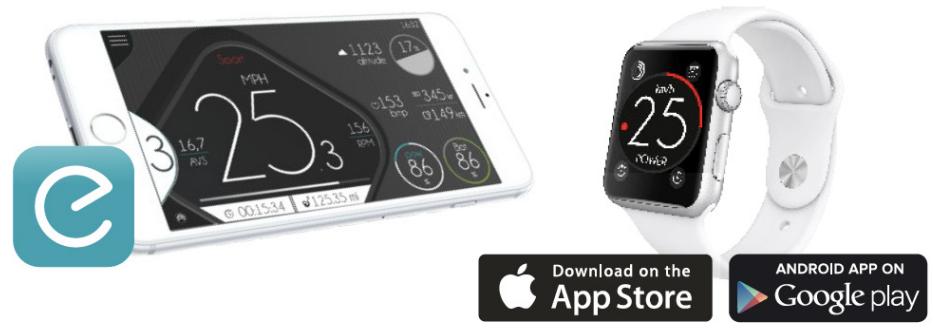
ebikemotion® App
Download the ebikemotion® APP to use your compatible smartphone as an advanced interface. Remember to download the maps from your telephone. You'll have three months to download updates after your first download (maximum of 5 maps).
X35 MAINTENANCE
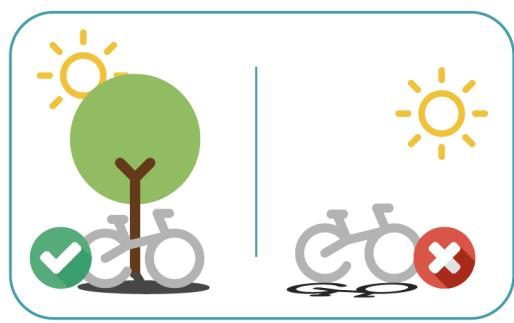
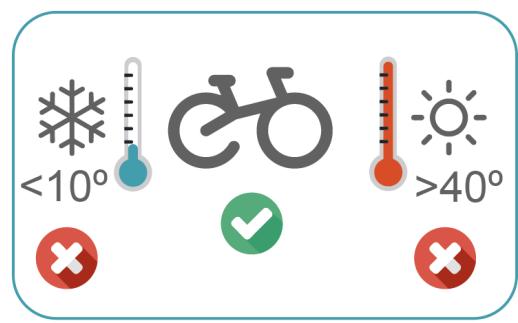
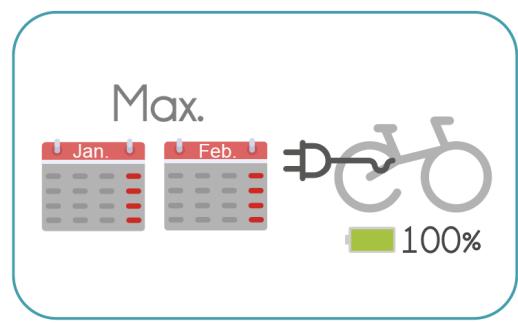
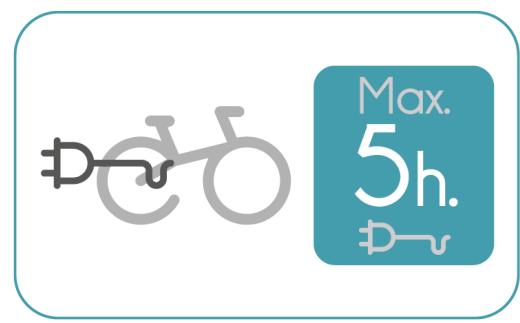
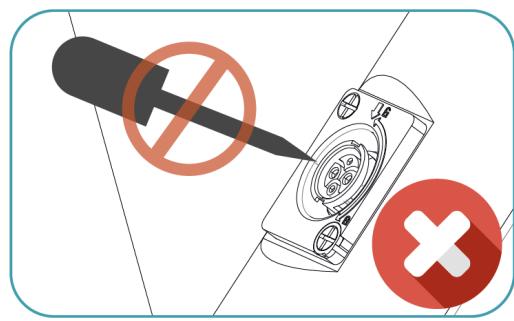
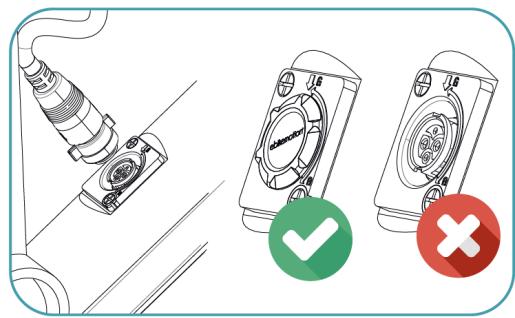
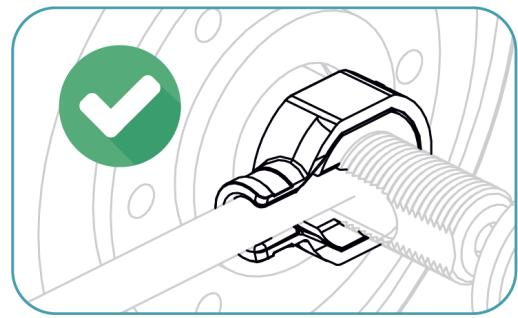
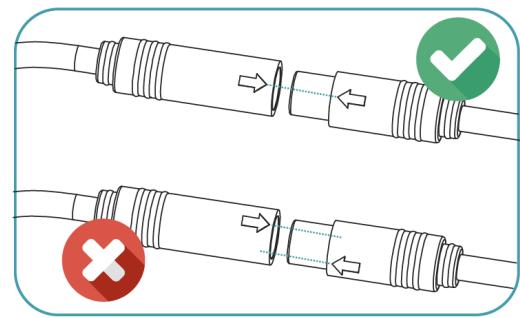
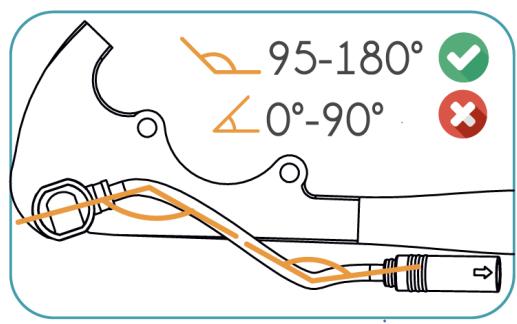
BATTERY, POWER CABLE AND CHARGING
FRAME AND MATERIAL
Orbea frames are carefully designed to be durable, efficient, and easy to maintain. Gain tubes are stiff and light, giving excellent steering precision and pedaling efficiency. Gain carbon frame is extremely resistant to corrosion, making it perfect for road. With only a minimum amount of maintenance, it's easy to keep your Gain in top condition.
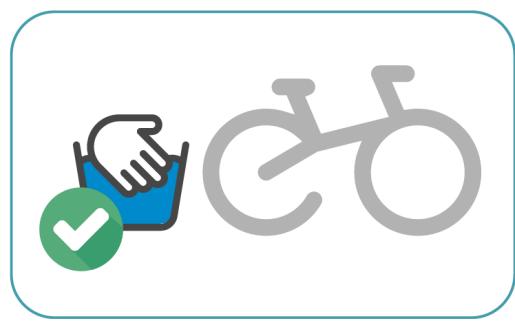
1) Keep your Gain clean
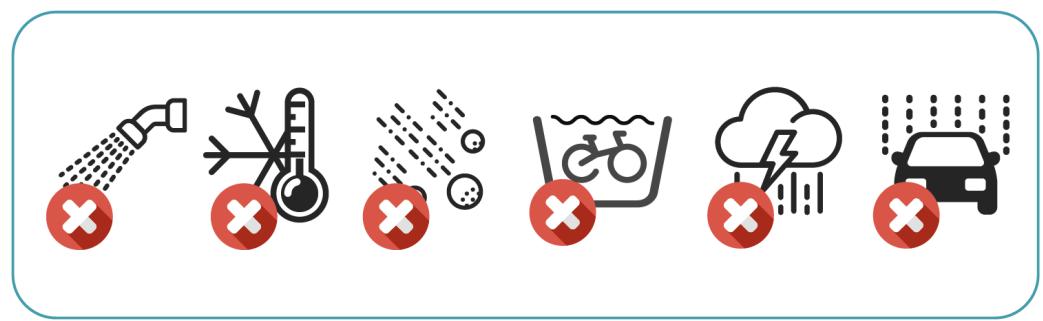
Washing your bike with mild soap and water will keep you looking stylish and allow you to check the condition of the frame and components. Don't use high water pressure and avoid spraying water into bearings or frame tubes. Citrus degreasers are biodegradable and do a great job of removing dirty grease from gears and chain.
2) Keep your Gain lubed
Once your bike is clean, it's a good time to put fresh lube on the chain. Use only enough to get inside the links and wipe off any excess because it will attract dirt. Headset and pivot bearings should be inspected every few months for smoothness and to ensure that the seals are intact and lube is clean.
3) Inspect your Gain before you ride
Do a quick check before every ride to make sure your bike is in excellent condition. It is very common to discover small issues at home that can become big problems on the trail. CHAIN Is the chain dirty, noisy or dry? Clean and lube your chain before riding. BRAKES Check your brakes to make sure they are working correctly. Check for missing/loose caliper and rotor bolts. TIRES Look for damage to the sidewalls of your tires. Check and adjust tire pressure. WHEELS Spin the wheels and look for wobbles, check for loose or broken spokes. Check quick release levers to make sure they are functioning properly. FRONT END Stand over the saddle, pull on the brakes and rock the bike back and forth. Feel for any play or knocking that might indicate a loose headset, loose brake rotors or calipers, or worn fork bushings.
TEST RIDE Take a quick ride up and down the street to make sure your bike is shifting and braking properly. Listen for unusual noises.
AFTER A CRASH OR IMPACT
Falling is part of riding and it's impossible to avoid minor accidents. If you crash your Gain, please make sure you are okay and seek medical attention if necessary. If you are not injured, you should check your bike before continuing:
1) Inspect your frame and components for damage. Do not ride your bike if any problems are detected.
WHAT TO LOOK FOR
Inspect Frame and fork for evidence of cracking or bending. If cracks are discovered, discontinue use immediately.
Check the drivetrain and spin the wheels to make sure components are operating correctly. If you discover damage to your components, discontinue use immediately.
Even if you don't find any damage, pay careful attention to the sound of your bike when you continue riding. Unusual noises can be caused by cracks or other problems. A well-maintained bike will be quiet and free of creaks or squeaks. Investigate and locate the source of any new noises.
2) Bring your bike to your Orbea dealer for professional inspection. Some damage can only be detected by disassembling the bike to check for cracks or other signs of stress.
A crash or impact can put extraordinary stress on your bike and components, causing them to fail or to fatigue prematurely. Failure can happen suddenly with no warning, causing loss of control, serious injury or death.
MAINTENANCE AND PART REPLACEMENT IN OUR eBIKES
The components of your eBike are associated with your frame number. If a component is replaced, it must be linked to your bike through a special system available at all technical service centers and shops authorized by your brand. Visit one of these points to complete the purchase and replacement operation. The components of your e-bike are designed to be used in poor weather conditions, such as rain and snow, and are protected against splashing, but not against immersion or pressurized water. It is important when transporting your eBike outside on a car or camper to properly protect the bike, or at least the most delicate electronic parts, such as the remote control, display and USB port, with a tarp.6 Keep the remote control free of dust and water. Never use pressurized water systems on the surface of the battery, motor, remote control, display or charging port.
ORBEA WARRANTY
HOW DO I ACTIVATE MY LIFETIME WARRANTY?
Orbea provides a lifetime warranty on all its frames. Only a brand that knows the materials, masters the technologies and has the skills can guarantee that your frame is totally invincible. Only Orbea takes you a step beyond.
Orbea's lifetime warranty is activated using the registration number you will find on all frames from the 2009 range onwards. When you have activated it at your dealer or at www.orbea.com, your bike will automatically receive its lifetime warranty. The registration number is a unique, non-transferable code that you will find on the underside of your bike's downtime. Activate your frame's warranty using this number at your dealer's or at www.orbea.com.
WHAT ARE THE ADVANTAGES?
Lifetime guarantee of your frame against breakage.
- Two-year guarantee on all components.
- Identification of your bicycle and all its characteristics to our Technical Assistance Service so that we can provide our best response to any problems. Access to special offers, events and prize drawings.
ORBEA WARRANTY
The ongoing efforts we make at Orbea to design high-end bicycles enable us to provide customerswith the following warranty:
1) We back each frame and rigid fork in our bicycles with a lifetime warranty against materials and manufacturing defects. Frames with travel longer than 170 mm are covered by a 2-year warranty. We warrant each frame and fork in our bikes against paint or varnish defects and corrosion for 3 years. This warranty covers the original purchaser only and is non-transferrable. For the lifetime warranty to be valid, customers must fill in the online warranty form within one month of purchase, and proof of purchase in the form of cash register receipt or sales ticket is required.
2) Warranty claims are subject to the decision made by our technical staff about the nature of the defect after thorough inspection of the faulty part.
3) All the parts assembled in our bicycles are protected against assembly or manufacturing defects for 2 years, and repairs qualifying under this warranty will be performed by authorized dealers in each country.
4) This warranty does not cover parts that naturally wear over time, such as tires, brake pads, handlebar grips, cranksets, bearings, etc.
5) This warranty does not cover damages or defects caused by negligence, improper use, assembly of parts or accessories that are not original, or defective repair or maintenance work. of the bicycle, nonoriginal accessories being fitted to it, or unsuitable maintenance operations or handling.
6) This warranty includes only replacement or repair coverage of the parts under it and in no case shall it cover personal damages directly or indirectly caused by the failure of said parts during use.
7) All claims must be reported to an authorized dealer. In case there is no such a dealer near the buyer's location, please contact Orbea so that we can decide how to solve the problem.
8) In case of crashes, the Orbea warranty shall be considered null and void.
ORBEA participates actively on facebook and Twitter with our fantastic global community of riders. Looking to find spots to ride or plan a vacation? Someone will have the answers:

FAGEBOOK
www.facebook.com/OrbeaBicycles

www.twitter.com/Orbea/

YOUTUBE
Visit our Orbea Channel on YouTube for a variety of helpful setup and tech videos: www.youtube.com/user/OrbeaBicycles

INSTAGRAM
www.instagram.com/orbeabicycles
ORBEA CONTENT
View and download photos, videos and documents.
content.orbea.com/us-en/
ORBEA UNIVERSITY
Our dealers are experts and should be able to assist you with setting up and maintaining your Orbea bicycle. A complete listing of Orbea dealers and distributors can be located on our website:
www.orbea.com/us-en/dealers/?country INT
AFTER SALES SERVICE
Our service technicians are trained to handle any questions you might have about your Orbea bicycle:
orbea@orbea.com