
HF3330,MV - Light therapy lamp PHILIPS - Free user manual and instructions
Find the device manual for free HF3330,MV PHILIPS in PDF.


| Brand | Philips |
| Model | HF3330, MV |
| Category | Light therapy lamp |
| Device type | Dawn simulator (wake-up light) |
| Power supply | Mains (power cord) |
| Brightness range | 1 to 10 (adjustable in steps) |
| Dawn simulation duration | 30 minutes before alarm time |
| Audible alarm | Yes, fixed tone (2 tones available on HF3505 only; on HF3330 fixed volume) |
| Radio | No (only on HF3505) |
| Snooze function | Yes, fixed 9 minutes by tapping on top |
| Display | LED with adjustable brightness (high, medium, low, very low) |
| Demo mode | Yes (90 seconds, activation by long press on alarm) |
| Time format | 12h or 24h (switchable) |
| Maintenance and cleaning | Dry cloth; do not use abrasive products or harsh detergents |
| Repairability | No user-serviceable parts |
| Environmental protection | Do not dispose with household waste; recycle at collection point |
Frequently Asked Questions - HF3330,MV PHILIPS
User questions about HF3330,MV PHILIPS
0 question about this device. Answer the ones you know or ask your own.
Ask a new question about this device
Download the instructions for your Light therapy lamp in PDF format for free! Find your manual HF3330,MV - PHILIPS and take your electronic device back in hand. On this page are published all the documents necessary for the use of your device. HF3330,MV by PHILIPS.
USER MANUAL HF3330,MV PHILIPS
Always here to help you
Register your product and get support at
www.philips.com/welcome
HF3505
HF3500

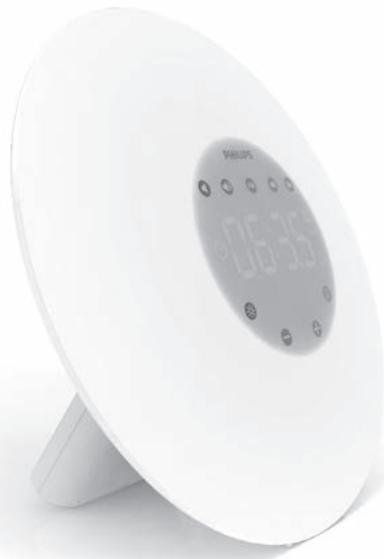
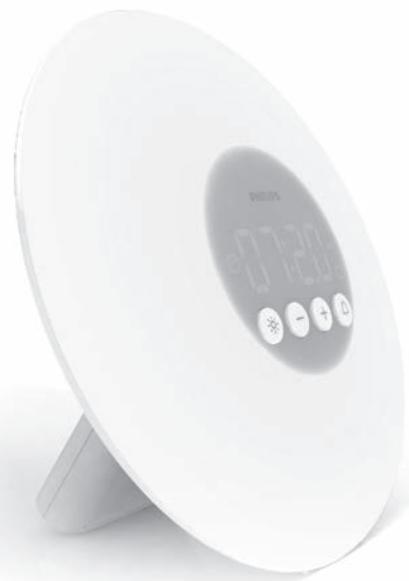
ENGLISH 4
DANSK 11
DEUTSCH 18
ESPANOL 25
SUOMI 32
FRANÇAIS 39
ITALIANO 46
NEDERLANDS 53
NORSK 60
PORTUGUES 67
| Introduction | |
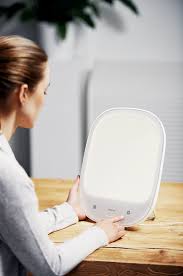
| Congratulations on your purchase and welcome to Philips!To fully benefit from the support that Philips offers, register your product at www.philips.com/welcome.The Philips Wake-up Light helps you wake up more pleasantly. The light intensity of the lamp gradually increases to the set level in the 30 minutes before the set wake-up time. The light gently prepares your body for waking up at the set time. To make waking up an even more pleasant experience, you can use natural wake-up sounds or the FM radio (HF3505 only).The effects of the Wake-up Light | |
| The Philips Wake-up Light gently prepares your body for waking up during the last half hour of sleep. In the early morning hours our eyes are more sensitive to light than when we are awake. During that period the relatively low light levels of a simulated natural sunrise prepare our body for waking up and getting alert. People who use the Wake-up Light wake up more easily, have a better overall mood in the morning and feel more energetic. Because the sensitivity to light differs per person, you can set the light intensity of your Wake-up Light to a level that matches your light sensitivity for an optimal start of the day.For more information about the Wake-up Light, see www.philips.com. | |
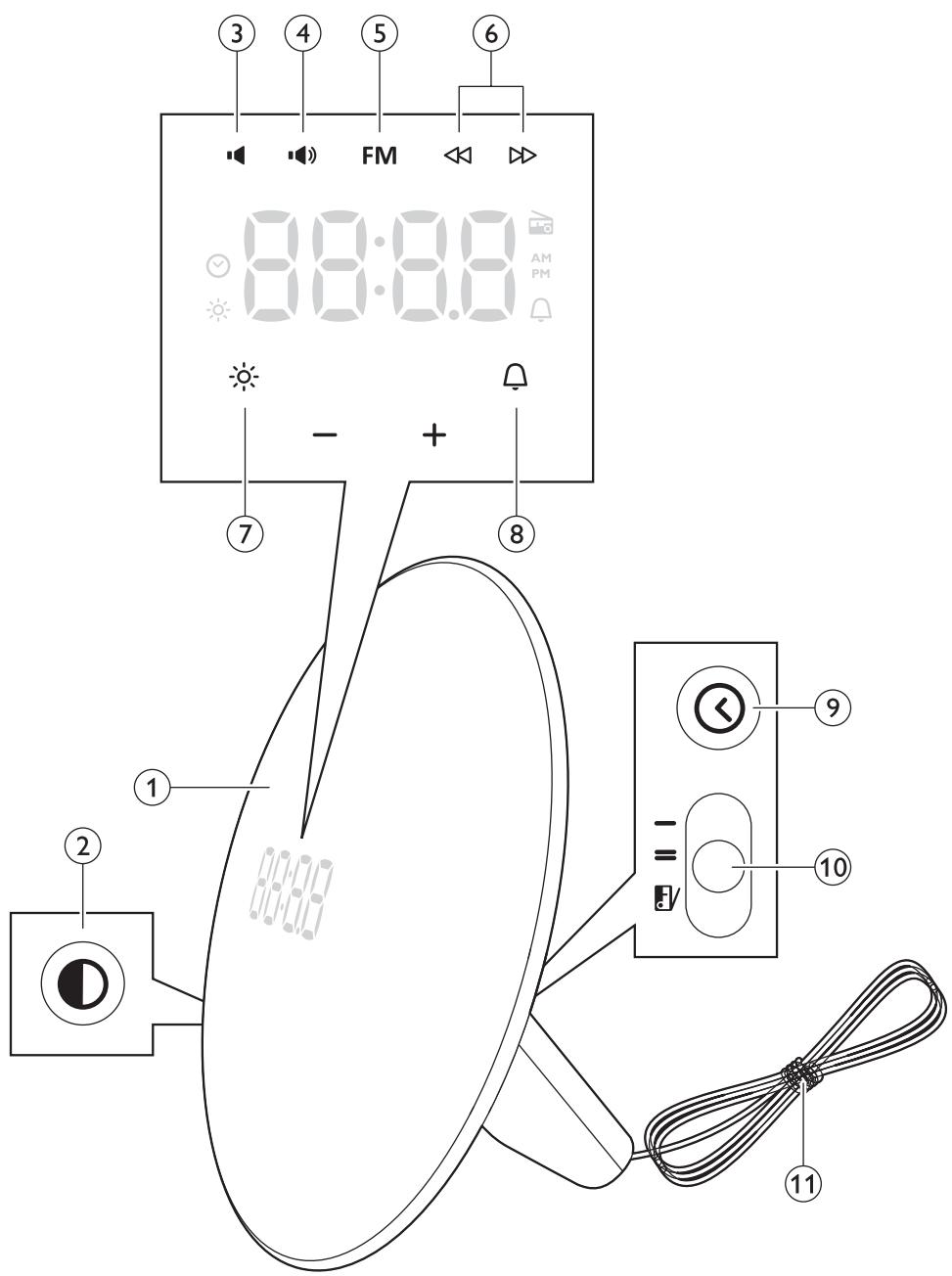
| General description (Fig. 1) | |
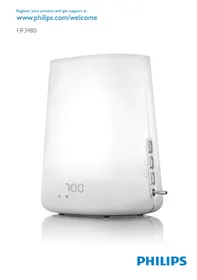
| 1 Wake up light2 Display brightness3 Volume lower (HF3505 only)4 Volume higher (HF3505 only)5 Radio (HF3505 only)6 FM scan (HF3505 only)7 Light on/off8 Alarm on/off9 Clock time10 Alarm sound types (HF3505 only)11 Antenna (HF3505 only) | |
| Preparing for use | |
| Setting the clock | |
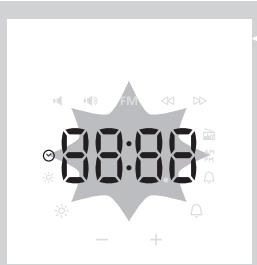
2 When plugging in, the clock time will automatically start blinking. If the clock time does not start blinking, press the clock button on the side of the appliance. The clock icon appears on the display.
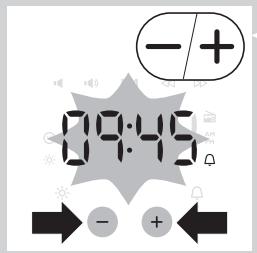
3 Press the + or - button to set the hour and minutes.
Note: You can only do this when you are in the set clock time and when the time indication flashes. If this is not the case, press the clock button again, you are now in the set clock time.
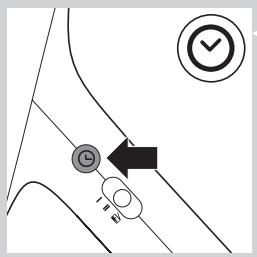
4 Press the Clock button to confirm.
You can also wait for 5 seconds before the clock is fixed.
Note: Every time you remove the plug from the wall socket, clock time setting is lost.
Using the appliance
Functions
Below you can find a list of all functions that can be set in this appliance:
Clock time Time format Alarm time Alarm sounds (HF3505 only) FM (HF3505 only) Light level Display brightness
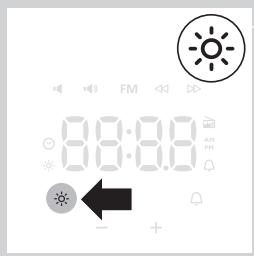
You can set these functions in the following way:
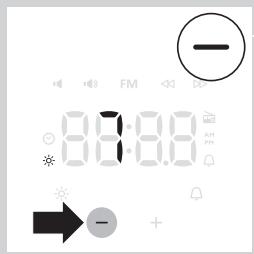
Using the light
You can use the appliance as a bedside lamp.
1 To switch on the light, press the lamp on/off button. The light icon is shown in the display and the current light level 10 appears.
2 Press the + and - buttons to select a light intensity.
You can choose a light intensity between 1 and 10.
Note: The light intensity you have selected is automatically set as the light intensity level for the alarm as well. 3 To switch off the lamp, press the lamp on/off button again.
Note: The light level can be adjusted when light is on/off.
Setting time format
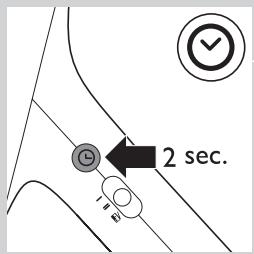
Switching between 24h and 12h time mode.
1 Press the Clock button for more than 2 seconds.
When the 12h mode is active, PM or AM will be shown in display.
Note: To switch to the 24h mode, press the Clock button again for more than 2 seconds.
Setting the alarm
When you set the alarm, you choose an alarm time and (only in case of HF3505) the type of sound you want to wake up to. The alarm is activated when the alarm symbol is visible on the display. The light intensity slowly increases to the selected level during the last 30 minutes before the set alarm time. The sound slowly increases to the selected level after the set alarm time.
HF3505 only:
Light level range is 1-10, volume level range is 1-10. It is not possible to switch these functions off.
HF3500 only:
Light level range is 1-10 and there is no volume control for the type of the appliance. The alarm sound volume is fixed.
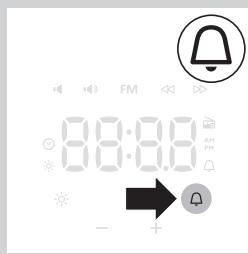
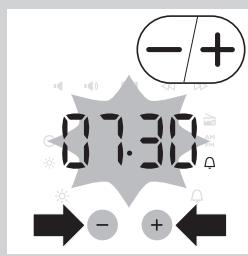
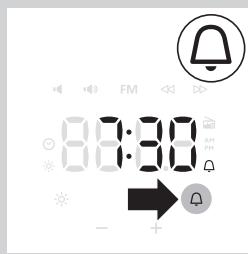
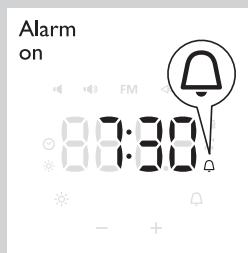
1 Press the alarm button to switch on the alarm. The time indication of the alarm time flashes. Alarm icon appears on display.
Press the + or - buttons to select the time.
Note: You can only do this when the time indication flashes. If this is not the case, press the alarm button again to enter the alarm time mode.
Tip: Press the + or - button for more than 2 seconds to speed up the digit change.
3 Press the Alarm button to confirm or wait for 5 seconds.
Note: The alarm icon is shown in the display to indicate the alarm is ON.
The alarm time is now set.
Switching off the alarm
When the alarm goes off, you can switch off the alarm by pressing the alarm button. The alarm will go off again the next day.
When you want to switch off the alarm for the next day, or before the alarm goes off, press the alarm button again.
Note: The alarm icon disappears from the display.
Note: The lamp stays on to light your room. You can switch off the lamp by pressing the light on/off button.
Note: The alarm (sound and/or light) automatically switches off after 90 minutes.
Setting the alarm sound (HF3505 only)
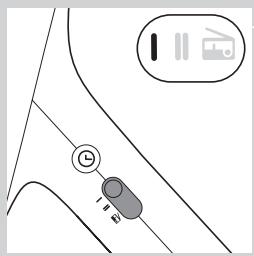
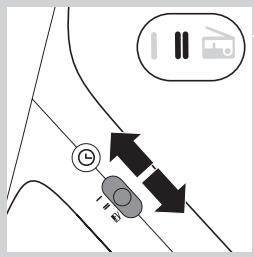
You can choose one of the following sounds by switching the function from:
Sound I
Sound II Radio
Note: When switching to a new alarm sound or radio, a preview of that sound/radio will be played for 5 seconds.
Snoozing
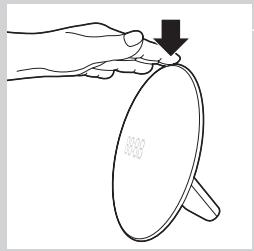
1 Tap on top of the appliance to snooze for 9 minutes.
The lamp continues to be on at the selected intensity level, but the alarm sound stops. After 9 minutes, the wake-up sound is automatically played again.
Note: The 9-minute snooze time is fixed. This time cannot be adjusted.
Radio/volume (HF3505 only)
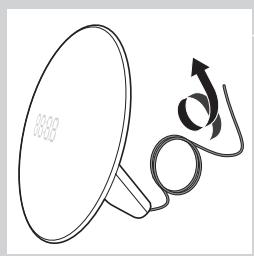
Tip: Fully unwind the antenna to use the radio function.
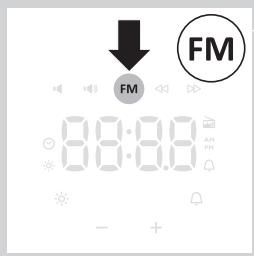
1 To switch on the radio, press the radio on/off button.
The radio icon appears in the display.
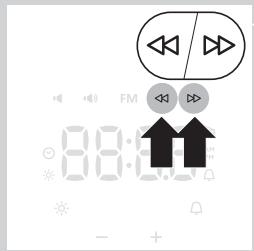
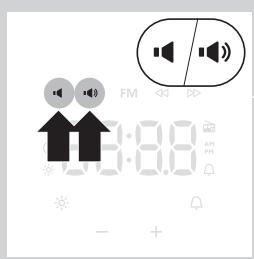
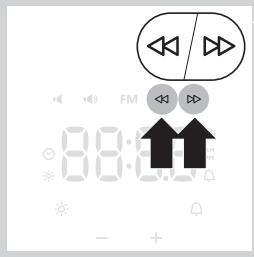
2 To select the desired radio frequency, press the « and » buttons.
Tip: To scan radio frequencies automatically, press and hold the « or » button for approx. 2 seconds.
Tip: To make sure you get a good radio signal, fully unwind the antenna and move it around until you have found a position at which reception is best.
Note: The current radio frequency is shown in the display for 5 seconds, before clock time is shown again.
3 To switch off the radio, press the radio on/off button again.
Volume
1 To set the volume, press the volume increase or decrease button. You can choose a volume level between 1 and 10.
Note: The volume level you have selected is automatically set as the volume level for the alarm as well.
Setting the display brightness
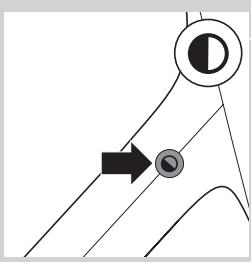
Press the Display brightness button to adjust the display brightness. The brightness of the display will change from high-medium-low-very low.
Demo mode
If you want a quick demonstration (90 seconds) of the gradually increasing light intensity and sound level, switch on the test function of the appliance.
1 Press and hold the alarm button for at least 3 seconds. The appliance starts the demonstration of the alarm. 3 To switch off the demonstration, press and hold the previously pressed alarm button for 3 seconds again.
Cleaning and maintenance
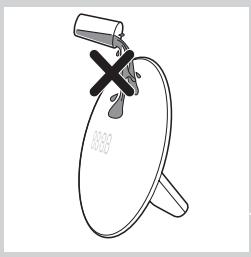
Never use scouring pads, abrasive cleaning agents or aggressive liquids such as petrol or acetone to clean the appliance.
Regularly remove dust from the outside of the appliance with a dry cloth.
1 Unplug the appliance before you clean it. 2 Clean the outside of the appliance with a dry cloth.
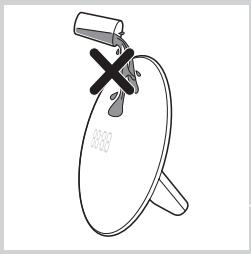
Do not let water run into the appliance or spill water onto the appliance.
Replacement
This appliance does not contain any serviceable parts.
Environment
- Do not throw away the appliance with the normal household waste at the end of its life, but hand it in at an official collection point for recycling. By doing this, you help to preserve the environment.
Introduction
Preparing the appliance for use
Setting the clock
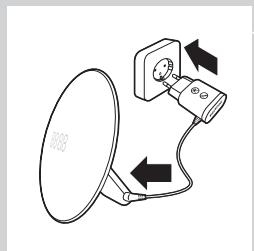
1 Plug the power cord into a wall outlet.
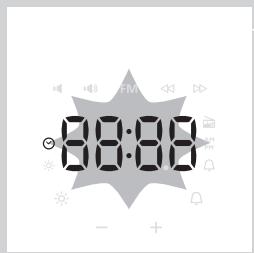
2 The clock will start running automatically as soon as the appliance is connected to the power supply.
If the clock does not start running, press the clock button on the side panel of the appliance. The clock symbol will appear on the display.
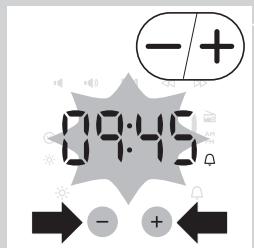
3 To set the hour and minute values, press the “+” or “-” button.
Note: Setting is possible only in the clock setting menu, when the time indicator is flashing. If the appliance is in another mode, press the clock button again to enter the clock setting menu.
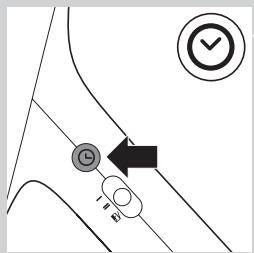
4 To confirm, press the clock button.
Wait 5 seconds until the device saves the settings.
Note: When the appliance is disconnected from the power supply, the time settings will be lost.
To change the alarm sound, select one of the following values.
Beep
Beep - Radio
When setting a new alarm or changing the sound, you can preview the melody/radio broadcast for 5 seconds.
Snooze function
1 Lightly tap the top panel of the device to delay the alarm by 9 minutes. The backlight continues to glow at the set brightness, but the alarm sound stops. After 9 minutes, the alarm sound resumes automatically.
Note: The 9-minute interval is fixed and cannot be adjusted.
Radio volume (only for model HF3505)
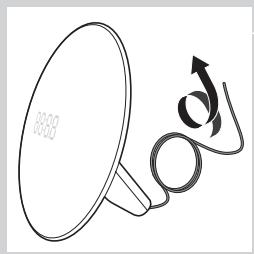
Tip: Before turning on the radio, fully extend the antenna.
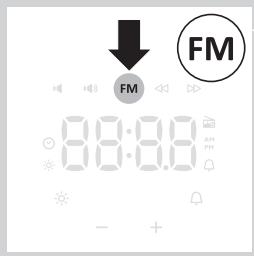
1 To turn on the radio, press the radio on/off button.
The radio indicator will appear.
You can set high, medium, low, or very low brightness levels for the display.
Demo mode
To briefly demonstrate the gradual increase in brightness and sound over 90 seconds, activate demo mode on the device.
1 Press and hold the alarm button for at least 3 seconds. 2 The device will enter demo mode. 3 To exit demo mode, press and hold the alarm button again for 3 seconds.
It is allowed to use the device with abrasive coatings, abrasive cleaning agents and solvents such as benzene or acetone.
Regularly remove dust from the outer surfaces of the device using a dry cloth.
1 Before cleaning the device, disconnect it from the power supply. 2 Wipe the outer surface of the device with a dry cloth.
Avoid getting water into the device. Do not allow the device to be submerged in water.
Replacement
This device does not contain parts that can be repaired by the user.
Environmental Protection
- After the end of its service life, do not throw the device away with household waste. Take it to a specialized collection point for recycling. By doing so, you will help protect the environment.
Introduction

- ALWAYS HERE TO HELP YOU
- USING THE APPLIANCE
- FUNCTIONS
- USING THE LIGHT
- SETTING TIME FORMAT
- SWITCHING BETWEEN 24H AND 12H TIME MODE
- SETTING THE ALARM
- SWITCHING OFF THE ALARM
- SETTING THE ALARM SOUND (HF3505 ONLY)
- SNOOZING
- RADIO/VOLUME (HF3505 ONLY)
- VOLUME
- SETTING THE DISPLAY BRIGHTNESS
- DEMO MODE
- CLEANING AND MAINTENANCE
- REPLACEMENT
- ENVIRONMENT
- INTRODUCTION
- PREPARING THE APPLIANCE FOR USE
- SETTING THE CLOCK
- SNOOZE FUNCTION
- RADIO VOLUME (ONLY FOR MODEL HF3505)
- ENVIRONMENTAL PROTECTION
Brand : PHILIPS
Model : HF3330,MV
Category : Light therapy lamp