USER MANUAL MILLESIME SAMSUNG
ADD: Jinmen Road 221, Suzhou Jiangsu Province, China
TEL: 86-512-65321234-3550
CABLE:7449
FAX: 86-512-65321234-3555
P.C: 215004
INSTRUCTION MANUAL
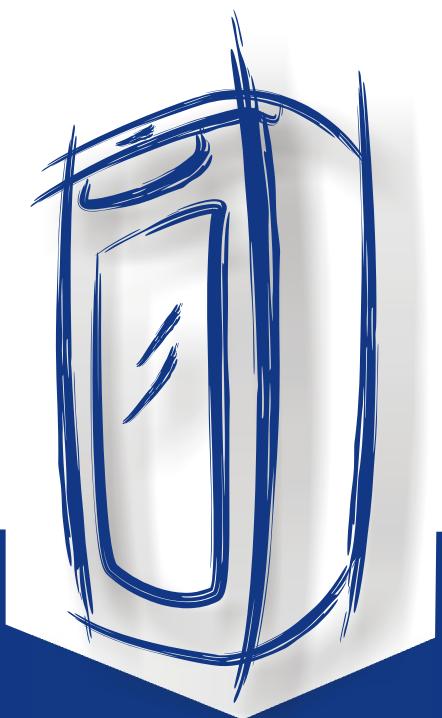
Samsung Wine Refrigerator
Model RW13EBBB
RW13EBSS
- Please read this manual carefully before switching on the power and nicely keep it for future reference.
- The product is subject to change without notice.
Contents
Safety. 2
Name of parts. 2
Notes concerning operation ....3
Control panel. 5
Maintenance &cleaning.7
Set up. 8
Troubleshooting. 9
Technical data......Back cover
Please read this manual carefully before using the refrigerator.
Please read carefully the contents concerning safety before using the refrigerator.
Please keep this manual in a readily accessible -sible place for future reference.
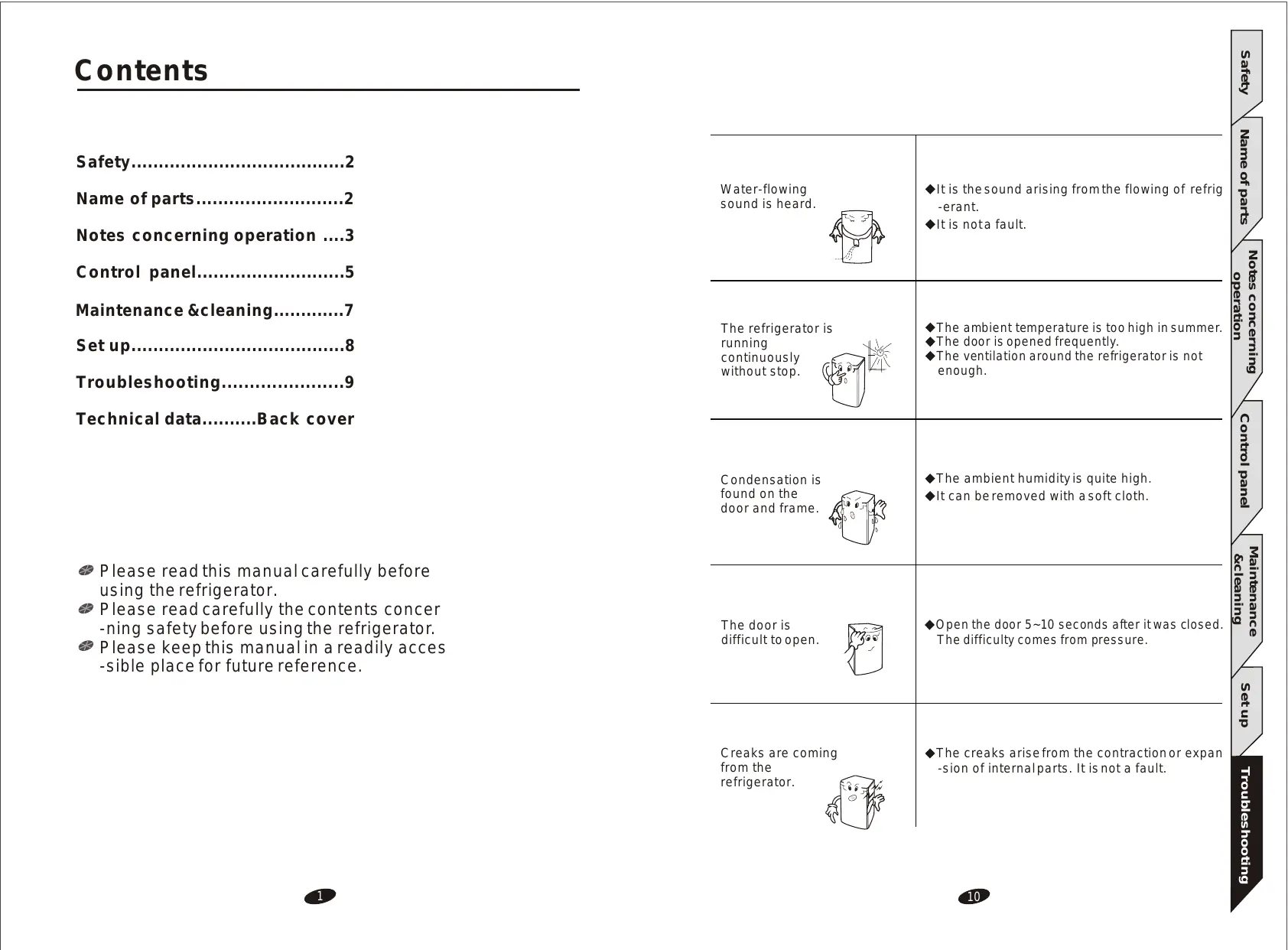
| Water-flowing sound is heard. | ◆It is the sound arising from the flowing of refriger-erant.
◆It is not a fault. |
| The refrigerator is running continuously without stop. | ◆The ambient temperature is too high in summer.
◆The door is opened frequently.
◆The ventilation around the refrigerator is not enough. |
| Condensation is found on the door and frame. | ◆The ambient humidity is quite high.
◆It can be removed with a soft cloth. |
| The door is difficult to open. | ◆Open the door 5~10 seconds after it was closed.
The difficulty comes from pressure. |
| Creaks are coming from the refrigerator. | ◆The creaks arise from the contraction or expand-sion of internal parts. It is not a fault. |
TROUBLESHOOTING
The refrigerator doesn't work.
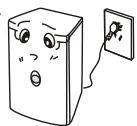
The plug has not been nicely inserted into the outlet.
There are noises in the refrigerator.
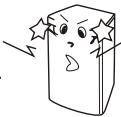
The things in the refrigerator have not been evenly placed.
The refrigerator has not been placed on a rigid and flat surface.
The refrigerator is too close to the wall.
Something is behind or under the refrigerator.
The sound is from the compressor.
The front and sides of refrigerator are hot.
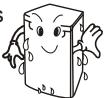
The frame is equipped with anti-condensation pipe, so the refrigerator will become hot when it is running. It is not a fault.
There are radiating devices (condensers) inside both sides of refrigerator.
There is frost on the back wall inside the refrigerator.
It's normal when the refrigerator is running.
It will disappear when the refrigerator stops working.
SAFETY
Please read this manual.
Please read carefully the contents in this manual concerning safety and operation before switching on the power.
Please keep this manual.
Please keep this manual nicely for your future reference.
Please pay attention to warnings.
Please pay attention to the warnings on the wine refrigerator concerning operation and follow their instructions.
Please follow the instructions in this manual concerning operation.
NAME OF PARTS
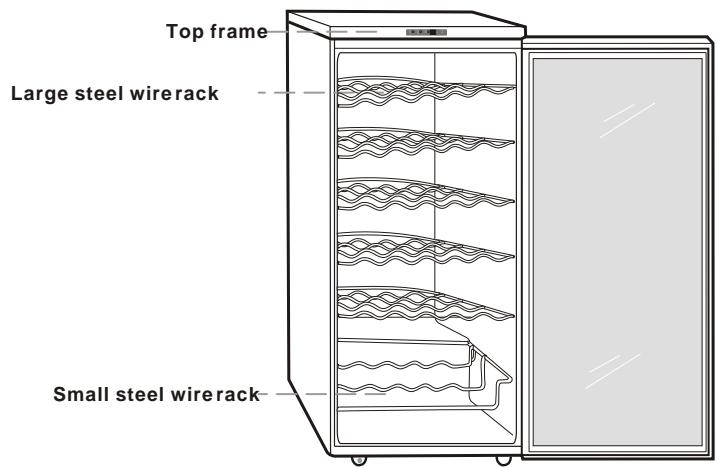
Accessories
| Name
Model | Large steel wire Rack | Small steel wire rack | Lamp Cover | Internal lamp |
| RW13EBBB | 5 | 1 | 1 | 1 |
| RW13EBSS | | | | |
NOTES CONCERNING OPERATION
POWER SOURCE
Do not use a damaged plug.
Do not pull the plug. Donot touch the plug when your hands are wet.
The plug should not be over-bentor pressed under a heavy thing.
Please remove the plug from the outlet when there are thunders and lightning or the refrigerator is not to be used for a long time.
The refrigerator should not share the outlet with other appliances, otherwise electricshock and fire may happen.
Check the voltage of refrigerator if it is in conformity with that of outlet before plugging.
The permissible voltage range is 98-143V. If the voltage of your power source is not in this range, you have to use a500W automatic regulator, which can easily be found on the market.
The extension of power line is not recommended. If you want to use a connection plate, it should be in line with the capacity of refrigerator and nicely grounded. The connection plate should be hung up or put at a place more than 200mm far from the refrigerator.
If the supply cord is damaged, it must be replaced by manufacturer, retailer it's service agent or similar qualified person in order to avoid a hazard.
ATTENTION
Please do not put your hands under the refrigerator.
Do not put cigarette butts or candles on the refrigerator. The refrigerator should be far away from any heatsource.
Please do not put heavy things on the refrigerator.
CLEANING
Do not clean the refrigerator with water or chemicals.
If there is dirt on the plug, please use it after cleaning.
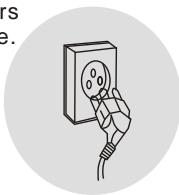
Please wait 5 minutes when you want to insert the plug into the outlet again after it was removed.
SETUP
Please read the following section carefully to avoid any injury of personnel and damage of property.
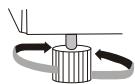
Place the refrigerator on a rigid and horizontal surface and flat it with the adjusting foot.
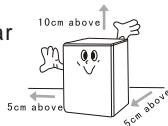
The refrigerator should be put in a place with good ventilation. There should be a distance of over 5cm to both sides and therear and over 10cm to the top.
Do not place the refrigerator in a place with direct sunshine or near the heat source (such as gas stove and oven) or in a damp place.
The refrigerator should be put in a place near the outlet.
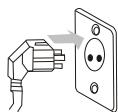
Please use a separate 220~240V outlet for the refrigerator.
The refrigerator should be nicely grounded. Do not ground it through phone line or gas pipe.
The replacement of power line needs special tools, splease contact the service center if your powerline is damaged.
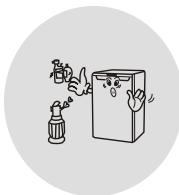
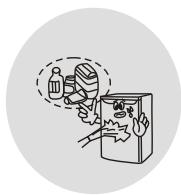
Noises will arise when something is beside, behind or on the refrigerator.
The ambient temperature should be over 5^ , otherwise the refrigerator may freeze up.
ATTENTION
The refrigerator must be correctly grounded, otherwise incident may happen.
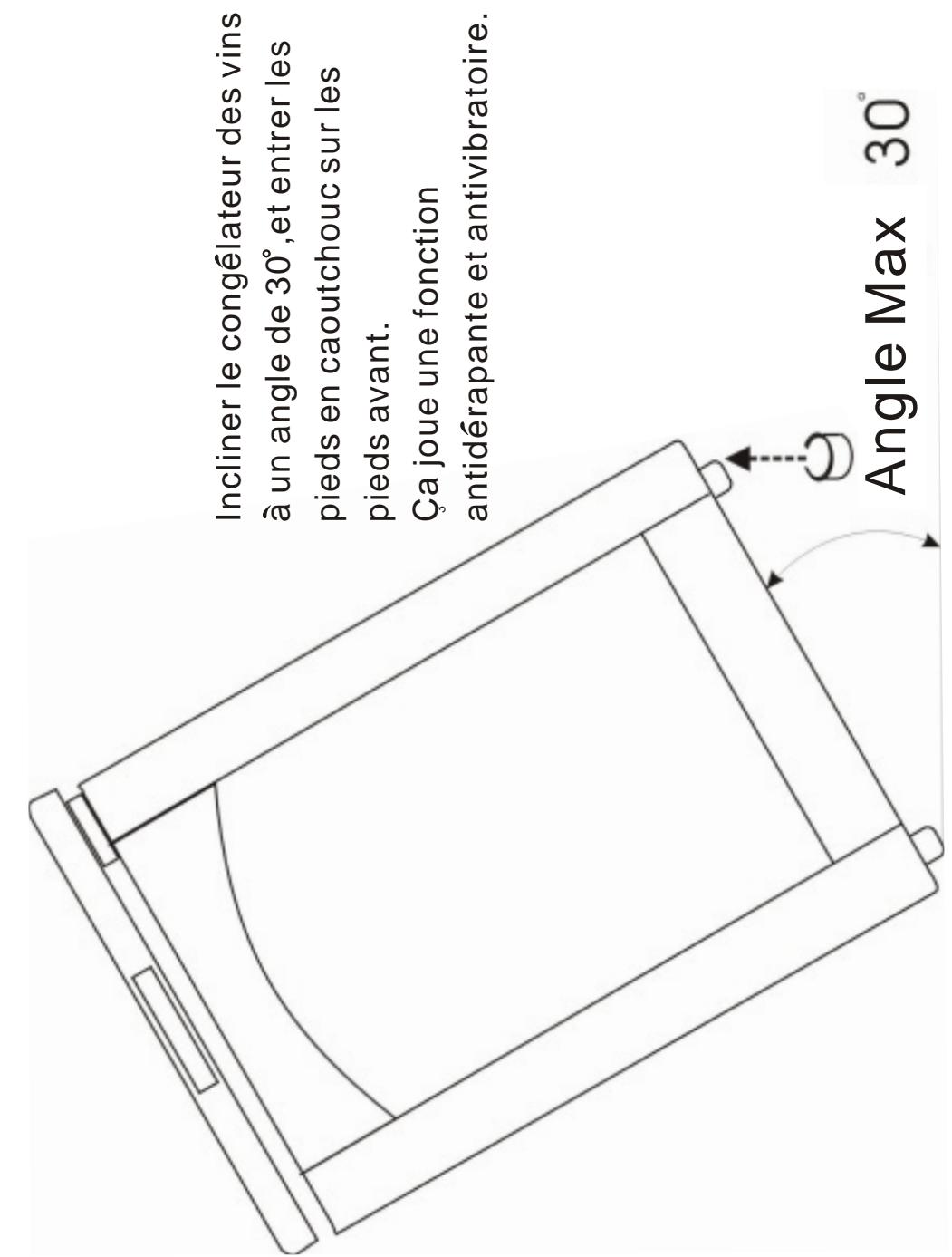
Do not put the refrigerator upside down or transversely. The slope between the refrigerator and the floor should never be more than 45^ .
6. RESET MODE
6-1 If you press the white wine key and the red wine key simultaneously, all indicators will go out.
6-2 After 3 seconds, all settings will become ex-factory ones.
7. KEYBOARD LOCK MODE
7-1 Please press the white wine key and the internal lamp key together for 3 seconds.
7-2 The refrigerator will run in the keyboard lock mode if it was not running in that mode before the keys are pressed. Otherwise, the refrigerator will exit from the keyboard lock mode.
7-3. In the keyboard lock mode, no action will happen and DIAPLAY will show "LO" if any key is pressed (internal lamp key excluded). When the key is released, DISPLAY will show the actual temperature.
MAINTENANCE & CLEANING
Please remove the plug from the outlet first before cleaning.
Inside
Please take out the racks, wash them with sterilization spray and dry them with a clean cloth. The door should be cleaned carefully by using neutral detergent and a soft cloth.
Water collector
Pour out the water in the collector and replace it after cleaning.
Attention
The plug should be removed from the outlet and the door should be opened when you are doing the cleaning or the refrigerator is not to be used for a long time.
Do not clean the refrigerator with water or chemicals.
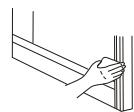
CAUTION
Do not disassemble, repair and rebuild the refrigerator by yourself.
Do not let children play around the refrigerator. If the refrigerator is to be discarded, please remove the door in order to prevent the child from being sealed in it.
Do not putinflammable near therefrigerator.
When gas leaking happens, do not remove the plug from the outlet or adjust the temperature. Please turn off the gas first.
Please remove the plug from the outlet immediately when there are noises, fumes or abnormal odor in the refrigerator and contact the service center promptly.
Do not put thermal bottle, medicine or metal chains on the refrigerator.
WARNING
Keep ventilation openings, in the appliance enclosure or inthe built-in structure, clear of obstruction.
Do not use mechanical devices or other means to accelerate the de-frosting process,other than those recommended by the manufacturer.
Do not damage the refrigerant circuit.
Do not use electrical appliances inside the food storage compartments of the appliance, unless they are of the type recommended by the man -ufacturer
ADDITION
Instructions for replacing the illuminating lamps
When the lamp need to be replaced, please power off the wine chiller at first, then remove the two screws that were used to fix the lamp cover, removing the lamp cover and then pull the old lamp, replacing a new one, fixing the lamp cover with screws.
Finally, power on the wine chiller.
Max.rated input of lamp:7W
CONTROL PANEL
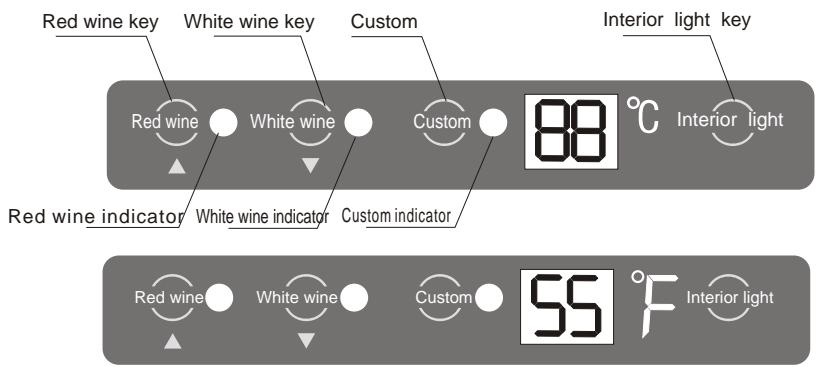
After the power is switched on, all indicators will light up for self-inspection and then the refrigerator will be automatically set on the red wine mode. At that time, the red wine indicator will light up and DISPLAY will show the actual temperature.
Note:
In the red wine mode, the temperature setting is 13^ (55°F) |15^ 12^. (59°F~54°F)), Which is suitable mainly for the storage of red wine.
In the white wine mode, the temperature setting is 7^ ( 45^ ) |9^ - 5^ ( 48^ 41^ ), which issuitable mainly for the storage of white wine.
In the custom mode, the temperature can be set in the range of 4^ 18^ (40°F~65°F) according to user's requirement.
1. RED WINE MODE
◆1-1 If you press the red wine key when the refrigerator is in the red wine mode, DISPLAY will show the temperature setting 13^ C (55°F).
◆1-2 If you press the red wine key when the refrigerator is not in the red wine mode, the red wine indicator will light up, DISPLAY will show the temper -ature setting of red wine 13^ (55°F) and the refrigerator will start running in the red winemode.
1-3 When the red wine key is rdeased, DISPLAY will show the actual temper -ature.
2.WHITE WINE MODE
◆2-1 If you press the white wine key when the refrigerator is in the white wine mode, DISPLAY will show the temperature setting 7^ (45°F).
◆2-2 If you press the white wine key when the refrigerator isnot in the white wine mode, the white wine indicator will light up, DISPLAY will show the tempera-ture setting of white wine 7^ C (45 F) and the refrigerator will start running in the white wine mode.
◆2-3 When the white wine key isreleased, DISPLAY will show the actual temper -ature.
3.CUSTOMMODE
◆3-1 If you press the custom key when the refrigerator is in the custom mode, DISPLAY will show the temperature setting.
◆3-2 If you press the custom key when the refrigerator is not in the custom mode, the custom indicator will light up, DISPLAY will show the tempera-ture preset by the user and the refrigerator will start running in the custom mode.
3-3 When the custom key is released, DISPLAY will show the actual tempera-ture.
4. ADJUSTMENT OF TEMPERATURE
4-1 Please let the refrigerator run in the user setting mode.
4-2 Press the user setting key for 3 seconds and the refrigerator will enter into the sate for adjustment of temperature at that time, led willflash and show the current temperature setting.
◆4-3 If you press the red wine key, the temperature setting will be increased by 1^ C(34^ F) until it becomes 18^ C ( 65^ F ). After that, the temperature setting will no longer change if you press the red wine key again. alternately, if you press the white wine key, the temperature setting will be decreased by 1^ C ( 34^ F ) until it becomes 4^ C ( 40^ F ). After that, the temperature setting will no longer change if you press the white wine key again.
4-4 DISPLAY will show the actual temperature after 5 seconds with the comp -letion of adjustment.
5. INTERNAL LAMP
◆5-1 If you press the internal lamp key, the internal lamp will go out when it is lit, and vice versa.
5-2 When the internal lamp is continuously lit for 1 hour, it will go out automatically.