ManualGo.com
 VELASCA - VELASCA PRESTIGE - Machine à café GAGGIA - Free user manual and instructions
Find the device manual for free VELASCA - VELASCA PRESTIGE GAGGIA in PDF.


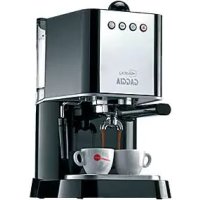
Download the instructions for your Machine à café in PDF format for free! Find your manual VELASCA - VELASCA PRESTIGE - GAGGIA and take your electronic device back in hand. On this page are published all the documents necessary for the use of your device. VELASCA - VELASCA PRESTIGE by GAGGIA.
USER MANUAL VELASCA - VELASCA PRESTIGE GAGGIA
IMPORTANT SAFEGUARDS When using electrical appliances, basic safety precautions should always be followed, including the following:
1. Read all instructions. 2. Do not touch hot surfaces. Use handles or knobs. 3. To protect against fire, electric shock and injury to persons do not immerse cord, plugs, or appliance in water or other liquid. 4. Close supervision is necessary when the appliance is used by or near children. 5. Unplug from outlet when not in use and before cleaning. Allow to cool before putting on or taking off parts, and before cleaning the appliance. 6. Do not operate any appliance with a damaged cord or plug or after the appliance malfunctions, or has been damaged in any manner. Return appliance to the nearest authorized service facility for examination, repair or adjustment. 7. The use of accessory attachments not recommended by the appliance manufacturer may result in fire, electric shock or injury to persons. 8. Do not use outdoors. 9. Do not let cord hang over edge of table or counter, or touch hot surfaces. 10. Do not place on or near a hot gas or electric burner, or in a heated oven. 11. Always attach plug to appliance first, then plug cord into wall outlet. To disconnect, turn any control to “off”, then remove plug from wall outlet. 12. Do not use appliance for other than intended use. 13. Save these instructions.
SAVE THESE INSTRUCTIONS English
CAUTION This appliance is for household use only. Any servicing, other than cleaning and user maintenance, should be performed by an authorized service center.
Do not immerse machine in water. To reduce the risk of fire or electric shock, do not disassemble the machine. There are no parts inside the machine serviceable by the user. Repair should be done by authorized service personnel only. 1. Check voltage to be sure that the voltage indicated on the nameplate corresponds with your voltage. 2. Never use warm or hot water to fill the water tank. Use cold water only. 3. Keep your hands and the cord away from hot parts of the appliance during operation. 4. Never clean with scrubbing powders or harsh cleaners. Simply use a soft cloth dampened with water. 5. For optimal taste of your coffee, use purified or bottled water. Periodic descaling is still recommended every 2-3 months. 6. Do not use caramelized or flavored coffee beans.
INSTRUCTIONS FOR THE POWER SUPPLY CORD A. A short power-supply cord (or detachable power-supply cord) is to be provided to reduce risks resulting from becoming entangled in or tripping over a longer cord.
B. Longer detachable power-supply cords or extension cords are available and may used if care is exercised in their use. C. If a long detachable power-supply cord or extension cord is used, 1. The marked electrical rating of the detachable power-supply cord or extension cord should be at least as great as the electrical rating of the appliance 2. If the appliance is of the grounded type, the extension cord should be a grounding-type 3-wire cord, and 3. The longer cord should be arranged so that it will not drape over the counter top or table top where it can be pulled on by children or tripped over.
Introduction ___________________________________________________________________________________________
Instructions for the power supply cord________________________________________________________________ General description ___________________________________________________________________________________ Important safety information _________________________________________________________________________ Warning ________________________________________________________________________________________________ Caution ________________________________________________________________________________________________ Machines with milk carafe _____________________________________________________________________________ Electromagnetic fields (EMF) _________________________________________________________________________ Recycling ______________________________________________________________________________________________ Warranty and support _________________________________________________________________________________ The display ____________________________________________________________________________________________ First installation _______________________________________________________________________________________ Manual rinsing cycle ___________________________________________________________________________________ Water filter _____________________________________________________________________________________________ Installing the water filter _______________________________________________________________________________ Replacing the water filter _____________________________________________________________________________ Measuring the water hardness ________________________________________________________________________ Using the machine ____________________________________________________________________________________ Brewing coffee with beans ____________________________________________________________________________ Brewing coffee with pre-ground coffee _______________________________________________________________ Adjusting the coffee quantity _________________________________________________________________________ Adjusting the grind setting_____________________________________________________________________________ Cappuccino, baby cappuccino and milk froth ________________________________________________________ Brewing special drinks _________________________________________________________________________________ Descaling ______________________________________________________________________________________________ Descaling procedure __________________________________________________________________________________ Interruption of the descaling cycle ___________________________________________________________________ Cleaning and maintenance ___________________________________________________________________________ Weekly cleaning of the brew group ___________________________________________________________________ Lubrication ____________________________________________________________________________________________ Milk carafe quick clean ________________________________________________________________________________ Daily cleaning of the milk carafe ______________________________________________________________________ Weekly cleaning of the milk carafe ___________________________________________________________________ Monthly full milk carafe cleaning with Philips milk circuit cleaner ___________________________________ Ordering maintenance products ______________________________________________________________________ Warning icons and error codes _______________________________________________________________________ Meaning of error codes ________________________________________________________________________________ Troubleshooting _______________________________________________________________________________________
8 8 8 9 10 11 11 11 11 12 12 13 13 13 14 14 15 15 15 15 16 16 17 17 17 18 19 19 20 20 21 21 23 23 24 25 25
Congratulations on buying this Gaggia Velasca Prestige full automatic espresso machine! The machine is suitable for preparing espresso coffee using whole coffee beans. This appliance has been tested with coffee. Although it has been carefully cleaned, there might be some coffee residual left. We guarantee however that the appliance is absolutely new. When using electrical appliances, basic safety precautions should always be followed, including the following: 1
Read all instructions.
Do not touch hot surfaces. Use handles or knobs.
3 To protect against fire, electric shock and injury to persons do not immerse cord, plugs, or appliance in water or other liquid.
4 Close supervision is necessary when the appliance is used by or near children. 5 Unplug from outlet when not in use and before cleaning. Allow to cool before putting on or taking off parts, and before cleaning the appliance. 6 Do not operate any appliance with a damaged cord or plug or after the appliance malfunctions, or has been damaged in any manner. Return appliance to the nearest authorized service facility for examination, repair or adjustment. 7 The use of accessory attachments not recommended by the appliance manufacturer may result in fire, electric shock or injury to persons. 8
Do not use outdoors.
Do not let cord hang over edge of table or counter, or touch hot surfaces.
Do not place on or near a hot gas or electric burner, or in a heated oven.
11 Always attach plug to appliance first, then plug cord into wall outlet. To disconnect, turn any control to “off”, then remove plug from wall outlet.
12 Do not use appliance for other than intended use. 13
Save these instructions.
This appliance is for household use only. Any servicing, other than cleaning and user maintenance, should be performed by an authorized service center. Do not immerse machine in water. To reduce the risk of fire or electric shock, do not disassemble the machine. There are no parts inside the machine serviceable by the user. Repair should be done by authorized service personnel only.
1 Check voltage to be sure that the voltage indicated on the nameplate corresponds with your voltage. 2
Never use warm or hot water to fill the water tank. Use cold water only.
3 Keep your hands and the cord away from hot parts of the appliance during operation.
4 Never clean with scrubbing powders or harsh cleaners. Simply use a soft cloth dampened with water. 5 For optimal taste of your coffee, use purified or bottled water. Periodic descaling is still recommended every 2-3 months. 6
Do not use caramelized or flavored coffee beans.
Instructions for the power supply cord
-- A short power-supply cord (or detachable power-supply cord) is to be provided to reduce risks resulting from becoming entangled in or tripping over a longer cord. -- Longer detachable power-supply cords or extension cords are available and may be used if care is exercised in their use. -- If a long detachable power-supply cord or extension cord is used: 1 the marked electrical rating of the detachable power-supply cord or extension cord should be at least as great as the electrical rating of the appliance. 2 if the appliance is of the grounded type, the extension cord should be a grounding-type 3-wire cord, and 3 the longer cord should be arranged so that it will not drape over the counter top or table top where it can be pulled on by children or tripped over.
1 Coffee bean hopper lid
2 Coffee bean hopper 3 Power cord socket 4 Water tank 5 Pre-ground coffee compartment 6 Grinder adjustment knob 7 Control panel 8 Coffee grounds container 9 Coffee dispensing spout 10 Drip tray 11 Drip tray cover 12 Drip tray full indicator 13 Espresso button 14 Espresso lungo button 15 Aroma strength button 16 Carafe quick clean button 17 Standby button 18 Menu button 19 Special drinks button 20 Milk froth button 21 Cappuccino button 22 Power supply cord 23 Cleaning brush (for specific types only) 24 Grease for the brew group (for specific types only) 25 Pre-ground coffee measuring spoon 26 Water hardness test strip 27 Coffee residues drawer 28 Brew group 29 Milk carafe 30 Hot water dispensing spout
Important safety information
This machine is equipped with safety features. Nevertheless, read and follow the safety instructions carefully and only use the machine as described in these instructions, to avoid accidental injury or damage due to improper use of the machine. Keep this safety booklet for future reference.
General - Check if the voltage indicated on the machine corresponds to the local mains voltage before you connect the appliance. - Connect the machine to an earthed wall socket. - Do not let the power cord hang over the edge of a table or worktop and do not let it touch hot surfaces. - To avoid the danger of electric shock, never immerse the machine, mains plug or power cord in water or any other liquid. - Do not pour liquids on the power cord connector. - To avoid the danger of burns, keep body parts away from hot water jets produced by the machine. - Do not touch hot surfaces. Use handles and knobs. - Switch off the machine with the main switch located on the back (if present) and remove the mains plug from the wall socket: • If a malfunction occurs. • If you are not going to use the appliance for a long time. • Before you clean the machine. - Pull at the plug, not at the power cord. - Do not touch the mains plug with wet hands. - Do not use the machine if the mains plug, the power cord or the machine itself is damaged. - Do not make any modifications to the machine or its power cord. - Only have repairs carried out by a service center authorized by Gaggia to avoid a hazard. - The machine should not be used by children younger than 8 years old. - This machine can be used by children aged from 8 years and above and by persons with reduced physical, sensory or mental capabilities or lack of experience and knowledge if they have been given supervision or instruction concerning use of the machine in a safe way and if they understand the hazards involved. - Cleaning and user maintenance shall not be made by children unless they are older than 8 and supervised. - Keep the machine and its cord out of the reach of children aged less than 8 years. - Children should be supervised to ensure that they do not play with the machine. - Never insert fingers or other objects into the coffee grinder. - Be careful when you dispense hot water. Dispensing may be preceded by small jets of hot water. Wait until the end of the dispensing cycle before you remove the hot water dispensing spout.
General - This machine is intended for normal household use only. It is not intended for use in environments such as staff kitchens of shops, offices, farms or other work environments. - Always put the machine on a flat and stable surface. Keep it in upright position, also during transport. - Do not place the machine on a hotplate or directly next to a hot oven, heater or similar source of heat. - Only put roasted coffee beans in the bean hopper. Putting ground coffee, instant coffee, raw coffee beans or any other substance in the coffee bean hopper may cause damage to the machine. - Let the machine cool down before you insert or remove any parts. The heating surfaces may retain residual heat after use. - Never fill the water tank with warm, hot or sparkling water, as this may cause damage to the water tank and the machine. - Never use souring pads, abrasive cleaning agents or aggressive liquids such as petrol or acetone to clean the machine. Simply use a soft cloth dampened with water. - Descale your machine regularly. The machine indicates when descaling is needed. Not doing this will make your appliance stop working properly. In this case repair is not covered by your warranty. - Do not keep the machine at temperatures below 0°C/32°F. Water left in the heating system may freeze and cause damage. - Do not leave water in the water tank when you are not going to use the machine for a long period of time. The water can become contaminated. Use fresh water every time you use the machine. - Never use any accessories or parts from other manufacturers or that Gaggia does not specifically recommend. If you use such accessories or parts, your warranty becomes invalid. - Regular cleaning and maintenance prolongs the lifetime of your machine and ensures optimum quality and taste of your coffee. - The machine is exposed continuously to moisture, coffee and scale. Therefore it is very important to regularly clean and maintain the machine as described in the user manual and shown on the website. If you do not perform these cleaning and maintenance procedures, your machine eventually may stop working. In this case repair is not covered by warranty. - Do not clean the brew group in the dishwasher and do not use washingup liquid or a cleaning agent to clean it. This may cause the brew group to malfunction and may have a negative effect on the coffee taste. - Do not dry the brew group with a cloth to prevent fibers from collecting inside the brew group. - Never drink the solution dispensed during the descaling process. - Only put preground coffee into the preground coffee compartment. Other substances and objects may cause severe damage to the machine. In this case, repair is not covered by your warranty. - The machine shall not be placed in a cabinet when in use.
Machines with milk carafe
Warning - To avoid the danger of burns, be aware that dispensing may be preceded by jets of milk and steam. Wait until the end of the cycle before you remove the milk carafe.
- Make sure that the milk carafe is installed and the milk dispensing spout is open before you select a milk-based coffee beverage or milk froth. - Do not put any other liquids in the milk jug/carafe than water (for cleaning) or milk. - Do not clean the milk carafe in the dishwasher.
Electromagnetic fields (EMF)
This machine complies with all applicable standards and regulations regarding exposure to electromagnetic fields.
- This symbol means that this product shall not be disposed of with normal household waste (2012/19/EU). - Follow your country’s rules for the separate collection of electrical and electronic products. Correct disposal helps prevent negative consequences for the environment and human health.
Warranty and support
For service or support, contact your local dealer or an authorized service center. Contact details are included in the warranty booklet supplied separately or visit www.gaggia.com or www.gaggia.it.
Some buttons can be used to navigate through the menus:
-- ESPRESSO button = ESC button: you can press this button to return to the main menu. The ESC button takes you back one level. You may have to press the ESC button several times to get back to the main menu.
-- AROMA STRENGTH button = OK button: you can press this button to select, confirm or stop a function.
OM A STR ENGTH CAPPUCCINO SPECIAL DRI N KS
-- CAPPUCCINO button = UP button: press this button to scroll up through the display menu.
Slide the drip tray with drip tray cover into the machine.
Remove the water tank.
Fill the water tank to the MAX level with fresh water.
Fill the coffee bean hopper with coffee beans.
5 Insert the small plug into the socket located on the back of the machine.
Insert the power plug into the electrical outlet. Note: The display reminds you have to insert the hot water dispensing spout. If not present, press on both sides of the hot water dispensing spout and insert it into the machine until you hear a click. 6
Place a container under the hot water and coffee dispensing spouts.
8 Press the OK button to start the automatic circuit priming cycle.
The machine performs an automatic rinsing cycle. 9 10 11
Remove the water tank from the machine, empty it.
Fill the water tank with fresh water and place it back into the machine. Continue with the next step: the manual rinsing cycle.
Manual rinsing cycle
Place a container under the coffee dispensing spout.
2 Press the AROMA STRENGTH button to select pre-ground coffee. Do not add pre-ground coffee.
3 Press the ESPRESSO LUNGO button. The machine starts dispensing water. 4 When the machine stops dispensing, empty the container. Repeat steps 1-3 twice. 5 Press the SPECIAL DRINKS button. Place a container under the hot water dispensing spout. 6 Press the UP/DOWN buttons to scroll through the options of the display. Press the OK button to select ‘hot water’. -The display reminds you have to install the hot water dispensing spout (if not present), press the OK button to confirm. 7 Press the OK button to start hot water dispensing. -Dispense water until the display shows the no water icon. 8 Fill the water tank with fresh water up to the MAX level and remove the container. The machine is ready for use.
The Intenza+ water filter is designed to reduce limescale deposits in your coffee machine and provide filtered water to preserve the aroma and flavor of each cup of coffee.
Installing the water filter
1 Remove the small white filter from the water tank and store it in a dry place. Note: Please keep the small white filter for future use.You will need it for the descaling process. 2 Remove the filter from its packaging and immerse it in cold water with the opening pointing upwards. Press the sides of the filter gently to let out the air bubbles. 3 Place the filter in the empty water tank. Press it down until it cannot move any further. 4 Fill the water tank with fresh water up to the MAX indication and place it the machine. 5 Select the hot water function and dispense hot water until the water tank is empty (see chapter ‘Using the machine’, section ‘Brewing special drinks').
6 Refill the water tank with fresh water up to the MAX indication and place it back into the machine.
7 Press the MENU button to enter the menu.
8 Press the DOWN button until the display shows the following icon.
Press the UP button to select 'ON' and press the OK button to confirm.
Press the ESC button. The filter and machine are now ready for use.
Replacing the water filter
FILTER The display shows the following icon to indicate the water filter needs to be replaced.
Replace the filter as described in section 'Installing the water filter'.
2 Press the MENU button and press the UP/DOWN button to scroll trough the options on the menu until the following icon is displayed.
Select the RESET option and press the OK button to confirm.
4 Press the ESC button to exit. If the filter is already installed and you want
to remove it and not replace it, choose OFF Measuring the water hardness
To be able to adjust the machine settings to the water in your region, please measure the water hardness with the water hardness strip supplied. 1 Immerse the water hardness test strip (supplied with the machine) in fresh water for 1 second. 2
Remove the water hardness strip and and wait for 1 minute.
3 Check how many squares have changed into the red color and check the water hardness in below table.
numbers of red squares
Setting the water hardness
1 To set the water hardness, press the MENU button, select menu and scroll to select water hardness. 2
Press the OK button and select the water hardness in your area.
Press the OK button to confirm.
Press the ESC button to return to the main menu.
Brewing coffee with beans 1
Adjust the coffee dispensing spout to suit the size of your cup.
2 Press the AROMA STRENGTH button to select the desired coffee strength from 1-5 beans.
3 Press the ESPRESSO button to brew an espresso or press the ESPRESSO LUNGO button to brew a coffee.
Brewing coffee with pre-ground coffee
When you brew coffee with pre-ground coffee, use the measuring scoop in the multifunctional tool supplied to put the correct dose in the pre-ground coffee compartment. If you add more pre-ground coffee, the excess coffee will end up in the coffee grounds drawer. 1
Open the lid of the pre-ground coffee compartment.
Pour one measuring scoop of pre-ground coffee into the compartment.
Caution: Do not put any other substance than pre-ground coffee in the pre-ground coffee compartment, as this may damage the machine.
Place the lid back on the pre-ground coffee compartment.
Place a cup under the coffee dispensing spout.
Press the AROMA STRENGTH button to select pre-ground coffee.
Press the ESPRESSO button.
The machine starts brewing coffee.
Note: You can only brew one coffee beverage at a time with pre-ground coffee.
Adjusting the coffee quantity
1 Press and hold the ESPRESSO button or ESPRESSO LUNGO button until the display shows the word MEMO. 2 When the cup contains the desired amount of coffee, press the OK button to save the selected quantity.
Adjusting the grind setting
Open the coffee bean hopper.
2 Place the end of the measuring spoon handle on the grinder adjustment knob in the coffee bean hopper. Use the spoon to press and turn the knob to the left or to the right one notch a time.
3 There are 10 different grinding degree settings you can choose from. The smaller the dot, the stronger the coffee. -- Coarse grind: lighter taste, for dark roasted coffee blends. -- Fine grind: bolder taste, for light roasted coffee blends. 4
Place the coffee bean hopper back.
Brew 2-3 coffees to taste the difference.
Cappuccino, baby cappuccino and milk froth
Note: You can adjust the cappuccino and milk froth quantity. 1
Remove the hot water dispensing spout.
2 Remove the milk carafe lid. Fill the milk carafe with milk to a level between the MIN and MAX level and place back the lid.
Turn the dispensing spout on the milk carafe to ‘I’.
4 Insert the milk carafe into the machine. Make sure the carafe is inserted properly.
Place a cup under the coffee and milk dispensing spouts.
6 Press the CAPPUCCINO button to brew a cappuccino. Press the MILK FROTH button to brew a milk froth. Press the SPECIAL DRINKS button.The machine dispenses the beverage according to the preset quantities.
Brewing special drinks
In the special drinks menu you can select hot water and baby cappuccino. 1 Press the SPECIAL DRINKS button to enter the menu. The display shows the options for special drinks. 2
Press the UP/DOWN buttons to scroll through the options on the menu.
Press the OK button to confirm the desired beverage.
4 When you select HOT WATER, insert the hot water dispensing spout into the machine and lock it into place. When you select cappuccino, milk froth or baby cappuccino, insert the milk carafe into the machine.
CALC CLEAN You have to descale the machine when the display shows the CALC CLEAN icon.
If you do not descale when the display shows the CALC CLEAN icon, the machine may stop working properly. In this case, repairs are not covered by the warranty.Never drink the water with descaling mixture that you pour into the water tank or any water with residues that comes out of the machine during the descaling procedure.The descaling procedure lasts approximately 30 minutes. Only use the Gaggia solution to descale the machine. The Gaggia descaling solution is designed to ensure optimal performance of the machine.
CALC CLEAN You can pause the descaling or rinsing cycle by pressing the ESC button.
The display will show the following icon. To continue the descaling or rinsing cycle, press the OK button. 1 Remove and empty the drip tray. Slide the drip tray back into the machine. 2
Remove the water filter from the water tank (if present).
3 Fill the milk carafe with fresh water up to the MIN level. Turn the dispensing spout of the milk carafe to the ‘I’ position. Insert the milk carafe into the machine.
Press the OK button.
-- The display shows the following icon to remind you have to place the milk carafe in the machine.
5 The display shows the following icon to indicate that the machine enters the descaling cycle. If you want to exit the descaling cycle, press the ESC button.
6 Pour the entire bottle of Gaggia descaling solution (250ml) into the water tank. 7 Add water to the descaling solution in the water tank up to the CALC CLEAN indication.
8 Place a large container (1.5 l) under the coffee and milk dispensing spouts. 9 Press the OK button to start the descaling cycle.The machine dispenses the entire descaling solution at regular intervals through the coffee and milk dispensing spouts (this takes approximately 25 minutes). 10 Wait until all of the descaling solution has been dispensed. Remove and empty the container and the milk carafe. 11 Remove and empty the drip tray. Slide the drip tray back into the machine. 12 Rinse the water tank and fill it with fresh water up to the CALC CLEAN indication. Slide the water tank back into the machine. 13 Fill the milk carafe with fresh water up to the MIN level and place it back into the machine. Place the container back under both spouts. 14 Press the OK button to start the rinsing cycle (this takes approximately 4 minutes).
CALC CLEAN The display shows the following icon to indicate that the rinsing cycle is finished.
15 Rinse the water tank and place the water filter back into the water tank (if it was installed). 16 Fill the water tank with fresh water up to the MAX level. Slide the water tank back into the machine. 17
Press the OK button to end the descaling cycle.
Place a container under the coffee and milk dispensing spouts.
19 The display shows the following icon to indicate that the machine is heating up.The machine performs an automatic rinsing cycle.
20 Remove and clean the milk carafe see chapter ‘Cleaning and maintenance’, section ‘Weekly cleaning of the milk carafe’. Insert the water dispensing spout into the machine. 21 Remove and empty the drip tray. Slide the drip tray back into the machine. 22 Remove and rinse the brew group see chapter ‘Cleaning and maintenance’, section ‘Clean the brew group’.The machine is now ready for use.
Interruption of the descaling cycle
Once the descaling cycle has started, you must complete it till the very end without turning off the machine. In case you get stuck during the cycle or in case of power failure or accidental disconnection of the power cord, you can exit by pressing the standby button. If this occurs, empty and rinse carefully the water tank, then fill it up to the CALC CLEAN level. Follow the instructions in chapter ‘First installation’, section ‘Manual rinsing cycle’ before brewing any beverage. If the cycle was not completed, the machine will require another descaling cycle to be performed at your earliest convenience.
Cleaning and maintenance
Weekly cleaning of the brew group Clean the brew group once per week. 1 Remove the coffee grounds container and open the service door. 2 Remove the coffee residues drawer.
3 To remove the brew group, press the lever and pull the brew group out of the machine.
Rinse the brew group with fresh water and let it air dry.
5 Thoroughly clean the coffee outlet duct with the handle of a spoon or with another rounded kitchen utensil.
6 To place the brew group back, make sure that the lever is in contact with the base of the brewing unit. Note: If it is not in contact with the base, push it down.
7 Make sure the locking hook of the brew group is in the correct position.
To position the hook correctly, push it upwards until it is in uppermost position.
The hook is not correctly positioned if it is still in bottommost position.
9 Slide the brew group back into the machine along the guiding rails on the sides until it clicks into position. Then place the coffee residues drawer back in the machine.
Lubricate the brew group after approximately 500 cups of coffee or once a month. 1 Apply some lubricant around the shaft in the bottom of the brewing unit.
Apply lubricant to the rails on both sides, as shown in the illustration.
3 Slide the brew group back into the machine along the guiding rails on the sides until it clicks into position. Then place the coffee residues drawer back in the machine.
Milk carafe quick clean
Between brewing milk varieties you can rinse the spout with hot water to make sure every milk recipe is optimal. 1
Place a cup or container under the spout to collect the water.
Turn the milk dispensing spout to the ‘I’ position.
3 Press the CARAFE QUICK CLEAN button.
-The display reminds you have to insert the milk carafe, press the OK button to confirm. Note: Press the ESC button if you want to interrupt the milk carafe clean.
Daily cleaning of the milk carafe
It is important to clean the milk carafe every day or after you have used it, as this preserves hygiene and ensures perfect milk froth consistency. 1 Press the release buttons to remove the lid.
2 Turn the milk dispensing spout up to the reference mark (indicated by a dot).
3 Lift the milk carafe dispenser to remove it from the lid and wash it with lukewarm water. Remove all milk residues.
4 Put the milk dispensing spout back onto the milk carafe lid. To insert it, align the dot on the spout with the indication on the lid.
Weekly cleaning of the milk carafe
Press the release buttons to remove the lid.
2 Rinse the lid and the milk carafe with fresh water. Remove all milk residues.
3 Place the lid back onto the milk carafe and make sure it locks into place. 4 Remove the top of the lid and fill the milk carafe with fresh water up to the MAX level. 5
Place the top of the lid back onto the milk carafe.
6 Insert the milk carafe into the machine. Place a container under the milk dispensing spout.
Press the MILK FROTH button to select hot milk.
8 The display shows the icon to indicate that the machine is dispensing water.
9 When the machine stops dispensing, remove and empty the milk carafe. The display will ask you to perform a quick clean cycle, you do not need to perform this cycle during the weekly cleaning of the milk carafe. 10
Press the release buttons to remove the lid of the milk carafe.
Turn the milk dispensing spout to the dot indicated on the lid.
12 Lift the milk dispensing spout off the lid.
Remove the ring from the milk carafe dispensing spout.
14 Press the button indicated with the arrow to unlock the cover of the milk dispensing spout.
15 To remove the cover, press the sides of the dispensing spout lightly and pull the cover downwards off the dispensing spout.
Pull the milk frothing unit upwards.
Pull the fitting outwards from the milk frothing device.
Remove the suction tube.
Pull the fitting outwards and separate it from the remaining part.
Clean all parts with lukewarm water.
21 Reassemble all parts following in reverse order.
Monthly full milk carafe cleaning with Philips milk circuit cleaner
You can purchase a Philips milk circuit cleaner from your local reseller or from the authorized service centers. Note: Before you start the procedure, make sure that the water tank is filled up to the MAX level.
FULL CARAFE CLEAN MAX
1 Press the MENU button.
2 Scroll through the menu till you see FULL CARAFE CLEAN. 3
Press the OK button.
4 Pour the content of the Philips milk circuit cleaner sachet into the milk carafe and fill the milk carafe with water up to the maximum level.
5 Turn the milk dispensing spout to the 'I' position and insert the milk carafe into the machine. 6
Place a large container under the milk dispensing spout.
7 Press the OK button to confirm.The display shows the following icon.
Note: You cannot interrupt the full milk carafe cleaning. If the full milk carafe cleaning gets interrupted, you have to restart the cycle again. 8 The display reminds you have to fill the milk carafe with fresh water, fill the milk carafe up till the max level. Press ok button to confirm. The display shows the following icon. CLEANING...
9 The display shows a tick icon when the carafe rinsing cycle is finished. press the ESC button to return to the main menu.
Ordering maintenance products
-- Intenza+ water filter -- Gaggia descaling solution -- Philips milk circuit cleaner
Warning icons and error codes
Warning signals are displayed in red. Below you find a list of the warnings that may appear on the display and their meaning. -- Fill the water tank with fresh water to the MAX level indication.
-- The bean hopper is empty. Put new coffee beans in the bean hopper.
-- The brew group is not in the machine. Insert the group.
-- Close the service door.
-- Remove the coffee grounds container and empty it.
-- There is too much powder in the brew group. Clean the brew group.
-- If an error code is triggered, check the section 'Meaning of error codes' to see what the code on the display means and what you can do. The machine cannot be used when this icon is on the display.
-- You forgot to place the lid on the coffee bean hopper. If you do not place it back within 30 seconds the display will return to the main menu and the brewing cycle will be stopped.
Meaning of error codes
Coffee grinder blocked
Coffee exit duct clogged Clean the coffee exit duct thoroughly with the handle of the multifunctional tool or a spoon handle.
The brew group cannot be removed.
The brew group is not positioned correctly.
Close the maintenance door. Switch the machine off and back on again. Wait for the
‘machine ready’ icon on the display and then remove the brew group.
Water circuit problem
There is air in the water circuit.
Remove and place back the water tank a couple of times. Make sure you insert it into the machine properly.
Check if the water tank compartment is clean.
Switch the machine off and switch it back on again after 30 seconds.
Try this 2 or 3 times. If the above solutions do not help to remove the error code icon from the display and bring the machine back to normal working order, contact the Gaggia hotline. Contact details can be found in the warranty booklet or or visit www.gaggia.com or www.gaggia.it.
The machine does not switch on
The machine is disconnected.
Check if the power supply cord is inserted correctly
The machine is in DEMO mode.
The standby button has been pressed for more than 8 seconds.
Switch the machine off and then on again using the main switch on.
The drip tray is quickly filled.
This is normal. The machine uses water to rinse the internal circuit and brew group. Some water flows through the internal system directly into the drip tray.
Empty the drip tray when the 'drip tray full' full indicator pops up through the drip tray cover.
Place a cup under the dispensing spout to collect rinsing water.
The coffee grounds container was container full icon remains emptied while the machine was displayed. switched off.
Always empty the coffee grounds container while the machine is ON.
If the coffee grounds container is emptied while the machine is switched off, the coffee cycle counter is not reset. In that case, the 'empty coffee grounds container' message will stay on the display even though the container is not full.
The coffee grounds container was placed back too fast.
Do not place back the coffee grounds container until the screen message prompts you to put it back
The brew group cannot be The brew group is not positioned removed. correctly.
The coffee grounds container is not removed.
The brew group cannot be The brew group is not in the correct inserted. position.
Close the maintenance door.
Switch the machine off and back on again. Wait for the machine ready screen to appear and then remove the brew group Remove the coffee grounds container before removing the brew group The brew group was not put in rest position before it was placed back. Make sure that the lever is in contact with the base of the brew group and that the hook of the brew group is in the correct position. Reset the machine by switching it on and off. Place the drip tray and the coffee grounds container back. Leave the brew group out. Close the maintenance door and switch the machine on and off. Then try to reinsert the brew group.
The coffee has too little crema or is watery.
The machine is still in the descaling procedure.
You cannot remove the brew group when the descaling process is active. First complete the descaling process and then remove the brew group.
The grinder is set to a coarse setting.
Adjust the grinder to a finer setting.
The coffee blend is not the correct one.
Change the coffee blend.
The machine is performing its selfadjustment.
Brew a few cups of coffee.
The brew group is dirty.
Clean the brew group.
Coffee is leaking from the coffee dispensing spout
The coffee dispensing spout is clogged.
Clean the coffee dispensing spout and its holes using a pipe cleaner.
The coffee is not hot enough.
The cups you use are cold.
Preheat the cups by rinsing them with hot water.
The temperature is set too low.
Check the menu settings.