
TPE-S160 - Network switch TRENDNET - Free user manual and instructions
Find the device manual for free TPE-S160 TRENDNET in PDF.

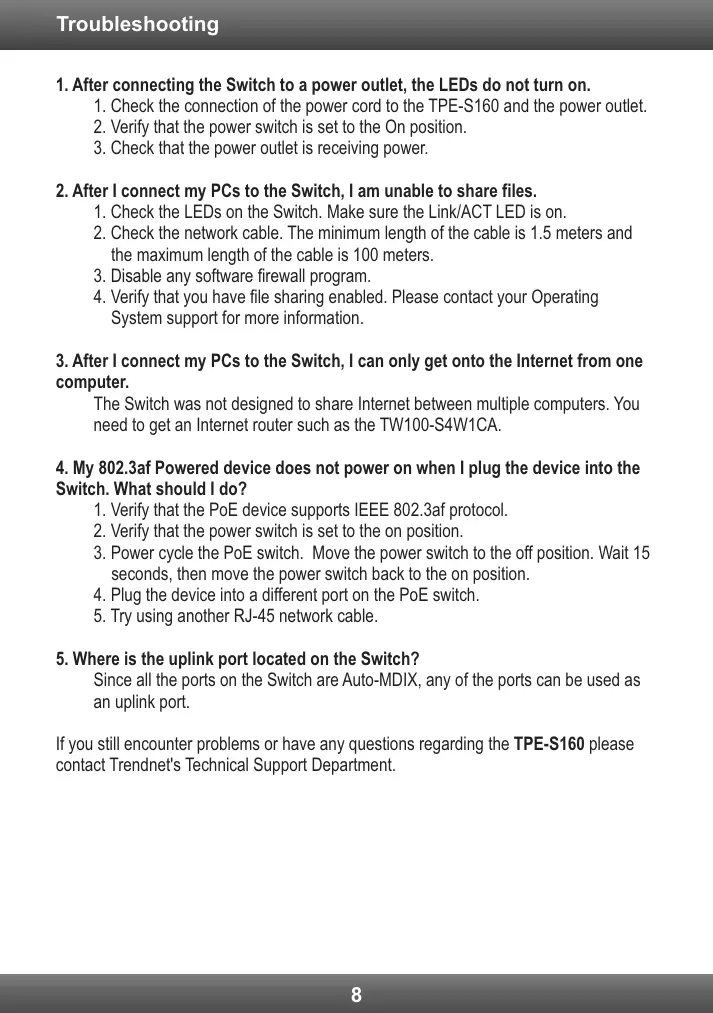

| Product Type | 16-Port Network Switch |
| Brand | TRENDNET |
| Model | TPE-S160 |
| Number of Ports | 16 10/100Mbps Ethernet Ports |
| PoE Ports | 4 PoE Ports IEEE 802.3af (Ports 1 to 4) |
| Speed | 10/100Mbps (Half/Full Duplex) |
| LEDs | Power (Yellow), PoE (Yellow), Link/ACT (Green) |
| Rack Mountable | Yes, EIA standard 19-inch rack compatible (brackets included) |
| Approximate Weight | 3.8 kg |
| Power Supply | Mains (AC) via included power cord |
| Package Contents | Switch, Quick Installation Guide, Power Cord, Mounting Kit, Rubber Feet |
| Maintenance | Clean with a dry, soft cloth. Disconnect before cleaning. |
| Safety | Do not place heavy objects. Ensure adequate ventilation. |
| Compatibility | PoE devices IEEE 802.3af ; non-PoE devices via TPE-112GS adapter (sold separately) |
| General Information | Compliant with directive 2004/108/EC (EMC). Includes free software under GPL/LGPL licenses. |
Frequently Asked Questions - TPE-S160 TRENDNET
User questions about TPE-S160 TRENDNET
0 question about this device. Answer the ones you know or ask your own.
Ask a new question about this device
Download the instructions for your Network switch in PDF format for free! Find your manual TPE-S160 - TRENDNET and take your electronic device back in hand. On this page are published all the documents necessary for the use of your device. TPE-S160 by TRENDNET.
USER MANUAL TPE-S160 TRENDNET
Technical Specifications 7
Troubleshooting 8
| Hardware | |
| Standard | ·IEEE 802.3 10Base-T ·IEEE802.3u 100Base-TX ·IEEE 802.3af Power over Ethernet ·IEEE 802.3x Flow Control |
| Ports | 16 x 10/100Mbps Auto-MDIX PoE ports |
| Power Switch | On/Off power switch |
| Data Transfer Rates | ·Ethernet: 10/20Mbps (half/full duplex) ·Fast Ethernet: 100/200Mbps (half/full duplex) |
| Data RAM Buffer | 1.5Mbits |
| Address Table | 4K MAC entries |
| Switch Fabric | 3.2Gbps |
| Power | 100~240VAC 50/60Hz, internal universal switching power |
| Diagnostic LEDs | Power, Link/Activity, PoE Act/Status |
| Power Consumption | ·6 Watts max. (no Power Device (PD) connected) ·260 Watts max. (16 PoE devices connected) |
| Temperature | ·Operating: 0° ~ 45°C (32° ~ 113°F) ·Storage: -10° ~ 70°C (14° ~ 158°F) |
| Humidity | 10%-95% (non-condensing) |
| Dimensions | 440 x 220 x 44 mm (117.3 x 8.7 x 1.7 in.) |
| Weight | 3.1 kg (6.9 lb) |
| Certifications | CE, FCC |
| PoE | |
| Power over Ethernet | ·Up to 15.4 watts per port; PD classification ·Polymer switch for short protection ·PoE: pin 3,6 for power (+) and pin 1,2 for power (-) |
-
After connecting the Switch to a power outlet, the LEDs do not turn on.
-
Check the connection of the power cord to the TPE-S160 and the power outlet.
- Verify that the power switch is set to the On position.
-
Check that the power outlet is receiving power.
-
After I connect my PCs to the Switch, I am unable to share files.
-
Check the LEDs on the Switch. Make sure the Link/ACT LED is on.
- Check the network cable. The minimum length of the cable is 1.5 meters and the maximum length of the cable is 100 meters.
- Disable any software firewall program.
-
Verify that you have file sharing enabled. Please contact your Operating System support for more information.
-
After I connect my PCs to the Switch, I can only get onto the Internet from one computer.
The Switch was not designed to share Internet between multiple computers. You need to get an Internet router such as the TW100-S4W1CA.
-
My 802.3af Powered device does not power on when I plug the device into the Switch. What should I do?
-
Verify that the PoE device supports IEEE 802.3af protocol.
- Verify that the power switch is set to the on position.
- Power cycle the PoE switch. Move the power switch to the off position. Wait 15 seconds, then move the power switch back to the on position.
- Plug the device into a different port on the PoE switch.
-
Try using another RJ-45 network cable.
-
Where is the uplink port located on the Switch?
Since all the ports on the Switch are Auto-MDIX, any of the ports can be used as an uplink port.
If you still encounter problems or have any questions regarding the TPE-S160 please contact Trendnet's Technical Support Department.
TRENDnet warrants its products against defects in material and workmanship, under normal use and service, for the following lengths of time from the date of purchase.
TPE-S160 - 3 Years Limited Warranty
AC/DC Power Adapter, Cooling Fan, and Power Supply carry a 1 year warranty.
If a product does not operate as warranted during the applicable warranty period, TRENDnet shall reserve the right, at its expense, to repair or replace the defective product or part and deliver an equivalent product or part to the customer. The repair/replacement unit's warranty continues from the original date of purchase. All products that are replaced become the property of TRENDnet. Replacement products may be new or reconditioned. TRENDnet does not issue refunds or credit. Please contact the point-of-purchase for their return policies.
TRENDnet shall not be responsible for any software, firmware, information, or memory data of customer contained in, stored on, or integrated with any products returned to TRENDnet pursuant to any warranty.
There are no user serviceable parts inside the product. Do not remove or attempt to service the product by any unauthorized service center. This warranty is voided if (i) the product has been modified or repaired by any unauthorized service center, (ii) the product was subject to accident, abuse, or improper use (iii) the product was subject to conditions more severe than those specified in the manual.
Warranty service may be obtained by contacting TRENDnet within the applicable warranty period and providing a copy of the dated proof of the purchase. Upon proper submission of required documentation a Return Material Authorization (RMA) number will be issued. An RMA number is required in order to initiate warranty service support for all TRENDnet products. Products that are sent to TRENDnet for RMA service must have the RMA number marked on the outside of return packages and sent to TRENDnet prepaid, insured and packaged appropriately for safe shipment. Customers shipping from outside of the USA and Canada are responsible for return shipping fees. Customers shipping from outside of the USA are responsible for custom charges, including but not limited to, duty, tax, and other fees.
WARRANTIES EXCLUSIVE: IF THE TRENDNET PRODUCT DOES NOT OPERATE AS WARRANTED ABOVE, THE CUSTOMER'S SOLE REMEDY SHALL BE, AT TRENDNET'S OPTION, REPAIR OR REPLACE. THE FOREGOING WARRANTY AND REMEDIES ARE EXCLUSIVE AND ARE IN LIEU OF ALL OTHER WARRANTYES, EXPRESSED OR IMPLIED, EITHER IN FACT OR BY OPERATION OF LAW, STATUTORY OR OTHERWISE, INCLUDING WARRANTY OF MERCHANTABILITY AND FITNESS FOR A PARTICULAR PURPOSE. TRENDNET NEITHER ASSUMES NOR AUTHORIZES ANY OTHER PERSON TO ASSUME FOR IT ANY OTHER LIABILITY IN CONNECTION WITH THE SALE, INSTALLATION, MAINTENANCE OR USE OF TRENDNET'S PRODUCTS.
TRENDNET SHALL NOT BE LIABLE UNDER THIS WARRANTY IF ITS TESTING AND EXAMINATION DISCLOSE THAT THE ALGEGD DEFECT IN THE PRODUCT DOES NOT EXIST OR WAS CAUSED BY CUSTOMER'S OR ANY THIRD PERSON'S MISUSE, NEGLECT, IMPROPER INSTALLATION OR TESTING, UNAUTHORIZED ATTEMPTS TO REPAIR OR MODIFY, OR ANY OTHER CAUSE BEYOND THE RANGE OF THE INTENDED USE, OR BY ACCIDENT, FIRE, LIGHTNING, OR OTHER HAZARD.
LIMITATION OF LIABILITY: TO THE FULL EXTENT ALLOWED BY LAW TRENDNET ALSO EXCULES FOR ITSELF AND ITS SUPPLIERS ANY LIABILITY, WHETHER BASED IN CONTRACT OR TORT (INCLUDING NEGLIGENCE), FOR INCIDENTAL, CONSEQUENTIAL, INDIRECT, SPECIAL, OR PUNITIVE DAMAGES OF ANY KIND, OR FOR LOSS OF REVENUE OR PROFITS, LOSS OF BUSINESS, LOSS OF INFORMATION OR DATE, OR OTHER FINANCIAL LOSSARISING OUT OF OR IN CONNECTION WITH THE SALE, INSTALLATION, MAINTENANCE, USE, PERFORMANCE, FAILURE, OR INTERRUPTION OF THE POSSIBILITY OF SUCH DAMAGES, AND LIMITS ITS LIABILITY TO REPAIR, REPLACEMENT, OR REFUND OF THE PURCHASE PRICE PAID, AT TRENDNET'S OPTION. THIS DISCLAIMER OF LIABILITY FOR DAMAGES WILL NOT BE AFFECTED IF ANY REMEDY PROVIDED HEREIN SHALL FAIL OF ITS ESSENTIAL PURPOSE.
Governing Law: This Limited Warranty shall be governed by the laws of the state of California.
Some TRENDnet products include software code written by third party developers. These codes are subject to the GNU General Public License ("GPL") or GNU Lesser General Public License ("LGPL").
Go to http://www.trendnet.com/gpl or http://www.trendnet.com Download section and look for the desired TRENDnet product to access to the GPL Code or LGPL Code. These codes are distributed WITHOUT WARRANTY and are subject to the copyrights of the developers. TRENDnet does not provide technical support for these codes. Please go to http://www.gnu.org/licenses/gpl.txt or http://www.gnu.org/licenses/lgpl.txt for specific terms of each license.
Detalls standard applicable:
EN 55022:2006 + A1:2007 Class A
EN 61000-3-2:2005 + A1:2008 + A2:2009
EN61000-3-3:2008
EN 55024:1998+A1:2001+A2:2003
Déclaration:
Director of Technology
Position / Title
GPL/LGPL General Information
This TRENDnet product includes free software written by third party developers. These codes are subject to the GNU General Public License ("GPL") or GNU Lesser General Public License ("LGPL"). These codes are distributed WITHOUT WARRANTY and are subject to the copyrights of the developers. TRENDnet does not provide technical support for these codes. The details of the GNU GPL and LGPL are included in the product CD-ROM.
Please also go to (http://www.gnu.org/licenses/gpl.txt) or (http://www.gnu.org/licenses/gpl.txt) for specific terms of each license.
The source codes are available for download from TRENDnet's web site (http://trendnet.com/downloads/list_gpl.asp) for at least three years from the product shipping date.
You could also request the source codes by contacting TRENDnet.
20675 Manhattan Place, Torrance, CA 90501, USA. Tel: +1-310-961-5500 Fax: +1-310-961-5511
Informations generales GPL/LGPL
This equipment has been tested and found to comply with FCC and CE Rules. Operation is subject to the following two conditions:
(1) This device may not cause harmful interference.
(2) This device must accept any interference received. Including interference that may cause undesired operation.


Waste electrical and electronic products must not be disposed of with household waste. Please recycle where facilities exist. Check with you Local Authority or Retailer for recycling advice.

NOTE: THE MANUFACTURER IS NOT RESPONSIBLE FOR ANY RADIO OR TV INTERFERENCE CAUSED BY UNAUTHORIZED MODIFICATIONS TO THIS EQUIPMENT. SUCH MODIFICATIONS COULD VOID THE USER'S AUTHORITY TO OPERATE THE EQUIPMENT.
ADVERTENCIA
Product Warranty Registration
Please take a moment to register your product online. Go to TRENDnet's website at http://www.trendnet.com/register
Brand : TRENDNET
Model : TPE-S160
Category : Network switch