
TEG-S16G - Network switch TRENDNET - Free user manual and instructions
Find the device manual for free TEG-S16G TRENDNET in PDF.

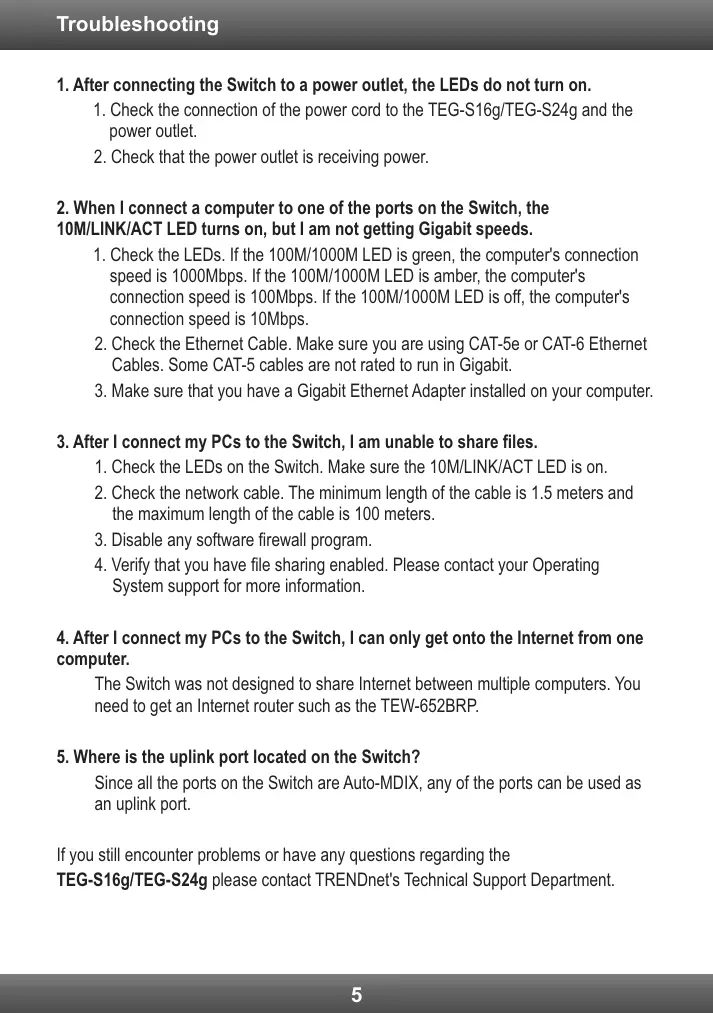

| Product Type | Unmanaged Gigabit Network Switch |
| Brand | TRENDnet |
| Model | TEG-S16G |
| Number of Ports | 16 RJ-45 10/100/1000 Mbps Auto-MDIX Ports |
| Supported Data Rates | 10/20 Mbps (half/full-duplex), 100/200 Mbps, 2000 Mbps (full-duplex) |
| Network Standards | IEEE 802.3 10Base-T, 802.3u 100Base-TX, 802.3ab 1000Base-T, 802.3x Flow Control |
| Switching Capacity | 32 Gbps |
| Filtering Table | 8K entries |
| Buffer Memory | 2 Mbits |
| Jumbo Frame Support | Up to 9216 bytes |
| Power Supply | Internal universal 100~240VAC, 50/60Hz, max consumption 7.2W |
| Dimensions (W x D x H) | 440 x 140 x 45 mm |
| Weight | 1.6 kg |
| Operating Temperature | 0°C to 40°C |
| Storage Temperature | -10°C to 70°C |
| Humidity | 90% maximum (non-condensing) |
| LED Indicators | Power, 10M/LINK/ACT, 100M/1000M |
| Certifications | CE, FCC |
| Package Contents | Switch, quick installation guide, power cord (1.8 m), mounting kit |
| Care and Cleaning | Disconnect the device before cleaning; use a dry, soft cloth; do not use liquid or abrasive cleaners |
| Safety | Ensure adequate ventilation; do not place heavy objects on the switch; do not expose to moisture or liquids |
| Spare Parts and Repairability | Switch not user-serviceable; no spare parts available; contact TRENDnet after-sales service |
| General Information | 16-port Gigabit GREENnet Switch, designed for home and business networks, operates without configuration |
Frequently Asked Questions - TEG-S16G TRENDNET
User questions about TEG-S16G TRENDNET
0 question about this device. Answer the ones you know or ask your own.
Ask a new question about this device
Download the instructions for your Network switch in PDF format for free! Find your manual TEG-S16G - TRENDNET and take your electronic device back in hand. On this page are published all the documents necessary for the use of your device. TEG-S16G by TRENDNET.
USER MANUAL TEG-S16G TRENDNET
Technical Specifications 4
Troubleshooting 5
-
After connecting the Switch to a power outlet, the LEDs do not turn on.
-
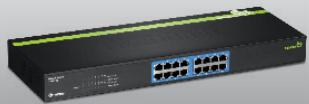
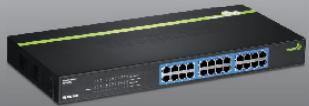
Check the connection of the power cord to the TEG-S16g/TEG-S24g and the power outlet.
-
Check that the power outlet is receiving power.
-
When I connect a computer to one of the ports on the Switch, the 10M/LINK/ACT LED turns on, but I am not getting Gigabit speeds.
-
Check the LEDs. If the 100M/1000M LED is green, the computer's connection speed is 1000Mbps. If the 100M/1000M LED is amber, the computer's connection speed is 100Mbps. If the 100M/1000M LED is off, the computer's connection speed is 10Mbps.
- Check the Ethernet Cable. Make sure you are using CAT-5e or CAT-6 Ethernet Cables. Some CAT-5 cables are not rated to run in Gigabit.
-
Make sure that you have a Gigabit Ethernet Adapter installed on your computer.
-
After I connect my PCs to the Switch, I am unable to share files.
-
Check the LEDs on the Switch. Make sure the 10M/LINK/ACT LED is on.
- Check the network cable. The minimum length of the cable is 1.5 meters and the maximum length of the cable is 100 meters.
- Disable any software firewall program.
-
Verify that you have file sharing enabled. Please contact your Operating System support for more information.
-
After I connect my PCs to the Switch, I can only get onto the Internet from one computer.
The Switch was not designed to share Internet between multiple computers. You need to get an Internet router such as the TEW-652BRP.
- Where is the uplink port located on the Switch?
Since all the ports on the Switch are Auto-MDIX, any of the ports can be used as an uplink port.
If you still encounter problems or have any questions regarding the
TEG-S16g/TEG-S24g please contact TRENDnet's Technical Support Department.
Limited Warranty
TRENDnet warrants its products against defects in material and workmanship, under normal use and service, for the following lengths of time from the date of purchase.
TEG-S16g/TEG-S24g - 3 Years Limited Warranty
AC/DC Power Adapter, Cooling Fan and Power Supply carry a 1 year limited warranty
If a product does not operate as warranted during the applicable warranty period, TRENDnet shall reserve the right, at its expense, to repair or replace the defective product or part and deliver an equivalent product or part to the customer. The repair/replacement unit's warranty continues from the original date of purchase. All products that are replaced become the property of TRENDnet. Replacement products may be new or reconditioned. TRENDnet does not issue refunds or credit. Please contact the point-of-purchase for their return policies.
TRENDnet shall not be responsible for any software, firmware, information, or memory data of customer contained in, stored on, or integrated with any products returned to TRENDnet pursuant to any warranty.
There are no user serviceable parts inside the product. Do not remove or attempt to service the product by any unauthorized service center. This warranty is voided if (i) the product has been modified or repaired by any unauthorized service center, (ii) the product was subject to accident, abuse, or improper use (iii) the product was subject to conditions more severe than those specified in the manual.
Warranty service may be obtained by contacting TRENDnet within the applicable warranty period and providing a copy of the dated proof of the purchase. Upon proper submission of required documentation a Return Material Authorization (RMA) number will be issued. An RMA number is required in order to initiate warranty service support for all TRENDnet products. Products that are sent to TRENDnet for RMA service must have the RMA number marked on the outside of return packages and sent to TRENDnet prepaid, insured and packaged appropriately for safe shipment. Customers shipping from outside of the USA and Canada are responsible for return shipping fees. Customers shipping from outside of the USA are responsible for custom charges, including but not limited to, duty, tax, and other fees.
WARRANTIES EXCLUSIVE: IF THE TRENDNET PRODUCT DOES NOT OPERATE AS WARRANTED ABOVE, THE CUSTOMER'S SOLE REMEDY SHALL BE, AT TRENDNET'S OPTION, REPAIR OR REPLACE. THE FOREGOING WARRANTY AND REMEDIES ARE EXCLUSIVE AND ARE IN LIEU OF ALL OTHER WARRANTYES, EXPRESSED OR IMPLIED, EITHER IN FACT OR BY OPERATION OF LAW, STATUTORY OR OTHERWISE, INCLUDING WARRANTY OF MERCHANTABILITY AND FITNESS FOR A PARTICULAR PURPOSE. TRENDNET NEITHER ASSUMES NOR AUTHORIZES ANY OTHER PERSON TO ASSUME FOR IT ANY OTHER LIABILITY IN CONNECTION WITH THE SALE, INSTALLATION, MAINTENANCE OR USE OF TRENDNET'S PRODUCTS.
TRENDNET SHALL NOT BE LIABLE UNDER THIS WARRANTY IF ITS TESTING AND EXAMINATION DISCLOSE THAT THE ALGEGD DEFECT IN THE PRODUCT DOES NOT EXIST OR WAS CAUSED BY CUSTOMER'S OR ANY THIRD PERSON'S MISUSE, NEGLECT, IMPROPER INSTALLATION OR TESTING, UNAUTHORIZED ATTEMPTS TO REPAIR OR MODIFY, OR ANY OTHER CAUSE BEYOND THE RANGE OF THE INTENDED USE, OR BY ACCIDENT, FIRE, LIGHTNING, OR OTHER HAZARD.
LIMITATION OF LIABILITY: TO THE FULL EXTENT ALLOWED BY LAW TRENDNET ALSO EXCULES FOR ITSELF AND ITS SUPPLIERS ANY LIABILITY, WHETHER BASED IN CONTRACT OR TORT (INCLUDING NEGLIGENCE), FOR INCIDENTAL, CONSEQUENTIAL, INDIRECT, SPECIAL, OR PUNITIVE DAMAGES OF ANY KIND, OR FOR LOSS OF REVENUE OR PROFITS, LOSS OF BUSINESS, LOSS OF INFORMATION OR DATE, OR OTHER FINANCIAL LOSS ASING OUT OF OR IN CONNECTION WITH THE SALE, INSTALLATION, MAINTENANCE, USE, PERFORMANCE, FAILURE, OR INTERRUPTION OF THE POSSIBILITY OF SUCH DAMAGES, AND LIMITS ITS LIABILITY TO REPAIR, REPLACEMENT, OR REFUND OF THE PURCHASE PRICE PAID, AT TRENDNET'S OPTION. THIS DISCLAIMER OF LIABILITY FOR DAMAGES WILL NOT BE AFFECTED IF ANY REMEDY PROVIDED HEREIN SHALL FAIL OF ITS ESSENTIAL PURPOSE.
Governing Law: This Limited Warranty shall be governed by the laws of the state of California.
Some TRENDnet products include software code written by third party developers. These codes are subject to the GNU General Public License ("GPL") or GNU Lesser General Public License ("LGPL").
Go to http://www.trendnet.com/gpl or http://www.trendnet.com Download section and look for the desired TRENDnet product to access to the GPL Code or LGPL Code. These codes are distributed WITHOUT WARRANTY and are subject to the copyrights of the developers. TRENDnet does not provide technical support for these codes. Please go to http://www.gnu.org/licenses/gpl.txt or http://www.gnu.org/licenses/lgpl.txt for specific terms of each license.
PWP05202009v2
Detalls standard applicable:
EN 55022:2006 +A1:2007 Class A
EN 61000-3-2:2006
EN 61000-3-3 : 2008
Director of Technology
Position / Title

Signature
Certifications
This equipment has been tested and found to comply with FCC and CE Rules. Operation is subject to the following two conditions:
(1) This device may not cause harmful interference.
(2) This device must accept any interference received. Including interference that may cause undesired operation.


Waste electrical and electronic products must not be disposed of with household waste. Please recycle where facilities exist. Check with you Local Authority or Retailer for recycling advice.

NOTE: THE MANUFACTURER IS NOT RESPONSIBLE FOR ANY RADIO OR TV INTERFERENCE CAUSED BY UNAUTHORIZED MODIFICATIONS TO THIS EQUIPMENT. SUCH MODIFICATIONS COULD VOID THE USER'S AUTHORITY TO OPERATE THE EQUIPMENT.
ADVERTENCIA
Product Warranty Registration
Please take a moment to register your product online. Go to TRENDnet's website at http://www.trendnet.com/register
Brand : TRENDNET
Model : TEG-S16G
Category : Network switch