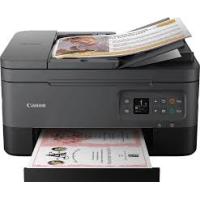
PIXMA MG3650 - Inkjet multifunction printer CANON - Free user manual and instructions
Find the device manual for free PIXMA MG3650 CANON in PDF.


Pick your language and provide your email: we'll send you a specifically translated version.
| Product type | Multifunction inkjet printer (printing, copying, scanning) |
| Maximum print resolution | 4,800 x 1,200 dpi |
| Black and white print speed | 9.9 pages per minute (ISO/IEC 24734 standard) |
| Color print speed | 5.7 pages per minute (ISO/IEC 24734 standard) |
| Borderless 10 x 15 cm photo printing | Approximately 44 seconds |
| Optical scanner resolution | 1,200 x 2,400 dpi |
| Scanner type | Full-page flatbed (CIS technology), surface 215.9 x 297 mm |
| A4 scanning speed | Approximately 14 seconds |
| Automatic duplex printing | Yes (A4 and Letter formats) |
| Paper tray capacity | 100 sheets |
| Compatible paper sizes | A4, A5, B5, Letter, Legal, 10 x 15 cm, 13 x 18 cm, 20 x 25 cm, DL and COM10 envelopes |
| Plain paper weight | 64 to 105 g/m² |
| Connectivity | USB 2.0, Wi-Fi 802.11 b/g/n |
| Mobile and cloud printing | Apple AirPrint, Mopria, PIXMA Cloud Link, Canon PRINT Inkjet/SELPHY |
| Compatible cartridges | PG-540 / PG-540XL (black), CL-541 / CL-541XL (color) |
| Black XL cartridge yield | Approximately 600 pages |
| Color XL cartridge yield | Approximately 400 pages |
| Dimensions (W x D x H) | 449 x 304 x 152 mm |
| Weight | 5.4 kg |
| Power consumption during copying | 16 W |
Frequently Asked Questions - PIXMA MG3650 CANON
What ink cartridges does the Canon PIXMA MG3650 use?
The PIXMA MG3650 uses Canon PG-540 (black) and CL-541 (color) cartridges. XL versions are available: the PG-540XL offers approximately 600 pages and the CL-541XL about 400 pages, compared to 180 pages for the standard versions.
How do I connect the PIXMA MG3650 to Wi-Fi?
Press the printer's Wi-Fi button until the light flashes, then activate WPS mode on your router by pressing its dedicated button within 2 minutes. You can also use the Canon connection utility downloadable from the Canon website for a guided USB setup.
Does the PIXMA MG3650 support automatic duplex printing?
Yes, the PIXMA MG3650 includes an automatic duplex module for A4 and Letter sizes. This function is activated from your computer's print preferences in the Page Setup tab.
My PIXMA MG3650 isn't printing anymore, what should I do?
First, check the ink level via My Image Garden or the printer's indicators. If ink is sufficient, perform a head cleaning from the driver's Maintenance tab. In case of a paper jam, open the front cover and gently remove the jammed sheet without tearing it.
How do I scan a document with the PIXMA MG3650?
Place your document face down on the scanner glass, aligned with the front-left corner. Press the Scan button on the printer, or open the IJ Scan Utility on your computer and select the desired scan type (Document, Photo, etc.).
How do I print a photo from a smartphone with the PIXMA MG3650?
Install the Canon PRINT Inkjet/SELPHY app on your smartphone (Android or iOS), then ensure that the phone and printer are on the same Wi-Fi network. The PIXMA MG3650 is also compatible with Apple AirPrint and Mopria for printing without a third-party app from a mobile device.
What is the maximum print resolution of the PIXMA MG3650?
The maximum resolution is 4,800 x 1,200 dpi, allowing for high-quality photo and document prints. Printing a borderless 10 x 15 cm photo takes about 44 seconds.
How many sheets can the PIXMA MG3650 tray hold?
The front tray can hold up to 100 sheets of plain paper (64 to 105 g/m²). For Canon photo paper, the supported weight goes up to 300 g/m².
What paper sizes are compatible with the PIXMA MG3650?
The PIXMA MG3650 supports the following sizes:
- A4, A5, B5, Letter, Legal
- Photos: 10 x 15 cm, 13 x 18 cm, 20 x 25 cm
- Envelopes DL and COM10 (No.10)
How do I maintain the print heads of the PIXMA MG3650?
Open the print driver, go to the Maintenance tab, and click on Cleaning for a standard cycle, or Deep Cleaning if issues persist. A nozzle check print allows you to verify the status of the jets before and after each operation.
How do I reset the Wi-Fi settings on the PIXMA MG3650?
Turn on the printer, then hold down the Stop/Reset button for at least 5 seconds until the alarm light flashes twice. All network settings are cleared, and you can then reconfigure the Wi-Fi connection.
Is the PIXMA MG3650 compatible with Windows and macOS?
Yes, the PIXMA MG3650 works with Windows (Vista SP1 and later) and macOS. Drivers and software (My Image Garden, IJ Scan Utility) are available for free download from the Canon support site. The connection is made via USB 2.0 or Wi-Fi.
User questions about PIXMA MG3650 CANON
0 question about this device. Answer the ones you know or ask your own.
Ask a new question about this device
No questions yet. Be the first to ask one.
Download the instructions for your Inkjet multifunction printer in PDF format for free! Find your manual PIXMA MG3650 - CANON and take your electronic device back in hand. On this page are published all the documents necessary for the use of your device. PIXMA MG3650 by CANON.