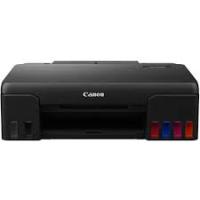
I-SENSYS MF244DW - Laser MFP CANON - Free user manual and instructions
Find the device manual for free I-SENSYS MF244DW CANON in PDF.


Pick your language and provide your email: we'll send you a specifically translated version.
| Product Type | Black and white laser multifunction printer |
| Brand | Canon |
| Model | I-SENSYS MF244DW |
| Main functions | Print, copy, scan |
| Supported paper sizes | A4, A5, B5, Legal, Letter, Envelopes, etc. |
| Paper tray capacity | 250-sheet cassette |
| Manual feed | Yes, 1 sheet |
| Automatic duplex printing | Yes |
| Approximate print speed | Up to 28 pages per minute (A4) |
| Print resolution | 600 x 600 dpi |
| Connectivity | USB 2.0, Ethernet 10Base-T/100Base-TX, Wi-Fi 802.11 b/g/n |
| Scanning | Yes, to PC, email, mobile |
| Copy | Zoom 25-400%, ID card copy, 2-in-1 copy, 4-in-1 copy |
| Control panel | LCD screen, numeric keys, function keys |
| Mobile printing | AirPrint, Google Cloud Print, Canon PRINT Business |
| Consumables | Toner cartridge (model 719/719H) |
| Power supply | 220-240 V, 50/60 Hz |
| Silent mode | Yes, programmable |
| Security | Admin PIN, firewall, IEEE 802.1X, TLS |
| Included software | Drivers, ScanGear, Remote UI |
Frequently Asked Questions - I-SENSYS MF244DW CANON
How to load paper into the cassette?
Open the dust cover, spread the paper guides, insert the stack of paper with the print side up in portrait orientation, then adjust the guides against the paper edges. Make sure the stack does not exceed the limit guide.
How to copy a two-sided ID card onto one page?
Press the ID Card Copy button, place the first side of the card on the exposure glass, press Start, then flip the card and press Start again. The two-sided copy will be printed on one page.
How to connect the printer via Wi-Fi?
Access the Network Settings menu from the control panel, select Wireless LAN, then choose a configuration method: WPS push button, WPS PIN code, or manual router selection. Follow the on-screen instructions.
How to clear a paper jam?
Turn off the printer, open the front cover and toner cover, gently remove the jammed paper following the on-screen instructions. Also check the feeder (MF244dw) and the output area. Refer to the Troubleshooting chapter in the manual.
How to replace the toner cartridge?
Open the toner cover, remove the old cartridge by pulling it toward you, take the new cartridge out of its packaging, remove the seal tape, then insert it firmly until it clicks. Close the cover.
How to scan a document to a computer?
Place the document on the glass or in the feeder, press COPY/SCAN to switch to scan mode, then press the Scan -> PC button to send the document to the registered computer. You can also scan from the computer using ScanGear.
How to activate silent mode?
Press the Silent Mode button on the control panel. The indicator lights up green. You can also schedule a time range in Clock Settings > Silent Mode Time for automatic activation.
How to print duplex from a computer?
In the print driver, select the Finishing or Layout tab, then choose Duplex Printing. For the MF244dw model, automatic duplex printing is supported.
How to use AirPrint to print from an iPhone?
Make sure the printer is connected to the same Wi-Fi network as your iPhone. Open the document or photo, tap the Share icon, select Print, choose the Canon MF244DW printer, adjust options, and tap Print.
How to reset to factory settings?
Press Menu, select Settings/Maintenance then Initialize all data/settings. Confirm the operation. This erases all custom settings, including network information.
User questions about I-SENSYS MF244DW CANON
0 question about this device. Answer the ones you know or ask your own.
Ask a new question about this device
No questions yet. Be the first to ask one.
Download the instructions for your Laser MFP in PDF format for free! Find your manual I-SENSYS MF244DW - CANON and take your electronic device back in hand. On this page are published all the documents necessary for the use of your device. I-SENSYS MF244DW by CANON.
USER MANUAL I-SENSYS MF244DW CANON
MF244dw / MF232w / MF231