G3 PAD FOR PS3 - Gaming accessory AWG - Free user manual and instructions
Find the device manual for free G3 PAD FOR PS3 AWG in PDF.



| Product type | Analog vibrating game controller |
| Brand | AWG |
| Model | G3 PAD FOR PS3 |
| Compatibility | PlayStation 2, PlayStation 3, PC |
| Connectors | USB for PS3/PC, PS2 connector |
| Turbo function | Activatable on all buttons for continuous repetition |
| Slow function | Allows slow-motion gameplay |
| Vibration | Built-in (vibrating controller) |
| Power | Via USB port (5V, ~200 mA) |
| Dimensions (estimated) | Approximately 150 x 100 x 60 mm |
| Weight (estimated) | Approximately 250 g |
| Warranty | 3 years from date of purchase |
| Maintenance and cleaning | Soft, slightly damp cloth, no detergents |
| Safety precautions | Do not expose to moisture, dust, high temperatures, shocks; do not immerse; do not disassemble |
| Use by children | Not recommended for children under 8, adult supervision required |
| Recycling | Electronic device: do not dispose of with household waste, deposit at WEEE collection point |
| Customer service | support@waregame.com |
| Website | www.awg-france.com |
Frequently Asked Questions - G3 PAD FOR PS3 AWG
User questions about G3 PAD FOR PS3 AWG
0 question about this device. Answer the ones you know or ask your own.
Ask a new question about this device
Download the instructions for your Gaming accessory in PDF format for free! Find your manual G3 PAD FOR PS3 - AWG and take your electronic device back in hand. On this page are published all the documents necessary for the use of your device. G3 PAD FOR PS3 by AWG.
USER MANUAL G3 PAD FOR PS3 AWG
Thank you for purchasing this GAMERON™ product. Please save this instruction manual for future reference to ensure the best performance from your product.
CONTENTS
A. 1x Game controller
SPECIFICATIONS
A. Vibrating analog controller
B. Controller is equipped with both PS2^TM and PS3^TM connectors
FUNCTIONS
A. Can be used with PS2^T M PS3^T M and PC.
B. Turbo and Slow modes can be activated on any button.
HOW TO USE
Connections:
- PS2^TM : connect the PS2^TM plug to your PS2^TM console.
- PS3^TM or PC: insert the USB plug into a USB socket.
Turbo Function:
- Activate Turbo: simultaneously press the "Turbo" button and the button for which you want to activate the Turbo. Turbo mode will continuously reproduce the action attributed to the button.
- Deactivate Turbo: simultaneously press "Turbo" and the button for which you want to deactivate the Turbo.
Slow Function:
- Activate Slow: press the "Slow" button. In Slow mode the game will function in slow motion.
- Deactivate Slow: press the "Slow" button.
Warranty
This product is guaranteed for three (3) years from the date of purchase. In the event of product failure resulting from material or manufacturing defects during this period, the retailer who sold the product will replace this product with an identical or similar model upon presentation of the cash register receipt or valid proof of purchase. This Warranty does not cover damage resulting from accidents, incorrect use, or any use for which this product was not designed.
艺
Important Instructions and Precautions
- Children should not use this product without the supervision of an adult.
- Never expose this product to direct sunlight, bad weather, humidity, high temperatures, or physical shocks.
- Do not immerse this product in liquid.
- Use indoors only.
- Do not use this product if it is damaged.
- Do not disassemble this product. Doing so will void this Warranty.
- Use a humid, soft, clean cloth to clean the product. The use of detergents can damage this product.
Battery Care and Maintenance
- Only use batteries supplied with, or intended for, this product.
- Ensure the batteries are correctly inserted.
- Remove batteries from this product during long periods of non-use.
- Never dispose of batteries in a fire as they may explode.
- Do not put used batteries in the trash. Dispose of them at a proper collection point for used batteries and hazardous waste.
- Children should never replace or charge batteries without supervision.
Recycling
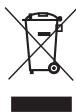
Do not discard this product with common household rubbish. This product must be disposed of at a Waste Electrical and Electronic Equipment (WEEE) collection point for recycling. The recycling and transformation of waste electrical and electronic equipment will contribute significantly to the protection of the environment and reduce the volume of waste in dumps and landfills.
Batteries must be discarded at a designated collection point for the recycling of used-batteries and hazardous waste.
For further recycling information, please contact your local waste disposal services. This product is not recommended for children under the age of 8 years.
Further Information
All our products (with visual aids, product sheets, and operating instructions) can be found at: www.awg-france.com.
If you encounter any problems installing or using this product, please contact us at: support@waregame.com.
MODE D'EMPLOI
第
A. 1x game controller
SPECIFICATIONS
Designed, Distributed and Manufactured by AWG.
AWG
17 Rue Louis Armand
77330 Ozoir La Ferriere
France