
GPSLIM 236 - GPS Receiver HOLUX - Free user manual and instructions
Find the device manual for free GPSLIM 236 HOLUX in PDF.



User questions about GPSLIM 236 HOLUX
0 question about this device. Answer the ones you know or ask your own.
Ask a new question about this device
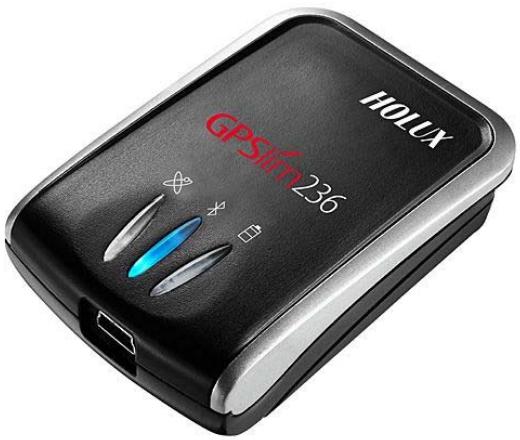
Download the instructions for your GPS Receiver in PDF format for free! Find your manual GPSLIM 236 - HOLUX and take your electronic device back in hand. On this page are published all the documents necessary for the use of your device. GPSLIM 236 by HOLUX.
USER MANUAL GPSLIM 236 HOLUX
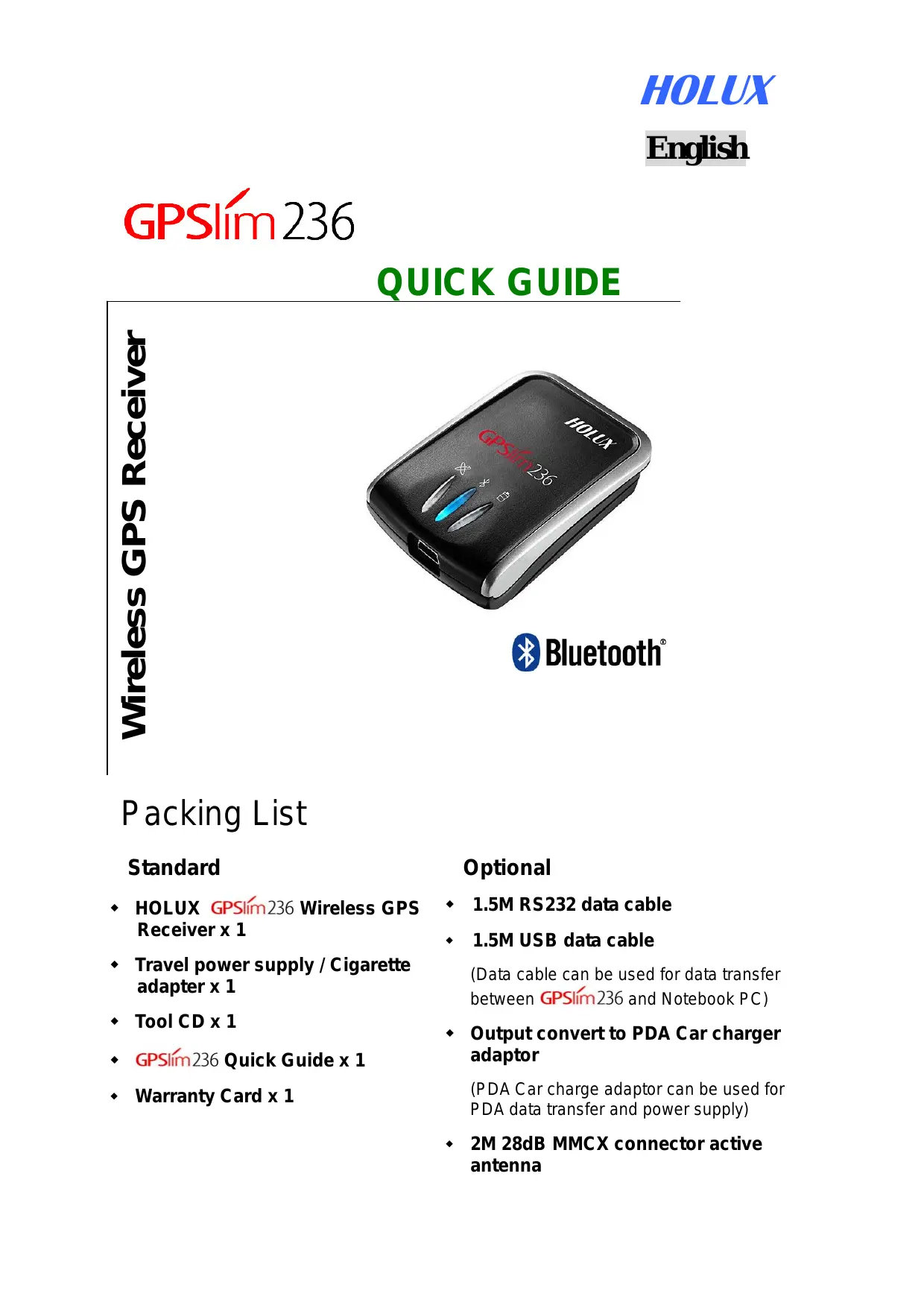
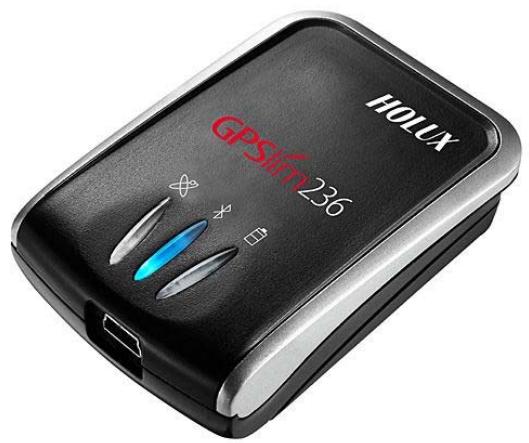
Wireless GPS Receiver

Bluetooth
Packing List
Standard
HOLUX GPSlim236 Wireless GPS Receiver x 1
Travel power supply / Cigarette adapter x 1
Tool CD x 1
GPSim236 Quick Guide x 1
Warranty Card x 1
Optional
1.5M RS232 data cable
1.5M USB data cable
(Data cable can be used for data transfer between GPSlim236 and Notebook PC)
Output convert to PDA Car charger adaptor
(PDA Car charge adaptor can be used for PDA data transfer and power supply)
2M 28dB MMCX connector active antenna
Instructions for First Use
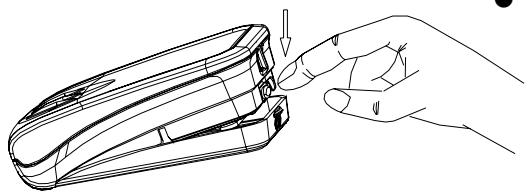
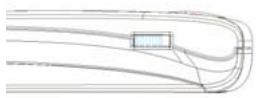
1. Correct method for opening battery cover
- Hold the device with one hand. Place the index finger of your other hand on the extended notch.
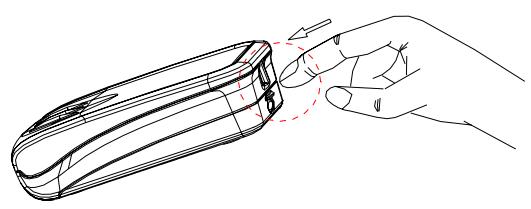
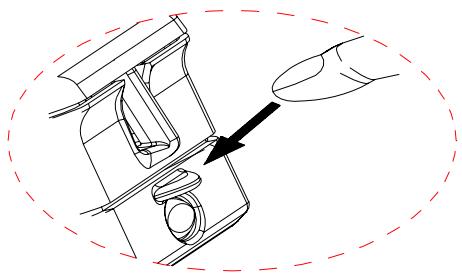
- Press down on the notch to release the battery cover.
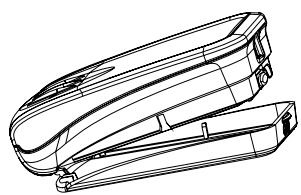
- Remove the battery cover and install a new battery.
2. Installing the Battery
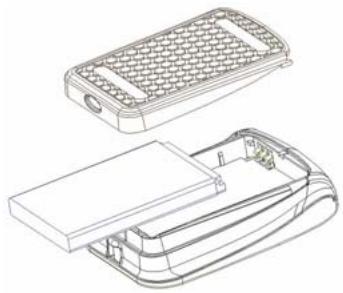
- Using the supplied rechargeable lithium-ion battery, install it as shown in the adjacent diagram, and replace casing.
- To ensure safe operation, only use battery as instructed.
3. Charge the Battery
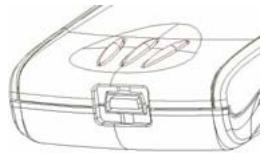
- Connect the supplied power cord to the mini USB socket, and attach to your computer (laptop), PDA, or car cigarette lighter.
- This power cord is for battery charging only. It does not provide any data transmission function.
- Always ensure that you have inserted the end of the power cord into the correct socket when connecting the mini USB connector.
4. Switch on the Power
5. Bluetooth Link
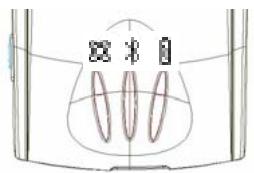
- Slide the power switch to the ON position.
- To operate link with a PDA (Personal Digital Assistant): Activate the Bluetooth Manager, select Search, and link.
- Select the HOLUX GPSlim236 icon and choose SPP slave to establish the Bluetooth link.
Refer to the "Software Installation" section for details if you have any problem installing the Bluetooth link.
Note about Bluetooth connection
When you power on the GPSlim 236, you need to wait 6 seconds for Bluetooth to self-test before a connection is established. Wait until the Bluetooth light starts to flash ( once every second). Then a Bluetooth- link can be established between a PDA and the GPSlim 236.
6. GPS Viewer
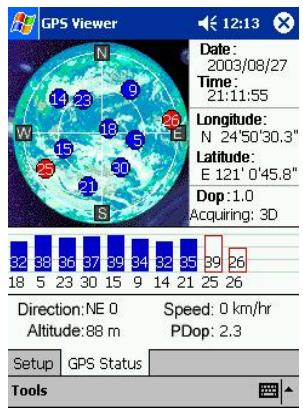
- You can install the GPS viewer program from the supplied CD to check current positioning and satellite signal reception.
- Activate the GPS Viewer, set the Baud Rate to 38400, and press Scan for automatic scanning. Once you find the correct Com Port, choose GPS Status to start viewing.
Refer to the "Software Installation" section for details if you have any difficulty with installation and use.
Do not place the GPSlim236 under strong sunlight for a long time. Do not place it in a high-temperature environment, or near heat radiating devices such as a stove or radiator. Doing so will cause the device to breakdown and to function unstably.
- For further information, please read the user's manual in the supplied CD.
-GPSlim236 PASSKEY - 0000
(For security, some PDAs will prompt users for the GPSlim236 Passkey)
Kurzanleitung

Bluetooth
Lieferumfang
Standard
Holux and GPSlim236 are registered trademarks of Holux Technology, Inc.
All other trademarks are the property of their respective owners.
Information provided in this document is subject to change without prior notice.
HOLUX Technology Inc.
Tel: +886-(0) 3 6687000
Fax: +886-(0) 3 6687111
Address: 1F, No.30, R&D Rd. II,
Hsinchu City 300, Science-Based Industrial Park Taiwan (R.O.C.)
Website: www HOLux.com