
I200 - Audio System JAMO - Free user manual and instructions
Find the device manual for free I200 JAMO in PDF.


| Product type | Audio system with iPod dock |
| Brand | JAMO |
| Model | I200 |
| Dimensions (W x H x D) | 125 x 380 x 95 mm |
| Weight | 3 kg |
| Power supply | External power adapter (100-240 V, 50/60 Hz) |
| Frequency response | 120 - 20,000 Hz |
| System | 2-way |
| Woofer | 2 x 70 mm (2 3/4 in) |
| Tweeter | 2 x 13 mm (1/2 in) |
| Connectivity | iPod dock, 3.5 mm auxiliary input, 3.5 mm auxiliary output |
| Functions | Remote control, wall-mountable |
| Included accessories | 7 dock adapters, remote control, battery, power adapter, 2 power cables (EU/US), wall bracket, manual |
| Maintenance | Lint-free cloth, slightly damp if necessary, do not use cleaning products |
| Warranty | 24 months |
| iPod compatibility | All iPod models with appropriate dock adapter |
| iPod charging | Via the dock |
| Remote control battery | Button cell included |
| Maximum wall bracket load | 15 kg |
Frequently Asked Questions - I200 JAMO
User questions about I200 JAMO
0 question about this device. Answer the ones you know or ask your own.
Ask a new question about this device
Download the instructions for your Audio System in PDF format for free! Find your manual I200 - JAMO and take your electronic device back in hand. On this page are published all the documents necessary for the use of your device. I200 by JAMO.
USER MANUAL I200 JAMO
Connecting the system....6
Connecting the iPod ....8
Auxiliary Audio Input 10
Auxiliary Audio Output 11
System operation....12
Troubleshooting....14
Care and cleaning 15
Service and warranty 16
Introduction
Please check that the following accessories are included with your i200.
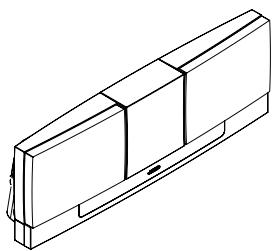
i200

7 x dock adapters
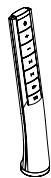
Remote control
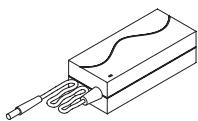
Power supply
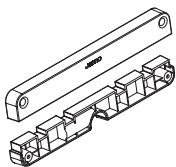
Wall hanger

Battery
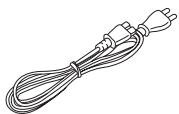
2 x Power Cord (EU/US)

Manual
Connecting the system
To connect the i200, refer to the illustration below.

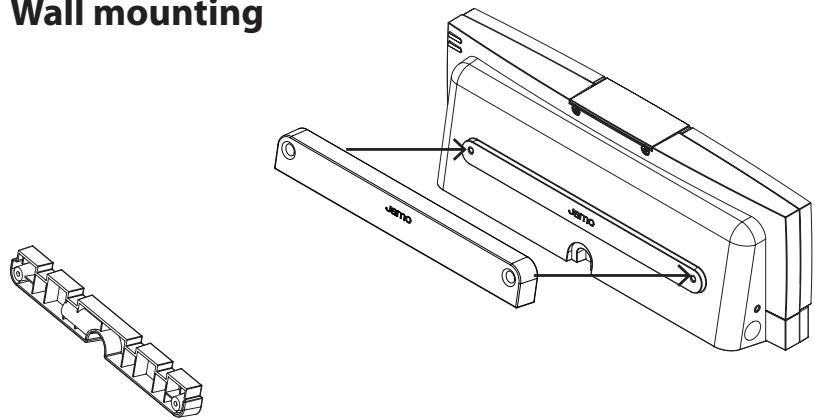
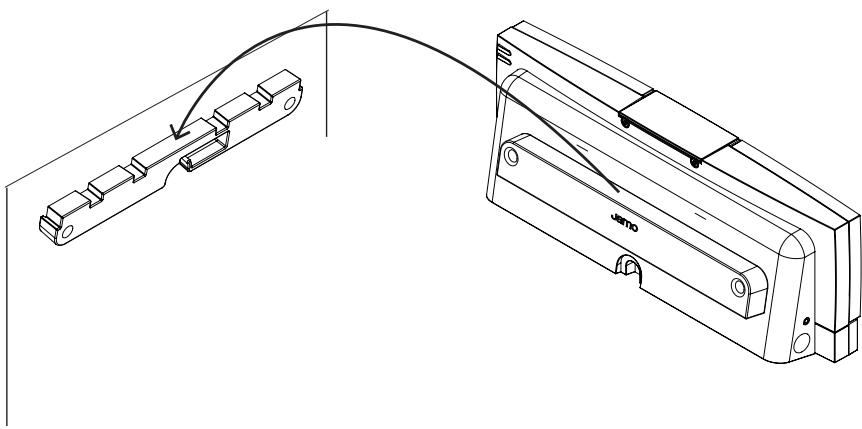
Wall mounting

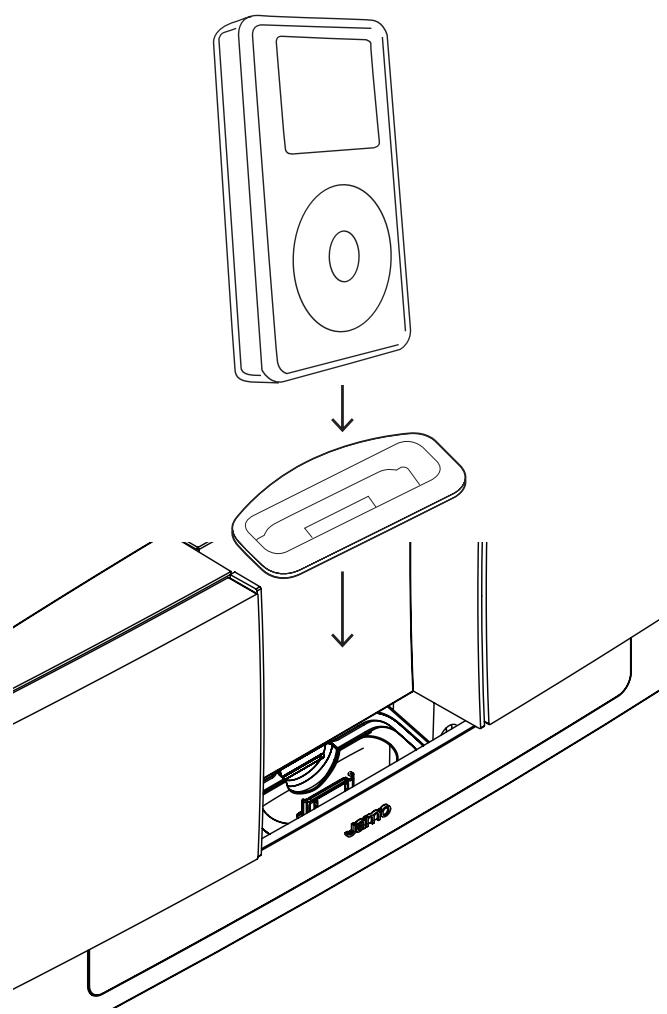
Connecting the iPod
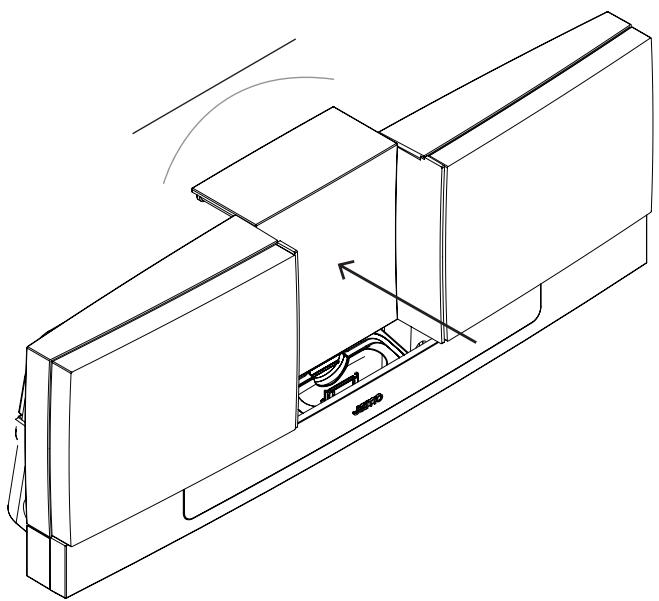
To operate the spring-loaded docking bay, simply adjust the back-rest, as shown below.
Connecting the iPod
Select the adapter that matches your iPod and push it into the top of the dock until it is snugly in place, with the slot centered over the multi-pin docking connector.
Auxiliary Audio Input
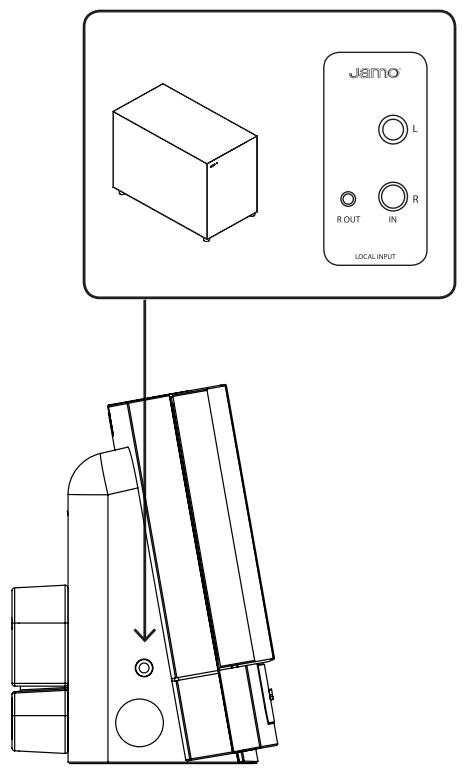
The i200 has a 3.5mm stereo mini-jack auxiliary audio input, located next to the docking bay. This allows you to listen to an external source (a portable CD player, for example) through the system.
To connect the mini-jack, press the spring-loaded docking bay back into position 3. Please make sure the spring-loaded docking bay does not press on the connected mini-jack as this might damage the product.

Auxiliary Audio Output
The i200 has a 3.5mm stereo mini-jack auxiliary audio output on the side. This allows you to connect the i200 to an external speaker, multi-room system or amplifier (an active subwoofer or JamoLink system, for example) to further amplify the sound, or to route it elsewhere.
System operation
Standby
Pushing the Standby button will switch the system off.
Volume Up
Press to turn the volume up
Volume Down
Press to turn the volume down.
Skip Forward
Press to skip forward to the next track on the iPod.
Skip Back
Press to skip back to the previous track.
Play/Pause
Press to turn on the i200.
Press to play and pause the iPod.


System operation
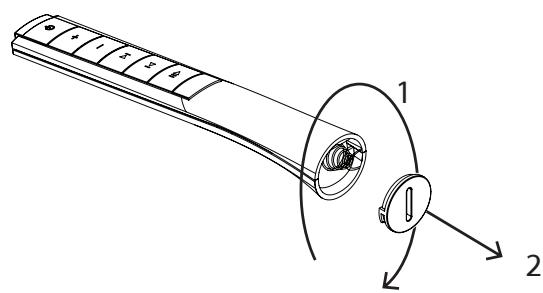
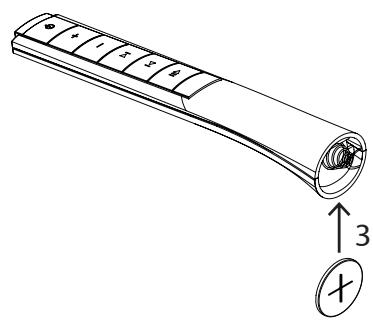
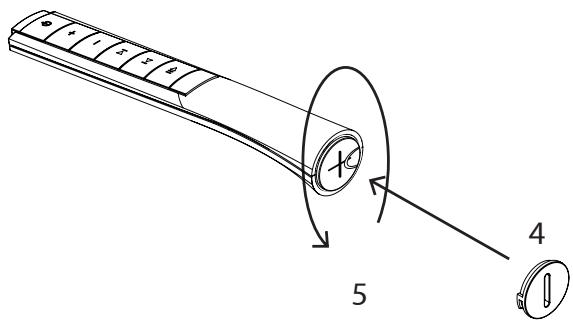
Remote Control Battery Replacement
To replace the battery, disassemble as shown.
Troubleshooting
| iPod does not dock properly in the system | Make sure the proper docking adapter for your iPod is inserted in the dock. |
| Remove the iPod; check the connectors on the dock and on the bottom of the iPod to ensure there are no obstructions. | |
| Make sure the spring-loaded docking bay doesn’t press on the iPod. | |
| No sound | Make sure the iPod is seated properly in the dock, turned on, and playing. |
| Make certain that the volume is turned up. | |
| If connected to an external source, make sure the mini-jack is properly connected. | |
| iPod not charging | Make sure the iPod is properly seated in the control dock. |
| Make sure the system is plugged in. | |
| Remote control will not operate the system | Make sure the battery is properly installed. |
| If the battery is old, it may need to be replaced. |
Care and cleaning
Please use a dust-free cloth to clean this system. It is also possible to use a very slightly damp cloth for more stubborn marks.
Under no circumstances should you use any kind of cleaning agent on, or in close proximity to, this product.

Specification
Type......i200
System 2-way
Woofer (in / mm) 2 x 2 3/4 / 70
Tweeter (in / mm 2 x 1/2 / 13
Frequency range (Hz)....120-20.000
Dimensions
In....4.9 x 15 x 3.7
Mm....125 x 380 x 95
Weight (lb / Kg) 6.6 / 3
Service and warranty
Environmental information
- The system is made of recyclable materials which can be re-used if disassembled by authorised personnel.
- Please follow local regulations for the disposal of packaging materials, used batteries and discarded units.
Copyright
All trade names are registered trademarks of respective manufacturers listed.
iPod ® is a trademark of Apple Computer, Inc., registered in the U.S. and other countries.
Service
In case of warranty enquiries, please contact your dealer. In case of request for service under warranty, please enclose your original receipt.
Important: Never send the product to be repaired without prior agreement. If the product is STILL UNDER WARRANTY, Jamo will pay freight costs back and forth between the dealer and the Jamo authorised service centre. Any other freight must be paid for by the customer.
The product must always be packed properly, otherwise the product warranty will be discontinued. If the product is NOT UNDER WARRANTY, all costs must be paid for by the customer.
Warranty certificate
Jamo provides a twenty-four (24) month warranty from the date of purchase against material and manufacturing defects. For defects covered by the warranty, the product must be returned to the dealer that sold the product.
The expected time of repair, excluding transport, is approximately five working days.
If any problems arise, information from our authorised service centres is available at the following address, or from the dealer who sold the product.
Terms of Warranty
- The warranty is only valid on presentation of the original sales receipt, and if the serial number on the product is fully legible.
- The obligations of Jamo are limited either to repair or replacement of defective components. The repair or replacement of defective components is based on an assessment by Jamo. Exchange is only possible if the repair cannot be performed.
3.Warranty repairs must be carried out by an authorised Jamo dealer, or an authorised service centre. No remuneration is provided for repairs performed by unauthorised workshops. Any repairs or damage to the product caused by unauthorised intervention are not covered by this warranty. - This product will not be considered as being defective, either in materials or in manufacture, if adaptation to national, local, technical or safetyrelated requirements is required in countries other than the specific country for which the product was originally designed and manufactured.
- This warranty does not cover these types of adaptations, and no remuneration will be offered for these types of adaptations or for any consequential damages. The warranty does not cover the following:
a) Periodic inspection, maintenance and repair or replacement of parts resulting from normal wear.
b) Costs connected to transport, disassembly or installation of the product.
c) Mis-use, including use for purposes other than was intended, or faulty installation.
d) Damage caused by lightning, water, fire, natural catastrophes, war, insurrection, incorrect line voltage, insufficient ventilation, transport or other causes outside of the control of Jamo. - This warranty applies to every legal owner of the product during the warranty period.
Packaging
If possible, use the original packing material for any shipping. Otherwise, re-pack the product using:
- A reinforced cardboard box, strong enough to carry the weight of the product.
- At least 6 cm / 2.36 inches of shock-absorbing material around the product.
• Non-abrasive dust-free material for the other parts.
• Non-abrasive wrapping for the product. (Dust and dirt cover)
- Re-pack the product in such a way as to ensure that it cannot shift in the box during transport.
Information we must receive before repairing the product:
Model name:
Serial no.:
Fault description:
Copy of the invoice or sales receipt
The dealer's name, address and phone no.
Personal information: Name, address, post code/city, phone no. and e-mail address (optional).
Your signature
Dealer's stamp and signature
Date

- INTRODUCTION
- CONNECTING THE SYSTEM
- CONNECTING THE IPOD
- AUXILIARY AUDIO INPUT
- AUXILIARY AUDIO OUTPUT
- SYSTEM OPERATION
- STANDBY
- VOLUME UP
- VOLUME DOWN
- SKIP FORWARD
- SKIP BACK
- PLAY/PAUSE
- REMOTE CONTROL BATTERY REPLACEMENT
- TROUBLESHOOTING
- CARE AND CLEANING
- SPECIFICATION
- SERVICE AND WARRANTY
- ENVIRONMENTAL INFORMATION
- COPYRIGHT
- SERVICE
- WARRANTY CERTIFICATE
- TERMS OF WARRANTY
- PACKAGING
Brand : JAMO
Model : I200
Category : Audio System