
LI 3900-2 DXC - Two-way radio COBRA - Free user manual and instructions
Find the device manual for free LI 3900-2 DXC COBRA in PDF.


| Product Type | Two-Way Radio |
| Brand | COBRA |
| Model | LI 3900-2 DXC |
| Number of Channels | 22 channels (7 FRS/GMRS shared, 8 FRS only, 7 GMRS only) |
| Privacy Codes | 121 codes (38 CTCSS + 83 DCS) |
| Hands-Free Function (VOX) | Yes, with sensitivity adjustment (3 levels) |
| VibrAlert® | Silent vibrator for notification |
| Memory | 10 memory locations for channels/codes |
| Signal Strength Indicator | Yes, bar display |
| Scan | Scan channels, privacy codes, and memories |
| High/Low Power Selection | Yes, for GMRS channels (1-7, 15-22) |
| Display | Backlit LCD |
| Key Lock | Yes |
| Call Tones | 10 selectable tones |
| Microphone/Earpiece/Charger Jack | Yes |
| Roger Beep | Enable/Disable |
| Key Beeps | Enable/Disable |
| Auto Squelch | Yes, with Maximum Range Extender |
| Belt Clip | Included |
| Power Source | Rechargeable lithium-ion battery, 120 V AC charger |
| Battery Life | Approximately 10 hours (full battery) |
| License | FCC license required in the US for GMRS channels |
Frequently Asked Questions - LI 3900-2 DXC COBRA
User questions about LI 3900-2 DXC COBRA
0 question about this device. Answer the ones you know or ask your own.
Ask a new question about this device
Download the instructions for your Two-way radio in PDF format for free! Find your manual LI 3900-2 DXC - COBRA and take your electronic device back in hand. On this page are published all the documents necessary for the use of your device. LI 3900-2 DXC by COBRA.
USER MANUAL LI 3900-2 DXC COBRA
Staying in touch with your family and friends is convenient and easy when using your microTALK radio. Some of the many uses you will discover include:
Communicating with others while hiking, biking, and working; keeping track of family and friends at a crowded public event; checking with travel companions in another car; talking with neighbors; arranging meeting spots with others while shopping at the mall.

Secure your microTALK radio while on the go.
Carrying your microTALK® radio with you is easy when using the belt clip.
The belt clip easily attaches to your belt, purse or backpack. Simply squeeze the clip and place it where you prefer.
Customer Assistance
For Assistance in Canada or the U.S.A.
In this user's manual, you should find all the information you need to operate your microTALK® radio. If you require further assistance after reading this manual, Cobra Electronics offers the following customer assistance services:
Automated Help Desk
English and French. 24 hours a day, 7 days a week (514) 683-1771, ext. 2-264 (phone).
Customer Assistance Operators
9:00 a.m. to 5:00 p.m. Eastern Time, Monday to Friday (except Holidays) (514) 683-1771, ext. 2-264 (phone).
Questions
Faxes can be received at (514) 683-5307 (fax).
Technical Assistance
English and French. www.cobra.ca (on-line: Frequently Asked Questions).
English and Spanish. productinfo@cobra.com (e-mail).
For Assistance Outside Canada, the U.S.A. or in French
Contact Your Local Dealer
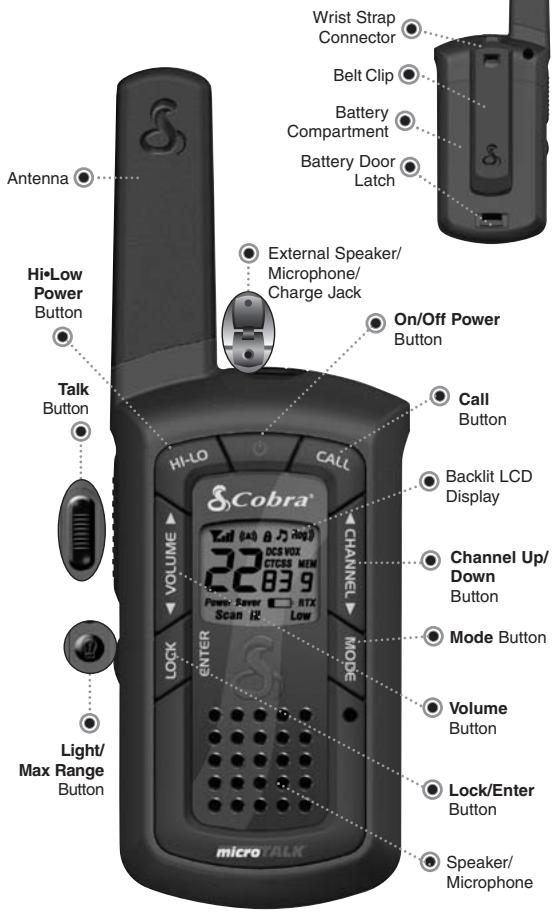
Features
- 22 Channels
- Seven shared FRS/GMRS, FRS only, eg GMRS only
121 Privacy Codes (38 CTCSS codes/ 83 DCS codes)
Hands-Free Operation (VOX)
VibrAlert® Silent Paging
10 Channel Memory
Signal Strength Meter - Scan Channel, privacy codes, memory
- Selectable Hi-Low Power In GMRS
- Backlit LCD Display
- Button Lock
- Call Alert 10 selectable tones
- Speaker/Microphone/Charge Jack
- Roger Beep Selectable on/off
Battery/ Power Saver - Keystroke Tones Selectable on/off
- Auto Squelch
Maximum Range Extender - Belt Clip
Backlit LCD Display

Maximum range may vary and is based on unobstructed line-of-sight communication under ideal conditions.

Industry Canada Notice:
Operation is subject to the following two conditions:
1) this device may not cause interference, and 2) this device may cause undesired operation of the device. The interference that may cause undesired operation of the device.
before the equipment certification number signifies that the Industry Canada technical specifications were met. It does not guarantee that the certified product will operate to the user's satisfaction.
Important FCC Licensing Information
This radio operates on General Mobile Radio Service (GMRS) frequencies which require a Federal Communications Commission (FCC) license in the U.S.A. See page 23 for licensing and other related information.
Caring for Your microTALK® Radio
Your microTALK® radio will give you years of trouble-free service if cared for properly. Handle the radio gently. Keep the radio away from dust. Never put the radio in water or in a damp place.
Avoid exposure to extreme temperatures.
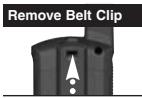
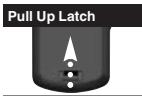
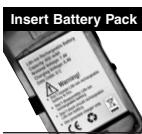
Rechargeable Battery Pack and Desktop Charger
To install or replace battery pack:
- Remove belt clip by releasing belt clip latch and sliding clip up.
- Pull up on the battery door latch to remove the battery compartment cover.
- Insert lithium ion battery pack. Position battery pack according to polarity markings.
- Replace battery compartment cover and belt clip.
Estimated operation time on full charge: 10 hours.
Rechargeable battery packs must be recycled or disposed of properly in compliance with all applicable laws. They may not be thrown in the trash.
Certain states or municipalities require recycling and have established collection programs. Please contact your local waste removal authority for instructions, or return to Cobra for recycling.
Wrap battery packs carefully and mail postage prepaid to: Cobra Electronics Corporation, 6500 West Cortland Street, Chicago, IL 60707 USA, Attn: Battery Recycling.

Do not put battery packs into fire or expose to high heat. They may explode.
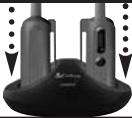
Insert Radio(s)
For charging microTALK® radio(s) in desktop charger:
- Insert radio(s) into desktop charger as shown.
- Insert round connector of 120 volt adapter into jack on back of charger.
- Plug 120 volt adapter into electrical outlet.
If charging light is not on, check position of radio. Radio should be upright. The charge indicator light will stay on as long as the radio is in the charging well and the battery pack is charging. After the battery pack is fully charged, the charge indicator light will turn off.
It normally takes about 15 hours to fully recharge battery pack.
Battery pack will not be damaged if they stay in the charging well longer than that.
Each port can charge one radio. Uses 120 Volt adapter.
Cobra recommends your radio is turned off while being charged.

The Basics to Get You Started
Your microTALK® radio is easy to use.
To get started, simply:
- Press and hold the Power button to turn on your radio.
- Press the Channel Up or Channel Down button to select a channel.

Both radios must be tuned to the same channel/privacy code to communicate.
- Press and hold the Talk button while speaking into the microphone.
- When finished talking, release the Talk button and listen for a response.
On/Off Power
Turning on Your microTALK® Radio
To turn on your radio:
- Press and hold the Power button until you hear a series of audible tones indicating the radio is on.
Your microTALK® radio is now in Standby mode, ready to receive transmissions. The radio is always in Standby mode, except when the Talk, Call or Power buttons are pressed.
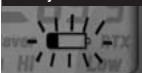
Battery Low
Battery Low
When battery power is low, the Battery Low icon will blink. Your batteries should be recharged.
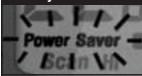
Battery Save Mode
Auto Battery Save
Your microTALK® radio has a unique circuit designed to extend battery life. If there are no transmissions for 10 seconds, the radio will automatically switch to Battery Save mode and the Power Saver icon will flash in the display. This will not affect the radio's ability to receive incoming transmissions.

Talk Button
Communicating with Another Person
To talk to another person:
- Press and hold the Talk button.
- With the microphone about two inches (five cm) from your mouth, speak in a normal voice.
- Release the Talk button when you are finished talking and listen for a response.
You cannot receive incoming calls while pressing the Talk button.

Both radios must be tuned to the same channel/privacy code to communicate.
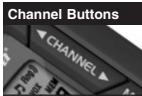
Channel Buttons
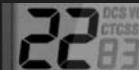
Channel Number
Channels
To select a channel:
With the radio on, select any of the 22 channels by pressing the Channel Up or Channel Down button.

Both radios must be tuned to the same channel to communicate.
Channels 1 through 7 are shared by FRS and GMRS. Channels 8 through 14 are FRS only. Channels 15 through 22 are GMRS only.

See page 25 for FRS/GMRS frequency allocations and compatibility charts.
Listening
Listening for a Response
When you are finished talking:
- Release the Talk button to receive incoming transmissions. Your microTALK® radio is always in Standby mode while the Talk or Call buttons are not pressed.
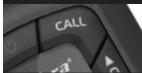
Call Button
Call Button
To alert another person that you are calling:
- Press and release the Call button.
The other person will hear a two second call tone. This tone is used only to establish voice communications.

See page 23 on how to select from 10 available call tone settings.
Selectable High•Low Power Output
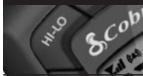
Hi·Low Button
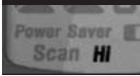
Hi Power Icon
When in close proximity to another party or during favorable conditions, you can switch from High to Low Power to extend battery life.

This feature applies to GMRS Channels 1 through 7 and 15 through 22 only. Channels 8 through 14 operate exclusively on low power.
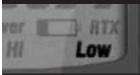
Low Power Icon
To toggle between high and low power:
- Press and release the HiLow button.
When using Channels 1 through 7 and 15 through 22 on high power, the Hi icon will be visible on the display.
When using those channels on low power and on Channels 8 through 14, the Low icon will be visible on the display.
Light/Max Range
Display Illumination
To illuminate your display:
- Press and release the Light/Max Range button to illuminate the display for 10 seconds.
Auto Squelch/Maximum Range
Your microTALK® radio is equipped with Auto Squelch, which automatically shuts off weak transmissions and unwanted noise due to terrain and conditions. This slightly reduces the Maximum Range at which signals can be heard.
You can turn off auto squelch to allow all signals to be received and extend the maximum range of your radio.
To briefly turn off auto squelch:
- Press the Light/Max Range button for less than five seconds.
If you hear two beeps, you have turned the maximum range extender on (see below).
To turn maximum range extender on:
- Press and hold the Light/Max Range button for at least five seconds until you hear two beeps which indicates the maximum range extender is on.
To turn maximum range extender off:
- Press and release the Light/Max Range button or change channels.
Lock Feature
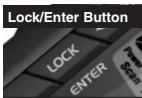
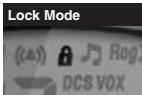
The Lock feature locks the Channel, Mode, Hi·Low and Power buttons to prevent accidental operation.
To turn the lock feature on or off:
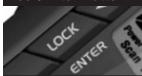
- Press and hold the Lock/Enter button for two seconds.
A double beep sound is used to confirm your lock on or off request. When in Lock mode, the Lock icon will be displayed.
Speaker/Microphone/Charge Jack
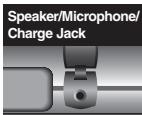
Your microTALK® radio can be fitted with an external Speaker/Microphone, freeing your hands for other tasks. This same jack also serves as the connecting point for an optional wall charger/adapter.
To attach a speaker/microphone:
- Open the speaker/microphone/charge tab on top of your microTALK® radio.
- Insert the plug into the speaker/ microphone/charge jack.
To connect a wall charger/adapter:
- Open the speaker/microphone/charge tab on top of your microTALK® radio.
- Insert the wall charger/adapter plug into the speaker/microphone/charge jack.
Signal Strength Meter
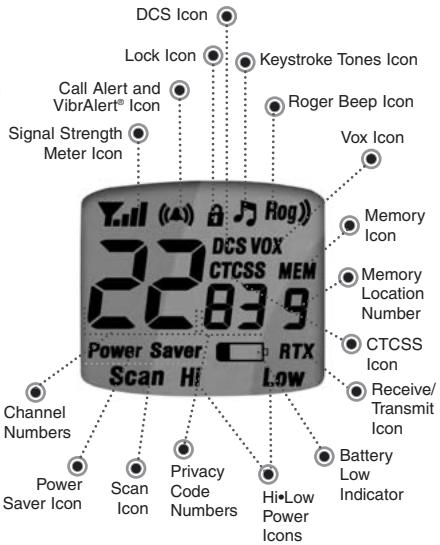
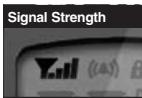
Your microTALK® radio has a Signal Strength Meter that shows the strength of your incoming and outgoing transmissions. The ascending bars next to the signal strength indicate the strength of the signal. The greater the number of bars visible, the stronger the signal. The fewer number of bars visible, the weaker the signal.
microTALK® Range
Your range will vary depending on terrain and conditions.
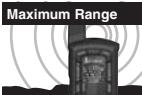
In flat, open country your radio will operate at maximum range.
Buildings and foliage in the path of the signal can reduce the range of the radio.
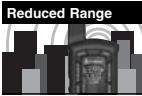
Dense foliage and hilly terrain will further reduce the range of the radio.
On FRS channels 8 through 14, your radio automatically switches to low power, which will limit the range the radio can communicate.
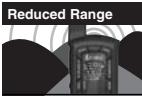

Remember, you can achieve maximum range by using maximum range extender. See page 6 for details.
Scrolling through Mode Functions
By scrolling through the Mode Functions, you will be able to select or turn on/off preferred features of your microTALK radio. When scrolling through the Mode Functions, your radio features will be displayed in the following order:

Set CTCSS Privacy Codes
Set DCS Privacy Codes
Set VOX On/Off
Set VOX Sensitivity Level
Set Memory Locations
Set Channel Scan
Set CTCSS Privacy Code 5
Set DCS Privacy Code Sca
Set Memory Location Sca
Set VibrAlert and/or Call
Set Call Alert Tone Signal
Set Roger Beep On/Off
Set Keystroke Tones On/O
Scroll through the mode functions using the Mode button. Each press and release of the Mode button will advance to the next mode function. Press the Talk button at any point to return the radio to Standby mode.
Privacy Codes
Your microTALK® radio incorporates two advanced coded squelch systems that can help to reduce interference from other users on any given channel. CTCSS (Continuous Tone Coded Squelch System) provides 38 privacy codes and DCS (digitally Coded Squelch) provides 83 privacy codes. This provides a total of 121 Privacy Codes. Either system can be used on all channels, but both systems cannot be used on the same channel at the same time.

To successfully communicate using a privacy code, both the sending and receiving radios must be tuned to the same channel and to the same privacy code system (CTCSS or DCS) and privacy code number. Each channel will remember the last privacy code system and number you select.

The privacy code 00 is not a privacy code, but allows all signals to be heard on a channel that is set to 00 on both the CTCSS and DCS systems.
Set CTCSS Privacy Codes
To select a CTCSS privacy code:
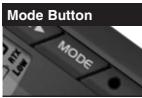
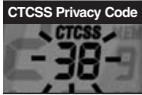
- After selecting a channel, press the Mode button until the CTCSS icon appears and the small numbers flash on the display (01 through 38).

NOTE
If DCS is turned on at the channel selected, the display will flash the CTCSS icon and "OFF." To switch from DCS to CTCSS, press the Channel Up or Channel Down button while the display is flashing "OFF." The display will then show the small numbers flashing and you will then be able to proceed to step 2.
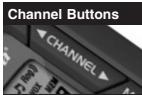
- Press using the Channel Up or Channel Down button to select a CTCSS privacy code. You can hold the Up or Down button for fast advance.
- When your desired CTCSS privacy code is displayed, choose one of the following:
a. Press the Mode button to enter the new setting and proceed to other functions.
b. Press the Lock/Enter button to enter the new setting and return to Standby mode.
c. Do not press any buttons for 15 seconds to enter the new setting and return to Standby mode.
Set DCS Privacy Codes
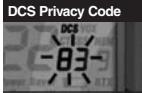
To select a DCS privacy code:
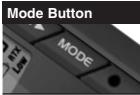
- After selecting a channel, press the Mode button until the DCS icon appears and the small numbers flash on the display (01 through 83).

NOTE
If CTCSS is turned on at the channel selected, the display will flash the DCS icon and "OFF." To switch from CTCSS to DCS, press the Channel Up or Channel Down button while the display is flashing "OFF." The display will then show the small numbers flashing and you will then be able to proceed to step 2.
- Press using the Channel Up or Channel Down button to select a DCS privacy code. You can hold the Up or Down button for fast advance.
- When your desired DCS privacy code is displayed, choose one of the following:
a. Press the Mode button to enter the new setting and proceed to other functions.
b. Press the Lock/Enter button to enter the new setting and return to Standby mode.
c. Do not press any buttons for 15 seconds to enter the new setting and return to Standby mode.
Voice Activated Transmit (VOX)
In VOX mode, your microTALK radio can be used "hands-free," automatically transmitting when you speak. You can set the VOX sensitivity level to fit the volume of your voice and avoid transmissions triggered by background noise.
Mode Button
VOX Icon
Channel Buttons

To turn VOX mode on or off:
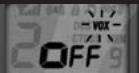
- Press the Mode button until the VOX icon flashes on the display. The current on or off setting is displayed.
- Press the Channel Up or Channel Down button to turn VOX on or off.
- Choose one of the following:
a. Press the Mode button to enter the selected on or off setting and proceed to other functions.
b. Press the Lock/Enter button to enter the selected on or off setting and return to Standby mode.
Mode Button
VOX Sensitivity Level
Channel Buttons
To set VOX sensitivity:
- Press the Mode button until the VOX icon flashes and the current sensitivity level is displayed.

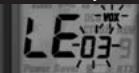
The current sensitivity level is displayed with letters "LE" and a Number 01 through 03, with Number 03 being the most sensitive level and Number 01 being the least sensitive level.
- Press the Channel Up or Channel Down button to change the setting.
- Choose one of the following:
a. Press the Mode button to enter the selected setting and proceed to other functions.
b. Press the Lock/Enter button to enter the selected setting and return to Standby mode.
10 Memory Locations
Your microTALK® radio has 10 Memory Locations for storing your most frequently used channels and channel/privacy code combinations. These Memory Locations can be selected individually or can be scanned. (See page 20 for memory location scan.)
To program a memory location:
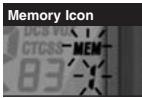
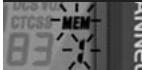
- Press the Mode button until the Memory icon and the memory location flash on the display.
- Press the Channel Up or Channel Down button to select the memory location (0 through 9).

If a location has been programmed before, its associated channel/privacy code will be shown on the display.
- Press the Lock/Enter button to enter a new memory location or edit an already programmed memory location. The channel numbers will flash on the display.
- Press the Channel Up or Channel Down button to select a channel (1 through 22).
-
Press the Lock/Enter button. The CTCSS icon and privacy code numbers will flash on the display.
-
Choose one of the following:
a. Press the Channel Up or Channel Down button to select a CTCSS privacy code (01 through 38) for the channel.
b. Press the Lock/Enter button to switch from CTCSS to DCS. The DCS icon and privacy code numbers will flash on the display. The Channel Up or Channel Down button can then be used to select a DCS privacy code (01 through 83) for the channel.

If "OFF" flashes in place of the privacy code numbers, a privacy code is already set in the opposite (CTCSS or DCS) system. Press the Channel Up or Channel Down button to cancel the opposite code and select a privacy code from the active system for the selected channel.
- Choose one of the following:
a. Press the Lock/Enter button to enter the channel/privacy code in the selected memory location. Radio then proceeds to next Memory location, which will blink.
b. Press the Mode button to enter the channel/privacy code in the selected memory location and proceed to other functions on the channel/privacy code displayed before you entered mode functions.
c. Press the Talk button to enter the channel/privacy code in the selected memory location and exit mode functions. Upon release of the Talk button, the radio will enter Standby mode on the channel/privacy code just entered.

To recall a stored memory channel location:
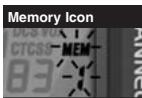
- Press the Mode button until the Memory icon and the memory location number flash on the display.
- Press the Channel Up or Channel Down button to select a memory location (0 through 9).

If a location has been programmed before, its associated channel/privacy code will be shown on the display.
- Press the Talk button to return to Standby mode on the selected memory location.

A memory location can be reprogrammed at any time it is displayed. Press the Lock/Enter button to begin.
While recalling a stored memory location, if you do not press any buttons for 15 seconds, your radio will automatically return to Standby mode on the channel/privacy code displayed before you entered mode functions.
Mode Button
Memory Icon
Channel Buttons
Lock/Enter Button
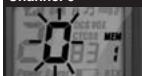
Channel 0
To de-program a memory location:
- Press the Mode button until the Memory icon and the memory location flash on the display.
- Press the Channel Up or Channel Down button to select the memory location (0 through 9).

If a location has been programmed before, its associated channel/privacy code will be shown on the display.
- Press the Lock/Enter button. The channel numbers will flash on the display.
- Press the Channel Up or Channel Down button to select Channel 0.
- Choose one of the following:
a. Press the Lock/Enter button to enter the channel/privacy code in the selected memory location and return to the beginning of memory location options.
b. Press the Mode button to enter the channel/privacy code in the selected memory location and proceed to other functions on the channel/privacy code displayed before you entered mode functions.
While de-programming a memory location, if you do not press any buttons for 15 seconds, your radio will automatically return to Standby mode on the channel/privacy code displayed before you entered mode functions.
Channel Scan
Your microTALK® radio can automatically scan channels.
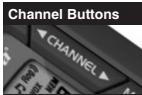
To scan channels:
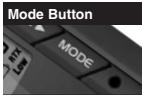
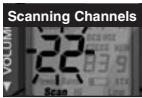
- Press the Mode button until the Scan icon and the channel numbers flash on the display.
- Press the Channel Up or Channel Down button to begin scanning channels.

The radio ignores specific privacy codes while scanning channels.
The Scan icon will continue to be displayed when scan is on. Your radio will continue to scan all channels and stop if an incoming transmission is detected. Your radio will remain on that channel for 10 seconds.
While setting channel scan, if you do not press any buttons for 15 seconds, your radio will automatically return to Standby mode on the channel or channel/privacy code displayed before you entered mode functions.
During channel scan (while receiving an incoming transmission), you can choose from the following:
a. Press and hold the Talk button to communicate on that channel. Your radio will remain on that channel and return to Standby mode.
b. Press the Channel Up or Channel Down button to resume scanning channels.
If you press the Talk button while scanning, but more than 10 seconds after receiving a transmission, you will transmit on the channel on which you last received a transmission. This will return the radio to Standby mode.
If you do not press any button within 10 seconds after receiving a scanned transmission, your radio will automatically resume scanning channels.
During channel scan (while not receiving a transmission), you can choose from the following:
a. Press and hold the Talk button to communicate on the channel or channel/privacy code that was displayed before you entered mode functions or the channel on which, during scanning, you last received a transmission. This will then return the radio to Standby mode.
b. Press the Mode button to proceed to set privacy code scan on the channel that was either displayed before you entered mode functions or on which, during channel scanning, you last received a transmission (see page 18 for further details).
c. Press the Lock/Enter button to return to Standby mode on the channel/privacy code that was displayed before you entered mode functions or the channel on which, during scanning, you last received a transmission.
Privacy Code Scan
Your microTALK® radio can automatically scan the Privacy Codes (either CTCSS 01 through 38 or DCS 01 through 83) within one channel. Only one set of privacy codes (CTCSS or DCS) can be scanned at a time.
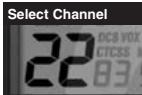
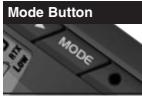
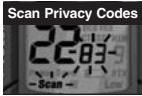
To scan privacy codes:
- While in Standby mode, press the Channel Up or Channel Down button to choose the channel on which you wish to scan privacy codes.
- Press the Mode button until either the CTCSS or the DCS icon appears on the display and the Scan icon and the privacy code numbers flash on the display.
- Press the Channel Up or Channel Down button to begin scanning privacy codes within the channel you selected.
The Scan icon will continue to be displayed when privacy code scan is on. Your radio will continue to scan privacy codes and stop as an incoming transmission is detected. Your radio will remain on that channel/privacy code for 10 seconds.
While setting privacy code scan, if you do not press any buttons for 15 seconds, your radio will automatically return to Standby mode on the channel/privacy code that was displayed before you entered mode functions.
During privacy code scan (while receiving an incoming transmission), you can choose from the following:
a. Press and hold the Talk button to communicate on that channel/privacy code. Your radio will remain on that channel/privacy code and return to Standby mode.
b. Press the Channel Up or Channel Down button to resume scanning privacy codes.
If you press the Talk button while scanning, but more than 10 seconds after receiving a transmission, you will transmit on the channel/privacy code on which you last received a transmission. This will then return the radio to Standby mode. If you do not press any button within 10 seconds, your radio will automatically resume scanning privacy codes.
During privacy code scan (while not receiving a transmission), you can choose from the following:
a. Press and hold the Talk button to communicate on the channel/privacy code that was displayed before you entered mode functions or the channel/privacy code on which, during scanning, you last received a transmission. This will return the radio to Standby mode.
b. Press the Mode button to proceed to set memory location scan (see page 20 for further details).
c. Press the Lock/Enter button to return to Standby mode on the channel/privacy code that was displayed before you entered mode functions or the channel/privacy code on which, during scanning, you last received a transmission.
Memory Location Scan
Your microTALK® radio can automatically scan up to 10 programmed Memory Locations.

If there are one or fewer memory locations programmed in your radio, the scan memory locations option will not be available. To program at least two memory locations, see program memory locations on page 12.
To scan memory locations:
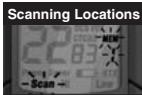
- Press the Mode button until the Scan icon, Memory icon and the memory location number flash on the display.
- Press the Channel Up or Channel Down button to begin scanning memory locations.
The Scan icon and the Memory icon will continue to be displayed when memory location scan is on. Your radio will continue to scan memory locations and stop if an incoming transmission is detected. Your radio will remain on that memory location for 10 seconds.
While setting memory location scan, if you do not press any buttons for 15 seconds, your radio will automatically return to Standby mode on the channel/privacy code displayed before you entered mode functions.
During memory location scan (while receiving an Incoming transmission), you can choose from the following:
a. Press and hold the Talk button to communicate on that memory location.
b. Your radio will remain on that memory location and return to Standby mode. Press the Channel Up or Channel Down button to resume scanning memory locations.
c. After 10 seconds of inactivity, unit starts scan again.
If you press the Talk button while scanning, but more than 10 seconds after receiving a transmission, you will transmit on the memory location on which, during scanning, you last received a transmission.
If you do not press any button within 10 seconds, your radio will automatically resume scanning memory locations.
During memory location scan (while not receiving a transmission), you can choose from the following:
a. Press and hold the Talk button to communicate on the channel/privacy code that was displayed before you entered mode functions or memory location on which, during scanning, you last received a transmission.
b. Press the Mode button to proceed to other functions.
c. Press the Lock/Enter button to return to Standby mode on the channel/privacy code that was displayed before you entered mode functions or the memory location on which, during scanning, you last received a transmission.
To reduce the number of memory locations being scanned, you may de-program any unwanted locations. (See page 15 to de-program a memory location.)
VibrAlert® and Call Alert
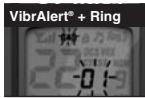
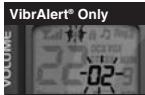
Your microTALK® radio can alert you to incoming signals by sounding an audible call tone, by vibrating silently or both.
To change call settings:
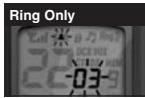
- Press the Mode button until the Call Setting icon flashes on the display. The current setting ("01" vibrate + ring, "02" vibrate only or "03" ring only) is displayed.
- Press the Channel Up or Channel Down button to change the call setting.
- Choose one of the following:
a. Press the Mode button to enter the new setting and proceed to other functions.
b. Press the Lock/Enter button to enter the new setting and return to Standby mode.
10 Call Tone Settings
You can choose from 10 different call tone settings to transmit a unique call alert.
To change a call tone setting:
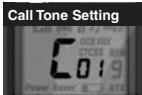
- Press the Mode button until the letter "C" and the current call tone number (01 through 10) is displayed.
- Press the Channel Up or Channel Down button to hear the other call tone settings.
- Choose one of the following: a. Press the Mode button to enter the new setting and proceed to other functions.
b. Press the Lock/Enter button to enter the new setting and return to Standby mode.
Roger Beep Confirmation Tone
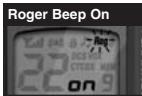
Roger Beep is an audible tone that your listener will hear when you release the Talk button. This alerts the other party that you are finished talking and it is OK for them to speak.
To turn roger beep on or off:
- Press the Mode button until the Roger Beep icon flashes on the display. The current on or off setting is displayed.
- Press the Channel Up or Channel Down button to select roger beep on or off.
- Choose one of the following:
a. Press the Mode button to enter the new setting and proceed to other functions.
b. Press the Lock/Enter button to enter the new setting and return to Standby mode.
Keystroke Tones
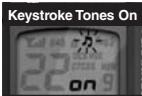
With Keystroke Tones turned on, your radio will sound beeps each time you press a button or change a setting.
To change keystroke tones:
- Press the Mode button until the Keystroke Tones icon flashes on the display. The current on or off setting is displayed.
- Press the Channel Up or Channel Down button to turn keystroke tones on or off.
- Choose one of the following:
a. Press the Mode button to enter the new setting and return to Standby mode.
b. Press the Lock/Enter button to enter the new setting and return to Standby mode.
General Specifications
FRS/GMRS Frequency Allocation and Compatibility
Important: Please note that Cobra GMRS models with 15 Channels may designate different channel numbers for the same frequency. For example, a Cobra 15 Channel GMRS model would need to be tuned to Channel 11 in order to communicate with a 22 Channel GMRS tuned to Channel 15. Please refer to the chart below for channel/ frequency number compatibility.
A = Channel No. for 22 Channel FRS/GMRS Models
B = Channel No. for 15 Channel GMRS Models
C = Type of Radio Service
D = Frequency in MHz
E = Power Output
| A | B | C | D | E |
| 1 | 1 | FRS/GMRS | 462.5625 | High or Low |
| 2 | 2 | FRS/GMRS | 462.5875 | High or Low |
| 3 | 3 | FRS/GMRS | 462.6125 | High or Low |
| 4 | 4 | FRS/GMRS | 462.6375 | High or Low |
| 5 | 5 | FRS/GMRS | 462.6625 | High or Low |
| 6 | 6 | FRS/GMRS | 462.6875 | High or Low |
| 7 | 7 | FRS/GMRS | 462.7125 | High or Low |
| 8 | FRS | 467.5625 | Low | |
| 9 | FRS | 467.5875 | Low | |
| 10 | FRS | 467.6125 | Low | |
| 11 | FRS | 467.6375 | Low | |
| 12 | FRS | 467.6625 | Low | |
| 13 | FRS | 467.6875 | Low | |
| 14 | FRS | 467.7125 | Low | |
| 15 | 11 | GMRS | 462.5500 | High or Low |
| 16 | 8 | GMRS | 462.5750 | High or Low |
| 17 | 12 | GMRS | 462.6000 | High or Low |
| 18 | 9 | GMRS | 462.6250 | High or Low |
| 19 | 13 | GMRS | 462.6500 | High or Low |
| 20 | 10 | GMRS | 462.6750 | High or Low |
| 21 | 14 | GMRS | 462.7000 | High or Low |
| 22 | 15 | GMRS | 462.7250 | High or Low |
Licensing
For Products Used in Canada
Industry Canada Notice
Operation is subject to the following two conditions: 1) this device may not cause interference, and 2) this device must accept any interference, including interference that may cause undesired operation of the device.
IC before the equipment certification number signifies that the Industry Canada technical specifications were met. It does not guarantee that the certified product will operate to the user's satisfaction.
For Products Used in the U.S.A.
FCC Licensing Required
This two-way radio operates on GMRS (General Mobile Radio Service) frequencies which require an FCC (Federal Communications Commission) license. A user must be licensed prior to operating on channels 1 through 7 or 15 through 22, which comprise the GMRS channels of this radio. Serious penalties could result for unlicensed use of GMRS channels; operation of this radio is subject to additional rules specified in 47 C.F.R. Part 95.
Licensed users will be issued a call sign by the FCC, which should be used for station identification when operating this radio. GMRS users should also cooperate by engaging in permissible transmissions only, avoiding channel interference with other GMRS users, and being prudent with the length of their transmission time.
For licensing information and application forms, please call the FCC Hotline at 800-418-FORM. Request form #159 and form #605. Questions regarding the license application should be directed to the FCC at 888-CALL-FCC. Additional information is available on the FCC's website at www.fcc.gov.
Safety Information for microTALK® Radios
- Your wireless handheld portable transceiver contains a low power transmitter.
When the talk button is pushed, it sends out radio frequency (RF) signals.
The device is authorized to operate at a duty factor not to exceed 50% .
In August 1996, the Federal Communications Commission (FCC) adopted RF exposure guidelines with safety levels for handheld wireless devices.
Important:
FCC RF Exposure Requirements: For body-worn operation, this radio has been tested and meets the FCC RF exposure guidelines when used with Cobra accessories supplied or designated for this product. Use of other accessories may not ensure compliance with FCC RF exposure guidelines. Use only the supplied antenna. Unauthorized antennas, modifications, or attachments could damage the transmitter and may violate FCC regulations.
Normal Position:
Hold the transmitter approximately five cm (two inches) from your face and speak in a normal voice, with the antenna pointed up and away.

This device complies with part 15 of the FCC Rules. Operation is subject to the following two conditions: 1) This device may not cause harmful interference, and 2) this device must accept any interference received, including interference that may cause undesired operation.
FCC Warnings: Replacement or substitution of transistors, regular diodes or other parts of a unique nature, with parts other than those recommended by Cobra may cause a violation of the technical regulations of part 95 of the FCC rules, or violation of type acceptance requirements of part 2 of the rules.
Trademark Acknowledgement
Cobra, microTALK, Nothing Comes Close to a Cobra, VibrAlert and the snake design are registered trademarks of Cobra Electronics Corporation, USA. Cobra Electronics Corporation™ is a trademark of Cobra Electronics Corporation, USA.
The Cobra line of quality products includes
CB Radios · microTALK ^® Radios · Radar/Laser Detectors · Safety Alert ^® Traffic Warning Systems · Handheld GPS Receivers · Mobile GPS Navigation Systems · HighGear ^® Accessories · CobraMarine™ VHF Radios · CobraMarine™ Chartplotters · Power Inverters · Accessories
Product Service Questions
If you have any questions about operation or installing your new Cobra product, or if you are missing parts...
Please call Cobra first! DO NOT RETURN THIS PRODUCT TO THE STORE! See customer assistance on page A1.
For Products Purchased in the U.S.A.
If your product should require factory service, please call Cobra first before sending your radio. This will ensure the fastest turn-around time on your repair. You may be asked to send your radio to the Cobra factory. It will be necessary to furnish the following to have the product serviced and returned.
1) For warranty repair include some form of proof-of-purchase, such as a mechanical reproduction or carbon of a sales receipt. If you send the original receipt, it cannot be returned.
2) Send the entire product.
3) Enclose a description of what is happening with the radio. Include a typed or clearly printed name and address of where the radio is to be returned.
4) Pack radio securely to prevent damage in transit. If possible, use the original packing material.
5) Ship prepaid and insured by way of a traceable carrier such as United Parcel Service (UPS) or Priority Mail to avoid loss in transit to Cobra Factory Service, Cobra Electronics Corporation, 6500 West Cortland Street, Chicago, Illinois 60707 U.S.A.
6) If the radio is in warranty, upon receipt of your radio, it will either be repaired or exchanged depending on the model.
Please allow approximately three to four weeks before contacting Cobra for status. If the radio is out of warranty, a letter will automatically be sent informing you of the repair charge or replacement charge. If you have any questions, please call 773-889-3087 for assistance.
For Products Purchased Outside the U.S.A.
Please contact your local dealer for product service information.
Limited One-Year Warranty on Radio(s) & Charger
For Products Purchased in Canada
Your new Cobra GMRS radios and charger are covered by a one-year replacement warranty. If any manufacturing defect becomes apparent in this product within one year from the original date of purchase, it will be replaced. Please return the GMRS radio or charger to your dealer with original or copy of dated proof of purchase. This warranty does not cover damages due to careless handling, negligence, accident, abuse or failure to follow operating instructions. Alteration of this product or defacing of the serial number cancels all obligations of this warranty. This warranty gives you specified legal rights. Additional warranty rights may be provided by law in some areas.
For Products Purchased in the U.S.A.
Cobra Electronics Corporation warrants that its Cobra GMRS radios and charger, and the component parts thereof, will be free of defects in workmanship and materials for a period of one year from the date of first consumer purchase. This warranty may be enforced by the first consumer purchaser, provided that the product is utilized within the U.S.A.
Cobra will, without charge, repair or replace, at its option, defective GMRS radios, chargers, products or component parts upon delivery to the Cobra Factory Service department, accompanied by proof of the date of first consumer purchase, such as a duplicated copy of a sales receipt.
You must pay any initial shipping charges required to ship the product for warranty service, but the return charges will be at Cobra's expense, if the product is repaired or replaced under warranty. This warranty gives you specific legal rights, and you may also have other rights which may vary from state to state.
Exclusions: This limited warranty does not apply: 1) To any product damaged by accident; 2) In the event of misuse or abuse of the product or as a result of unauthorized alterations or repairs; 3) If the serial number has been altered, defaced, or removed; 4) If the owner of the product resides outside the U.S.A.
All implied warranties, including warranties of merchantability and fitness for a particular purpose are limited in duration to the length of this warranty. Cobra shall not be liable for any incidental, consequential or other damages; including, without limitation, damages resulting from loss of use or cost of installation.
Some states do not allow limitations on how long an implied warranty lasts and/or do not allow the exclusion or limitation of incidental or consequential damages, so the above limitations may not apply to you.
For Products Purchased Outside Canada or the U.S.A.
Please contact your local dealer for warranty information.
90-Day Warranty on Cobra Lithium Ion Rechargeable Batteries
For products purchased in the U.S.A. and Canada.
- Staying in touch with your family and friends is convenient and easy when using your microTALK radio. Some of the many uses you will discover include:
- Secure your microTALK radio while on the go.
- Customer Assistance
- For Assistance in Canada or the U.S.A.
- Automated Help Desk
- Customer Assistance Operators
- Questions
- Technical Assistance
- For Assistance Outside Canada, the U.S.A. or in French
- Contact Your Local Dealer
- Features
- Backlit LCD Display
- Industry Canada Notice:
- Important FCC Licensing Information
- Caring for Your microTALK® Radio
- Rechargeable Battery Pack and Desktop Charger
- To install or replace battery pack:
- Estimated operation time on full charge: 10 hours.
- For charging microTALK® radio(s) in desktop charger:
- The Basics to Get You Started
- Turning on Your microTALK® Radio
- To turn on your radio:
- Battery Low
- Auto Battery Save
- Communicating with Another Person
- To talk to another person:
- Channels
- To select a channel:
- Listening for a Response
- When you are finished talking:
- Call Button
- To alert another person that you are calling:
- Selectable High•Low Power Output
- To toggle between high and low power:
- Display Illumination
- To illuminate your display:
- Auto Squelch/Maximum Range
- To briefly turn off auto squelch:
- To turn maximum range extender on:
- Lock Feature
- To turn the lock feature on or off:
- Speaker/Microphone/Charge Jack
- To attach a speaker/microphone:
- To connect a wall charger/adapter:
- Signal Strength Meter
- microTALK® Range
- Scrolling through Mode Functions
- Privacy Codes
- Set CTCSS Privacy Codes
- To select a CTCSS privacy code:
- NOTE
- Set DCS Privacy Codes
- To select a DCS privacy code:
- Voice Activated Transmit (VOX)
- Mode Button
- VOX Icon
- Channel Buttons
- To turn VOX mode on or off:
- VOX Sensitivity Level
- To set VOX sensitivity:
- Memory Locations
- To program a memory location:
- Memory Icon
- Lock/Enter Button
- Channel 0
- Channel Scan
- To scan channels:
- During channel scan (while receiving an incoming transmission), you can choose from the following:
- During channel scan (while not receiving a transmission), you can choose from the following:
- Privacy Code Scan
- To scan privacy codes:
- During privacy code scan (while receiving an incoming transmission), you can choose from the following:
- During privacy code scan (while not receiving a transmission), you can choose from the following:
- Memory Location Scan
- To scan memory locations:
- During memory location scan (while receiving an Incoming transmission), you can choose from the following:
- During memory location scan (while not receiving a transmission), you can choose from the following:
- VibrAlert® and Call Alert
- To change call settings:
- Call Tone Settings
- To change a call tone setting:
- Roger Beep Confirmation Tone
- To turn roger beep on or off:
- Keystroke Tones
- To change keystroke tones:
- General Specifications
- FRS/GMRS Frequency Allocation and Compatibility
- Licensing
- For Products Used in Canada
- Industry Canada Notice
- For Products Used in the U.S.A.
- FCC Licensing Required
- Safety Information for microTALK® Radios
- Important:
- Normal Position:
- Trademark Acknowledgement
- The Cobra line of quality products includes
- Product Service Questions
- For Products Purchased in the U.S.A.
- For Products Purchased Outside the U.S.A.
- Limited One-Year Warranty on Radio(s) & Charger
- For Products Purchased in Canada
- For Products Purchased Outside Canada or the U.S.A.
- 90-Day Warranty on Cobra Lithium Ion Rechargeable Batteries
Brand : COBRA
Model : LI 3900-2 DXC
Category : Two-way radio