
IP005 - Phone SWEEX - Free user manual and instructions
Find the device manual for free IP005 SWEEX in PDF.


User questions about IP005 SWEEX
0 question about this device. Answer the ones you know or ask your own.
Ask a new question about this device
Download the instructions for your Phone in PDF format for free! Find your manual IP005 - SWEEX and take your electronic device back in hand. On this page are published all the documents necessary for the use of your device. IP005 by SWEEX.
USER MANUAL IP005 SWEEX
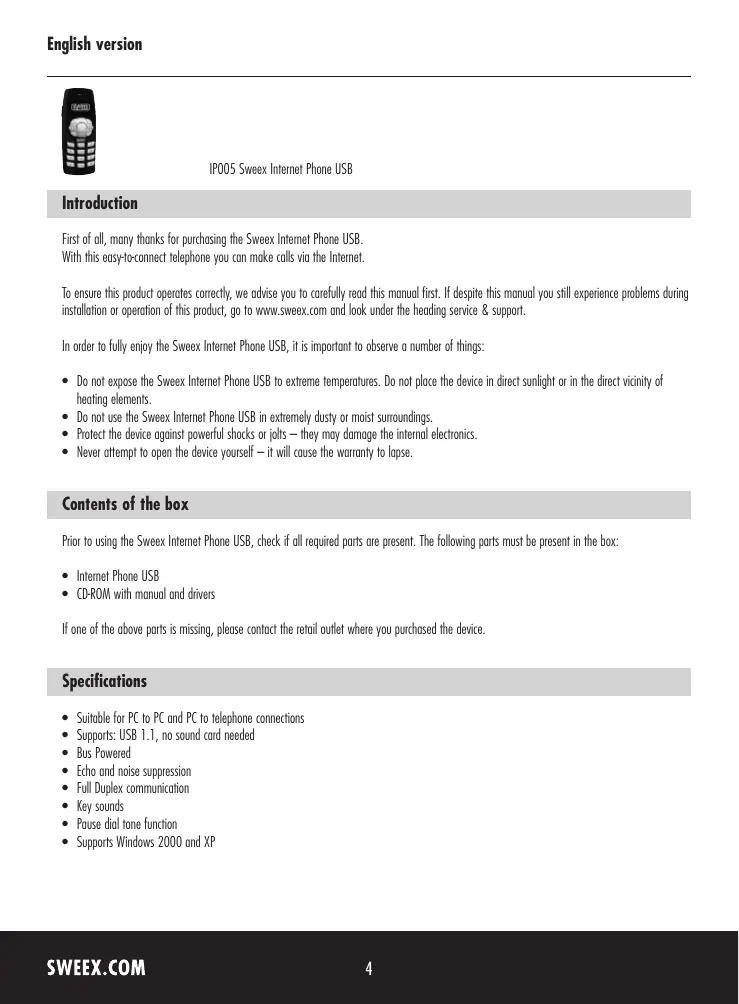
IP005 Sweeex Internet Phone USB
Introduction
First of all, many thanks for purchasing the Sweex Internet Phone USB.
With this easy-to-connect telephone you can make calls via the Internet.
To ensure this product operates correctly, we advise you to carefully read this manual first. If despite this manual you still experience problems during installation or operation of this product, go to www.sweex.com and look under the heading service & support.
In order to fully enjoy the Sweex Internet Phone USB, it is important to observe a number of things:
- Do not expose the SweeX Internet Phone USB to extreme temperatures. Do not place the device in direct sunlight or in the direct vicinity of heating elements.
- Do not use the Sweex Internet Phone USB in extremely dusty or moist surroundings.
- Protect the device against powerful shocks or jolts - they may damage the internal electronics.
- Never attempt to open the device yourself - it will cause the warranty to lapse.
Contents of the box
Prior to using the SweeX Internet Phone USB, check if all required parts are present. The following parts must be present in the box:
- Internet Phone USB
CD-ROM with manual and drivers
If one of the above parts is missing, please contact the retail outlet where you purchased the device.
Specifications
- Suitable for PC to PC and PC to telephone connections
Supports: USB 1.1, no sound card needed - Bus Powered
- Echo and noise suppression
Full Duplex communication
Key sounds - Pause dial tone function
Supports Windows 2000 and XP
Software Installation
In order to use the Sweeex Internet phone successfully, you must use suitable software such as Skype™. Make sure you have installed the latest version of Skype™. We do not need to emphasise that you need to have an active Internet connection in order to successfully make calls with other users.
We advise you to ensure the operating system is up-to-date. This is easy to check by starting up Internet Explorer and selecting the option "Windows Update" in the "Extra" menu.
Install the driver prior to connecting the Sweex Internet Phone USB.
Insert the Sweex CD-ROM in the CD-ROM player. A menu appears automatically. Click the button to install the drivers.

Driver Windows 2000 - XP
The installation procedure is started.
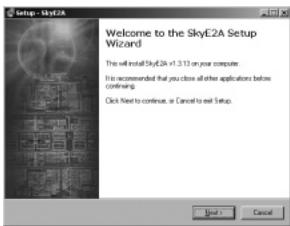
Click on "Next" ("Next") to start the installation procedure until the following window appears.
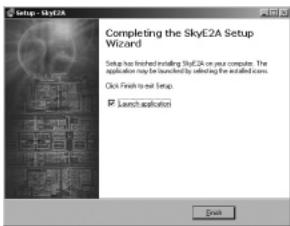
Click "Finish" ("Finish"). Restart the computer when prompted to do so during the installation process.
Connecting the Sweex Internet Phone USB under Windows 2000 and XP
Connect the Sweex Internet Phone USB to a free USB port. Windows will automatically detect the device and install it. The following window appears to indicate that the driver wants to connect to Skype™.
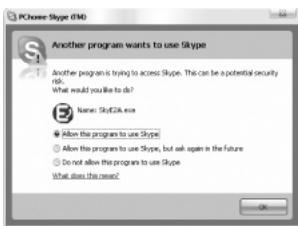
Select the option to allow the programme "SkyE2A" to use Skype™ ("Allow this program to use Skype"). You can now start using the SweeX Internet Phone USB.
Sound settings
If the sound of the Sweex Internet Phone USB is not working, you must ensure that Windows has selected it as the default playback and recording device. You can check this as follows:
Go to START "Control Panel" ("Control Panel").
Or, if the Windows classic style is used:
Go to START "Settings" ("Settings") "Control Panel" ("Control Panel").
Here, open "Sound and audio devices" ("Sound and audio devices") and go to the "Audio" tab.
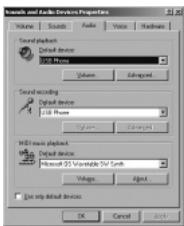
During both "Sound playback" ("Sound playback") and "Sound recording" ("Sound recording"), the "Default device" ("Default device") must be the USB phone.
Operation and buttons
| Key | Description of function |
| 0~9 | Keypad 0~9 |
| # | Keyboard # |
| * | Keypad * |
| Hold | Hold the call |
| ^(on the side of the phone) | Volume up |
| ( on the side of the phone) | Volume down |
| ▲ | Cursor up |
| ▼ | Cursor down |
| Tab | Switches between “Contacts”, “Dial Keys” and “History” |
| Min | Minimise |
| Mute | Switch off the microphone's sound |
| a | I. Accept call II. Initiate call |
| b | I. End call II. Cancel function |
Warranty
All products under the Sweex brand are warranted for a period of three years. We do not grant support or warranties for any software and/or (rechargeable) batteries included. Settlement of guarantee only takes place via the dealer where you have purchased the product in question.
The rightful owner has and retains title to all brand names and related rights mentioned in this manual.