
IP003 - Surveillance Camera SWEEX - Free user manual and instructions
Find the device manual for free IP003 SWEEX in PDF.


User questions about IP003 SWEEX
0 question about this device. Answer the ones you know or ask your own.
Ask a new question about this device
Download the instructions for your Surveillance Camera in PDF format for free! Find your manual IP003 - SWEEX and take your electronic device back in hand. On this page are published all the documents necessary for the use of your device. IP003 by SWEEX.
USER MANUAL IP003 SWEEX
First of all, many thanks for purchasing this Sweeex USB Hands Free Skymate. With this easy-to-connect skymate you can make calls via the Internet. In order to use the Sweeex USB Skymate successfully, you must use suitable software such as SkypeTM.
To ensure this product operates correctly, we advise you to carefully read this manual first. If despite this manual you still experience problems during installation or operation of this product, go to www.sweex.com and look under the heading service & support.
Contents of the box
Prior to installation, check if all required parts are present. The following parts must be present in the box:
USB hands free skymate
- Stereo earphones including microphone
Skymate holder
CD-ROM with manual and Skype Middleware software
If one of the above parts is missing, please contact the supplier.
Specifications
Interface: USB 2.0, downwards compatible with USB 1.1
Function keys: volume up, volume down, switch off microphone (mute)
- Skype-specific keys: cursor(top/bottom), Tab, Initiate call/Accept call, End/Reject call
Data led, switch off microphone status
Audio connectors: 3.5mm microphone input, 3.5mm headphone output
Supports: Windows 98SE, 2000 and XP
Additional specifications
Dimensions: 30 × 73 × 19 mm (w x h x d)
Weight: 44 grams
Installation
Insert the CD-ROM driver software supplied in your CD-ROM or DVD player. The CD starts up automatically and the installation screen appears. If the CD fails to start up automatically, click 'Start' and select 'Run'. Type in X:\Setup, X being the drive letter of the CD or DVD player.
Now the installation screen will be displayed. Click on 'install driver'. The following screen appears.
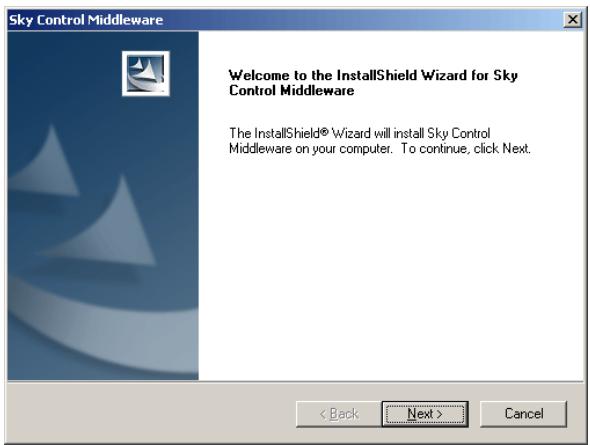
Click 'Next'.

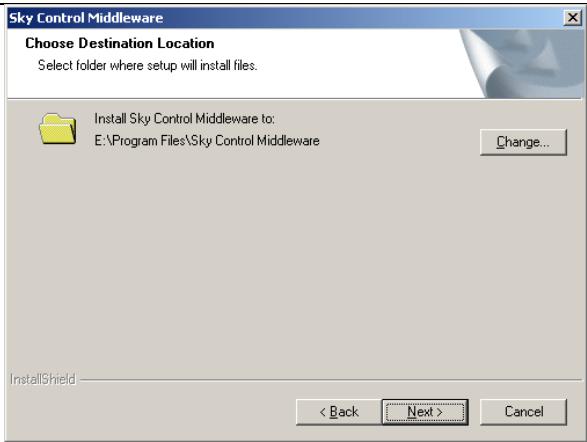
By default, the software is installed in the folder Program Files\Sky Control Middleware. Click 'Next' to continue.
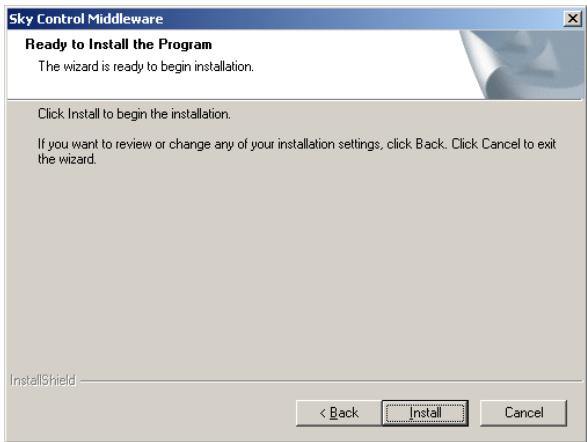
The installation programme is ready to install the driver, click 'Install'.
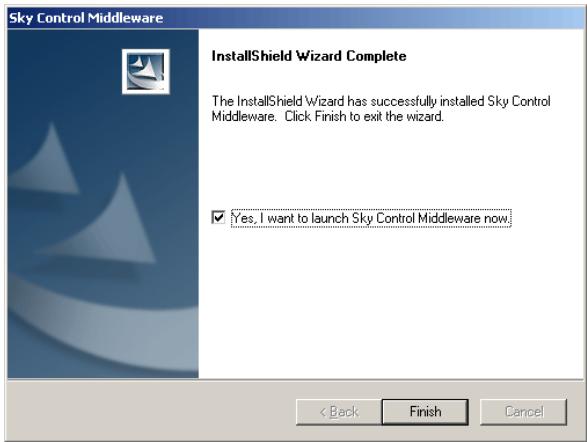
Now tick 'Yes, I want to launch Sky Control Middleware' and click 'Finish'.
After the computer has been restarted, a pop-up window may appear. This depends on whether or not the Skype™ software has already been installed.

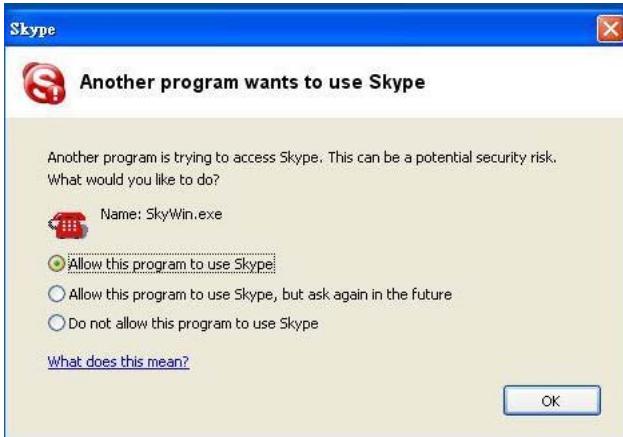
Select option 'Allow this program to use SkypeTM' and click 'OK'.
Connecting the Sweex USB Hands Free Skymate
As soon as the drivers have been installed and the computer has been restarted, the Sweex USB Skymate can be connected to an available USB port. Windows will automatically recognise the skymate and activate the correct drivers.
Important
To ensure that the SweeX USB Hands Free Skymate functions correctly, you must check the Skype™ sound settings. Start Skype™ and select Settings in the Actions Menu.
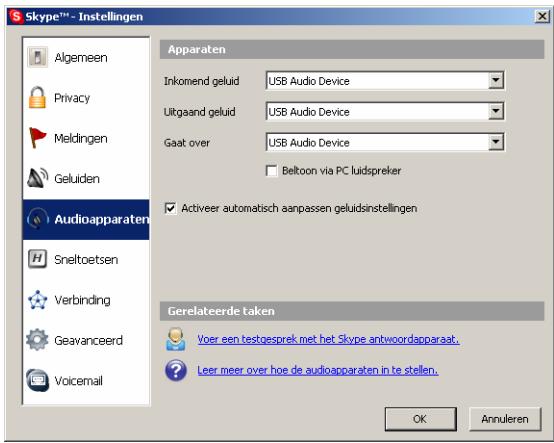
On the left, select Audio Devices and for Incoming, Outgoing and Via, select the Sweeex USB Hands Free Skymate (USB Audio Device).
Warranty
Any products under the Sweex brand are warranted for a period of three years. We do not grant support or warranties for any software and/or (rechargeable) batteries included. Warranty claims are only settled via the dealer where the product concerned was purchased.
The rightful owner has and retains title to all brand names and related rights mentioned in this manual.